[Plugin] FredoSection - v1.5c - 30 Jan 26




-
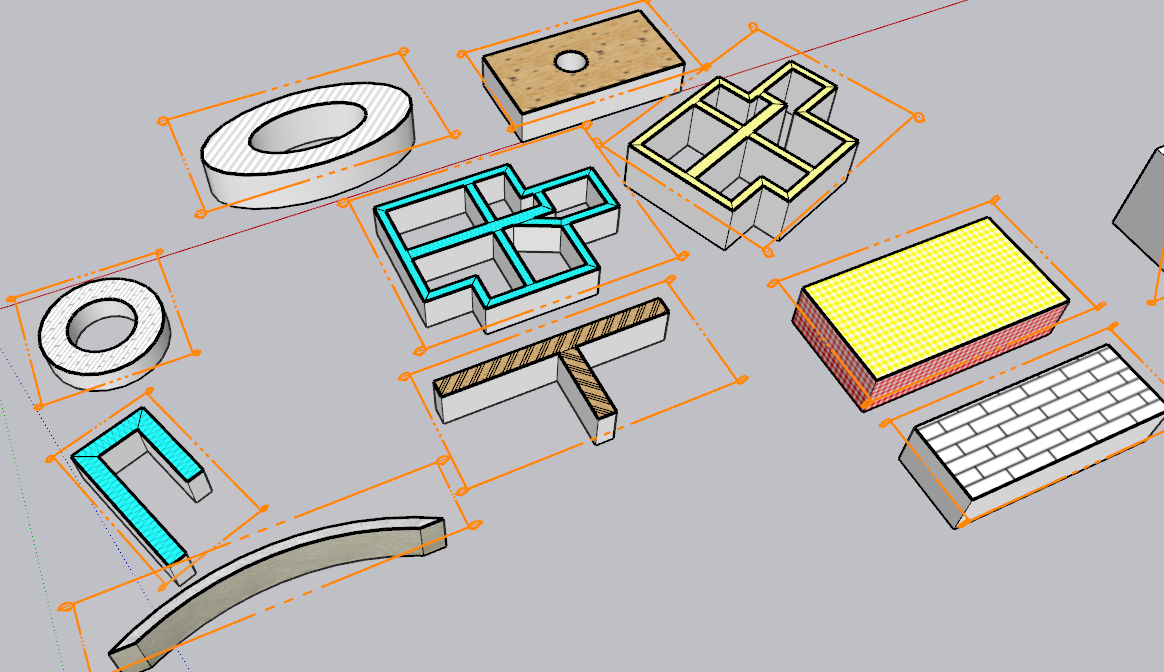
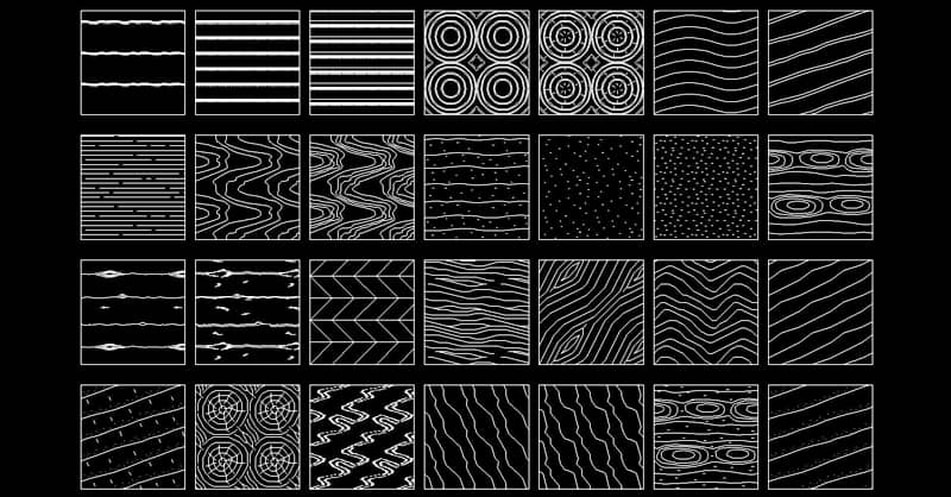
Here's a group of them that were on the https://www.cadblocksdwg.com/hatch-patterns-download.html website that TIG shared previously. If this group were avaiable, that would be great so far as I'm cencerned.
-
Getting these patterns as Vector is technically feasible, at least by me in FredoSection.
However, if you use them in a real model, that would represent a lot of lines (and a longer time to decoarte cut faces). Keep in mind that in FredoSection, a Vector pattern is just drawing edges in the model. Already with simple hatches, you have a lot of geometry created.
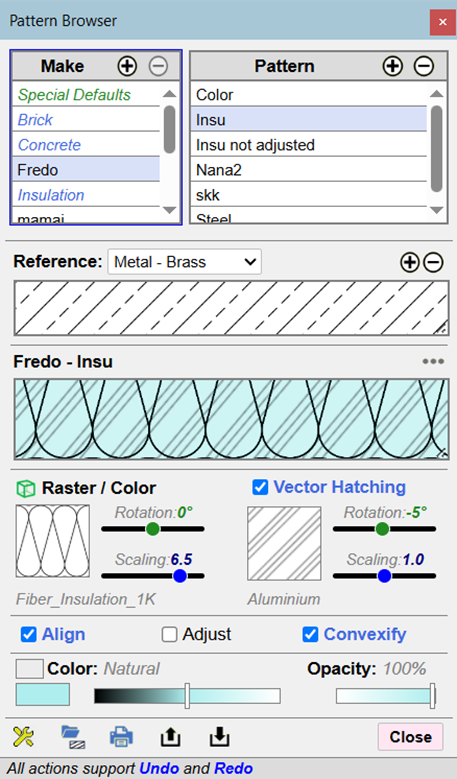
As suggested, could you try with these patterns in Raster (most of them are in the standard materials, under 'Patterns') and check they print correctly when the proper paperscale is set in Sketchup scenes and corresponding Layout viewports.
-
I just got these errors reported in the Ruby Console when I opened a new model on my Mac (SketchUp 2026, macOS 26.2). Looks like a bug in handling MDI on the Mac:
<NameError: uninitialized constant F6_FredoSection::FredoSection> /users/steve/library/application support/sketchup 2026/sketchup/plugins/fredo6_fredosection/bootstrap_fredosection.rbe:579:in `switch_model' /users/steve/library/application support/sketchup 2026/sketchup/plugins/fredo6_fredosection/bootstrap_fredosection.rbe:459:in `model_changed' /users/steve/library/application support/sketchup 2026/sketchup/plugins/fredo6_fredosection/bootstrap_fredosection.rbe:391:in `onActivateModel' -
NEW RELEASE: FredoSectiont v1.5b - 26 Jan 26
Requirements
- LibFredo6: v15.8a or above
- Sketchup version: SU2026 and above
FredoSection 1.5b is a maintenance release including:
- Bug fixing for Mac
Home Page of FredoSection for information and Download.
-
And another error popping up in the Ruby Console on my Mac:
#<NoMethodError: undefined method
dialog_close_all' for #<F6_FredoSection::Common:0x00000001738b4f10>> /users/steve/library/application support/sketchup 2026/sketchup/plugins/fredo6_fredosection/bootstrap_fredosection.rbe:587:inclose_model'
/users/steve/library/application support/sketchup 2026/sketchup/plugins/fredo6_fredosection/bootstrap_fredosection.rbe:472:inmodel_changed' /users/steve/library/application support/sketchup 2026/sketchup/plugins/fredo6_fredosection/bootstrap_fredosection.rbe:390:inonOpenModel' -
NEW RELEASE: FredoSectiont v1.5c - 30 Jan 26
Requirements
- LibFredo6: v15.8a or above
- Sketchup version: SU2026 and above
FredoSection 1.5b is a maintenance release including:
- Another bug fixing for Mac
Home Page of FredoSection for information and Download.
-
@fredo6 I installed the recent second version of 1.5b. When I quit SketchUp on my Mac, a whole flock of messages appear in the Ruby Console. Unfortunately, they flash past so quickly that it is not possible to read them, but the little I am able to spot seems to say they are coming from either libFredo6 or FredoSection. Are these (could they be) logged in a file somewhere so that they can be examined?
-
Can you make it work in 'Hidden Line Mode' or 'Shaded using all the same' or 'Shaded mode' please?
-
@TonedF said in [Plugin] FredoSection - v1.5c - 30 Jan 26:
Can you make it work in 'Hidden Line Mode' or 'Shaded using all the same' or 'Shaded mode' please?
Can you clarify the 'Can you make it work'. I am not sure I understand how this relates to FredoSection. Thanks.
-
If you have view (in style) set to "Hidden Line Mode" or "Shaded using all the same" so you can show just black & white in LayOut...it doesn't show the section images
-
Hi Fredo, I use Curic Section nowadays, but I've been following FredoSection with interest and will try it fully when I have the time. Still I have a feature request:
Could you consider the idea of multilayered offsets from Section.
Imagine following scenario:
Group has Masonry material applied.
Face inside Group has Plaster material applied.
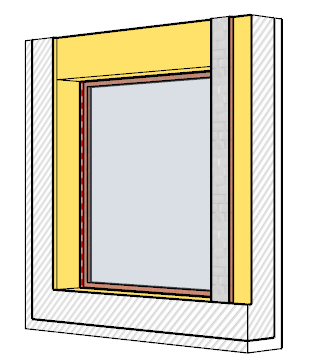
FredoSection would create a Section fill with Masonry hatch and an inset of 2cm from the edge that matches the Plaster material, where a Plaster hatch would be applied.If the masonry wall would have several faces painted with plaster, then all these faces would create a plaster offset hatch when sectioned.
If you want to make this outstanding, then that plaster offset could be a multiple offset representing several layers:
- Masonry Group - Section Fill is Masonry
- Ventilated Façade on external Face - Aluminium 1cm + Air gap 2cm + Insulation 6cm + Waterproofing 0.25cm + Mortar 2cm.
- Plaster material on internal Face - Plaster 2cm
The Object is still painted as Masonry
But section would be:
Interior Space | Plaster 2cm | Masonry Xcm | Aluminium 1cm + Air gap 2cm + Insulation 6cm + Waterproofing 0.25cm + Mortar 2cm | Exterior Space
Xcm would be the leftover value after subtracting these multiple layers offsets.
-
Trying to buy FredoSection after trial period but the "Purchase License" link doesen´t work, -and I cannot find any place to buy? Please advise me.
-
-
@Rich-O-Brien But it won't let me use the product without a license, and I can't buy the license. I love this plugin, I'm happy to pay for it. It finally solves one of my major issues with using the products. Just need to know how to give someone some $.

-
There is currently no license for this extension, it's a beta release.
Please post error/messages etc which lead you to believe a license is needed...
It works for me, no issues.
There is no 'licensing' entry in its submenu ?? -
Hi Fredo6,
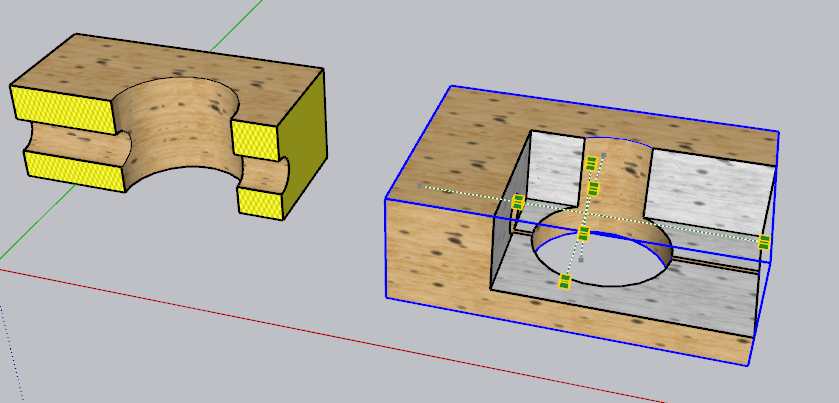
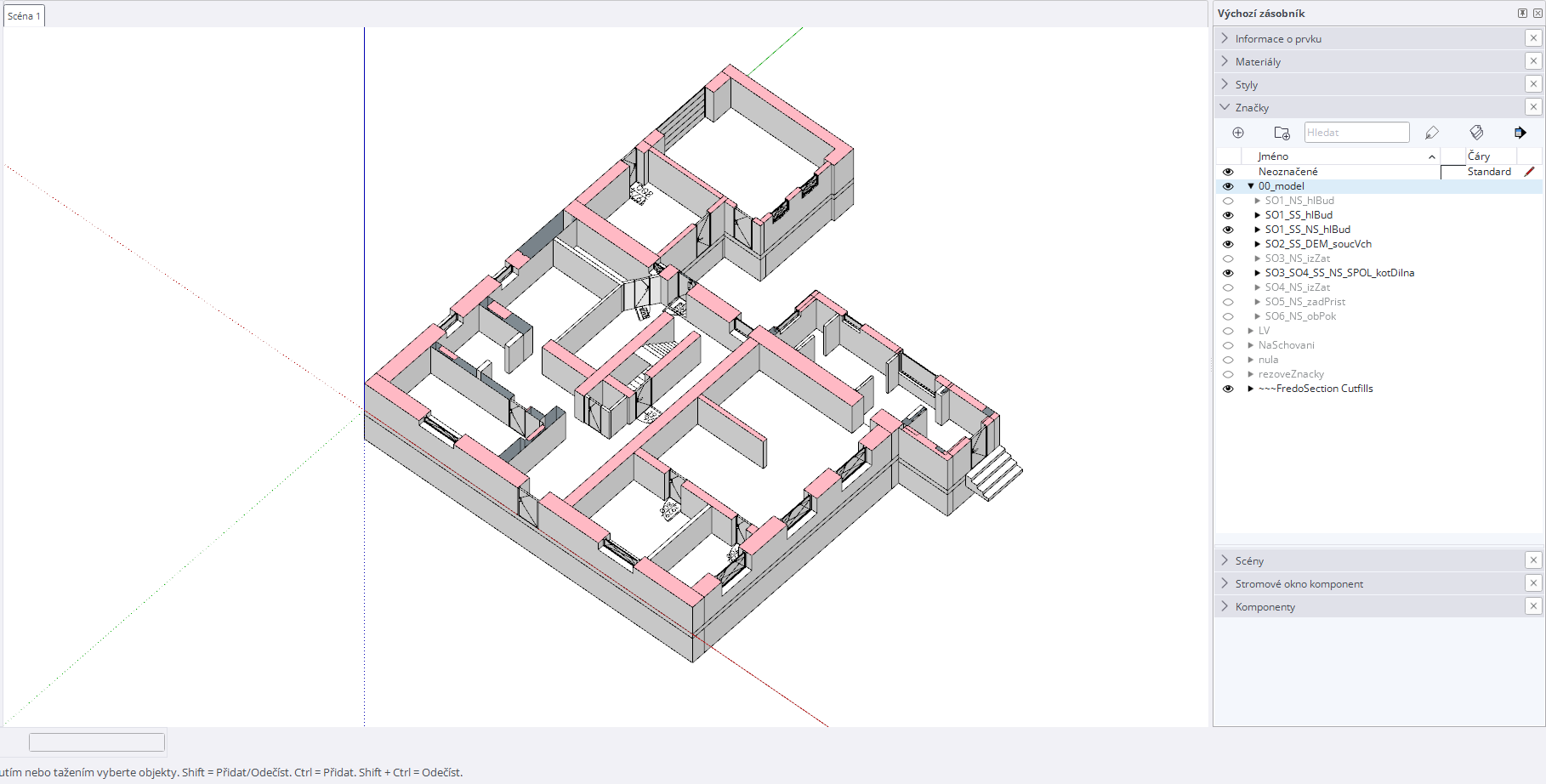
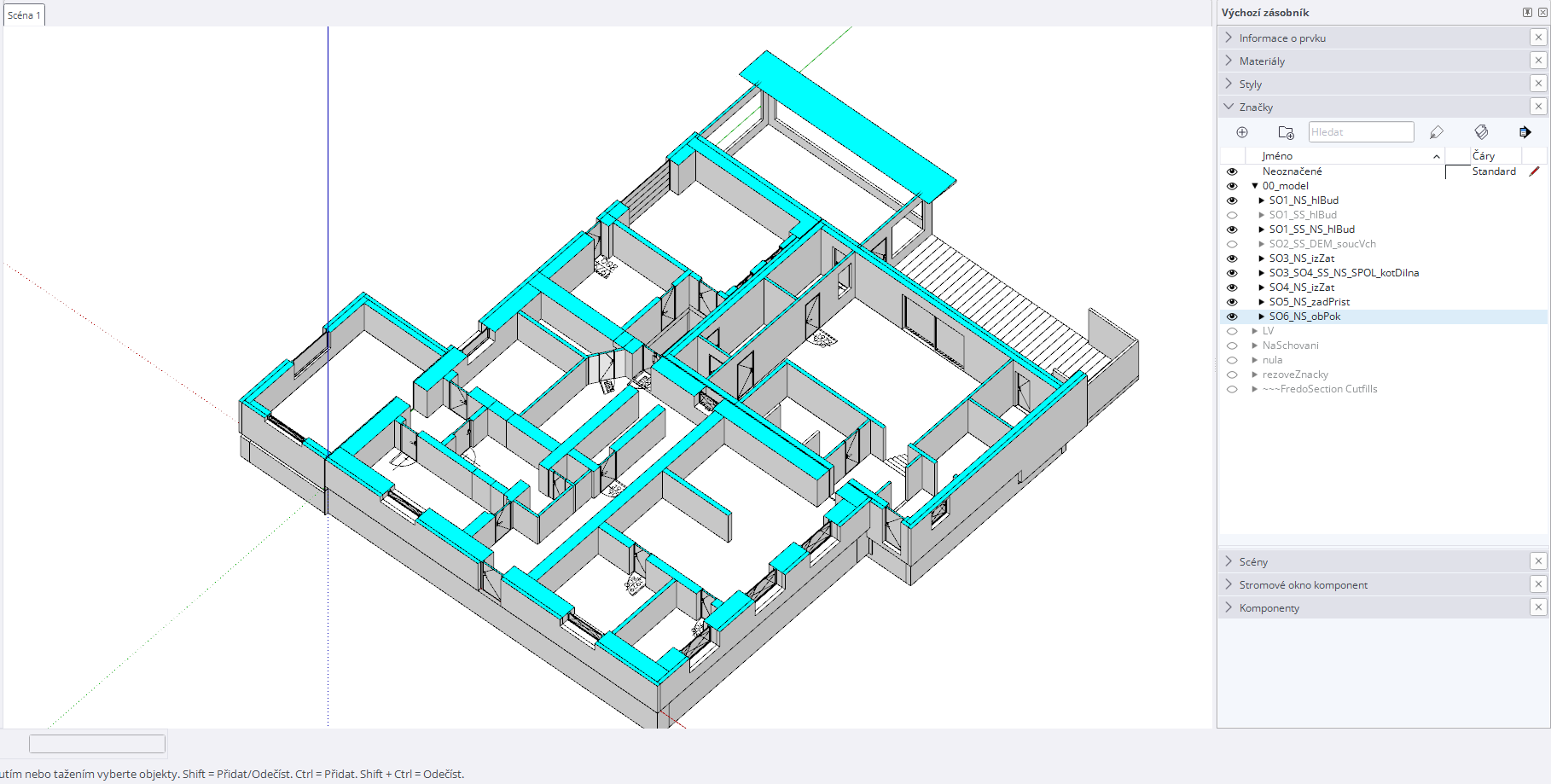
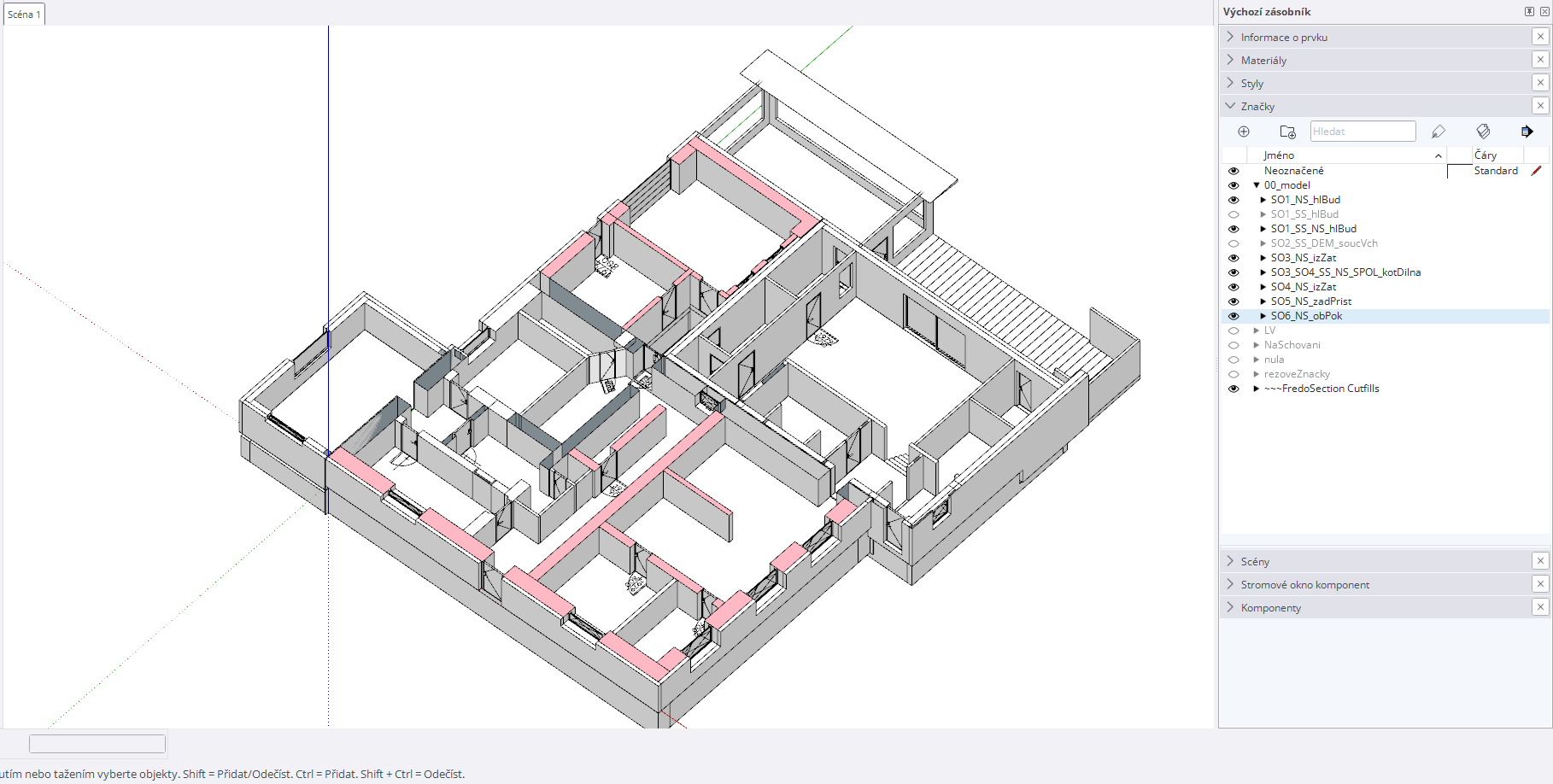
I downloaded your FredoSection plugin, but I’m experiencing some issues when using it. Parts of the section fills are missing, as shown in the attached images.
Is there any way to fix this?
Thank you.
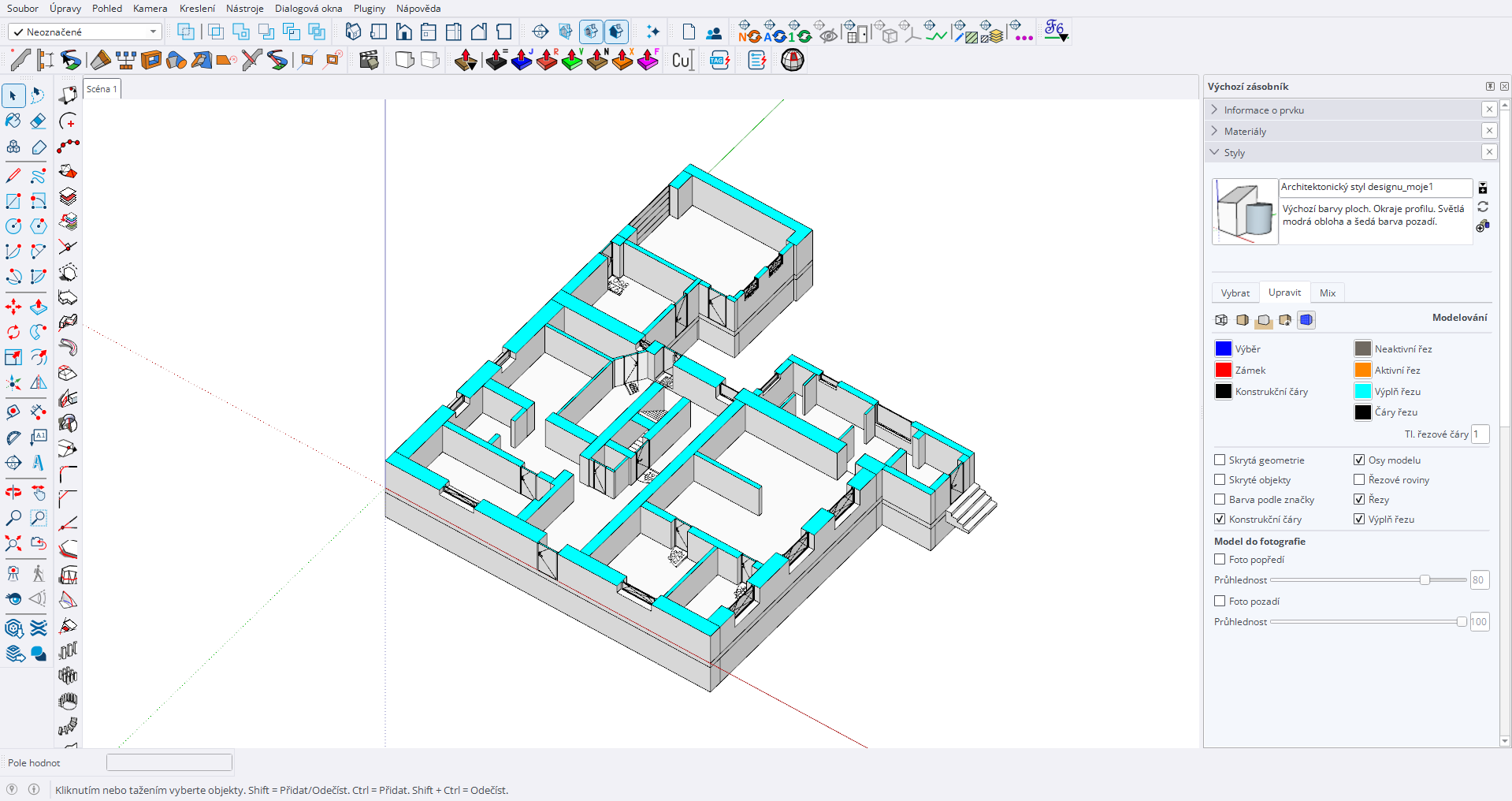
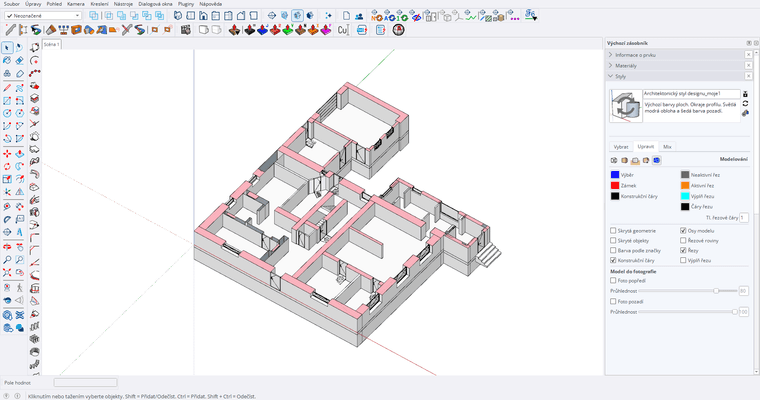
-
It would help if you post or PM me the model.
-
Hi Fredo6,
I would like to send you the model via PM, but unfortunately I can’t figure out how to do it.
I think I have found why this is happening. The walls where the issue appears have duplicated geometry, because I have both the existing state and the proposed/new state in the model.
These walls are different, so I have them twice in the model, with the new state currently hidden.
-
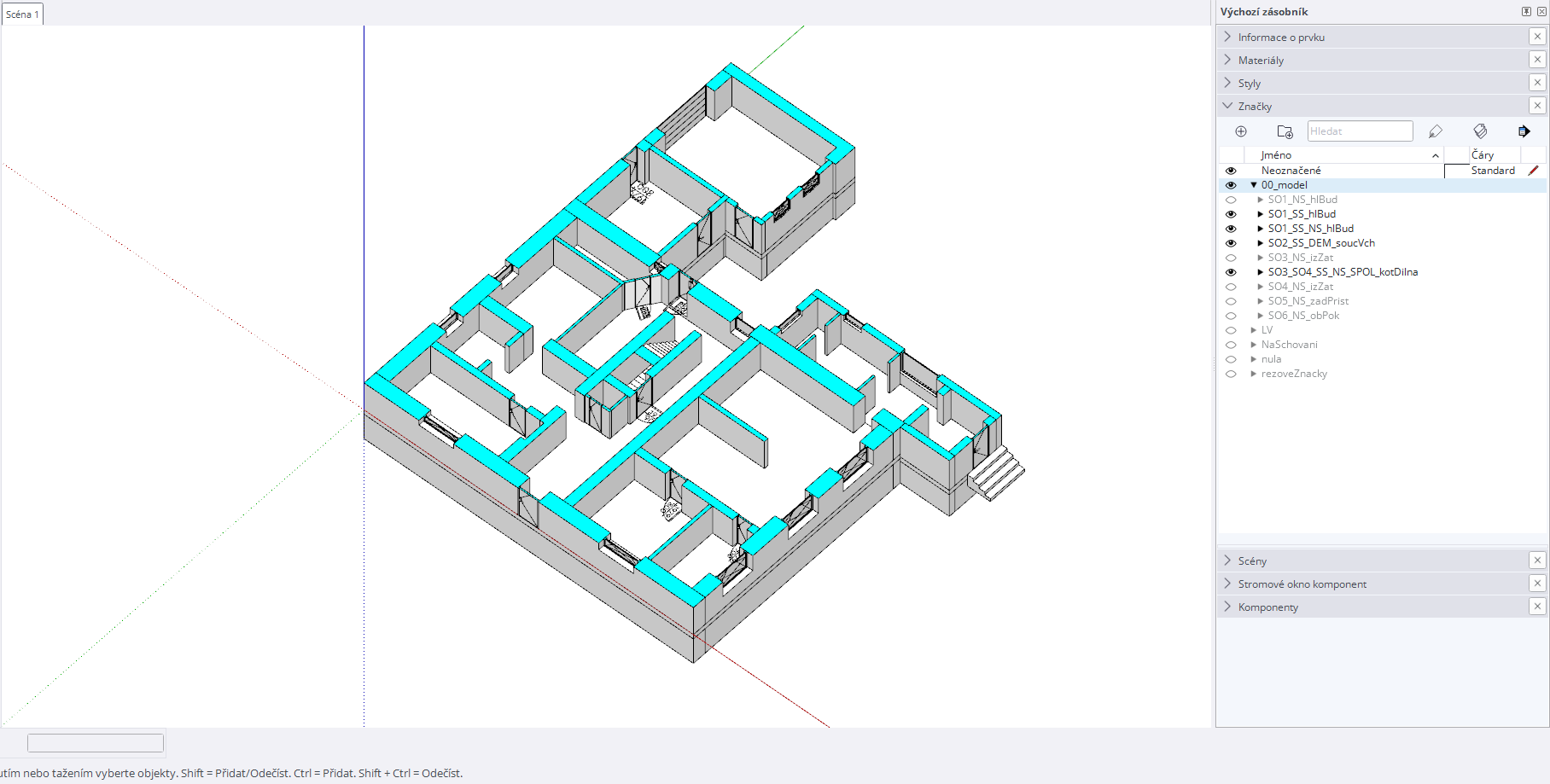
Here is the model.
I always made one screenshot using the native SketchUp section fill, and the second screenshot using FredoSection.
The section is shown in both the existing state and the proposed/new state.
The issue occurs on walls that are duplicated and differ between the existing state and the proposed/new state.
-
Hello,
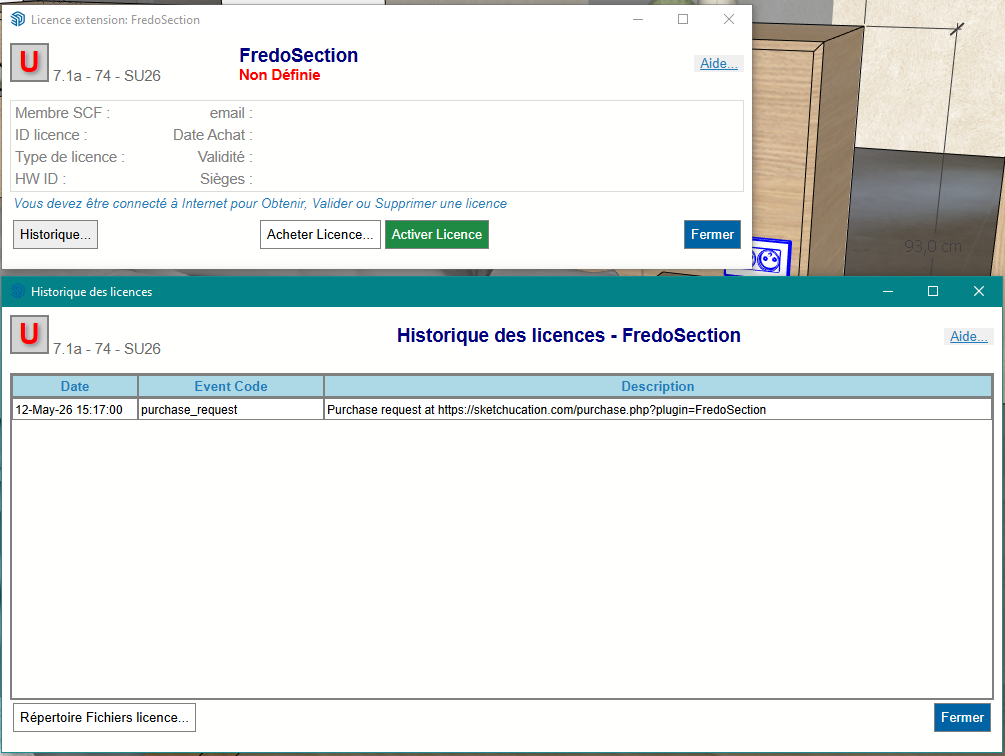
For the past few days, the FredoSection extension has been regularly displaying a window prompting me to update my license.
The "Purchase a license" button results in a webpage with the error: ERROR: Unknown plugin identifyer.
Deactivating it from the extension manager does not remove these reminders.
What's particularly annoying is that this reminder window appears every time I right-click , and as a result, I no longer have access to any context menus.
I don't want to uninstall FredoSection right now, as I might need it again later. However, I can't find the information about purchasing a license, which is scheduled to begin on April 1st: free till 01 April 2026 and then licensed.
Could you please help me? Thank you in advance, have a nice day, Christel
Bonjour,
Depuis quelques jours, l'extension FredoSection affiche régulièrement une fenêtre de demande de mise à jour de la licence.
Le bouton "Acheter une licence" donne pour résultat une page web : ERROR: Unknown plugin identifyer.
La désactivation depuis le gestionnaire d'extension n'a aucun effet de suppression de ces rappels.
Ce qui est particulièrement gênant c'est que cette fenêtre de rappel s'affiche systématiquement à chaque clic droit et que je n'ai plus accès à aucun menu contextuel de ce fait.
Je n'ai pas envie pour le moment de désinstaller FredoSection, j'en aurai peut-être à nouveau besoin ultérieurement. Je ne trouve cependant pas les informations sur l'achat de licence qui est prévu à partir du 01/04 :
Usage: free till 01 April 2026 and then licensed
Pourriez-vous svp m'aider ? Merci d'avance, belle journée, Christel






Hello! It looks like you're interested in this conversation, but you don't have an account yet.
Getting fed up of having to scroll through the same posts each visit? When you register for an account, you'll always come back to exactly where you were before, and choose to be notified of new replies (either via email, or push notification). You'll also be able to save bookmarks and upvote posts to show your appreciation to other community members.
With your input, this post could be even better 💗
Register Login


Advertisement