Rayscaper New Releases
-
Is it possible to turn a line or a series of connected lines into something that glows like a strip light?
-
The only way is to use an emissive material. Any small, thin face will work or line converted to tube. But you need a face to apply the material on. You can convert your lines instantly into tubes with Lines to tube function from JHS power bar extensions bundle
-
Hey, Rayscaper users!
Rayscaper 1.0.1 is available. You can get it via:
- The SketchUcation store.
- Direct download: Rayscaper_Win_1.0.1.rbz.
I recommend upgrading to the latest version.
Auto Setup: Your First Render Looks Right
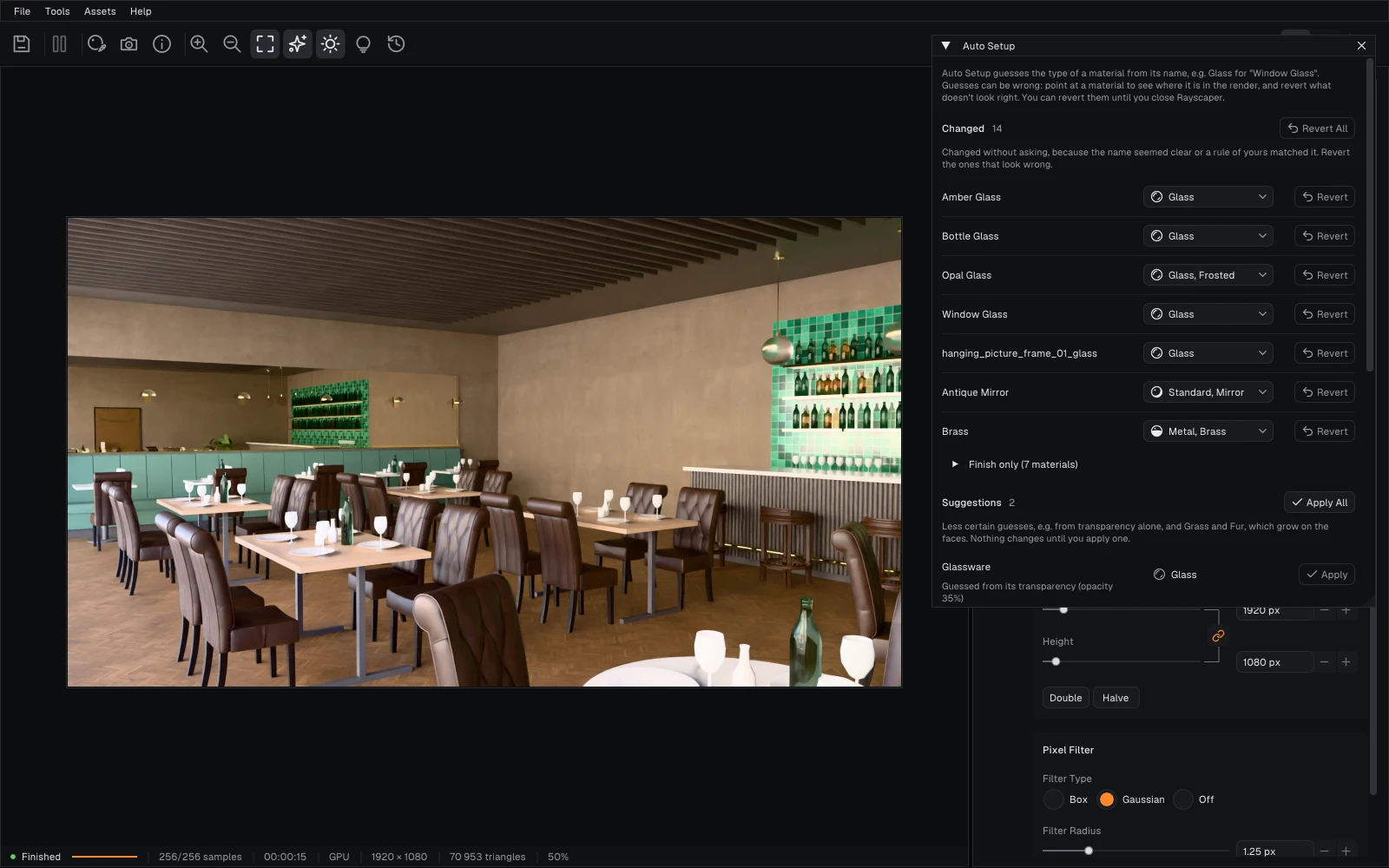
A SketchUp material is a color and maybe a texture: it doesn't say that a surface is glass, polished brass or a mirror. The name often does. When you render a model for the first time, Rayscaper now reads the names of its materials and sets them up: "Window Glass" becomes Glass, "Brass" becomes polished Metal and "Antique Mirror" a mirror. It reads names in several languages.
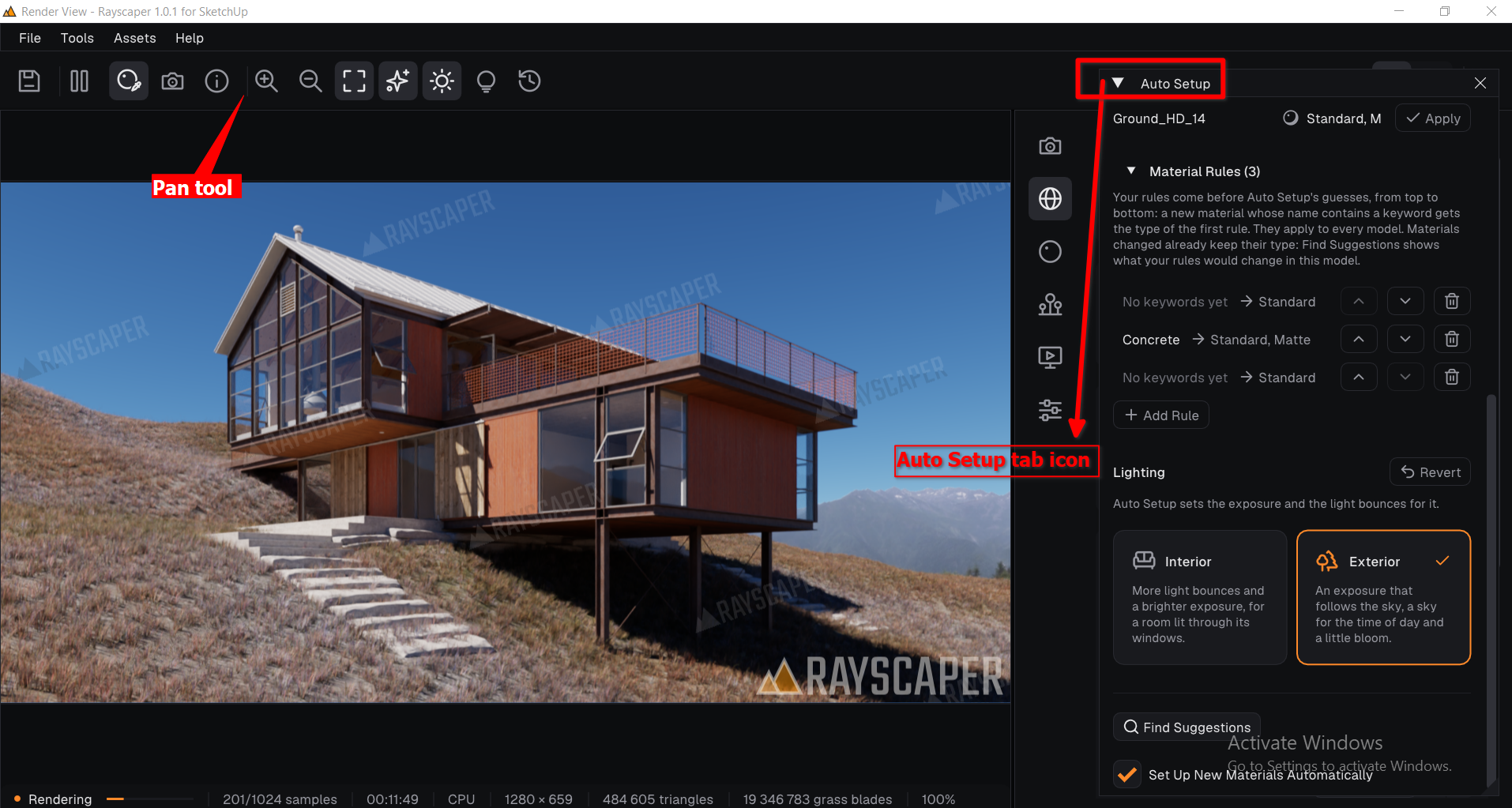
A banner tells you what it changed. Tools > Auto Setup Materials... shows every guess: point at a material to see where it is in the render, and correct or revert what doesn't look right. Guesses it isn't sure of stay suggestions for you to apply.
Lighting for an Interior or an Exterior
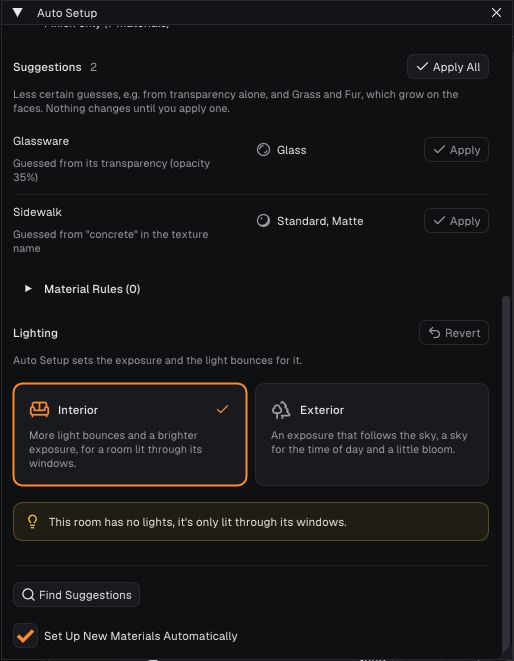
Auto Setup also asks whether your model is an interior or an exterior, and sets the exposure, light bounces, bloom and sky for it. An interior without lights gets an offer to add one.
Material Rules
Do you name your materials your own way, like
M_GL_*for glass or "Verre"? Tell Auto Setup what your names mean with material rules. Your rules come before its own guesses and apply to every model.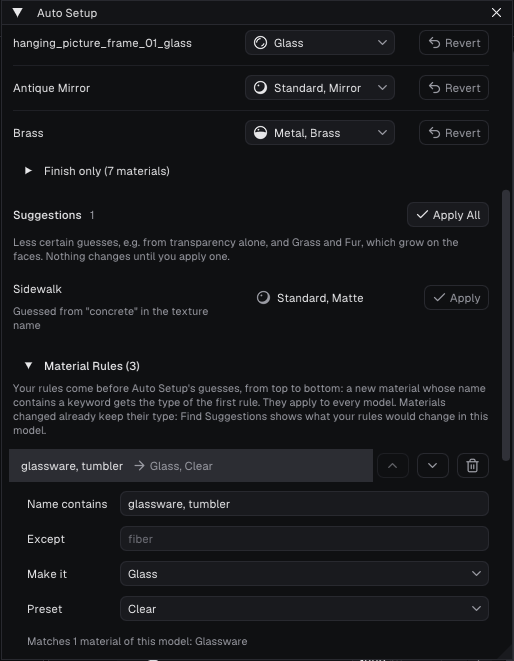
See Auto Setup in the manual. If you set up your own materials, you can turn it off there in one click.
Auto Setup is still a bit experimental: it can guess wrong, and it doesn't know every way people name their materials yet. Your feedback is much appreciated! If it set up a material wrong or missed one, or the lighting doesn't suit your scene, please reply here with the material names (or the model, if you can share it).
What Changed?
- Add Auto Setup: when you open a model without Rayscaper settings, Rayscaper sets up its materials from their names. A banner says what it changed, and Tools > Auto Setup Materials... lets you review, correct or revert every guess.
- Add the lighting of Auto Setup: choose interior or exterior, and it sets the exposure, bounces, bloom and sky for that kind of scene.
- Add material rules to Auto Setup: tell it what your own material names mean. Your rules come before its own guesses.
- Animate the field of view between SketchUp scenes in Render Animation, so a zoom between scenes and Two-Point Perspective scenes render as SketchUp shows them. Animations whose scenes have different fields of view now render differently than before.
- Fix auto exposure blowing out renders with a transparent background.
Full release notes: rayscaper.com/manual/release-notes
Help Me Build the Community

If you like Rayscaper, please share your renders (final or work-in-progress, it doesn't matter)! This is motivating and helps me showcase its capabilities to new users.
Follow me on X.
Happy Rendering!
Thomas -
Hello Thomas,
Thank you. I’d like to know if the "round corner" feature is difficult to develop for your program. I’m referring to that "fake" round corner effect, which generates rounded edges where there weren't any before? -
@Krass Thank you for what you mentioned regarding rounded edges; I often favored using them in Thea Render. it is related to matrial
-
@pixelcruncher It seems that, in the end, you will arrive at something unconquerable.
-
@Krass I see that your smile is even broader than mine regarding the new update; would it bother you if I offered another suggestion?
-
no, of course not
-
@Krass Thank you
-
I have a question about licensing (now that you are out of beta), I bought a license a while ago, until when do I get free updates?
-
I would like to see an option added to change the sky color and use raster images png , jpg, ..... image as background for color enviroment or in postprocessing menu , as well as a dedicated UV menu for Rayscaper.
-
@pixelcruncher
This is fantastic; it looks like there might be some strong competition for the ambient occlusion rendering engine. -
What I'm releasing currently and in the near future will still be available to you with your existing license.
I will announce the plan for the 2.0 release soon and provide more clarity about the upgrade plan. If there are critical bugs or issues in 1.0, I will still make new builds available for 1.0 license holders.
Cheers,
Thomas


Hello! It looks like you're interested in this conversation, but you don't have an account yet.
Getting fed up of having to scroll through the same posts each visit? When you register for an account, you'll always come back to exactly where you were before, and choose to be notified of new replies (either via email, or push notification). You'll also be able to save bookmarks and upvote posts to show your appreciation to other community members.
With your input, this post could be even better 💗
Register Login


Advertisement