Rayscaper New Releases
-
Ah, while I was struggling with Rayscaper, a new version came out!
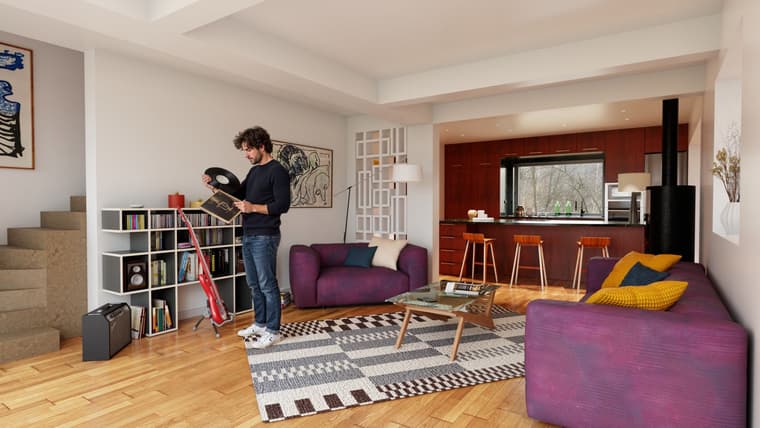
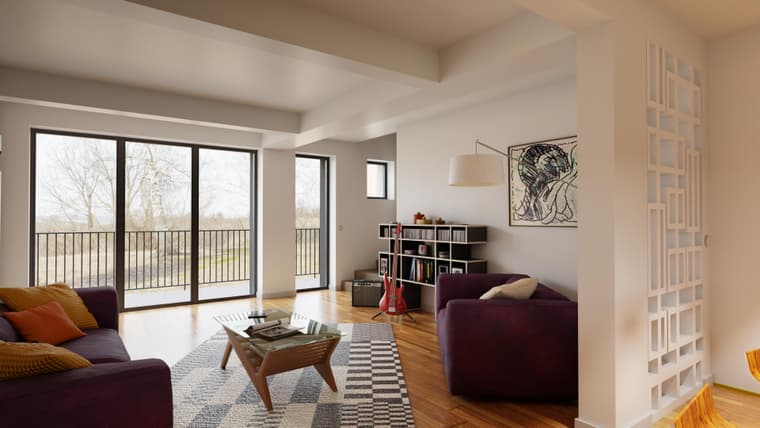
So: rendered with an old Rayscaper, GPT image character, arranged with Magnific AI (apart from the character, everything is raw Rayscaper).
-
Thomas,
I’m still missing a render method that would allow for quick masking by material, using solid colors—similar to a Render ID pass.
Thanks a lot for the Render Scenes feature!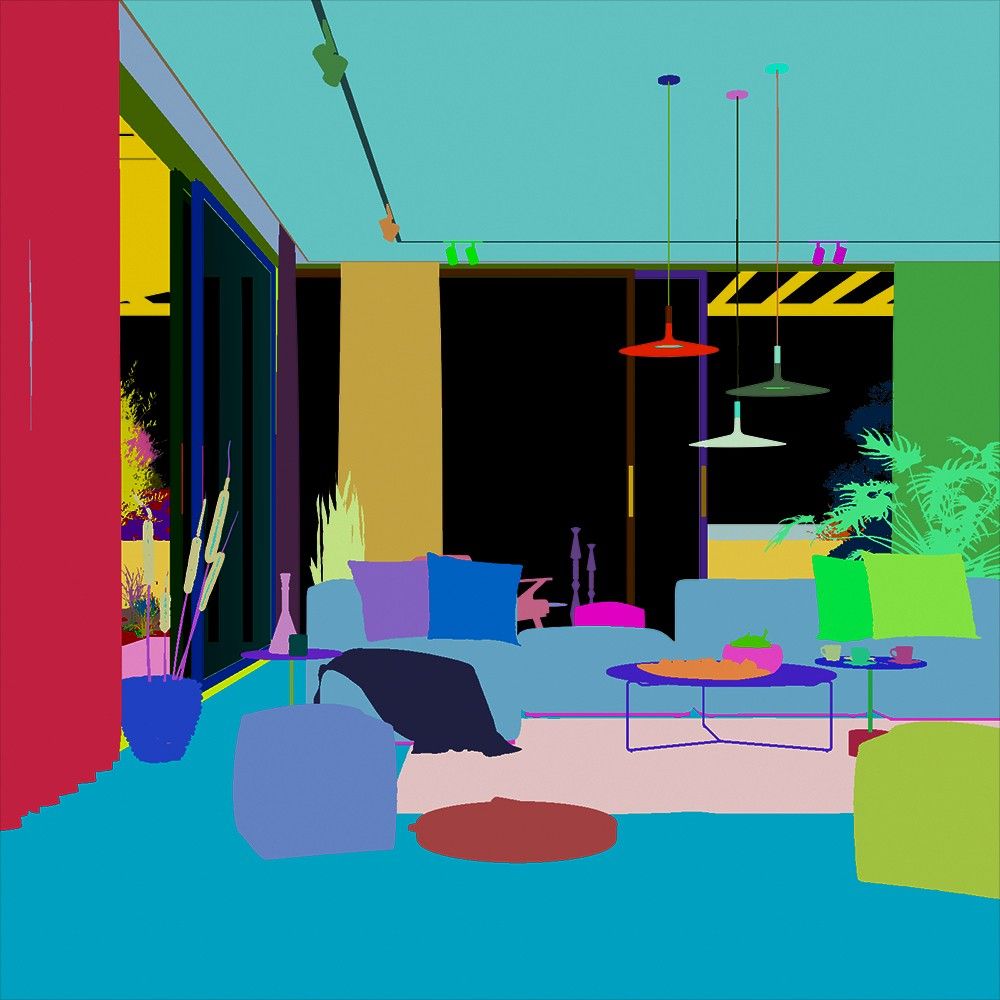
-
FR: Cryptomatte

-
@pixelcruncher
Thanks a lot Thomas for the tip about glass reflection! -
Yes Rich,
I ve let V-ray for so long to replace it with rayscaper, this is exactly cryptomatte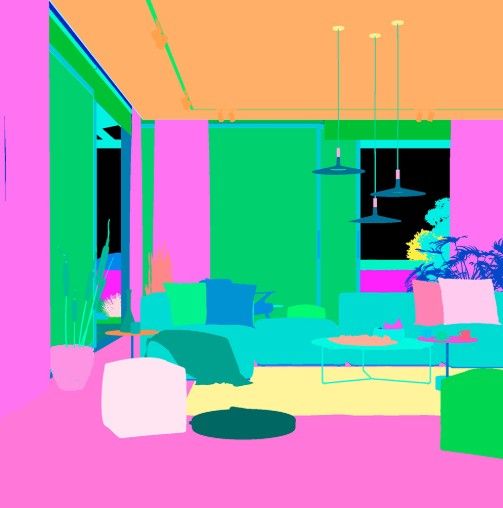
-
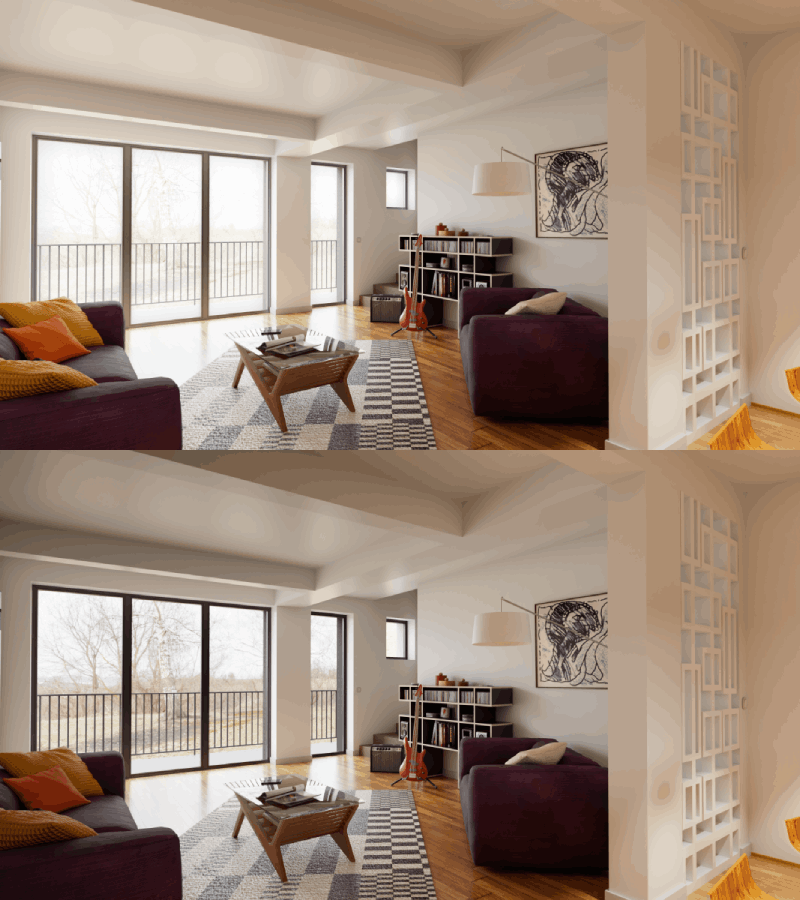
adjusting the exposure of the background with a mix of two différent exposure renders using Photopea
-
SHUT DOWN COMPUTER AFTER RAYSCAPER SCENES RENDER
I’m not sure if something like this already exists, but I asked ChatGPT to create an extension for me that puts the PC into hibernation after Rayscaper finishes rendering scenes.
The first button closes SketchUp once the renders are complete; the second one shuts down the PC—or rather, puts it into hibernation—after the rendering is done.
I’ve only tested it with small-scale renders involving about ten scenes, and it works well. It allows me to run longer rendering tasks overnight or after I’ve left for the day.
I’ve attached the RBZ file (it’s currently in French, but once it’s gone through beta testing, we can create an English version!). Works well on my SU 2024.
If you’re able to test the extension to see how well it works, thanks in advance!
Fin_des_rendus_Rayscaper_1.2.0_Veille_prolongee.rbz -
I’ve left it as is, but the image has become more distracting due to the watermarks scattered throughout it; I think they should only be placed in the corner.
-
Well, the idea would be that you try it and buy the full release, making it possible to do commercial work on a free product is counter intuitive.
-
@Alattab, thanks for the feedback. The watermark placement was deliberate, though.
Many people use Rayscaper, but comparatively few have a commercial license. I suspect some are rendering at high resolution and cropping or editing out a corner watermark, which works against how I've set up the licensing. Spreading the watermarks across the image makes that harder.
I know the free renders are more distracting, and I'm sorry about that. But it doesn't feel fair for people to make money from Rayscaper while the work behind it goes unsupported. A license is $99, or $74.99 for members here, and it removes the watermarks entirely. If Rayscaper is giving you value, even as a hobbyist, I hope that feels like a fair price. It's also what keeps development going.
Cheers,
Thomas -
I believe the free version should be seen as a longer term trial, try before you buy. Free 'stuff' is nice when you get it but expecting everything free to be usable for commercial work is fraudulent. The developer works hard to produce a product which is bloody good value and I say this as a hobby user who gets a LOT from Rayscaper.
Also, consider the perpetual license so support will be with you down the line rather than paying ever increasing monthly premiums.
Buy the full version mate, you will not regret it and no, not a rich person but a person living on a pension.I rate this product as one of the best value for money products I have EVER purchased.
-
I also noticed the changes to the free version, and you’re right to offer a full-featured trial version of your program—it has truly become a must-have.
Over the years, I’ve worked with:V-Ray
Indigo
Thea Render
Twilight Render
Twinmotion
D5 Render
SimLab ComposerI can now say that Rayscaper is a polished, high-quality program that includes all the necessary features.
It’s rare to find an interface this well-thought-out in this type of software, and the quality of the help pages and the manual is simply unmatched. It’s also rare to be able to communicate directly with the developer, and I really appreciate how attentive he is to user requests.
I’ve purchased a perpetual license for 88 euros! -
I’ve left it as is, but the image has become more distracting due to the watermarks scattered throughout it; I think they should only be placed in the corner.
-
@pixelcruncher Is it really necessary for users of the trial version—who are using it for personal projects—to end up with an image so heavily marred by watermarks that it ruins the entire scene? In any case, thank you; I hope you will give this feedback some serious consideration. I was quite interested in the software, but I’ve decided to step back and go back to using FluidRay instead .
I was having a good time, and you ruined all the fun.






Hello! It looks like you're interested in this conversation, but you don't have an account yet.
Getting fed up of having to scroll through the same posts each visit? When you register for an account, you'll always come back to exactly where you were before, and choose to be notified of new replies (either via email, or push notification). You'll also be able to save bookmarks and upvote posts to show your appreciation to other community members.
With your input, this post could be even better 💗
Register Login


Advertisement