Rayscaper New Releases
-
Thomas,
In the latest version, I am unable to create any light points. -
@Krass Yikes, I'm having a look. Will likely update with a new hotfix release.
thanks for reporting!
Cheers,
Thomas -
Hey, Rayscaper users!
Rayscaper 0.9.104 Beta is available. This is a hotfix for 0.9.103.
Heads-up: I couldn't upload 0.9.104 to the SketchUcation store yet, so the store still has 0.9.102. Please download it directly: Rayscaper_Win_0.9.104_Beta.rbz.
If you use SketchUp 2024 with 0.9.103, please upgrade.
What Changed?
- Fix placing lights in SketchUp 2024: in 0.9.103, the light tools couldn't add a light to a model that had no Rayscaper lights yet.
Thanks to @krass for reporting it!
Full release notes: rayscaper.com/manual/release-notes
Help Me Build the Community

If you like Rayscaper, please share your renders (final or work-in-progress, it doesn't matter)! This is motivating and helps me showcase its capabilities to new users.
Follow me on X.
Happy Rendering!
Thomas -
Just a quick question, I am hoping that mirrors make a comeback, they seem to be missing lately.
-
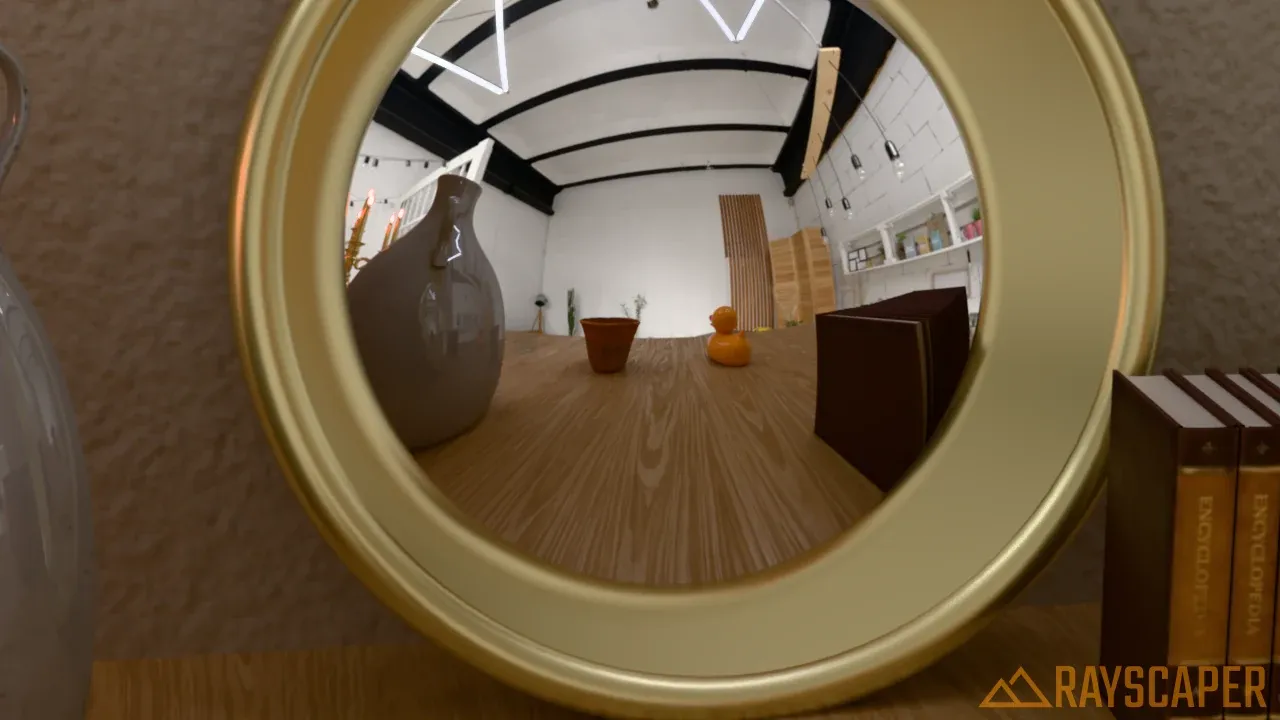
@Mike-Amos Mirrors are still there, they just moved! Since 0.9.99 the Mirror is a Finish of the Standard material instead of a material type of its own: select the material, keep Material Type on Standard and pick Mirror under Finish. That gives a perfect reflection, tinted by the material's color.
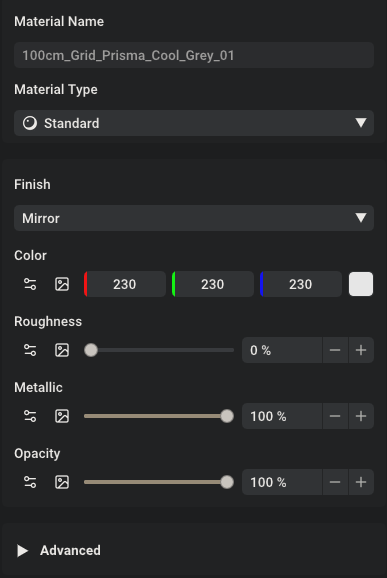
Older Mirror materials open as Standard materials with that finish, so they keep their look. There's also a ready-made Mirror and Bronze mirror in the Rayscaper material library in the Asset Manager.
More in the docs: rayscaper.com/manual/material-types
Cheers,
Thomas -
I thank you, Sir.
-
There is an issue in the latest version: when "pool" is selected, the pool water turns green.
-
@pixelcruncher
I am an interior designer, and I did not turn on AI noise reduction for this test image. For me, Raysacper's AI noise reduction is too strong, erasing some texture details. So I usually don't turn it on now.
Thank you for your hard work. I really like Rayscaper and I would recommend it to designers around me. I will also launch tutorials on how to use Rayscaper on video websites in China in the near future -
This post is deleted! -
@lightscape Are you a Chinese speaker? I noticed that on Chinese forums, users are hacking the Rayscaper binary to inject Chinese translations. But if there's interest from Chinese users, I might as well provide translations for the software in Chinese (and other languages). Would you be able to help me review it, because I would need to use AI to do the translation and have no clue if it's correct.
In fact that goes for other languages as well. If users are interested in this, I'm happy to provide translations, given that users can help me review, because I need to rely on AI here as well. And faulty translations might hurt the reputation of Rayscaper.
Cheers,
Thomas -
@Alattab Thanks for reporting this! I tried to reproduce it with a simple test pool in 0.9.104. The water material itself doesn't add any green: it only absorbs some red light with depth, which gives a slightly blue/cyan tint. What you see through the water is mostly the color of the pool floor and walls, and a light cyan tint over a beige or sand-colored floor ends up looking green:
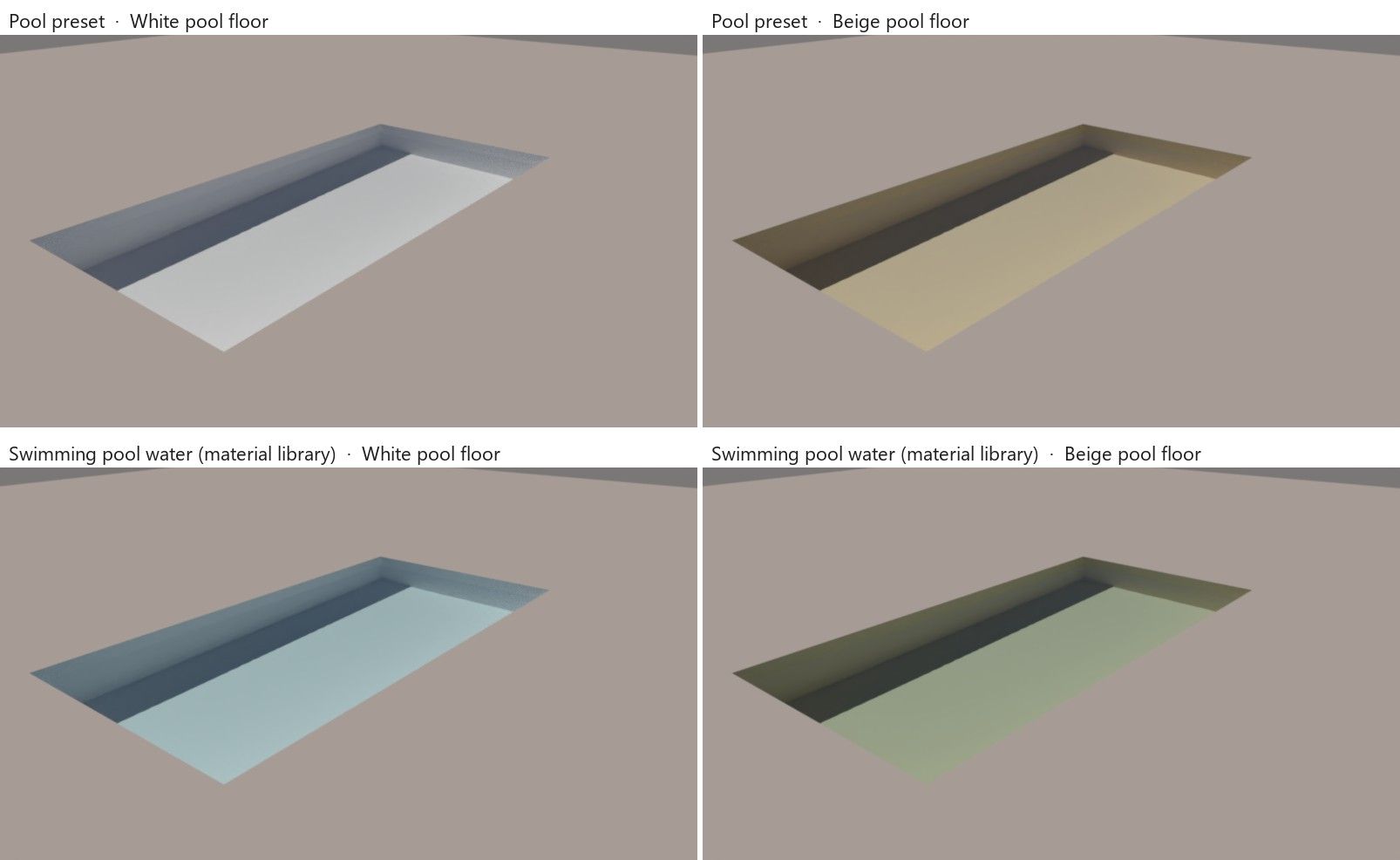
Top: the Pool preset of the Water material. Bottom: "Swimming pool water" from the material library, which tints a bit more. Left: a white pool floor. Right: a beige pool floor.
Real pools look blue for the same reason: they have white or blue tiles or plaster. Could you try giving the pool floor and walls a white or light blue material?
If that doesn't explain it, could you post a screenshot of the render next to the SketchUp view of the same pool, and tell me which preset or library material you picked? A small model with just the pool would help too.



Hello! It looks like you're interested in this conversation, but you don't have an account yet.
Getting fed up of having to scroll through the same posts each visit? When you register for an account, you'll always come back to exactly where you were before, and choose to be notified of new replies (either via email, or push notification). You'll also be able to save bookmarks and upvote posts to show your appreciation to other community members.
With your input, this post could be even better 💗
Register Login


Advertisement