sketchucation logo sketchucation
    • Login
    Oops, your profile's looking a bit empty! To help us tailor your experience, please fill in key details like your SketchUp version, skill level, operating system, and more. Update and save your info on your profile page today!
    Urasik Extensions | Lots of new extensions to check out Learn More

    Rayscaper New Releases

    Scheduled Pinned Locked Moved Extensions & Applications Discussions
    rayscaperrender
    456 Posts 12 Posters 76.4k Views 13 Watching
    Loading More Posts
    • Oldest to Newest
    • Newest to Oldest
    • Most Votes
    Reply
    • Reply as topic
    Log in to reply
    This topic has been deleted. Only users with topic management privileges can see it.
    • Mike AmosM Offline
      Mike Amos
      last edited by

      He is away for a week, a well earned break but he believes there is an issue with the latest build which he aims to fix when he gets back.

      I got a new office chair today, supposedly good for bad backs.

      If anyone suggests this, https://www.amazon.co.uk/dp/B0D2HB14FK?ref=ppx_yo2ov_dt_b_fed_asin_title

      DON'T. More wobbly than a bathtub in the ocean.

      Hence headache/backache etc. Jolly good fun. Actually I could give it a pass.

      I had a notification of a noo Sketchup build, downloaded it and the only way forwards was repair or delete. Not much of anything working today and Maxwell which WAS working, off on hols too.

      Absentia mortis praesentiam vitae probat, vita autem est argumentum constantiae.

      1 Reply Last reply Reply Quote 0
      • Mike AmosM Offline
        Mike Amos
        last edited by

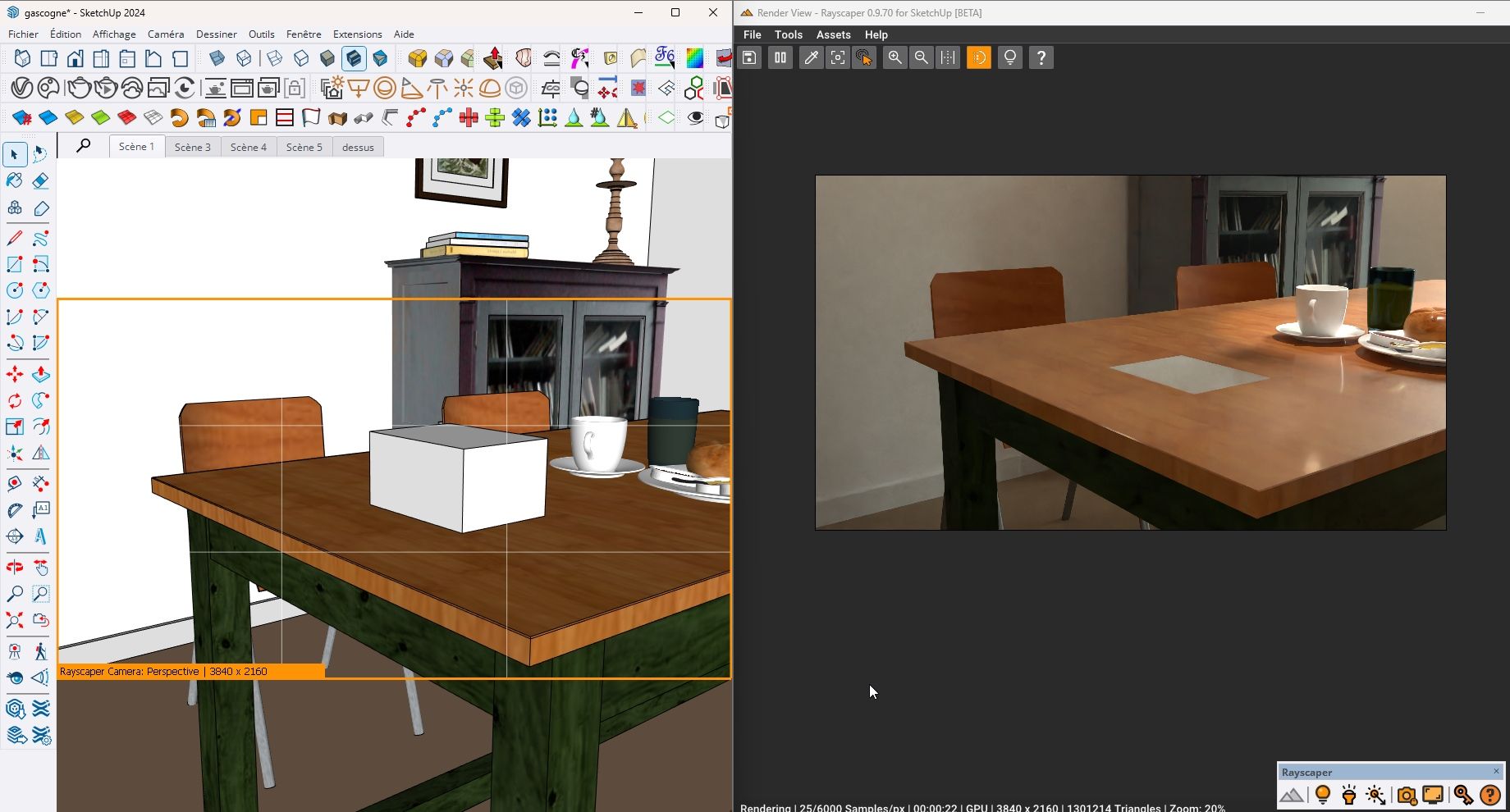
        OK, after a LOT of faffing, it seems that .92 is being installed adjacent to .91 rather than over it.

        I uninstalled .92 today and did a pc restart.

        Rayscaper is still present.

        Started to render to, on checking it is .91.

        Also, not finding the graphics card so reverting to cpu rendering.

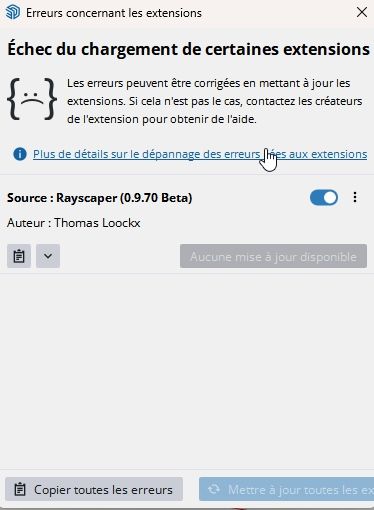
        .91 errors.jpg

        Absentia mortis praesentiam vitae probat, vita autem est argumentum constantiae.

        1 Reply Last reply Reply Quote 0
        • Mike AmosM Offline
          Mike Amos
          last edited by

          .91 errors 2.jpg

          Absentia mortis praesentiam vitae probat, vita autem est argumentum constantiae.

          1 Reply Last reply Reply Quote 0
          • P Online
            pixelcruncher Extension Creator
            last edited by

            Hey, Rayscaper users!

            Rayscaper 0.9.93 Beta is available. You can get it via:

            • The SketchUcation store.
            • Direct download: Rayscaper_Win_0.9.93_Beta.rbz.

            I recommend upgrading to the latest version.

            What Changed?

            • Fix SketchUp tag visibility updates for nested groups and components. Nested geometry now appears and reappears correctly in Rayscaper when you toggle tags in SketchUp, matching the SketchUp viewport more reliably.
            • Fix material picking when hidden or invisible objects sit in front of visible geometry. The picker now selects the material you clicked instead of the hidden object blocking it.
            • Fix crashes after exploding SketchUp tag folders and then changing tag visibility.
            • Improve viewport navigation and panel controls with a simpler pan/zoom path and a fixed panel layout.

            Full release notes: rayscaper.com/manual/release-notes

            Help Me Build the Community 👍

            If you like Rayscaper, please share your renders (final or work-in-progress, it doesn't matter)! This is motivating
            and helps me showcase its capabilities to new users.

            Follow me on X.

            Happy Rendering!
            Thomas

            I'm the developer of Rayscaper: https://rayscaper.com/ - Fast and easy rendering for SketchUp.

            1 Reply Last reply Reply Quote 1
            • P Online
              pixelcruncher Extension Creator
              last edited by pixelcruncher

              Rayscaper users, a heads up: I accidentally uploaded the previous 0.9.92 version to the SketchUcation Extension Store. If you installed Rayscaper in the last 4 days, you may have reinstalled the previous version. (@mike-amos Thanks for the heads up!).

              I’ve uploaded the latest 0.9.93 version now. If you download and install the extension again, it should install version 0.9.93 correctly.

              Apologies for the hassle.

              Happy Rendering!
              Thomas

              I'm the developer of Rayscaper: https://rayscaper.com/ - Fast and easy rendering for SketchUp.

              ntxdaveN 1 Reply Last reply Reply Quote 0
              • Mike AmosM Offline
                Mike Amos
                last edited by

                No hassle, stuff happens remain chill mate.

                Absentia mortis praesentiam vitae probat, vita autem est argumentum constantiae.

                1 Reply Last reply Reply Quote 1
                • Mike AmosM Offline
                  Mike Amos
                  last edited by

                  The new build is good, when hiding the 'assets' panel the progress bar is also lost. Not a major issue as when it comes to labelling the render, unhiding the assets is doable.
                  It would be useful when progress is slow as a stalled render is not so obvious when the progress bar is hidden.

                  Absentia mortis praesentiam vitae probat, vita autem est argumentum constantiae.

                  1 Reply Last reply Reply Quote 0
                  • ntxdaveN Offline
                    ntxdave @pixelcruncher
                    last edited by ntxdave

                    @pixelcruncher said:

                    Rayscaper users, a heads up: I accidentally uploaded the previous 0.9.92 version to the SketchUcation Extension Store. If you installed Rayscaper in the last 4 days, you may have reinstalled the previous version. (@mike-amos Thanks for the heads up!).

                    I’ve uploaded the latest 0.9.93 version now. If you download and install the extension again, it should install version 0.9.93 correctly.

                    Apologies for the hassle.

                    Happy Rendering!
                    Thomas

                    Is there a way within Rayscaper to update to the latest version? If not, is this something you could add to the ui?

                    Press F1...thank me later

                    Rich O BrienR 1 Reply Last reply Reply Quote 0
                    • Mike AmosM Offline
                      Mike Amos
                      last edited by

                      On a few occasions I have downloaded the latest build and used the sketchup extension manager. This it what I have used for rollback to last version to check behaviour.

                      Absentia mortis praesentiam vitae probat, vita autem est argumentum constantiae.

                      1 Reply Last reply Reply Quote 0
                      • Rich O BrienR Offline
                        Rich O Brien Moderator @ntxdave
                        last edited by

                        @ntxdave said:

                        Is there a way within Rayscaper to update to the latest version? If not, is this something you could add to the ui?

                        If you install extensions using Sketchucation Tools then it will prompt you to update. It has been that way for years.

                        Download the free D'oh Book for SketchUp 📖

                        ntxdaveN 1 Reply Last reply Reply Quote 0
                        • KrassK Offline
                          Krass
                          last edited by

                          hello, I'm trying this new version but I get a bugg, It doens't want to render anymore. I get this error message

                          f6b58b7d-acb4-4db6-ba4d-a1bdc87ed29c-image.jpeg
                          I will send you my log file

                          Krass

                          1 Reply Last reply Reply Quote 0
                          • ntxdaveN Offline
                            ntxdave @Rich O Brien
                            last edited by

                            @Rich-O-Brien said:

                            @ntxdave said:

                            Is there a way within Rayscaper to update to the latest version? If not, is this something you could add to the ui?

                            If you install extensions using Sketchucation Tools then it will prompt you to update. It has been that way for years.
                            I agree @rich-o-brien but when I went there yesterday it said it said all my extensions were up to date. I will look again today. That is what prompted my post.

                            Press F1...thank me later

                            Rich O BrienR 1 Reply Last reply Reply Quote 0
                            • Mike AmosM Offline
                              Mike Amos
                              last edited by

                              There was an issue where the posted version of Rayscaper was incorrect, it had .92 as the latest. If you try again you will get .93 as the uploaded file has been corrected.

                              I can certify to this as I have now got the updated .93 installed.

                              Absentia mortis praesentiam vitae probat, vita autem est argumentum constantiae.

                              1 Reply Last reply Reply Quote 0
                              • Rich O BrienR Offline
                                Rich O Brien Moderator @ntxdave
                                last edited by

                                @ntxdave said:

                                when I went there yesterday it said it said all my extensions were up to date.

                                If you installed extensions manually. That is you grab the RBZ off the site and install it via Extensions > Extension Manager then don't expect Sketchucation Tools to flag an update.

                                If you install extensions via Sketchucation Tools dialog then we prompt you to install future updates

                                Download the free D'oh Book for SketchUp 📖

                                1 Reply Last reply Reply Quote 0
                                • ntxdaveN Offline
                                  ntxdave
                                  last edited by

                                  Not sure now how I originally installed the extension, but I feel pretty confident I have updated it before via SketchUcation Tools. When I go to the SketchUp Extension manager, it says I have 0.9.92. I would like to update to the 0.9.93 version. Does this mean I need to download the new version and install if "from scratch" or is there some way I can do it via SketchUcation Tools?

                                  Press F1...thank me later

                                  Rich O BrienR 1 Reply Last reply Reply Quote 0
                                  • KrassK Offline
                                    Krass
                                    last edited by

                                    I should point out that I initially succeeded with a project in version 93. Then this problem occurred.

                                    Krass

                                    1 Reply Last reply Reply Quote 0
                                    • Rich O BrienR Offline
                                      Rich O Brien Moderator @ntxdave
                                      last edited by

                                      @ntxdave said:

                                      Does this mean I need to download the new version and install if "from scratch" or is there some way I can do it via SketchUcation Tools?

                                      Open Extensions > Sketchucation > ExtensionStore

                                      Search for Rayscaper and click install.

                                      Download the free D'oh Book for SketchUp 📖

                                      ntxdaveN 1 Reply Last reply Reply Quote 0
                                      • ntxdaveN Offline
                                        ntxdave @Rich O Brien
                                        last edited by

                                        @Rich-O-Brien OK, got the latest version installed now.
                                        I should have known this myself. DUH!

                                        Press F1...thank me later

                                        1 Reply Last reply Reply Quote 0
                                        • G Offline
                                          gabrielaher Newcomers
                                          last edited by

                                          How its takes to give the license via email???

                                          1 Reply Last reply Reply Quote 0

                                          Hello! It looks like you're interested in this conversation, but you don't have an account yet.

                                          Getting fed up of having to scroll through the same posts each visit? When you register for an account, you'll always come back to exactly where you were before, and choose to be notified of new replies (either via email, or push notification). You'll also be able to save bookmarks and upvote posts to show your appreciation to other community members.

                                          With your input, this post could be even better 💗

                                          Register Login
                                          • 1
                                          • 2
                                          • 10
                                          • 11
                                          • 12
                                          • 13
                                          • 14
                                          • 22
                                          • 23
                                          • 12 / 23
                                          • First post
                                            Last post
                                          Buy SketchPlus
                                          Buy SUbD
                                          Buy WrapR
                                          Buy eBook
                                          Buy Modelur
                                          Buy Vertex Tools
                                          Buy SketchCuisine
                                          Buy FormFonts

                                          Advertisement