Rayscaper New Releases
-
Thanks for the update, though I have issues with it. Here is what I get:
Error: #<LoadError: 126: The specified module could not be found. - c:/users/magic/appdata/roaming/sketchup/sketchup 2023/sketchup/plugins/rayscaper/installed/Windows/2023/0.9.82 Beta/resources/SUEX_Rayscaper_LoadLibs.so>
E:/Program Files/SketchUp/Sketchup 2023/Tools/RubyStdLib/rubygems/core_ext/kernel_require.rb:83:inrequire' E:/Program Files/SketchUp/Sketchup 2023/Tools/RubyStdLib/rubygems/core_ext/kernel_require.rb:83:inrequire'
c:/users/magic/appdata/roaming/sketchup/sketchup 2023/sketchup/plugins/rayscaper/main.rbe:174:in<module:Rayscaper>' c:/users/magic/appdata/roaming/sketchup/sketchup 2023/sketchup/plugins/rayscaper/main.rbe:8:in<main>'
E:/Program Files/SketchUp/Sketchup 2023/Tools/extensions.rb:197:ineval' E:/Program Files/SketchUp/Sketchup 2023/Tools/extensions.rb:197:inrequire'
E:/Program Files/SketchUp/Sketchup 2023/Tools/extensions.rb:197:inload' C:/Users/Magic/AppData/Roaming/SketchUp/SketchUp 2023/SketchUp/Plugins/rayscaper.rb:18:inregister_extension'
C:/Users/Magic/AppData/Roaming/SketchUp/SketchUp 2023/SketchUp/Plugins/rayscaper.rb:18:in<module:Rayscaper>' C:/Users/Magic/AppData/Roaming/SketchUp/SketchUp 2023/SketchUp/Plugins/rayscaper.rb:6:in<top (required)>'I uninstalled the previous version, then removed the entire plugin and its loader and reinstalled it, yet the issue persists.
-
@majid Sorry about that! Can you send me the log files as described here: https://rayscaper.com/getting-help/report-a-bug/#1-export-the-log-files
-
Hi Thomas, I can't believe I read that you can now do animation? I just installed it and it works perfectly on my computer. It's a Christmas present! But I'm eager to understand how to create an animation. A tutorial would be great...
Krass
-
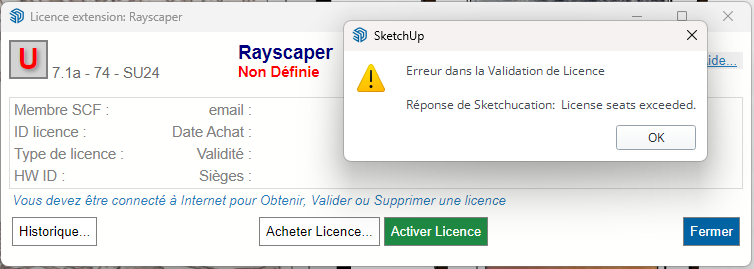
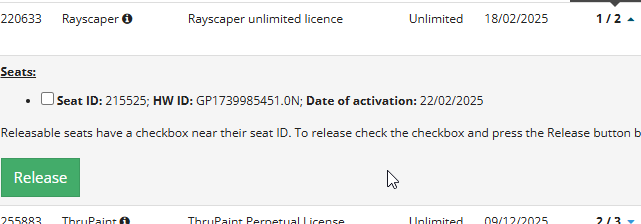
I reinstalled Windows; I suppose that explains the license issue I'm having? Rayscaper is installed on two machines.
Krass
-
Sketchup crashes as soon as I click on "double" in the rendering resolution settings.
and it's systematicKrass
-
Regarding the animation, is it in the form of a sequence of images?
-
I guess it is bkz I use SU 2023... and RS does not support it
-
you can't use Rayscaper on your 2023 SU ? If yes do you get the same issue when increasing camera resolution?
-
ok, i found it
-
To get back to my point about the crash when I change the camera resolution: it doesn't crash on smaller SketchUp files, I've run tests. But it's true that this particular file is quite large, 279 MB.
-
Have a look at this guide on how to release seats: https://rayscaper.com/faq/licensing/#how-do-i-release-a-license-seat
-
@Krass, I'm updating my documentation, stay tuned. If I have time this week, I will also try a video.
I'm the developer of Rayscaper: https://rayscaper.com/ - Fast and easy rendering for SketchUp.
-
@Krass Yikes, can you get me the logs after a crash happened?
Report a Bug
How to send a bug report that we can act on, with the log files, a description and a scene that shows the problem.

Rayscaper (rayscaper.com)
-
@majid I'm supporting 2026, 2025, 2024. I changed that a couple of releases back.
-
Done, I send the bug report
-
@krass - Here's the animation guide: https://rayscaper.com/guides/animation/ - Please let me know if everything is clear, or if there are any issues with the feature, because it's brand new

-
Yes, I've already figured out how to render an animation! I'm testing it now.
-
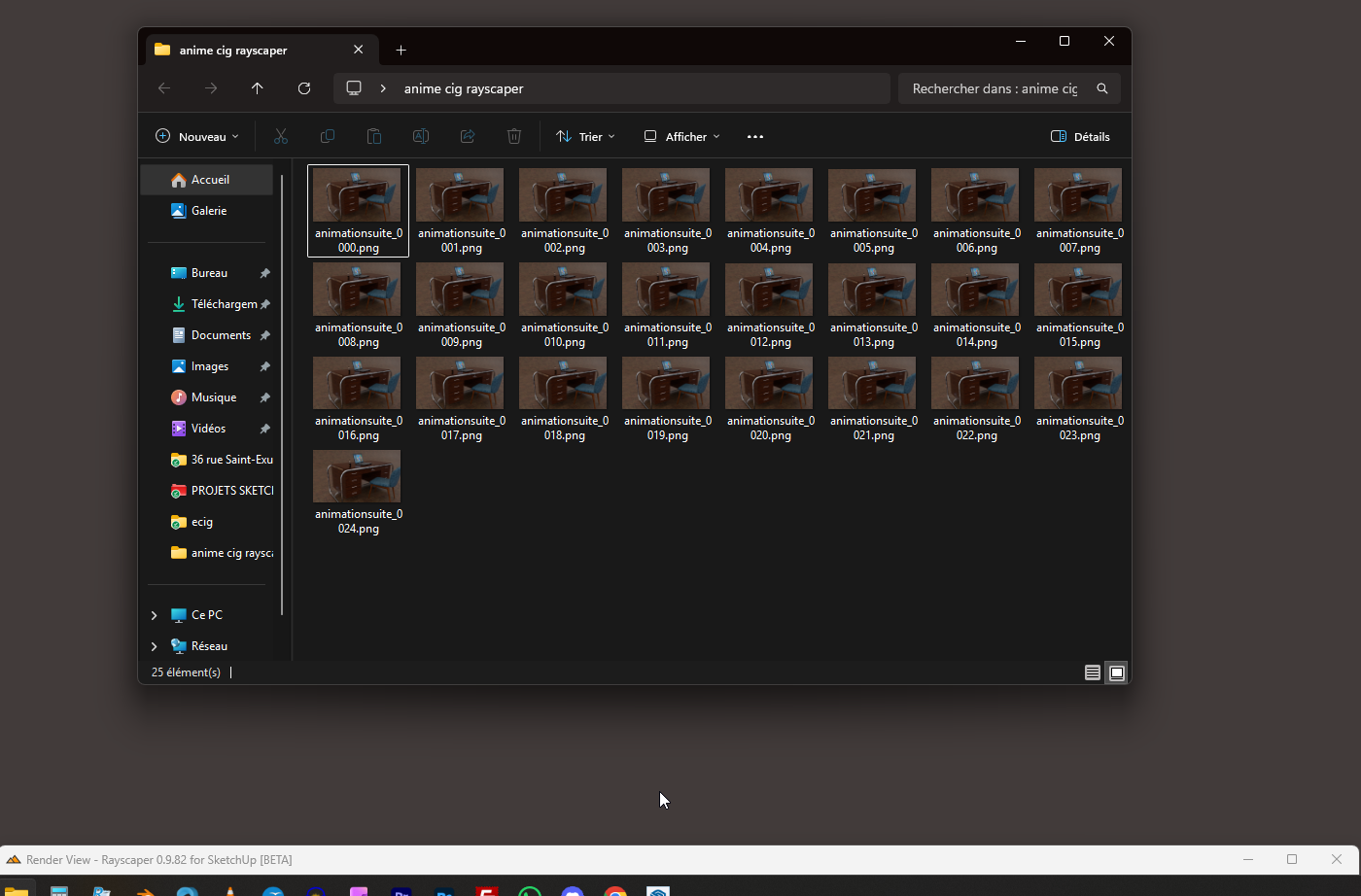
Too bad, my first animation attempt crashes after three frames... yet the functions, animation settings, and interface are very well done.
As soon as I minimize the window to show the desktop, it crashes.Krass
-
By dragging the Rayscaper window to the bottom of the screen, it seems to be holding... I'll let you know in about an hour and a half.
-
@Krass Sorry about that, it's a brand new feature (implemented two weeks ago), so rough around the edges. It would be great if you could also send the logs for this crash?
Pro tip, first render out a small resolution, low samples per pixel animation. They you get an immediate feel for it without having to wait too long





Hello! It looks like you're interested in this conversation, but you don't have an account yet.
Getting fed up of having to scroll through the same posts each visit? When you register for an account, you'll always come back to exactly where you were before, and choose to be notified of new replies (either via email, or push notification). You'll also be able to save bookmarks and upvote posts to show your appreciation to other community members.
With your input, this post could be even better 💗
Register Login


Advertisement