Rayscaper Alpha Version Available
-
@jo-ke said:
that looks much better
saving in a folder containing "ü" is not possible yet it caused this error:
Thanks for reporting! This will be fixed in the next release.
Cheers,
Thomas -
Hi! This software shows so much promise! I'm excited more than when I first got kerkythea waaaaay back.
I downloaded the newest alpha 0.8.4 today because the 0.8.3 one just crashed my 2023 sketchup pro on either:
a) adding a sketchup texture/colour to a face or
b) opening the Rayscaper Start Render screen (it pops up then everything crashes)Is anyone else having the same issue? I removed the previous version before installing the update.
Bob
-
Hi! I installed on Sketchup 2022 and I'm getting the following error:
Error; #<LoadError; cannot load such file -- /users/ezequiel/library/application support/sketchup 2022/sketchup/plugins/rayscaper/installed/Mac/2.7.2/0.8.4 Alpha/resources/SUEX_Rayscaper_SetDllDirectory> /Applications/SketchUp 2022/SketchUp.app/Contents/Frameworks/Ruby.framework/Versions/2.7.1/lib/ruby/2.7.0/rubygems/core_ext/kernel_require.rb;92;in `require' /Applications/SketchUp 2022/SketchUp.app/Contents/Frameworks/Ruby.framework/Versions/2.7.1/lib/ruby/2.7.0/rubygems/core_ext/kernel_require.rb;92;in `require' /users/ezequiel/library/application support/sketchup 2022/sketchup/plugins/rayscaper/main.rbe;84;in `<module;Rayscaper>' /users/ezequiel/library/application support/sketchup 2022/sketchup/plugins/rayscaper/main.rbe;5;in `<main>' /Applications/SketchUp 2022/SketchUp.app/Contents/Resources/Content/Tools/extensions.rb;197;in `eval' /Applications/SketchUp 2022/SketchUp.app/Contents/Resources/Content/Tools/extensions.rb;197;in `require' /Applications/SketchUp 2022/SketchUp.app/Contents/Resources/Content/Tools/extensions.rb;197;in `load' /Users/ezequiel/Library/Application Support/SketchUp 2022/SketchUp/Plugins/rayscaper.rb;16;in `register_extension' /Users/ezequiel/Library/Application Support/SketchUp 2022/SketchUp/Plugins/rayscaper.rb;16;in `<module;Rayscaper>' /Users/ezequiel/Library/Application Support/SketchUp 2022/SketchUp/Plugins/rayscaper.rb;6;in `<top (required)>' -
@ezequiel1982 said:
Hi! I installed on Sketchup 2022 and I'm getting the following error:
> Error; #<LoadError; cannot load such file -- /users/ezequiel/library/application support/sketchup 2022/sketchup/plugins/rayscaper/installed/Mac/2.7.2/0.8.4 Alpha/resources/SUEX_Rayscaper_SetDllDirectory>
> /Applications/SketchUp 2022/SketchUp.app/Contents/Frameworks/Ruby.framework/Versions/2.7.1/lib/ruby/2.7.0/rubygems/core_ext/kernel_require.rb;92;in `require'
> /Applications/SketchUp 2022/SketchUp.app/Contents/Frameworks/Ruby.framework/Versions/2.7.1/lib/ruby/2.7.0/rubygems/core_ext/kernel_require.rb;92;in `require'
> /users/ezequiel/library/application support/sketchup 2022/sketchup/plugins/rayscaper/main.rbe;84;in `<module;Rayscaper>'
> /users/ezequiel/library/application support/sketchup 2022/sketchup/plugins/rayscaper/main.rbe;5;in `<main>'
> /Applications/SketchUp 2022/SketchUp.app/Contents/Resources/Content/Tools/extensions.rb;197;in `eval'
> /Applications/SketchUp 2022/SketchUp.app/Contents/Resources/Content/Tools/extensions.rb;197;in `require'
> /Applications/SketchUp 2022/SketchUp.app/Contents/Resources/Content/Tools/extensions.rb;197;in `load'
> /Users/ezequiel/Library/Application Support/SketchUp 2022/SketchUp/Plugins/rayscaper.rb;16;in `register_extension'
> /Users/ezequiel/Library/Application Support/SketchUp 2022/SketchUp/Plugins/rayscaper.rb;16;in `<module;Rayscaper>'
> /Users/ezequiel/Library/Application Support/SketchUp 2022/SketchUp/Plugins/rayscaper.rb;6;in `<top (required)>'
>
Hey there,
Looks like you are trying Rayscaper on a Mac. We don't have a Mac version yet. We want to stabilize our Windows version before releasing the Mac version.
Regards,
Thomas -
@fakebob said:
Oh, my! I'm sorry to have wasted your time, but I read the log file and realised I am using my laptop which has a Radeon RX 5500M graphics card...... which is not CUDA compliant. I should have read the documentation first!
I'll chalk this up to ignorance, and hope there's an Radeon RX version in the future (pretty please!)!
An update, the plot thickens.
So my laptop has 2 graphics cards, an AMD Ryzen integrated and a Radeon RX 5500M that I run my external monitor on. In the interest of sound technical reasoning, I updated my graphics driver software (Adrenalin) to the latest version (24.1.1, released on 11/1/24), did a full reboot, etc. and then got sketchup open. It worked!
And the crashing on picking a material also stopped happening, (even though it did take a little time to get going for some reason).
So, moral of the story: if you're having crashes, update your graphics card software to the latest version first and see if it still happens.
I am getting a message in the log:
2024-02-04 08:07:38.919 (1293.107s) [PreProcessWorker] ERR| OIDN device creation failed: invalid physical device ID: 1
2024-02-04 08:07:38.919 (1293.107s) [PreProcessWorker] ERR| Failed to create the open image denoiser, disabling AI denoise.What's that all about?
I'm gonna go play with this now!
-
@fakebob said:
@fakebob said:
Oh, my! I'm sorry to have wasted your time, but I read the log file and realised I am using my laptop which has a Radeon RX 5500M graphics card...... which is not CUDA compliant. I should have read the documentation first!
I'll chalk this up to ignorance, and hope there's an Radeon RX version in the future (pretty please!)!
An update, the plot thickens.
So my laptop has 2 graphics cards, an AMD Ryzen integrated and a Radeon RX 5500M that I run my external monitor on. In the interest of sound technical reasoning, I updated my graphics driver software (Adrenalin) to the latest version (24.1.1, released on 11/1/24), did a full reboot, etc. and then got sketchup open. It worked!
And the crashing on picking a material also stopped happening, (even though it did take a little time to get going for some reason).
So, moral of the story: if you're having crashes, update your graphics card software to the latest version first and see if it still happens.
I am getting a message in the log:
2024-02-04 08:07:38.919 (1293.107s) [PreProcessWorker] ERR| OIDN device creation failed: invalid physical device ID: 1
2024-02-04 08:07:38.919 (1293.107s) [PreProcessWorker] ERR| Failed to create the open image denoiser, disabling AI denoise.What's that all about?
I'm gonna go play with this now!
Thanks for the update.
@unknownuser said:
2024-02-04 08:07:38.919 (1293.107s) [PreProcessWorker] ERR| OIDN device creation failed: invalid physical device ID: 1
2024-02-04 08:07:38.919 (1293.107s) [PreProcessWorker] ERR| Failed to create the open image denoiser, disabling AI denoise.This still looks fishy, do you mind sending me the full log file? This means AI denoise is not working, which is one of Rayscaper's selling points... So would be great if I could fix that.
Cheers,
Thomas -
Thanks for the update.
@unknownuser said:
2024-02-04 08:07:38.919 (1293.107s) [PreProcessWorker] ERR| OIDN device creation failed: invalid physical device ID: 1
2024-02-04 08:07:38.919 (1293.107s) [PreProcessWorker] ERR| Failed to create the open image denoiser, disabling AI denoise.This still looks fishy, do you mind sending me the full log file? This means AI denoise is not working, which is one of Rayscaper's selling points... So it would be great if I could fix that.
Regarding supporting AMD graphics cards. That's in the cards for the future, but that work is not in scope for the 1.0 version.
Cheers,
Thomas -
yesterday I started a new simple model.
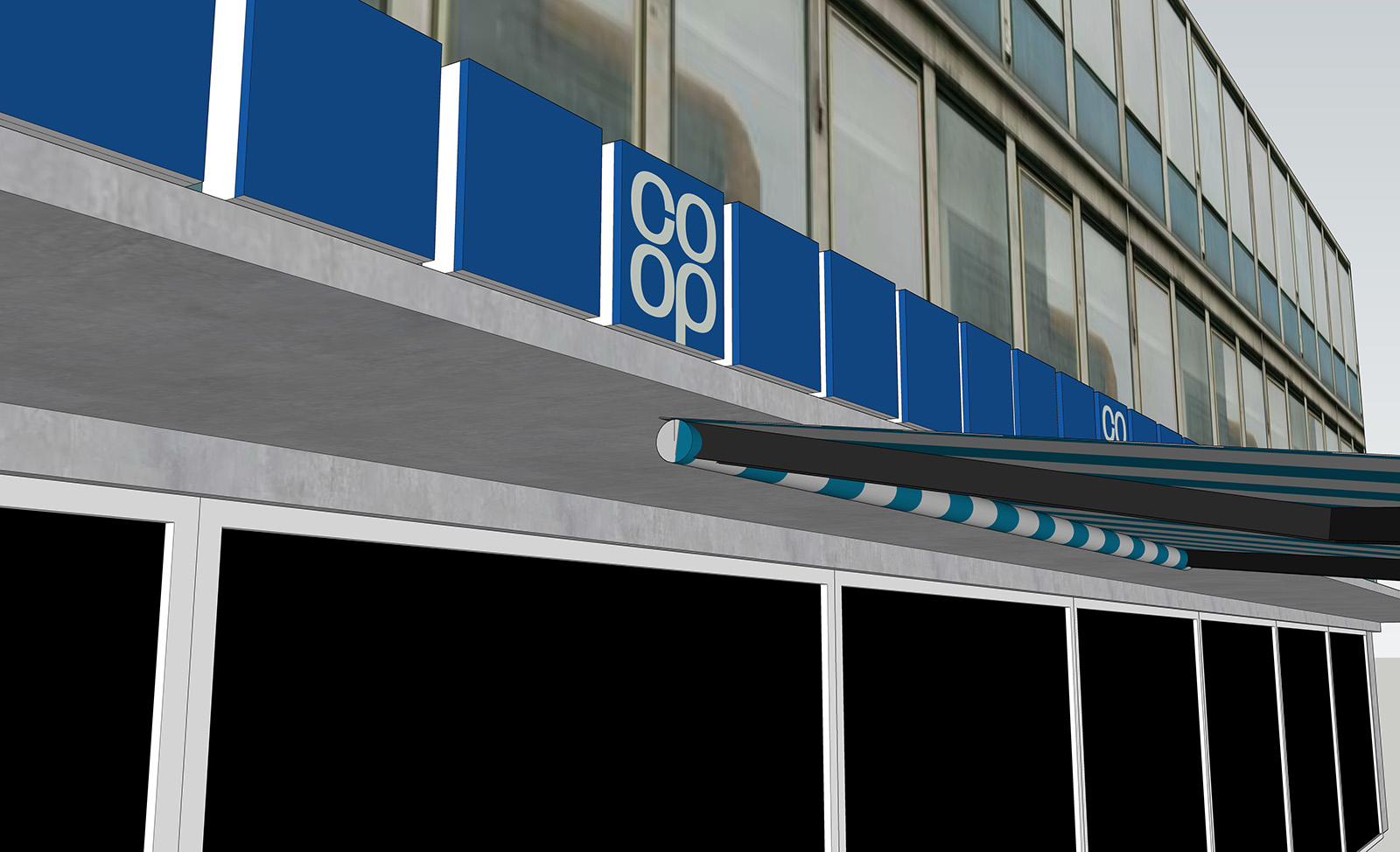
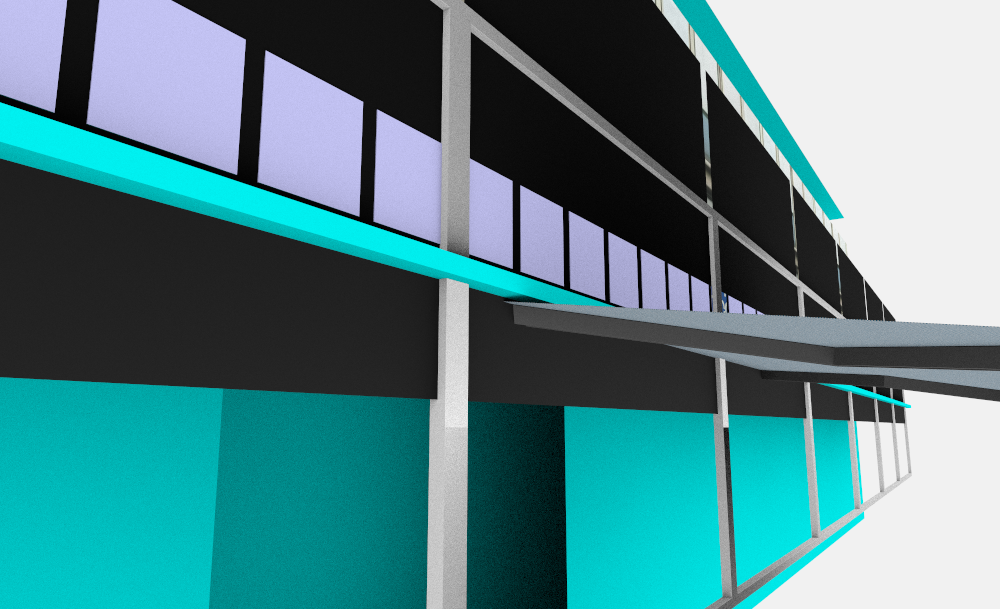
the render looks weird. there is some geometrie, that is not visible at su.
blue faces are still there and they are not changeableI send you the model.
-
@jo-ke said:
yesterday I started a new simple model.
the render looks weird. there is some geometrie, that is not visible at su.
blue faces are still there and they are not changeableI send you the model.
Thanks for the bug report!
Yes, the bottom windows are not correctly aligned in their frames. Other users have reported bugs before where geometry updates don't propagate correctly to Rayscaper. And still, the cyan faces.
When I open the file, it looks good on my end, but that is because when Rayscaper loads the geometry from scratch, as opposed to modeling it, it will end up with the correct result. So, we need to fix the geometry updates during modeling.
Here's what I see.
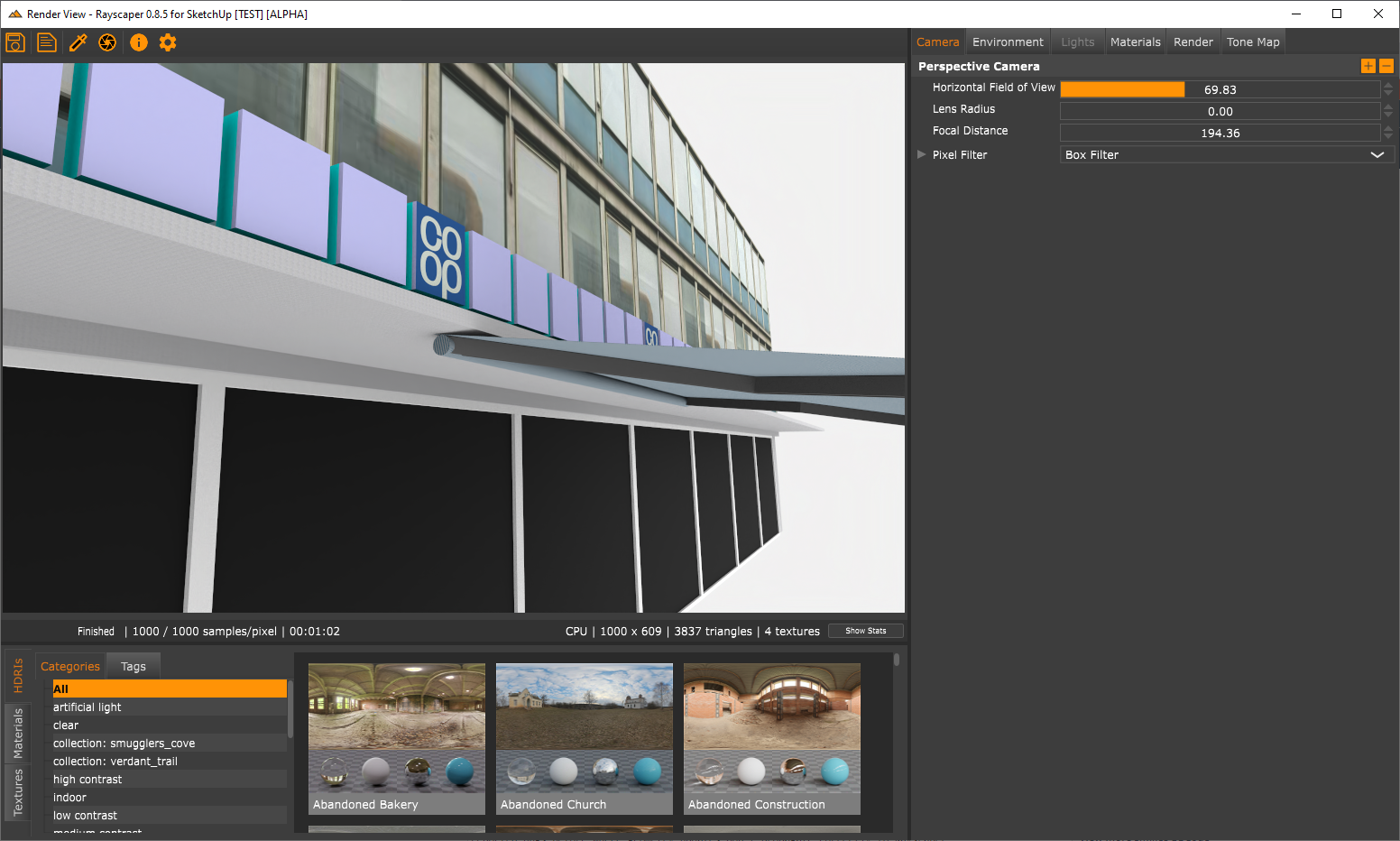
Can you send me the log when this happens?
If the geometry does not match in Rayscaper, please tell me how to reproduce it consistently. This is a bug I'm chasing.
Regards,
Thomas -
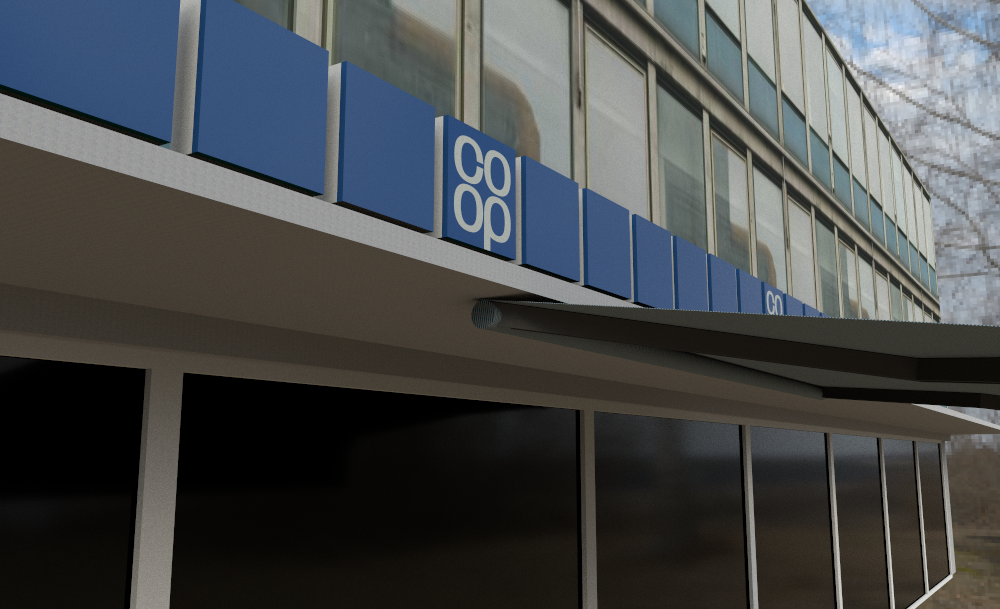
strange. when I open the file today it works fine.
strange geometrie disappereaed, materials are shown.
-
@jo-ke said:
strange. when I open the file today it works fine.
strange geometrie disappereaed, materials are shown.
Yeah, so SketchUp sends geometry change events to Rayscaper. There are still a couple of outstanding bugs, so if an event is missed, you can end up with the wrong geometry in your render.
When you reload the file, Rayscaper reloads the geometry from scratch, which will be correct. So, reloading the file might work to correct your geometry. This is a workaround and not a fix. I'm working to iron out all the bugs in Rayscaper, and if you see weird geometry, please report it.
Thanks,
Thomas -
@jo-ke said:
thank you. I didn't see this. solutions are so simple....
next problems:
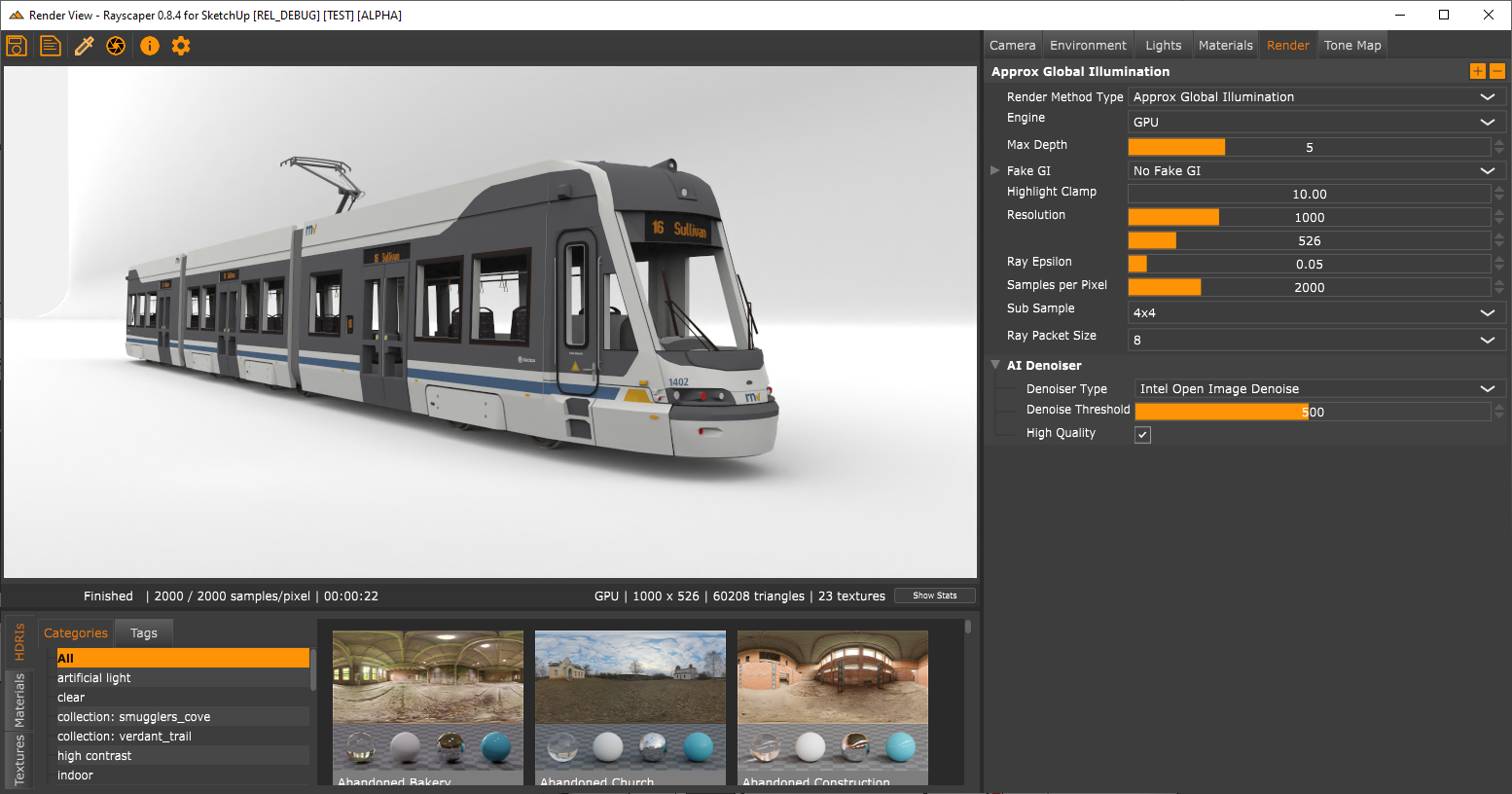
is it possible to do an emitter with textures? like in my example the sign of the tramway?
why can't I get rid of the blue textures? they are textured in SU and all faces are frontfaces
This should be fixed now in Rayscaper 0.8.4. Here is the release post: https://sketchucation.com/forums/viewtopic.php?f=80&t=76686
The problem was that Rayscaper was not correctly handling faces that inherited their material from the parent group or component instance. For those who don't know what I'm talking about, I'm referring to this SketchUp feature.
Cheers,
Thomas -
@fakebob said:
Hi! This software shows so much promise! I'm excited more than when I first got kerkythea waaaaay back.
I downloaded the newest alpha 0.8.4 today because the 0.8.3 one just crashed my 2023 sketchup pro on either:
a) adding a sketchup texture/colour to a face or
b) opening the Rayscaper Start Render screen (it pops up then everything crashes)Is anyone else having the same issue? I removed the previous version before installing the update.
Bob
Hey Bob,
Glad to hear you are excited! But it sucks to hear you are having such a bad first experience. Rayscaper creates a log file that should hopefully tell us why it crashes for you. Would you mind providing me with log files for both the crashes you are experiencing?
The log file is called SUEX_Rayscaper.log and is saved under the directory (%AppData%/Rayscaper). If you are unsure, we have more details here. Can you make it crash twice and get me those files? Then I can help you on your way to get something useful out of Rayscaper.
Regards,
Thomas -
@fakebob said:
@pixelcruncher said:
@fakebob said:
Hi! This software shows so much promise! I'm excited more than when I first got kerkythea waaaaay back.
I downloaded the newest alpha 0.8.4 today because the 0.8.3 one just crashed my 2023 sketchup pro on either:
a) adding a sketchup texture/colour to a face or
b) opening the Rayscaper Start Render screen (it pops up then everything crashes)Is anyone else having the same issue? I removed the previous version before installing the update.
Bob
Hey Bob,
Glad to hear you are excited! But it sucks to hear you are having such a bad first experience. Rayscaper creates a log file that should hopefully tell us why it crashes for you. Would you mind providing me with log files for both the crashes you are experiencing?
The log file is called SUEX_Rayscaper.log and is saved under the directory (%AppData%/Rayscaper). If you are unsure, we have more details here. Can you make it crash twice and get me those files? Then I can help you on your way to get something useful out of Rayscaper.
Regards,
ThomasOh, my! I'm sorry to have wasted your time, but I read the log file and realised I am using my laptop which has a Radeon RX 5500M graphics card...... which is not CUDA compliant. I should have read the documentation first!
I'll chalk this up to ignorance, and hope there's an Radeon RX version in the future (pretty please!)!
Hey,
Still Rayscaper should handle this case, and you should be able to use CPU rendering. Which is still reasonably fast. Also see our FAQ on this topic.
If it still crashes for you, I’m interested in those log files.
Regards,
Thomas -
@pixelcruncher said:
@majid said:
I did a clean installation, yet the toolbar is missing..
I think the denoiser refresh is less frequent maybe ...I replied to your message, I need some more info.
Cheers,
ThomasThomas, I received a PM from Fletch at TR this afternoon. I sent you contact information for them. Apparently they are willing to talk.

-
@ntxdave said:
Thomas, I received a PM from Fletch at TR this afternoon. I sent you contact information for them. Apparently they are willing to talk.
Thanks, Dave, for the introduction! I did send them an e-mail a while back, but I sent them another message just now.
Cheers,
Thomas -
Wow, some good news....
-
@majid said:
Wow, some good news....
Since you are looking for a job, perhaps you should contact Thomas as well.
-
@ntxdave said:
@majid said:
Wow, some good news....
Since you are looking for a job, perhaps you should contact Thomas as well.
Really wish I could hire someone talented like you Majid, but I haven’t made a lot of money from Rayscaper yet. Last time I counted it was $0.0

I have been talking to Fletch from TR. He has been very gracious with his time and gave great advice. I asked him to try Rayscaper and give his opinion.
Cheers,
Thomas -
@pixelcruncher said:
@ntxdave said:
@majid said:
Wow, some good news....
Since you are looking for a job, perhaps you should contact Thomas as well.
Really wish I could hire someone talented like you Majid, but I haven’t made a lot of money from Rayscaper yet. Last time I counted it was $0.0
I have been talking to Fletch from TR. He has been very gracious with his time and gave great advice. I asked him to try Rayscaper and give his opinion.
Cheers,
ThomasThanks for reaching out Thomas. These see very talented individuals. I hope that something can come about.





Advertisement