sketchucation logo sketchucation
    • Login
    Oops, your profile's looking a bit empty! To help us tailor your experience, please fill in key details like your SketchUp version, skill level, operating system, and more. Update and save your info on your profile page today!
    ⚠️ Update | Sketchucation Tools 5.0.8 released with licensing improvements and bugfixes Download

    [Plugin] LordOfTheToolbars - v4.0a - 22 Sep 26


    Scheduled Pinned Locked Moved Plugins
    511 Posts 99 Posters 523.2k Views 97 Watching
    Loading More Posts
    • Oldest to Newest
    • Newest to Oldest
    • Most Votes
    Reply
    • Reply as topic
    Log in to reply
    This topic has been deleted. Only users with topic management privileges can see it.
    • R
      Ramzix
      last edited by

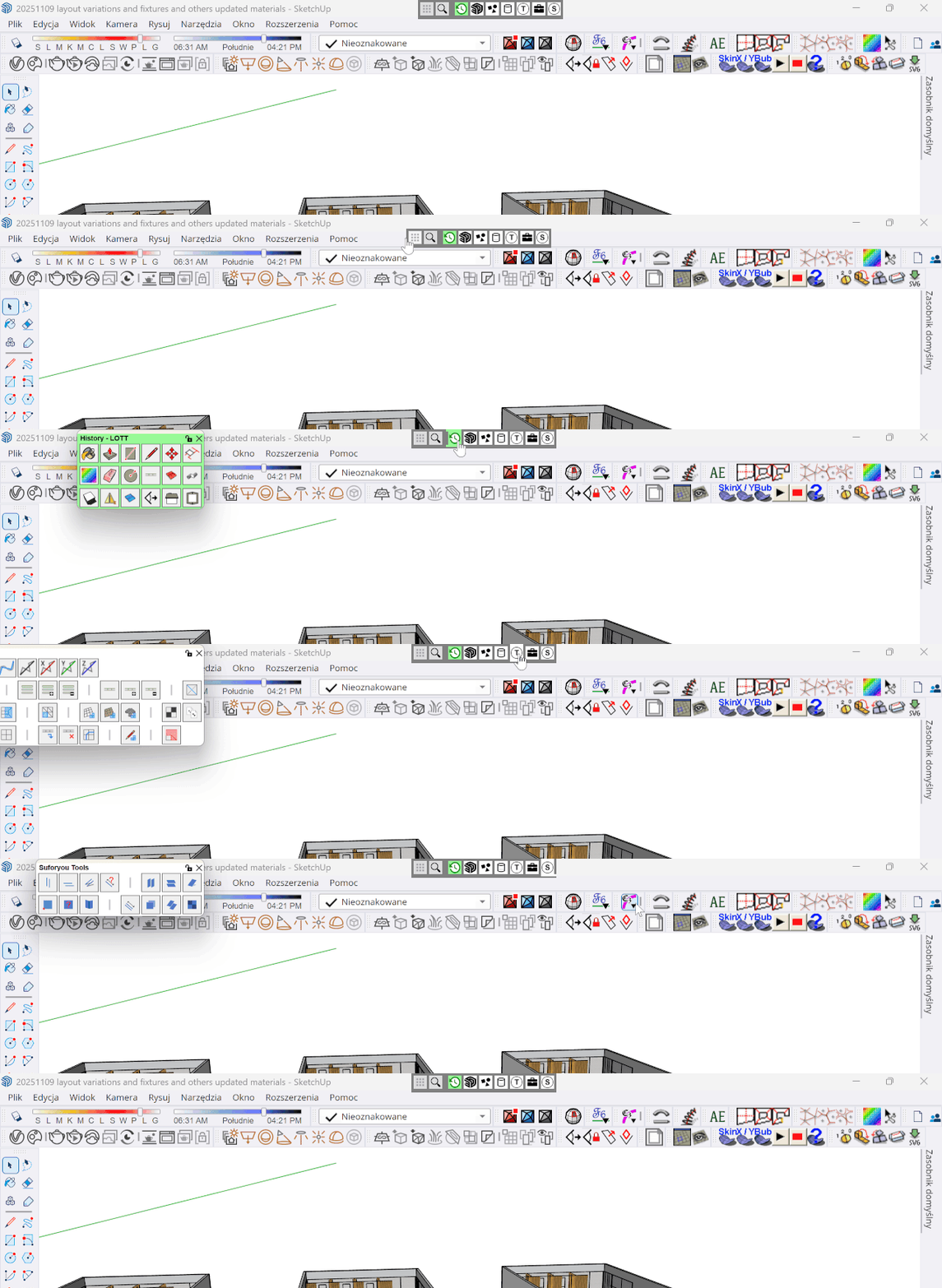
      Hi @fredo6 pardon my late response. Indeed I can freely move the vingette stripe. However right clicking it does not do anything

      1 Reply Last reply
      Reply Quote 0
      • R
        Ramzix
        last edited by Rich O Brien

        here the link to see how it behaves on my laptop
        alt text

        1 Reply Last reply
        Reply Quote 0
        • fredo6F
          fredo6
          last edited by

          Do you have several monitors?

          1 Reply Last reply
          Reply Quote 0
          • C
            CGMen
            last edited by

            Hi everyone,

            I’ve noticed some odd behavior in SketchUp 2026.
            If I delete the folder of any Fredo6 plugin — for example, Fredo6_VisuHole — from the SketchUp Plugins directory in Roaming (only the folder, not the main RB/executable file), SketchUp throws the following error on startup:

            “Installation of Fredo6_VisuHole is probably incorrect. Subfolder is missing.”

            What’s strange is that LOTT and Vignette still work fine after this. It doesn’t matter which Fredo6 plugin folder I remove — the same thing happens.

            When I restore the deleted folder, SketchUp starts normally again, but then the behavior becomes the same as what Ramzix described earlier.

            1 Reply Last reply
            Reply Quote 0
            • R
              Ramzix
              last edited by

              nope, just a small laptop

              1 Reply Last reply
              Reply Quote 0
              • F
                FlorinAp
                last edited by

                There is a very old bug, the Vignette Stripe doesn't stay where you put it - after SU restart, it will reset its position to the default, whether you lock it or not, it will do the same thing.

                And another one (but i think this one may not have a solution), i have two Favorites Palettes that i use in compact mode as toolbars (horizontal stripes, permanently open), every time you minimize and maximize the SU window, these Palettes navigate about 1-2 mm to the left, until eventually you have to move them back..., and so on.
                Also, the same behaviour if they are locked or unlocked.

                I use mainly SU 2023, in W11.
                None of this happened in SU 2022 (and SU 2023), before the LOTT update to be fully compatible with SU 2024.

                1 Reply Last reply
                Reply Quote 0
                • F
                  FlorinAp
                  last edited by

                  There is no reliable way to set more than 20 columns per palette, fixed (non-scrollable).

                  F 1 Reply Last reply
                  Reply Quote 0
                  • F
                    FlorinAp @FlorinAp
                    last edited by

                    I ended up using palettes as toolbars, only because regular toolbars created with LOTT, if undocked, all end up vertically when you restart SketchUp.
                    But then i realized that palettes are nicer and cleaner as toolbars, than regular toolbars...

                    1 Reply Last reply
                    Reply Quote 0
                    • O
                      optimaforever
                      last edited by

                      Is there a reason LOTT stopped loading during startup of SU today?

                      1 Reply Last reply
                      Reply Quote 0
                      • fredo6F
                        fredo6
                        last edited by

                        Which version do you have?

                        O 1 Reply Last reply
                        Reply Quote 0
                        • O
                          optimaforever @fredo6
                          last edited by

                          @fredo6 2.9C

                          1 Reply Last reply
                          Reply Quote 0
                          • O
                            optimaforever
                            last edited by

                            Ah I've found the culprit. I forgot I had installed an update for D5 Livesync 1.7.0.0001 There seems to be a problem with this one. I rolled back to D5 1.6 and LOTT is back.

                            1 Reply Last reply
                            Reply Quote 0
                            • T
                              taoklai
                              last edited by

                              LOTT stopped working after I installed the latest version of Enscape. I don't know 100% that it's related to Enscape but it's the latest thing I updated and then I realised LOTT is not working at all, no toolbars, nothing. In both SU 2024 and 2025. Can anyone help?

                              O 1 Reply Last reply
                              Reply Quote 0
                              • O
                                optimaforever @taoklai
                                last edited by

                                @taoklai I had to revert to the previous version of D5 livesync in my case. You should do that with Enscape for a while, until Fredo find a fix.

                                1 Reply Last reply
                                Reply Quote 0
                                • V
                                  VD20
                                  last edited by

                                  https://youtu.be/Wl5v466L04g?t=876
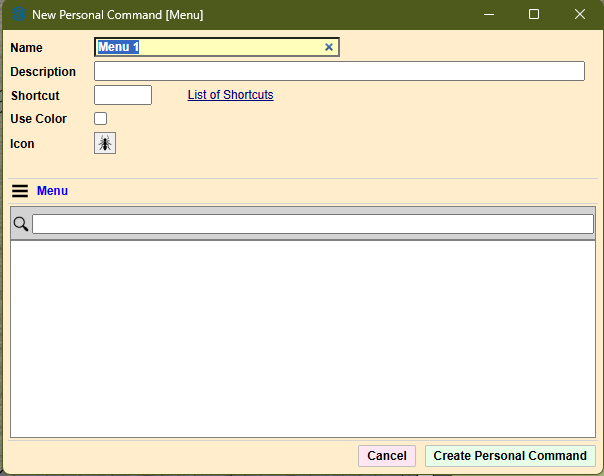
                                  create custom command using menu option is not working for me as i wish to create a command button for COPY ALONG CURVE, but the list for selecting the menu is absolutely empty, so searching is also not working. What am i doing wrong?
                                  Screenshot 2026-01-28 133233.png

                                  1 Reply Last reply
                                  Reply Quote 0
                                  • fredo6F
                                    fredo6
                                    last edited by

                                    As of SU2023, the Menu-related features are no longer supported by LOTT. This is due to a change in the GUI framework of Sketchup (called Qt).

                                    V 1 Reply Last reply
                                    Reply Quote 0
                                    • LinearGraphsL
                                      LinearGraphs
                                      last edited by

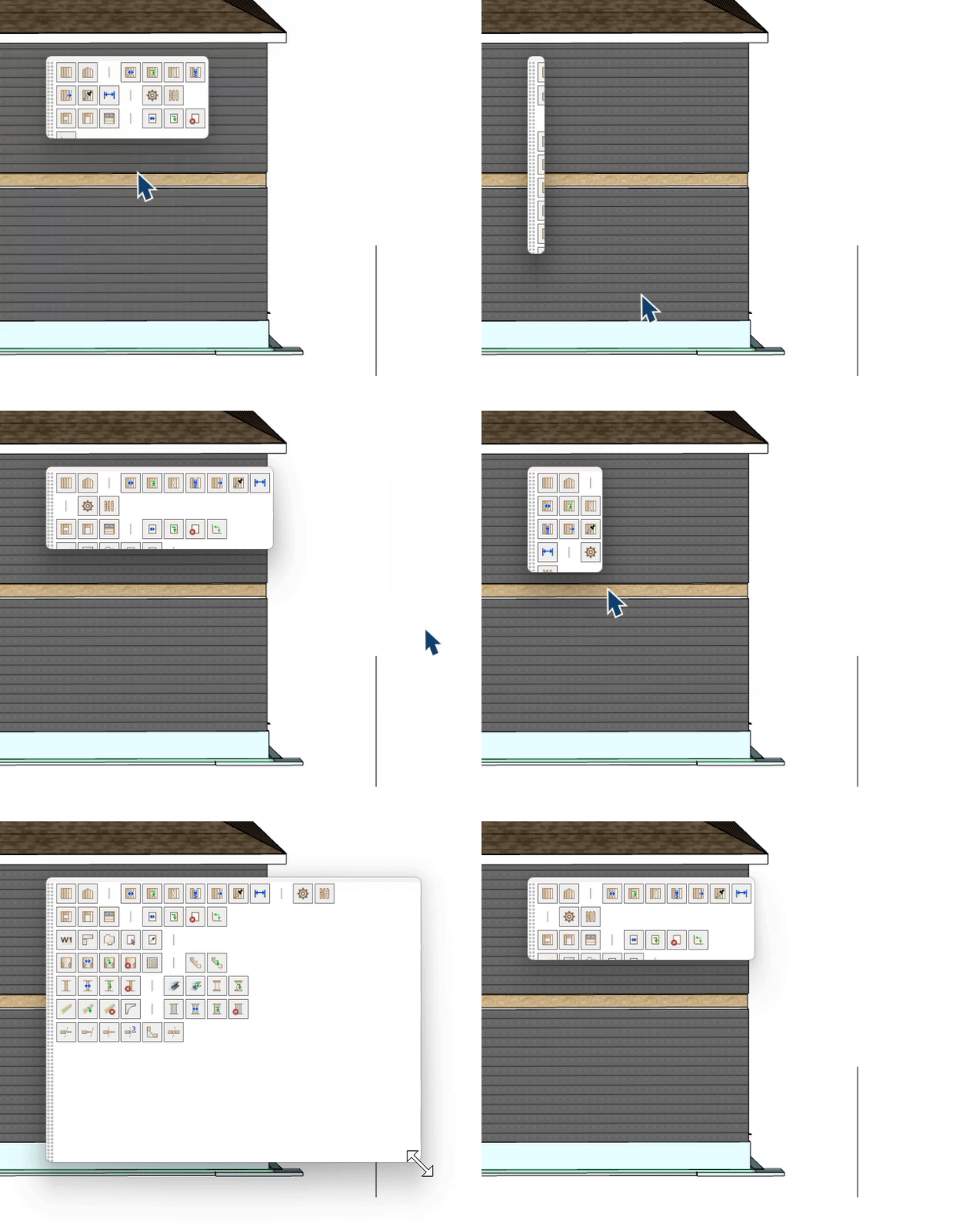
                                      Hey @fredo6 What am I doing Wrong here? Lol
                                      ezgif-89e60ff2d87fb54b.gif

                                      F 1 Reply Last reply
                                      Reply Quote 1
                                      • F
                                        FlorinAp @LinearGraphs
                                        last edited by

                                        @LinearGraphs You are not doing anything wrong; this happens sometimes.
                                        Change the parameters 2-3 times, and then everything should be back to normal.

                                        1 Reply Last reply
                                        Reply Quote 0
                                        • LinearGraphsL
                                          LinearGraphs
                                          last edited by

                                          I don't know what you mean by changing the parameters, but I had to delete the pallet and import it again for everything to be in working order. All better.

                                          F 1 Reply Last reply
                                          Reply Quote 0
                                          • F
                                            FlorinAp @LinearGraphs
                                            last edited by

                                            @LinearGraphs I meant parameters of the palette, in palette properties.

                                            1 Reply Last reply
                                            Reply Quote 0

                                            Hello! It looks like you're interested in this conversation, but you don't have an account yet.

                                            Getting fed up of having to scroll through the same posts each visit? When you register for an account, you'll always come back to exactly where you were before, and choose to be notified of new replies (either via email, or push notification). You'll also be able to save bookmarks and upvote posts to show your appreciation to other community members.

                                            With your input, this post could be even better 💗

                                            Register Login
                                            • 1
                                            • 2
                                            • 5
                                            • 6
                                            • 7
                                            • 8
                                            • 9
                                            • 25
                                            • 26
                                            • 7 / 26
                                            • First post
                                              Last post
                                            Buy SketchPlus
                                            Buy SUbD
                                            Buy WrapR
                                            Buy eBook
                                            Buy Modelur
                                            Buy Vertex Tools
                                            Buy SketchCuisine
                                            Buy FormFonts

                                            Advertisement