SCFLicense: Extension Licensing on Sketchucation
-
Ok, things changed, do we get to be refund the paypal donation made, or deducted from the licence buying then ?
-
Donations are direct to developers PayPal. You’d need to ask whoever it is you sent a donation to.
-
Hi,
I recently installed round corner but when I use it it appears as per photo attached mentioned trial period expired. Asking to get license.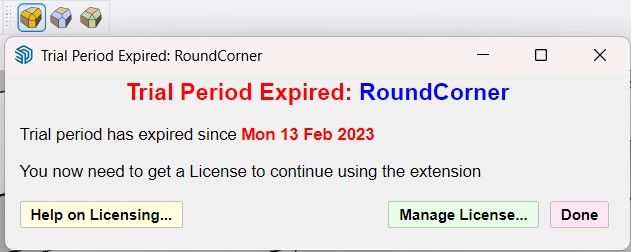
Hope anyone can help to make it work cause I need it urgently.
TYIA
-
What happens if you click on Manage License and revalidate the license?
-
@sd091688 did you click manage license?
-
@Rich-O-Brien
Bonjour, voici un exemple
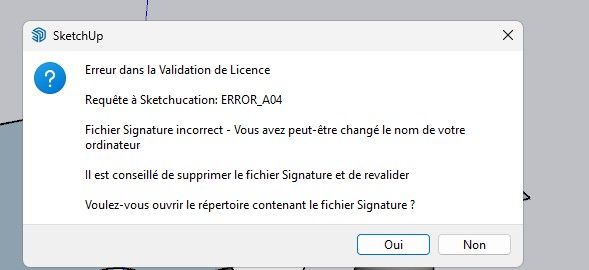

Et ce que vous m'avez demandé me semble t'il :
Fredo6 Plugins Information on 2025-10-15 12:44:23 +0200- Platform: x64-mswin64_140 - Ruby: 2.7.7
- Sketchup: 23.1.340
- LibFredo6: v15.2a
- LibFredo6 Binary loaded
- Sketchucation ExtensionStore: 4.4.1
- SCFLicense: v6.4a - 74
- Fredo6 Plugins
Curviloft v2.0a
Curvizard v2.5a
FredoScale v3.6a
FredoTools v4.5c
RoundCorner v3.4a
ToolsOnSurface v2.6a
TopoShaper v2.7a
VisuHole v1.5a - SCFLicense directory present
Signature File: 2025-06-04 13:40:49 +0200
-
You have a few items to update
- Librfredo is now 15.5a: https://sketchucation.com/pluginstore?pln=LibFredo6
- Sketchucation Tools is now 5.0.3: https://sketchucation.com/plugin/696-sketchucationtools
Restart SketchUp after updating and try licensing again.
If the error repeats it maybe related to your device name. Special character like áéíóú etc are not allowed. Please rename your device to only use alphanumeric characters.
If you have recently reinstalled your OS this can raise errors. If so, please go to C:\Users\SomeName\AppData\Local\SCF Licenses and delete the SCFLicenseSignature - DO NOT MODIFY OR DELETE.txt file.
Restart SketchUp and try again.
-
Hi Fredo,
I work for a school where I teach 3D modeling to interior designers, and they would like to purchase Fredo6Bundle2022Corp30 - A bundle of 8 plugins for activation on 30 devices, but the administrator would like a proforma invoice instead of buying it through the Sketchucation store. Is that doable? -
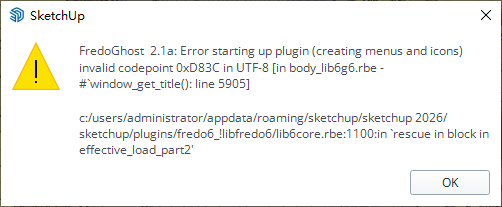
After using fredoghost in the model, there will be a warning as shown in the figure when the model is opened again. In addition, lord of toolbar cannot be used normally in version 2026, and it will disappear after adding a custom toolbar and restarting. -
This looks more like an issue with Libfredo and FredoGhost than our licensing system.
Maybe ping Fredo on his FredoGhost thread
-
@sd091688 said in SCFLicense: Extension Licensing on Sketchucation:
Hope anyone can help to make it work cause I need it urgently.
-
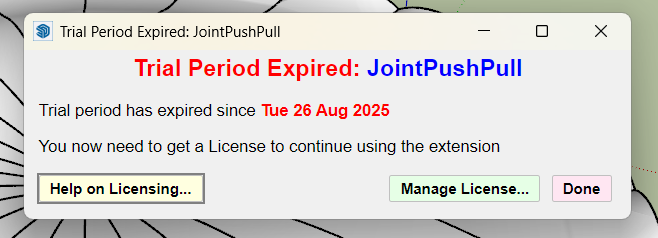
@Tramhuong Do you have a problem ?
You are quoting another user's problem.
-
@Rich-O-Brien said in SCFLicense: Extension Licensing on Sketchucation:
C:\Users\SomeName\AppData\Local\SCF Licenses et supprimez le fichier SCFLicenseSignature - NE PAS MODIFIER NI SUPPRIMER.txt .
Bonjour
Voici ce qu'il y a dans le dossier en question :

Je n'ai pas réinstallé le système, j'ai changer de PC en intégralité... Système d'exploitation inclus
-
Download the free D'oh Book for SketchUp 📖
-
hi, ther's any type of discount for subscription "Fredo6 Bundle 2022 - A bundle of 8 plugins"
thank's
-
@fredo6
Can you help me.!!
I don't know why.
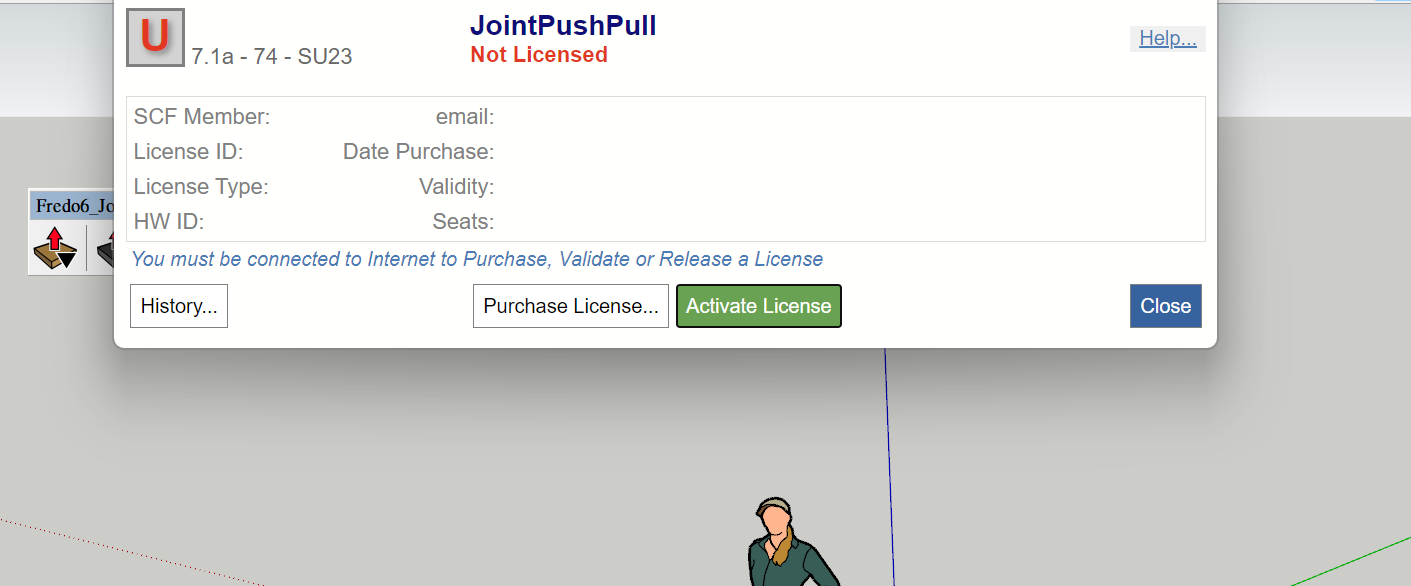
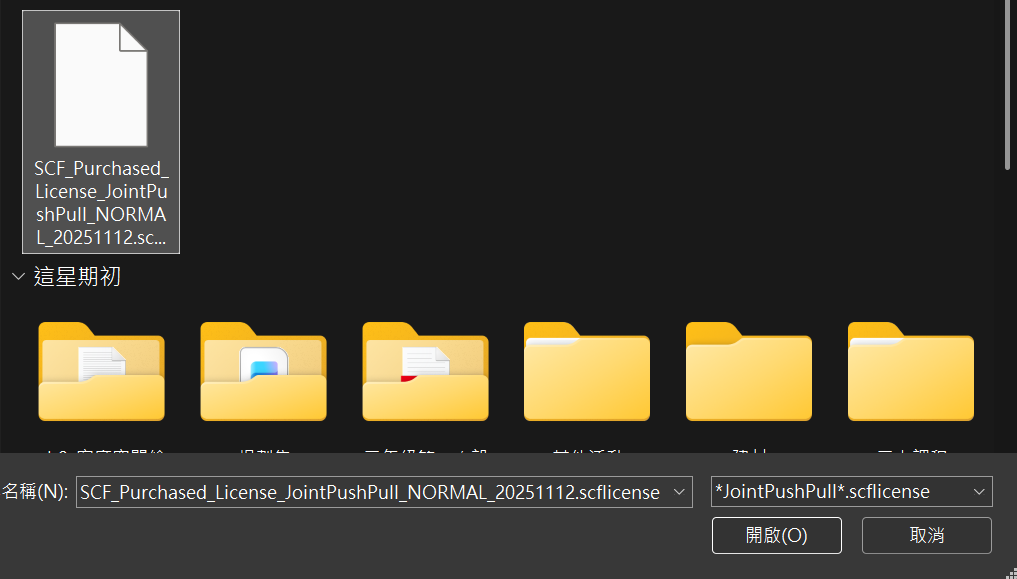
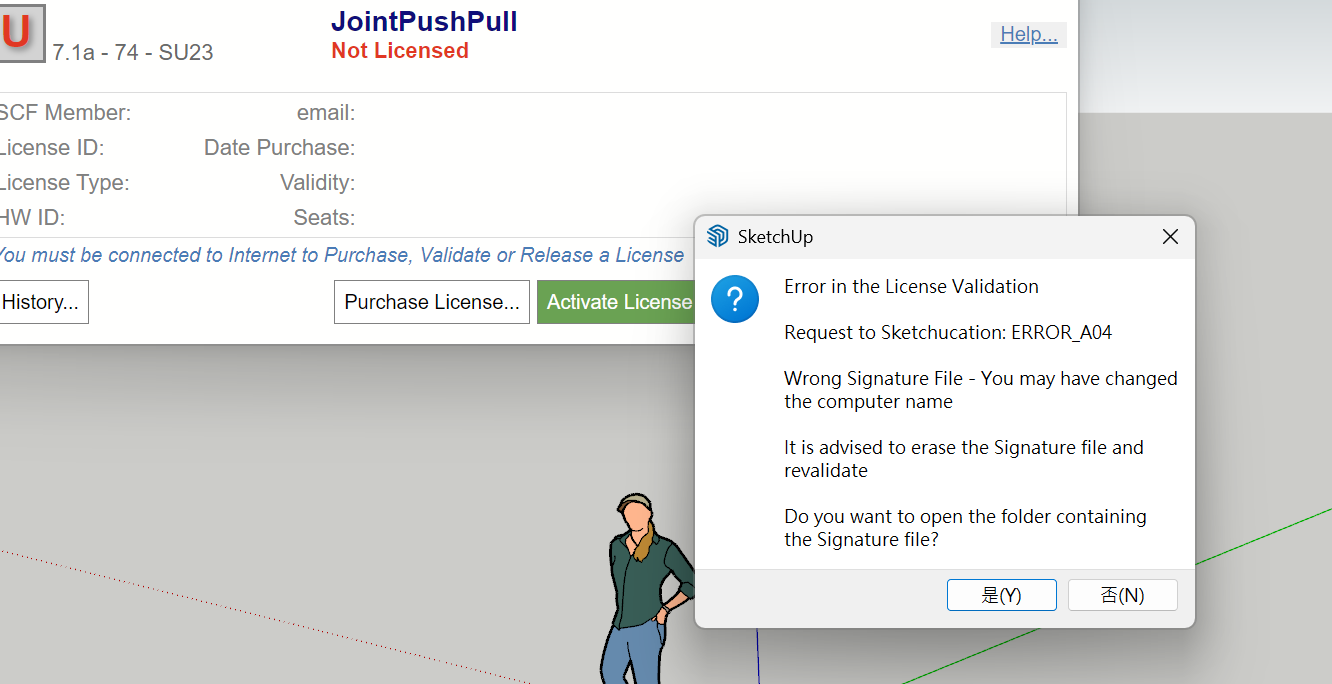
-
Please follow the prompt and delete the signature file at C:\Users\SomeName\AppData\Local\SCF Licenses
Restart SketchUp
If your device name uses special characters please rename it to only use alphanumeric.
-
@Rich-O-Brien said in SCFLicense: Extension Licensing on Sketchucation:
Please follow the prompt and delete the signature file at C:\Users\SomeName\AppData\Local\SCF Licenses
Restart SketchUp
If your device name uses special characters please rename it to only use alphanumeric.
-

hi fredo can you help me releasing my round corner license because there no option to release it from web, i need it asap, thank you
-

I can't log out of activation on other computers can you help me




Hello! It looks like you're interested in this conversation, but you don't have an account yet.
Getting fed up of having to scroll through the same posts each visit? When you register for an account, you'll always come back to exactly where you were before, and choose to be notified of new replies (either via email, or push notification). You'll also be able to save bookmarks and upvote posts to show your appreciation to other community members.
With your input, this post could be even better 💗
Register Login


Advertisement