SCFLicense: Extension Licensing on Sketchucation
-
Following on from @fredo6 's comment...
If each user logs in separately then surely a simple cmd script [written by your IT guys] auto-running at their login, could copy the needed license files over into their '../appdata/local/scf licenses' directory. Having this consistent location set up for everyone's folders/files should ease the license reading / validation ? Perhaps a logout cmd script could also run to tidy up and remove the no longer needed files, if thought appropriate ? ... -
I think this is exactly the problem indeed. It would be fantastic if this could be adjusted. We work in the computer lab on Windows 11.
-
This post is deleted! -
One of the ICT staff members has tried this, but so far it has not been successful.
-
Step by step questions...
Can your IT guy get a cmd script to run at user's login ?
Can your IT guy then make that cmd script copy the license files from an admin-account's folder-structure into an equivalent folder in the user's account - e.g. '../appdata/local/scf licenses' ?
If this happens why can't the user then see the expected license files ?
I'm no cmd script guru. but surely your IT guys have some helpful ideas ??e.g. If you manually copy over the license files from an admin-account's folder-structure into an equivalent folder in the user's account - e.g. '../appdata/local/scf licenses' - does that then work as expected ? If not, then why not ?
-
Thank you TIG,
I have just forwarded your information and the ICT colleagues will take a look at it. I’m not a CMD script guru myself either, so hopefully they can work with this information. As soon as I hear more from them, I’ll let you know so I can answer your questions.
@fredo6, do you see any possibility to modify the custom directory?
-
Hello.
I've been using Fredo Corner for a number of years (currently using version 2.7a) in SketchUp 2017, but never had an issue like this. After doing a full wipe and clean install of windows 10, I attempted to reinstall all of the usual extensions, but the Fredo Corner extension keeps giving me a license error, saying that because it isn't licensed due to having too many seats using it, I must purchase the paid version, to make up the difference, or words to that effect. I just rechecked and redownloaded the extension and license , but it continues to state that there are too many seats using it, guy I'm the only person in my family using Sketchup or the extension, so I have no way of explaining why this type of error is happening.
Any ideas? -
Fredo Corner extension keeps giving me a license error, saying that because it isn't licensed due to having too many seats using it
Can you release seats at https://sketchucation.com/webshop/my-licences.php?
-
Damn, that was fast (that's what she said.....sorry, old joke), but I do appreciate your speedy resolution.
Cheers, eh.
CC -
Hi Fredo6.
Can you please release my fredo6 round corner|plugin license?
53819 RoundCorner RoundCorner Perpetual License Unlimited 29/04/2022 1 / 3
Seats:Seat ID: 248896; HW ID: TD1729675210.0E; Date of activation: 19/08/2025
Thank you.
-
Can you please release my fredo6 round corner|plugin license?
Can you not release seats at https://sketchucation.com/webshop/my-licences.php ?
-
Sorry, I can't.

-
Sorry, I can't
Please check https://sketchucation.com/webshop/my-licences.php
You need your device/s to run Sketchucation Tools 5.0: https://sketchucation.com/plugin/696-sketchucationtools
This enables online releasing.
-
thank you for your quick reply. Everything is now ok. Thank you
-
how do I take seats off my license I only have two machines and it says ive exceeded my three seats
-
Can you release at the devices or online?
-
Hello, I purchased software under my personal account. Can I use it on a company computer for commercial use?
-
@omni
What software do you mean ? -
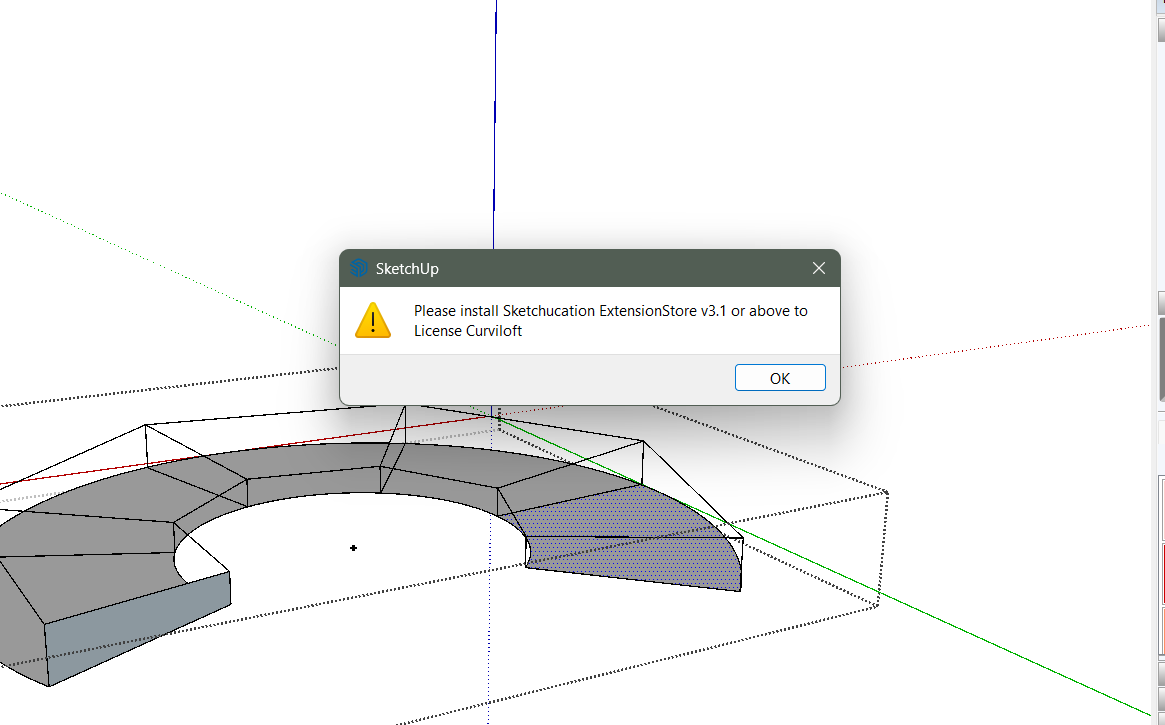
Fredo..can u help me with this?
-
Install Sketchucation Tools: https://sketchucation.com/plugin/696-sketchucationtools
Restart SketchUp after installation and activate license.


Hello! It looks like you're interested in this conversation, but you don't have an account yet.
Getting fed up of having to scroll through the same posts each visit? When you register for an account, you'll always come back to exactly where you were before, and choose to be notified of new replies (either via email, or push notification). You'll also be able to save bookmarks and upvote posts to show your appreciation to other community members.
With your input, this post could be even better 💗
Register Login


Advertisement