sketchucation logo sketchucation
    • Log Masuk
    Oops, your profile's looking a bit empty! To help us tailor your experience, please fill in key details like your SketchUp version, skill level, operating system, and more. Update and save your info on your profile page today!
    šŸ”Œ Smart Spline | Fluid way to handle splines for furniture design and complex structures. Download

    [Plugin] Universal Importer - v1.2.6 - 30 July 2024

    Scheduled Pinned Kunci Moved Plugins
    447 Kiriman 110 Posters 472.7k Lihat 110 Watching
    Memuatkan lagi kiriman
    • Lama ke Baru
    • Baru ke Lama
    • Most Votes
    Balas
    • Reply as topic
    Log masuk untuk balas
    Topik ini telah dipadam. Hanya pengguna dengan kuasa pengurusan boleh melihatnya.
    • O Luar talian
      Ottown
      last edited by

      Hi Samuel,

      Have downloadeed the latest version along with sketchup pro 2023 for mac, but every time i try to import a model fbx or obj im getting the errow shown.
      Any advise
      Universal Importer Error: Command failed: cd "/Users/davidott/Downloads/Test" && "/Users/davidott/Library/Application Support/SketchUp 2023/SketchUp/Plugins/universal_importer/Applications/Assimp/Mac/assimp" export "uir-source.3ds" "uir-inter.obj" -tri

      /Users/davidott/Library/Application Support/SketchUp 2023/SketchUp/Plugins/universal_importer/assimp.rb:106:in `convert_model'

      Universal Importer Version: 1.2.3

      1 Reply Last reply Balas Petikan 0
      • samuel_tS Luar talian
        samuel_t
        last edited by

        @romanencom said:

        Dear samuel_t, I just installed your plugin, but I can't import the step file, I get this message. At the same time, a duplicate of it with a different name is created in the folder with this file. You can help me?

        Dear Roman,

        Unfortunately, compatibility with the STEP format is low.

        1 Reply Last reply Balas Petikan 0
        • samuel_tS Luar talian
          samuel_t
          last edited by

          @ottown said:

          Hi Samuel,

          Have downloadeed the latest version along with sketchup pro 2023 for mac, but every time i try to import a model fbx or obj im getting the errow shown.
          Any advise
          Universal Importer Error: Command failed: cd "/Users/davidott/Downloads/Test" && "/Users/davidott/Library/Application Support/SketchUp 2023/SketchUp/Plugins/universal_importer/Applications/Assimp/Mac/assimp" export "uir-source.3ds" "uir-inter.obj" -tri

          Hi David,

          In this situation, the error message does not provide enough details. Maybe your macOS is not allowed to run Assimp executable?

          1 Reply Last reply Balas Petikan 0
          • W Luar talian
            Waltersch
            last edited by

            Hi Samuel
            First of all thank you very much for this great and super useful extension!
            But I do habe a problem on importing from Model Converter X.
            Here my workflow.

            Construction on Sketchup 17. Export as collada file.
            Import to 3DCoat for texturing. Export as obj file.
            Import to Model Converter X for checking and file conversion. Export as obj file.

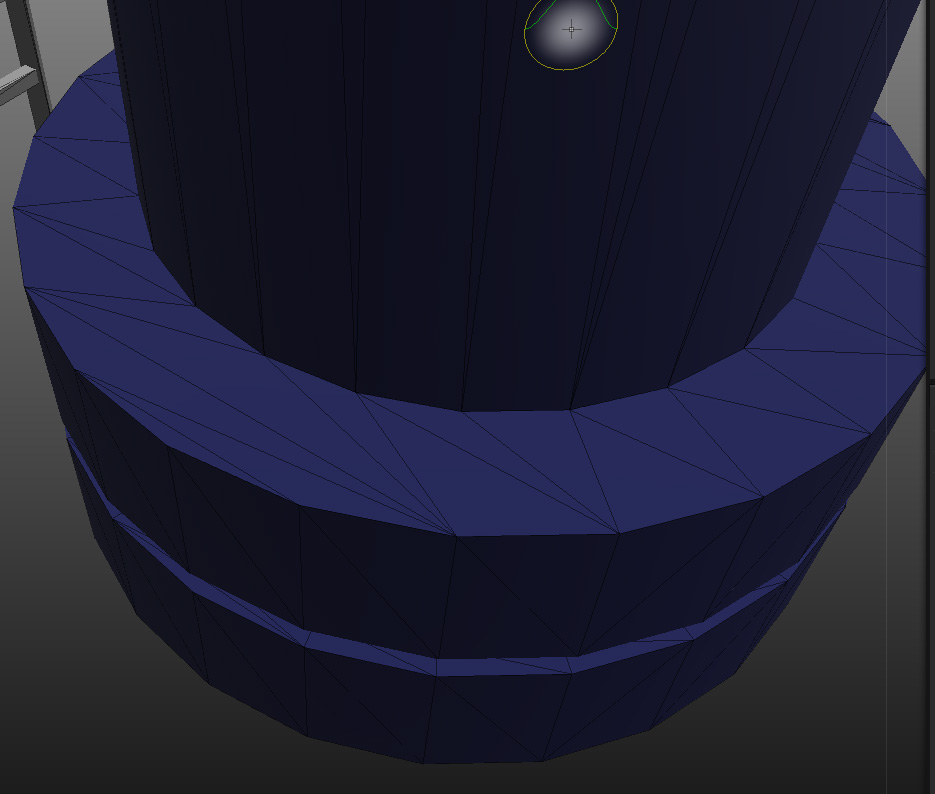
            I do check the polygons in every step and they are the same in every step. Pic1 shows the correct wireframe so far.

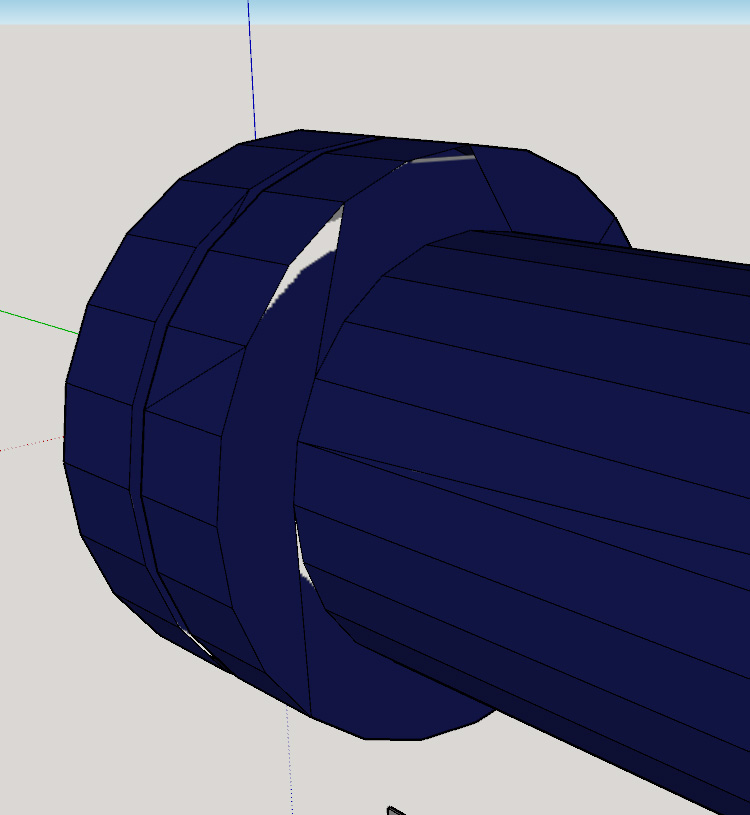
            Import to Sketchup with "Universal Importer Plugin". Now the wireframe is not as it was in all the steps ahead. Some of the edges are missing. I“m not using any polygon reduction. Pic2 shows the result after the import.

            My question to you is only, why the imported wireframe is not the same as it was in all the other steps ahead. Because the wireframe is broken in some area, the texture does“nt fit any more.

            For an additional explanation. The workfrlow may seam strange and all can be done with different software solutions much easier. You are all right, but this is my workflow I“m used to it.


            Pic1.jpg


            Pic2.jpg

            1 Reply Last reply Balas Petikan 0
            • J Luar talian
              jamesdavies0211
              last edited by

              Hi!

              Really love the look of this extension, however, having some issues with importing blend and obj files.
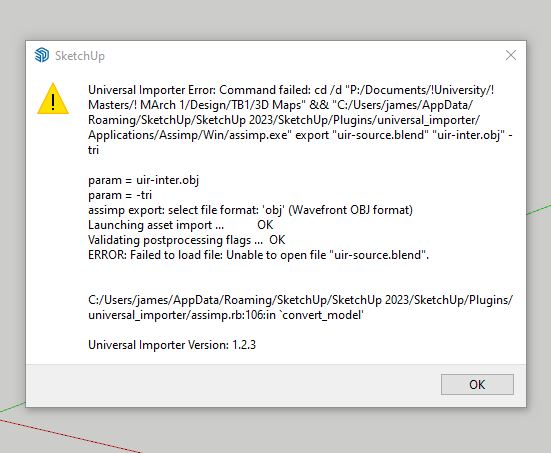
              Capture.JPG

              Any help would be greatly appreciated!

              1 Reply Last reply Balas Petikan 0
              • samuel_tS Luar talian
                samuel_t
                last edited by

                @waltersch said:

                Here my workflow.

                Construction on Sketchup 17. Export as collada file.
                Import to 3DCoat for texturing. Export as obj file.
                Import to Model Converter X for checking and file conversion. Export as obj file.

                I do check the polygons in every step and they are the same in every step. Pic1 shows the correct wireframe so far.

                Import to Sketchup with "Universal Importer Plugin". Now the wireframe is not as it was in all the steps ahead. Some of the edges are missing. I“m not using any polygon reduction. Pic2 shows the result after the import.

                My question to you is only, why the imported wireframe is not the same as it was in all the other steps ahead. Because the wireframe is broken in some area, the texture does“nt fit any more.

                For an additional explanation. The workfrlow may seam strange and all can be done with different software solutions much easier. You are all right, but this is my workflow I“m used to it.

                Hi Walter,

                I don't want to criticize your workflow, but try to have less conversion steps as this can cause problems.

                1 Reply Last reply Balas Petikan 0
                • samuel_tS Luar talian
                  samuel_t
                  last edited by

                  @jamesdavies0211 said:

                  [...] having some issues with importing blend and obj files.

                  Hi James!

                  Your .blend model was created with which version of Blender? Could you send it to me via PM please?

                  1 Reply Last reply Balas Petikan 0
                  • Z Luar talian
                    zenotr
                    last edited by

                    hallo! run on sketchup 2023?

                    1 Reply Last reply Balas Petikan 0
                    • Dave RD Luar talian
                      Dave R
                      last edited by

                      @zenotr said:

                      run on sketchup 2023?

                      Yes.

                      Please update your forum profile. It's more than 10 years out of date.

                      Etaoin Shrdlu

                      %

                      (THERE'S NO PLACE LIKE)

                      G28 X0.0 Y0.0 Z0.0

                      M30

                      %

                      1 Reply Last reply Balas Petikan 0
                      • Z Luar talian
                        zenotr
                        last edited by

                        @dave r said:

                        @zenotr said:

                        run on sketchup 2023?

                        Yes.

                        Please update your forum profile. It's more than 10 years out of date.


                        report this error

                        1 Reply Last reply Balas Petikan 0
                        • J Luar talian
                          Janneman Newcomers
                          last edited by

                          @ottown said:

                          Hi Samuel,

                          Have downloadeed the latest version along with sketchup pro 2023 for mac, but every time i try to import a model fbx or obj im getting the errow shown.
                          Any advise
                          Universal Importer Error: Command failed: cd "/Users/davidott/Downloads/Test" && "/Users/davidott/Library/Application Support/SketchUp 2023/SketchUp/Plugins/universal_importer/Applications/Assimp/Mac/assimp" export "uir-source.3ds" "uir-inter.obj" -tri

                          /Users/davidott/Library/Application Support/SketchUp 2023/SketchUp/Plugins/universal_importer/assimp.rb:106:in `convert_model'

                          Universal Importer Version: 1.2.3

                          Hi I had the same problem (running on wine in Linux) and trying to run assimp.exe manually showed that it couldnot find the vcruntime140_1.dll. Copying or linking this to the .../Win/Assimp/ folder solved it.

                          Greeting John

                          1 Reply Last reply Balas Petikan 0
                          • W Luar talian
                            Waltersch
                            last edited by

                            @samuel_t said:

                            @waltersch said:

                            Hi Walter,

                            I don't want to criticize your workflow, but try to have less conversion steps as this can cause problems.

                            Hi Samuel
                            Thank your for your reply. I know and you are right. Because I check the mesh in every step and can only find the broken mesh, when importing with "Universal Importer" back to Sketchup, I thought there may be a setting I missed or something else that I did wrong.
                            But any way, thank you for the response.
                            Best regards
                            Walter

                            1 Reply Last reply Balas Petikan 0
                            • N Luar talian
                              NinaX
                              last edited by

                              Hi, I'm getting this error for obj files. what to do?

                              1 Reply Last reply Balas Petikan 0
                              • samuel_tS Luar talian
                                samuel_t
                                last edited by samuel_t

                                1.2.4 version:

                                • Tries to preserve the original materials names. You should see less materials named <auto>1, <auto>2, etc.
                                • Enhances compatibility for (non textured) 3MF files and IRR files, thanks to Assimp's contributors! 😊
                                • Supports an unlimited number of embedded textures (previously the maximum number was 1000).
                                • Includes an Assimp CLI tool compiled for the Intel Mac and Apple Silicon processors: M1, M2, etc. šŸš€

                                Download latest Universal Importer plugin from SketchUcation PluginStore.

                                1 Reply Last reply Balas Petikan 0
                                • A Luar talian
                                  AxiomNick Newcomers
                                  last edited by

                                  Kiriman ini dipadam!
                                  1 Reply Last reply Balas Petikan 0
                                  • A Luar talian
                                    AxiomNick Newcomers
                                    last edited by

                                    Kiriman ini dipadam!
                                    1 Reply Last reply Balas Petikan 0
                                    • A Luar talian
                                      AxiomNick Newcomers
                                      last edited by

                                      Kiriman ini dipadam!
                                      1 Reply Last reply Balas Petikan 0
                                      • A Luar talian
                                        AxiomNick Newcomers
                                        last edited by

                                        Kiriman ini dipadam!
                                        1 Reply Last reply Balas Petikan 0
                                        • A Luar talian
                                          AxiomNick Newcomers
                                          last edited by

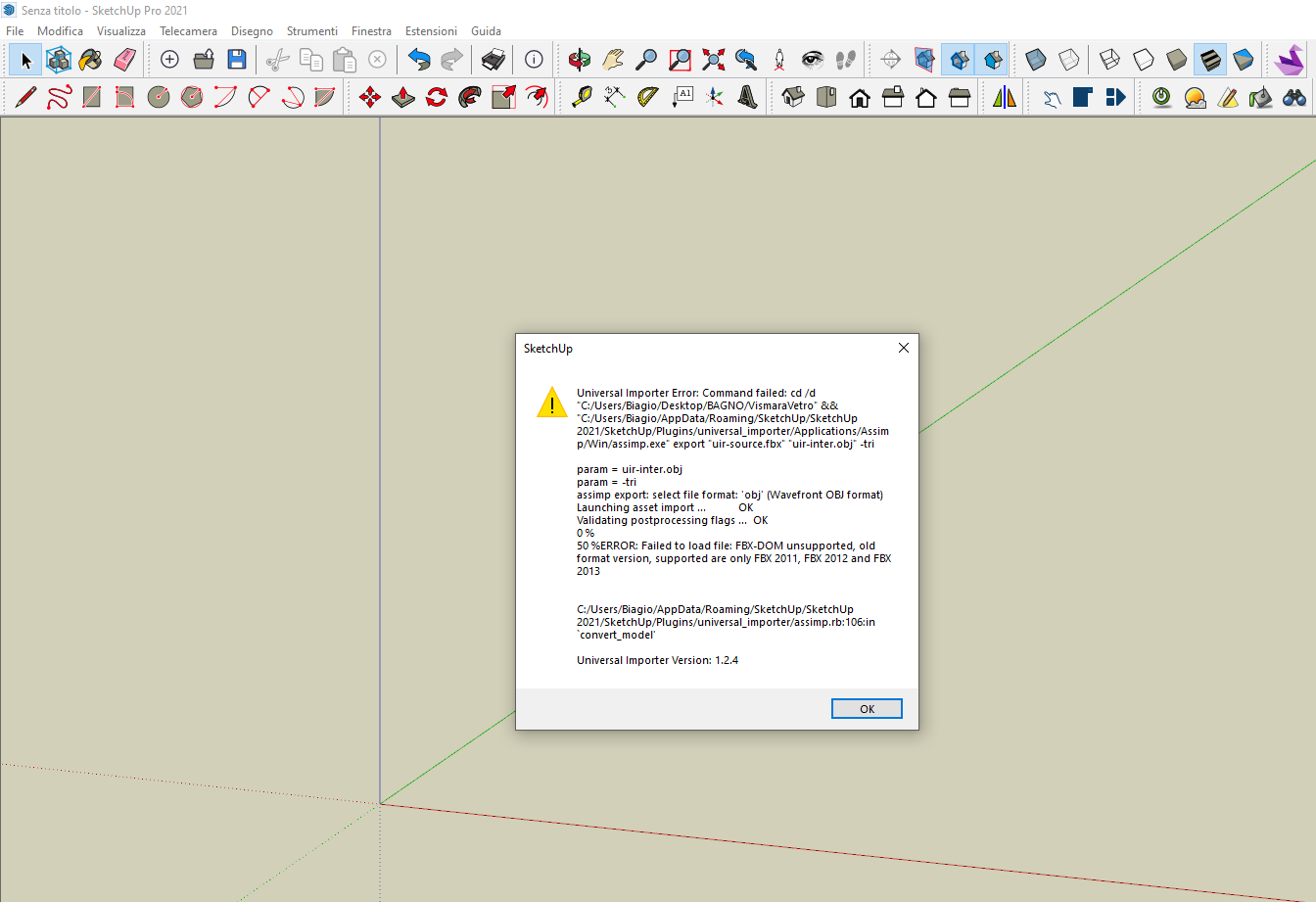
                                          Hi there, I'm having an error importing OBJ and FBX files with the same error. Screenshot 2024-05-09 164640.jpg
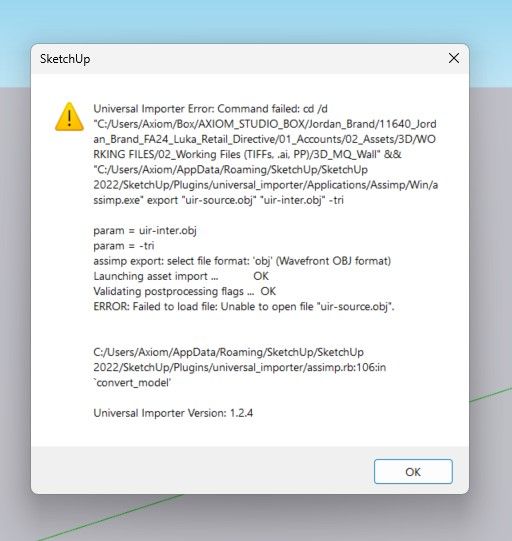
                                          The file was exported from 3ds max 2024 and imported into sketchup 2022.

                                          1 Reply Last reply Balas Petikan 0
                                          • G Luar talian
                                            giogrim
                                            last edited by

                                            Hi,
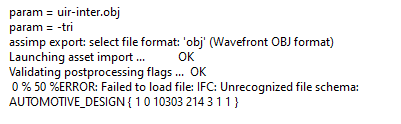
                                            I'm trying to import the file highlighted in the following photo,File da importare.png but I get the following message.Errore Universal Importer.png
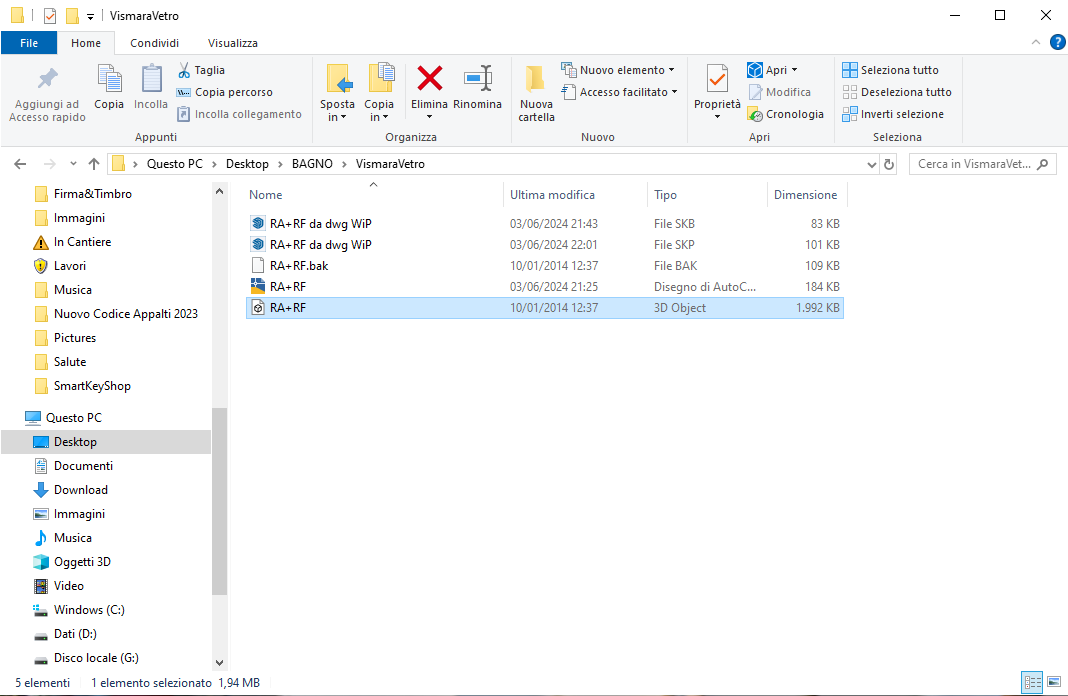
                                            what should I do?
                                            Thank you.

                                            1 Reply Last reply Balas Petikan 0
                                            • 1
                                            • 2
                                            • 18
                                            • 19
                                            • 20
                                            • 21
                                            • 22
                                            • 23
                                            • 20 / 23
                                            • First post
                                              Last post
                                            Buy SketchPlus
                                            Buy SUbD
                                            Buy WrapR
                                            Buy eBook
                                            Buy Modelur
                                            Buy Vertex Tools
                                            Buy SketchCuisine
                                            Buy FormFonts

                                            Advertisement