sketchucation logo sketchucation
    • 登入
    Oops, your profile's looking a bit empty! To help us tailor your experience, please fill in key details like your SketchUp version, skill level, operating system, and more. Update and save your info on your profile page today!
    🔌 Smart Spline | Fluid way to handle splines for furniture design and complex structures. Download

    [Plugin] Universal Importer - v1.2.6 - 30 July 2024

    已排程 已置頂 已鎖定 已移動 Plugins
    446 貼文 109 Posters 456.7k 瀏覽 109 Watching
    正在載入更多貼文
    • 從舊到新
    • 從新到舊
    • 最多點贊
    回覆
    • 在新貼文中回覆
    登入後回覆
    此主題已被刪除。只有擁有主題管理權限的使用者可以查看。
    • samuel_tS 離線
      samuel_t
      最後由 編輯

      @waltersch said:

      Here my workflow.

      Construction on Sketchup 17. Export as collada file.
      Import to 3DCoat for texturing. Export as obj file.
      Import to Model Converter X for checking and file conversion. Export as obj file.

      I do check the polygons in every step and they are the same in every step. Pic1 shows the correct wireframe so far.

      Import to Sketchup with "Universal Importer Plugin". Now the wireframe is not as it was in all the steps ahead. Some of the edges are missing. I´m not using any polygon reduction. Pic2 shows the result after the import.

      My question to you is only, why the imported wireframe is not the same as it was in all the other steps ahead. Because the wireframe is broken in some area, the texture does´nt fit any more.

      For an additional explanation. The workfrlow may seam strange and all can be done with different software solutions much easier. You are all right, but this is my workflow I´m used to it.

      Hi Walter,

      I don't want to criticize your workflow, but try to have less conversion steps as this can cause problems.

      1 條回覆 最後回覆 回覆 引用 0
      • samuel_tS 離線
        samuel_t
        最後由 編輯

        @jamesdavies0211 said:

        [...] having some issues with importing blend and obj files.

        Hi James!

        Your .blend model was created with which version of Blender? Could you send it to me via PM please?

        1 條回覆 最後回覆 回覆 引用 0
        • Z 離線
          zenotr
          最後由 編輯

          hallo! run on sketchup 2023?

          1 條回覆 最後回覆 回覆 引用 0
          • Dave RD 離線
            Dave R
            最後由 編輯

            @zenotr said:

            run on sketchup 2023?

            Yes.

            Please update your forum profile. It's more than 10 years out of date.

            Etaoin Shrdlu

            %

            (THERE'S NO PLACE LIKE)

            G28 X0.0 Y0.0 Z0.0

            M30

            %

            1 條回覆 最後回覆 回覆 引用 0
            • Z 離線
              zenotr
              最後由 編輯

              @dave r said:

              @zenotr said:

              run on sketchup 2023?

              Yes.

              Please update your forum profile. It's more than 10 years out of date.


              report this error

              1 條回覆 最後回覆 回覆 引用 0
              • J 離線
                Janneman Newcomers
                最後由 編輯

                @ottown said:

                Hi Samuel,

                Have downloadeed the latest version along with sketchup pro 2023 for mac, but every time i try to import a model fbx or obj im getting the errow shown.
                Any advise
                Universal Importer Error: Command failed: cd "/Users/davidott/Downloads/Test" && "/Users/davidott/Library/Application Support/SketchUp 2023/SketchUp/Plugins/universal_importer/Applications/Assimp/Mac/assimp" export "uir-source.3ds" "uir-inter.obj" -tri

                /Users/davidott/Library/Application Support/SketchUp 2023/SketchUp/Plugins/universal_importer/assimp.rb:106:in `convert_model'

                Universal Importer Version: 1.2.3

                Hi I had the same problem (running on wine in Linux) and trying to run assimp.exe manually showed that it couldnot find the vcruntime140_1.dll. Copying or linking this to the .../Win/Assimp/ folder solved it.

                Greeting John

                1 條回覆 最後回覆 回覆 引用 0
                • W 離線
                  Waltersch
                  最後由 編輯

                  @samuel_t said:

                  @waltersch said:

                  Hi Walter,

                  I don't want to criticize your workflow, but try to have less conversion steps as this can cause problems.

                  Hi Samuel
                  Thank your for your reply. I know and you are right. Because I check the mesh in every step and can only find the broken mesh, when importing with "Universal Importer" back to Sketchup, I thought there may be a setting I missed or something else that I did wrong.
                  But any way, thank you for the response.
                  Best regards
                  Walter

                  1 條回覆 最後回覆 回覆 引用 0
                  • N 離線
                    NinaX
                    最後由 編輯

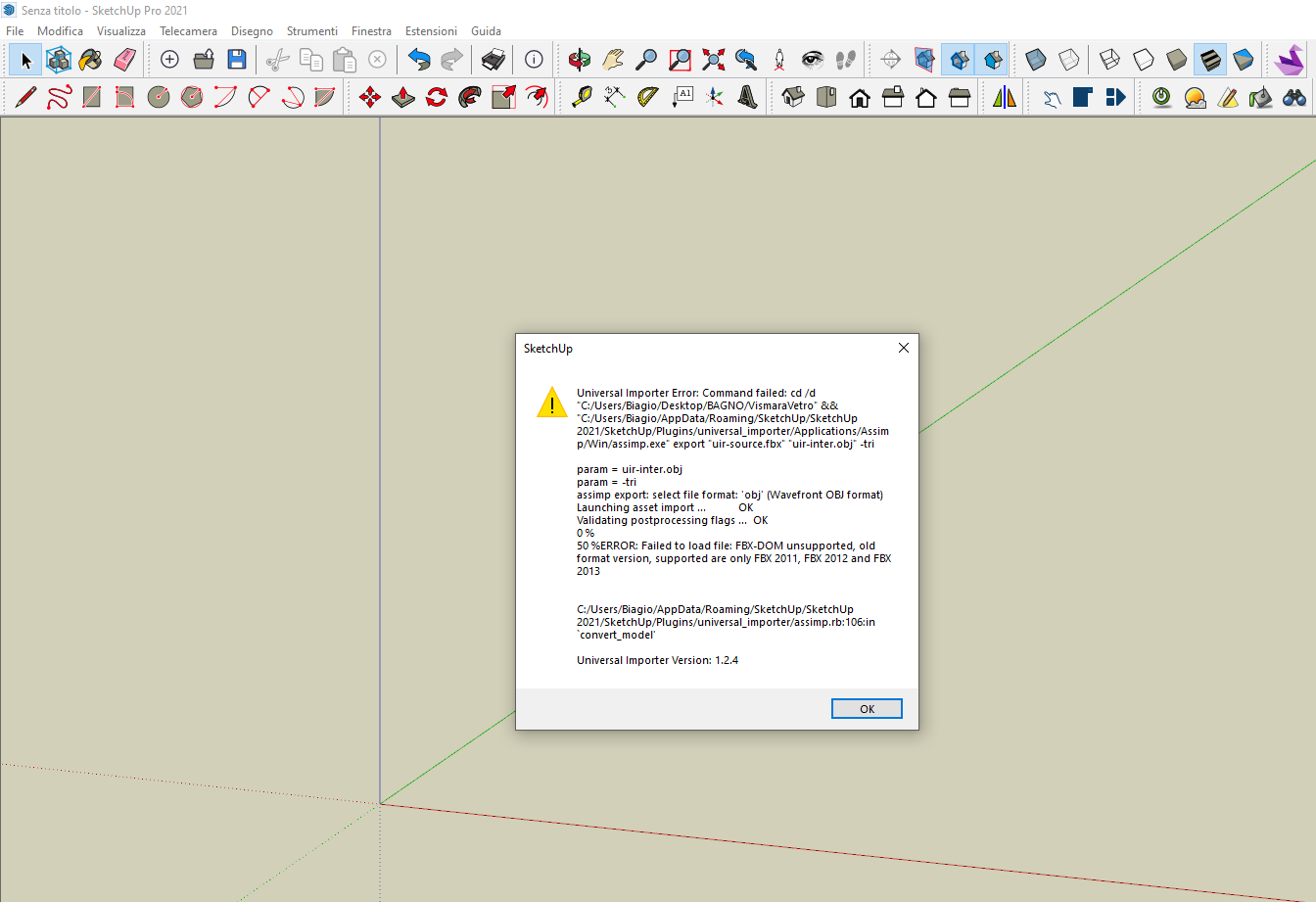
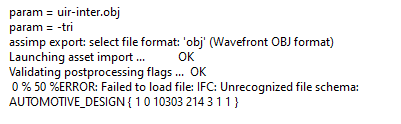
                    Hi, I'm getting this error for obj files. what to do?

                    1 條回覆 最後回覆 回覆 引用 0
                    • samuel_tS 離線
                      samuel_t
                      最後由 samuel_t 編輯

                      1.2.4 version:

                      • Tries to preserve the original materials names. You should see less materials named <auto>1, <auto>2, etc.
                      • Enhances compatibility for (non textured) 3MF files and IRR files, thanks to Assimp's contributors! 😊
                      • Supports an unlimited number of embedded textures (previously the maximum number was 1000).
                      • Includes an Assimp CLI tool compiled for the Intel Mac and Apple Silicon processors: M1, M2, etc. 🚀

                      Download latest Universal Importer plugin from SketchUcation PluginStore.

                      1 條回覆 最後回覆 回覆 引用 0
                      • A 離線
                        AxiomNick Newcomers
                        最後由 編輯

                        此回覆已被刪除!
                        1 條回覆 最後回覆 回覆 引用 0
                        • A 離線
                          AxiomNick Newcomers
                          最後由 編輯

                          此回覆已被刪除!
                          1 條回覆 最後回覆 回覆 引用 0
                          • A 離線
                            AxiomNick Newcomers
                            最後由 編輯

                            此回覆已被刪除!
                            1 條回覆 最後回覆 回覆 引用 0
                            • A 離線
                              AxiomNick Newcomers
                              最後由 編輯

                              此回覆已被刪除!
                              1 條回覆 最後回覆 回覆 引用 0
                              • A 離線
                                AxiomNick Newcomers
                                最後由 編輯

                                Hi there, I'm having an error importing OBJ and FBX files with the same error. Screenshot 2024-05-09 164640.jpg
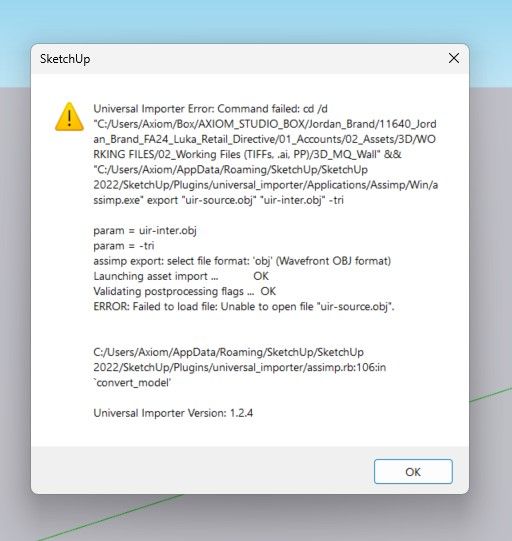
                                The file was exported from 3ds max 2024 and imported into sketchup 2022.

                                1 條回覆 最後回覆 回覆 引用 0
                                • G 離線
                                  giogrim
                                  最後由 編輯

                                  Hi,
                                  I'm trying to import the file highlighted in the following photo,File da importare.png but I get the following message.Errore Universal Importer.png
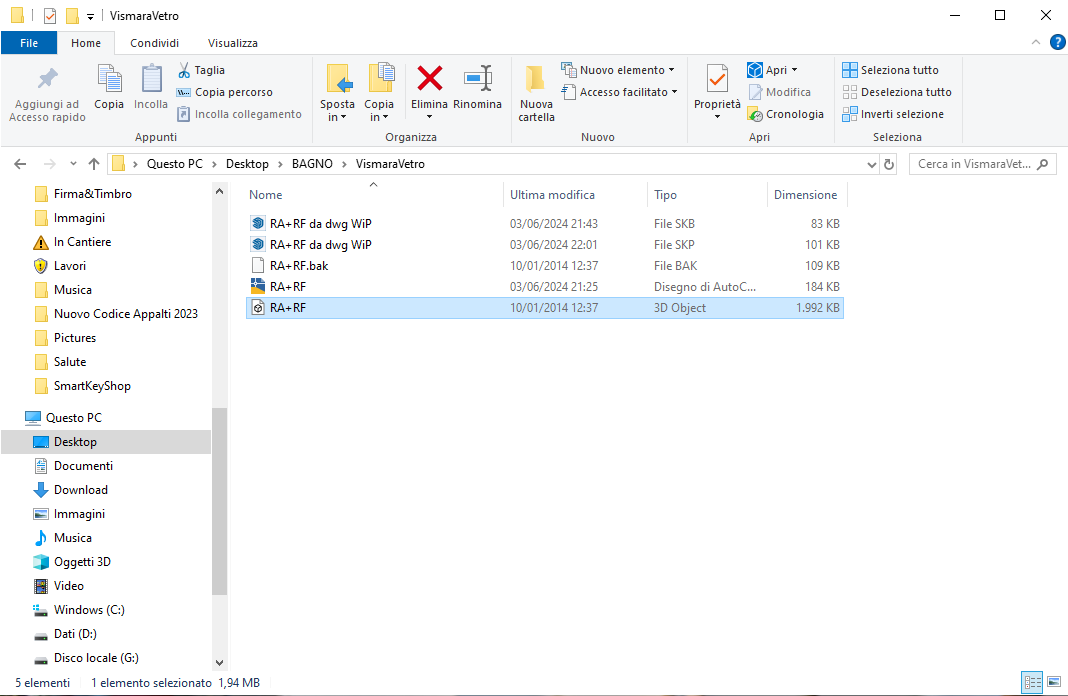
                                  what should I do?
                                  Thank you.

                                  1 條回覆 最後回覆 回覆 引用 0
                                  • G 離線
                                    Gunner77
                                    最後由 編輯

                                    Hey There...just a quick question on compatibility with SketchUp 2024...is it?
                                    ...the text states only 2023...I'm going to give it a try anyway, but just wondered...

                                    samuel_tS 1 條回覆 最後回覆 回覆 引用 0
                                    • samuel_tS 離線
                                      samuel_t @Gunner77
                                      最後由 編輯

                                      Hey @Gunner77,

                                      It should works on SketchUp 2024. Let me know if not.

                                      1 條回覆 最後回覆 回覆 引用 0
                                      • samuel_tS 離線
                                        samuel_t
                                        最後由 編輯

                                        1.2.5 version:

                                        • Provides finally a good support of STEP (AP203, AP214, AP242) files, thanks to the included Mayo command-line converter.
                                        Universal Importer - STEP Compressor.png

                                        • Supports two new file formats: IGES (v5.3) and BREP, thanks again to the Mayo software and the Open CASCADE Technology.

                                        Note 1: For the moment, reducing polygons when importing a STEP/IGES/BREP file is not possible. While waiting for a future version which will fill this gap, you can always reduce the polygons by clicking on the swan icon in the plugin toolbar.

                                        Note 2: Although I can't confirm it, the import of STEP/IGES/BREP files should work on macOS as well.

                                        Download latest Universal Importer plugin from SketchUcation PluginStore.

                                        1 條回覆 最後回覆 回覆 引用 0
                                        • R 離線
                                          RLGL
                                          最後由 編輯

                                          I tried the Universal Importer using a 3D step file from McMaster Carr of a bolt and nut. The bolt was 3/4" long. The import brought it in over 100" long.. Am I asking too much to have it come in at the correct scale?

                                          samuel_tS 1 條回覆 最後回覆 回覆 引用 0
                                          • samuel_tS 離線
                                            samuel_t @RLGL
                                            最後由 編輯

                                            @RLGL No but can I ask you for a coffee in exchange? I need more blood in my veins to fix the wrong scale problem 😅

                                            MikeG73M 1 條回覆 最後回覆 回覆 引用 0
                                            • 1
                                            • 2
                                            • 8
                                            • 9
                                            • 10
                                            • 11
                                            • 12
                                            • 22
                                            • 23
                                            • 10 / 23
                                            • 第一個貼文
                                              最後的貼文
                                            Buy SketchPlus
                                            Buy SUbD
                                            Buy WrapR
                                            Buy eBook
                                            Buy Modelur
                                            Buy Vertex Tools
                                            Buy SketchCuisine
                                            Buy FormFonts

                                            Advertisement