Intersect function
-
hi Ive working on a design see attachment
the square plate is flat, when you pull the circle through the plate and intersect with selected the top face distorts
any ideas?
-
The file you attached is the backup file ["step test 15.6~.skp"]
Note that on a PC it'd be named "step test 15.6.skb"That said, and assuming that the SKP's contents are much like the main model...
There are some critical areas that need fixing.
Try thomthom's SolidInspector² to see them...
It is a relatively simple form that can be made from scratch quite easily, but in its current 'mangled' state it'll be quite hard to 'fix'... -
-
-
That's the backup of a backup file ! ending in "~~.skp"
Don't you have a file named "step test 15.6.skp" ??
With not ending ~ characters - which show it's a backup file ?
If you have worked on the backup file you should rename the file without the ~ otherwise it's the route to confusion...... -
-
morning
how can you tell what's mangled , I keep getting messages that something is wrong , but can never see why
thanks -
There's a lot of bad geometry created by the intersection of the two shapes and you need to clean it up. Some of it Solid Solver or Solid Inspector will do but a lot of it will need to be done manually.
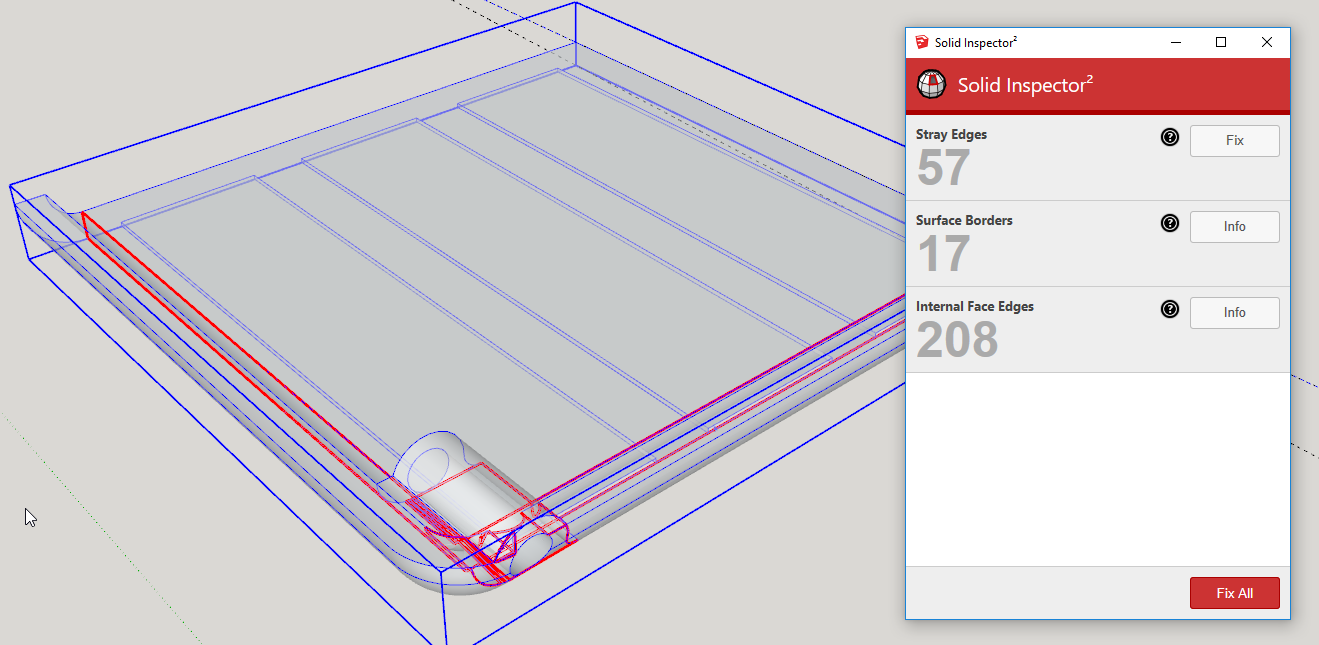
Hiding outer surfaces will make it easier to get inside and erase the unneeded stuff.
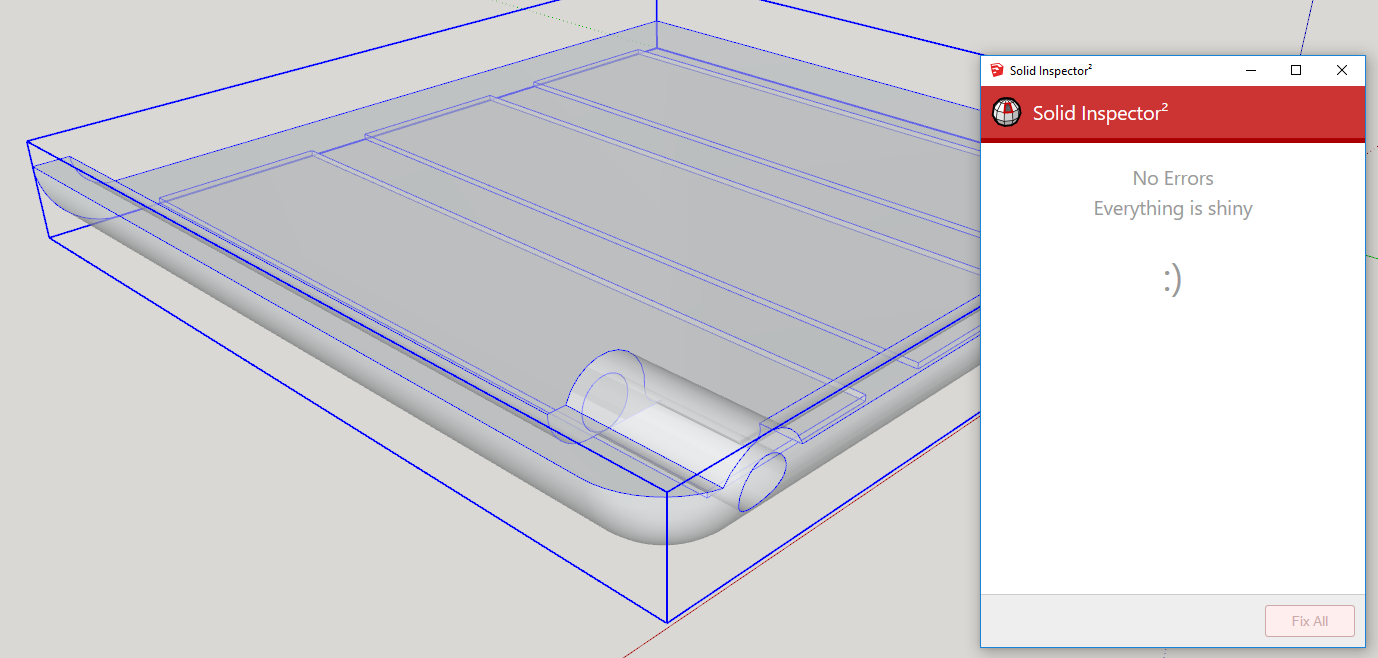
When you get it all unmangled, it should look like this.
Much of the problem comes from the size you are working at. If you'd taken the advice given in your other thread about working at a larger scale, you would have an easier time of it.
-
As Dave says...
It's not a solid because it has lots of modeling errors.
SolidInspector² shows you have many internal partitions and missing faces - both of which prevent solidity - every edge must support two faces - no more, no less.
There are also a lot of leftover faces and edges within the form [especially near the part with the hole].
Your form's size also gets very near the 1/1000" tolerance limit - especially where the curved upstand's segmentation doesn't match the part around the hole and the 'valley' between them is therefore not evenly formed.
Modeling with softened/hidden edges also makes life difficult to see what you are doing.
In the attached SKP [v2017] I've fixed the issues and it's now reporting as a solid.
Note how I've tweaked the Style to shown end-points and profiles, so the repairs are then easier to see.
To get inside I used section-cuts [fill off in Style].
I also un-smoothed all edges, and selected all to use 'unhide', so I could see everything as I went through erasing unwanted geometry.
-
You guys have a lot of patience and generosity...
-
you guys certainly do , Thanks so much for your help
I did scale it up by x10 but obviously wasn't enough
ill download the extensions next week
Thanks again Dean -
so is that view on x-ray?
-
@leggy said:
I did scale it up by x10 but obviously wasn't enough
As I wrote the other day in your other thread:
@unknownuser said:you should model in meters instead of millimeters.
That's effectively scaling up by a factor of 1000! I don't know why people are so afraid to scale the model up sufficiently.
@leggy said:
so is that view on x-ray?
Yes.
-
Hi
I see now its in solid inspector, I've downloaded
thanks again Dean



Hello! It looks like you're interested in this conversation, but you don't have an account yet.
Getting fed up of having to scroll through the same posts each visit? When you register for an account, you'll always come back to exactly where you were before, and choose to be notified of new replies (either via email, or push notification). You'll also be able to save bookmarks and upvote posts to show your appreciation to other community members.
With your input, this post could be even better 💗
Register Login


Advertisement