sketchucation logo sketchucation
    • Login
    Oops, your profile's looking a bit empty! To help us tailor your experience, please fill in key details like your SketchUp version, skill level, operating system, and more. Update and save your info on your profile page today!
    ⚠️ Update | Sketchucation Tools 5.0.8 released with licensing improvements and bugfixes Download

    [Plugin][$] FredoCorner - v2.7a - 31 Mar 24


    Scheduled Pinned Locked Moved Plugins
    442 Posts 153 Posters 697.9k Views 151 Watching
    Loading More Posts
    • Oldest to Newest
    • Newest to Oldest
    • Most Votes
    Reply
    • Reply as topic
    Log in to reply
    This topic has been deleted. Only users with topic management privileges can see it.
    • fredo6F
      fredo6
      last edited by

      NEW RELEASE: FredoCorner v1.7c - 21 Dec 19

      Requirement: LibFredo6 9.1b

      FredoCorner 1.7c for extenson of validity.


      Please note that, in the current version of FredoCorner:

      • there are issues with some shortcut modifiers (Ctrl, Alt) on Mac)
      • there are known issues and bugs here and there. This concerns in particular Collisions, i.e. when the offset is too large.
      • Terminal corners (that is ending on a single edge) may present issues and bugs
      • No documentation yet, so watch the videos that I will publish.

      Please report issues, questions and any feedback in the present thread


      Home Page of FredoCorner for information and Download.

      Main post of this FredoCorner thread.

      1 Reply Last reply
      Reply Quote 0
      • N
        nlipovac
        last edited by

        Hi Fredo,
        I get this message when using bevel (same for Round) when selecting three edges.
        Is this tool limit so it just can´t do or I am doing something wrong here?

        Also,
        Thank You very much for all the plugins you have created and made my work easier doing so.
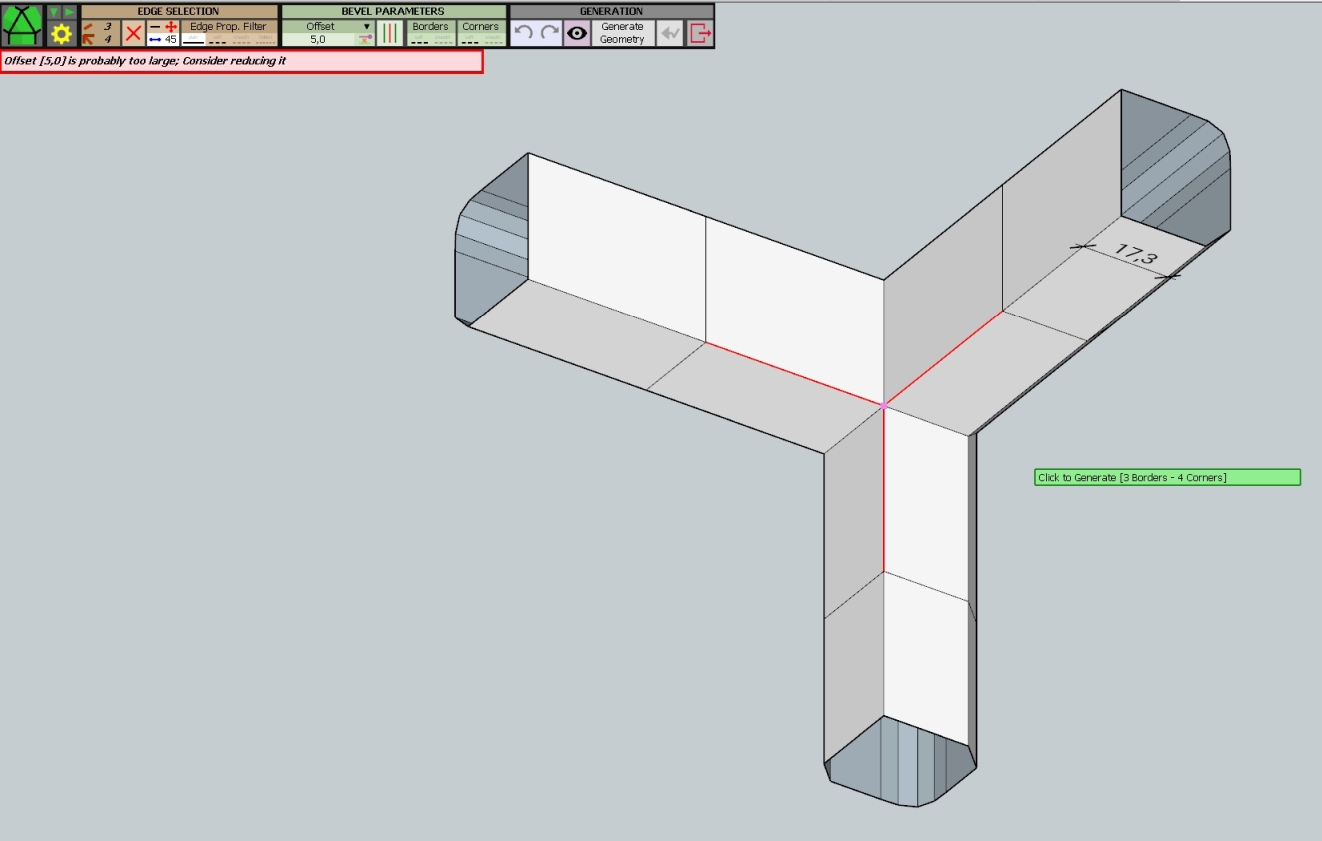

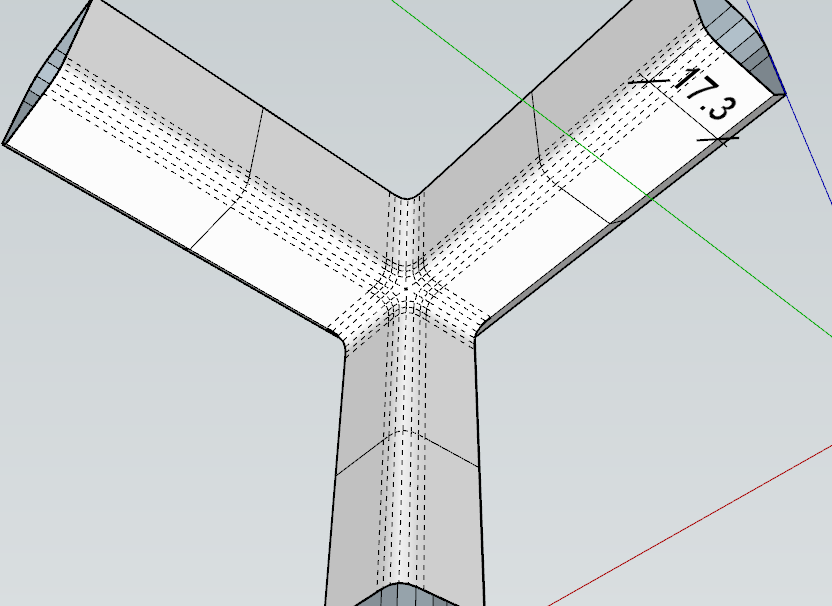
        This is that part.


        Selecting two edges is fine but the third one gets me this message.

        1 Reply Last reply
        Reply Quote 0
        • fredo6F
          fredo6
          last edited by

          This seems to be a limitation of FredoCorner. I can reproduce it on my computer.

          The message is not informative, because, when there is a problem in the geometry, FredoCorner assumes that it could come from an offset which is too large. I know where the error happens, but this seems to be an issue in the heart of the algorithm, which is quite complex for this type of geometry. So I put your model in the stack of models I have already for when I'll dig into FredoCorner deep core to see how to make it more robust.

          At a first glance, I am scratching my head on what could be the correct result with a selection of only 3 edges at this 6-edge corner, convex / concave.

          It works fine however if you select the 6 edges.
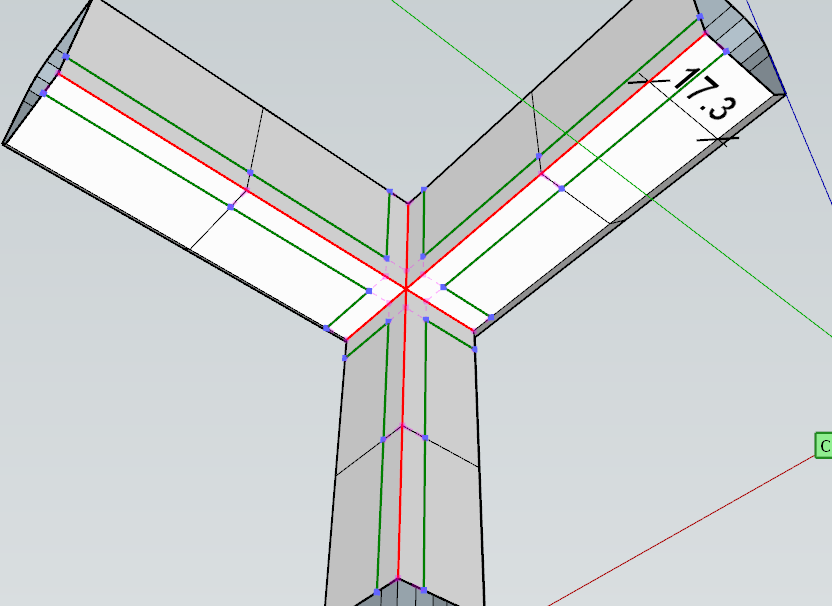
          FredoCorner Chair 6 - selection.png

          FredoCorner Chair 6 - geometry.png

          1 Reply Last reply
          Reply Quote 0
          • M
            mikedub
            last edited by

            HI, today I just installed latest FredoCorner 1.7c and the Library 9.5c (Fredo6_!LibFredo6) folder and ruby files in the proper location – User > Library > Application Support > SketchUp > Plugins.

            The Extension Manager says they are installed and active. And I see it in the Sketchup menu. But (after making a cube and selecting it, to test) when I click on the FredoCorner menu icon, or choose it from the menu, nothing happens. The FredoCorner menu does not come up at all.

            I tried uninstalling and reinstalling the plugins, quitting and restarting Sketchup a few times. Still nothing.

            Please help!

            Cheers,
            Mike

            1 Reply Last reply
            Reply Quote 0
            • fredo6F
              fredo6
              last edited by

              @mikedub said:

              But (after making a cube and selecting it, to test) when I click on the FredoCorner menu icon, or choose it from the menu, nothing happens. The FredoCorner menu does not come up at all.

              Could you open the Ruby console to see if there are errors displayed.

              1 Reply Last reply
              Reply Quote 0
              • Mim86M
                Mim86
                last edited by

                This is fabulous, I have been going nuts trying to fudge fillets on my models. Now I can do it easily. I have added the extension, although it is telling me I need LibFredo6 9.1b. Which I can't find anywhere. Thanks in advance for any help here.

                Mim

                1 Reply Last reply
                Reply Quote 0
                • fredo6F
                  fredo6
                  last edited by

                  @mim86 said:

                  ...although it is telling me I need LibFredo6 9.1b.

                  Just take the latest version of LibFredo6, currently v9.5g.

                  Fredo

                  1 Reply Last reply
                  Reply Quote 0
                  • F
                    FlygFartyg
                    last edited by

                    Cant open sketchup when this is in the folder. It crashes Sketchup as soon as i start it. When i remove FredoCorner from the extensions folder Sketchup is able to run again. Wierd

                    1 Reply Last reply
                    Reply Quote 0
                    • N
                      nebin asharaf
                      last edited by

                      I Donno why it's showing this comment, its not a group, nor a component...
                      Any one can help?
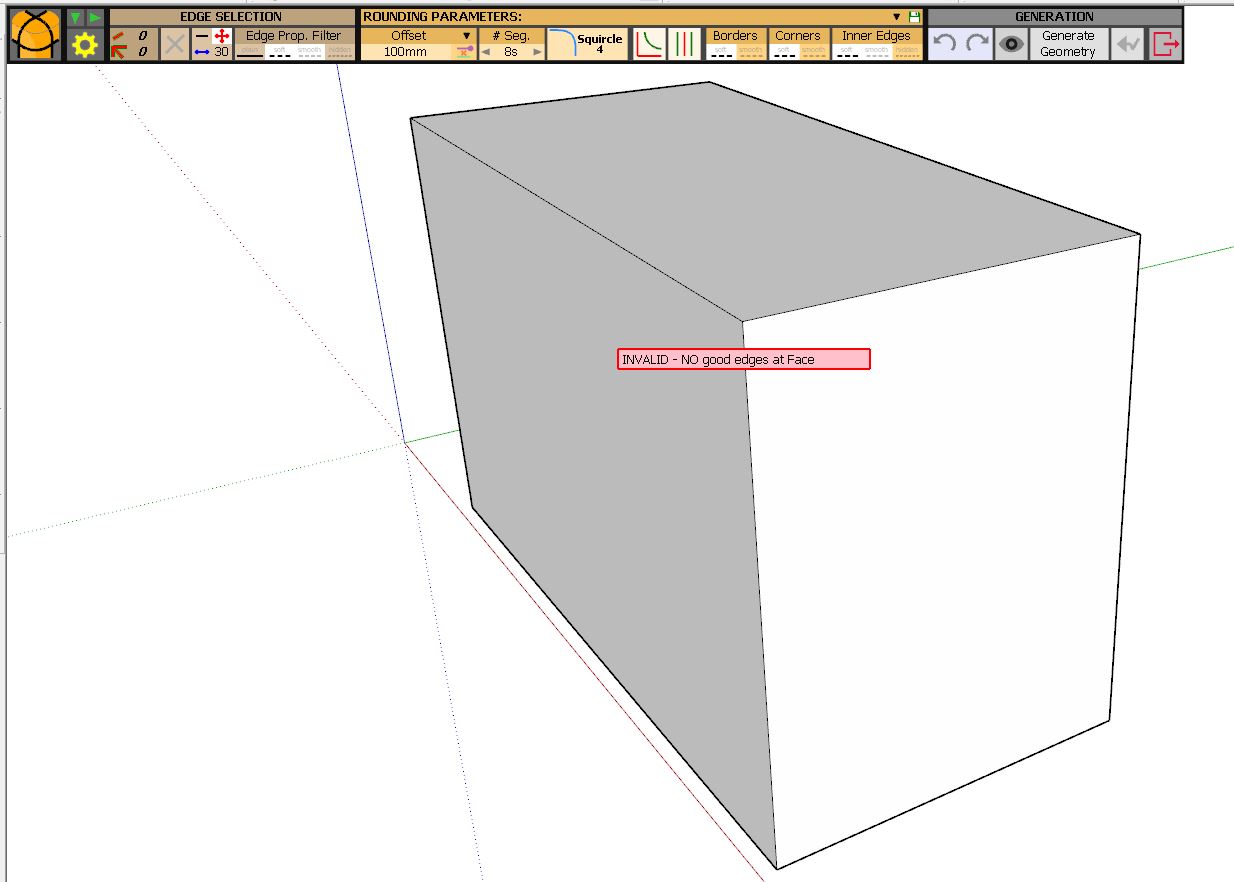

                      INVALID.JPG

                      1 Reply Last reply
                      Reply Quote 0
                      • N
                        nebin asharaf
                        last edited by

                        Yes its done

                        Its rectified.

                        "EDGE PROF. FILTER " WAS NOT SELECTED

                        1 Reply Last reply
                        Reply Quote 0
                        • fredo6F
                          fredo6
                          last edited by

                          NEW RELEASE: FredoCorner v1.7d - 18 Feb 20

                          Requirement: LibFredo6 9.1b

                          FredoCorner 1.7d for extenson of validity.


                          Please note that, in the current version of FredoCorner:

                          • there are issues with some shortcut modifiers (Ctrl, Alt) on Mac)
                          • there are known issues and bugs here and there. This concerns in particular Collisions, i.e. when the offset is too large.
                          • Terminal corners (that is ending on a single edge) may present issues and bugs
                          • No documentation yet, so watch the videos that I will publish.

                          Please report issues, questions and any feedback in the present thread


                          Home Page of FredoCorner for information and Download.

                          Main post of this FredoCorner thread.

                          1 Reply Last reply
                          Reply Quote 0
                          • DikoJihazD
                            DikoJihaz
                            last edited by

                            It's a great plagin indeed, I used it for a short period of time. But now I can't get it work at all ((( I installed the latest versions of both LibFredo6 and FredoCorner plugins. The FredoCorner toolbar shows up but when I try to click on it nothing happens ((( I reinstalled SU and plugins, but still the problem is there (( Please, help me make it work!!! Thank you in advance for all your help and guidance!

                            1 Reply Last reply
                            Reply Quote 0
                            • Dave RD
                              Dave R
                              last edited by

                              What version of SketchUp are you using? Your profile indicates a version that doesn't exist and that could be the cause.

                              Etaoin Shrdlu

                              %

                              (THERE'S NO PLACE LIKE)

                              G28 X0.0 Y0.0 Z0.0

                              M30

                              %

                              1 Reply Last reply
                              Reply Quote 0
                              • DikoJihazD
                                DikoJihaz
                                last edited by

                                Dave, I use SketchUp 2018 Pro version. It has to be compatible with FredoCorner, at least the notation to the plugin says that.

                                1 Reply Last reply
                                Reply Quote 0
                                • fredo6F
                                  fredo6
                                  last edited by

                                  @dikojihaz said:

                                  Dave, I use SketchUp 2018 Pro version. It has to be compatible with FredoCorner, at least the notation to the plugin says that.

                                  FredoCorner works on SU2018.

                                  Can you open the Ruby console before you launch FredoCorner. Thanks.

                                  1 Reply Last reply
                                  Reply Quote 0
                                  • shake1S
                                    shake1
                                    last edited by

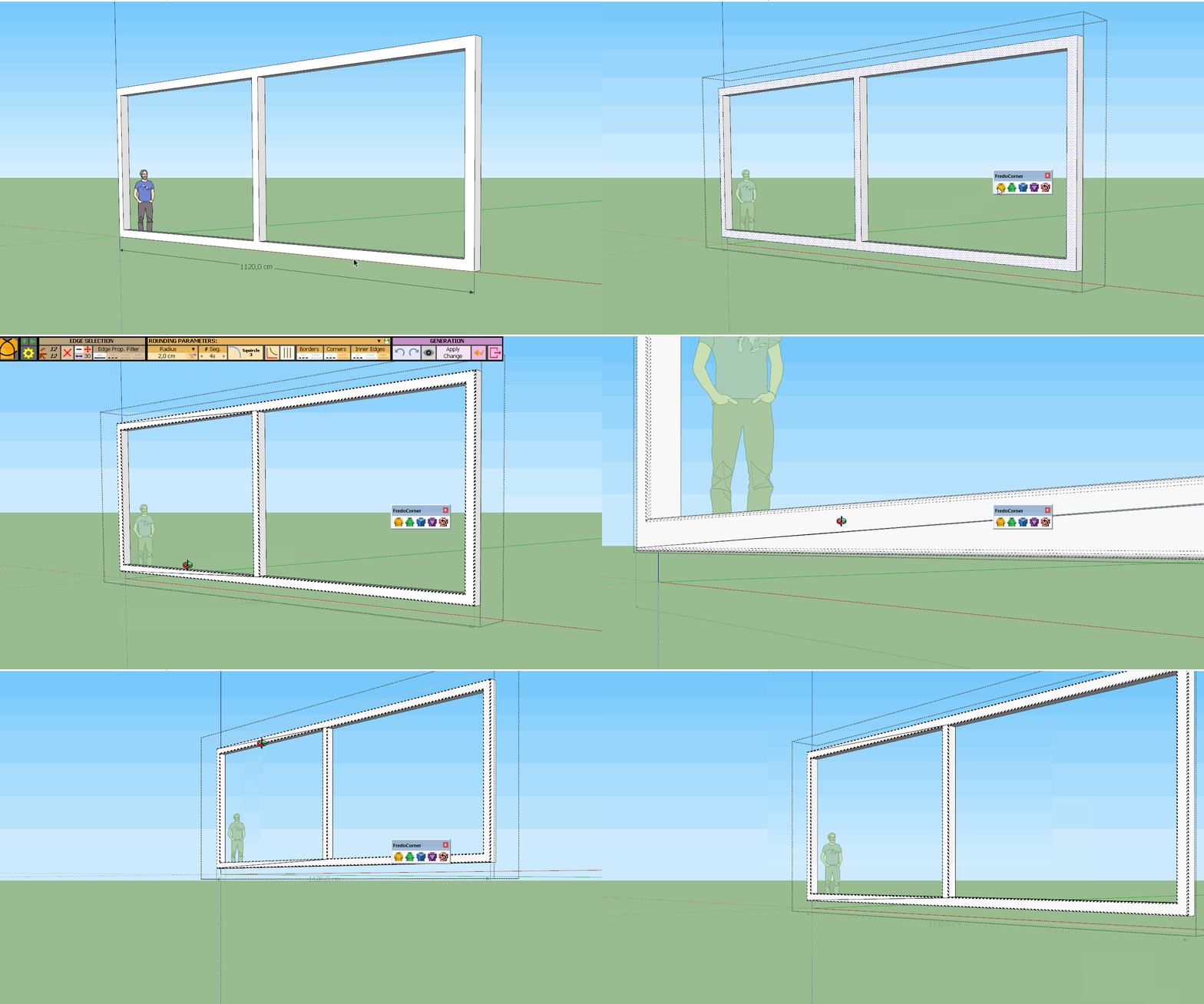
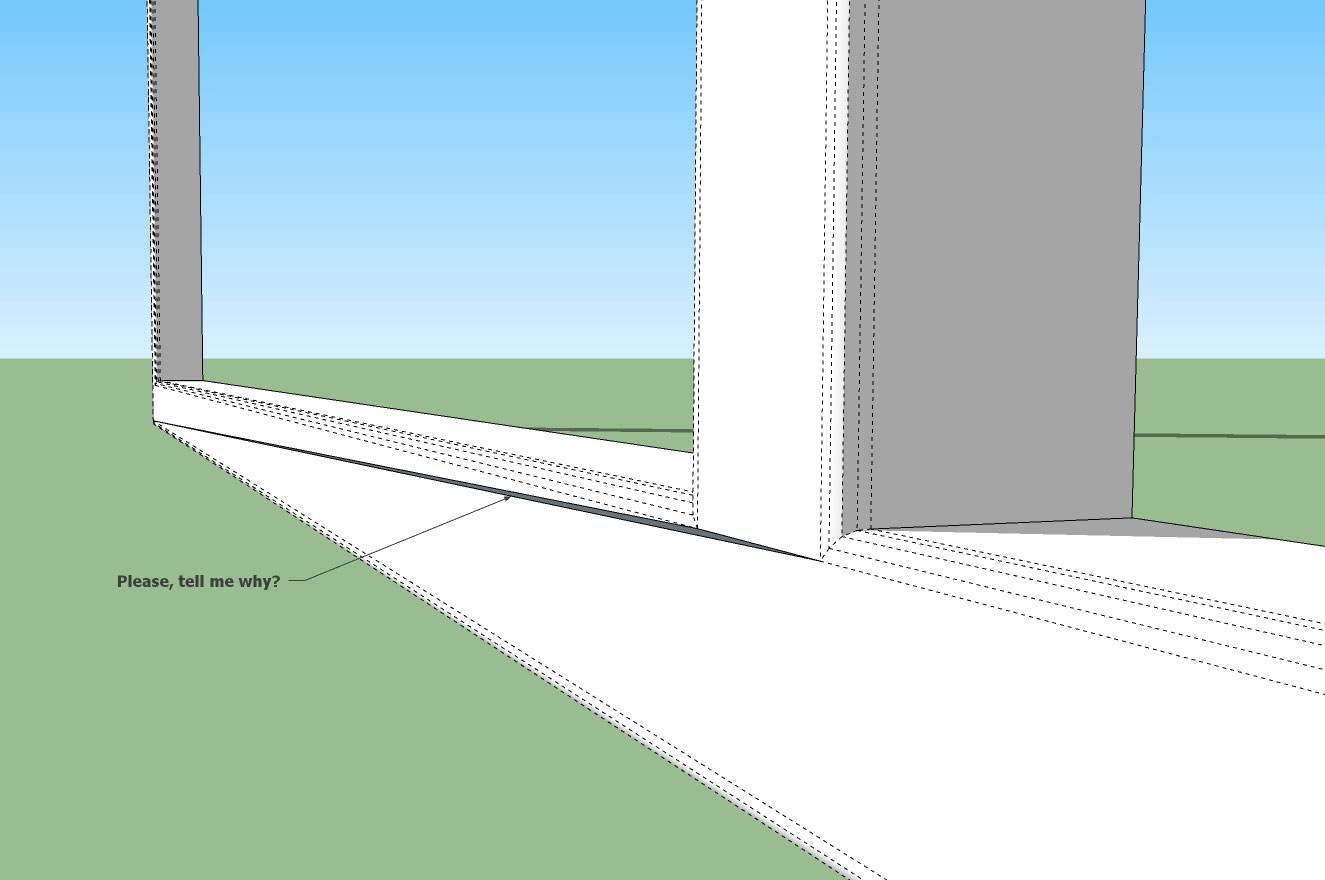
                                    Please, tell me why?
                                    Frame 2x2cm, try offsen 0,2cm


                                    Please,-tell-me-why.jpg


                                    Frame 2x2 offset 0.2.skp

                                    1 Reply Last reply
                                    Reply Quote 0
                                    • fredo6F
                                      fredo6
                                      last edited by

                                      @shake1 said:

                                      Please, tell me why?
                                      Frame 2x2cm, try offsen 0,2cm

                                      Possibly, the model is too small. Try to scale it up (and then scale it down).

                                      Also, it would help to post the model.

                                      1 Reply Last reply
                                      Reply Quote 0
                                      • shake1S
                                        shake1
                                        last edited by

                                        Hi, I posted the model again, and gif
                                        FCorner.gif
                                        Frame 2x2 offset 0.2.skp

                                        1 Reply Last reply
                                        Reply Quote 0
                                        • fredo6F
                                          fredo6
                                          last edited by

                                          There seems to be a bug in FredoCorner. Not easy to identify.

                                          I'll have a closer look.

                                          In the meantime, I suggest you use RoundCorner, which will do the job with no issue.

                                          Fredo

                                          1 Reply Last reply
                                          Reply Quote 0
                                          • E
                                            Einstein
                                            last edited by

                                            Hi!
                                            Are there chances of fixing the bug that a simple bevel cuts along the new faces in two?
                                            Cheers!
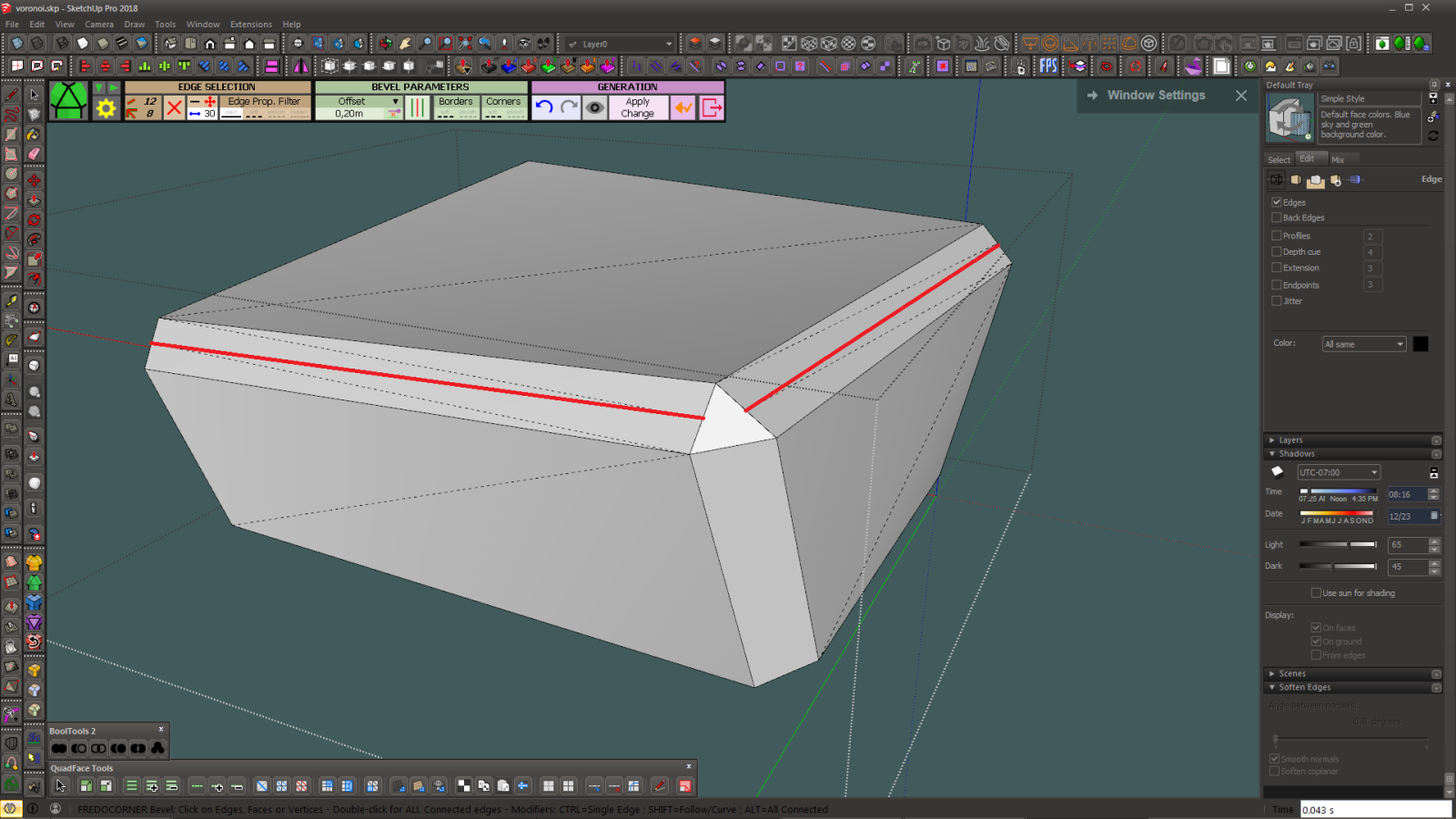

                                            bevel.png

                                            1 Reply Last reply
                                            Reply Quote 0

                                            Hello! It looks like you're interested in this conversation, but you don't have an account yet.

                                            Getting fed up of having to scroll through the same posts each visit? When you register for an account, you'll always come back to exactly where you were before, and choose to be notified of new replies (either via email, or push notification). You'll also be able to save bookmarks and upvote posts to show your appreciation to other community members.

                                            With your input, this post could be even better 💗

                                            Register Login
                                            • 1
                                            • 2
                                            • 19
                                            • 20
                                            • 21
                                            • 22
                                            • 23
                                            • 23 / 23
                                            • First post
                                              Last post
                                            Buy SketchPlus
                                            Buy SUbD
                                            Buy WrapR
                                            Buy eBook
                                            Buy Modelur
                                            Buy Vertex Tools
                                            Buy SketchCuisine
                                            Buy FormFonts

                                            Advertisement