[Plugin][$] FredoCorner - v2.7a - 31 Mar 24



-
NEW RELEASE: FredoCorner v1.4c - 31 Oct 18
Requirement: LibFredo6 8.6j
FredoCorner 1.4b provides various bug fixing and GUI adjusments over v1.4a and v1.4b for the Variable Offset editors and other features.
Please note that, in the current version of FredoCorner:
- there are issues with some shortcut modifiers (Ctrl, Alt) on Mac)
- there are known issues and bugs here and there. This concerns in particular Collisions, i.e. when the offset is too large.
- Terminal corners (that is ending on a single edge) may present issues and bugs
- No documentation yet, so watch the videos that I will publish.
Please report issues, questions and any feedback in the present thread
Home Page of FredoCorner for information and Download.
-
Error Loading File Fredo6_FredoCorner/__loader__FredoCorner
Could not find included file 'Fredo6_FredoCorner/__loader__FredoCorner'
sir, what is this error? help me please. thank you! -
@excellion02 said:
Error Loading File Fredo6_FredoCorner/__loader__FredoCorner
Could not find included file 'Fredo6_FredoCorner/__loader__FredoCorner'
sir, what is this error? help me please. thank you!
Have you installed the downloaded RBZ using the native tool [or SketchUcation's toolset] ?
Assuming this was done OK... have you also downloaded and installed the required Fredo Lib ?
https://sketchucation.com/pluginstore?pln=LibFredo6
Restart SketchUp after the installation of these files to ensure they get synced...If you still have these issues, then SketchUp itself might not be properly installed... but then that's for the next phase of trouble shooting !
-
Can this be used to round the outside corners of this object? It's a headphone case, and I'd like to smooth the edges of the slots that the wires come out.
I've tried to use this plugin (and roundcorners) but I haven't had any luck so far to get it to work.
-
Your object is too small - SketchUp's tolerance of 1/1000" causes any very tiny edges to get omitted, because the start/end points are deemed to be coincident - then supported faces etc also fail to form.
The 'DaveR' method should circumvent the problem.
Select all of your object, and make it into a component.
Make a temporary copy of it off to one side and Scale that up, by say x100.
Edit the giant component and do the rounding etc - remembering to adjust the radii by the scaling factor - so 0.5mm => 50mm.
Now exit the edit and delete the giant temporary copy.
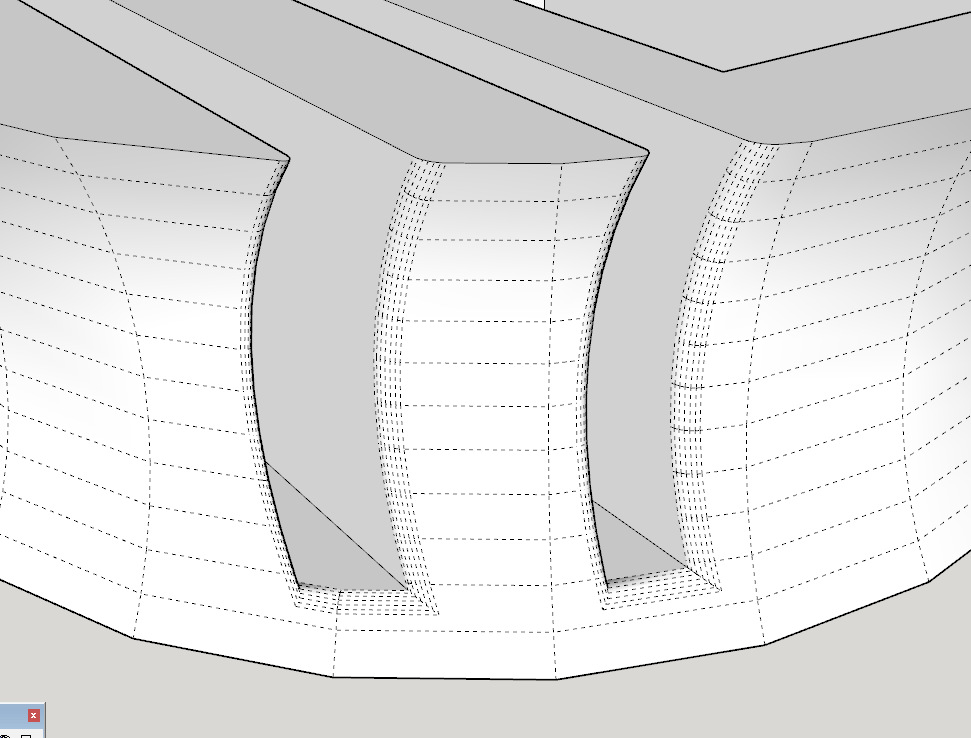
The original [unscaled] instance will show the desired rounding etc...Here's a quick screenshot of it with View > hidden geometry ON [a little editing/healing was needed afterwards]...
Very tiny geometry can exist, BUT it cannot be created !
-
Hi,
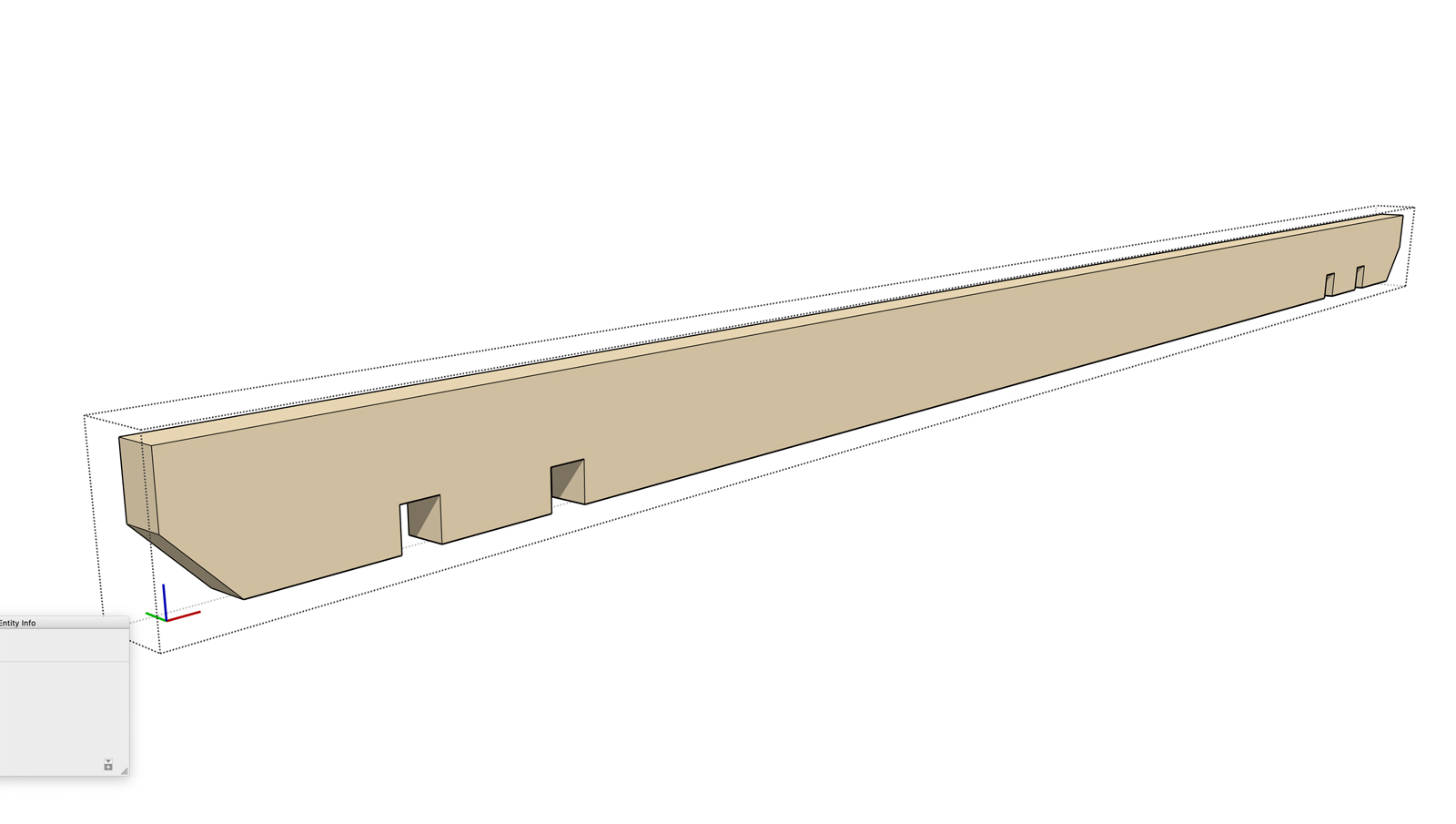
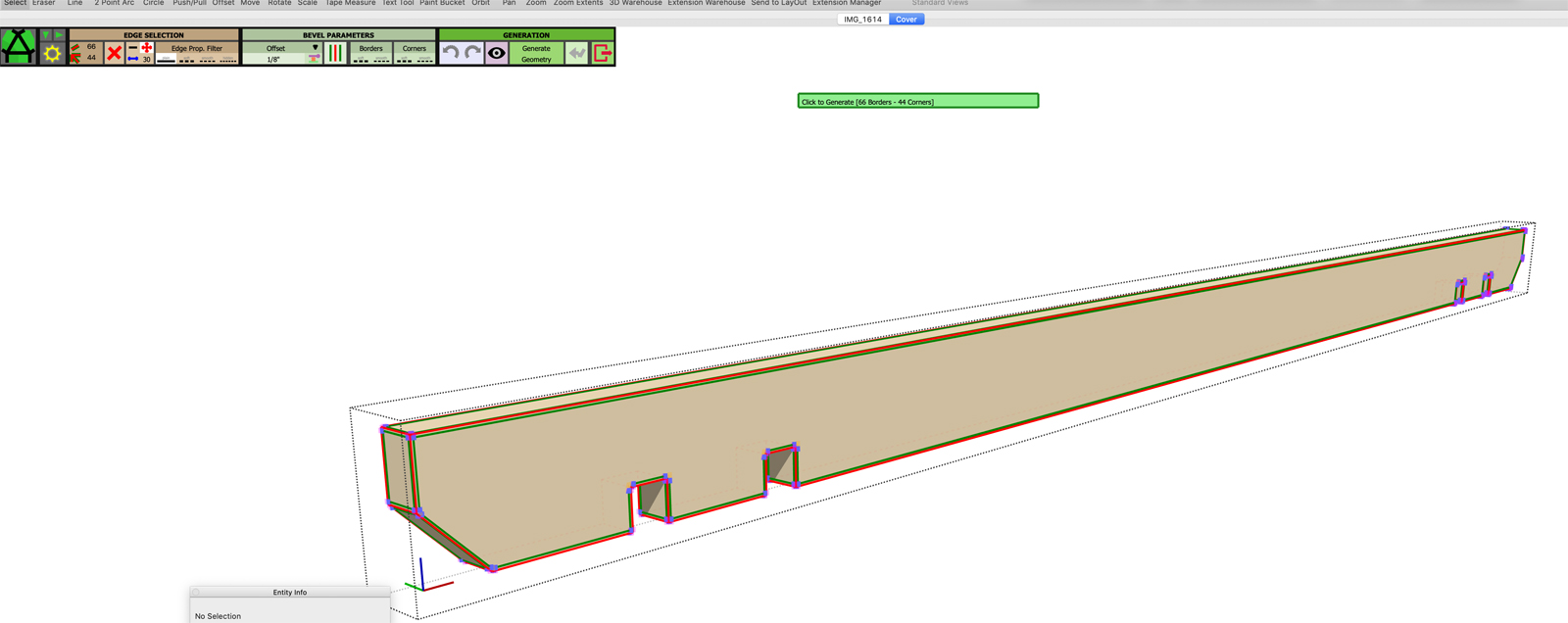
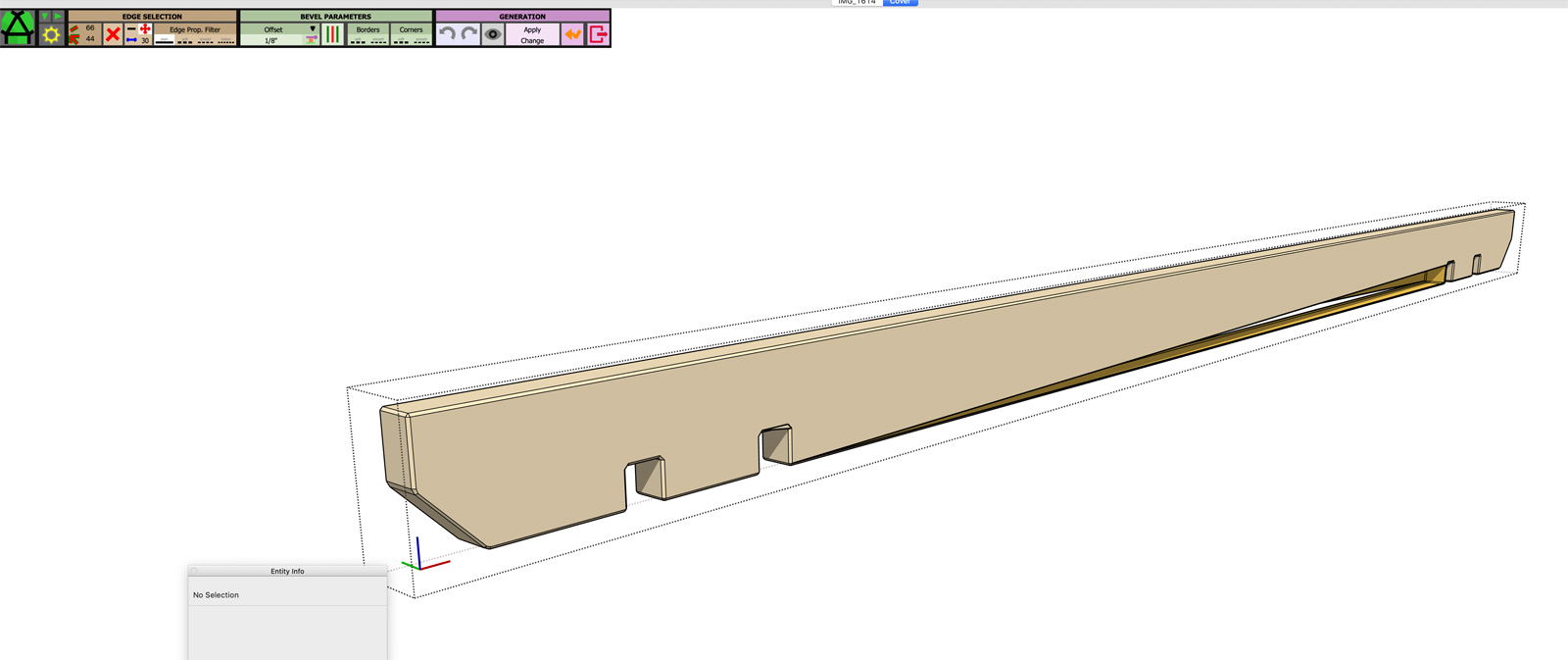
Having an issue with corners on this geometry. Using a Mac.
-
@tig said:
Your object is too small - SketchUp's tolerance of 1/1000" causes any very tiny edges to get omitted, because the start/end points are deemed to be coincident - then supported faces etc also fail to form.
The 'DaveR' method should circumvent the problem.
Select all of your object, and make it into a component.
Make a temporary copy of it off to one side and Scale that up, by say x100.
Edit the giant component and do the rounding etc - remembering to adjust the radii by the scaling factor - so 0.5mm => 50mm.
Now exit the edit and delete the giant temporary copy.
The original [unscaled] instance will show the desired rounding etc...Here's a quick screenshot of it with View > hidden geometry ON [a little editing/healing was needed afterwards]...
Very tiny geometry can exist, BUT it cannot be created !That looks like what I want!
I'm not having much luck, even with your instructions. It's still behaving the same as when it was small... No idea what I'm doing wrong.
-
@ogg1e said:
@tig said:
Your object is too small - SketchUp's tolerance of 1/1000" causes any very tiny edges to get omitted, because the start/end points are deemed to be coincident - then supported faces etc also fail to form.
The 'DaveR' method should circumvent the problem.
Select all of your object, and make it into a component.
Make a temporary copy of it off to one side and Scale that up, by say x100.
Edit the giant component and do the rounding etc - remembering to adjust the radii by the scaling factor - so 0.5mm => 50mm.
Now exit the edit and delete the giant temporary copy.
The original [unscaled] instance will show the desired rounding etc...Here's a quick screenshot of it with View > hidden geometry ON [a little editing/healing was needed afterwards]...
Very tiny geometry can exist, BUT it cannot be created !That looks like what I want!
I'm not having much luck, even with your instructions. It's still behaving the same as when it was small... No idea what I'm doing wrong.
Ok, so I spent some more time with it, and changed things like you suggested with hidden geometry and I think I have a working model now. Thanks. It was painful and time consuming to get it to a point where this extension would actually work though. The problem is if I chose to move some of the holes for the wires, I suspect I'll be back where I was before where this extension won't work.
-
SketchUp's built in tolerance of 1/1000" is what's causing your grief - not this extension.
You can't create very tiny edges and associated faces either manually, or in code.
However, they can exist.
The Scaling 'trick' is frequently used to get around this.Complex geometry operations like 'rounding' and 'intersections' can produce some very small facets...
One other possible sidestep/trick is to work in the model with units set to meters, and with units not shown.
Then you enter all dimensions etc as if they were in mm, as simple numbers - 1234.5678 in meters is actually 1234567.8 expressed in mm...Now your model is 1000x bigger and the tiny edge problems are avoided.
When you finally come to 3d-print the model you can scale it down by 1/1000 and reset the units to mm etc.
-
I wasn't blaming the extension. I apologize if it appeared that way.

I did use metric when I designed this. But not all measurements were whole numbers.
-
@ogg1e said:
I wasn't blaming the extension. I apologize if it appeared that way.
I did use metric when I designed this. But not all measurements were whole numbers.
The model is interesting, because the geometry seems to be messed up (on top of being extra small).
I'll have a look, but obviously, this makes it difficult for FredoCorner to work properly.
Fredo
-
Hi
Before I start, thank you so so much for your work. I think it's a great decision to make this payable after all the time you have given to the sketchup community.
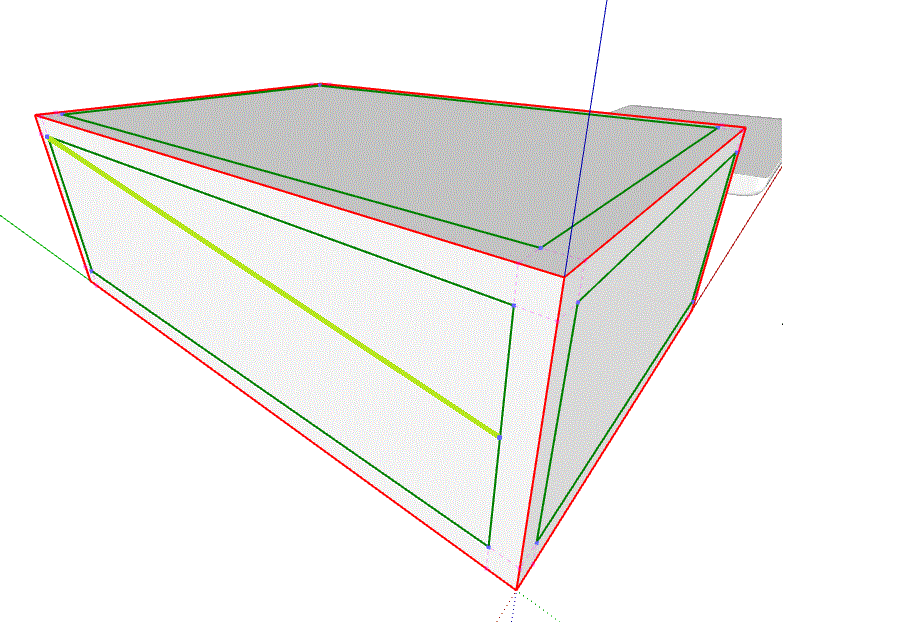
I have a question relating to the little mauve control points surrounding the corners.
Is the intention for these to be moveable at some point. I note if I click on them I get an error.I was just having a click around and wondered if I could increase the curve profile from one end of the edge to the other. That would be amazing.... although the words "stick" and "moon" spring to mind.
I can achieve the same result through the SubD tool with some after manipulation I guess, but just wondered as the points seem interactable (if that's even a word).
Si
-
@swalder said:
I have a question relating to the little mauve control points surrounding the corners.
Is the intention for these to be moveable at some point. I note if I click on them I get an error.I was just having a click around and wondered if I could increase the curve profile from one end of the edge to the other. That would be amazing.... although the words "stick" and "moon" spring to mind.
I'll surely make the variable offset interactive, both for offset lines and corner offsets. Currently in FredoCorner, you select them and type the new offset in the VCB.
Fredo
-
@fredo6 said:
I'll surely make the variable offset interactive, both for offset lines and corner offsets. Currently in FredoCorner, you select them and type the new offset in the VCB.
Fredo
tested this over the weekend and it worked absolutely seamlessly.
I was able to achieve the exact result I was after, thanks to you.Si
-
NEW RELEASE: FredoCorner v1.5a - 18 Dec 18
Requirement: LibFredo6 8.7a
FredoCorner 1.5a provides various bug fixing and extends the validity.
Please note that, in the current version of FredoCorner:
- there are issues with some shortcut modifiers (Ctrl, Alt) on Mac)
- there are known issues and bugs here and there. This concerns in particular Collisions, i.e. when the offset is too large.
- Terminal corners (that is ending on a single edge) may present issues and bugs
- No documentation yet, so watch the videos that I will publish.
Please report issues, questions and any feedback in the present thread
Home Page of FredoCorner for information and Download.
-
You are awesome!
I should have chimed in earlier... but, this is really cool.
Thank you.
-
NEW RELEASE: FredoCorner v1.5b - 10 Jan 19
Requirement: LibFredo6 8.7f
FredoCorner 1.5b provides various bug fixing and extends the validity.
Please note that, in the current version of FredoCorner:
- there are issues with some shortcut modifiers (Ctrl, Alt) on Mac)
- there are known issues and bugs here and there. This concerns in particular Collisions, i.e. when the offset is too large.
- Terminal corners (that is ending on a single edge) may present issues and bugs
- No documentation yet, so watch the videos that I will publish.
Please report issues, questions and any feedback in the present thread
Home Page of FredoCorner for information and Download.
-
The new update isn't working,
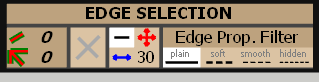
shows INVALID no good edges at the face message, for every shape. -
@hssnjsm said:
The new update isn't working,
shows INVALID no good edges at the face message, for every shape.Can you check the Edge selection filter, and make sure it corresponds to the properties of the edges you want to select.
Fredo
-
This is Brilliant! Thank you so much!






Advertisement