Sketchup 2015 pro crash on starting
-
**Hello!
I have the Sketchup 2015 pro instaled about one year and running with no problems until today.
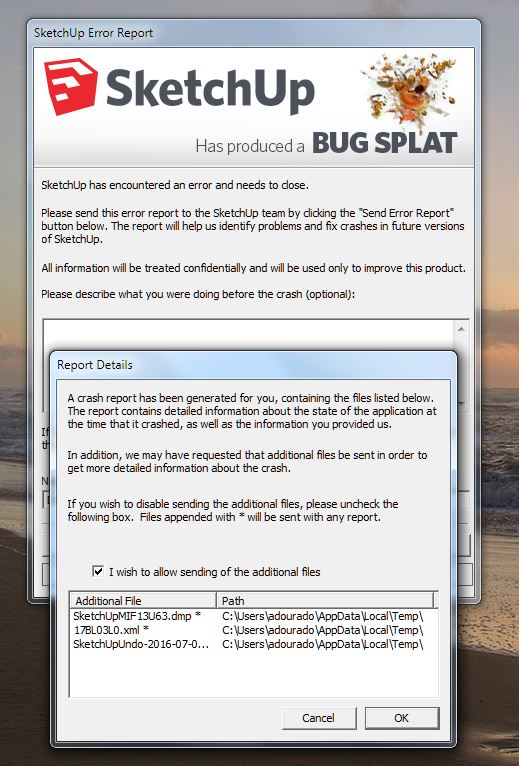
Every time I start the program crash, or crash when I try to open a drawing.
Today I didn't do anything!
attach bug report
Any help is welcome
It happens with my old sketchup 8, too!!!
my os is Win7 Pro pack1 32 bits-intel core duo 2,93Ghz- 4Gb ram**
-
Have you recently installed any new extensions? Vray for SketchUp, maybe? Try disabling them and see what happens.
Try disabling Hardware Acceleration in Preferences>OpenGL and see if that has any impact. What is the GPU in your computer?
-
Added to Dave, have you upgraded/updated your OS recently. Windows auto updates can play havoc with graphic drivers....
-
Hi Dave and Box,
no, none of them.as soon as I open the su when I pick any command it crashes. I can't manage the options tool.
Thanks for your help.
-
Have you been sending in the Bug Splats?
Did you try disabling all plugins?
What is the GPU? Is the driver up to date?
-
Dave,
yes, I'm sending the bug reports.in this moment both Sketchup crash on starting, there is no chance of modify anything:
I remember now that there was a windows update one week ago, but the problem begun yesterday.
Could be something related?!GPU AMD radeon HD 7400.
-
Check to see if there's a recent update to the driver for the GPU. AMD Radeon cards and their drivers are well-known to have sub-par OpenGL support. You might try updating the driver or try rolling it back to an earlier version.
-
Could be, I will try,
Thanks -
Good luck. If that fails you might see if it's possible to replace the graphics card with an nVidia card.It isn't always possible with notebooks but it might be worth looking into anyway.
-
Hello folks!
bad news.
we review the last update of the software in my pc and nothing is wrong, we replace the graphic driver and stil the same, we disable hardware accelaration, disable plugins and nothing, we uninstall the sketchup and install again and nothing.
The computing department where I work can't solve the problem, they sent a email to trimble sketchup and we are waiting.so, let's wait! as soon as i solve the problem I let you Know.
thanks for your help -
Good luck.
Did the IT person try rolling back the driver to an older version?
-
and a re-installation of the software didn't work either?
-
no, nothing works, even the old sketchup vers8 have the same problem.
But the Layout2015 is working fine.So strange, it seems that it do not want to work anymore in this pc!!!
-
Maybe it's time for a new computer.

-
Hi folks,
problem SOLVED!!:)my graphic card, AMD Radeon, instaled a app called "Play tv" that caused this conflit.
Thanks again for your help.
-
Good news! How did you sort that out?
-
@dave r said:
Good news! How did you sort that out?
both sketchup version began to crash at july 6, after triyng everything we know to fix the problem I started to looking for instaled programs or updates, in that particular day or before and found it!
"voilá"!
-
For the benefit of others who may come across this topic: WIndows update has been quietly bundling the plays.tv app along with an update to the drivers for AMD graphics (most likely AMD initiated this, as plays.tv is a project they co-sponsor with Raptr). This app causes graphics conflicts that crash SketchUp. Uninstalling Play TV has cured the problem for many people.



Hello! It looks like you're interested in this conversation, but you don't have an account yet.
Getting fed up of having to scroll through the same posts each visit? When you register for an account, you'll always come back to exactly where you were before, and choose to be notified of new replies (either via email, or push notification). You'll also be able to save bookmarks and upvote posts to show your appreciation to other community members.
With your input, this post could be even better 💗
Register Login


Advertisement