sketchucation logo sketchucation
    • Login
    Oops, your profile's looking a bit empty! To help us tailor your experience, please fill in key details like your SketchUp version, skill level, operating system, and more. Update and save your info on your profile page today!
    Mac User? | Join the Rayscaper Beta for Mac Learn More

    [Plugin]Mesh to Poly

    Scheduled Pinned Locked Moved Plugins
    21 Posts 9 Posters 17.0k Views 9 Watching
    Loading More Posts
    • Oldest to Newest
    • Newest to Oldest
    • Most Votes
    Reply
    • Reply as topic
    Log in to reply
    This topic has been deleted. Only users with topic management privileges can see it.
    • pilouP
      pilou
      last edited by

      @unknownuser said:

      Do you have a plugin to import OBJ files with the correct polygons?

      Seems QFT has that! ๐Ÿ˜‰

      Import ZBrush obj file is a little dangerous! ๐Ÿ˜„
      Make some decimation before! ๐Ÿ’š

      Frenchy Pilou
      Is beautiful that please without concept!
      My Little site :)

      1 Reply Last reply
      Reply Quote 0
      • ithilI
        ithil
        last edited by

        Oh my God!
        This is a holiday!
        Great news!

        about Zbrush
        I agree. It is dangerous to ๐Ÿ˜ƒ
        But at least a little billet..

        1 Reply Last reply
        Reply Quote 0
        • thomthomT
          thomthom
          last edited by

          Yea, as pilou says, QFT has both an OBJ importer and exporter to complete the workflow of moving quad meshes between other applications. Again it's somewhat hidden. ๐Ÿ˜ž I really need to get on to updating the docs.

          Thomas Thomassen โ€” SketchUp Monkey & Coding addict
          List of my plugins and link to the CookieWare fund

          1 Reply Last reply
          Reply Quote 0
          • panixiaP
            panixia
            last edited by

            @pilou said:

            Import ZBrush obj file is a little dangerous! ๐Ÿ˜„
            Make some decimation before! ๐Ÿ’š

            pilou i strongly reccommend z-remesher over decimation master for such stuff ๐Ÿ‘

            actually in the beta stage of the importer a zbrush (z-remeshed) model was used, and that worked pretty fine!
            here is my proud puppet "Pollo" happly imported with proper textures and quads in sketchup for the first time

            more of the original Pollo with all displacement and stuff in action here ๐Ÿคฃ
            https://www.youtube.com/watch?v=3Zd8mFH7bGY

            first ever zbrush to sketchup.JPG

            @pilou said:

            Sounds similar to what QuadFace Tools do - with Sandbox Quads to QuadFace Tools quads.

            ๐Ÿ˜ฎ what a huge doooh-moment. i used to run selection toys "select only soften" for that.. a couple of clicks more.. every time ๐Ÿ˜’

            1 Reply Last reply
            Reply Quote 0
            • pilouP
              pilou
              last edited by

              Yes any functions who reduce, transform this enormous mass of polygons! ๐Ÿ˜‰

              Frenchy Pilou
              Is beautiful that please without concept!
              My Little site :)

              1 Reply Last reply
              Reply Quote 0
              • panixiaP
                panixia
                last edited by

                @pilou said:

                Yes any functions who reduce, transform this enormous mass of polygons! ๐Ÿ˜‰

                yes for sure that's the first goal, but in this particular case.. i was suggesting z-remesher over decimation master because that not only reduces the polycount, but also provides nice and clean flowing quad-topology and a good base for unwrapping and putting all polypaint detail into one texture you can use in sketchup.. โ˜€
                not sure that would work with decimation master too..

                here is the wireframe from the low-poly sketchup version of pollo achieved with zremesher + quadface tools .obj importer
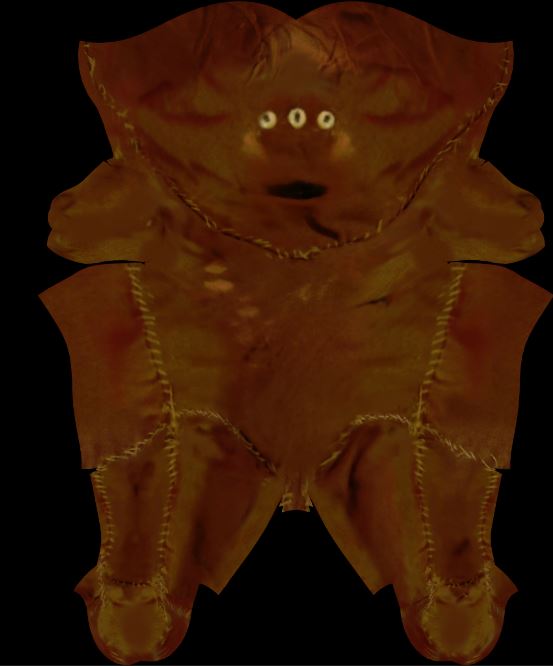
                and below you can compare the final unwrap-texture and some of the original photos taken from real-world Pollo, used to texture it by Z-app link..

                i don't know if and when i will have the time to finish it with proper sub-tool for eyes and hands.. ๐Ÿ˜’

                pollo topology.JPG
                pollo unwrapped.JPG
                realworldpollo.JPG

                1 Reply Last reply
                Reply Quote 0
                • D
                  dkdude
                  last edited by

                  Hey guys, it doesn't work on my pc, I am using sketchup 2016. any suggestions? thx!

                  1 Reply Last reply
                  Reply Quote 0
                  • N
                    nnightdream
                    last edited by

                    Hi, Mesh to Poly doesn't work on my PC. What am I doing wrong? I tried to use sketchup 2016 and 2017. I have last version SUBd plugin.

                    Thanks.
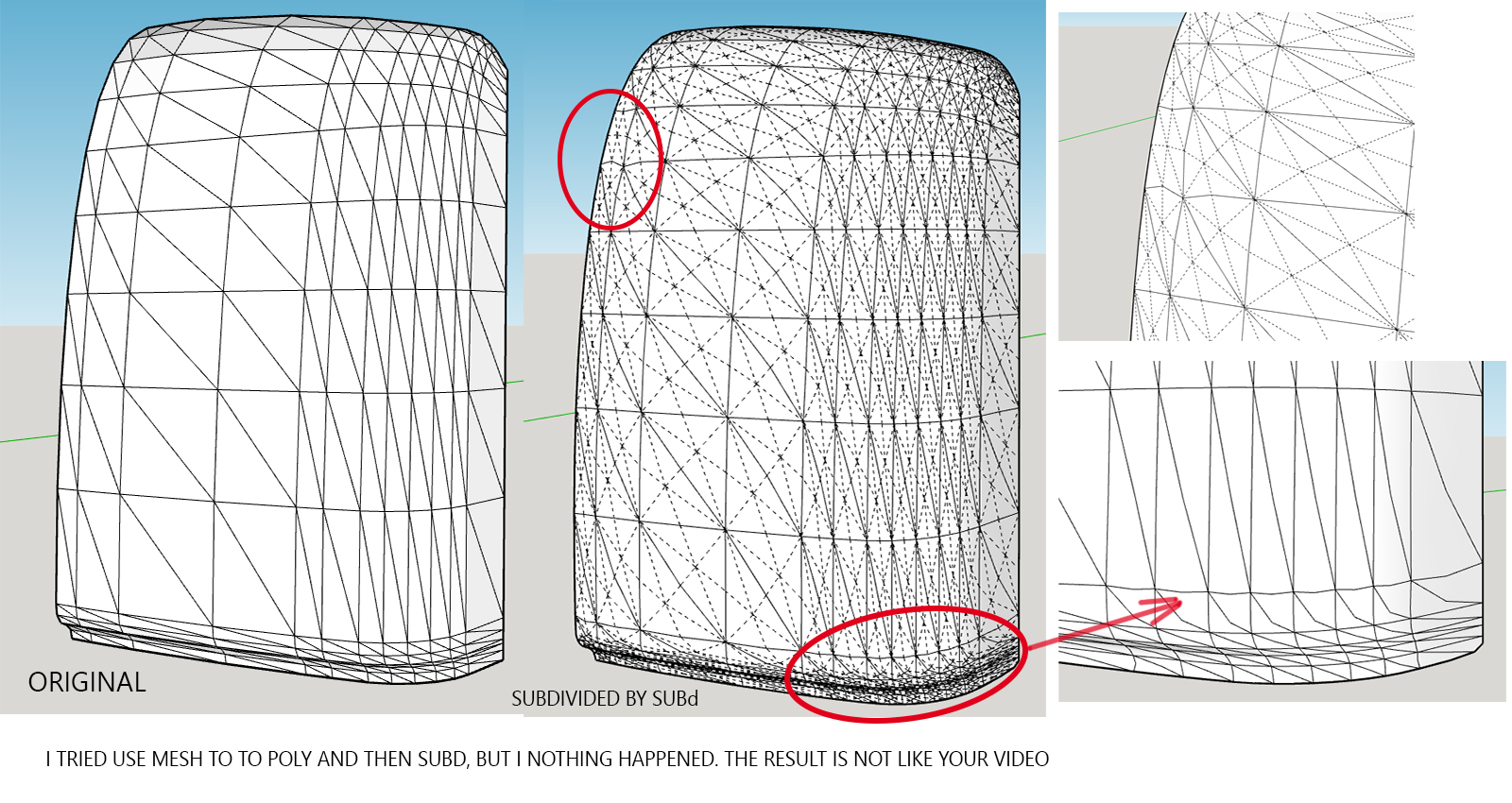

                    Mesh to poly doesn't work

                    1 Reply Last reply
                    Reply Quote 0
                    • panixiaP
                      panixia
                      last edited by

                      @nnightdream said:

                      Hi, Mesh to Poly doesn't work on my PC. What am I doing wrong? I tried to use sketchup 2016 and 2017. I have last version SUBd plugin.

                      Thanks.

                      Because the plugin need the edges (for the diagonals) to be set on "soft and smooth" and just turns off the "cast shadows" property.
                      Your triangles are not soft (and I believe not smooth too) so it will not work on them.

                      1 Reply Last reply
                      Reply Quote 0
                      • N
                        nayazerez
                        last edited by

                        hi! I installed the extension through extension manager, but I cant find a tab it the toolbars! can you plz help with that?? thanks!

                        1 Reply Last reply
                        Reply Quote 0
                        • Rich O BrienR
                          Rich O Brien Moderator
                          last edited by

                          @nayazerez said:

                          .....I cant find a tab it the toolbars! can you plz help with that?? thanks!

                          Try Plugins(Extensions) >> Ithil Tools >> Mesh to Poly

                          Download the free D'oh Book for SketchUp ๐Ÿ“–

                          1 Reply Last reply
                          Reply Quote 0

                          Hello! It looks like you're interested in this conversation, but you don't have an account yet.

                          Getting fed up of having to scroll through the same posts each visit? When you register for an account, you'll always come back to exactly where you were before, and choose to be notified of new replies (either via email, or push notification). You'll also be able to save bookmarks and upvote posts to show your appreciation to other community members.

                          With your input, this post could be even better ๐Ÿ’—

                          Register Login
                          • 1
                          • 2
                          • 1 / 2
                          • First post
                            Last post
                          Buy SketchPlus
                          Buy SUbD
                          Buy WrapR
                          Buy eBook
                          Buy Modelur
                          Buy Vertex Tools
                          Buy SketchCuisine
                          Buy FormFonts

                          Advertisement