[REQ] Open and close all nested groups in selection
-
Would this work?
selection=Sketchup.active_model.selection selection.grep(Sketchup;;Group) {|group| group.make_unique } -
After the selection
grepyou need a.each...
Sketchup.active_model.selection.grep(Sketchup::Group)**.each**{|g| g.make_unique }
or to do it to ALL groups do this ...
Sketchup.active_model.definitions.select{|d| d.group? }.each{|g| g.make_unique } -
Thanks.
-
I use the backout plugin to exit nested groups...
-
Hmm...I tried it exactly as you wrote but it didn't work.

But, if I manually double click to open the groups and then close them and run the hide intersecting edges script it works.
Any ideas what could be missing?
I don't get any error messages in the console. -
If you use this line in the Ruby Console what is listed ?
gps = Sketchup.active_model.selection.grep(Sketchup::Group)
If it's a list of selected groups, then what happens with this ?
gps.each{|g| g.make_unique if g.entities.parent.instances[1] }
There's no need to use 'make_unique' unless there are multiple copies ?? -
That seem to work.
Again, thanks! -
I spoke to soon. It doesn't work if there are nested groups.
-
I knew I had seen a similar discussion some where. This might be what you are looking for.
I think there is a newer version in the plugin store.
Never mind, as written, the plugin fails with nested groups.
I think it would be an easy fix.
-
@tig said:
After the selection
grepyou need a.each....grep takes a block which it will invoke on all matched elements. On large sets it's somewhat faster.
-
@pixero said:
As a way of automating the process from here:
http://sketchucation.com/forums/viewtopic.php?f=323%26amp;t=61842#p565790
Can someone make a script that open and close all nested groups in a selection?The code below makes a recursive traversal through nested groups. I will add an UI to the hide overlapping extension where make_unique is an option.
def self.makeUnique(ents) ents.grep(Sketchup;;Group).each { |g| g.make_unique makeUnique(g.entities) } end makeUnique(Sketchup.active_model.selection) -
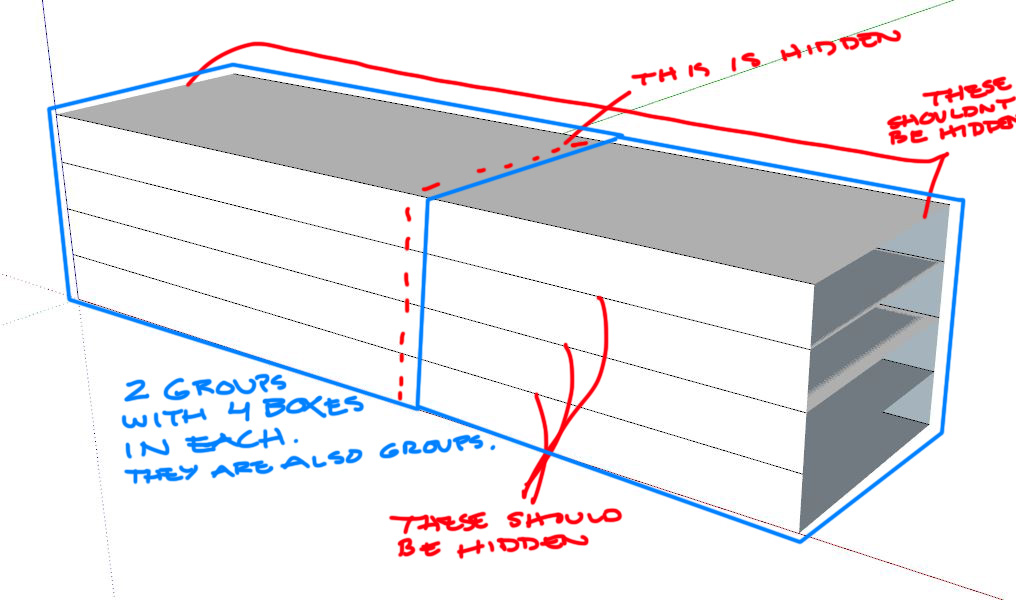
I tried your code but it didn't work with nested groups either.

-
@pixero said:
I tried your code but it didn't work with nested groups either.
I think there are two issues here.
-
HideOverlappingGeometry does not compare groups within a common top group. So in your example, the 4 boxes within a group will not be compared with each other, they will however be compared to the 4 boxes in the other group. That's just a choice I made in the extension that reflects the way I use the script. If you want to hide the seams between the groups within a group you have to enter the group and select all groups within and then run the script. I think I will add an option to the extension so that is also compares stuff within the same nesting.
-
I don't quite see why the provided code doesn't work in your example. I tried with a similar example and the groups all became unique. Do you have a sample model?
-
-
Here is a simple example file.
A real life model would probably have more nested levels. -
@pixero said:
Here is a simple example file.
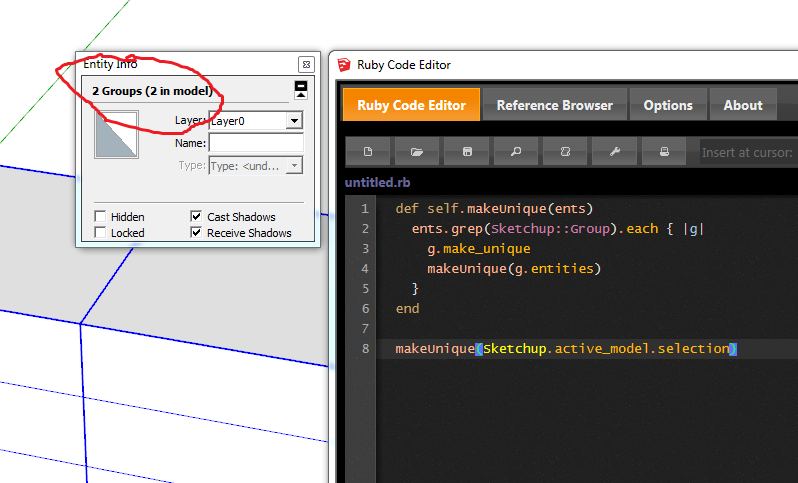
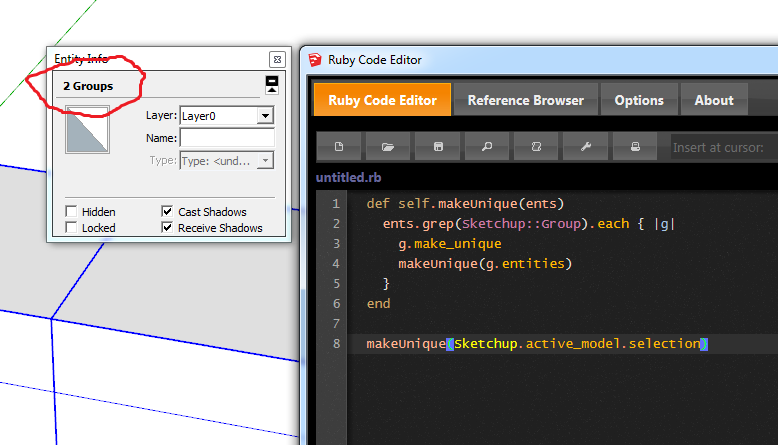
A real life model would probably have more nested levels.I get the result below (and the nested groups also becomes unique):
-
Ok, so then it's a matter of you implementing the compare overlapping edges in nested groups?





Hello! It looks like you're interested in this conversation, but you don't have an account yet.
Getting fed up of having to scroll through the same posts each visit? When you register for an account, you'll always come back to exactly where you were before, and choose to be notified of new replies (either via email, or push notification). You'll also be able to save bookmarks and upvote posts to show your appreciation to other community members.
With your input, this post could be even better 💗
Register Login


Advertisement