[REQ] Clay mode
-
I need a plugin so I can change all materials except any with transparency to a clay color.
Anyone?
-
Doesn't Renderiza have a suite of tools that does this?
-
Blackout can easily be updated to work. On line 42, change 'Black' to 'Gray' for example.
I've PM'd you "ClayOut"
Wait, what color is Clay?
-
@jim said:
Blackout can easily be updated to work. On line 42, change 'Black' to 'Gray' for example.
I've PM'd you "ClayOut"
Wait, what color is Clay?
Off white, slight beige.
-
"Beige" it is. check PM.
-
@jim said:
"Beige" it is. check PM.
That works great, however it does not make the default SU material also beige, is it possible to do that too?
-
What if the clay color can be the same as the SU default color (as set by user)?
-
Perhaps TIGs Global Material Changer could be used?
Not sure how to change all materials exept glass automatically though.
Maybe a tweak from TIG?The bad thing is that it will be destructive.
A "Material override" checkbox i Thea (working with Presto) would be better though... -
Couldn't the greyscale plugin be easily adapted to a custom color? It works great for turning on and off greyscale.
Here it is (untested on 2014):
http://www.smustard.com/script/GreyScale -
Hey Pete, Podium has a simple 'Clay' mode by choosing default SU face colours...
-
@solo said:
That works great, however it does not make the default SU material also beige, is it possible to do that too?
Maybe you can group all objects and paint it with the same color from outside the group to replace the color for the non-painted faces?
-
can i ask why not just use clay mode in thea?
-
@olishea said:
can i ask why not just use clay mode in thea?
Because it is not supported in Presto, only BSD
-
oh ok. shame because i love that mode. saying that, i cant even use presto on my mac lol

-
@jql said:
Couldn't the greyscale plugin be easily adapted to a custom color? It works great for turning on and off greyscale.
Here it is (untested on 2014):
http://www.smustard.com/script/GreyScaleI thought I removed GreyScale from Smustard. Please don't download that version. The Smustard version is scrambled and relies on other files. The later version is a single file and has no dependencies.
I'll get GreyScale in the Plugins Store after it is cleaned up.
@solo said:
What if the clay color can be the same as the SU default color (as set by user)?
Actually, GreyScale already has a Front Face mode which assigns all materials to the current default face color. All i need to add is the alpha filter. I've sent a PM.
-
Why a PM and not a post here? or change that plugin on smustard?
-
@jim said:
Actually, GreyScale already has a Front Face mode which assigns all materials to the current default face color. All i need to add is the alpha filter. I've sent a PM.
I did think it had that mode but I've not used it for so long...
Problem with thea is that only the preset materials or materials with diffuse set to sketchup texture will render white or frontface mode...
-
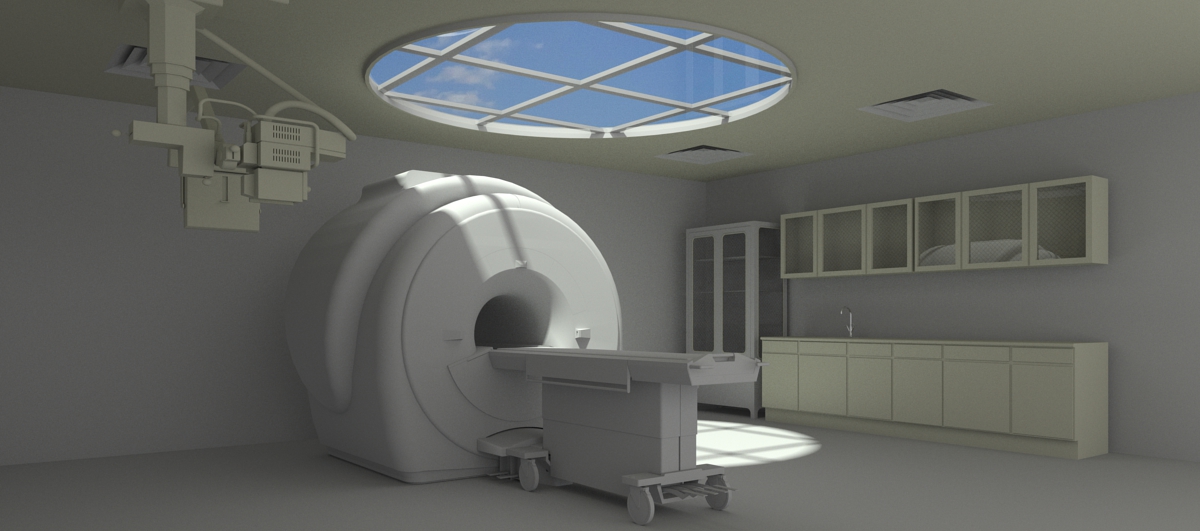
Coincidentally I posted a clay image on my blog today:

(Rendered with IRender nXt using the Clay Rendering option)
The sketchy edges do not reflect in the mirror properly. We have another option to render edges which would handle reflections properly, but it only works with non-sketchy edges. If you want Sketchy edges - it is best not to include this obvious of a reflection.
Al Hart

IRender nXt from Render Plus









Hello! It looks like you're interested in this conversation, but you don't have an account yet.
Getting fed up of having to scroll through the same posts each visit? When you register for an account, you'll always come back to exactly where you were before, and choose to be notified of new replies (either via email, or push notification). You'll also be able to save bookmarks and upvote posts to show your appreciation to other community members.
With your input, this post could be even better 💗
Register Login


Advertisement