sketchucation logo sketchucation
    • 登入
    Oops, your profile's looking a bit empty! To help us tailor your experience, please fill in key details like your SketchUp version, skill level, operating system, and more. Update and save your info on your profile page today!
    🔌 Smart Spline | Fluid way to handle splines for furniture design and complex structures. Download

    [Plugin] FloorGenerator ( Updated 6-Apr-2017)

    已排程 已置頂 已鎖定 已移動 Plugins
    331 貼文 109 Posters 369.0k 瀏覽 109 Watching
    正在載入更多貼文
    • 從舊到新
    • 從新到舊
    • 最多點贊
    回覆
    • 在新貼文中回覆
    登入後回覆
    此主題已被刪除。只有擁有主題管理權限的使用者可以查看。
    • N 離線
      Nibelungs
      最後由 編輯

      It does not work with Sketchup 2015?

      The plugin is installed, I see it in the toolbar ... but it does not open when I pressed. 😞

      1 條回覆 最後回覆 回覆 引用 0
      • TIGT 離線
        TIG Moderator
        最後由 編輯

        @Sabastien

        Please open the Ruby Console.
        Now try to use the tool.
        What happens?
        Any error messages?
        Are you selecting a face before running the tool?
        More info please...

        TIG

        1 條回覆 最後回覆 回覆 引用 0
        • N 離線
          Nibelungs
          最後由 編輯

          @tig said:

          @Sabastien

          Please open the Ruby Console.
          Now try to use the tool.
          What happens?
          Any error messages?
          Are you selecting a face before running the tool?
          More info please...

          Hi, sorry for my late.

          The error in the Ruby Console is " <SystemStackError: stack level too deep> C:/Users/*/AppData/Roaming/SketchUp/SketchUp 2016/SketchUp/Plugins/SDM_FloorGenerator_WD.rb:95 "

          1 條回覆 最後回覆 回覆 引用 0
          • sdmitchS 離線
            sdmitch
            最後由 編輯

            @nibelungs said:

            Hi, sorry for my late.

            The error in the Ruby Console is " <SystemStackError: stack level too deep> C:/Users/*/AppData/Roaming/SketchUp/SketchUp 2016/SketchUp/Plugins/SDM_FloorGenerator_WD.rb:95 "

            Are you using metric or inches? Do you use "." or "," as the decimal separator?

            My guess is that the plugin is being caught in a perpetual loop of trying to read/write the current defaults.

            Nothing is worthless, it can always be used as a bad example.

            http://sdmitch.blogspot.com/

            1 條回覆 最後回覆 回覆 引用 0
            • A 離線
              autumnwind
              最後由 編輯

              Hi to everybody, I can't make it work on my project. It creates the grid but no bricks, or sometimes accidentally it creates just 3 or 4 bricks. the error seems to happen most when I use the offset (and I need it actually). I have no error in my geometry apparently, just it's not that regularly in its border so it implies many bricks to be cut.

              any suggestion or possible error?

              thanks in advance

              1 條回覆 最後回覆 回覆 引用 0
              • sdmitchS 離線
                sdmitch
                最後由 編輯

                @autumnwind said:

                Hi to everybody, I can't make it work on my project. It creates the grid but no bricks, or sometimes accidentally it creates just 3 or 4 bricks. the error seems to happen most when I use the offset (and I need it actually). I have no error in my geometry apparently, just it's not that regularly in its border so it implies many bricks to be cut.

                any suggestion or possible error?

                thanks in advance

                If you would care to post a model, version<=2014, containing the face and a list or screenshot of the parameters you are attempting to use, I will try to determine and fix the problem.

                Nothing is worthless, it can always be used as a bad example.

                http://sdmitch.blogspot.com/

                1 條回覆 最後回覆 回覆 引用 0
                • G 離線
                  gnome_mo
                  最後由 編輯

                  Guys, I have a problem. I can't seem to make tiles 200*200mm size, always getting the same message:
                  "TILE DIMENSIONS MAY BE TOO SMALL. 2008 TILE NEEDED".
                  What am I doing wrong?

                  1 條回覆 最後回覆 回覆 引用 0
                  • sdmitchS 離線
                    sdmitch
                    最後由 編輯

                    @gnome_mo said:

                    Guys, I have a problem. I can't seem to make tiles 200*200mm size, always getting the same message:
                    "TILE DIMENSIONS MAY BE TOO SMALL. 2008 TILE NEEDED".
                    What am I doing wrong?

                    You aren't doing anything wrong. It just letting you know that the size choosen will result in a large number of tiles. Click "Yes" in the messagebox to proceed.

                    Nothing is worthless, it can always be used as a bad example.

                    http://sdmitch.blogspot.com/

                    1 條回覆 最後回覆 回覆 引用 0
                    • deaneauD 離線
                      deaneau
                      最後由 編輯

                      Here some inspirations for grids. the download is a PDF format. This can instantly imported in illustrator (AI) and than exported as dxf, eps, svg.

                      is only a tip not a request 😉

                      greetings from berlin

                      Dean

                      Link: https://incompetech.com/graphpaper/

                      MADE, BORN AND LIVING IN BERLIN
                      Big Thank You to all Programmers
                      Some German words are so long that they have a perspective. M.Twain

                      1 條回覆 最後回覆 回覆 引用 0
                      • sdmitchS 離線
                        sdmitch
                        最後由 編輯

                        @gnome_mo said:

                        Mitch, I can't thank you enough.
                        I feel kinda stupid to ask this, but I can't figure it out:
                        I would like to make tiles or wood like this picture. I've made it "by hand" but I'm sure you have settings to make it like this (next row is half length moved). Is it possible?

                        https://s9.postimg.org/yplue0417/Capture.jpg

                        Use the 'Brick' pattern or 'Tile' pattern with 50% offset.

                        Nothing is worthless, it can always be used as a bad example.

                        http://sdmitch.blogspot.com/

                        1 條回覆 最後回覆 回覆 引用 0
                        • G 離線
                          gnome_mo
                          最後由 編輯

                          Mitch, I can't thank you enough.
                          👍 👍 👍

                          1 條回覆 最後回覆 回覆 引用 0
                          • M 離線
                            mumbus
                            最後由 編輯

                            First off let me say that this plugin is amazing and I use it often. I do have a question about it. Often times when I am generating a floor with a wood material already attached to the surface, it rotates the texture 90 degrees when it completes the floor. So the texture ends up running perpendicular to the board. I have tried various solutions like rotating the texture 90 degrees before running the plugin, reinserted the texture, etc. Any thoughts on this?

                            Thanks!

                            1 條回覆 最後回覆 回覆 引用 0
                            • sdmitchS 離線
                              sdmitch
                              最後由 編輯

                              @mumbus said:

                              First off let me say that this plugin is amazing and I use it often. I do have a question about it. Often times when I am generating a floor with a wood material already attached to the surface, it rotates the texture 90 degrees when it completes the floor. So the texture ends up running perpendicular to the board. I have tried various solutions like rotating the texture 90 degrees before running the plugin, reinserted the texture, etc. Any thoughts on this?

                              Thanks!

                              The plugin doesn't do any UV mapping of the existing material so each "board" is treated as an independent face with the material applied to each just as if you did it manually.

                              Nothing is worthless, it can always be used as a bad example.

                              http://sdmitch.blogspot.com/

                              1 條回覆 最後回覆 回覆 引用 0
                              • M 離線
                                mumbus
                                最後由 編輯

                                Perhaps I am not explaining myself properly. I have attached an animated .gif as an example. I use this to randomly distribute the texture around the boards.
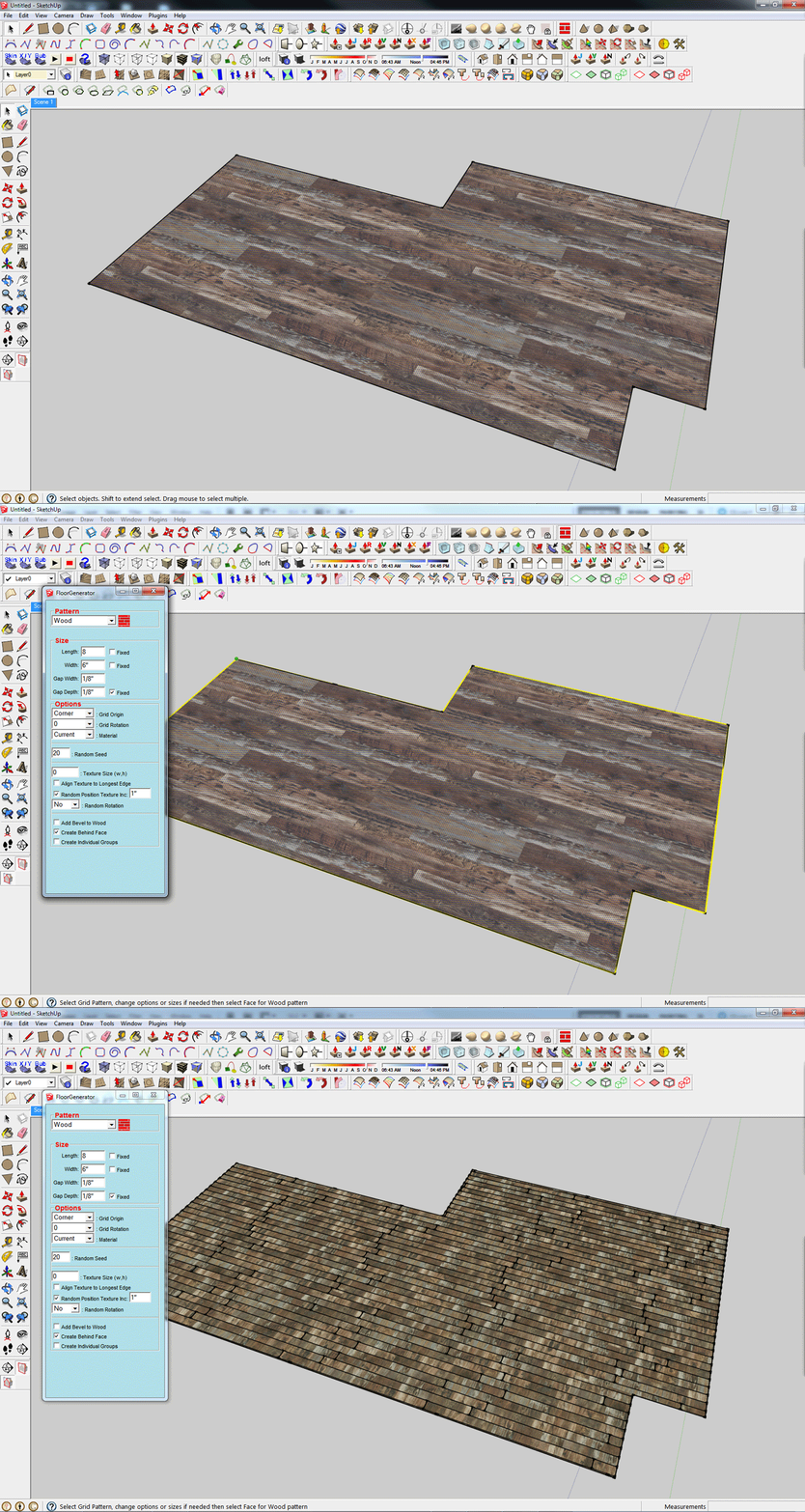

                                issue.gif

                                1 條回覆 最後回覆 回覆 引用 0
                                • sdmitchS 離線
                                  sdmitch
                                  最後由 編輯

                                  If you want the "Wood" pattern to look just like the face with the material applied then you have to map the texture to each face that is created by FloorGenerator.

                                  Nothing is worthless, it can always be used as a bad example.

                                  http://sdmitch.blogspot.com/

                                  1 條回覆 最後回覆 回覆 引用 0
                                  • D 離線
                                    devrimimar
                                    最後由 編輯

                                    I downloaded several times but It does not work? Any idea ?

                                    1 條回覆 最後回覆 回覆 引用 0
                                    • sdmitchS 離線
                                      sdmitch
                                      最後由 編輯

                                      @devrimimar said:

                                      I downloaded several times but It does not work? Any idea ?

                                      No, but if you want to provide a little more information like Sketchup version, where you are downloading from, where are you downloading to, Ruby Console output when trying to use, etc., I might be able to help.

                                      Nothing is worthless, it can always be used as a bad example.

                                      http://sdmitch.blogspot.com/

                                      1 條回覆 最後回覆 回覆 引用 0
                                      • Mousa_SAM 離線
                                        Mousa_SA
                                        最後由 編輯

                                        Hello Sdmitch,
                                        Firstly thanks for this great plugin, it is very useful, I have a feature request and I would be appreciated if you can add it to your plugin.
                                        V-ray 3.4 for Sketchup have a features is called MultiSubTex and TriPlanar, these features will add a ability to random the texture for the same component after rendering (in V-ray Frame Buffer), so it will be great if your plugin have an option to make similar tiles as component, that will reduce the file size in some cases, Note it will put the tiles which have been cut (by the face boundary) in one group, So what so you think ?

                                        1 條回覆 最後回覆 回覆 引用 0
                                        • sdmitchS 離線
                                          sdmitch
                                          最後由 編輯

                                          Sorry, but I think not.

                                          Nothing is worthless, it can always be used as a bad example.

                                          http://sdmitch.blogspot.com/

                                          1 條回覆 最後回覆 回覆 引用 0
                                          • deaneauD 離線
                                            deaneau
                                            最後由 編輯

                                            @Mousa_SA is this a post rendering effect?
                                            I think a good way is to provide the developers with pictures. not all dev´s have all plugins on the disk. vray is really a little bit special. i like that some render engine developer provide sketchup. what do you think about to ask the vray developer,too?

                                            @sdmitch i must repeat me by myself... your "small" plugins will be every time helpful. some plugins i use every time when i have a project with sidewalks etc. or when i have an other problem 😉
                                            some plugins i will never missing. nice that you have now an email contact address.

                                            i will tell you a thank you.

                                            Dean

                                            MADE, BORN AND LIVING IN BERLIN
                                            Big Thank You to all Programmers
                                            Some German words are so long that they have a perspective. M.Twain

                                            1 條回覆 最後回覆 回覆 引用 0
                                            • 1
                                            • 2
                                            • 12
                                            • 13
                                            • 14
                                            • 15
                                            • 16
                                            • 17
                                            • 14 / 17
                                            • 第一個貼文
                                              最後的貼文
                                            Buy SketchPlus
                                            Buy SUbD
                                            Buy WrapR
                                            Buy eBook
                                            Buy Modelur
                                            Buy Vertex Tools
                                            Buy SketchCuisine
                                            Buy FormFonts

                                            Advertisement