sketchucation logo sketchucation
    • 登入
    Oops, your profile's looking a bit empty! To help us tailor your experience, please fill in key details like your SketchUp version, skill level, operating system, and more. Update and save your info on your profile page today!
    🔌 Smart Spline | Fluid way to handle splines for furniture design and complex structures. Download

    Fishing net modeling

    已排程 已置頂 已鎖定 已移動 Plugins
    131 貼文 12 Posters 13.5k 瀏覽 12 Watching
    正在載入更多貼文
    • 從舊到新
    • 從新到舊
    • 最多點贊
    回覆
    • 在新貼文中回覆
    登入後回覆
    此主題已被刪除。只有擁有主題管理權限的使用者可以查看。
    • olisheaO 離線
      olishea
      最後由 編輯

      there is also latticemaker and windowizer.

      oli

      1 條回覆 最後回覆 回覆 引用 0
      • BoxB 離線
        Box
        最後由 編輯

        I think you are going the wrong way and making life hard for yourself.
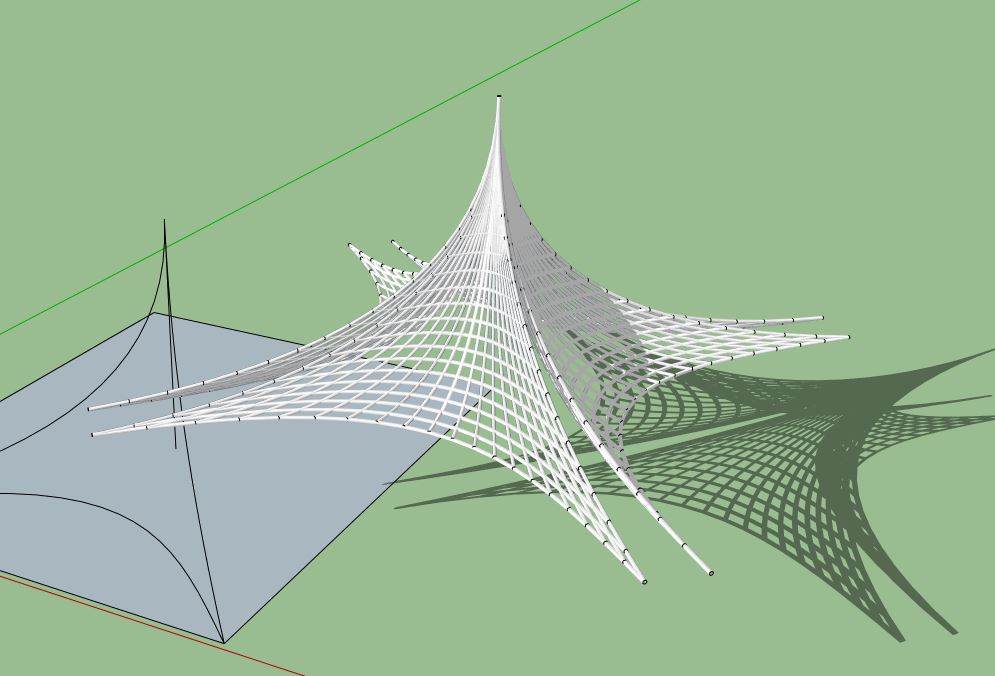
        This took no time at all using tig's tool.
        A bit of thought and a few lines and you can make something very complex.
        Make a few pieces that fit together, scale some, array some......

        Net.JPG


        Quick Net.skp

        1 條回覆 最後回覆 回覆 引用 0
        • olisheaO 離線
          olishea
          最後由 編輯

          nice

          oli

          1 條回覆 最後回覆 回覆 引用 0
          • D 離線
            DOD3R
            最後由 編輯

            you should check Ferrari sketch plugin
            its actually special program fro tensile structures

            D.

            1 條回覆 最後回覆 回覆 引用 0
            • BoxB 離線
              Box
              最後由 編輯

              Ferrari is a good tool for tensile, but you can spend a lot of time getting it to the shape you want and then you need to separate out the profiles to make your ropes.
              This was done with 3 beziers curves on a square, then tig's Extrude edges to lattice to produce the web, then lines to tubes.
              All in all it almost took longer to write this than to make it.
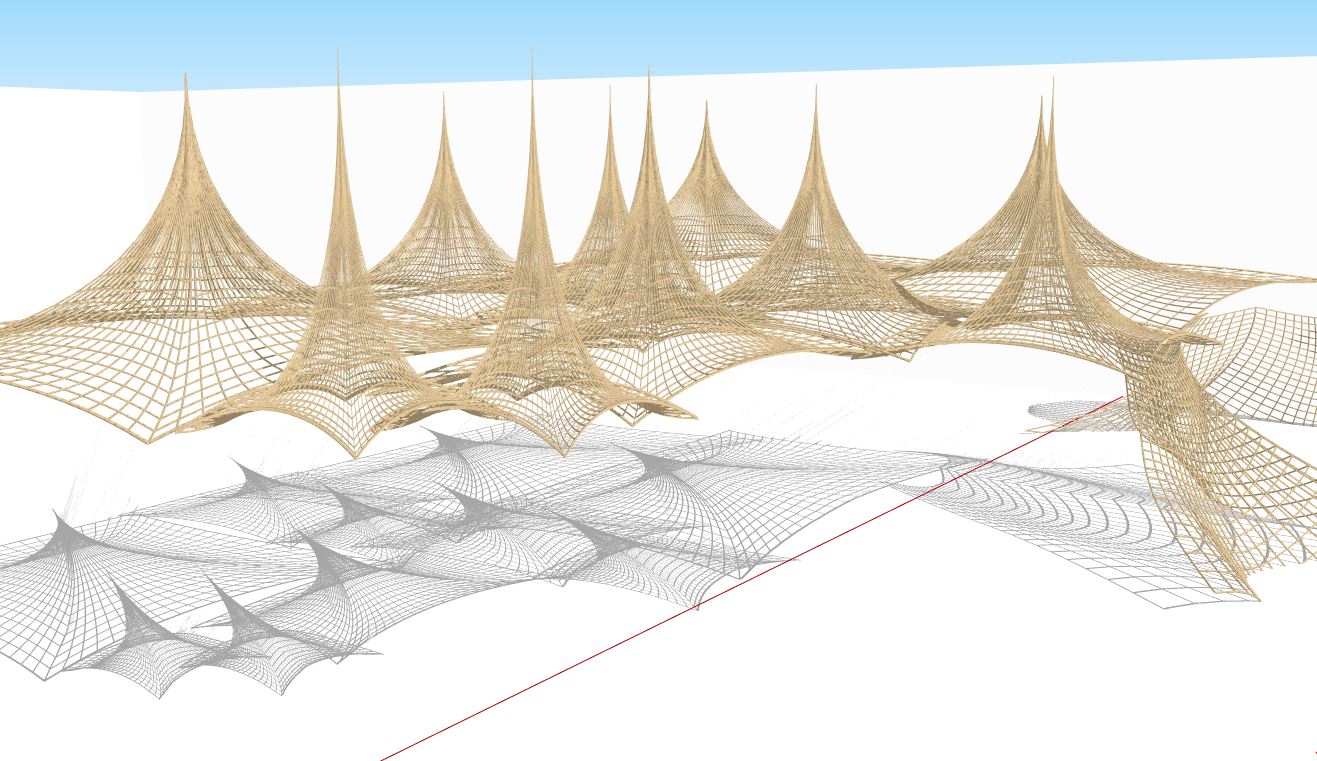

              Multinets.JPG

              1 條回覆 最後回覆 回覆 引用 0
              • W 離線
                willipop
                最後由 編輯

                Very nice ! The shape of it looks more square than round. It will play with this method tonight to see what I can do. Many thanks !

                1 條回覆 最後回覆 回覆 引用 0
                • BoxB 離線
                  Box
                  最後由 編輯

                  Anything is possible, use curves, use diagonals, stretch the mesh, bend the mesh etc etc
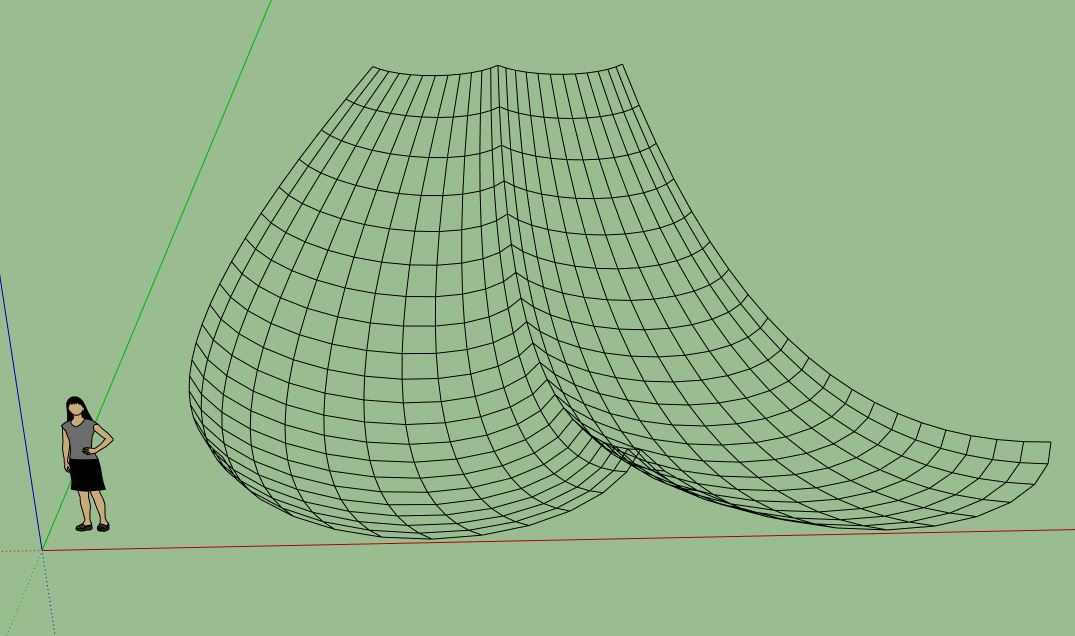

                  Curves.JPG

                  1 條回覆 最後回覆 回覆 引用 0
                  • olisheaO 離線
                    olishea
                    最後由 編輯

                    that's really cool box. 👍 Can I ask why you are using lines to tubes? Is there not a TIG lattice tool that makes square sections, or are you just setting the amount of edges to 4? ❓

                    oli

                    1 條回覆 最後回覆 回覆 引用 0
                    • BoxB 離線
                      Box
                      最後由 編輯

                      No credit to me Oli, it's Tig's plugin that does all the work.

                      No, I set it to 5 just to give it more of a rounded effect.

                      And I was simply using tig's lattice for the lines so you can easily reshape them then make them tubes after.

                      1 條回覆 最後回覆 回覆 引用 0
                      • W 離線
                        willipop
                        最後由 編輯

                        Is it possible to set the parameters for the distance between the lines ?

                        1 條回覆 最後回覆 回覆 引用 0
                        • olisheaO 離線
                          olishea
                          最後由 編輯

                          I have found a better way of doing this using my "cave technique"....start off with a grid and ONLY use quads. I'll post a screenshot very shortly. It looks sweet.

                          oli

                          1 條回覆 最後回覆 回覆 引用 0
                          • TIGT 離線
                            TIG Moderator
                            最後由 編輯

                            Using my EEbyLattice the 'spacing' is set by the segmentation of the 4 curves.
                            Draw those edges the distances apart you require and 'weld' them into the curves...
                            Then the 'net will have segments the distances you want - at least when it starts off - of course they must be adjusted as the mesh surface is formed 😒

                            TIG

                            1 條回覆 最後回覆 回覆 引用 0
                            • W 離線
                              willipop
                              最後由 編輯

                              Oli I like your caves very much, well done 😉

                              1 條回覆 最後回覆 回覆 引用 0
                              • olisheaO 離線
                                olishea
                                最後由 編輯

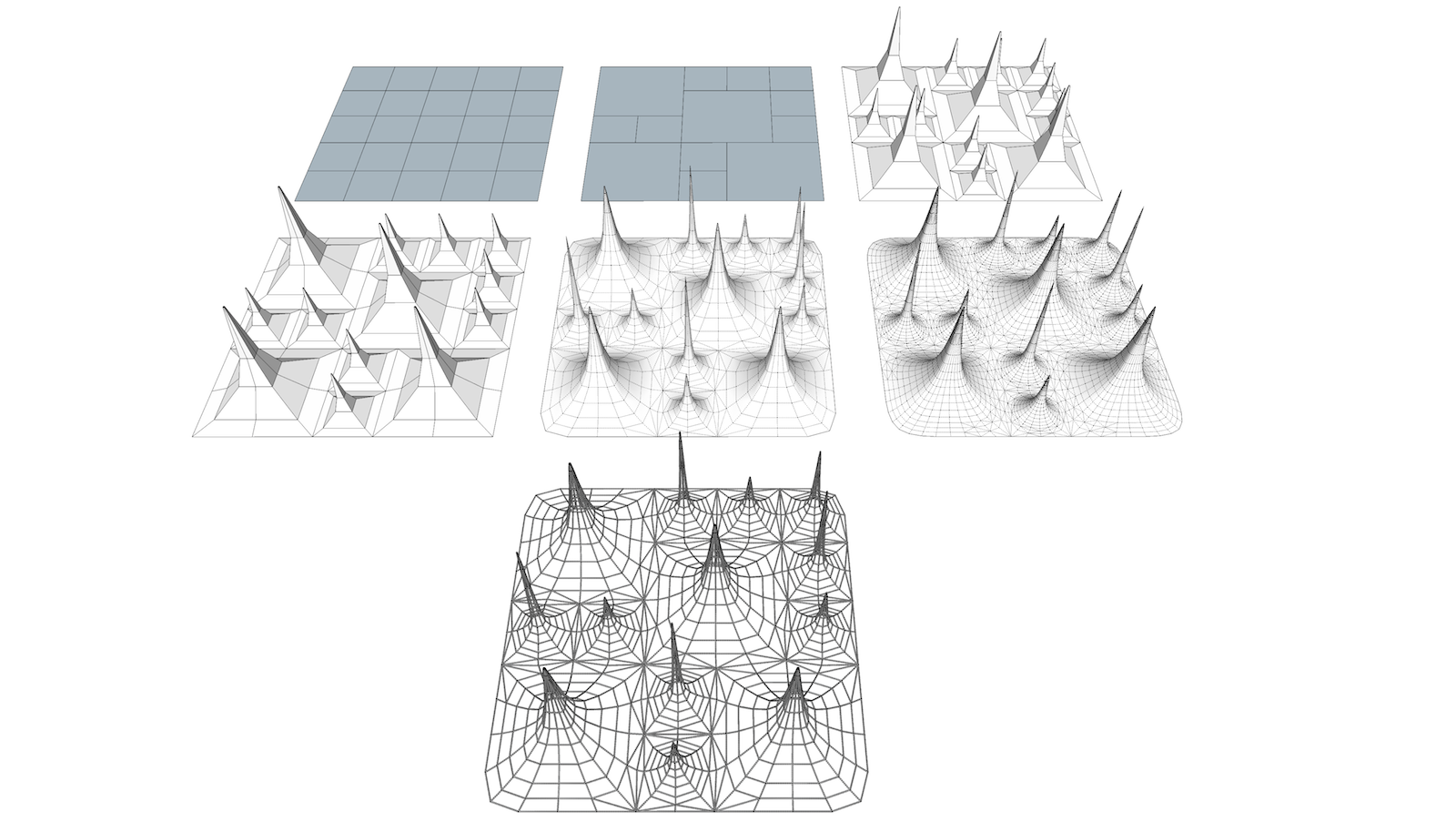
                                I know my example is too uniform, but this is how I'd personally go about it. You can change the distances between the nets too, make them bigger, smaller etc.

                                Now you just need to reduce the amount of poles where the nets meet.

                                The bottom variation ,I just used artisan sculpt tool; however it creates many triangles.

                                And thanks willipop! 👍
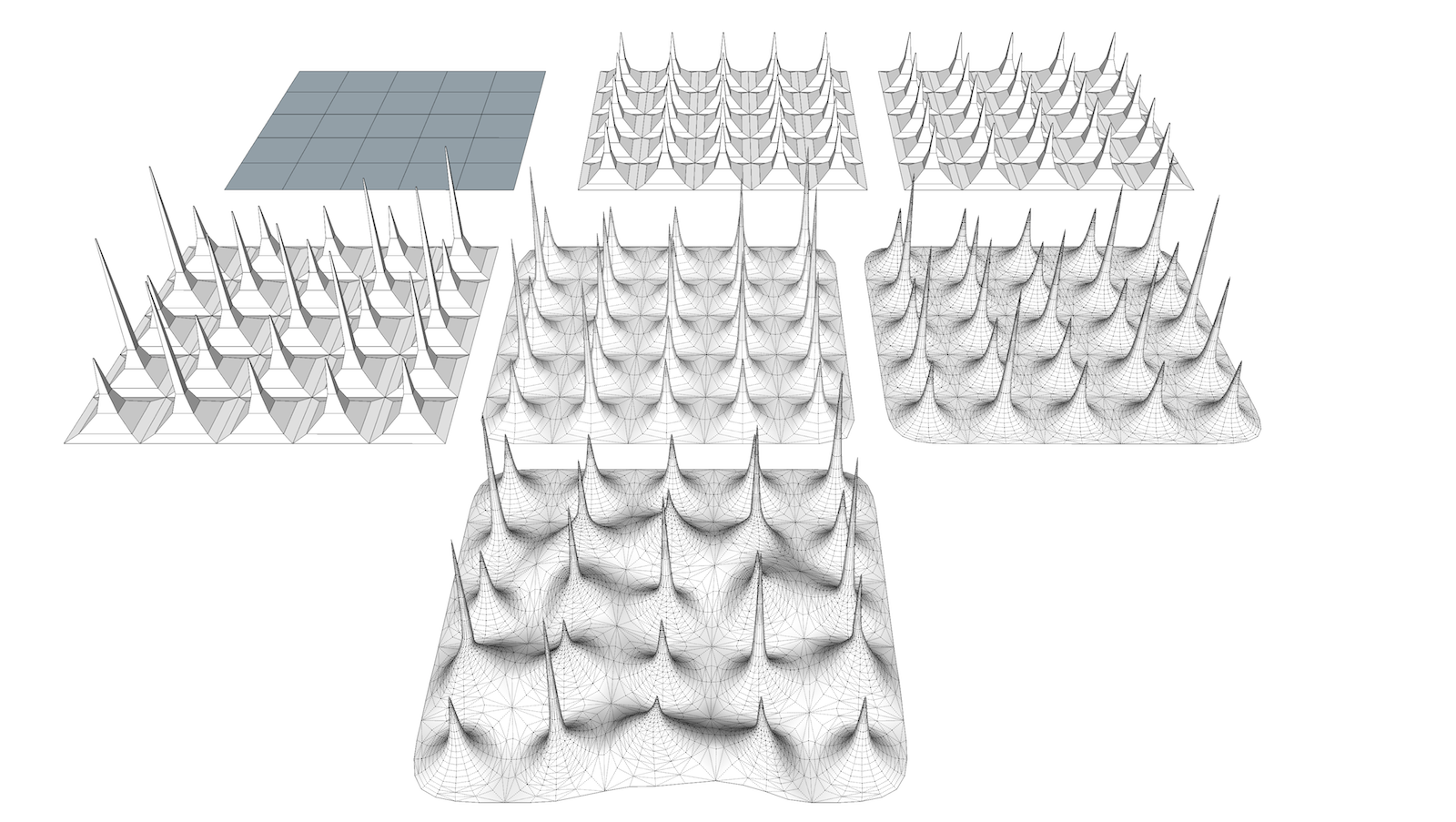

                                fishnet1.png

                                oli

                                1 條回覆 最後回覆 回覆 引用 0
                                • W 離線
                                  willipop
                                  最後由 編輯

                                  It's what I tried previously 😄 Also I used the artisan's selection tool to select the faces with less vertex and I applied the subdivide tool too add some more vertex.

                                  1 條回覆 最後回覆 回覆 引用 0
                                  • olisheaO 離線
                                    olishea
                                    最後由 編輯

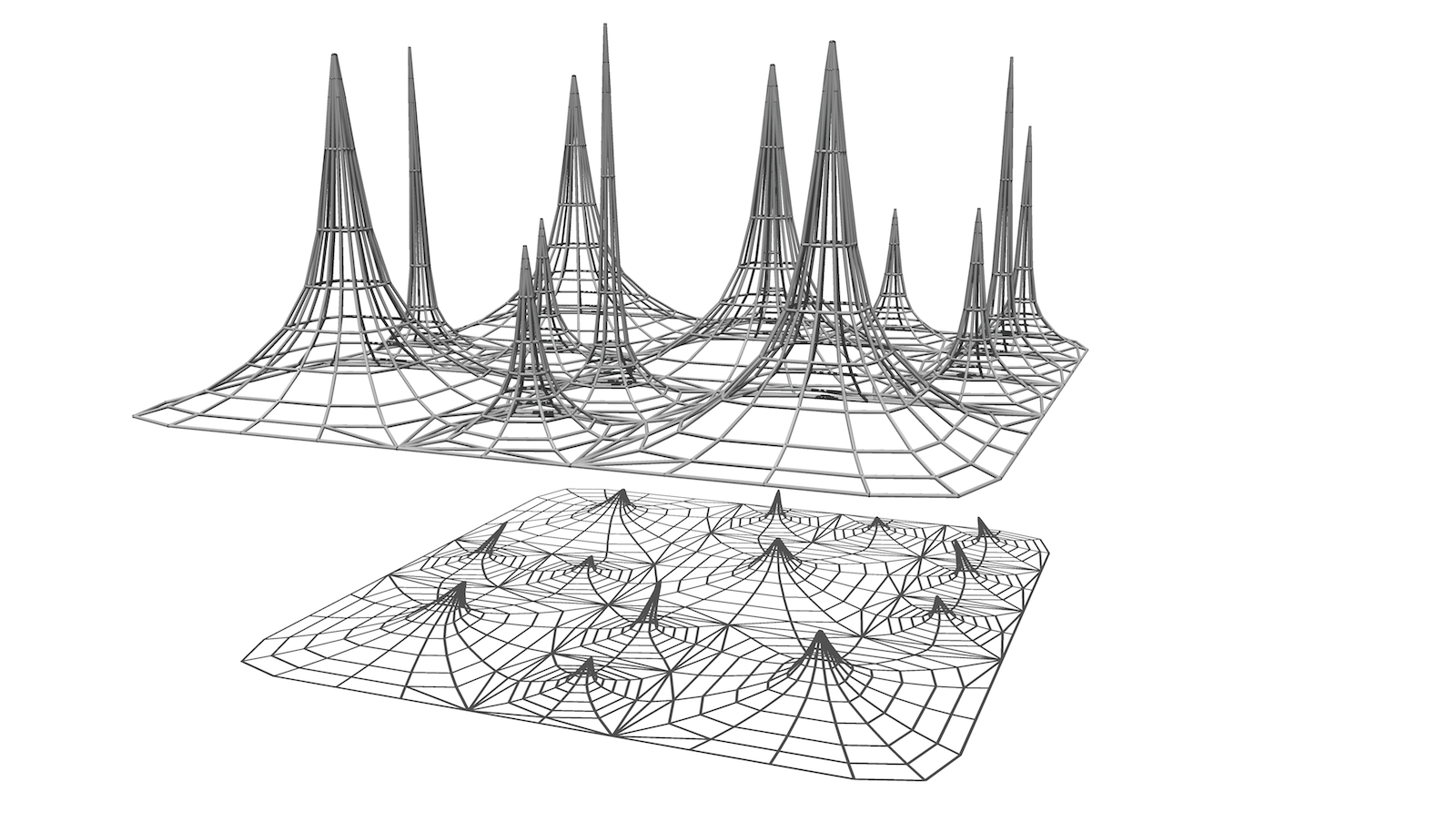
                                    Here is another. Possibilities are endless really. I intersected the large cones too much though, they don't need to be made up into quads like that, I just wasn't thinking and it causes a more square-like shape than the smaller cones. All rectifiable though.

                                    I didn't attempt to convert the second mesh (with 2 artisan iterations) to tubes because my xbox isn't going to play itself tonight! 😆


                                    fishnet.png


                                    fishnet2.png

                                    oli

                                    1 條回覆 最後回覆 回覆 引用 0
                                    • olisheaO 離線
                                      olishea
                                      最後由 編輯

                                      This is what I meant about the larger cones....the mesh on the right performs better than the mesh on the left which had unnecessary vertices. The larger cones are now rounded as opposed to slightly squared.
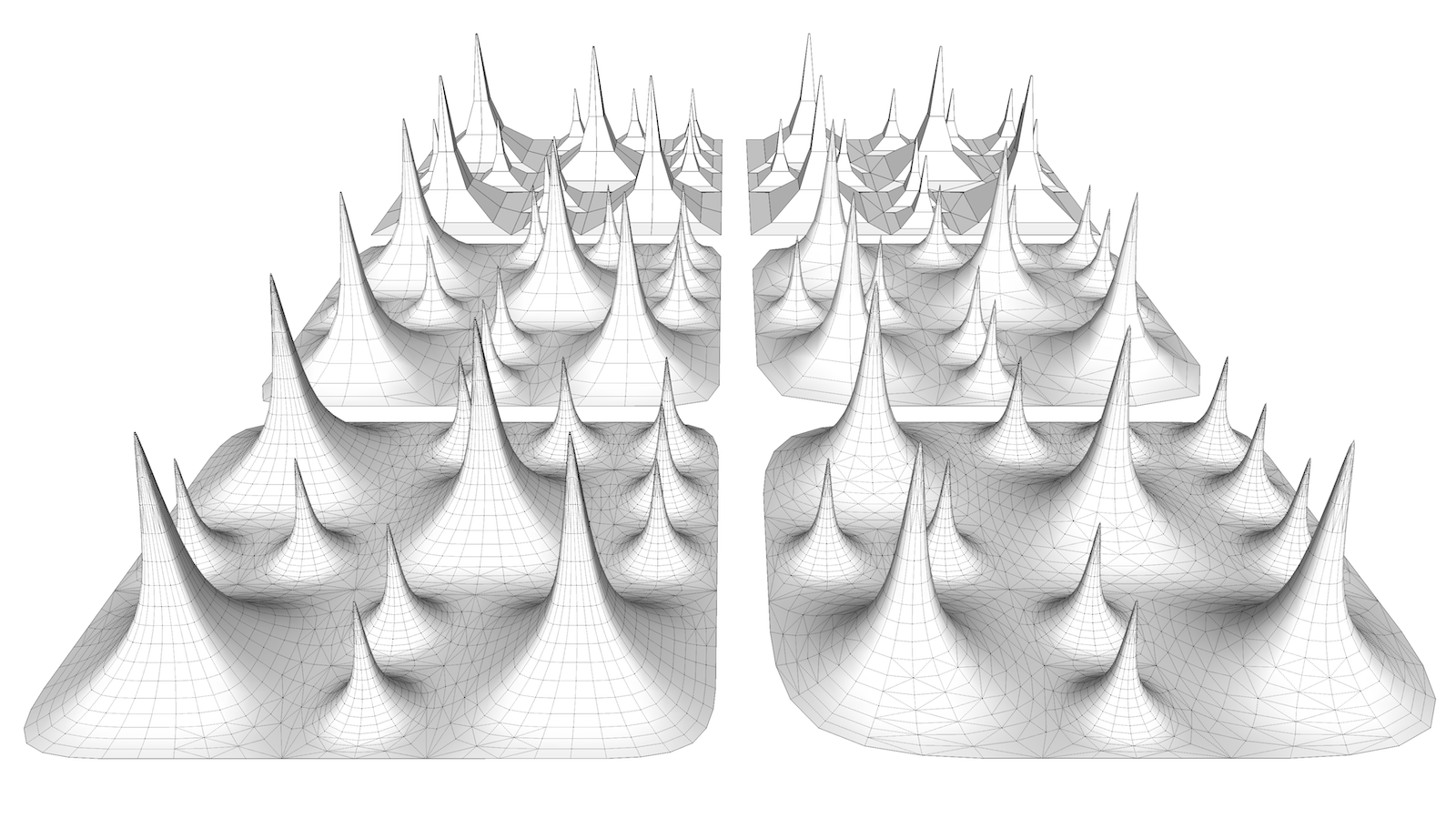

                                      fishnet4.png

                                      oli

                                      1 條回覆 最後回覆 回覆 引用 0
                                      • W 離線
                                        willipop
                                        最後由 編輯

                                        Very cool 😄

                                        1 條回覆 最後回覆 回覆 引用 0
                                        • olisheaO 離線
                                          olishea
                                          最後由 編輯

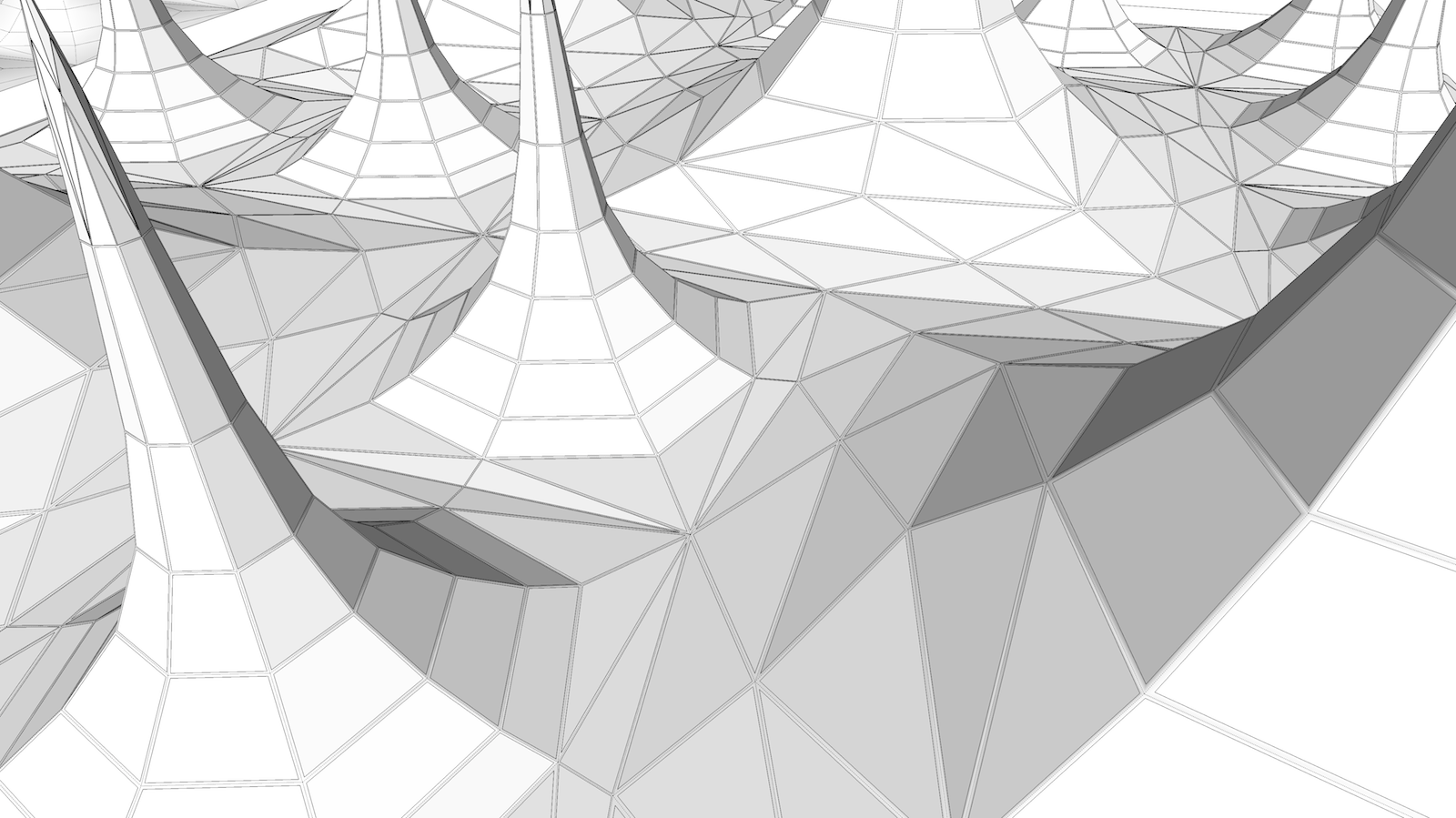
                                          ....and if you want to use less poly than tubes; try using Multi Face Offset plugin to the mesh and then TIG's JointPushPull to the new offset faces.

                                          I suggest using softened edges to this quad-sectioned profile to give the illusion of rounded thread. If the thread is very small it won't even be noticeable that you are using a quad to make the profile.

                                          [EDIT] although it seems to cause some other unwanted faces here and there, may be best off sticking to tubes after all. 😳 😆


                                          fishnet5.png

                                          oli

                                          1 條回覆 最後回覆 回覆 引用 0
                                          • pyrolunaP 離線
                                            pyroluna
                                            最後由 編輯

                                            Guys if you're making those tubes merely to create accurate shadows on the ground... you know you can switch on 'from edges' in the shadow window, right?


                                            1 條回覆 最後回覆 回覆 引用 0
                                            • 1
                                            • 2
                                            • 3
                                            • 4
                                            • 5
                                            • 6
                                            • 7
                                            • 2 / 7
                                            • 第一個貼文
                                              最後的貼文
                                            Buy SketchPlus
                                            Buy SUbD
                                            Buy WrapR
                                            Buy eBook
                                            Buy Modelur
                                            Buy Vertex Tools
                                            Buy SketchCuisine
                                            Buy FormFonts

                                            Advertisement