sketchucation logo sketchucation
    • 登入
    Oops, your profile's looking a bit empty! To help us tailor your experience, please fill in key details like your SketchUp version, skill level, operating system, and more. Update and save your info on your profile page today!
    🔌 Smart Spline | Fluid way to handle splines for furniture design and complex structures. Download

    Fishing net modeling

    已排程 已置頂 已鎖定 已移動 Plugins
    131 貼文 12 Posters 13.5k 瀏覽 12 Watching
    正在載入更多貼文
    • 從舊到新
    • 從新到舊
    • 最多點贊
    回覆
    • 在新貼文中回覆
    登入後回覆
    此主題已被刪除。只有擁有主題管理權限的使用者可以查看。
    • W 離線
      willipop
      最後由 編輯

      Now I will use the select brush and select every faces that show less vertex. Afterthen I will subdivide these faces to have a more uniform mesh. I'd like to have 10-15cm in between each edges.
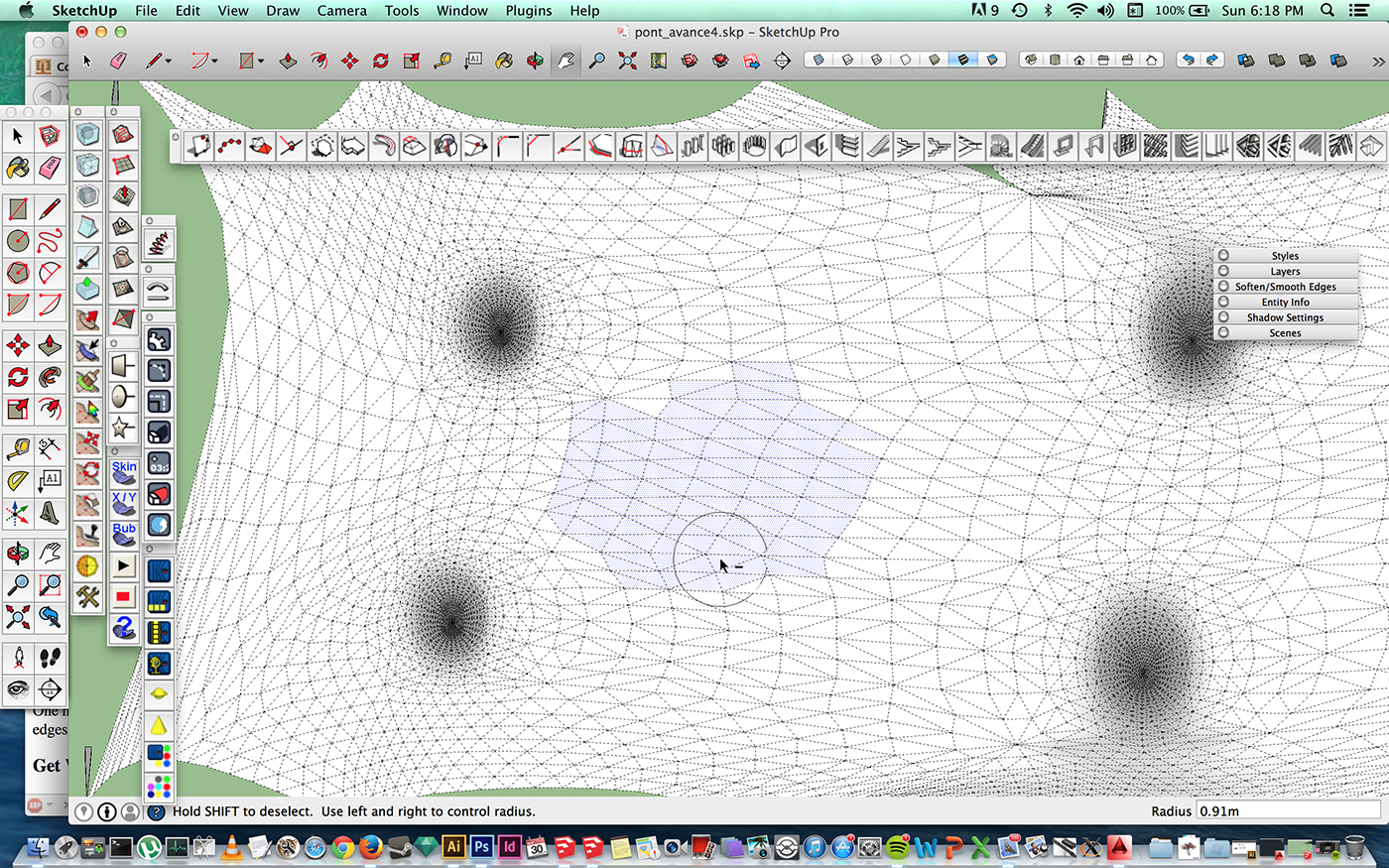

      12.jpg

      1 條回覆 最後回覆 回覆 引用 0
      • pilouP 離線
        pilou
        最後由 編輯

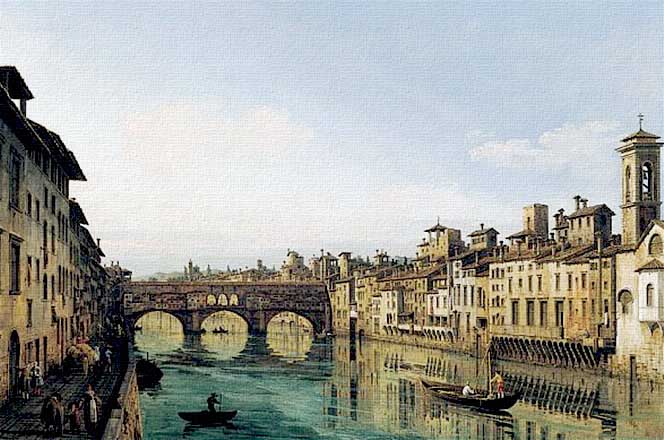
        Nice bridge! ☀

        A Firenze revival? 😉

        http://www.pintoresfamosos.cl/obras/galeria/bellotto.jpg

        PS Ruby not rugby! 💚

        Frenchy Pilou
        Is beautiful that please without concept!
        My Little site :)

        1 條回覆 最後回覆 回覆 引用 0
        • W 離線
          willipop
          最後由 編輯

          En Gaspésie au Québec mon ami !

          1 條回覆 最後回覆 回覆 引用 0
          • pilouP 離線
            pilou
            最後由 編輯

            Arf, je ne connais que Chicoutimi de nom étant un vieux fan de Carole Laure! ☀

            http://nsm08.casimages.com/img/2014/02/13/14021310370316176911979249.jpg

            Frenchy Pilou
            Is beautiful that please without concept!
            My Little site :)

            1 條回覆 最後回覆 回覆 引用 0
            • olisheaO 離線
              olishea
              最後由 編輯

              Your work is really coming on! Great stuff!

              oli

              1 條回覆 最後回覆 回覆 引用 0
              • W 離線
                willipop
                最後由 編輯

                Thx oli 😄 It's getting better ! I'm wondering how I will do the rendering !:)

                1 條回覆 最後回覆 回覆 引用 0
                • W 離線
                  willipop
                  最後由 編輯

                  Itteration 4 makes perfect distance in between the edges ::):)
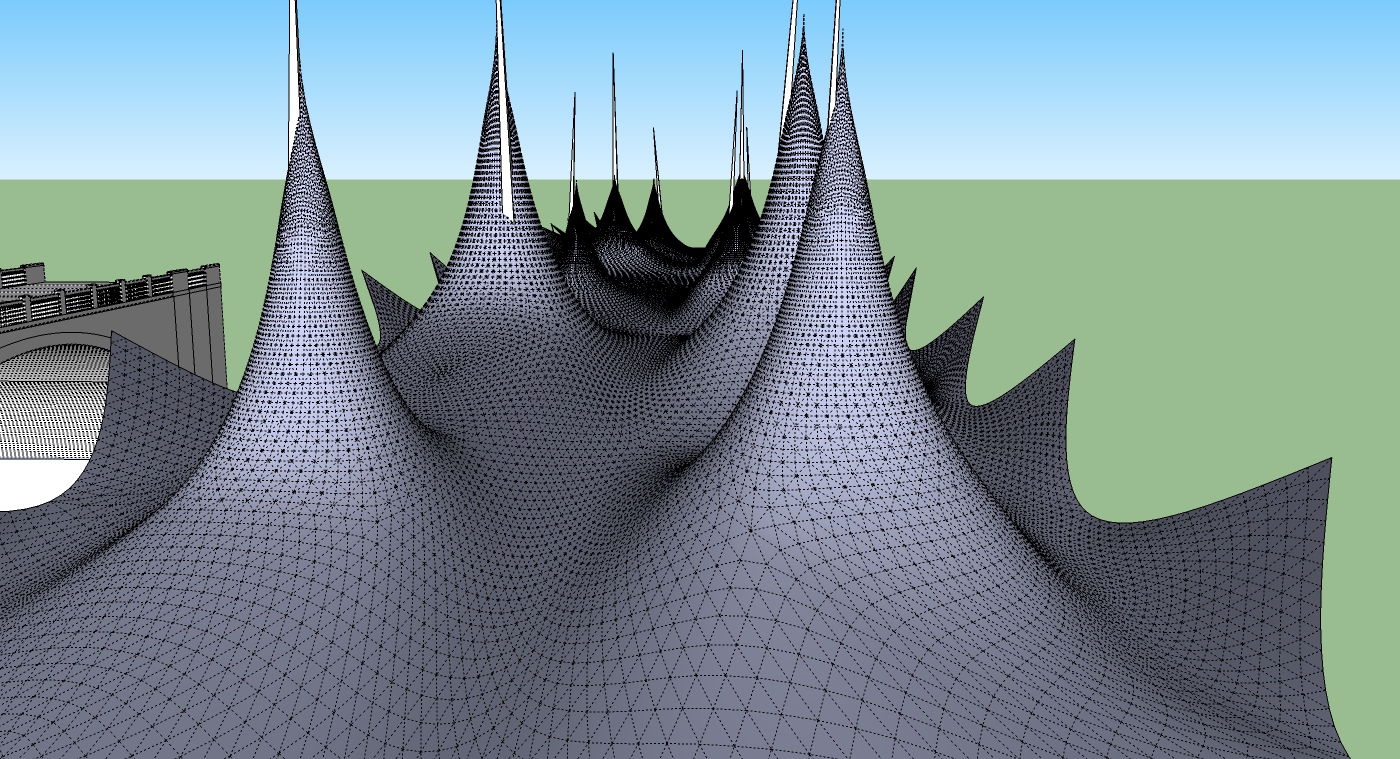

                  pont_bas3.jpg

                  1 條回覆 最後回覆 回覆 引用 0
                  • olisheaO 離線
                    olishea
                    最後由 編輯

                    @willipop said:

                    Itteration 4 makes perfect distance in between the edges ::):)

                    Good luck turning the lines to tubes! 😆

                    oli

                    1 條回覆 最後回覆 回覆 引用 0
                    • W 離線
                      willipop
                      最後由 編輯

                      its going to take approximately 36h 😞:(:( both of my pc running on 2 different files. Jeez ! Hope i will be able to navigate in the file ^^

                      1 條回覆 最後回覆 回覆 引用 0
                      • pilouP 離線
                        pilou
                        最後由 編輯

                        And what about junctions of tubes ? 😉
                        Normally Lines2tubes don't managed them! 🤓

                        Frenchy Pilou
                        Is beautiful that please without concept!
                        My Little site :)

                        1 條回覆 最後回覆 回覆 引用 0
                        • olisheaO 離線
                          olishea
                          最後由 編輯

                          @unknownuser said:

                          And what about junctions of tubes ? 😉
                          Normally Lines2tubes don't managed them! 🤓

                          I don't think it's possible to even see the junctions because the thread is so thin. What is your solution Pilou? 😉

                          oli

                          1 條回覆 最後回覆 回覆 引用 0
                          • olisheaO 離線
                            olishea
                            最後由 編輯

                            @willipop said:

                            its going to take approximately 36h 😞:(:( both of my pc running on 2 different files. Jeez ! Hope i will be able to navigate in the file ^^

                            Nope! 😆

                            oli

                            1 條回覆 最後回覆 回覆 引用 0
                            • pilouP 離線
                              pilou
                              最後由 編輯

                              If you want really ropes maybe only lines are sufficient (hide faces) or to map a transparent texture 😄

                              But I am not sure that the drawing of lines shown is the real one in reality?

                              http://sketchucation.com/forums/download/file.php?id=117797&t=1

                              Frenchy Pilou
                              Is beautiful that please without concept!
                              My Little site :)

                              1 條回覆 最後回覆 回覆 引用 0
                              • W 離線
                                willipop
                                最後由 編輯

                                Yes I have to show lines in reality ! I'd like to have the shadow casted too ! 😄 I think I will have to try with png texture or transparent texture ... I know that I can make shadow visible from the edges in sketchup but I'm sure if it'll work in kerkythea or artlantis on the rendering.

                                1 條回覆 最後回覆 回覆 引用 0
                                • W 離線
                                  willipop
                                  最後由 編輯

                                  Is there a way to apply a texture and have the shadow from the edges without doing to seperate rendering ?

                                  1 條回覆 最後回覆 回覆 引用 0
                                  • mitcorbM 離線
                                    mitcorb
                                    最後由 編輯

                                    I think TIG's Image Trimmer cuts away the transparent portions of a texture?

                                    I take the slow, deliberate approach in my aimless wandering.

                                    1 條回覆 最後回覆 回覆 引用 0
                                    • BoxB 離線
                                      Box
                                      最後由 編輯

                                      You are running into the problems I mentioned way back with regard to file overload. While I like and can see benefits in using artizan I don't think it works for what you want.
                                      It depends on what you really want but to me it doesn't produce a flowing net properly, it's too round and not a uniform construction. Nets are very regular in their form and are affected and controlled by tension and gravity.

                                      Going back to the component method using tig's extrusion tools, this net is made from one component. The shape is very controllable, the size and position of the weave is easily changed by adjusting the nodes on the lines. Converting to tubes takes seconds. The file is 2.6mb, it can be navigated easily, slight lag with shadows turned on. Took a few minutes to make and renders in minutes.

                                      Drawing out the overall support pylons and wires would give you most of the construction lines needed. But it may not be the style you want.
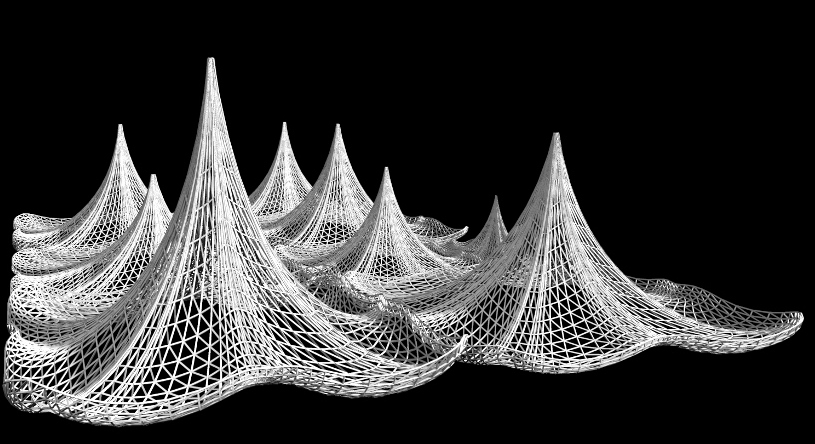

                                      NetDrape Resize.jpg

                                      1 條回覆 最後回覆 回覆 引用 0
                                      • olisheaO 離線
                                        olishea
                                        最後由 編輯

                                        That looks awesome box!!!!

                                        Only issue is it's more angular than the photo...but to me it looks better, almost like it's creased into that shape when it's been hung.

                                        How do the nets meet? Can you post a close-up?

                                        With regards to texturing, I wouldn't bother if you can simply use the geometry effectively. Using 4 iteration of artisan is too much in nearly all cases and then adding tubes will completely freeze sketchup.

                                        oli

                                        1 條回覆 最後回覆 回覆 引用 0
                                        • BoxB 離線
                                          Box
                                          最後由 編輯

                                          I can give you the model.

                                          It's very quick, with a bit of work you could make something very detailed and neat. They don't actually join, I just made them straight along the edge so I could butt them together.
                                          By making ones that fit to the support pylon on one side and are straight on the other you can put a bunch together and still only use a few components.
                                          I wanted to create a quick version that showed the drape and tension but retained a relatively small file size.

                                          I think I saved this version as SU8, if I remember correctly you are still in the past.


                                          Net Drape1.skp

                                          1 條回覆 最後回覆 回覆 引用 0
                                          • W 離線
                                            willipop
                                            最後由 編輯

                                            It looks amazing ! It's white just like I imagine it 😄 Is this a texture or it's lines converted to tubes ?

                                            The problem is I can't use tig's extrusion tools, each time I'm having hard time, there's something I don't understand with this plugin... 😕 can you upload the file Box ? Very nice job !

                                            1 條回覆 最後回覆 回覆 引用 0
                                            • 1
                                            • 2
                                            • 3
                                            • 4
                                            • 5
                                            • 6
                                            • 7
                                            • 4 / 7
                                            • 第一個貼文
                                              最後的貼文
                                            Buy SketchPlus
                                            Buy SUbD
                                            Buy WrapR
                                            Buy eBook
                                            Buy Modelur
                                            Buy Vertex Tools
                                            Buy SketchCuisine
                                            Buy FormFonts

                                            Advertisement