sketchucation logo sketchucation
    • Login
    Oops, your profile's looking a bit empty! To help us tailor your experience, please fill in key details like your SketchUp version, skill level, operating system, and more. Update and save your info on your profile page today!
    ⚠️ Update | Sketchucation Tools 5.0.8 released with licensing improvements and bugfixes Download

    MSPhysics 1.0.3 (16 October 2017)

    Scheduled Pinned Locked Moved Plugins
    930 Posts 173 Posters 1.4m Views 174 Watching
    Loading More Posts
    • Oldest to Newest
    • Newest to Oldest
    • Most Votes
    Reply
    • Reply as topic
    Log in to reply
    This topic has been deleted. Only users with topic management privileges can see it.
    • P
      pnickles
      last edited by

      SU2016 Plugins folder location:

      C:\Users[USERNAME]\AppData\Roaming\SketchUp\SketchUp 2016\SketchUp\Plugins

      1 Reply Last reply
      Reply Quote 0
      • P
        PituPhysics
        last edited by

        @pnickles said:

        SU2016 Plugins folder location:

        C:\Users[USERNAME]\AppData\Roaming\SketchUp\SketchUp 2016\SketchUp\Plugins

        Just write this: %APPDATA%\SketchUp\SketchUp 2016\SketchUp\Plugins

        The USERNAME is will be automatically detected. Or here is shortcuts 2014+ in zip archive:

        Plugins Shortcuts.zip

        1 Reply Last reply
        Reply Quote 0
        • A
          Anton_S
          last edited by

          Announcing 0.6.0. See change-log here: http://www.rubydoc.info/github/AntonSynytsia/MSPhysics/file/CHANGELOG.md

          1 Reply Last reply
          Reply Quote 0
          • F
            faust07
            last edited by

            Usefully new options, functions and joints!
            What is meant with the Sliders Control Panel? A control panel for the slider joint in MSPhysics UI or a Joint Controller Panel with slider input similar to SP (couldn't find it...)?

            1 Reply Last reply
            Reply Quote 0
            • A
              Anton_S
              last edited by

              Faust, the control panel displays only when necessary, that is when there are actually slider controllers. The control panel will display in the lower-right corner when simulation is started. Here is an example that uses a slider controllers.


              Arrow keys to drive and slider to raise suspension.

              1 Reply Last reply
              Reply Quote 0
              • jenujacobJ
                jenujacob
                last edited by

                i know what i am gonna ask may be way too optimistic but can we have something similar to whats shown here? πŸ˜„ love the way u can paint over a couple of selected objects and just 'drop 'em'!
                http://hocuspocus-studio.fr/tools/product/physx-painter/

                1 Reply Last reply
                Reply Quote 0
                • thomthomT
                  thomthom
                  last edited by

                  @jenujacob said:

                  i know what i am gonna ask may be way too optimistic but can we have something similar to whats shown here? πŸ˜„ love the way u can paint over a couple of selected objects and just 'drop 'em'!

                  So many times I wished for a tool like that!

                  Thomas Thomassen β€” SketchUp Monkey & Coding addict
                  List of my plugins and link to the CookieWare fund

                  1 Reply Last reply
                  Reply Quote 0
                  • P
                    PituPhysics
                    last edited by

                    Super the new, transparent Control Panel. πŸ‘

                    1 Reply Last reply
                    Reply Quote 0
                    • A
                      Anton_S
                      last edited by

                      Announcing 0.7.0: Change Log

                      Here is a little turret with particle effects.


                      turret.skp

                      1 Reply Last reply
                      Reply Quote 0
                      • F
                        faust07
                        last edited by

                        Wow, what an update rate and what significant new features. Thanks!!! Let's test the best ... And another (shameless ...) request: Would it be possible to save the replay data with the model to call this stored simulation again in another session?

                        1 Reply Last reply
                        Reply Quote 0
                        • P
                          PituPhysics
                          last edited by

                          @anton_s said:

                          Announcing 0.7.0: Change Log

                          Here is a little turret with particle effects.

                          OMG πŸ˜„ it's very cool. And good the innovation on UI dialog.
                          I will try the "create_particle" function.

                          1 Reply Last reply
                          Reply Quote 0
                          • F
                            faust07
                            last edited by

                            Example turret works under Windows 7, SU16 make very good. But immediate BugSplat under Windows 8.1, SU16 make (have to test more). Smoke and fire are not reproduced in Replay. And ... if the velocity is too low, the sun will never shine again ... πŸ˜‰

                            1 Reply Last reply
                            Reply Quote 0
                            • F
                              faust07
                              last edited by

                              @PituPhysics: cool new MSPhysics models in 3D-Warehouse πŸ‘

                              1 Reply Last reply
                              Reply Quote 0
                              • F
                                faust07
                                last edited by

                                How does the added curve functions (similar to SketchyPhysics) work? Can't wait to see an example because my attempts to transform SP-scripts to MSP will take years...

                                1 Reply Last reply
                                Reply Quote 0
                                • B
                                  BallBearing
                                  last edited by

                                  At first glance MSPhysics working "mostly", nicely with SPGears & Linux SU8. When Using UI only simulation tab works on Linux / Wine.
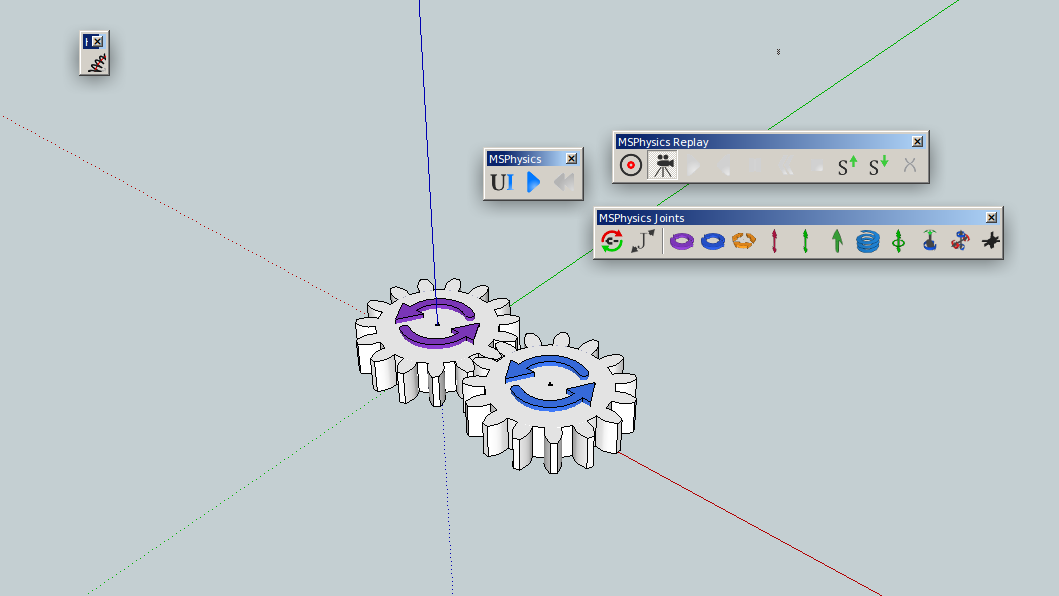
                                  MSPhysics-SPGears-Linux.png

                                  SketchUp, 3D printing stuff and more:
                                  http://www.youtube.com/user/CinemaTablet

                                  1 Reply Last reply
                                  Reply Quote 0
                                  • P
                                    PituPhysics
                                    last edited by

                                    @faust07 said:

                                    How does the added curve functions (similar to SketchyPhysics) work? Can't wait to see an example because my attempts to transform SP-scripts to MSP will take years...

                                    What exactly do you think? curve.skp

                                    1 Reply Last reply
                                    Reply Quote 0
                                    • F
                                      faust07
                                      last edited by

                                      Yes, this is exactly what I mean. Thank you very much! The first step to this:
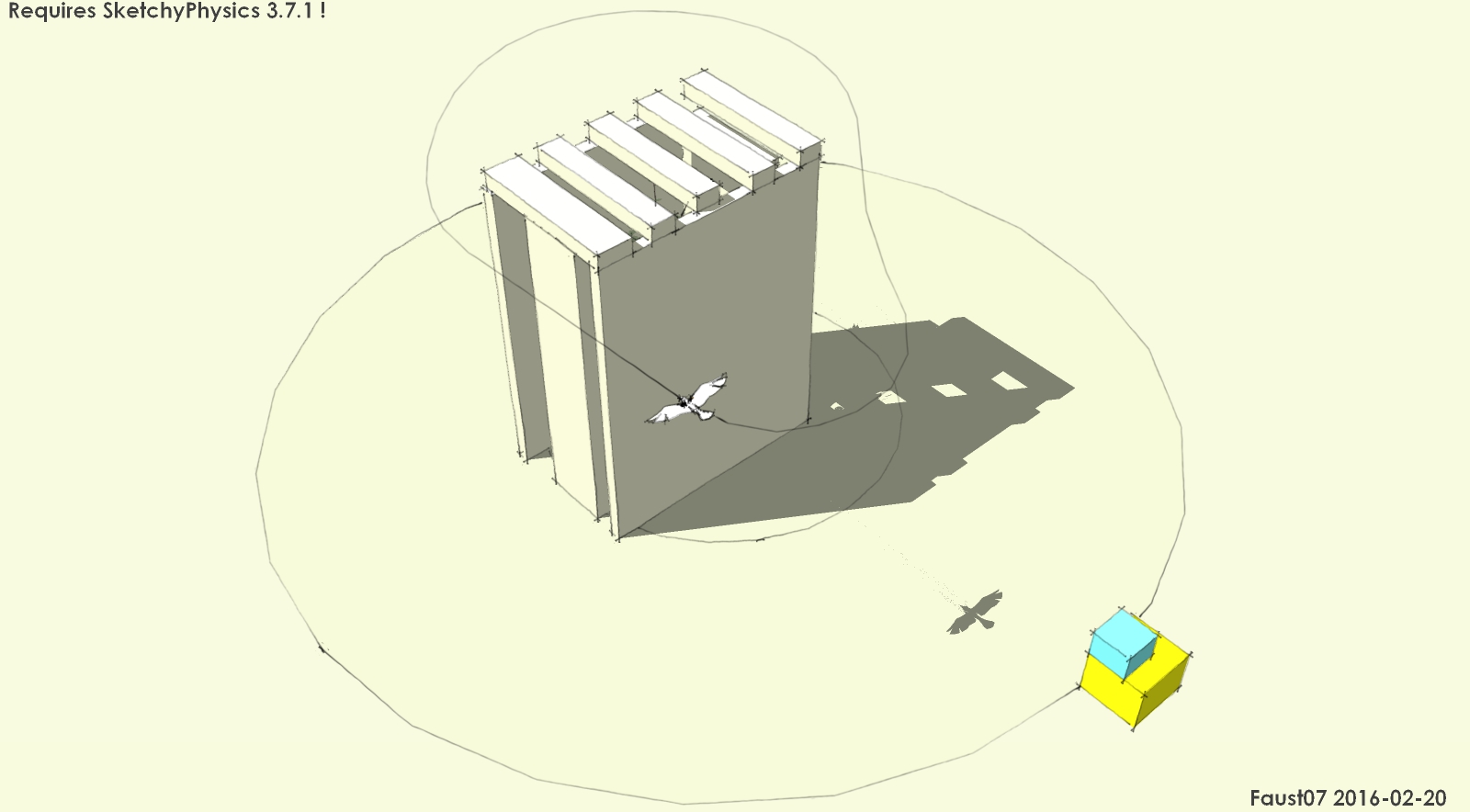

                                      path following bird

                                      1 Reply Last reply
                                      Reply Quote 0
                                      • A
                                        Anton_S
                                        last edited by

                                        Hey faust, here is your birdy configured to work on MSPhysics and SketchyPhysics. I think it needs some adjustments though.


                                        BirdTest01SUF.skp

                                        1 Reply Last reply
                                        Reply Quote 0
                                        • F
                                          faust07
                                          last edited by

                                          Hey Anton, this is more than I could wish. It works excellent. Many thanks also to you!
                                          For people who want to work with the unlimited possibilities of Physics scripts, such examples are fundamental.
                                          In addition to the new capabilities of MSP, especially the transfer of SP to MSP is interesting for me because there are so many very good models and scripts. And when you look at this example, there are significant differences in the scripts. I would like to explore them in the near future ...

                                          1 Reply Last reply
                                          Reply Quote 0
                                          • F
                                            faust07
                                            last edited by

                                            @Anton: cool new MSPhysics models in 3D-Warehouse - you linked in the first post πŸ‘
                                            Magnets test, copyable joints, new turret with missiles, buoyancy with flow on water surface ... - impressive!


                                            1 Reply Last reply
                                            Reply Quote 0

                                            Hello! It looks like you're interested in this conversation, but you don't have an account yet.

                                            Getting fed up of having to scroll through the same posts each visit? When you register for an account, you'll always come back to exactly where you were before, and choose to be notified of new replies (either via email, or push notification). You'll also be able to save bookmarks and upvote posts to show your appreciation to other community members.

                                            With your input, this post could be even better πŸ’—

                                            Register Login
                                            • 1
                                            • 2
                                            • 11
                                            • 12
                                            • 13
                                            • 14
                                            • 15
                                            • 46
                                            • 47
                                            • 13 / 47
                                            • First post
                                              Last post
                                            Buy SketchPlus
                                            Buy SUbD
                                            Buy WrapR
                                            Buy eBook
                                            Buy Modelur
                                            Buy Vertex Tools
                                            Buy SketchCuisine
                                            Buy FormFonts

                                            Advertisement