sketchucation logo sketchucation
    • 登入
    Oops, your profile's looking a bit empty! To help us tailor your experience, please fill in key details like your SketchUp version, skill level, operating system, and more. Update and save your info on your profile page today!
    🔌 Smart Spline | Fluid way to handle splines for furniture design and complex structures. Download

    MSPhysics 1.0.3 (16 October 2017)

    已排程 已置頂 已鎖定 已移動 Plugins
    926 貼文 171 Posters 963.5k 瀏覽 172 Watching
    正在載入更多貼文
    • 從舊到新
    • 從新到舊
    • 最多點贊
    回覆
    • 在新貼文中回覆
    登入後回覆
    此主題已被刪除。只有擁有主題管理權限的使用者可以查看。
    • F 離線
      faust07
      最後由 編輯

      Very good example and important notes above. It works.

      1 條回覆 最後回覆 回覆 引用 0
      • A 離線
        Anton_S
        最後由 編輯

        @faust07 said:

        Great news, Anton. Short question: I want this Topic not bloat with simple examples and tests. Should I better open a new topic as entitled "MSPhysics examples and tests"?

        Yes, I can see that you already did. However because there aren't many tutorials on how to use MSPhysics and because its generally not done, the topic could be quite empty for a while, but don't worry once the project is done, I'm gonna help you fill it in.

        @pituphysics said:

        In the MSPhysics at present there is no "Controller Panel".
        Anton is likely to put into it as well. For the time being, you can control the keyboard.

        Yep, I'm planning to put in all the feature of SketchyPhysics and more.

        1 條回覆 最後回覆 回覆 引用 0
        • G 離線
          gepponline77
          最後由 編輯

          Thanks PituPhysics, now I can move my objects.
          Still some doubts about parameters (like controller and min-max position)
          But it start to be clearer

          1 條回覆 最後回覆 回覆 引用 0
          • P 離線
            pnickles
            最後由 編輯

            SU2016 Plugins folder location:

            C:\Users[USERNAME]\AppData\Roaming\SketchUp\SketchUp 2016\SketchUp\Plugins

            1 條回覆 最後回覆 回覆 引用 0
            • P 離線
              PituPhysics
              最後由 編輯

              @pnickles said:

              SU2016 Plugins folder location:

              C:\Users[USERNAME]\AppData\Roaming\SketchUp\SketchUp 2016\SketchUp\Plugins

              Just write this: %APPDATA%\SketchUp\SketchUp 2016\SketchUp\Plugins

              The USERNAME is will be automatically detected. Or here is shortcuts 2014+ in zip archive:

              Plugins Shortcuts.zip

              1 條回覆 最後回覆 回覆 引用 0
              • A 離線
                Anton_S
                最後由 編輯

                Announcing 0.6.0. See change-log here: http://www.rubydoc.info/github/AntonSynytsia/MSPhysics/file/CHANGELOG.md

                1 條回覆 最後回覆 回覆 引用 0
                • F 離線
                  faust07
                  最後由 編輯

                  Usefully new options, functions and joints!
                  What is meant with the Sliders Control Panel? A control panel for the slider joint in MSPhysics UI or a Joint Controller Panel with slider input similar to SP (couldn't find it...)?

                  1 條回覆 最後回覆 回覆 引用 0
                  • A 離線
                    Anton_S
                    最後由 編輯

                    Faust, the control panel displays only when necessary, that is when there are actually slider controllers. The control panel will display in the lower-right corner when simulation is started. Here is an example that uses a slider controllers.


                    Arrow keys to drive and slider to raise suspension.

                    1 條回覆 最後回覆 回覆 引用 0
                    • jenujacobJ 離線
                      jenujacob
                      最後由 編輯

                      i know what i am gonna ask may be way too optimistic but can we have something similar to whats shown here? 😄 love the way u can paint over a couple of selected objects and just 'drop 'em'!
                      http://hocuspocus-studio.fr/tools/product/physx-painter/

                      1 條回覆 最後回覆 回覆 引用 0
                      • thomthomT 離線
                        thomthom
                        最後由 編輯

                        @jenujacob said:

                        i know what i am gonna ask may be way too optimistic but can we have something similar to whats shown here? 😄 love the way u can paint over a couple of selected objects and just 'drop 'em'!

                        So many times I wished for a tool like that!

                        Thomas Thomassen — SketchUp Monkey & Coding addict
                        List of my plugins and link to the CookieWare fund

                        1 條回覆 最後回覆 回覆 引用 0
                        • P 離線
                          PituPhysics
                          最後由 編輯

                          Super the new, transparent Control Panel. 👍

                          1 條回覆 最後回覆 回覆 引用 0
                          • A 離線
                            Anton_S
                            最後由 編輯

                            Announcing 0.7.0: Change Log

                            Here is a little turret with particle effects.


                            turret.skp

                            1 條回覆 最後回覆 回覆 引用 0
                            • F 離線
                              faust07
                              最後由 編輯

                              Wow, what an update rate and what significant new features. Thanks!!! Let's test the best ... And another (shameless ...) request: Would it be possible to save the replay data with the model to call this stored simulation again in another session?

                              1 條回覆 最後回覆 回覆 引用 0
                              • P 離線
                                PituPhysics
                                最後由 編輯

                                @anton_s said:

                                Announcing 0.7.0: Change Log

                                Here is a little turret with particle effects.

                                OMG 😄 it's very cool. And good the innovation on UI dialog.
                                I will try the "create_particle" function.

                                1 條回覆 最後回覆 回覆 引用 0
                                • F 離線
                                  faust07
                                  最後由 編輯

                                  Example turret works under Windows 7, SU16 make very good. But immediate BugSplat under Windows 8.1, SU16 make (have to test more). Smoke and fire are not reproduced in Replay. And ... if the velocity is too low, the sun will never shine again ... 😉

                                  1 條回覆 最後回覆 回覆 引用 0
                                  • F 離線
                                    faust07
                                    最後由 編輯

                                    @PituPhysics: cool new MSPhysics models in 3D-Warehouse 👍

                                    1 條回覆 最後回覆 回覆 引用 0
                                    • F 離線
                                      faust07
                                      最後由 編輯

                                      How does the added curve functions (similar to SketchyPhysics) work? Can't wait to see an example because my attempts to transform SP-scripts to MSP will take years...

                                      1 條回覆 最後回覆 回覆 引用 0
                                      • B 離線
                                        BallBearing
                                        最後由 編輯

                                        At first glance MSPhysics working "mostly", nicely with SPGears & Linux SU8. When Using UI only simulation tab works on Linux / Wine.
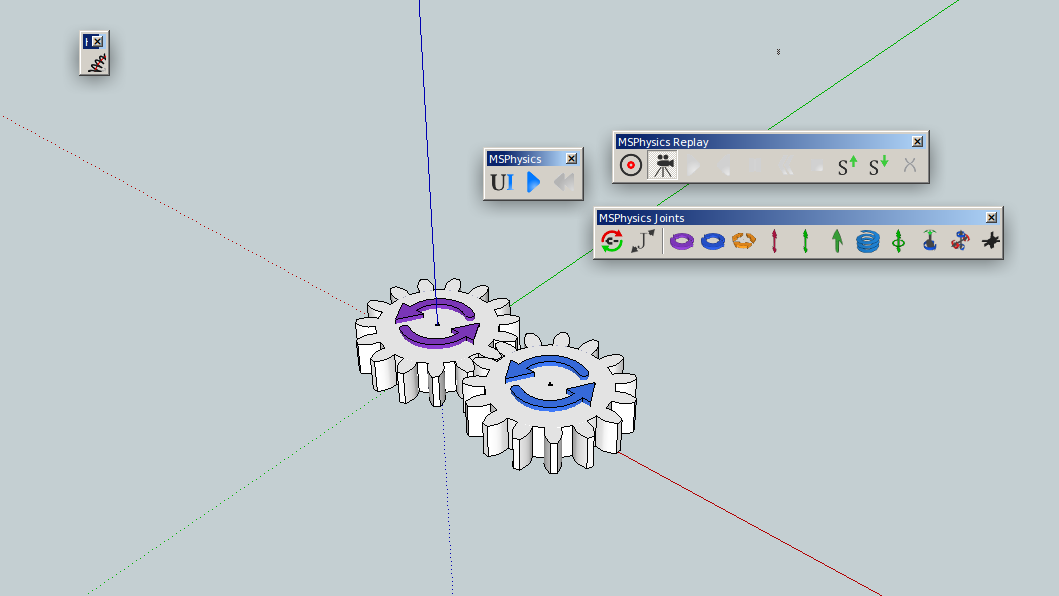
                                        MSPhysics-SPGears-Linux.png

                                        SketchUp, 3D printing stuff and more:
                                        http://www.youtube.com/user/CinemaTablet

                                        1 條回覆 最後回覆 回覆 引用 0
                                        • P 離線
                                          PituPhysics
                                          最後由 編輯

                                          @faust07 said:

                                          How does the added curve functions (similar to SketchyPhysics) work? Can't wait to see an example because my attempts to transform SP-scripts to MSP will take years...

                                          What exactly do you think? curve.skp

                                          1 條回覆 最後回覆 回覆 引用 0
                                          • F 離線
                                            faust07
                                            最後由 編輯

                                            Yes, this is exactly what I mean. Thank you very much! The first step to this:
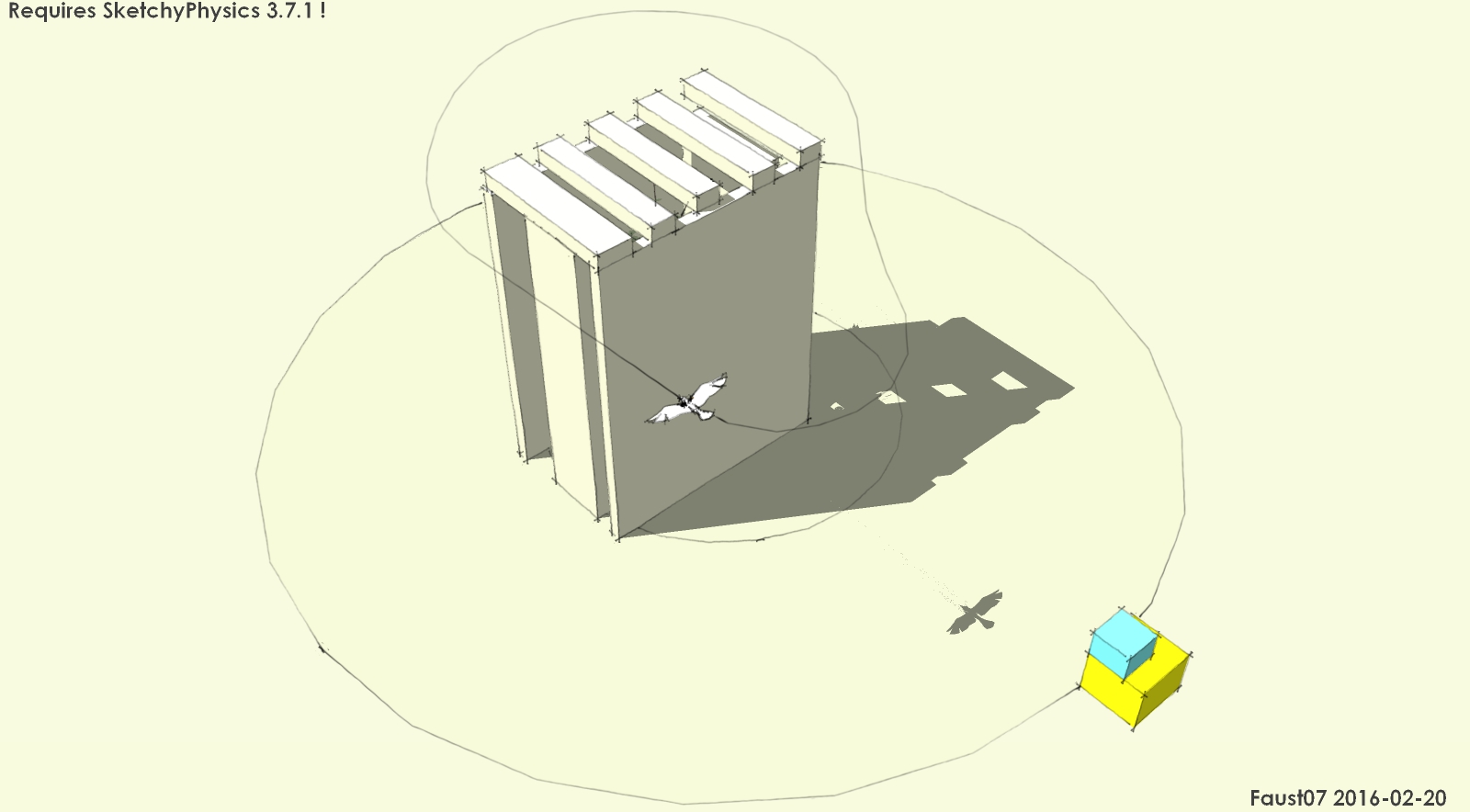

                                            path following bird

                                            1 條回覆 最後回覆 回覆 引用 0
                                            • 1
                                            • 2
                                            • 43
                                            • 44
                                            • 45
                                            • 46
                                            • 47
                                            • 45 / 47
                                            • 第一個貼文
                                              最後的貼文
                                            Buy SketchPlus
                                            Buy SUbD
                                            Buy WrapR
                                            Buy eBook
                                            Buy Modelur
                                            Buy Vertex Tools
                                            Buy SketchCuisine
                                            Buy FormFonts

                                            Advertisement

