[Plugin] RichSection V0.5.8 UPDATED march 2015
-
@jolran said:
You do know that you can do this in Hatchfaces ? If you want real edges as hatches from section slice that is.
I will have a look at that thanks! I'm not a fan of raster hatching...
-
Check out the help files, if that does not work for you, you can PM me and fire the questions. Or if you rather post a question in Hatchafaces topic thats fine too.
-
@arcad-uk said:
Last night my first section entry [XL01] was replaced with [XL0001] today everything seems ok
 I may have used "undo" and messed things up.
There is a lot going on when creating an RS, can I do a complete undo with 1 click?
I was thinking in LO I might want to explode the scene and apply a different line style but I now see that RichSections don't display in vector mode. (
Undo : I can't undo scenes and styles loaded (from file). The SU API for Ruby has no functions to create them from scratch. I have to load them from a file. No way, at my knowledge, to include this in the undo DB (within start and commit_operation).
Controle vector output (with color and line style) to Layout : I can only dream of it.

-
Hi TIG, micione and others...
As I said before (see 'TO BE CONTINUED'), I loaded the free version (Windowizer3, W3) and did some testing.
As the Bugsplat takes place after a commit_operation in the RichSection plugin (without 'other' errors), I tried to find the conflict in the W3 code.
I didn't find anything directly in common with the RichSection plugin, but I found these anomalies:- def getMaterials is a root method declared twice : once in windowizer,rb, once in getMaterials.rb; Even if the 'require getMaterials,rb' is comment out; the file is automatically loaded because it is directly in the Sketchup/plugins
- The following classes are extended : Array, Sketchup::Face, Sketchup::Entity; Sketchup::ArcCurve; Sketchup::Curve
- many Global variables
- the global variable $wName is once a string [=Wdw.new.to_s.slice(6..14)] and later an empty class object [=Wdw.new]…..
I tried to clean up the code for testing, but I can't see the end of it.
As there is nothing specificly in common with RS (I mean : in common with RS but not with other plugins), I cleaned up the plugin directory and installed only Windowizer3 + Fredo's RoundCorner
It works fine for a (very) small model.
But for more a more complex models (50 identical component-instances: in total (nested) about 9500 edges, 3300 faces), I had directly a Bug-splat when creating round corners around one face within the component.
I uninstalled Windowizer3 (the files) and did the same manipulation : Eventing worked fine.
I think that the plugins of Fredo are a reference for the Sketchup community.CONCLUSION : Windowizer 3 is not a stable plugin. I didn't spent my money to test the payed version ….
Windowizer is not distributed on Sketchucation, but maybee it is important to tell people that it causes Bugsplats in other plugins.
-
I am waiting for this plugin for five years,then I could handle whole design with Su &layout completely today!Thanks a lot!
It's another plugin for sections:
http://www.sublog.net/?s=realsection
it could assign diffferent materials to different grounps,maybe it could give some useful ideas...
I am chinese,you can download this plugin on http://www.sublog.net for free,needn't to pay,this site show all the resourse here,it's a good guide!
-
@ladcwei said:
....http://www.sublog.net/?s=realsection
it could assign diffferent materials to different grounps,maybe it could give some useful ideas...Hallo ladcwei
You can also assign different materials in the RichSection plugin: by layer, by nature (color) or a combination.
It's much faster than assigning materials to individual elements, but you will have to organize your model and use different layers to assign different section-materials.I know realSection (GWD), there is also SectionCutface (TIG), and other good plugins.
Each plugin is different. I wanted to offer projection.
[highlight=#ffff40:y89ppu1f]So what were you waiting for during 5 years ? [/highlight:y89ppu1f]
Thanks for the interest.
-
I added two new videos.
In the last video, I produced a plan with [highlight=#ffff00:3n6bzrcv]SKETCHUP + RichSection + LAYOUT[/highlight:3n6bzrcv]:See video and attached PDF file (RichSection-demo-04.PDF) in the first post.
-
Absolutly astonishing!

(tested in V8)Another plugin who makes bugsplatsh :wxSU.rb !!!
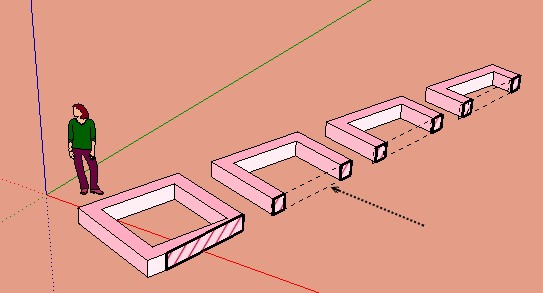
Does it posible to delete these dotted lines in the free space ?
( i have not yet explore the plugin!
Ps Why you don't say on the first post that the UI of Rich Section is working automatically also in French?

-
@pgarmyn said:
@unknownuser said:
Absolutly astonishing!
(tested in V8)Another plugin who makes bugsplatsh :wxSU.rb !!!
Does it posible to delete these dotted lines in the free space ?
( i have not yet explore the plugin!Ps Why you don't say on the first post that the UI of Rich Section is working automatically also in French?
[attachment=1:3822h56j]<!-- ia1 -->rich2.jpg<!-- ia1 -->[/attachment:3822h56j]
%(#0000FF)[Bonjour Pilou. Quel honneur

Pour enlever ces lignes, il suffit d'éteindre 'PROJECTION'. (La section calculera aussi beaucoup plus vite).
Dans les dessins technique (architecture), la projection représente les éléments au-dessus du plan de projection.
On peut aussi limiter la projection (par distance, calques). Une démonstration (distance de projection limitée) est faite dans video #03.Je vais ajouter : Si la version de SU est française, elle chargera RichSection en français..]
For the rest of the world:
To take away those pointed lines, just switch off 'PROJECT'. (The section will also calculate faster).
In technical drawings (architecture), 'projection' represents the elements above the section-plane.
You can also controle wich elements are projected (by distance, layers). This is demonstrated (with projection limited by distance) in video #03.For people with a french SU, the program will load a french RichSection dictionary.
For the rest of the world: are there traductors on this forum? -
For more important (big, complex) drawings. It is worth to use SU 2013. MUCH MUCH faster
-
Excellent!

-
deleted double message
-
If someone want's to pay for my RichSection [Demo] plugin :
[highlight=#ffff00:2ljx047o]Theysell(correction) USE it already in China:[/highlight:2ljx047o]
I can't explain much in chinese, so i added an other video (above).

-
Thank you. I've just completed a more than usually complex drawing that required cross sections. I use RichSection to great effect. I really like all the additional optional colours, line types & infills.
-
@emerald15 said:
Thank you. I've just completed a more than usually complex drawing that required cross sections. I use RichSection to great effect. I really like all the additional optional colours, line types & infills.
May we see the result
-
@unknownuser said:
YES
the 2nd video is showing that
Use RichSection materials 'by layer' or 'by nature' or a combination.
Every RichSection can also have different section materials, by using a different 'prefix'
Hey there..
I've managed to figure out how to create different hatch patterns for objects on different layers, but I can't seem to create different hatch patterns for objects with different materials. It always goes back to the default pattern?
Also, I don't quite understand the options for the richsection material - what is the difference between "prefix+layername, prefix+materialname, default" and "prefix+materialname, prefix+layername, default"?
As I mentioned, I just can't seem to get material names to work in defining different hatch patterns...please help!
Thanks...
Joel -
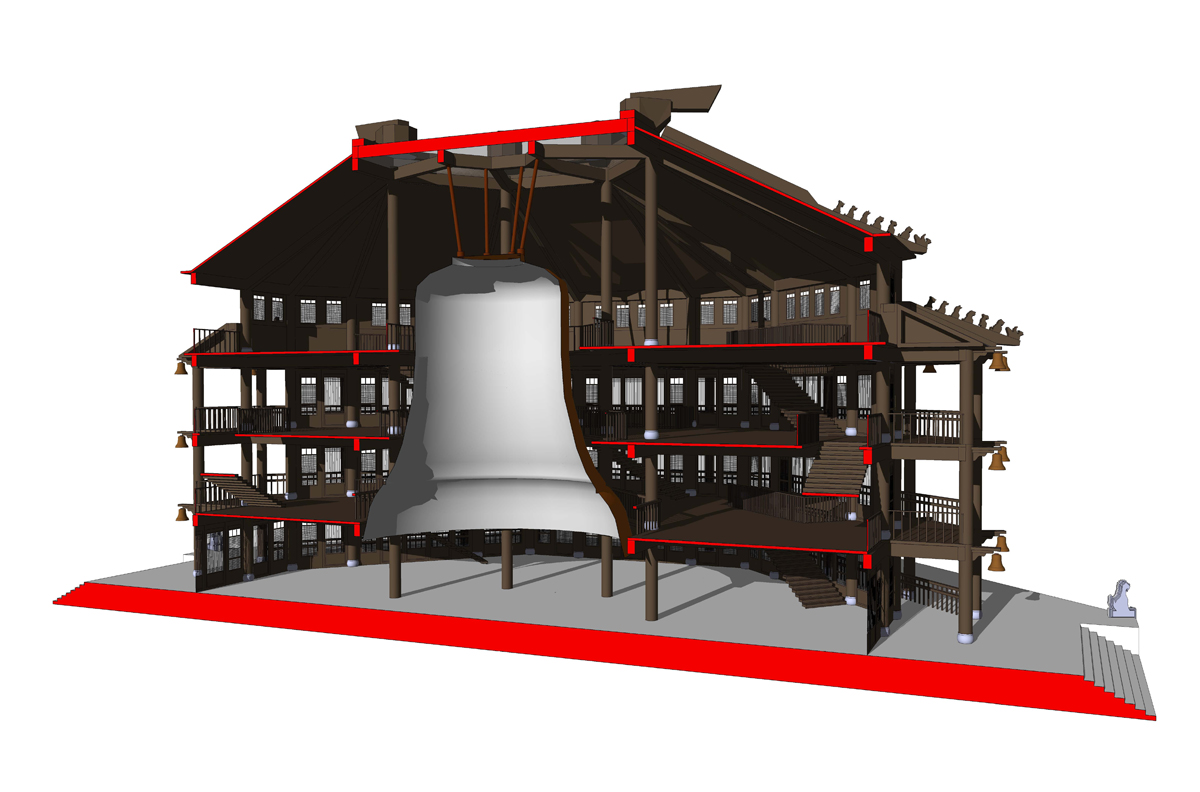
I think it could make good effect more safely
-
@ivreich said:
..... I don't quite understand the options for the richsection material - what is the difference between "prefix+layername, prefix+materialname, default" and "prefix+materialname, prefix+layername, default"?
...please help!Thanks...
JoelHi Joel
Supposing
-
Model : you used layers L1 and L2
-
Model : you applied the following materials to groups and components : N1 and N2
First possibility : -
Model : existing materials in library 'in model' : #L1.... / NOT existing materials : #L2
-
RS-options : prefix = #
-
RS-options : default material = #default
-
RS-options : section material = prefix+layername, default
-
RS section materials for a group or component in layer L1 : #L1
-
RS section materials for a group or component in layer L2 : #default (because #L2 doesn't exist)
2nd possibility : -
Model : existing materials in library 'in model' : #N1.... / NOT existing materials : #N2
-
RS-options : prefix = #
-
RS-options : default material = #default
-
RS-options : section material = prefix+materialname, default
-
RS section materials for a group or component with material N1 assignd: #N1
-
RS section materials for a group or component with material N2 assignd: #default (because #N2 doesn't exist)
Got it
-
-
@ladcwei said:
I think it could make good effect more safely
It seems to be a very complex model
What kind of building is it ? With a giant bell at the center ?
Maybee the bell needs some thickness. You can do this with the Joint PushPull plugin from Fredo.Thanks for sharing your experiance.
-
Cant get it to work like in the videos....it just works as sketchup native section cut, also sketchup crashed a few times (bugsplat)....but i love the intention. It would save me the time to go put in hatches in my layout documents






Advertisement