sketchucation logo sketchucation
    • 登入
    Oops, your profile's looking a bit empty! To help us tailor your experience, please fill in key details like your SketchUp version, skill level, operating system, and more. Update and save your info on your profile page today!
    🔌 Smart Spline | Fluid way to handle splines for furniture design and complex structures. Download

    [Plugin][$] JointPushPull Interactive - v4.9a - 02 Apr 25


    已排程 已置頂 已鎖定 已移動 Plugins
    619 貼文 156 Posters 630.1k 瀏覽 155 Watching
    正在載入更多貼文
    • 從舊到新
    • 從新到舊
    • 最多點贊
    回覆
    • 在新貼文中回覆
    登入後回覆
    此主題已被刪除。只有擁有主題管理權限的使用者可以查看。
    • Y 離線
      yahyamsy
      最後由 編輯

      Hi, I am just one guy, i don't need 3-seat license. is there a way to get JPP cheaper for one seat only Plz?!!
      thanks

      Rich O BrienR 1 條回覆 最後回覆 回覆 引用 0
      • Rich O BrienR 離線
        Rich O Brien Moderator @yahyamsy
        最後由 編輯

        @yahyamsy it is 1 license that has 3 seats/activations to allow a license holder use it on multiple devices.

        Download the free D'oh Book for SketchUp 📖

        1 條回覆 最後回覆 回覆 引用 0
        • M 離線
          Medness @hoverteamph
          最後由 編輯

          @hoverteamph did they help you? How do you free up spaces that are unselected for deletion?

          Rich O BrienR 1 條回覆 最後回覆 回覆 引用 0
          • Rich O BrienR 離線
            Rich O Brien Moderator @Medness
            最後由 編輯

            @Medness Update Sketchucation Tools to latest version: https://sketchucation.com/plugin/696-sketchucationtools on all devices to enable online releasing

            If you run into issues email us at support[at]sketchucation.com

            Download the free D'oh Book for SketchUp 📖

            1 條回覆 最後回覆 回覆 引用 0
            • A 離線
              aleman_1940 Newcomers
              最後由 編輯

              I have an error with the JointPushPull pluggin, every time i try the "J" Jointpushpull tool appears this error, i have the libfredo6-v16.a and the JointPushPull-v4.8a
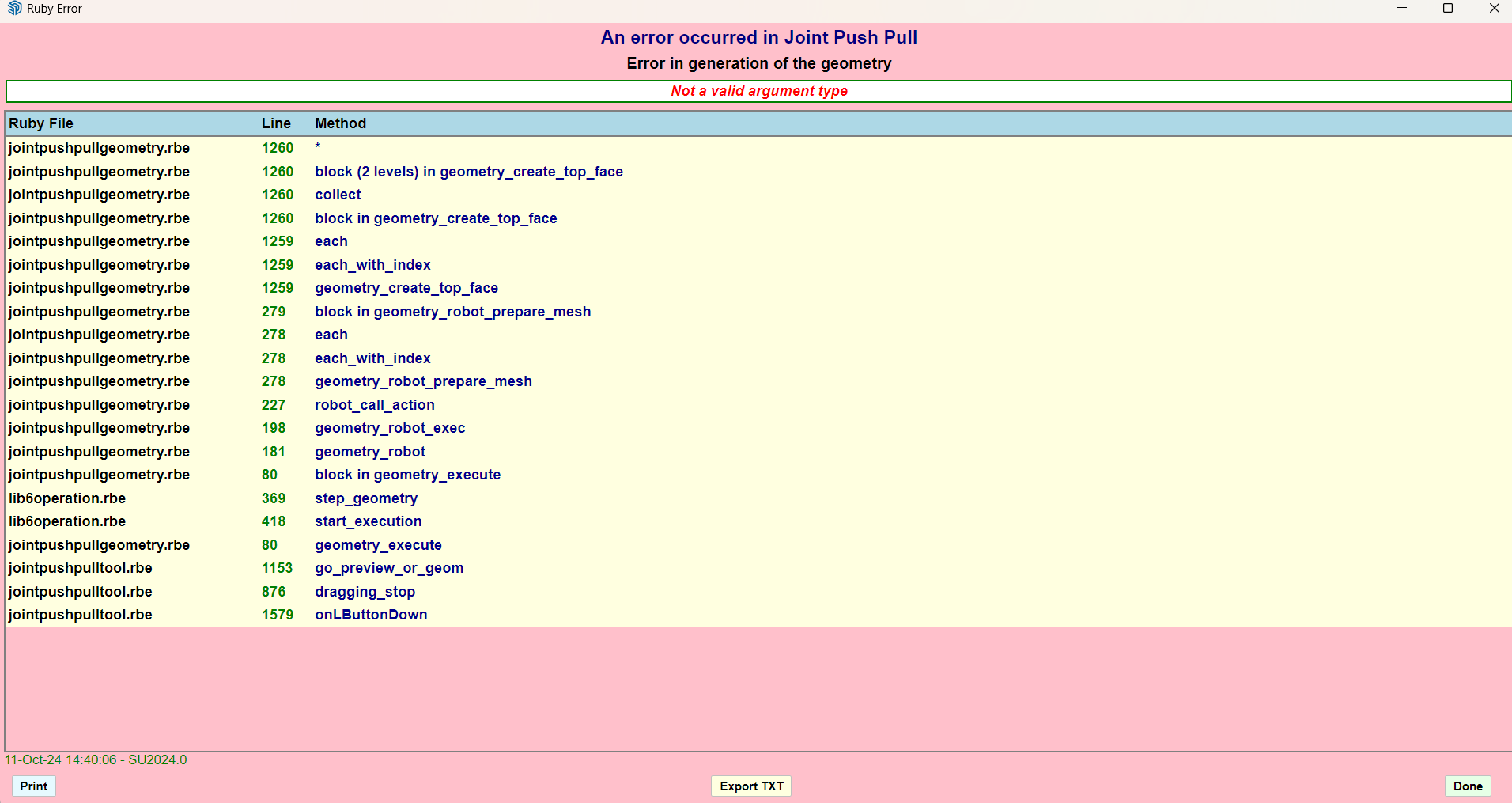
              Captura de pantalla 2024-10-11 144017.png
              I Just wanted to make thicker a simple rectangle, i know i can use the other tools, but why do this error keeps appearing me
              What can i do?

              fredo6F 1 條回覆 最後回覆 回覆 引用 0
              • fredo6F 離線
                fredo6 @aleman_1940
                最後由 編輯

                @aleman_1940
                I would need to get the model where it is faulty.

                Possibly, you may work on tiny faces....

                1 條回覆 最後回覆 回覆 引用 0
                • J 離線
                  jskwonb
                  最後由 編輯

                  此回覆已被刪除!
                  TIGT 1 條回覆 最後回覆 回覆 引用 0
                  • TIGT 離線
                    TIG Moderator @jskwonb
                    最後由 編輯

                    @jskwonb
                    Have you tried following the advice in the error-message ?
                    Have you installed the latest versions of the extension, LibFredo6 and the SketchUcation tools [for the licensing], and restarted Sketchup to sync every thing ?
                    Also, this kind of error relating to reading a license file often occurs if your computer has not been named following Microsoft's conventions - e.g. its name should contain only ASCII letters and numbers, and a few other common punctuation characters; it should not contain special characters [I note your image's name contains some Asian characters]. You could try renaming your computer ?? Also your PC's user-name has similar restrictions...

                    TIG

                    1 條回覆 最後回覆 回覆 引用 0
                    • W 離線
                      wkearney99 @whddnjs8474
                      最後由 wkearney99 編輯

                      Does 4.8a support doing vector pulls to a plane using SU2017?

                      I'm not seeing the added elements on the toolbar for it.

                      fredo6F 1 條回覆 最後回覆 回覆 引用 0
                      • fredo6F 離線
                        fredo6 @wkearney99
                        最後由 編輯

                        @wkearney99
                        Do you mean the option in the Misc section?

                        2792046b-5491-4e54-9666-6cdbc377a6c4-image.png

                        Normally, there is no difference between Sketchup versions.

                        W 1 條回覆 最後回覆 回覆 引用 0
                        • W 離線
                          wkearney99 @fredo6
                          最後由 編輯

                          @fredo6 yes, those, I don't see contours and the rest.
                          do they only appear when you're manipulating a certain kind of shapes or something?

                          I created a shape, selected some faces, selected the V tool
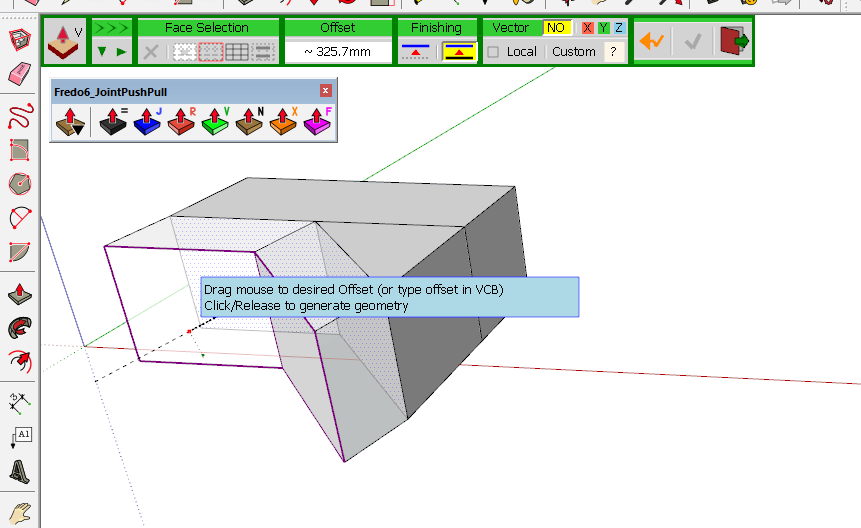
                          7af97b30-d3d4-4e5e-8937-e6bfcf7b87da-image.png

                          I ask this because I'm using the trial version and wanted to make sure I wasn't going to purchase something that wasn't going to work. I'm only using SU for 3D printing hobby stuff. I don't mind spending a few bucks to get decent software. I just wanted to make sure it'd work with what I've got.

                          - Sketchup: 17.2.2555
                          - LibFredo6: v14.9a
                          - LibFredo6 Binary loaded
                          - Sketchucation ExtensionStore: 4.4.1
                          - SCFLicense: v6.4a - 74
                          - Fredo6 Plugins
                              > FredoCorner v2.7a
                              > JointPushPull v4.8a
                              > RoundCorner v3.4a
                          - SCFLicense directory present
                              > Signature File: absent
                          

                          Forgive me if I'm not doing something right. I saw the plugin on some videos and have tried to follow their steps and got stymied at not seeing the contour and other buttons.

                          My use-case for this is I've got a surface mesh from an STL that I want to extrude to a flat plane behind it.

                          W 1 條回覆 最後回覆 回覆 引用 0
                          • W 離線
                            wkearney99 @wkearney99
                            最後由 編輯

                            @wkearney99 oh wait, I'm a dope, I didn't know about this button: 9dcfdde9-fc59-4b7b-a672-35ca04849d7e-image.png

                            Which gives me:
                            f9e5e63c-7e00-43ab-bd48-a0b529b29a42-image.png

                            so, yeah, nevermind...

                            fredo6F 1 條回覆 最後回覆 回覆 引用 0
                            • fredo6F 離線
                              fredo6 @wkearney99
                              最後由 編輯

                              @wkearney99
                              Yes, all buttons palettes in JPP have a compact mode, because some users said there was too many options....!

                              1 條回覆 最後回覆 回覆 引用 1
                              • M 離線
                                Msayed25say
                                最後由 編輯

                                so the plugin does not work offline?!

                                1 條回覆 最後回覆 回覆 引用 0
                                • fredo6F 離線
                                  fredo6
                                  最後由 fredo6 編輯

                                  NEW RELEASE: JointPushPull Interactive v4.9a - 02 Apr 25

                                  JointPushPull Interactive 4.9a is a major release including:

                                  • Trimming and Hole Extrusion

                                  IMPORTANT: JointPushPull 4.9a requires LibFredo6 15.3 or above


                                  See plugin home page of JointPushPull for Download of JointPushPull.

                                  Main Post of the JointPushPull thread on this forum

                                  1 條回覆 最後回覆 回覆 引用 0
                                  • Gus RG 離線
                                    Gus R
                                    最後由 編輯

                                    I don't know what I changed but I'm suddenly getting like beveled offset when using Joint Push Pull. Just the regular Joint Push Pull.
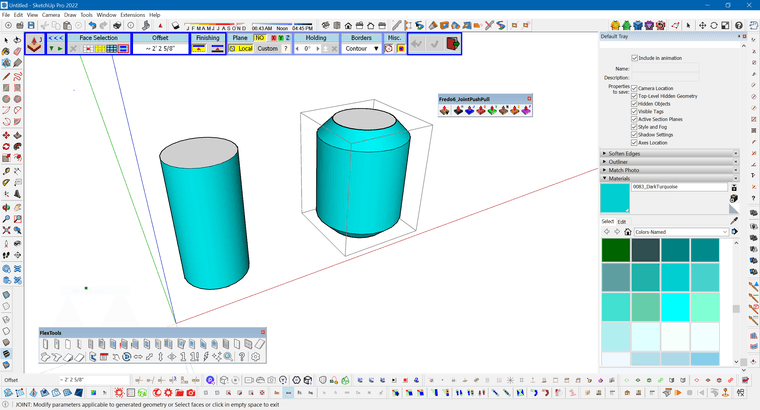
                                    JPP.PNG

                                    www.instagram.com/gusrobatto/

                                    www.facebook.com/gusrobatto

                                    www.flickr.com/photos/gusrobatto

                                    Gus RG 1 條回覆 最後回覆 回覆 引用 0
                                    • Gus RG 離線
                                      Gus R @Gus R
                                      最後由 編輯

                                      @Gus-R Never mind.

                                      www.instagram.com/gusrobatto/

                                      www.facebook.com/gusrobatto

                                      www.flickr.com/photos/gusrobatto

                                      1 條回覆 最後回覆 回覆 引用 0
                                      • F 離線
                                        ferol
                                        最後由 編輯

                                        I just bought the plugin and am testing it. I thought I could replace the classic push-pull with some of its functions, but I have a problem: when I "push" inside an object, the surface often disappears. I made a short video about it:

                                        The only icons that don't do this are "R" and "F."

                                        Is this a bug?

                                        1 條回覆 最後回覆 回覆 引用 0
                                        • F 離線
                                          ferol
                                          最後由 編輯

                                          I just bought the plugin and am testing it. I thought I could replace the classic push-pull with some of its functions, but I have a problem: when I "push" inside an object, the surface often disappears. I made a short video about it:

                                          The only icons that don't do this are "R" and "F."

                                          Is this a bug?

                                          1 條回覆 最後回覆 回覆 引用 0
                                          • 1
                                          • 2
                                          • 27
                                          • 28
                                          • 29
                                          • 30
                                          • 31
                                          • 31 / 31
                                          • 第一個貼文
                                            最後的貼文
                                          Buy SketchPlus
                                          Buy SUbD
                                          Buy WrapR
                                          Buy eBook
                                          Buy Modelur
                                          Buy Vertex Tools
                                          Buy SketchCuisine
                                          Buy FormFonts

                                          Advertisement