sketchucation logo sketchucation
    • 登入
    Oops, your profile's looking a bit empty! To help us tailor your experience, please fill in key details like your SketchUp version, skill level, operating system, and more. Update and save your info on your profile page today!
    🔌 Smart Spline | Fluid way to handle splines for furniture design and complex structures. Download

    Sketchup 2013 issues

    已排程 已置頂 已鎖定 已移動 SketchUp Discussions
    sketchup
    208 貼文 53 Posters 25.0k 瀏覽 53 Watching
    正在載入更多貼文
    • 從舊到新
    • 從新到舊
    • 最多點贊
    回覆
    • 在新貼文中回覆
    登入後回覆
    此主題已被刪除。只有擁有主題管理權限的使用者可以查看。
    • A 離線
      archheni
      最後由 編輯

      I'd be happy to try it out.

      1 條回覆 最後回覆 回覆 引用 0
      • plesiosaurP 離線
        plesiosaur
        最後由 編輯

        @plesiosaur said:

        FYI for those who use 3Dconnexion products:

        I am, or have been, using a 3Dconnecxion SpacePilot Pro with SU8; it appears that 3Dconnexion does not play well with SU2013, at least not for me.

        Per my phone conversation today with 3Dconnecxion: It will be 2-3 weeks before the new software/driver will be available; so, for those who use 3Dconnecxion products you may want to wait on the SU2013 install until their new driver is available, or not....

        1 條回覆 最後回覆 回覆 引用 0
        • thomthomT 離線
          thomthom
          最後由 編輯

          Hasn't this been the case for every SketchUp release that the drivers had to be updated?

          Thomas Thomassen — SketchUp Monkey & Coding addict
          List of my plugins and link to the CookieWare fund

          1 條回覆 最後回覆 回覆 引用 0
          • kenK 離線
            ken
            最後由 編輯

            OK, I upgraded as soon as I could, and to my happy surprise, NO, NO bug splats.

            It seems to be faster, but I don't have a method of this measuring this, so I will let other determine the speed.

            However, the lack of bug splats I can measure, and I have not received one with this new version. So what ever was done, good job.

            Job well done.

            Ken

            Fight like your the third monkey on Noah's Ark gangway.

            1 條回覆 最後回覆 回覆 引用 0
            • J 離線
              jastar123
              最後由 編輯

              On mac there is no plugins folder so I can't manually load Maxwell render 😠 . any advice?

              1 條回覆 最後回覆 回覆 引用 0
              • A 離線
                archheni
                最後由 編輯

                @jastar123 said:

                On mac there is no plugins folder so I can't manually load Maxwell render 😠 . any advice?

                the plugin folder is now located in: ..user/library/ application support/sketchup2013/sketchup/plugins

                1 條回覆 最後回覆 回覆 引用 0
                • A 離線
                  archheni
                  最後由 編輯

                  @tig said:

                  The number of entities added into a context affect SketchUp's processing time of all calls manual and API.
                  Each has to be assessed for intersection, merge etc.
                  As the numbers increase the time rises almost exponentially as more and more entities are involved...
                  Also if the refresh of the graphics is not switch d off that has an effect too...
                  Using a
                  model.start_operation('xxx', true)
                  is the fastest way of processing - especially in v2013...
                  I need to check that LatticeMaker has those all set right... 😕

                  Edit: bum!
                  Although it does because 13 is taken to be < 7 [alphanumerics!] it skips it.
                  I'll PM you a test updated version - can you retry and see if the time improves...

                  It's now updated to v1.3 in the main thread...

                  Thanks for the quick fix TIG! The good news - it's faster than before now on SU13. But I'm still puzzled because every time I run the script I get a different result now - 13min14s; 8min; 9min30s; 9min20s..and 4min58s.
                  I did also crash SU13 when I did copy/ paste the geometry into a new file and started the script for a second consecutive time.
                  Not sure why it behaves like this..? I will send you the file, maybe you can reproduce the results.
                  Thanks for all the efforts!!

                  1 條回覆 最後回覆 回覆 引用 0
                  • Tyler MillerT 離線
                    Tyler Miller
                    最後由 編輯

                    @charly2008 said:

                    If we are to trust the tool, "Test time display". Then would be "Sketchup 2013," a bit faster. Whether this also has an impact on the plugins I can not judge.

                    I see someone has been playing around with their registry settings... 😄

                    -Tyler

                    1 條回覆 最後回覆 回覆 引用 0
                    • Tyler MillerT 離線
                      Tyler Miller
                      最後由 編輯

                      @penguin2 said:

                      Toolbars for Plugins missing.

                      Loaded the following from EW:-
                      'Selection Toys'
                      'Edge Tools2'

                      Tried un-checking then re-checking in Toolbar list. Still not visible.

                      We're working on a fix for this now. It was a last minute regression that slipped into the release. Sigh. Sorry about that.

                      -Tyler

                      1 條回覆 最後回覆 回覆 引用 0
                      • R 離線
                        rv1974
                        最後由 編輯

                        Shadows- very unpleasant surprise. In v8 it was only the viewport artefact, now the output also get affected ! 😡
                        And this clipping issue... 👊


                        66 - Copy.jpg

                        1 條回覆 最後回覆 回覆 引用 0
                        • jeff hammondJ 離線
                          jeff hammond
                          最後由 編輯

                          this isn't an 'issue' so much as it's a new behavior (one that i've seen requested a few times here as well as for a certain other drawing app.

                          on mac, when you launch sketchup, a sketchup window will be created.. once you close that window, the only way to get a new one is to cmmdN (file->new)

                          previously, you'd get a new window by clicking on the dock icon or upon switching back to the app..

                          kind of hard to explain without doing the comparison yourself.. i guess i can see why some people might prefer the new behavior but i can also see why someone might prefer the previous behavior.. i'm on the fence and i haven't used 2013 for actual work yet so i don't really know.

                          dotdotdot

                          1 條回覆 最後回覆 回覆 引用 0
                          • pbacotP 離線
                            pbacot
                            最後由 編輯

                            @unknownuser said:

                            this isn't an 'issue' so much as it's a new behavior (one that i've seen requested a few times here as well as for a certain other drawing app.

                            on mac, when you launch sketchup, a sketchup window will be created.. once you close that window, the only way to get a new one is to cmmdN (file->new)

                            previously, you'd get a new window by clicking on the dock icon or upon switching back to the app..

                            kind of hard to explain without doing the comparison yourself.. i guess i can see why some people might prefer the new behavior but i can also see why someone might prefer the previous behavior.. i'm on the fence and i haven't used 2013 for actual work yet so i don't really know.

                            I prefer it. I usually have to close that new window--and it always asks to save (v.8). No other apps I have act the old way, opening an empty file every time you choose the app in the dock.

                            It is more common to want to open an existing file.

                            MacOSX MojaveSketchUp Pro v19 Twilight v2 Thea v3 PowerCADD

                            1 條回覆 最後回覆 回覆 引用 0
                            • jeff hammondJ 離線
                              jeff hammond
                              最後由 編輯

                              @pbacot said:

                              @unknownuser said:

                              I usually have to close that new window--and it always asks to save (v.8)..

                              that's a ruby which is causing the "would you like to save?" behavior when trying to close a fresh window..

                              one of the su9 wishlist items i presented was to have the sketchup app itself preventing this from happening regardless of any 'bad' coding by the ruby author.. i haven't put all of my plugins in 2013 yet to see if it's now being prevented.. i'll try out one of the rogue plugins in a little while to check.

                              dotdotdot

                              1 條回覆 最後回覆 回覆 引用 0
                              • jeff hammondJ 離線
                                jeff hammond
                                最後由 編輯

                                ^ yeah, that's still happening in su 2013

                                i used to track down the ruby authors to get them to fix the behavior (as many of them aren't aware of it since they don't have macs to test on) but.. one would get fixed then a new one would pop up so i sort of gave up..

                                there's only one of these plugins that i actually need (rendering) and i just keep it turned off as an extension until i need to use it.. the other ones, i just don't install them..

                                dotdotdot

                                1 條回覆 最後回覆 回覆 引用 0
                                • charly2008C 離線
                                  charly2008
                                  最後由 編輯

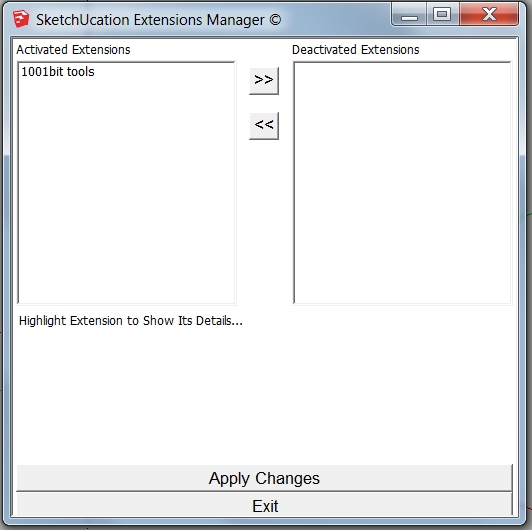
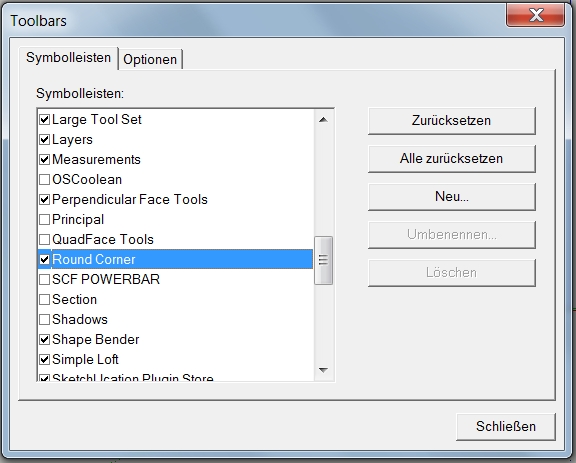
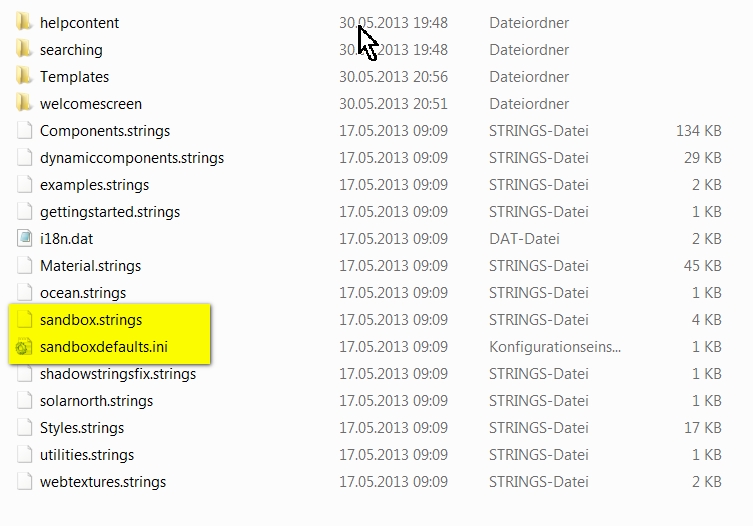
                                  Can anyone help me? In Sketchup 2013 my sandbox tool is missing. I have checked everything including the Resources folder.
                                  1.jpg


                                  2.jpg

                                  He who makes no mistakes, makes nothing

                                  1 條回覆 最後回覆 回覆 引用 0
                                  • BoxB 離線
                                    Box
                                    最後由 編輯

                                    I notice you have Sketchucation plugin, have you perhaps disabled it in the plugin manager?

                                    1 條回覆 最後回覆 回覆 引用 0
                                    • BoxB 離線
                                      Box
                                      最後由 編輯

                                      What about the Extensions manager? The last button of the three.

                                      1 條回覆 最後回覆 回覆 引用 0
                                      • charly2008C 離線
                                        charly2008
                                        最後由 編輯

                                        Hi Box,

                                        There is no sandbox! On my laptop it is available under su_sandbox.

                                        Charly
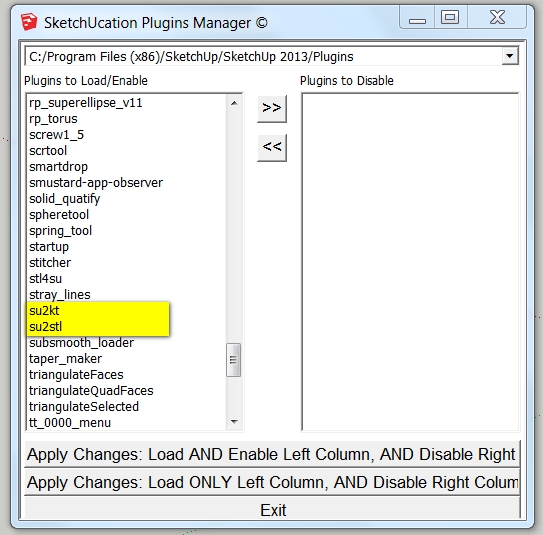

                                        3.jpg

                                        He who makes no mistakes, makes nothing

                                        1 條回覆 最後回覆 回覆 引用 0
                                        • charly2008C 離線
                                          charly2008
                                          最後由 編輯

                                          There it looks like


                                          3.jpg

                                          He who makes no mistakes, makes nothing

                                          1 條回覆 最後回覆 回覆 引用 0
                                          • BoxB 離線
                                            Box
                                            最後由 編輯

                                            And you have checked, Windows/Preferences/extensions
                                            1 條回覆 最後回覆 回覆 引用 0
                                            • 1
                                            • 2
                                            • 7
                                            • 8
                                            • 9
                                            • 10
                                            • 11
                                            • 9 / 11
                                            • 第一個貼文
                                              最後的貼文
                                            Buy SketchPlus
                                            Buy SUbD
                                            Buy WrapR
                                            Buy eBook
                                            Buy Modelur
                                            Buy Vertex Tools
                                            Buy SketchCuisine
                                            Buy FormFonts

                                            Advertisement