sketchucation logo sketchucation
    • Login
    Oops, your profile's looking a bit empty! To help us tailor your experience, please fill in key details like your SketchUp version, skill level, operating system, and more. Update and save your info on your profile page today!
    โš ๏ธ Update | Sketchucation Tools 5.0.8 released with licensing improvements and bugfixes Download

    [Plugin][$] TopoShaper - v2.7b - 30 Jan 26


    Scheduled Pinned Locked Moved Plugins
    460 Posts 145 Posters 875.7k Views 144 Watching
    Loading More Posts
    • Oldest to Newest
    • Newest to Oldest
    • Most Votes
    Reply
    • Reply as topic
    Log in to reply
    This topic has been deleted. Only users with topic management privileges can see it.
    • Rich O BrienR
      Rich O Brien Moderator
      last edited by

      Hi Fredo,

      Do you think adding csv import to Toposhaper is feasible?

      This would make terrain generation much more unified into one tool rather than installing 2 plugins to what you need in one.

      Download the free D'oh Book for SketchUp ๐Ÿ“–

      1 Reply Last reply
      Reply Quote 0
      • pbacotP
        pbacot
        last edited by

        I think I said this before. Excellent work on this!

        When I use it I wish the grid could be set to a standard horizontal square dimension and set to always align to the origin. then work can be more easily patched and combined.

        Another wish is for the edges to be restricted to conform (close as possible) to land on a bounding contour. Again this will help joining with other forms.

        MacOSX MojaveSketchUp Pro v19 Twilight v2 Thea v3 PowerCADD

        1 Reply Last reply
        Reply Quote 0
        • pilouP
          pilou
          last edited by

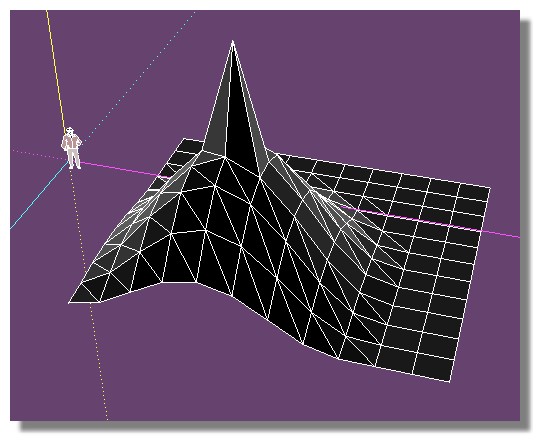
          does toposhaper can use this sort of file ?
          Because it generates bugs! ๐Ÿ˜ฎ
          (I have last version Prog / Lib )

          tset_topo.jpg


          test_topo.skp

          Frenchy Pilou
          Is beautiful that please without concept!
          My Little site :)

          1 Reply Last reply
          Reply Quote 0
          • fredo6F
            fredo6
            last edited by

            Pilou,

            What do you mean by 'use'.

            Did you generate the terrain via Toposhaper QaudMesh instead?

            Fredo

            1 Reply Last reply
            Reply Quote 0
            • pilouP
              pilou
              last edited by

              @unknownuser said:

              What do you mean by 'use'.

              Start from this file

              @unknownuser said:

              Did you generate the terrain via Toposhaper QaudMesh instead?

              No just speedy by hand for the grid (a copy/Move square) + SandBox for deformation

              Frenchy Pilou
              Is beautiful that please without concept!
              My Little site :)

              1 Reply Last reply
              Reply Quote 0
              • pbacotP
                pbacot
                last edited by

                The plugin requires Point cloud or isocontours.

                MacOSX MojaveSketchUp Pro v19 Twilight v2 Thea v3 PowerCADD

                1 Reply Last reply
                Reply Quote 0
                • pilouP
                  pilou
                  last edited by

                  @unknownuser said:

                  requires Point cloud

                  Seems that is the key ! ๐Ÿ˜„
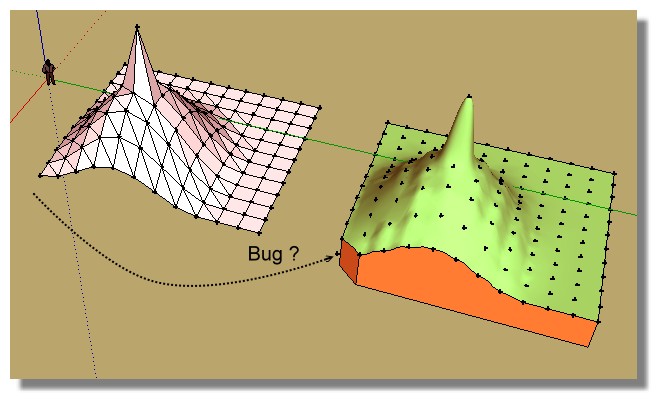
                  When I create points from the file then use TopoShaper that works!
                  (except for the little triangle bottom left corner? )

                  PS The alert message when you select points who are not a group/ component is empty!
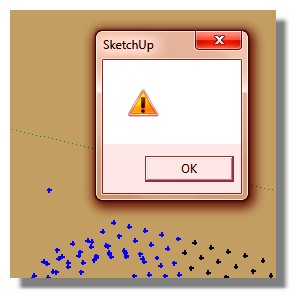
                  alert.jpg
                  Topoz1.jpg

                  Frenchy Pilou
                  Is beautiful that please without concept!
                  My Little site :)

                  1 Reply Last reply
                  Reply Quote 0
                  • fredo6F
                    fredo6
                    last edited by

                    Pilou,

                    Could you post the file with the point cloud. I'll check for the missing triangle and the missing message.

                    Which Sketchup version do you use by the way?

                    Fredo

                    1 Reply Last reply
                    Reply Quote 0
                    • pilouP
                      pilou
                      last edited by

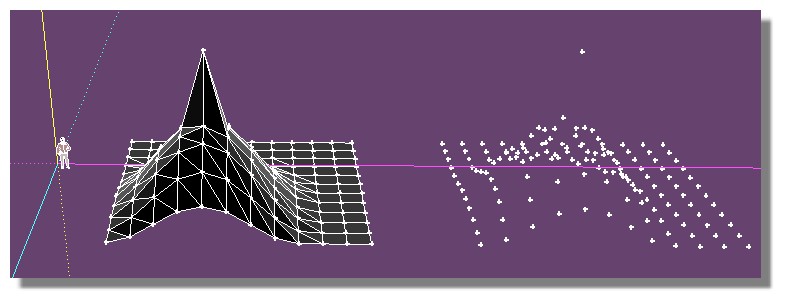
                      It was from the file previous linked! ๐Ÿ˜„
                      But here with the points! ๐Ÿ˜‰
                      I have the 2015 and all at the last versions (plug and Lib) !
                      points_cloud.jpg


                      test_topo_points.skp

                      Frenchy Pilou
                      Is beautiful that please without concept!
                      My Little site :)

                      1 Reply Last reply
                      Reply Quote 0
                      • pilouP
                        pilou
                        last edited by

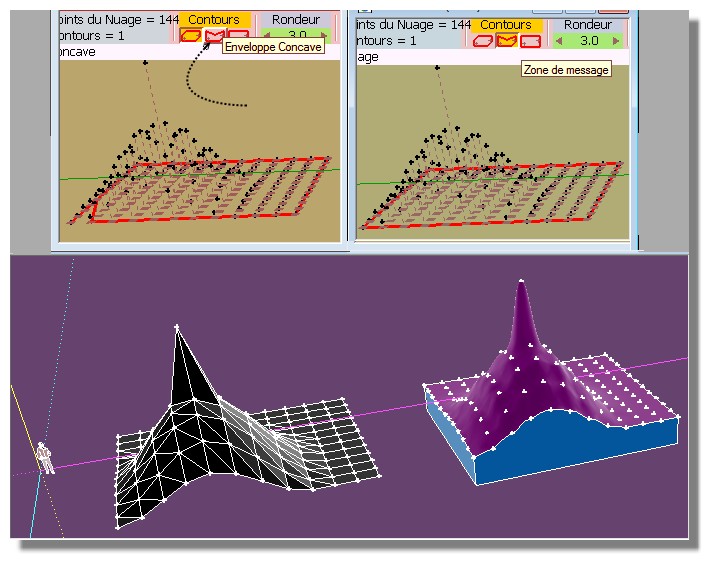
                        Resolved! ๐Ÿ˜„
                        We must press Concave contour first! ๐Ÿ˜ณ

                        resolu.jpg

                        Frenchy Pilou
                        Is beautiful that please without concept!
                        My Little site :)

                        1 Reply Last reply
                        Reply Quote 0
                        • B
                          Ben Ritter
                          last edited by

                          When I run the toposhaper using terrain generator, although the contour lines setting is set to 1.0' increments, the first contour line above O.O' becomes 0.783' instead of 1.0'. After that, the contour line intervals are all 1.0' apart.

                          What could be the cause of this? How can I fix this?

                          Thanks. Ben

                          1 Reply Last reply
                          Reply Quote 0
                          • B
                            Ben Ritter
                            last edited by

                            topo.skpHere is the file of cloud points

                            1 Reply Last reply
                            Reply Quote 0
                            • O
                              orei
                              last edited by

                              Hi my friends,

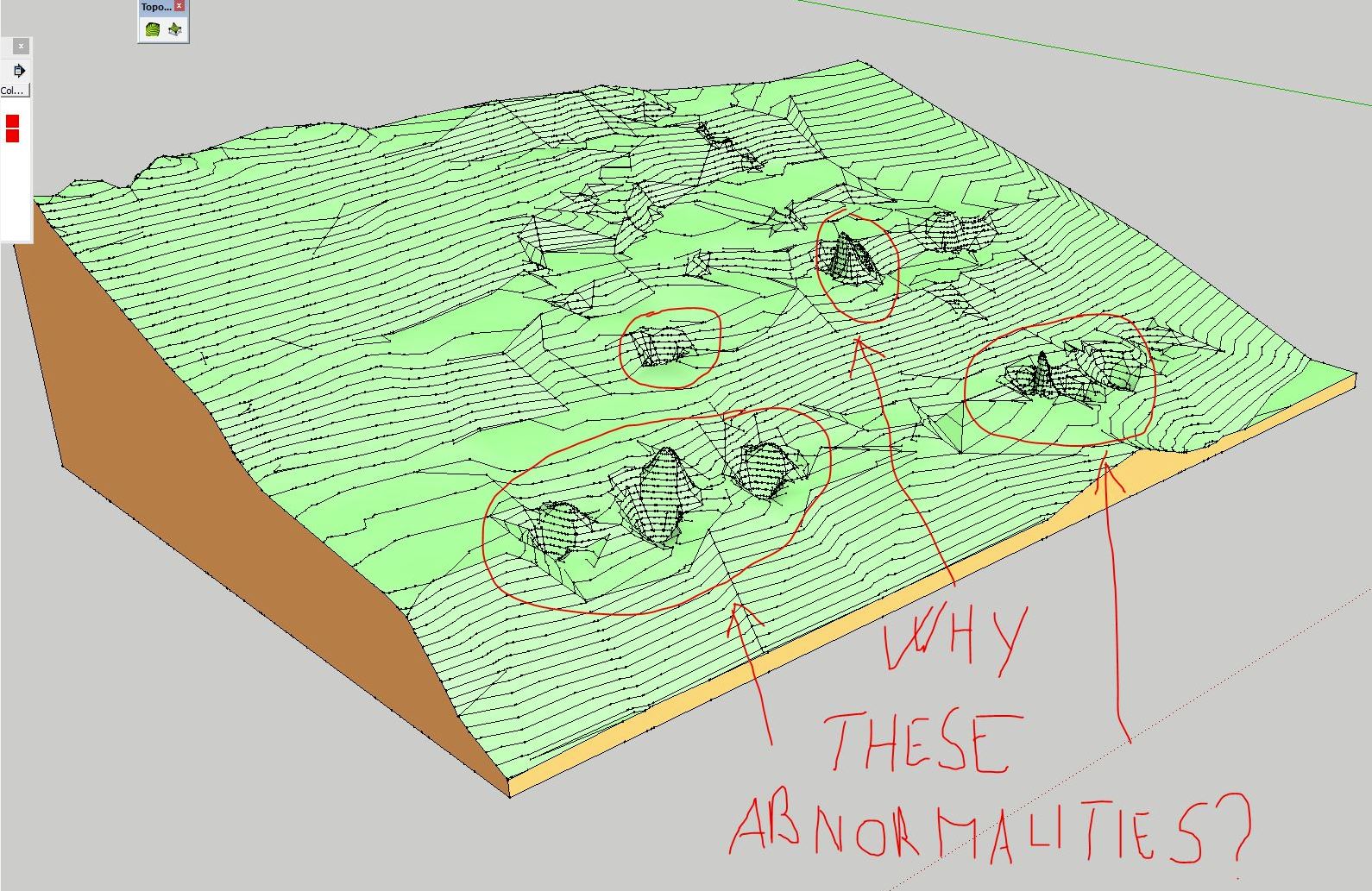
                              i have a little problem.. i tried to model a cloud point to get a soil.. everything ok, except some peek and deep that the plugin generate, and i don't know to get rid.

                              You see in the attached screen, and in the skp file with point.

                              Hope in your help! Thanks man!!


                              PE_9064 - MODELLAZIONE TERRENO_light.skp

                              anomalie.JPG

                              1 Reply Last reply
                              Reply Quote 0
                              • O
                                orei
                                last edited by

                                no one could help me?

                                1 Reply Last reply
                                Reply Quote 0
                                • cottyC
                                  cotty
                                  last edited by

                                  What would you expect from such a point?
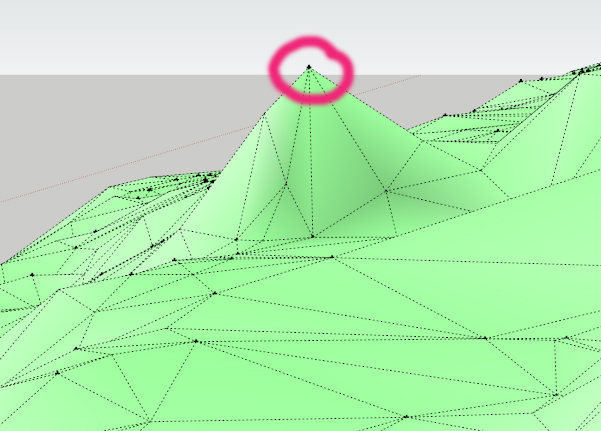
                                  spike.jpg

                                  If you only have some of these, you can move the vertices afterwards manually.

                                  Or you can use a plugin to smooth the surface after the creation.

                                  my SketchUp gallery

                                  1 Reply Last reply
                                  Reply Quote 0
                                  • K
                                    Kenny
                                    last edited by

                                    If you only have a limited number of these points above the terrain causing the spikes then delete these points before running Toposhaper.

                                    http://www.townscapesolutions.co.uk/

                                    1 Reply Last reply
                                    Reply Quote 0
                                    • pilouP
                                      pilou
                                      last edited by

                                      Why not use Triangulate Points first by TIG ?
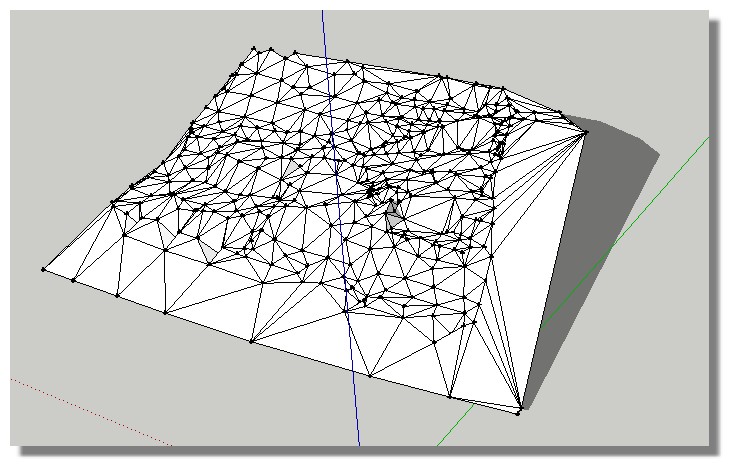
                                      triangle_tig.jpg

                                      Frenchy Pilou
                                      Is beautiful that please without concept!
                                      My Little site :)

                                      1 Reply Last reply
                                      Reply Quote 0
                                      • dereiD
                                        derei
                                        last edited by

                                        After playing with TopoShaper I ended up with several (three) terrains overlapped. Why this happened? It seems I am missing something in functionality of this plugin, so instead of refining the just created terrain, I end up with new modified copies of the terrain.

                                        DESIGNER AND ARTIST DEREI.UK

                                        1 Reply Last reply
                                        Reply Quote 0
                                        • O
                                          orei
                                          last edited by

                                          @kenny said:

                                          If you only have a limited number of these points above the terrain causing the spikes then delete these points before running Toposhaper.

                                          I have some deeps and some peeks. I don't know why this happened.
                                          I know that i can move up and down these points to get a level.. but i would like to understand how to evitate those problem.

                                          Why suggest to use triangulate point instead of toposhaper? toposhaper is much better than triangulate point for this, or not?

                                          Thanks mate!

                                          1 Reply Last reply
                                          Reply Quote 0
                                          • pilouP
                                            pilou
                                            last edited by

                                            It was just a suggestion for have a preview of the terrain and maybe see if there are not aeras where some confusion between near vertices are possible! ๐Ÿ˜‰
                                            And give to Toposhaper faces and not only vertices! ๐Ÿค“

                                            Frenchy Pilou
                                            Is beautiful that please without concept!
                                            My Little site :)

                                            1 Reply Last reply
                                            Reply Quote 0

                                            Hello! It looks like you're interested in this conversation, but you don't have an account yet.

                                            Getting fed up of having to scroll through the same posts each visit? When you register for an account, you'll always come back to exactly where you were before, and choose to be notified of new replies (either via email, or push notification). You'll also be able to save bookmarks and upvote posts to show your appreciation to other community members.

                                            With your input, this post could be even better ๐Ÿ’—

                                            Register Login
                                            • 1
                                            • 2
                                            • 3
                                            • 4
                                            • 5
                                            • 6
                                            • 22
                                            • 23
                                            • 4 / 23
                                            • First post
                                              Last post
                                            Buy SketchPlus
                                            Buy SUbD
                                            Buy WrapR
                                            Buy eBook
                                            Buy Modelur
                                            Buy Vertex Tools
                                            Buy SketchCuisine
                                            Buy FormFonts

                                            Advertisement