sketchucation logo sketchucation
    • Login
    Oops, your profile's looking a bit empty! To help us tailor your experience, please fill in key details like your SketchUp version, skill level, operating system, and more. Update and save your info on your profile page today!
    ⚠️ Important | Libfredo 15.6a introduces important bugfixes for Fredo's Extensions Update

    [REQ] weird effect in vray

    Scheduled Pinned Locked Moved V-Ray
    renderpluginsextensions
    13 Posts 5 Posters 784 Views 5 Watching
    Loading More Posts
    • Oldest to Newest
    • Newest to Oldest
    • Most Votes
    Reply
    • Reply as topic
    Log in to reply
    This topic has been deleted. Only users with topic management privileges can see it.
    • tibetT Offline
      tibet
      last edited by

      i can´t believe my eyes man!

      when i repeate it with a different computer (+ better graphic card) everything is fine

      that´s very strange, because i´ve done so many times with my laptop, and every time

      accompanied by the same weird effect.

      i´d be grateful for any tips or experiences with the similar anomalies.

      thanks!

      SU 2015 Pro on Win10 x64

      1 Reply Last reply Reply Quote 0
      • V Offline
        valerostudio
        last edited by

        What version of V-Ray?

        I've never seen this one before. Very odd.

        1 Reply Last reply Reply Quote 0
        • andybotA Offline
          andybot
          last edited by

          It's what I figured. It looks like crazy displacement. You have a displacement map selected that is saved locally to your laptop. Uncheck the displacement in your material and you should be good to go.

          http://charlottesvillearchitecturalrendering.com/

          1 Reply Last reply Reply Quote 0
          • tibetT Offline
            tibet
            last edited by

            hi andybot,

            thanks a lot for your valuable reply, it think you´re on the right track.

            best of luck!
            ......................................................................................

            ...wondering why it shows 100% , when some part are still waiting to be finished.

            is there any info about the state of rendering process ( in proggress/finished/error )

            i´ve been waiting for over 20minutes without any change. 😮

            http://img.sceper.eu/images/rpWAM.jpg


            2.skp

            SU 2015 Pro on Win10 x64

            1 Reply Last reply Reply Quote 0
            • jiminy-billy-bobJ Offline
              jiminy-billy-bob
              last edited by

              The "100%" is just the zoom in the FrameBuffer. If you scroll it'll change.

              25% off Skatter for SketchUcation Premium Members

              1 Reply Last reply Reply Quote 0
              • andybotA Offline
                andybot
                last edited by

                @tibet said:

                i´ve been waiting for over 20minutes without any change. 😮

                make sure you've unchecked displacement in your material. Why would you need displacement on that piece? Is there some effect you are trying to produce?

                http://charlottesvillearchitecturalrendering.com/

                1 Reply Last reply Reply Quote 0
                • tibetT Offline
                  tibet
                  last edited by

                  hi andybot,

                  i´ve repeat it today, and get the same weird result , even dispacement setting is

                  unchecked.

                  i never use displacement for this rendering.

                  i´ve even updated graphic card driver with no results, maybe some gremlins are playing in

                  my wet laptop.

                  (model - test.skp)

                  http://img.sceper.eu/images/CozFV.jpg

                  SU 2015 Pro on Win10 x64

                  1 Reply Last reply Reply Quote 0
                  • chonC Offline
                    chon
                    last edited by

                    Really strange ???

                    I rendered a vew with your settings and :
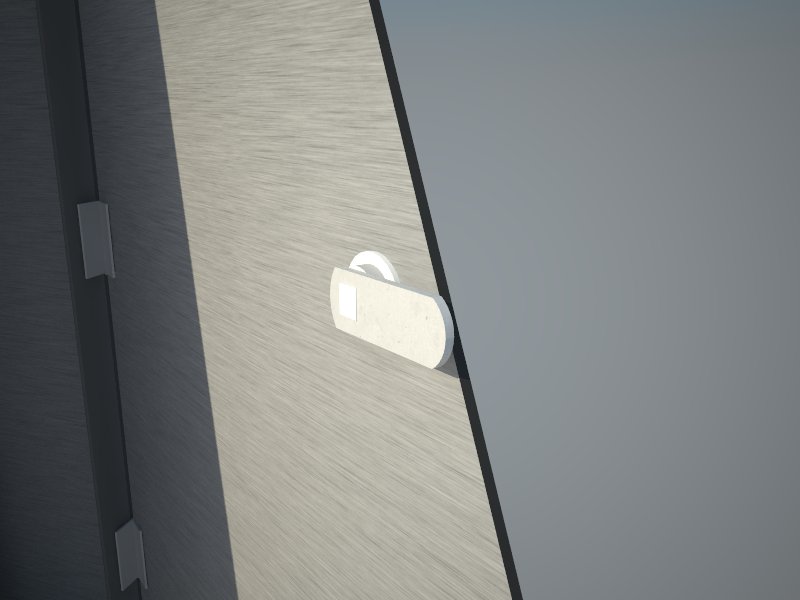
                    Test1.jpg

                    Which version of VRay do you use ?

                    SU2019 pro 19.3.253 + VRay 4.00.02 (Next) on Win10-64Bits

                    1 Reply Last reply Reply Quote 0
                    • jiminy-billy-bobJ Offline
                      jiminy-billy-bob
                      last edited by

                      You have a displacement map in your material. Uncheck it in the material options, not in the general options.

                      25% off Skatter for SketchUcation Premium Members

                      1 Reply Last reply Reply Quote 0
                      • tibetT Offline
                        tibet
                        last edited by

                        yes, you´re 100% right.

                        displacement was checked by default, not by me...

                        I swear I didn't do it!

                        http://img.sceper.eu/images/hH3sI.jpg

                        SU 2015 Pro on Win10 x64

                        1 Reply Last reply Reply Quote 0
                        • tibetT Offline
                          tibet
                          last edited by

                          hi chon,

                          i´t s great, at the end i´ve found it!

                          man, i´m glad that was a trivial problem 😍

                          thank you all you guys !

                          http://img.sceper.eu/images/SkvJI.jpg

                          SU 2015 Pro on Win10 x64

                          1 Reply Last reply Reply Quote 0
                          • 1 / 1
                          • First post
                            Last post
                          Buy SketchPlus
                          Buy SUbD
                          Buy WrapR
                          Buy eBook
                          Buy Modelur
                          Buy Vertex Tools
                          Buy SketchCuisine
                          Buy FormFonts

                          Advertisement