sketchucation logo sketchucation
    • 登入
    Oops, your profile's looking a bit empty! To help us tailor your experience, please fill in key details like your SketchUp version, skill level, operating system, and more. Update and save your info on your profile page today!
    🔌 Smart Spline | Fluid way to handle splines for furniture design and complex structures. Download

    [Plugin] 3D Text Editor

    已排程 已置頂 已鎖定 已移動 Plugins
    202 貼文 50 Posters 180.8k 瀏覽 49 Watching
    正在載入更多貼文
    • 從舊到新
    • 從新到舊
    • 最多點贊
    回覆
    • 在新貼文中回覆
    登入後回覆
    此主題已被刪除。只有擁有主題管理權限的使用者可以查看。
    • TIGT 離線
      TIG Moderator
      最後由 編輯

      Works fine for me up to the latest SketchUp version...

      What's the version of its RBZ - 1.3.0 is the newest...
      If you have the Ruby Console open when you start the tool are there any error messages ?
      Have you got the latest TT Lib installed ?
      Have you cleared the Internet Explorer cache ?? It might be corrupted and affecting the dialog...

      TIG

      1 條回覆 最後回覆 回覆 引用 0
      • C 離線
        critz1184
        最後由 編輯

        @onidarbe said:

        For some reason it only shows a red cross where you click until selecting an other tool.

        So the pop-up to enter or edit the 3D text doesn't show up anymore in Sketchup 2019 😞

        '
        I am experiencing the same issue in Sketchup 2021. Even uninstalled/reinstalled it and TTlib2. It used to work but no longer does, no 3d text window appears, just some "align to face" dialogue that does nothing after clicking. After that I just get a red X on the screen.

        https://i.imgur.com/LveeLeq.png

        1 條回覆 最後回覆 回覆 引用 0
        • Dave RD 離線
          Dave R
          最後由 編輯

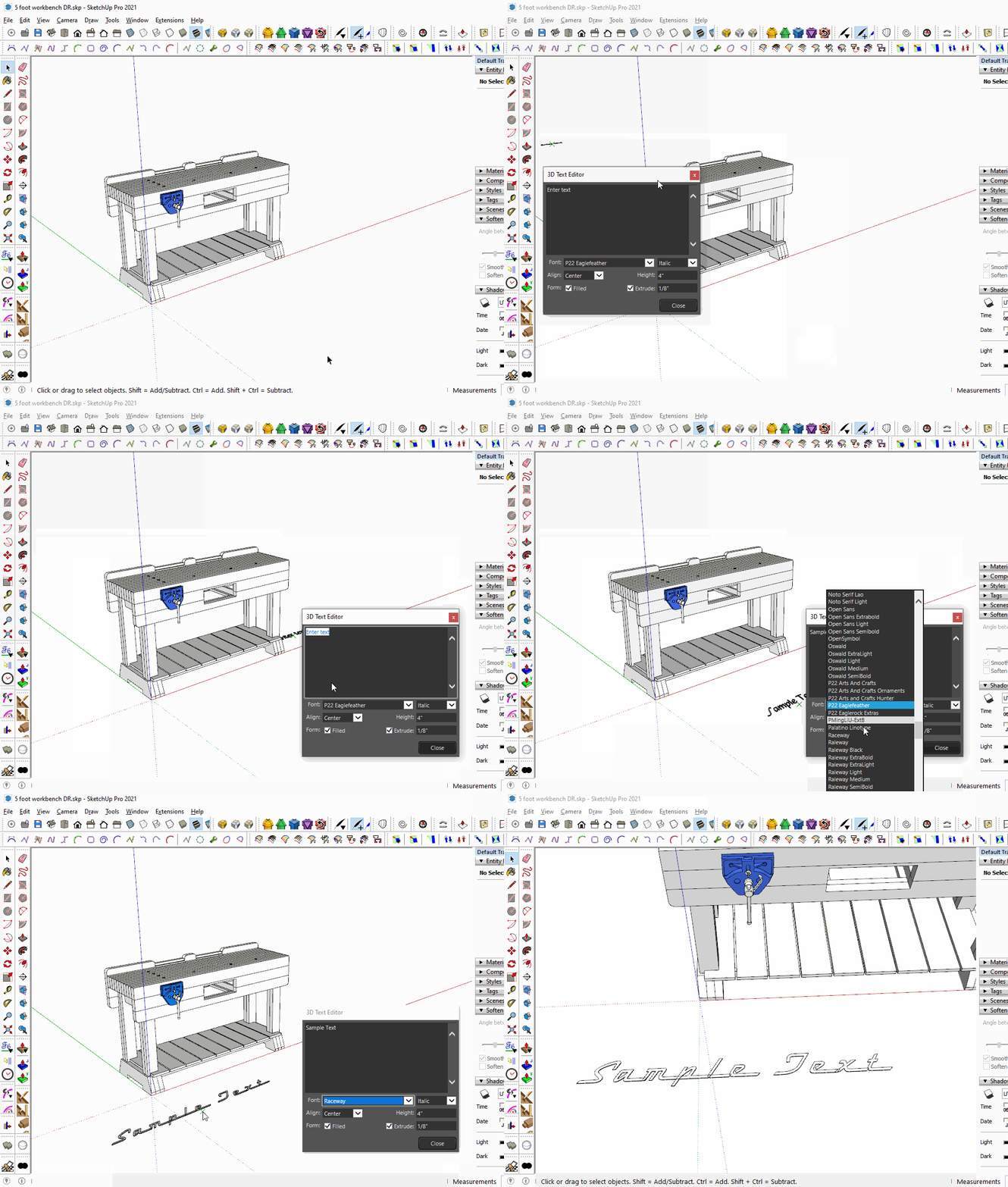
          This is what I see in SketchUp 2021.
          Click on the picture

          Make sure you installed SketchUp correctly which involves right clicking on the downloaded installer and choosing Run as administrator from the context menu.

          By the way, perhaps you could update your profile. Currently it says you are using SketchUp 2019 Free/Make which would be impossible anyway.

          Etaoin Shrdlu

          %

          (THERE'S NO PLACE LIKE)

          G28 X0.0 Y0.0 Z0.0

          M30

          %

          1 條回覆 最後回覆 回覆 引用 0
          • atelierpaarA 離線
            atelierpaar
            最後由 編輯

            Hello and good morning,
            after installing SU 2025 3D its not possible to edit 3 D text - any clue how to fix this ??
            Tanks for your help/advice
            Uli

            TIGT Dave RD 2 條回覆 最後回覆 回覆 引用 0
            • TIGT 離線
              TIG Moderator @atelierpaar
              最後由 編輯

              @atelierpaar

              Basic 3dText is not 'editable', you need an extension like this -
              https://sketchucation.com/pluginstore?pln=tt_texteditor

              TIG

              1 條回覆 最後回覆 回覆 引用 0
              • Dave RD 離線
                Dave R @atelierpaar
                最後由 編輯

                @atelierpaar it works fine in SketchUp 2025 for me. As TIG implies, the 3D text needs to have been created with this extension in order to be editable. Also make sure you have the current version of TT_Lib2 installed. It is required by this extension.

                This is done in SketchUp 2025.

                Editable Text.mp4

                Etaoin Shrdlu

                %

                (THERE'S NO PLACE LIKE)

                G28 X0.0 Y0.0 Z0.0

                M30

                %

                1 條回覆 最後回覆 回覆 引用 0
                • TIGT 離線
                  TIG Moderator
                  最後由 編輯

                  I suspect you need to reinstall this extension [and perhaps some others?]
                  Extensions don't automatically 'port' over from an earlier version of SketchUp when you install a newer one -
                  although v2025 does have a new extension to let you do that -
                  but it's not 100% foolproof, and reinstalling them manually does let you do some tidying up and housekeeping, to keep your extensions 'lean-and-mean'...

                  TIG

                  1 條回覆 最後回覆 回覆 引用 0
                  • J 離線
                    jjtakestheworld
                    最後由 編輯

                    Hi, Can i add custom fonts to the list? I use a lot of specific brands fonts which are installed on my machine but i cannot see them in the drop down list?

                    TIGT 1 條回覆 最後回覆 回覆 引用 0
                    • TIGT 離線
                      TIG Moderator @jjtakestheworld
                      最後由 編輯

                      @jjtakestheworld
                      If the font is installed it should be listed.
                      However, I think that only ttf fonts show
                      otf fonts don't...

                      TIG

                      J 1 條回覆 最後回覆 回覆 引用 0
                      • J 離線
                        jjtakestheworld @TIG
                        最後由 編輯

                        @TIG Ah legend. I've just converted a OTF to TTF and it's found it. Thanks

                        1 條回覆 最後回覆 回覆 引用 0
                        • P 離線
                          puttea
                          最後由 puttea 編輯

                          I work with two monitors, SketchUp runs on the right screen. The editor always opens in the left screen. Is it possible to let it open on the right screen or let it remember the location where it was used the last time?

                          Dave RD 1 條回覆 最後回覆 回覆 引用 1
                          • Dave RD 離線
                            Dave R @puttea
                            最後由 編輯

                            @puttea what version of SketchUp? What operating system?

                            Etaoin Shrdlu

                            %

                            (THERE'S NO PLACE LIKE)

                            G28 X0.0 Y0.0 Z0.0

                            M30

                            %

                            1 條回覆 最後回覆 回覆 引用 0
                            • P 離線
                              puttea
                              最後由 編輯

                              @Dave R SketchUp 2025 Pro on Windows 11

                              1 條回覆 最後回覆 回覆 引用 1
                              • Dave RD 離線
                                Dave R
                                最後由 編輯

                                Close Sketchup. Go to user/AppData/Local/SketchUp/SketchUp 2025/SketchUp and open PrivatePreferences.json. Look for "ThreeDTextDlg". What are the "x" and "y" values? Edit those to move the dialog onto the correct screen. This is what it looks like on my computer.
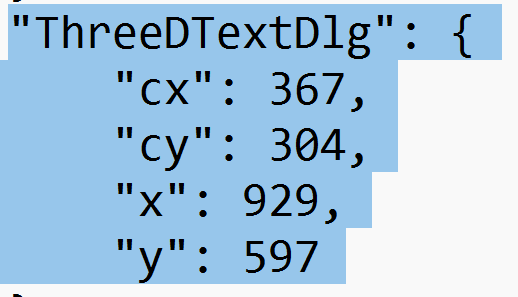
                                Screenshot - 9_18_2025 , 3_58_34 PM.png
                                And here's the dialog relative to the top left corner.
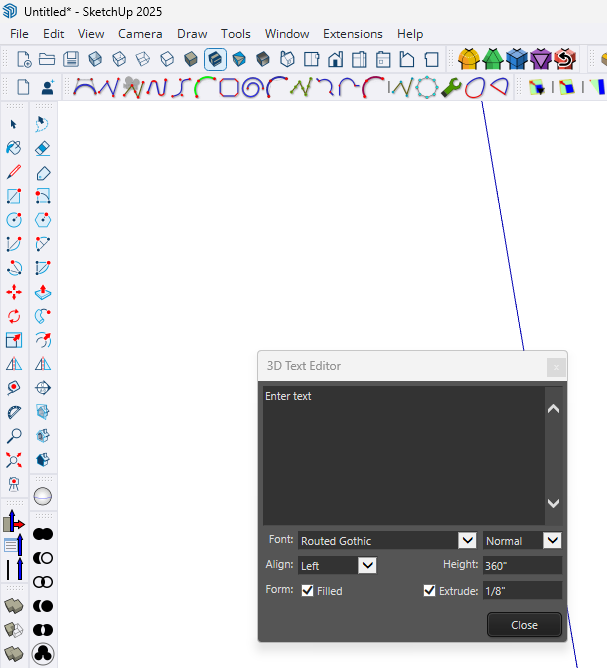
                                Screenshot - 9_18_2025 , 4_06_56 PM.png
                                Note that the user/AppData folder is normally hidden so you'll need to make hidden folders visible in File Explorer.

                                Did you install SketchUp 2025 correctly? That requires right clicking on the downloaded installer and selecting Run as administrator. If you didn't do that it's possible that Windows is preventing SketchUp from making suitable updates to PrivatePreferences.json. To ensure SketchUp is installed correctly, close SketchUp, find the installer in your Downloads folder, right click on it, choose Run as administrator, and when prompted, click Repair. No matter what, it won't hurt to do it.

                                Etaoin Shrdlu

                                %

                                (THERE'S NO PLACE LIKE)

                                G28 X0.0 Y0.0 Z0.0

                                M30

                                %

                                P 1 條回覆 最後回覆 回覆 引用 1
                                • P 離線
                                  puttea @Dave R
                                  最後由 編輯

                                  @Dave-R Thanks!

                                  1 條回覆 最後回覆 回覆 引用 0
                                  • 1
                                  • 2
                                  • 7
                                  • 8
                                  • 9
                                  • 10
                                  • 11
                                  • 11 / 11
                                  • 第一個貼文
                                    最後的貼文
                                  Buy SketchPlus
                                  Buy SUbD
                                  Buy WrapR
                                  Buy eBook
                                  Buy Modelur
                                  Buy Vertex Tools
                                  Buy SketchCuisine
                                  Buy FormFonts

                                  Advertisement