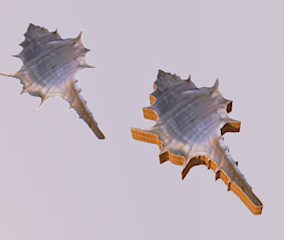
Photo texture with transparency push/pull able?
-
Very powerful plug indeed!

-
yes!
thats it! thx a lot!! -
-
yeah, pilou. that's normal.
the plugin doesn't convert each color of the png to its own individual texture..
the texture still remains as one so when you push/pull it, that's what happens. (with my example, I painted all the vertical surface the default material but it looked similar to yours at first) -
So Tig Must make a little addendum

-
NO.

What you do with the flat '2d' cutout after it's made is up to you...
You can Color any extruded surfaces as you will - but when extruded with PushPull it will take the top surface's material... BUT it has to assume something
-
@unknownuser said:
So Tig Must make a little addendum
imagine if the png was a photograph and the plugin converted all the colors to individual materials..
there would be hundreds if not thousands of new materials added to the model.
-
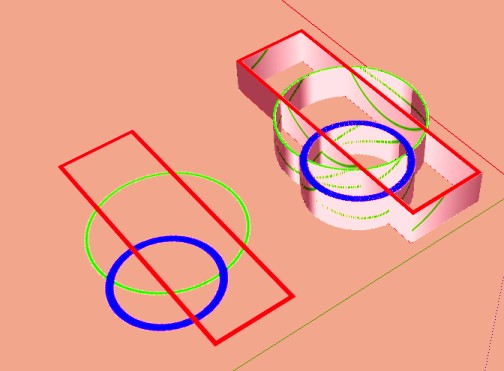
No just paint vertical faces with a solid color
-
Thomthom has a bitmap-to-faces tool that makes individual colored squares from an image's pixels... do a search...
-
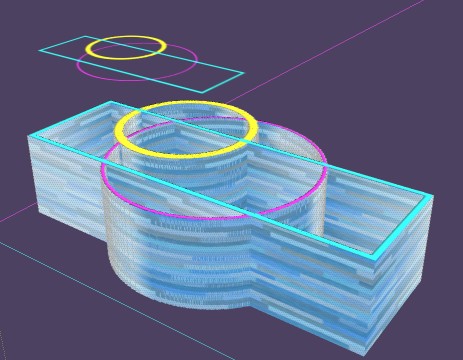
I can also in view front just make a box selection from right to left for take only vertical faces and colorize them in one click
And copy past the top faces to the bottom if i want the same colors
-
Easy and another time exploration is endless!




Hello! It looks like you're interested in this conversation, but you don't have an account yet.
Getting fed up of having to scroll through the same posts each visit? When you register for an account, you'll always come back to exactly where you were before, and choose to be notified of new replies (either via email, or push notification). You'll also be able to save bookmarks and upvote posts to show your appreciation to other community members.
With your input, this post could be even better 💗
Register Login


Advertisement