Auto make multiple group or component
-
Hi all,
I've got a couple hundred buildings floating above my terrain. I'd like to make each of these into their own group or component before dropping them down.
Does anyone know of a workflow or ruby that can do this one time? Like i'd select all the buildings at once and then it would make each individual building its own group or component? kinda like a batch process rather than selection each by itself and making it.
tia,
rob
-
Hi. This is the closest possibility to what I think you are asking. Check it out.
http://forums.sketchucation.com/viewtopic.php?t=31892#p281272
May I suggest that you save as and do this on a second file with a similar name?
-
Copy/Paste this code into a new plain-text file called say
TIG-selected_connected_into_components.rbin thePluginsfolder.require('sketchup.rb') module TIG def self.selected_connected_into_components() model=Sketchup.active_model ents=model.active_entities ss=model.selection faces=[] ss.each{|e| if e.class==Sketchup;;Face faces << e faces << e.edges end } faces.flatten! faces.uniq! cons=[] faces.dup.each{|e| next unless e.valid? and e.class==Sketchup;;Face and faces.include?(e) con=e.all_connected con.each{|c|faces.delete(c)} cons << con } model.start_operation("TIG.selected_connected_into_components") cons.each{|con| grp=ents.add_group(con) ins=grp.to_component defn=ins.definition defn.invalidate_bounds defn.name="Component#1" ### will increment } model.commit_operation end end ### Usage; Select what faces are to become components ### TIG.selected_connected_into_components in the Ruby ConsoleIts usage is explained at the end of the code...
You select the appropriate geometry [faces], run the tool by typing/pasting its command -TIG.selected_connected_into_components- into the Ruby Console... all "connected geometry" is made into separate components, named Component#1, Component#2 etc...
[mod=:3qy3sl05]To be v2014 compatible encode the file as UTF8-without-BOM [Notepad++.exe encoding>convert option][/mod:3qy3sl05] -
Nice! thank you!
-
TIG I just tried to use this ruby script but couldn't get it to work and brings up an error when loading sketchup, could you please help?Got it sorry!
missed the "TIG-" off the start of the file name and also was saving in rich text format by accident (fresh OS X installed changed defaults) -
Hi, I can't make it to work, not sure what I am doing wrong...!
Could somebody provide the .rb file to paste in the plug-in folder?
...and perhaps a plainer step-by-step guide.Thanks
-
Have you actually read the earlier post ?? http://sketchucation.com/forums/viewtopic.php?p=379876#p379876
Copy the suggested text and paste it into a new .rb file, and put it into the appropriate SketchUp Plugins folder.
If you have Windows use Notepad++.exe and encode it as 'UTF8-without-BOM' - a MAC should encode the .rb OK - you haven't bothered to give us any useful info in your SCF user-profile, so we are somewhat hampered by your decision...If you have specific questions, like, "Where is my Plugins folder?", or you don't understand security permission for such folders proir to v2014, then please ask clear questions...
We ARE here to help, but we can't read minds..........You need to restart SketchUp and type into the Ruby Console to run this script......
-
Hey Guys
 I tried the code and made the simple txt file into an .rb and created a plugin folder in which it read the rb fine when I went into the ruby console and typed the command. All the selected components were created but when I make components on my own, the axis is offset. I noticed this when I made a cultist and the thickness was all over the place. So basically, this particular ruby has some defaulted off-axis setting for components. When I create my own components from solids to rename manually (since I don't want to use "component #1, ...) as my cultist names, it still is offset and the component boundary is larger than the actual edges of the solid instead of reading the actual volume corners and faces properly.
When I went into the library support (using an iMac with Mavericks), and deleted the .rb file, the components read the axis' correctly when I closed sketch up and then reloaded the file.
Just wanted to share my experience with it so far. It creates components great! Just every other "new" manual component is off axis and seems to have to be set manually. Solids with angles, like 45s in the corners etc do not work well with resetting axis' manually when this script is in the plugins.
Sometime I would like to be able to use this plugin idea and auto create the component description as the text information that is attached to it! That would be amazing!
I will help you diagnose this if you like and be a test dummy if you want
I hope that is enough information to help and appreciate the help if you can
-
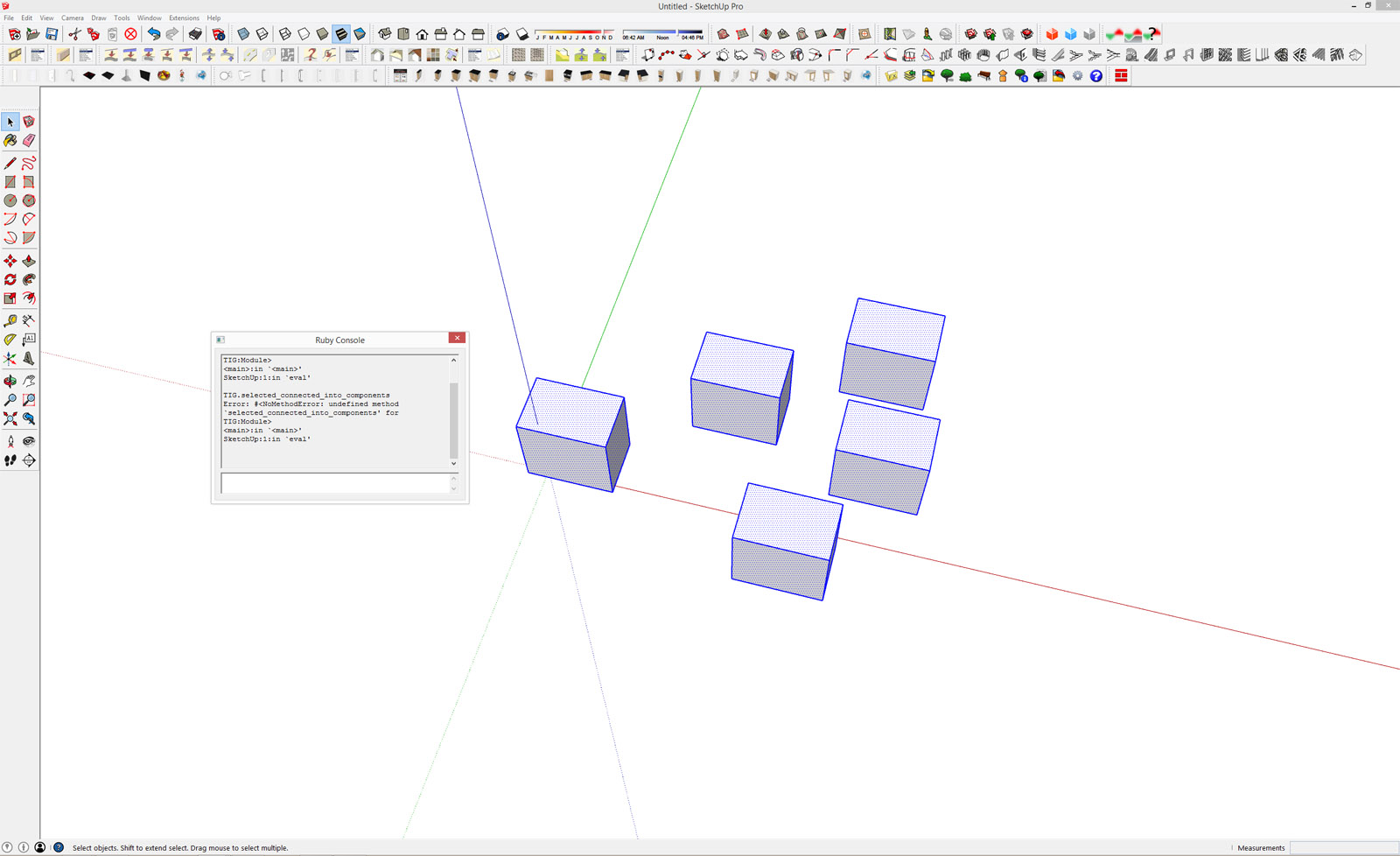
I've just tried this on SketchUp 2015 and I get the attached error. Does it work on 2015?
If it's not 2015 compatibility at issue then it could be encoding. I created the file in Notepad, which I've also attached. I chose UTF8 encoding however I couldn't see an option for "without-BOM [Notepad++.exe encoding>convert option]". I'm not familiar with coding so I don't really know what this is.
Tig, Ideally it would be good to have this as a standard plugin which could be autoinstalled.
-
Use Notepad++ to convert the file's encoding to
UTF-8_without_BOMand save it.
It IS a standard encoding format in the list.
That is the encoding format required in > v2013, it also works in earlier versions.Attached is the converted .rb, BUT please check how to do it yourself...TIG-selected_connected_into_components.rb
To make it easily installable simply ZIP the RB fie, then rename the file-type suffix from .zip to .rbz...
Again I have attached one, BUT once again, please check how to do it yourself...TIG-selected_connected_into_components.rbz -
Thanks TIG that's great. The problem was that I was using Microsoft Notepad and not Notepad++ which I had to download.
Regarding the installable file, does it create a menu item anywhere? I can't see any. It would be good if you could select the geometry, then either right click or click a menu item under Extensions which would make the multiple components, rather than having to paste into the Ruby console each time. It's no big deal however as the fact that I can do it all is a massive time saver, so thanks again for creating it.
-
If you read the usage it runs from the Ruby Console with
TIG.selected_connected_into_components
It's easy enough to add a menu item...
Edit the file using Notepad++ and at near start findmodule TIG
Immediately after it, insert these new lines.unless file_loaded?(__FILE__) UI.menu("Plugins").add_item("TIG.selected_connected_into_components"){self.selected_connected_into_components()} file_loaded(__FILE__) endSave it and restart SketchUp to reload...
-
Excellent, thanks again TIG.
-
thank you TIG.. but in my case i want to group every face in the model.
for example: i have 63 face in a sofa model. i want 63 seperate group/component in one click.
for your ruby script, it only make component touching all faces.
how can i achieve that?
-
Copy+Paste the one-liner below into a Notepad++ file.
The reason for that is so you can edit the start partn="???", this sets the name of each group Face#1, Face#2 etc... If you are processing several parts it might be useful to have differing names ? They list in the Outliner in alphanumerical order.Select what you want to separate into groups - only faces are processed so no need to be too careful, just ensure the faces you want to group are included.
Copy all of the text.
Open the Ruby Console.
Paste the text.
Press <enter>.Now all selected faces are made into separate groups.
It is one step undo-able...n="Face";m=Sketchup.active_model;s=m.selection;fs=s.grep(Sketchup;;Face);s.clear;a=m.active_entities;m.start_operation("~",true);fs.each_with_index{|f,i|g=a.add_group(f);g.name="#{n}##{i+1}"};m.commit_operation -
it works perfectly!! thank you so much! you save my day
-
great thanks!!!
-
Great plugin!
Saved my time for hundreds of separated objects to group/component!
Thanks! -
Took me a few goes to get it running but got there! This is just what I needed. Huge thanks, Tig.
-
this is such a great time saver for tricky situations. thanks!
Has this ever been officially made into a plugin for the masses?
thanks,
bob







Advertisement