sketchucation logo sketchucation
    • Login
    Oops, your profile's looking a bit empty! To help us tailor your experience, please fill in key details like your SketchUp version, skill level, operating system, and more. Update and save your info on your profile page today!
    Mac User? | Join the Rayscaper Beta for Mac Learn More

    Making tyres in SU

    Scheduled Pinned Locked Moved Newbie Forum
    sketchup
    65 Posts 11 Posters 7.9k Views 11 Watching
    Loading More Posts
    • Oldest to Newest
    • Newest to Oldest
    • Most Votes
    Reply
    • Reply as topic
    Log in to reply
    This topic has been deleted. Only users with topic management privileges can see it.
    • GaieusG
      Gaieus
      last edited by

      @lecra said:

      I'm there now. The problem that I see now is the rounded shoulder of the tire. Is there a way to make this edge after have textured them a bit rounder?

      I can't really see where the problem exactly is. Can you attach the wheel (model) itself, too?

      Gai...

      1 Reply Last reply
      Reply Quote 0
      • L
        lecra
        last edited by

        Gaieus,

        @gaieus said:

        @lecra said:

        I'm there now. The problem that I see now is the rounded shoulder of the tire. Is there a way to make this edge after have textured them a bit rounder?

        I can't really see where the problem exactly is. Can you attach the wheel (model) itself, too?

        Look at the edges of the tire. I don't know how to round the the edge so that the tire looks realistic and not in the shape of a square (at the end of the texture on the right and left side)!

        Below the attached file:
        LecraTyre_2.skp

        Many thanks for your help Gaieus. Much appreciated.

        KR; Lecra

        I'm new to SU but so thirstily to learn all the stuff. Help me fighting against my thirst

        1 Reply Last reply
        Reply Quote 0
        • GaieusG
          Gaieus
          last edited by

          Something like this?


          LecraTyre_2.skp

          Gai...

          1 Reply Last reply
          Reply Quote 0
          • gillesG
            gilles
            last edited by

            Have a look at this if it can help.
            step by step.


            LecraTyre.skp

            " c'est curieux chez les marins ce besoin de faire des phrases "

            1 Reply Last reply
            Reply Quote 0
            • L
              lecra
              last edited by

              Gaieus,

              @gaieus said:

              Something like this?

              Exactly that! Tell me!

              KR; Lecra

              I'm new to SU but so thirstily to learn all the stuff. Help me fighting against my thirst

              1 Reply Last reply
              Reply Quote 0
              • GaieusG
                Gaieus
                last edited by

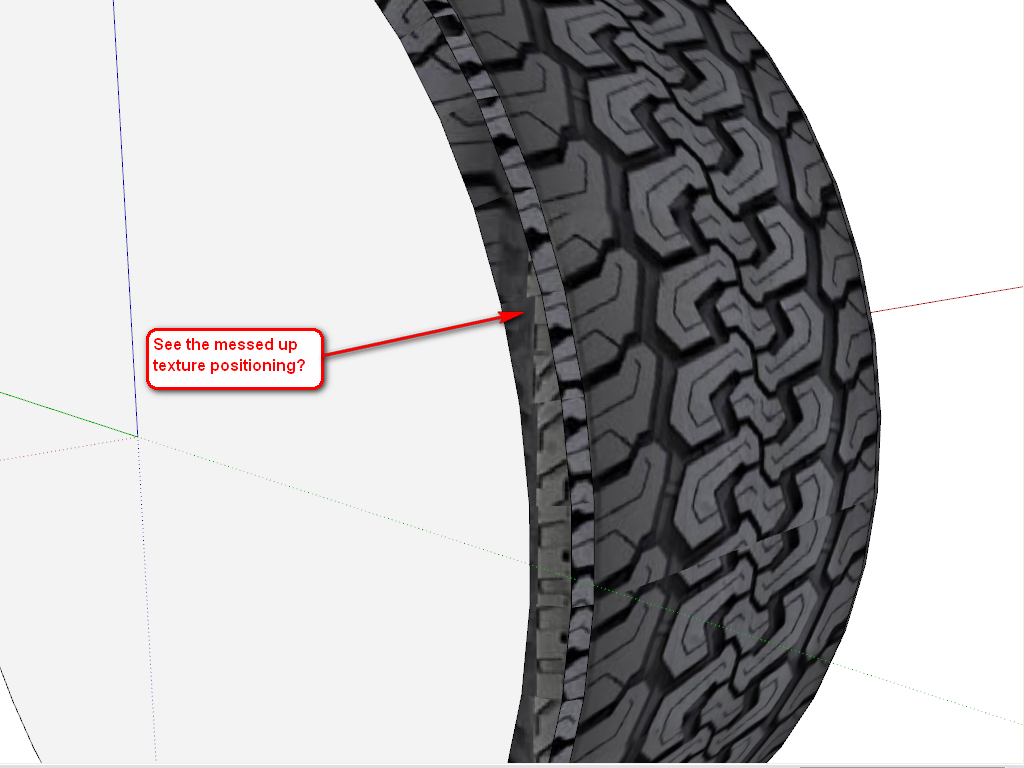
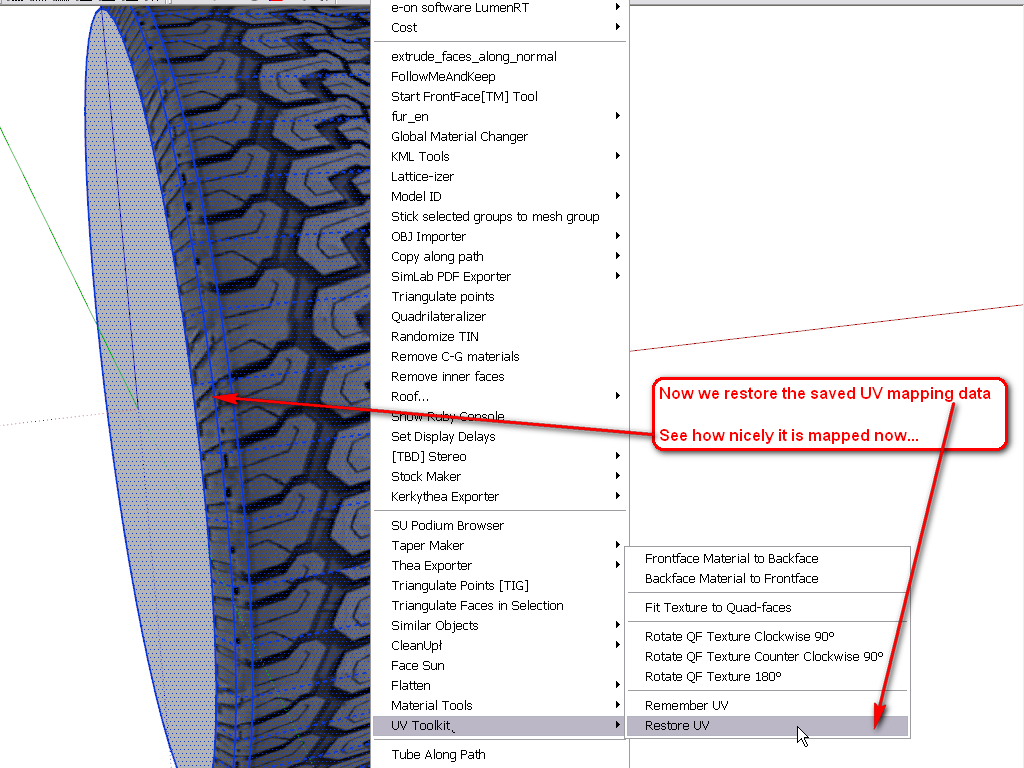
                Well, here are some steps (it could have been done differently, too - but this was the easiest from an already existing shape you made). The plugin I used can be downloaded here (note that some additional plugin is also needed and read the instructions carefully).

                This is the weakest part of SketchUp and if you want to nicely position some texture on a more complex, curved shape than a simple cylinder, you really need plugins.
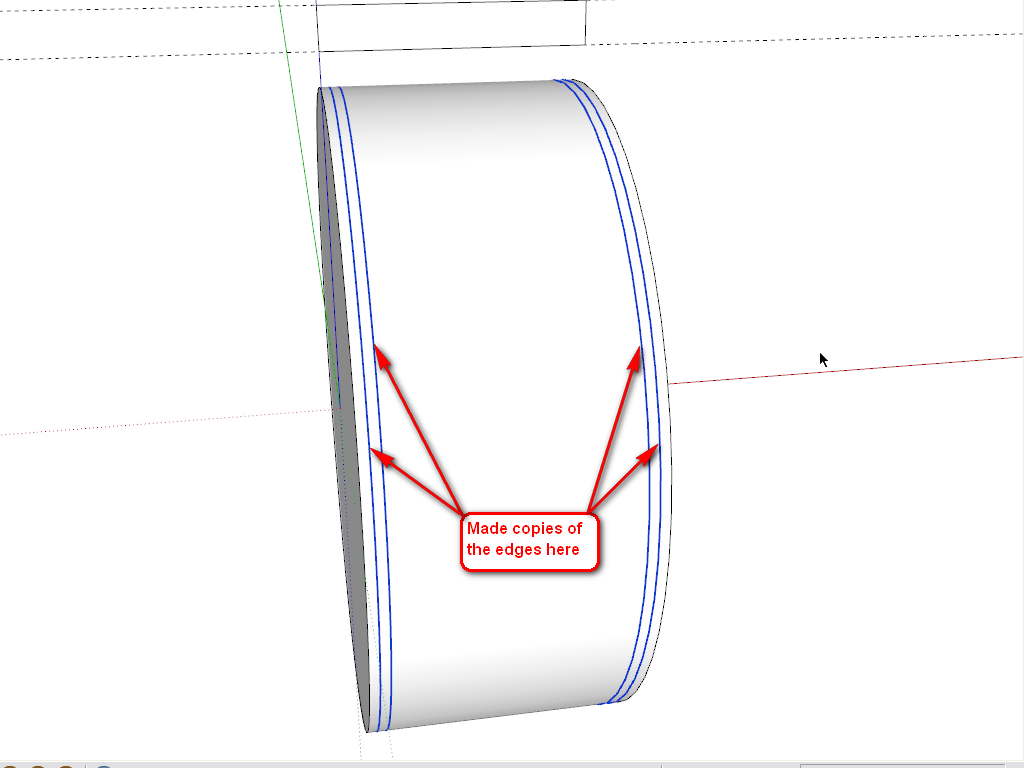
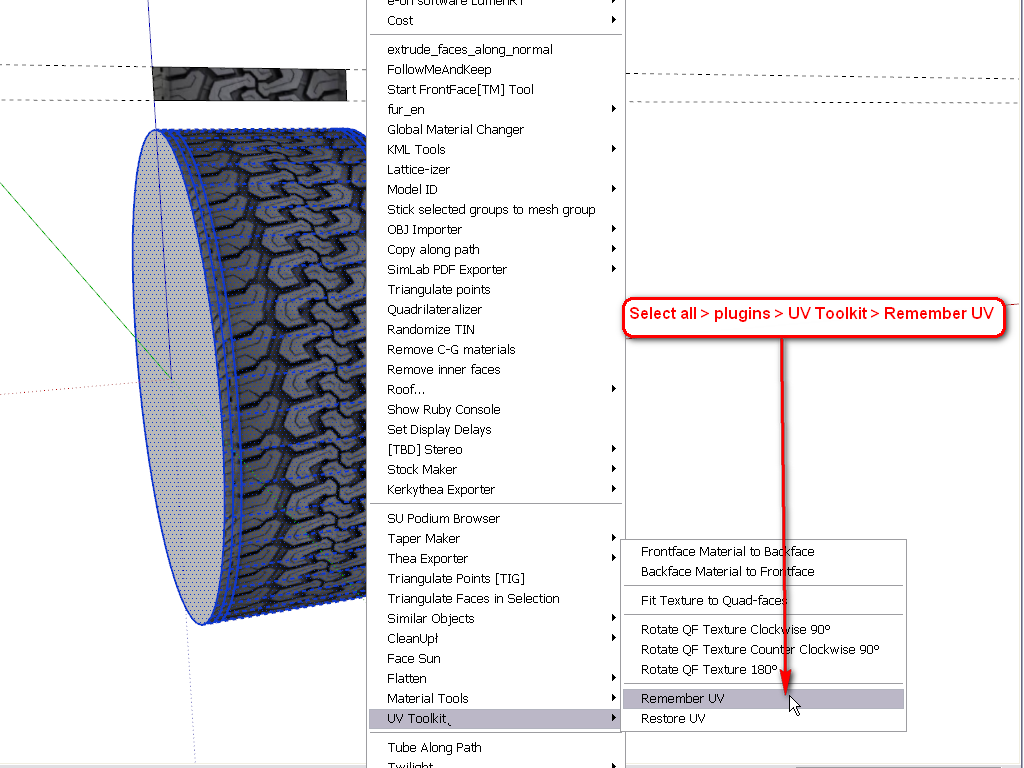
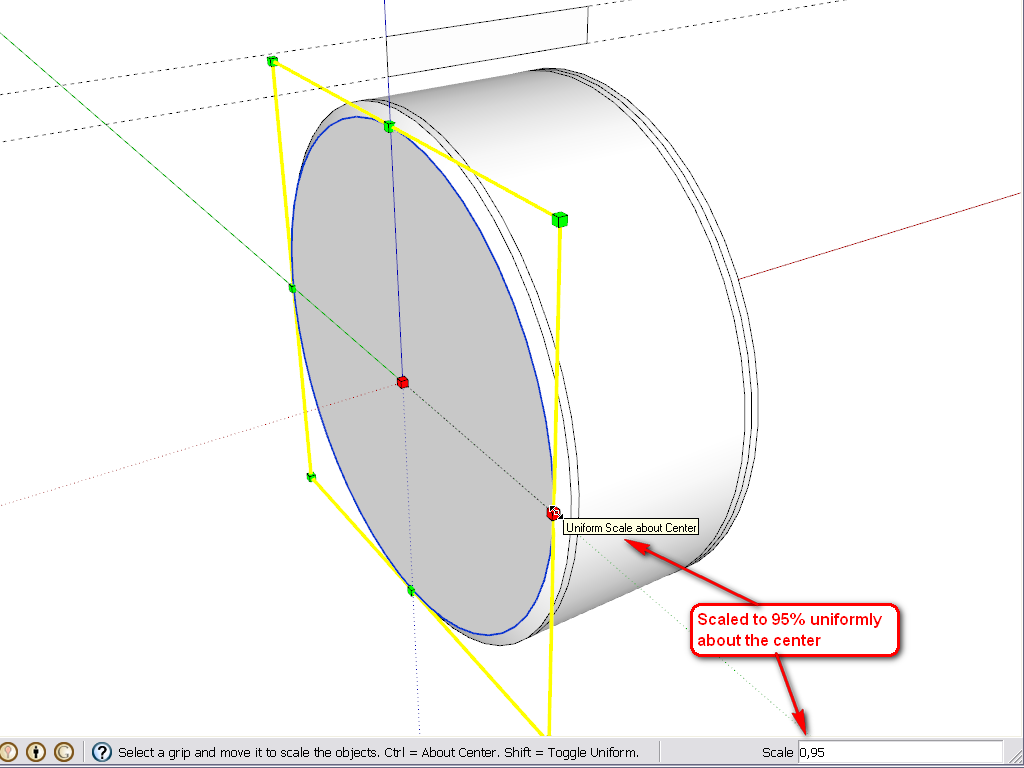
                1.png


                2.png


                3.png


                4.png


                5.png


                6.png

                Gai...

                1 Reply Last reply
                Reply Quote 0
                • L
                  lecra
                  last edited by

                  Gaieus,

                  @gaieus said:

                  Well, here are some steps (it could have been done differently, too - but this was the easiest from an already existing shape you made). The plugin I used can be downloaded here (note that some additional plugin is also needed and read the instructions carefully).

                  This is the weakest part of SketchUp and if you want to nicely position some texture on a more complex, curved shape than a simple cylinder, you really need plugins.
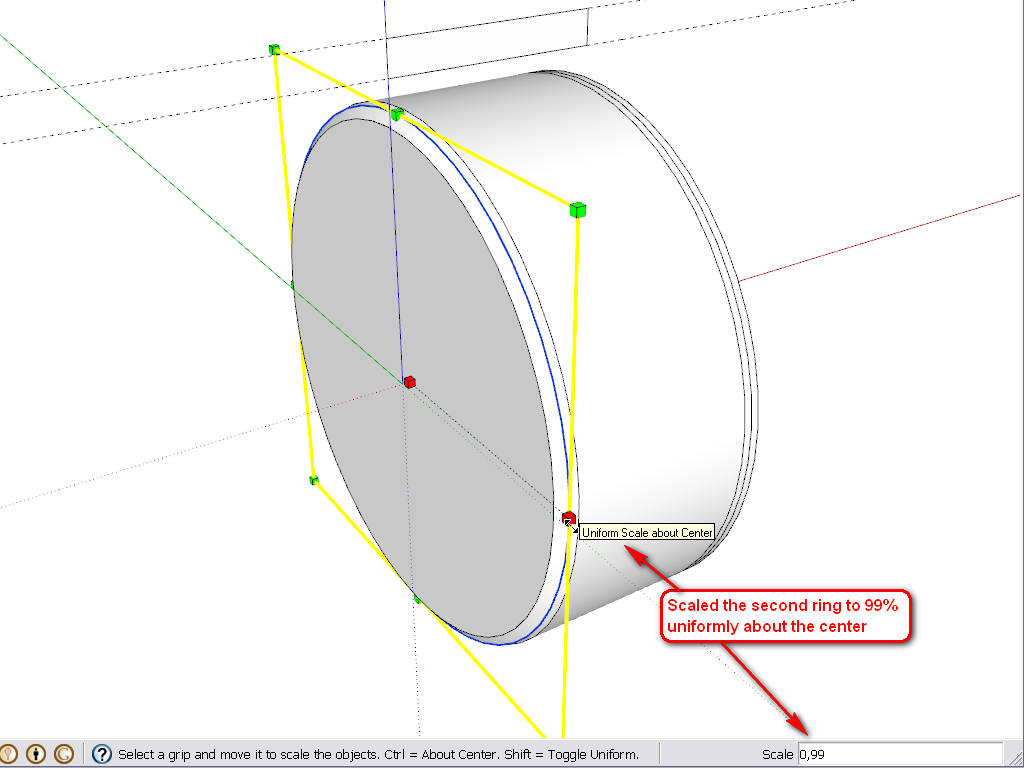
                  Damn! I expected there was a plugin in the game! 😮 But I had to sweat some liter, what?

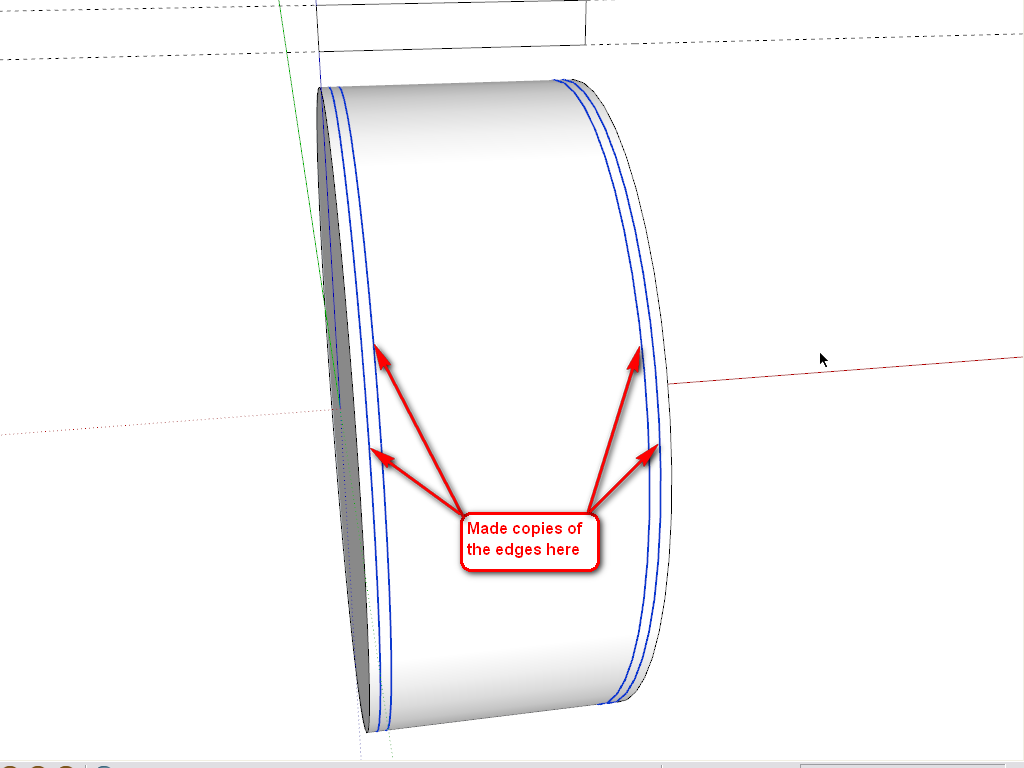
                  In order to draw the 4 edges you have drawn, do I need another plugin?
                  1.png

                  Many thanks for the hints until now Gaieus!

                  KR; Lecra

                  I'm new to SU but so thirstily to learn all the stuff. Help me fighting against my thirst

                  1 Reply Last reply
                  Reply Quote 0
                  • L
                    lecra
                    last edited by

                    Gaieus,

                    @gaieus said:

                    In order to draw the 4 edges you have drawn, do I need another plugin?
                    [attachment=0:1e0zy92x]<!-- ia0 -->1.png<!-- ia0 -->[/attachment:1e0zy92x]

                    Many thanks for the hints until now Gaieus!

                    Ups. I think I got it. Select the edge and choose the move tool, hit ctrl copy and move the edge. Right?

                    KR; Lecra

                    I'm new to SU but so thirstily to learn all the stuff. Help me fighting against my thirst

                    1 Reply Last reply
                    Reply Quote 0
                    • L
                      lecra
                      last edited by

                      Gilles,

                      @gilles said:

                      Have a look at this if it can help.
                      step by step.

                      Merci beaucoup! It's also a way but I have issue with the other side. The right side is not parallel to the left one. Maybe due to the texture.

                      KR; Lecra

                      I'm new to SU but so thirstily to learn all the stuff. Help me fighting against my thirst

                      1 Reply Last reply
                      Reply Quote 0
                      • GaieusG
                        Gaieus
                        last edited by

                        @lecra said:

                        Ups. I think I got it. Select the edge and choose the move tool, hit ctrl copy and move the edge. Right?

                        Exactly.

                        @lecra said:

                        Damn! I expected there was a plugin in the game! But I had to sweat some liter, what?

                        Well, one really has to learn the basic tools first. In 90% of the cases, the simplest SU tools are enough - and even faster than tinkering with plugins.

                        You could have started with this plugin (to simply map your tyre cylindrically):
                        http://forums.sketchucation.com/viewtopic.php?t=10404
                        or unwrap and texture nicely with this one:
                        http://forums.sketchucation.com/viewtopic.php?t=39442
                        or here is a very complex one that can do so many other things, too:
                        http://forums.sketchucation.com/viewtopic.php?t=36051
                        (there is a free version...)

                        Gai...

                        1 Reply Last reply
                        Reply Quote 0
                        • L
                          lecra
                          last edited by

                          @Gaieus,

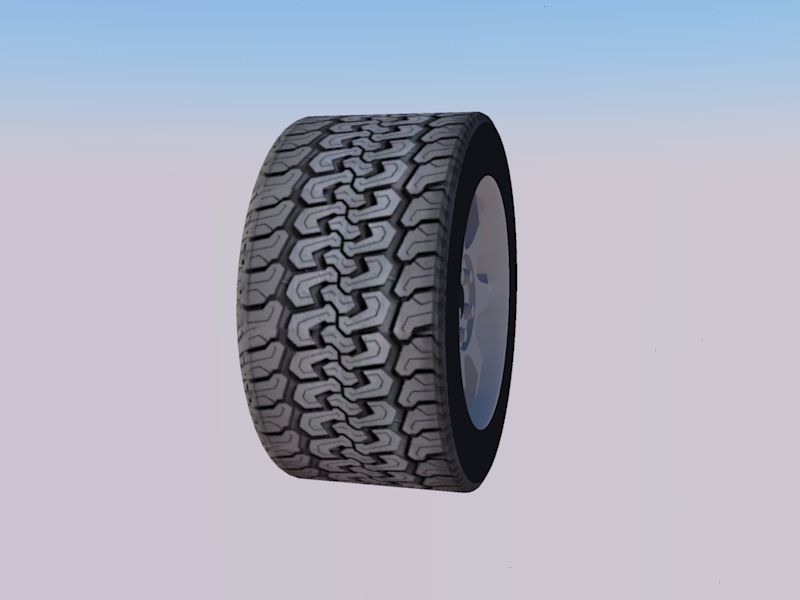
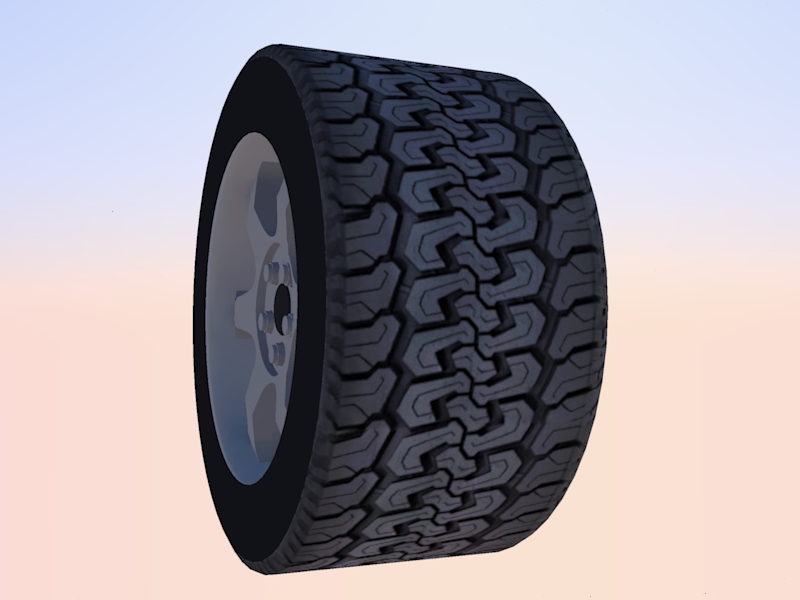
                          Many thanks for your support and tutorial. It works like a charme....

                          Below you can see the results. I'm no looking for tire treads images for agricultural (farm) vehicles.
                          LecraTire _1.jpg

                          LecraTire _2.jpg

                          Thanks again. Great help.

                          KR; Lecra

                          I'm new to SU but so thirstily to learn all the stuff. Help me fighting against my thirst

                          1 Reply Last reply
                          Reply Quote 0
                          • D
                            driven
                            last edited by

                            Looks good, how big/small is your skp now?
                            john

                            learn from the mistakes of others, you may not live long enough to make them all yourself...

                            1 Reply Last reply
                            Reply Quote 0
                            • L
                              lecra
                              last edited by

                              Hi driven,

                              @driven said:

                              Looks good, how big/small is your skp now?
                              john

                              Exactly 504 Kb small/big 😄

                              KR; Lecra

                              I'm new to SU but so thirstily to learn all the stuff. Help me fighting against my thirst

                              1 Reply Last reply
                              Reply Quote 0
                              • GaieusG
                                Gaieus
                                last edited by

                                Good. What are you rendering it with? It looks like Kerkythea. IMO a little (bit more enhanced?) bumpiness would add to it. Of course, eventually there needs to be some environment or a render to look good (even for the reflections as there needs to be something reflected of course)

                                Gai...

                                1 Reply Last reply
                                Reply Quote 0
                                • GaieusG
                                  Gaieus
                                  last edited by

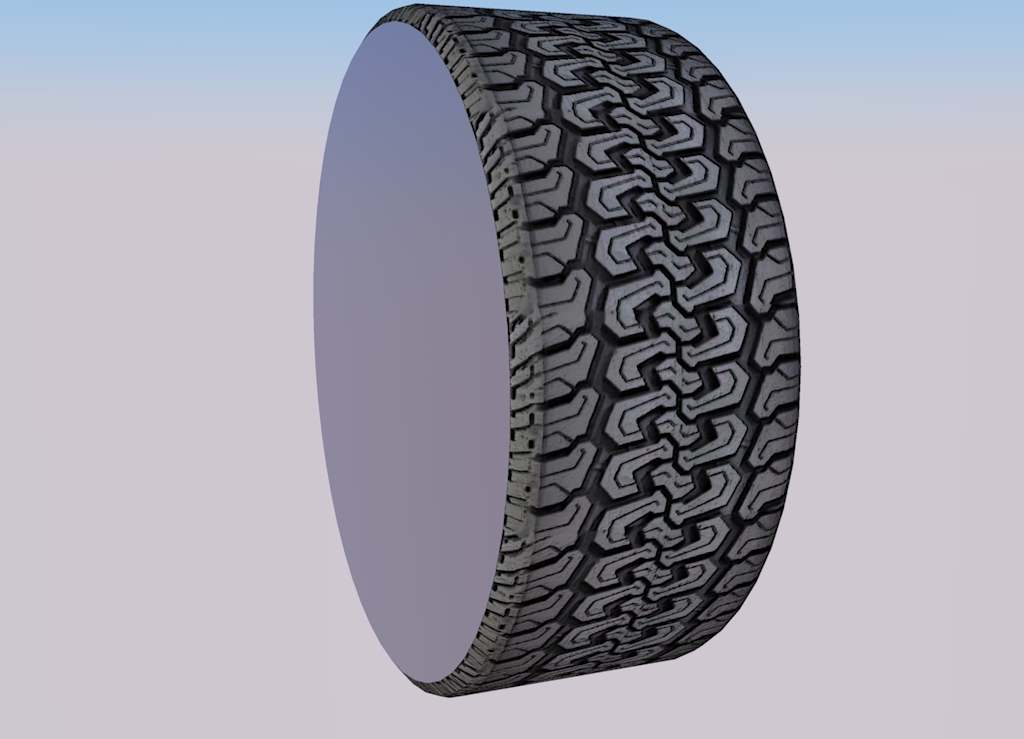
                                  Good. What are you rendering it with? It looks like Kerkythea. IMO a little (bit more enhanced?) bumpiness would add to it. Of course, eventually there needs to be some environment for a render to look good (even for the reflections as there needs to be something reflected...)

                                  tyre.jpg

                                  Gai...

                                  1 Reply Last reply
                                  Reply Quote 0
                                  • simon le bonS
                                    simon le bon
                                    last edited by

                                    Hi,
                                    Definitely a useful thread with great tips and tricks 👍 😉

                                    @gaieus said:

                                    Good. What are you rendering it with? It looks like Kerkythea. IMO a little (bit more enhanced?) bumpiness would add to it. Of course, eventually there needs to be some environment for a render to look good (even for the reflections as there needs to be something reflected...)

                                    my quote:
                                    This tutorial Making Bump Maps in SKP from CanonFodder000 on Deviant Art

                                    http://fc08.deviantart.net/fs71/f/2010/248/e/9/making_bump_maps_in_skp_by_canonfodder000-d2y3poi.png

                                    simon

                                    1 Reply Last reply
                                    Reply Quote 0
                                    • L
                                      lecra
                                      last edited by

                                      Gaieus,

                                      @gaieus said:

                                      Good. What are you rendering it with? It looks like Kerkythea.

                                      Nope, Twilight. I have to admit, I was just rendering this image with the default settings. I have absolute no experience with rendering. I try to follow your suggestion learning first dominating SU and then to enter in the big world of rendering. I have to admit, that waiting would make me nervous but in my old age I have to be patient as I cannot learn so fast anymore! 🤣

                                      KR; Lecra

                                      I'm new to SU but so thirstily to learn all the stuff. Help me fighting against my thirst

                                      1 Reply Last reply
                                      Reply Quote 0
                                      • L
                                        lecra
                                        last edited by

                                        Gaieus,

                                        Unfortunately I encountered another challenge with my tires! This kind of tires is slightly curved on his tread as well as the sidewall. This means a lot more of hidden geometry 😳
                                        In order to understand how I did this tire: I draw the profile with the arc tool and lines, then revolved with the follow-me tool.
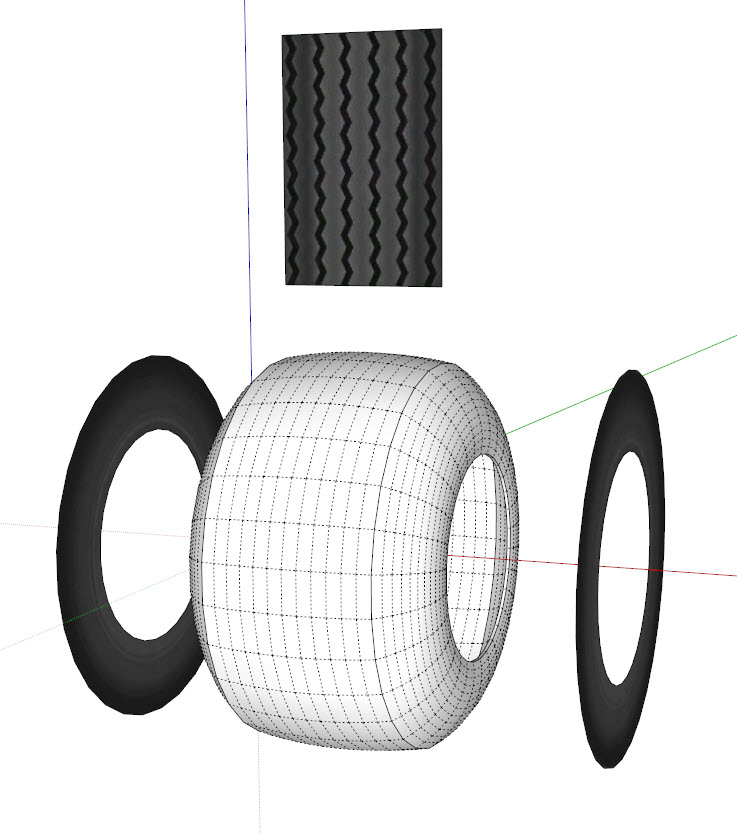
                                        FlotationTire.jpg

                                        I really don't know how to apply the tread texture as well as the sidewall texture to the tire. I suppose that you will again 'do party pieces' taking out one of those wonderful plug-ins 😆
                                        Attached my SU file:

                                        FlotationTire.skp

                                        Any suggestions how to overcome my problem?

                                        Many thanks in advance for your great support.

                                        KR; Lecra

                                        I'm new to SU but so thirstily to learn all the stuff. Help me fighting against my thirst

                                        1 Reply Last reply
                                        Reply Quote 0
                                        • Alan FraserA
                                          Alan Fraser
                                          last edited by

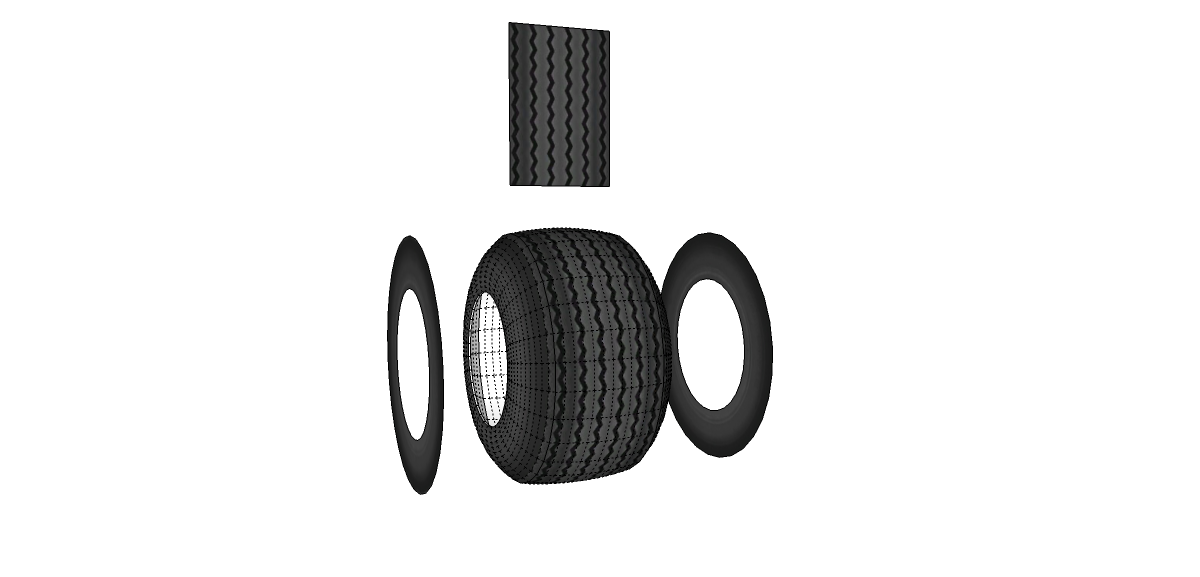
                                          Unfortunately, you can't use the method I described for mapping onto a rounded face like that. It will only work on a flat cylindrical face. Even in my example, the shoulders of the tread are not correctly mapped, because they are sloping. Fortunately, they are fairly thin, so you don't really notice. If you round the whole face of the tread, the whole system goes out the window.

                                          You'd need to use some other more sophisticated mapping software, like Ultimate Unwrap 3D, or perhaps try Thomthom's Quadface Tools plugin.

                                          3D Figures
                                          Were you required to walk 500 miles? Were you advised to walk 500 more?
                                          You could be entitled to compensation. Call the Pro Claimers now!

                                          1 Reply Last reply
                                          Reply Quote 0
                                          • soloS
                                            solo
                                            last edited by

                                            I did it in sections, used rotate copy.

                                            FlotationTire.png


                                            FlotationTire.skp

                                            http://www.solos-art.com

                                            If you see a toilet in your dreams do not use it.

                                            1 Reply Last reply
                                            Reply Quote 0

                                            Hello! It looks like you're interested in this conversation, but you don't have an account yet.

                                            Getting fed up of having to scroll through the same posts each visit? When you register for an account, you'll always come back to exactly where you were before, and choose to be notified of new replies (either via email, or push notification). You'll also be able to save bookmarks and upvote posts to show your appreciation to other community members.

                                            With your input, this post could be even better 💗

                                            Register Login
                                            • 1
                                            • 2
                                            • 3
                                            • 4
                                            • 4 / 4
                                            • First post
                                              Last post
                                            Buy SketchPlus
                                            Buy SUbD
                                            Buy WrapR
                                            Buy eBook
                                            Buy Modelur
                                            Buy Vertex Tools
                                            Buy SketchCuisine
                                            Buy FormFonts

                                            Advertisement