[Plugin] Simple Plugin Installer
-
sorry mate.
I am Portuguese. can you tell me were i can find ruby console+ in the preference tab.
I have SU 8pro installed and it is not there.
How can i install cleanup3 plugin?
teach me please.
-
The Ruby Console is under the Window menu.
-
WOW!
I just installed your installer and I can now load all the .rb scripts that I couldn't before. I'm new to Sketchup and the ruby script thing was crazy - can't load .rb files - now I can.Wonderful, thanks so much!
Gary
-
Thanks for this great plugin!! It helped me saving a lot of work just when I needed it.
Great job!Marlon
-
My sketchup doesnt have an " install extension" button .. any explanations ?
-
Hi Dima,
Have you got the latest version of SketchUp 8? This feature was introduced in Maintenance release 2 only.
-
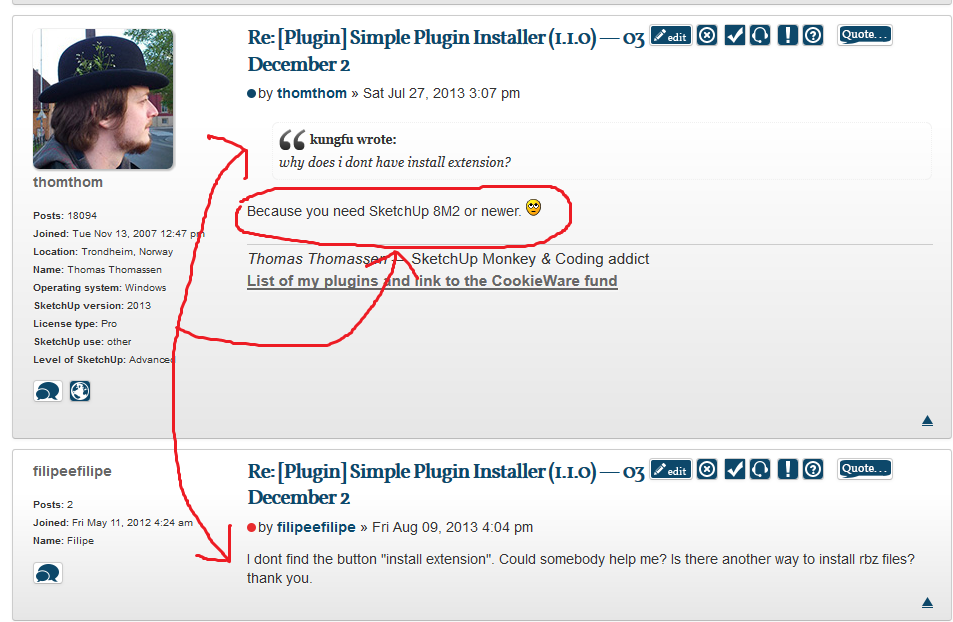
why does i dont have install extension?
-
Look at the post above yours.
-
-
I dont find the button "install extension". Could somebody help me? Is there another way to install rbz files? thank you.
-
-
Massimo, i had seen that post. I've asked if there is another way to instal rbz files. I dont want change my sketchup version. thank you.
-
In that case, simply change the *rbz extension to *.zip, open the archive and copy the content into the plugins folder of your SketchUp application.
-
It worked! thank you, Gaieus!
-
Hi to all, i have a problem with sk 8 pro, do not upload it to m2. It's possible a manual installation? How can I use the plugins with the extension rbz without the button "install extensions" or without the Maintenance Release 2? What's the difference between "VERTEX TOOLS v 1.1 and BEZIER SURFACE? What's the best? Thanks for help. Greetings to all.
-
Why wouldn't you upgrade to at least the last maintenance release of SU8? If you really aren't going to do that, change the .RBZ extension to .ZIP. Then you can extract and manually install the files within. Make sure you maintain the file structure within the downloaded file. Also make sure you read the thread from which you download the file and be sure you get any required supporting files and install them correctly, too.
-
Hi.I have a problem for installing the "rbz" files. I just updated SU 8 pro, BUT I CAN NOT INSTALL PLUGINS rbz! I followed all the explanations, but without solving the problem. In my System Preferences window, there is no "Ruby Console+" (why?)but in Windows <Ruby Console, yes. The file to be loaded with rbz system preferenes <install extensions or Plugins<Install, must stay in the plugins folder or can stand even in the desktop? Messages SKETCHUP when I install the plugins rbz are ok, Quadface Tools STAY in the System preferences Window but I can not find it in tools / plugins ! Can anyone help me please? Thanks.
SKYNET-71
-
Do not place RBZ files in your plugins folder. You can download them to anywhere else on your computer. Then use SketchUp.. Window > Preferences > Extensions > Install Extension and select the RBZ file.
Also not that some plugins require additional files.
-
So I installed the plugin and it helped greatly. The problem I am having now is that it moved my plugins folder and I cant find it anywhere. It has messed up my Vray and when I try uninstalling and then reinstalling all of the plugins are still attached to the new download. Does anyone have any experience with this problem or advice. Much appreciated.
-Paul
-
Your SU Plugins are excellent! Clean-up is especially brilliant, I use it all the time. One query though:
I'm having trouble importing complex STL files into Skethcup using the usual STL Import and Export plugin, so I searched and found su2stl to see if it would work better. I downloaded it and it's in my Loaded Plugins list.
However, there is no menu button to open it, and it's not in my Loaded Exrensions list. I downloaded your Simple Plugin Installer in the hopes it would do the trick, but no luck.
I know this isn't your program. but how do I get su2stl.rd working so I can use it to imp[ort STL files?
The STL files I'm trying to load (small complex models in mm) pop up instantly in Rhino, but Sketchup struggles. It will load simpler ones after quite a time, but not the more complex ones.
Final question: is there another STL importer that is worth trying for Skethup?
Thanks for your help,
BeePee










Advertisement