sketchucation logo sketchucation
    • 登入
    Oops, your profile's looking a bit empty! To help us tailor your experience, please fill in key details like your SketchUp version, skill level, operating system, and more. Update and save your info on your profile page today!
    🔌 Easy Offset | Offset selected faces in SketchUp in positive and negative offsets. Download

    [Plugin] Super Drape

    已排程 已置頂 已鎖定 已移動 Plugins
    192 貼文 54 Posters 356.3k 瀏覽 54 Watching
    正在載入更多貼文
    • 從舊到新
    • 從新到舊
    • 最多點贊
    回覆
    • 在新貼文中回覆
    登入後回覆
    此主題已被刪除。只有擁有主題管理權限的使用者可以查看。
    • utilerU 離線
      utiler
      最後由 編輯

      @tig said:

      Here's v3.0 http://forums.sketchucation.com/viewtopic.php?p=358314#p358314
      It's little changed... except that it is now an Extension.
      [The update is part of my Extension-izing of my toolsets...]
      You can now download it as either a ZIP or an RBZ archive.
      If you have the recent SUpv8M2 you can now simply install the tool's file/subfolder+files from the RBZ format archive using Preferences > Extensions > Install Extension button...
      Otherwise use the ZIP version as before, extracting and installing the files/subfolder_files manually into the Plugins folder...
      Note that as an Extension it must now be activated initially with the Preferences > Extensions > Super Drape checkbox.
      And as an Extension it can now be activate/deactivated as desired using that checkbox to optimize Sketchup's tool-loading and memory-usage...

      Cool TIG, So no need to delete the previous one?

      Just Curious...

      1 條回覆 最後回覆 回覆 引用 0
      • BoxB 離線
        Box
        最後由 編輯

        That is odd Tig, I removed it and tried again.
        Same thing, not in the extensions until I restart, the toolbar was there straight away.
        It's not an issue, just odd, and I was looking in the right place.

        1 條回覆 最後回覆 回覆 引用 0
        • TIGT 線上
          TIG Moderator
          最後由 編輯

          This script does a 'tidy up', so no need to remove old files etc...
          Strange about it appearing/not in Extensions...
          The other issue I am trying to fix is that the toolbar appears initially ticked but it's not showing, then you un-tick it and it's still not showing, then you re-tick it and it finally shows ! 😒

          TIG

          1 條回覆 最後回覆 回覆 引用 0
          • TIGT 線上
            TIG Moderator
            最後由 編輯

            Here's v3.1 http://forums.sketchucation.com/viewtopic.php?p=358314#p358314
            No dramatic changes... but the toolbar now appears correctly after an rbz install...
            As I said before...
            The update is part of my Extension-izing of my toolsets...
            You can now download it as either a ZIP or an RBZ archive.
            If you have the recent SUpv8M2 you can now simply install the tool's file/subfolder+files from the RBZ format archive using Preferences > Extensions > Install Extension button...
            Otherwise use the ZIP version as before, extracting and installing the files/subfolder_files manually into the Plugins folder, and restarting...
            Note that as an Extension it must now be activated initially with the Preferences > Extensions > Super Drape checkbox.
            And as an Extension it can now be activate/deactivated as desired using that checkbox to optimize Sketchup's tool-loading and memory-usage...
            You may also need to activate the toolbar, depending on whether it's a new install or not etc...

            TIG

            1 條回覆 最後回覆 回覆 引用 0
            • G 離線
              Gillman
              最後由 編輯

              TIG, thanks for a great tool. And all your others as well. They're fast becoming the first tools I look to for my projects.

              1 條回覆 最後回覆 回覆 引用 0
              • B 離線
                bhbarchitects
                最後由 編輯

                Thanks TIG

                Had so much trouble with drape crashing I had to stop using it, long live super drape..

                1 條回覆 最後回覆 回覆 引用 0
                • K 離線
                  Kesian
                  最後由 編輯

                  It's ker-splatting me too. Maybe I'm trying to drape too large an area?

                  1 條回覆 最後回覆 回覆 引用 0
                  • charly2008C 離線
                    charly2008
                    最後由 編輯

                    Hello to All,

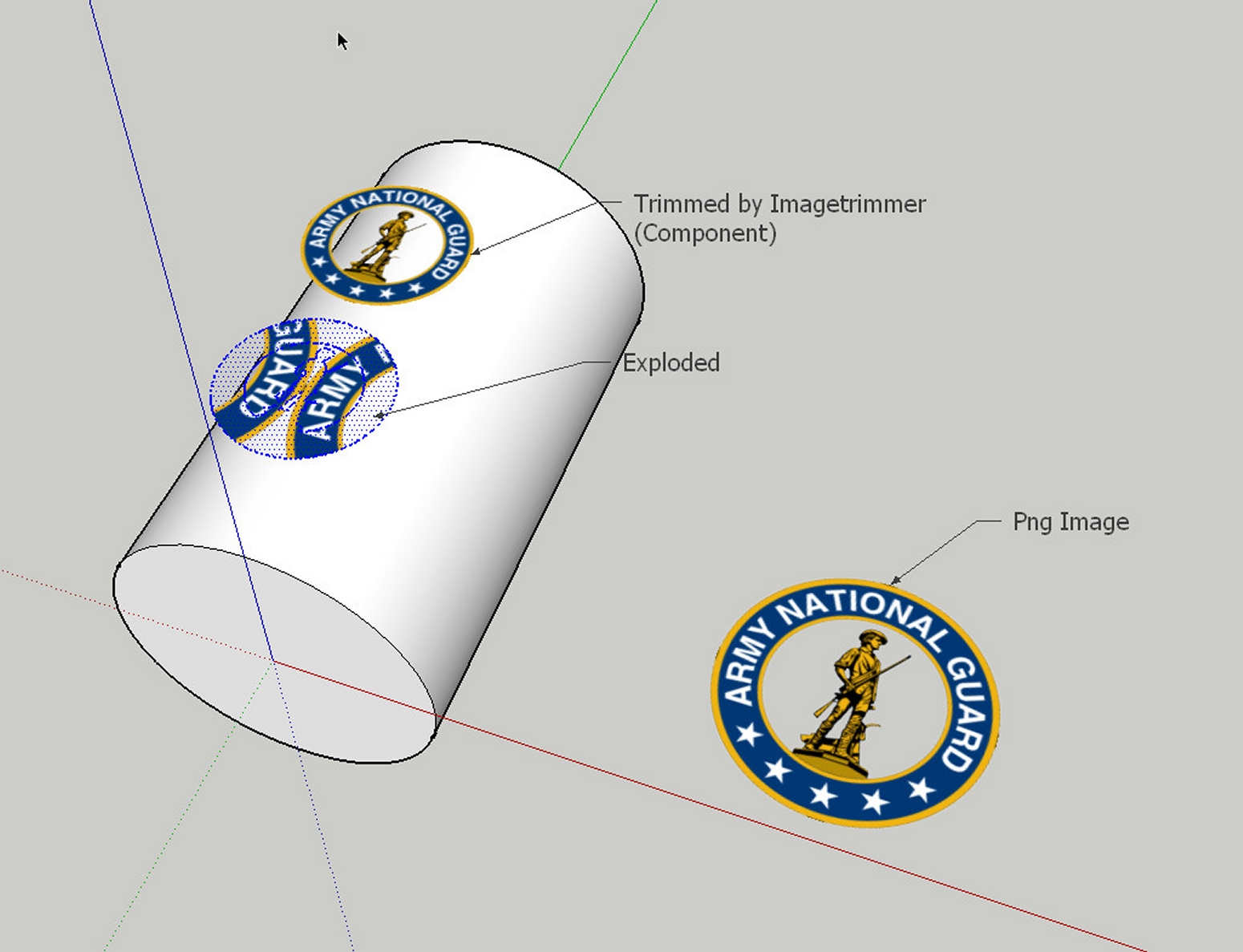
                    I would like to project a transparent logo on a cylindrical surface.

                    I thought I could do it with Superdrape. I've edited the "PNG Image" with "Imagetrimmer". But ImageTrimmer creates a component. SuperDrape only works with a group. If I transform, the component in a group than the texture gets mixed up .

                    Does anyone know another solution?

                    Charly

                    Untitled.skp


                    2012-01-11_005422.jpg

                    He who makes no mistakes, makes nothing

                    1 條回覆 最後回覆 回覆 引用 0
                    • Dave RD 離線
                      Dave R
                      最後由 編輯

                      Just a thought but could you draw a circle below (or above) the circle you just cut out and then apply the material as Projected to that circle before using it to drape onto the cylinder?

                      Etaoin Shrdlu

                      %

                      (THERE'S NO PLACE LIKE)

                      G28 X0.0 Y0.0 Z0.0

                      M30

                      %

                      1 條回覆 最後回覆 回覆 引用 0
                      • TIGT 線上
                        TIG Moderator
                        最後由 編輯

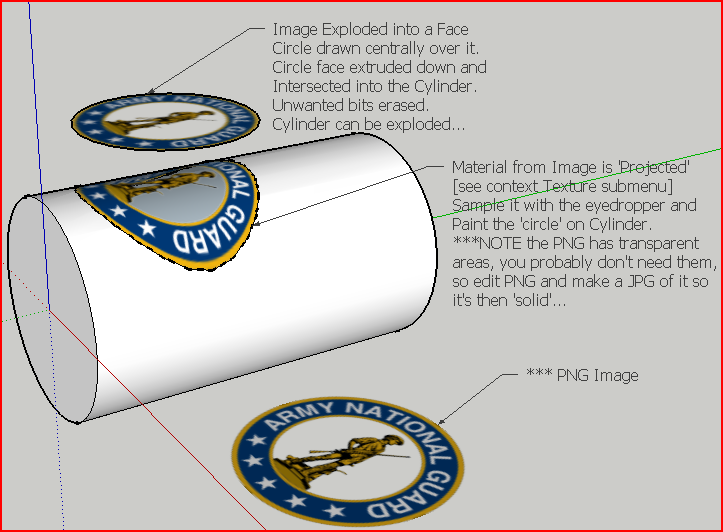
                        Like this...Capture.PNG

                        TIG

                        1 條回覆 最後回覆 回覆 引用 0
                        • charly2008C 離線
                          charly2008
                          最後由 編輯

                          Hi TIG,

                          I would like to again thank you very much for your help.

                          Charly

                          He who makes no mistakes, makes nothing

                          1 條回覆 最後回覆 回覆 引用 0
                          • R 離線
                            rachmatrf
                            最後由 編輯

                            Hi TIG,

                            Thank you again... 😍 😍
                            You Rock!!!

                            1 條回覆 最後回覆 回覆 引用 0
                            • D 離線
                              dansphere
                              最後由 編輯

                              This is awesome! Used it loads already.

                              Is it possible to have the resultant lines and faces go to default layer 0 or a specified layer instead of matching the layer of the surface it's being draped onto? That was I could hide the surface and picked out the draped lines and faces all curvy n such 😄

                              D

                              1 條回覆 最後回覆 回覆 引用 0
                              • D 離線
                                dbalex
                                最後由 編輯

                                just wanted to say thanks for this one, it works incredibly well!

                                http://www.bocostudio.com

                                1 條回覆 最後回覆 回覆 引用 0
                                • opalO 離線
                                  opal
                                  最後由 編輯

                                  I love this tool! It worked great this morning - several times.
                                  This afternoon - 4 bugsplats in a row, right as I click the second group.

                                  I even reinstalled it.. splat.

                                  I haven't changed anything in the program.. no updates on anything since using SU this morning. I don't know what I'm doing to cause the splat.

                                  1 條回覆 最後回覆 回覆 引用 0
                                  • TIGT 線上
                                    TIG Moderator
                                    最後由 編輯

                                    @unknownuser said:

                                    I love this tool! It worked great this morning - several times.
                                    This afternoon - 4 bugsplats in a row, right as I click the second group.
                                    I even reinstalled it.. splat.
                                    I haven't changed anything in the program.. no updates on anything since using SU this morning. I don't know what I'm doing to cause the splat.
                                    Have you used Model Info > Statistics > Fix Problems... ?
                                    Have you tried moving the draped object a tiny amount ? Sometimes small facets cause issues.
                                    Alternatively Scale everything up x10 or x100 and retry. Scale down afterwards...
                                    Report back... 😕

                                    TIG

                                    1 條回覆 最後回覆 回覆 引用 0
                                    • opalO 離線
                                      opal
                                      最後由 編輯

                                      @tig said:

                                      @unknownuser said:

                                      I love this tool! It worked great this morning - several times.
                                      This afternoon - 4 bugsplats in a row, right as I click the second group.
                                      I even reinstalled it.. splat.
                                      I haven't changed anything in the program.. no updates on anything since using SU this morning. I don't know what I'm doing to cause the splat.
                                      Have you used Model Info > Statistics > Fix Problems... ?
                                      Have you tried moving the draped object a tiny amount ? Sometimes small facets cause issues.
                                      Alternatively Scale everything up x10 or x100 and retry. Scale down afterwards...
                                      Report back... 😕

                                      Back after testing.

                                      I had not used the statistics fix, but do use TT's cleanup frequently.

                                      moved objects.. centered on origin.. nudged.

                                      scaled up by 10 and 100

                                      all splats 😞

                                      1 條回覆 最後回覆 回覆 引用 0
                                      • M 離線
                                        MartinK
                                        最後由 編輯

                                        Thanks TIG, another useful plugin. This will be quite helpful in draping 2D site plans with materials onto a 3D terrain.

                                        1 條回覆 最後回覆 回覆 引用 0
                                        • pilouP 離線
                                          pilou
                                          最後由 編輯

                                          Totally missed this one! 😲 😎 👍

                                          neuf.jpg

                                          Frenchy Pilou
                                          Is beautiful that please without concept!
                                          My Little site :)

                                          1 條回覆 最後回覆 回覆 引用 0
                                          • B 離線
                                            bravoddb
                                            最後由 編輯

                                            Can I drape solids? can I do it with a mesh made in sandbox? I need to make a road that follow the terrain, I bought Instant road and I couldn't make it work, I tryed super drape but it crashes, what can I do? or how can I do it?

                                            Thanks

                                            1 條回覆 最後回覆 回覆 引用 0
                                            • 1
                                            • 2
                                            • 5
                                            • 6
                                            • 7
                                            • 8
                                            • 9
                                            • 10
                                            • 7 / 10
                                            • 第一個貼文
                                              最後的貼文
                                            Buy SketchPlus
                                            Buy SUbD
                                            Buy WrapR
                                            Buy eBook
                                            Buy Modelur
                                            Buy Vertex Tools
                                            Buy SketchCuisine
                                            Buy FormFonts

                                            Advertisement