sketchucation logo sketchucation
    • 登入
    Oops, your profile's looking a bit empty! To help us tailor your experience, please fill in key details like your SketchUp version, skill level, operating system, and more. Update and save your info on your profile page today!
    🔌 Smart Spline | Fluid way to handle splines for furniture design and complex structures. Download

    [Plugin] QuadFaceTools

    已排程 已置頂 已鎖定 已移動 Plugins
    673 貼文 116 Posters 545.1k 瀏覽 116 Watching
    正在載入更多貼文
    • 從舊到新
    • 從新到舊
    • 最多點贊
    回覆
    • 在新貼文中回覆
    登入後回覆
    此主題已被刪除。只有擁有主題管理權限的使用者可以查看。
    • charly2008C 離線
      charly2008
      最後由 編輯

      Hi,

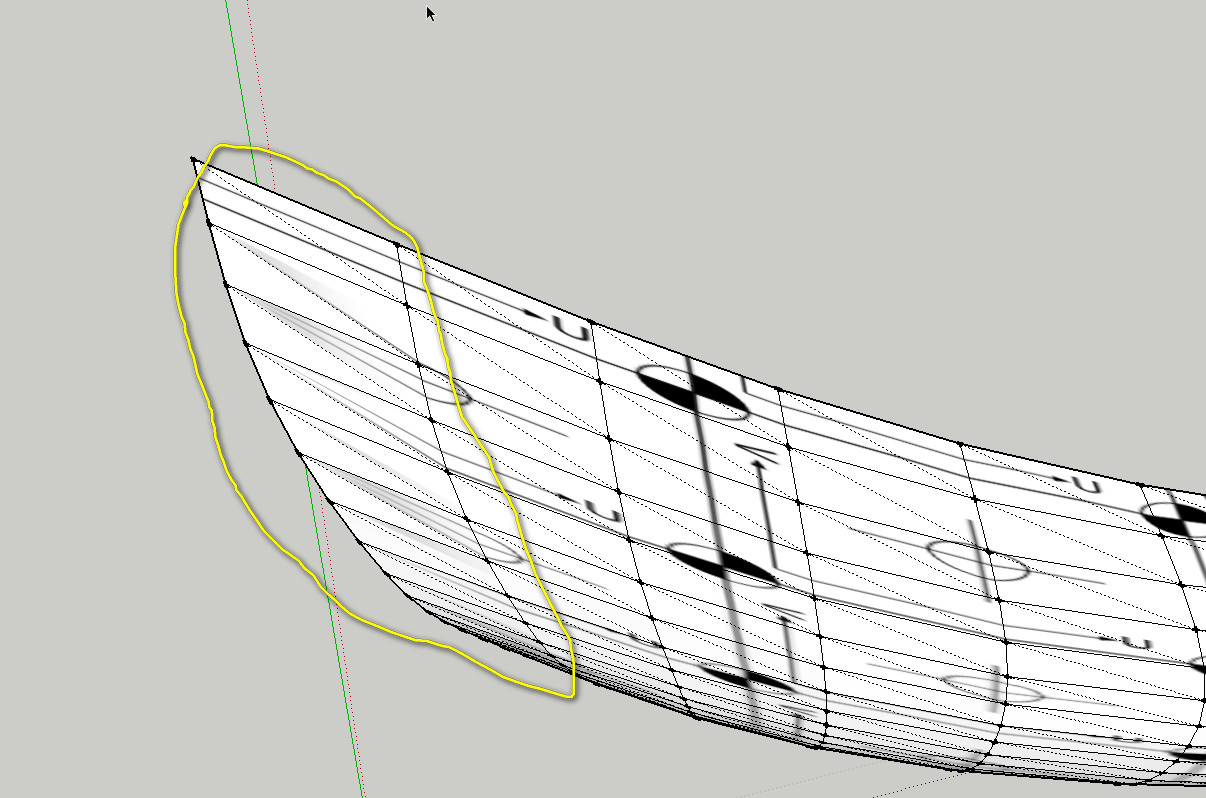
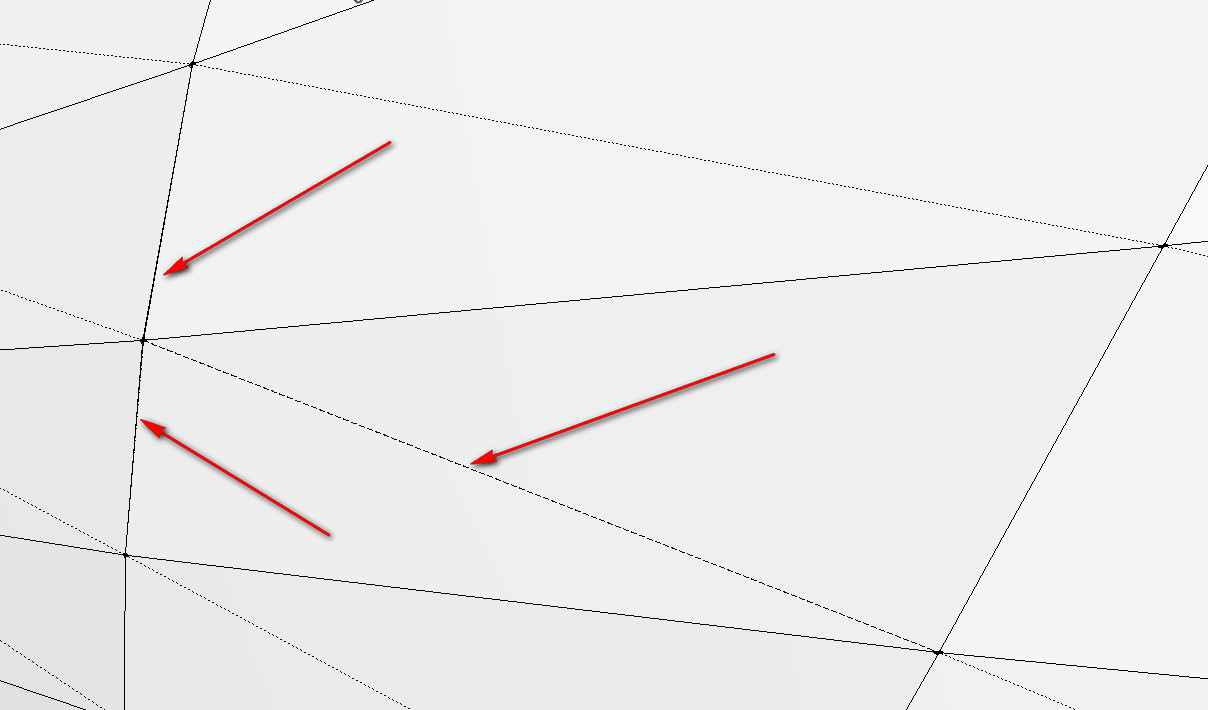
      I found the error. As Gaieus said, in the enlargement can be seen some additional faces. This I have now adjusted.
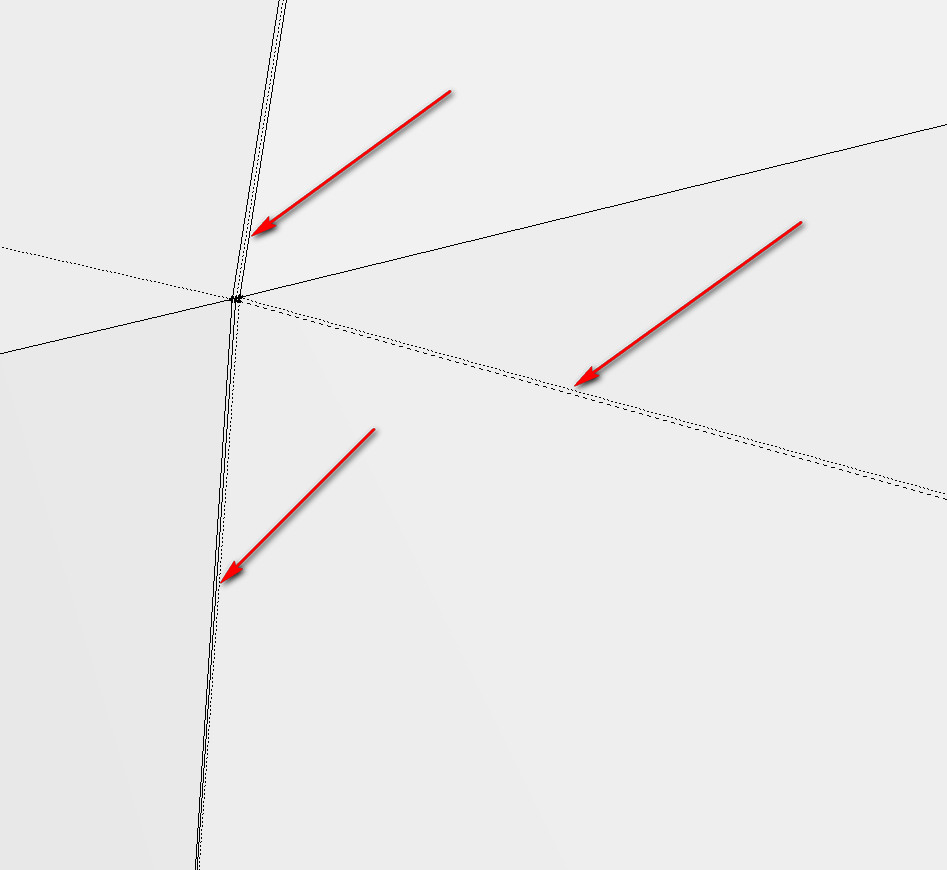
      2011-10-14_144027.jpg


      2011-10-14_143917.jpg

      He who makes no mistakes, makes nothing

      1 條回覆 最後回覆 回覆 引用 0
      • charly2008C 離線
        charly2008
        最後由 編輯

        Hi Thomas,

        I'm still have a few problems with copy and paste UVs. It is probably a mistake from me again. Would you again take a look at it.

        Charly
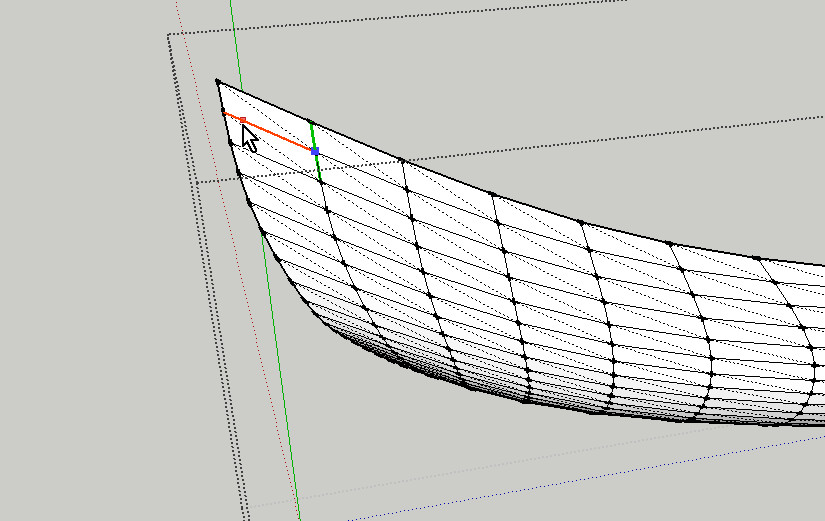

        STEP 1


        STEP 2


        STEP 3


        wiking.skp

        He who makes no mistakes, makes nothing

        1 條回覆 最後回覆 回覆 引用 0
        • thomthomT 離線
          thomthom
          最後由 編輯

          It's still some non-quads over at that end.
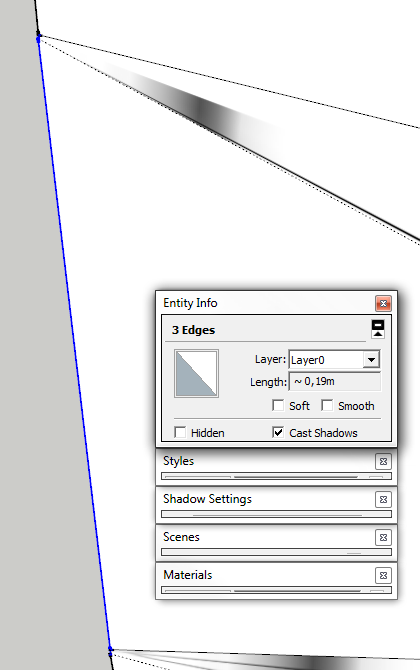
          InvalidGeometry.png

          Thomas Thomassen — SketchUp Monkey & Coding addict
          List of my plugins and link to the CookieWare fund

          1 條回覆 最後回覆 回覆 引用 0
          • charly2008C 離線
            charly2008
            最後由 編輯

            Hi Thomas,

            I thank you for your efforts. I'm sometimes a bit hasty with my questions. In the future I will take a closer look before I ask a question.

            Charly

            He who makes no mistakes, makes nothing

            1 條回覆 最後回覆 回覆 引用 0
            • charly2008C 離線
              charly2008
              最後由 編輯

              Hi Thomas,

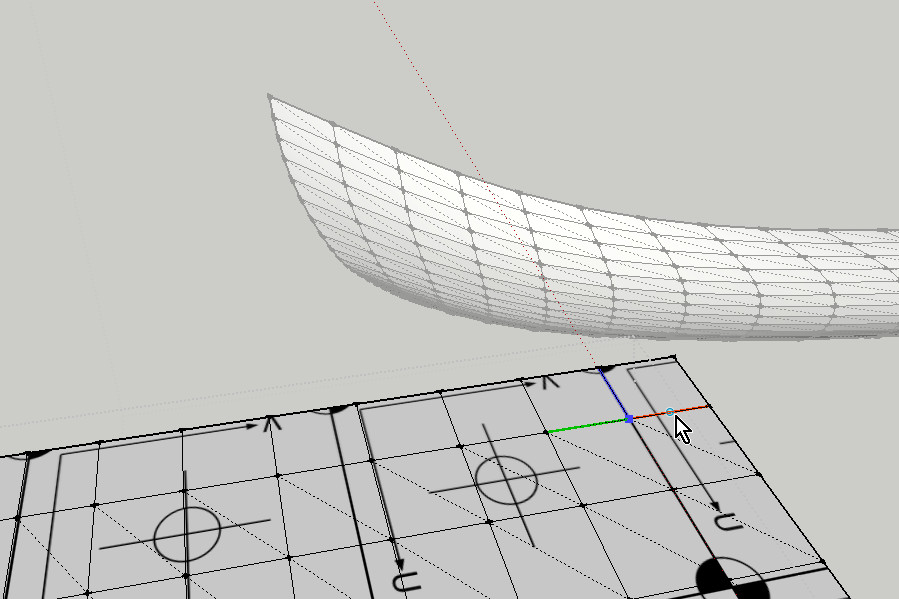
              Once it has worked with the hull I need help again. I do not succeed, to bring the texture on these relatively simple geometry. As far as I can judge it must be all quad faces in the model. Yesterday I spent two hours trying to find the error in the geometry, without success. Thanks in advance.

              Charly
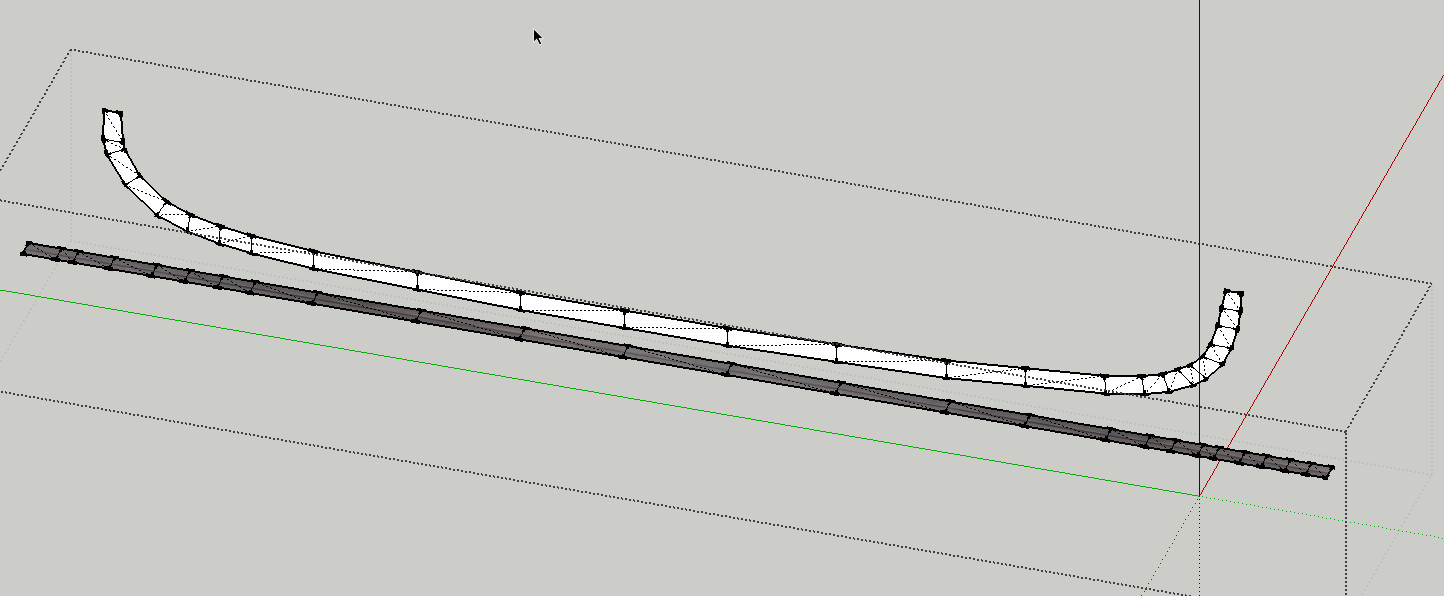

              2011-10-15_134403.jpg


              wiking3.skp

              He who makes no mistakes, makes nothing

              1 條回覆 最後回覆 回覆 引用 0
              • jo-keJ 離線
                jo-ke
                最後由 編輯

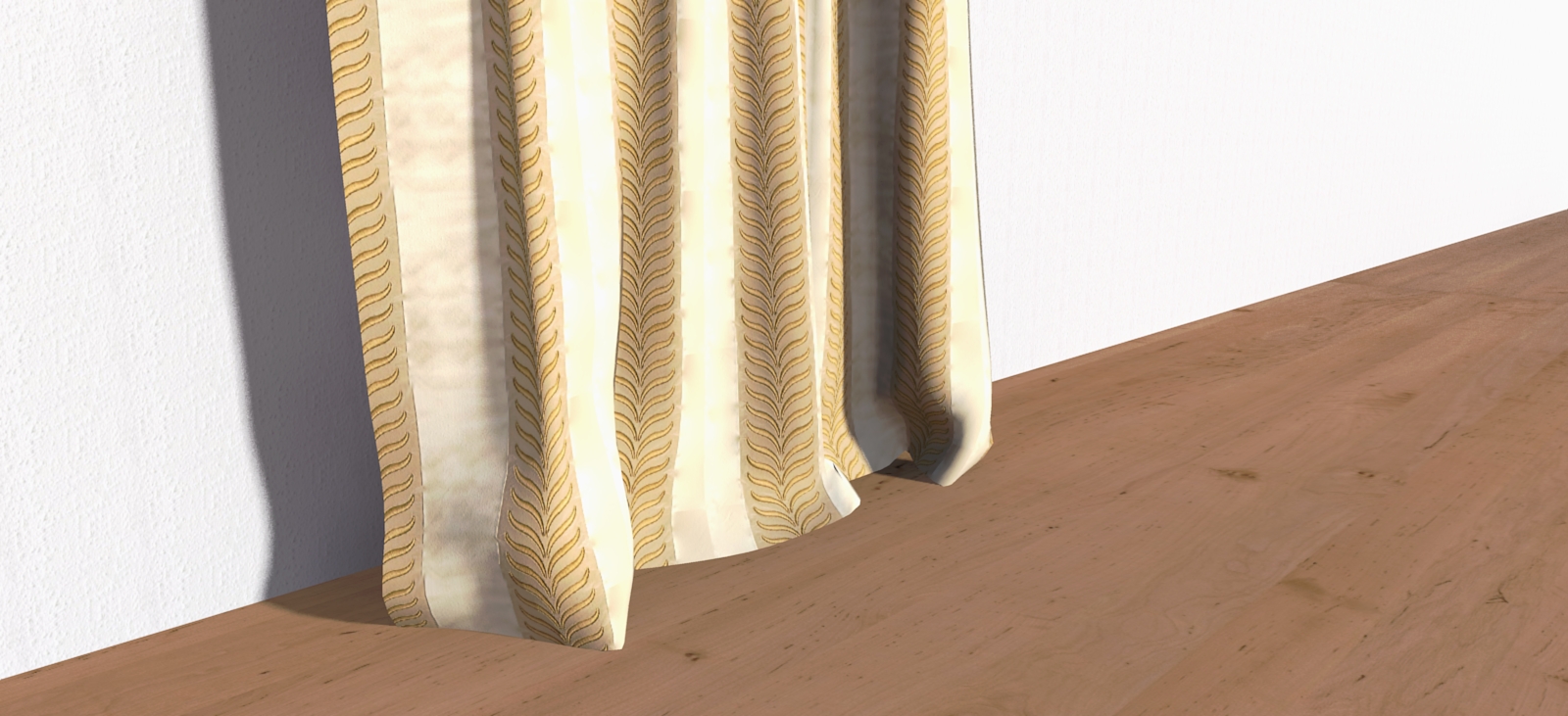
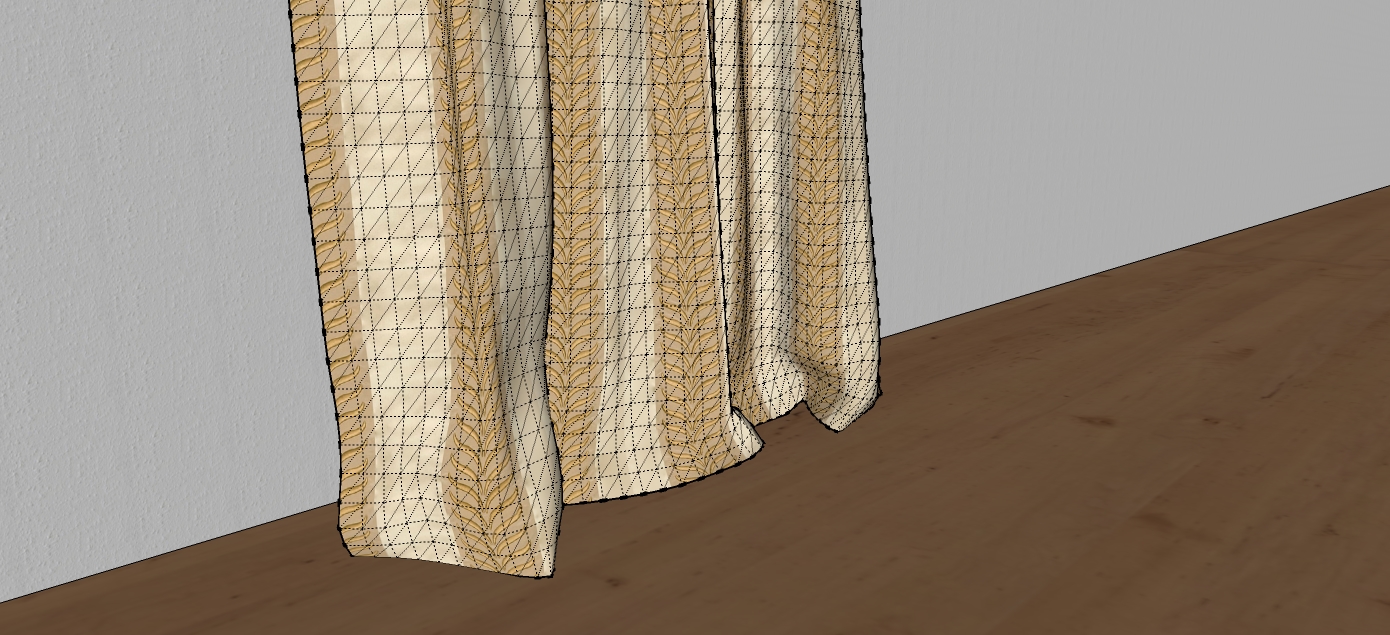
                Thank you ThomThom for this wonderful plugin. It helps me a lot with my curtains...

                curtain001.jpg


                curtain-render001.jpg

                http://www.zz7.de

                1 條回覆 最後回覆 回覆 引用 0
                • thomthomT 離線
                  thomthom
                  最後由 編輯

                  @charly2008 said:

                  Hi Thomas,

                  Once it has worked with the hull I need help again. I do not succeed, to bring the texture on these relatively simple geometry. As far as I can judge it must be all quad faces in the model. Yesterday I spent two hours trying to find the error in the geometry, without success. Thanks in advance.

                  Charly

                  Are you using the Copy and Paste function? Or the UV map function?

                  Thomas Thomassen — SketchUp Monkey & Coding addict
                  List of my plugins and link to the CookieWare fund

                  1 條回覆 最後回覆 回覆 引用 0
                  • mitcorbM 離線
                    mitcorb
                    最後由 編輯

                    Wow!
                    Eleven pages and counting. Good work ThomThom

                    I take the slow, deliberate approach in my aimless wandering.

                    1 條回覆 最後回覆 回覆 引用 0
                    • charly2008C 離線
                      charly2008
                      最後由 編輯

                      Hi Thomas,

                      I've just tried it again and it worked. I do not know what mistake I made.

                      He who makes no mistakes, makes nothing

                      1 條回覆 最後回覆 回覆 引用 0
                      • charly2008C 離線
                        charly2008
                        最後由 編輯

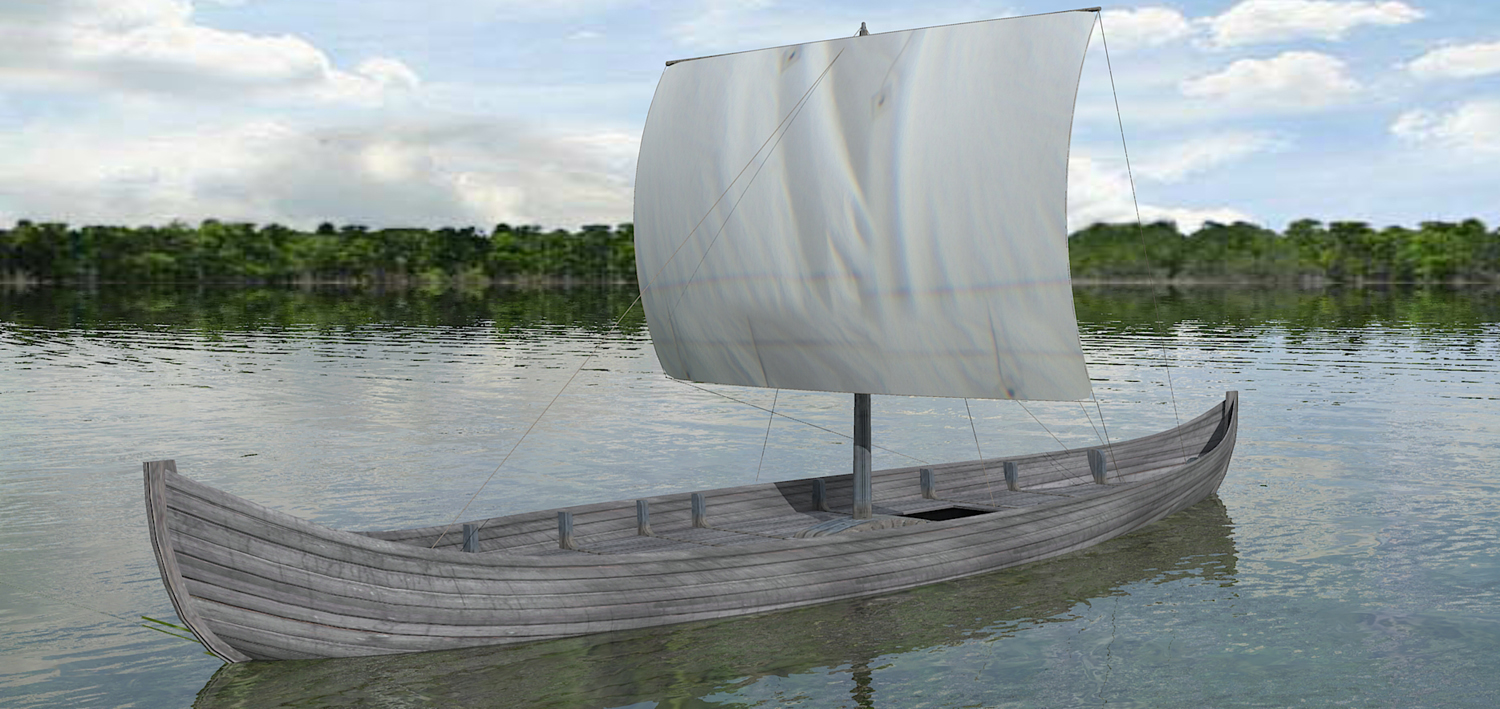
                        Not yet perfect but a step in the right direction with the help of the Quad Face tool from Thomas.

                        Wiking.jpg

                        He who makes no mistakes, makes nothing

                        1 條回覆 最後回覆 回覆 引用 0
                        • thomthomT 離線
                          thomthom
                          最後由 編輯

                          Really glad to see some if the stuff this plugin is being used for. 😄

                          Thomas Thomassen — SketchUp Monkey & Coding addict
                          List of my plugins and link to the CookieWare fund

                          1 條回覆 最後回覆 回覆 引用 0
                          • S 離線
                            shumas
                            最後由 編輯

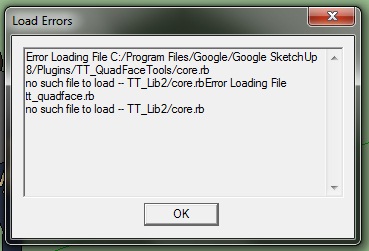
                            Problem! when i copy all files to sketchup 8 plugin directory, and open sketchup, I get this error.. I'm doing something wrong?

                            error.jpg

                            1 條回覆 最後回覆 回覆 引用 0
                            • GaieusG 離線
                              Gaieus
                              最後由 編輯

                              In the first post, there is a reference to another plugin (library) that you also need to install for this one to work. Please, make sure TT_Lib (linked from the first post) is also installed.

                              Gai...

                              1 條回覆 最後回覆 回覆 引用 0
                              • N 離線
                                numerobis
                                最後由 編輯

                                😮 AAAHHHHHHH!!!
                                just watched your last three videos... the new functions look fantastic!!! unbelievable to see this as a ruby in sketchup!!!
                                thank you very much!

                                i'll try it... 😄

                                1 條回覆 最後回覆 回覆 引用 0
                                • 3 離線
                                  3dbybrunolopes
                                  最後由 編輯

                                  Nice set of tools,

                                  Bit I can´t change the number of segments for the connect edges tool :S

                                  Can you help me?

                                  1 條回覆 最後回覆 回覆 引用 0
                                  • thomthomT 離線
                                    thomthom
                                    最後由 編輯

                                    @3dbybrunolopes said:

                                    Bit I can´t change the number of segments for the connect edges tool :S

                                    Type in the number of segments, the VCB will update as you type. Then hit Enter to apply. The on screen UI doesn't update as you type. it's just there so you can choose to adjust either number of segments or pinch.

                                    Thomas Thomassen — SketchUp Monkey & Coding addict
                                    List of my plugins and link to the CookieWare fund

                                    1 條回覆 最後回覆 回覆 引用 0
                                    • 3 離線
                                      3dbybrunolopes
                                      最後由 編輯

                                      Thanks 😄

                                      1 條回覆 最後回覆 回覆 引用 0
                                      • TIGT 線上
                                        TIG Moderator
                                        最後由 編輯

                                        A while ago we debated how best to deal with the odd triangular facets needed to complete a manifold surface that is otherwise 'quads'.
                                        Lying in bed this morning I realized that the Art-Deco inverted hemisphere leaded-glass lampshade above my head was made entirely out of quads 😲
                                        Here's how [applied to an entire sphere]...quadsphere.PNGThere are two solutions, depending on the quads' hidden/soft/smooth edges - the right-hand one with lines of latitude hidden/soft/smooth is the 'most even' type...
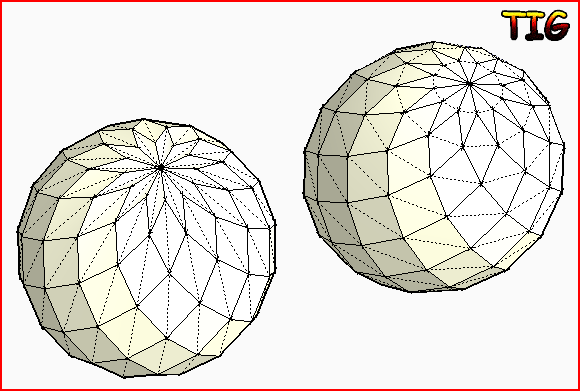
                                        This is of course with lines of latitude equally spaced which distorts the quads nearer the 'poles' - if they are adjusted the quads get nearer to 'squares'... The 'flower' at the poles can never approximate a square no matter how small you make it as the angle if subtends at the pole is fixed by the number of segments the lines of latitude have - the more segments the less square the 'petals'...quadsphere.skp

                                        TIG

                                        1 條回覆 最後回覆 回覆 引用 0
                                        • thomthomT 離線
                                          thomthom
                                          最後由 編輯

                                          Bug Alert
                                          I just discovered an issue where the Hidden property of triangulated quads might get lost when you copy / import a quad face mesh into a model with existing scenes. In some cases the mesh can be recovered by using the Sandbox To Quads and then updating the scenes - but there is a potential for losing the Quad definition of the mesh.

                                          Issue logged at: https://bitbucket.org/thomthom/quadface-tools/issue/57/hidden-property-is-lost-when-activating

                                          Will find a solution to this. Might end up reverting back to the old way of defining Quads. Sorry for the inconvenience this might cause.

                                          Thomas Thomassen — SketchUp Monkey & Coding addict
                                          List of my plugins and link to the CookieWare fund

                                          1 條回覆 最後回覆 回覆 引用 0
                                          • jarynzlesaJ 離線
                                            jarynzlesa
                                            最後由 編輯

                                            this plug-in deserves three thumbs up.

                                            http://www.vizualizaceschodiste.mypage.cz/

                                            1 條回覆 最後回覆 回覆 引用 0
                                            • 1
                                            • 2
                                            • 30
                                            • 31
                                            • 32
                                            • 33
                                            • 34
                                            • 33 / 34
                                            • 第一個貼文
                                              最後的貼文
                                            Buy SketchPlus
                                            Buy SUbD
                                            Buy WrapR
                                            Buy eBook
                                            Buy Modelur
                                            Buy Vertex Tools
                                            Buy SketchCuisine
                                            Buy FormFonts

                                            Advertisement