[Plugin] QuadFaceTools
-
@unknownuser said:
@thomthom said:
When you go to Window > Preferences > Extensions you can find the version from there.
I'll add an About menu to the next version.If you want to add it only for version, you can add version in toolbar name.
Nah - I don't want to add version to menus and toolbars. Because then shortcut keys would break at every update. SketchUp reference them by their names.
-
Important!
All users should update TT_Lib2 to version 2.6.0 -
Thank You
-

-
it's ok now with TT_LIB 2.6 it is not yet in plugin index so i had 2.58
thanks
-
@gilles said:
it's ok now with TT_LIB 2.6 it is not yet in plugin index so i had 2.58
I released TT_Lib2 2.6 just a few hours ago...

-
@thomthom said:
@unknownuser said:
Tom,
Here is the model where I have problem (I get the UV axes, but the texture does not appear).
[attachment=0:3fo0zvrn]<!-- ia0 -->Quad-mapping Fred.png<!-- ia0 -->[/attachment:3fo0zvrn]Fredo
Might be related to the
nilerrors people are reporting...This is the message I get
Error; #<TypeError; nil can't be coerced into Float>
D;/Documents/Doc/AA_SKU/Ruby/AAA_SCRIPT6/TT_QuadFaceTools/uv_mapping.rb;820;in `/'
D;/Documents/Doc/AA_SKU/Ruby/AAA_SCRIPT6/TT_QuadFaceTools/uv_mapping.rb;820;in `point_on_axis'
EDIT: this is with v0.4. I did not upgrade yet
Fredo
-
@charly2008 said:
Hi Fredo,
I think you need before placing the texture on the face. Then you can scale the texture. Whether it is possible to be centered I do not know.
Thanks. Once I have the texture on the shape, what should I do next?
Fredo
-
@unknownuser said:
EDIT: this is with v0.4. I did not upgrade yet
How about 0.4.1?
(I'm prepping up 0.5 which included quite a few validations and error catching. Should be more informative when things doesn't work.)@unknownuser said:
Thanks. Once I have the texture on the shape, what should I do next?
Then you can click the axis (red and green line) to scale it. Or use the VCB.
-
thom excellent, now works fine.
thank you very much for your fast response
-
Hi,
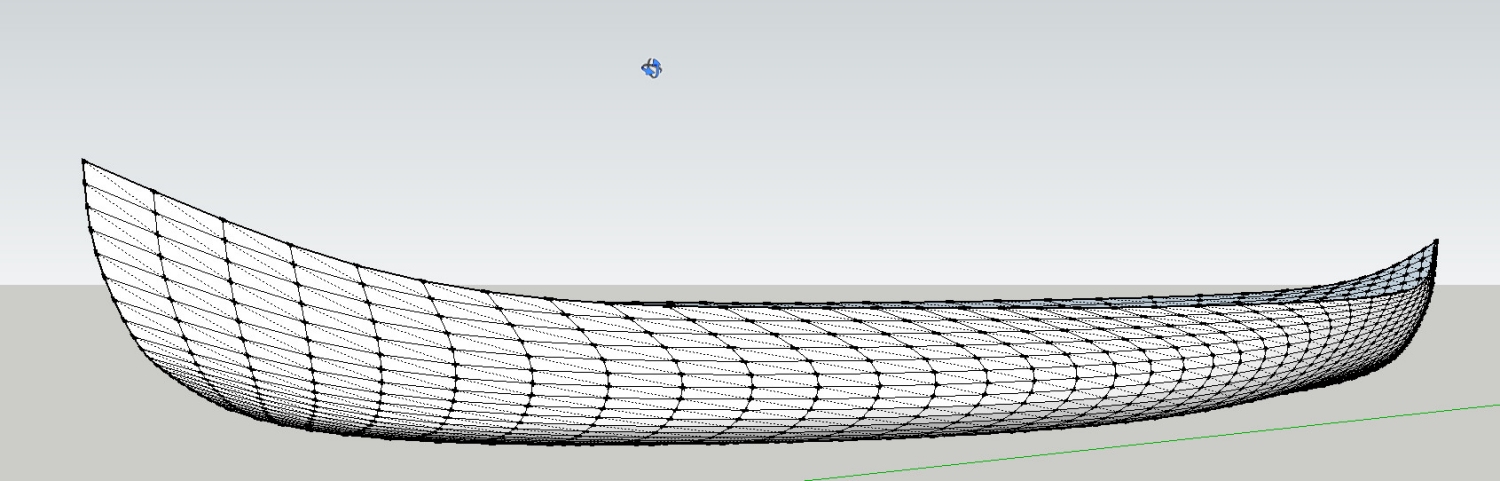
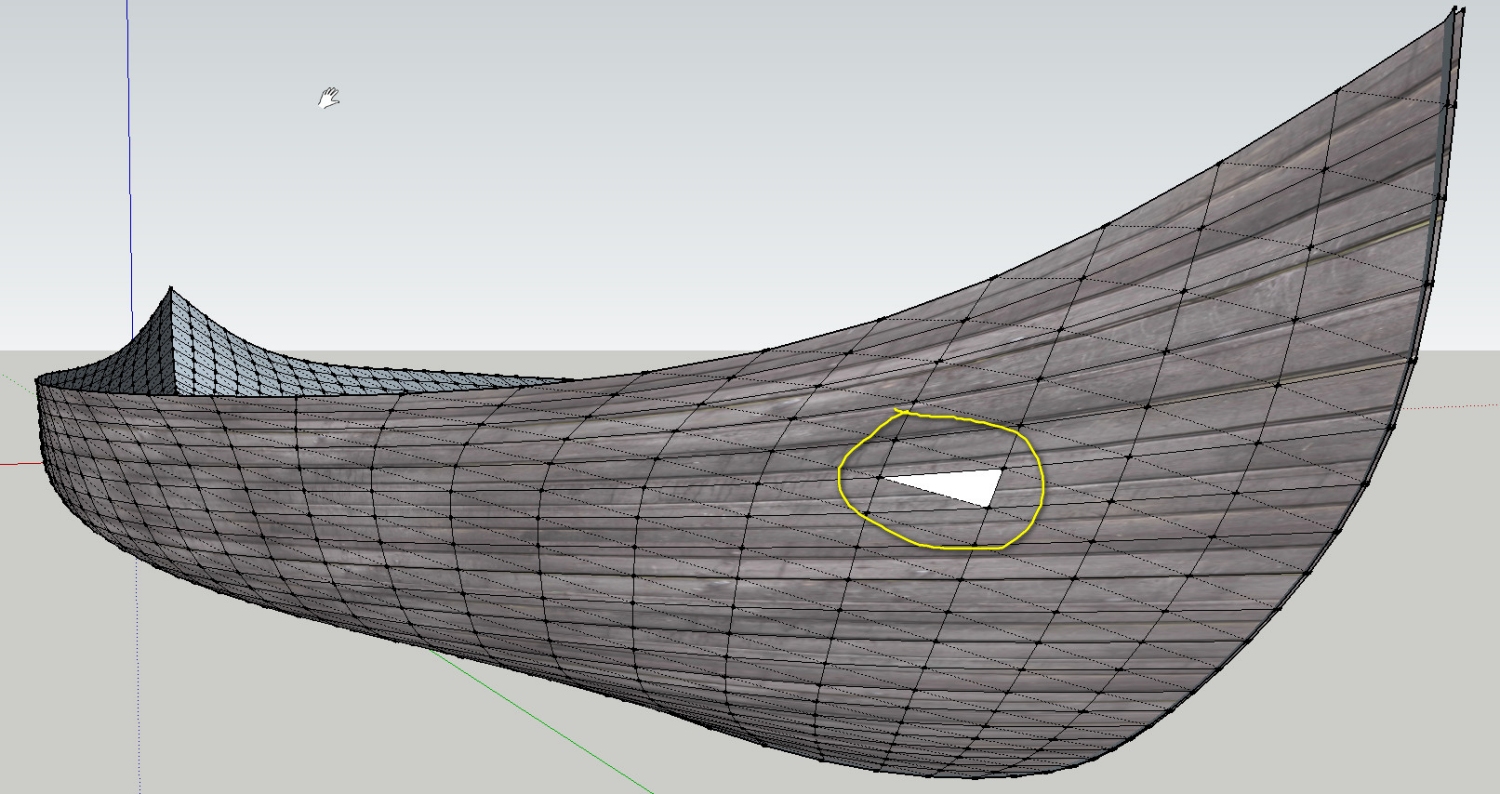
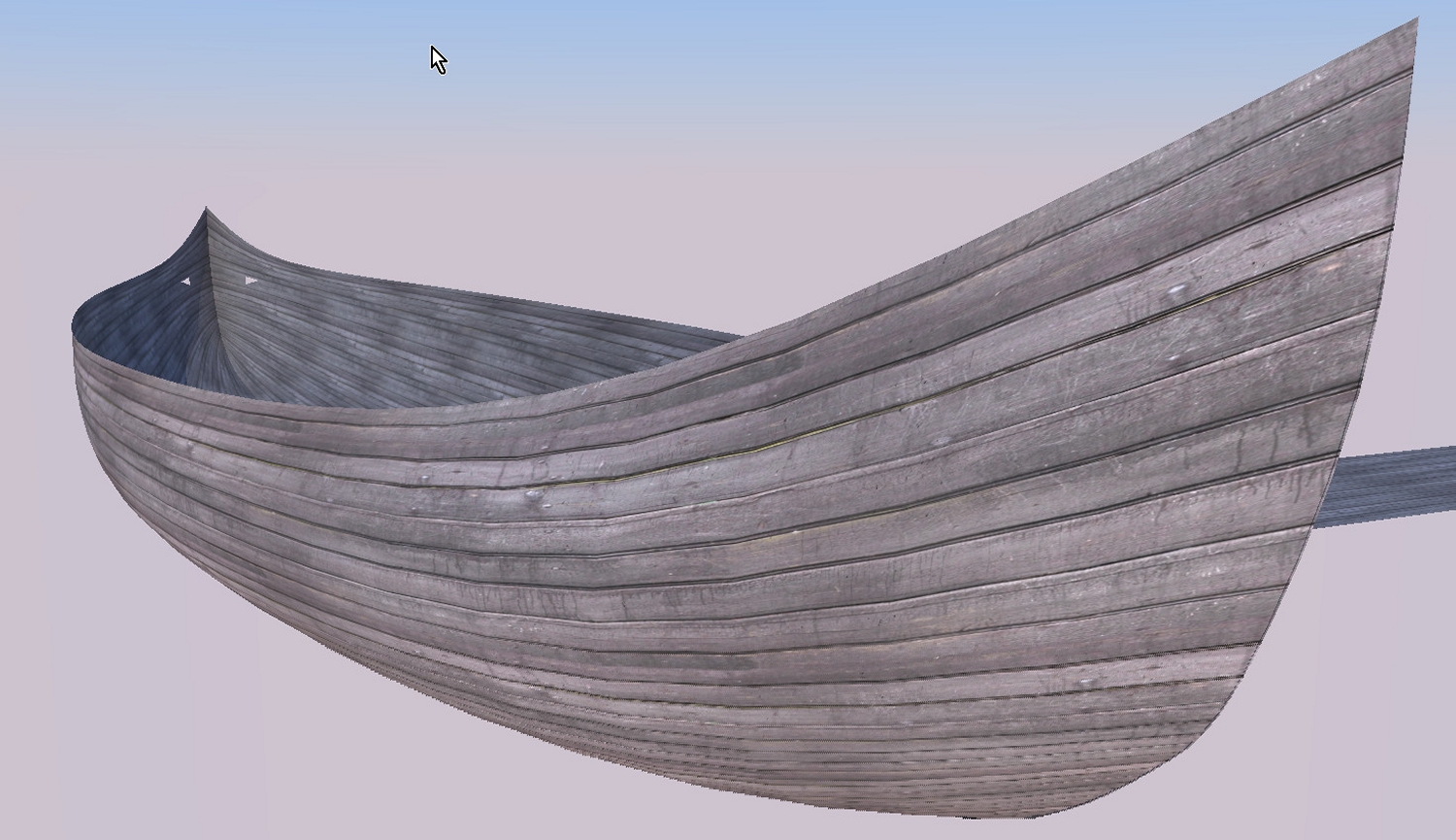
I made another attempt with my Viking ship hull. This tool is really amazing. A small error I could not resolve.
-
huh! ... peculiar... I'll look into it.
Nice boat!

-
@charly2008 said:
I made another attempt with my Viking ship hull. This tool is really amazing. A small error I could not resolve.
How did you map it? With the UV Mapping tool, or with the UV Copy & Paste tools?
-
I found the cause - you got some messed up geometry there.
Look at this screenshot:
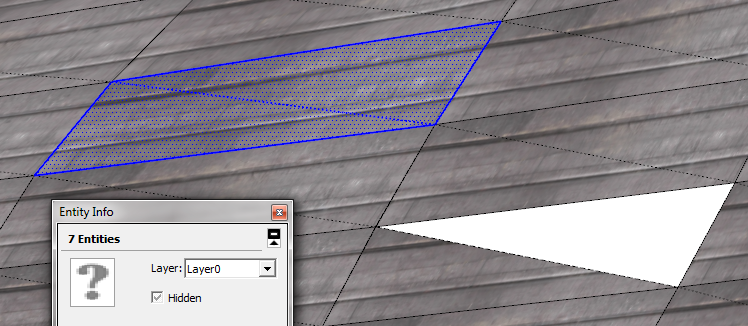
Here I made a left to right selection over the selected quad. Notice the Entity Info correctly displaying 7 entities. ( 2 triangles, 5 edges )Now look at this one - where I made the same selection around the troublesome area:
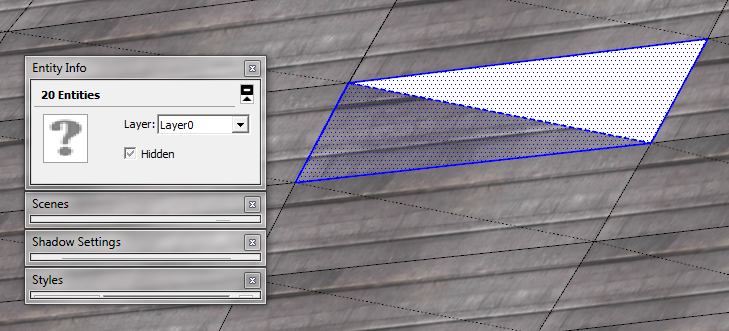
Notice there is 20 (!) entities. Something is messed up in your geometry there.
-
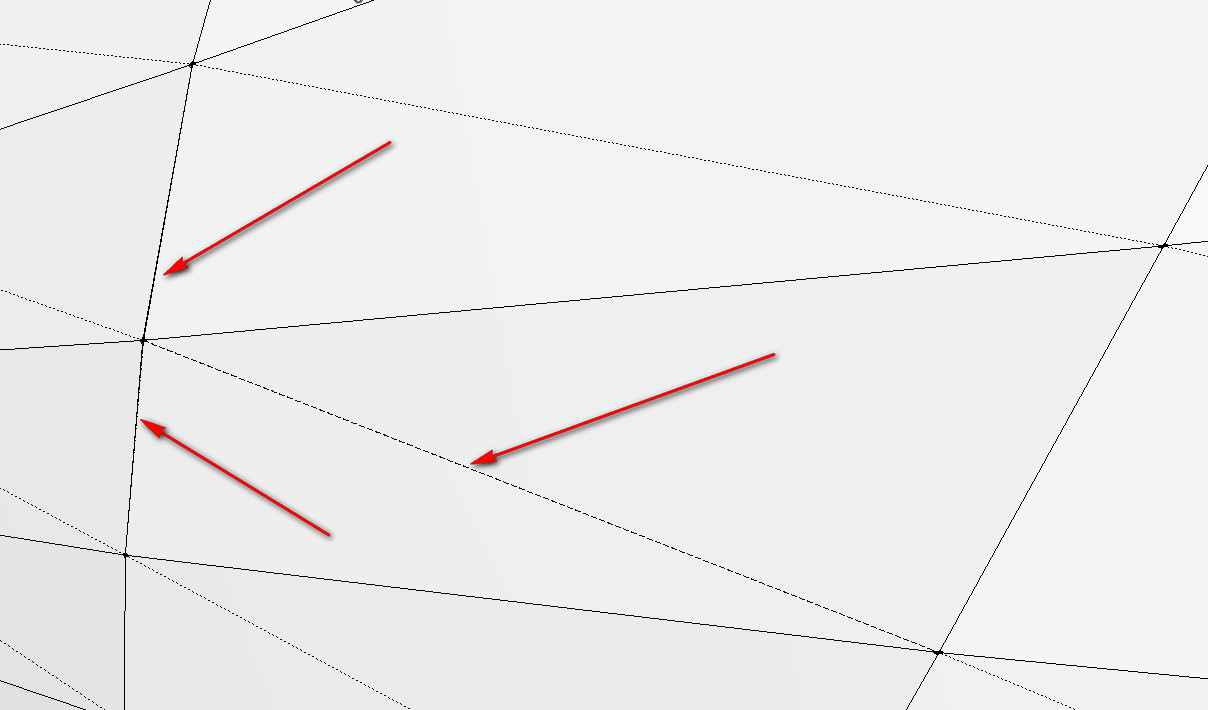
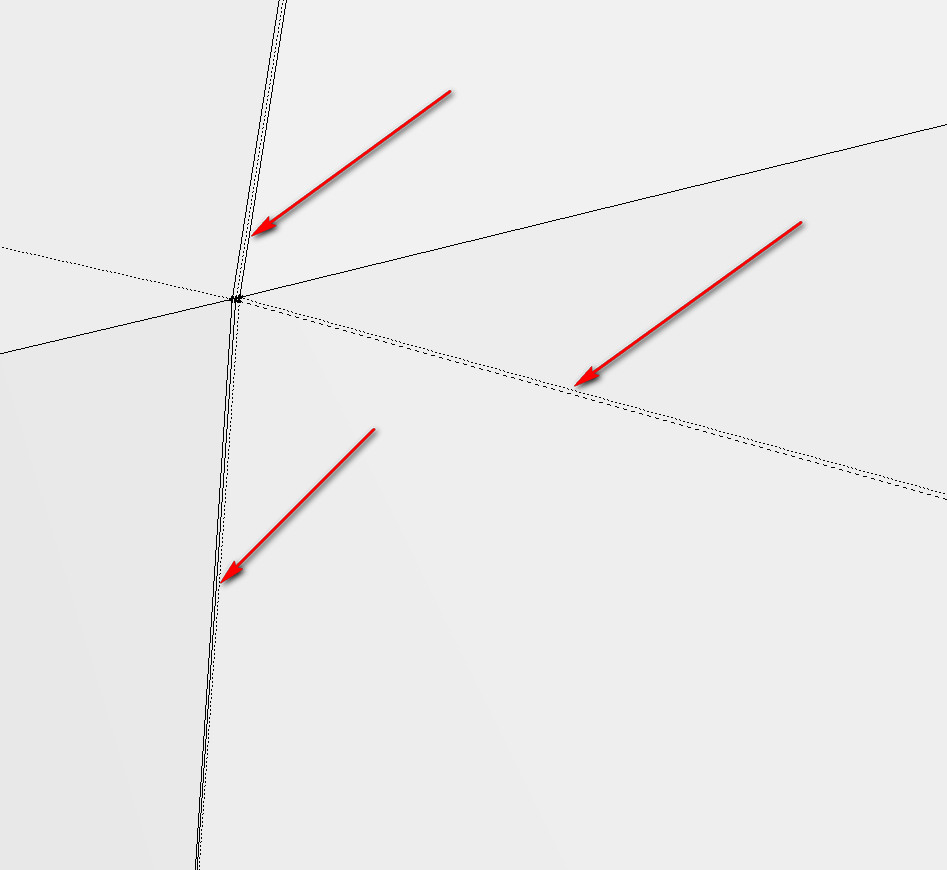
Zoom in to the top left corner of that white and see a whole lot of extra edges and faces
-
Version 0.5.0
Changelog: https://bitbucket.org/thomthom/quadface-tools/issues?status=resolved&version=0.5.0
Download: https://bitbucket.org/thomthom/quadface-tools/wiki/Download -
Hi Thomas,
I did it with the UV Copy & Paste tools.
-
Hi,
I found the error. As Gaieus said, in the enlargement can be seen some additional faces. This I have now adjusted.
-
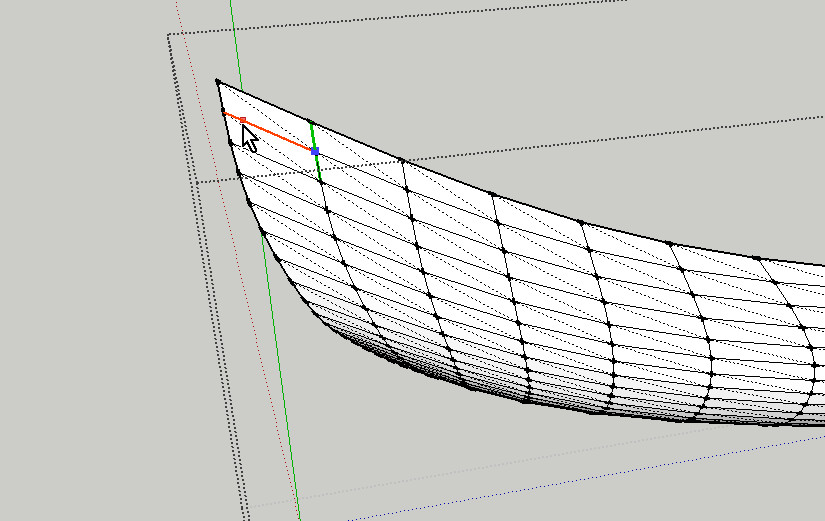
Hi Thomas,
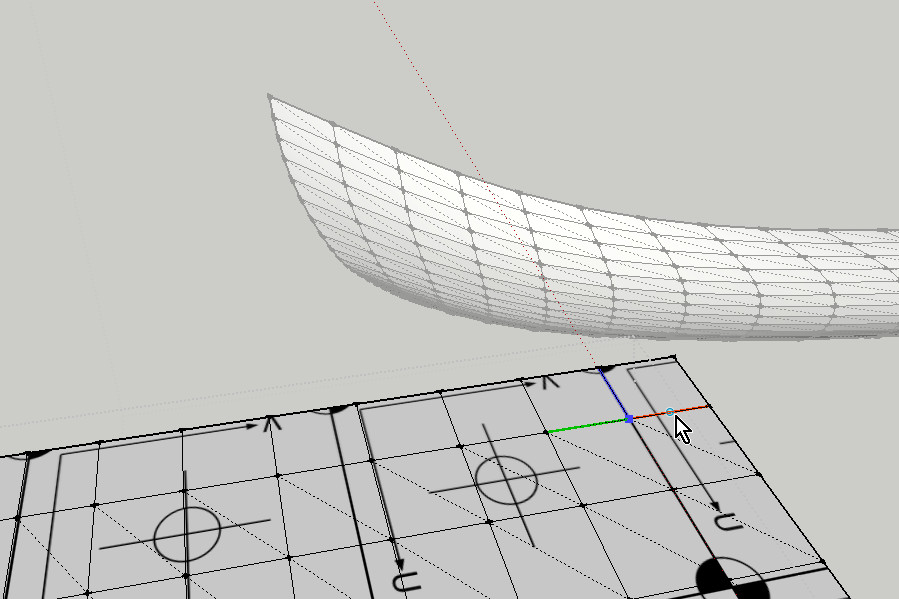
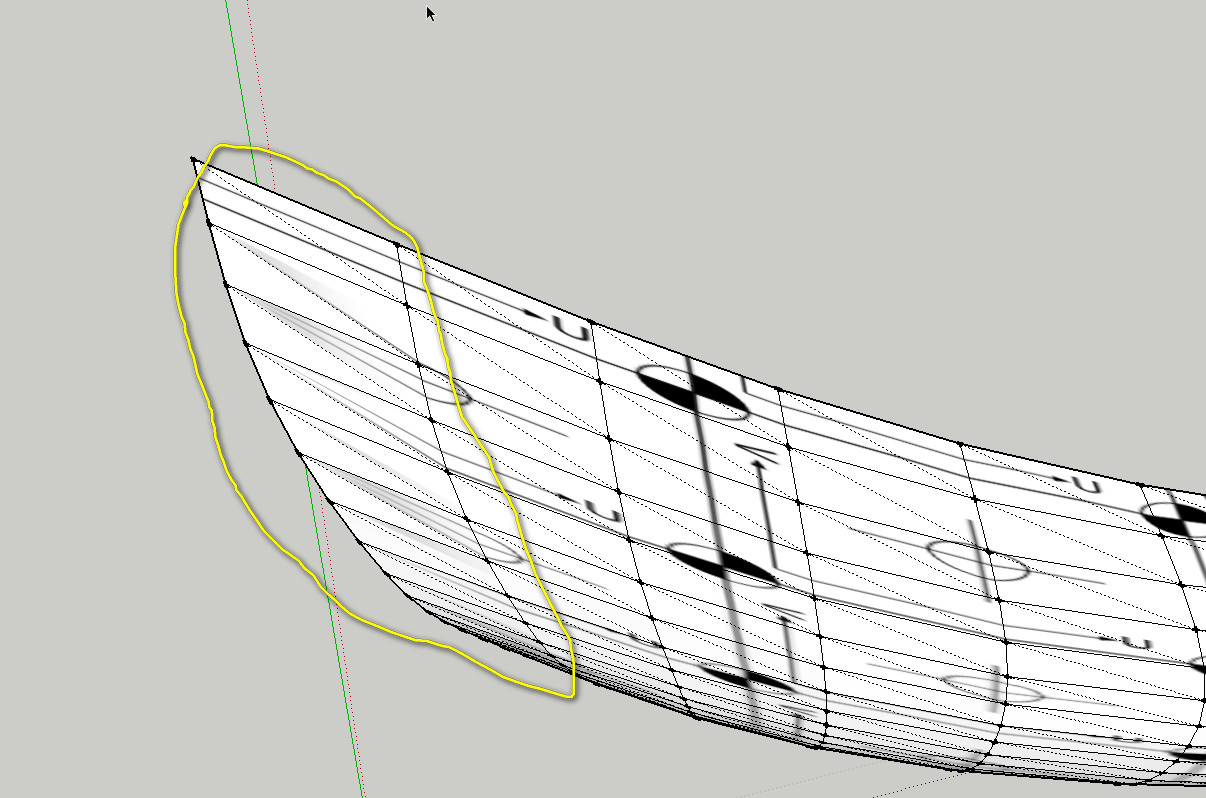
I'm still have a few problems with copy and paste UVs. It is probably a mistake from me again. Would you again take a look at it.
Charly
-
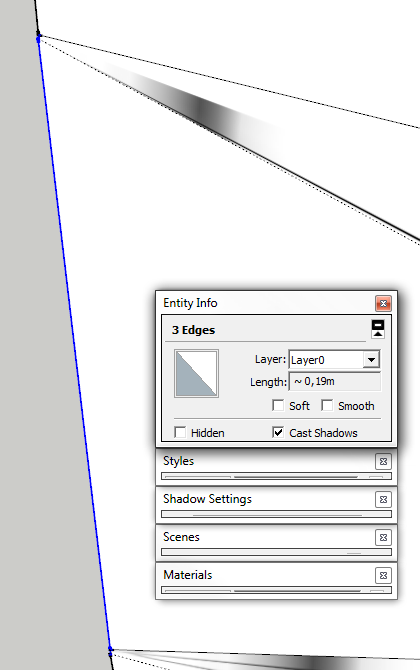
It's still some non-quads over at that end.






Hello! It looks like you're interested in this conversation, but you don't have an account yet.
Getting fed up of having to scroll through the same posts each visit? When you register for an account, you'll always come back to exactly where you were before, and choose to be notified of new replies (either via email, or push notification). You'll also be able to save bookmarks and upvote posts to show your appreciation to other community members.
With your input, this post could be even better 💗
Register Login


Advertisement