sketchucation logo sketchucation
    • 登入
    Oops, your profile's looking a bit empty! To help us tailor your experience, please fill in key details like your SketchUp version, skill level, operating system, and more. Update and save your info on your profile page today!
    🔌 Smart Spline | Fluid way to handle splines for furniture design and complex structures. Download

    [Plugin] Sketchup Ivy

    已排程 已置頂 已鎖定 已移動 Plugins
    732 貼文 172 Posters 315.3k 瀏覽 172 Watching
    正在載入更多貼文
    • 從舊到新
    • 從新到舊
    • 最多點贊
    回覆
    • 在新貼文中回覆
    登入後回覆
    此主題已被刪除。只有擁有主題管理權限的使用者可以查看。
    • T 離線
      tpskinner
      最後由 編輯

      Hey guys...

      Ive been trying to go through all the posts and I realise that theres been some issues with MAC but some seem to have got it to work...

      Ive got SU8... I unpacked the 0.6.3 RAR file and put the files into my plugins folder. I can open the Ivy window with all the various options... but when I click on the model nothing happens. Ive tried various clicks and alt clicks cmd clicks... but nothing. There are no error messages, just nothing happens.

      Any ideas?

      Thanks!
      Tim

      1 條回覆 最後回覆 回覆 引用 0
      • OxerO 離線
        Oxer
        最後由 編輯

        @tpskinner said:

        Hey guys...

        Ive been trying to go through all the posts and I realise that theres been some issues with MAC but some seem to have got it to work...

        Ive got SU8... I unpacked the 0.6.3 RAR file and put the files into my plugins folder. I can open the Ivy window with all the various options... but when I click on the model nothing happens. Ive tried various clicks and alt clicks cmd clicks... but nothing. There are no error messages, just nothing happens.

        Any ideas?

        Thanks!
        Tim

        Hi Tim, i use Mac too see this http://forums.sketchucation.com/viewtopic.php?f=323&t=36882&start=330 the las post.

        "The result is the end what is important is the process" by Oxer
        http://www.oxervision.blogspot.com/

        1 條回覆 最後回覆 回覆 引用 0
        • T 離線
          tpskinner
          最後由 編輯

          Hey guys...

          Still can't get this plugin to work... Im on Mac, SU8 and using 0.6.3 Ivy.

          I can successfully open the parameters dialogue box and move sliders etc... However, this is all I can do. Clicking on my model does nothing, CMD clicking does nothing etc.

          any ideas?

          Thanks,
          Tim

          1 條回覆 最後回覆 回覆 引用 0
          • C 離線
            Cyberdactyl
            最後由 編輯

            Been enjoying the plugin a lot. Thank you very much Pierreden.

            I've read through this massive thread and understand why half the leaves have the white background. But I'm curious why some leaves have a transparent square for the textures behind, yet has an edge that sees completely through a copy of the same texture?!

            Is there any more versions of this going to be released? I see it hasn't been worked on in 10 months.
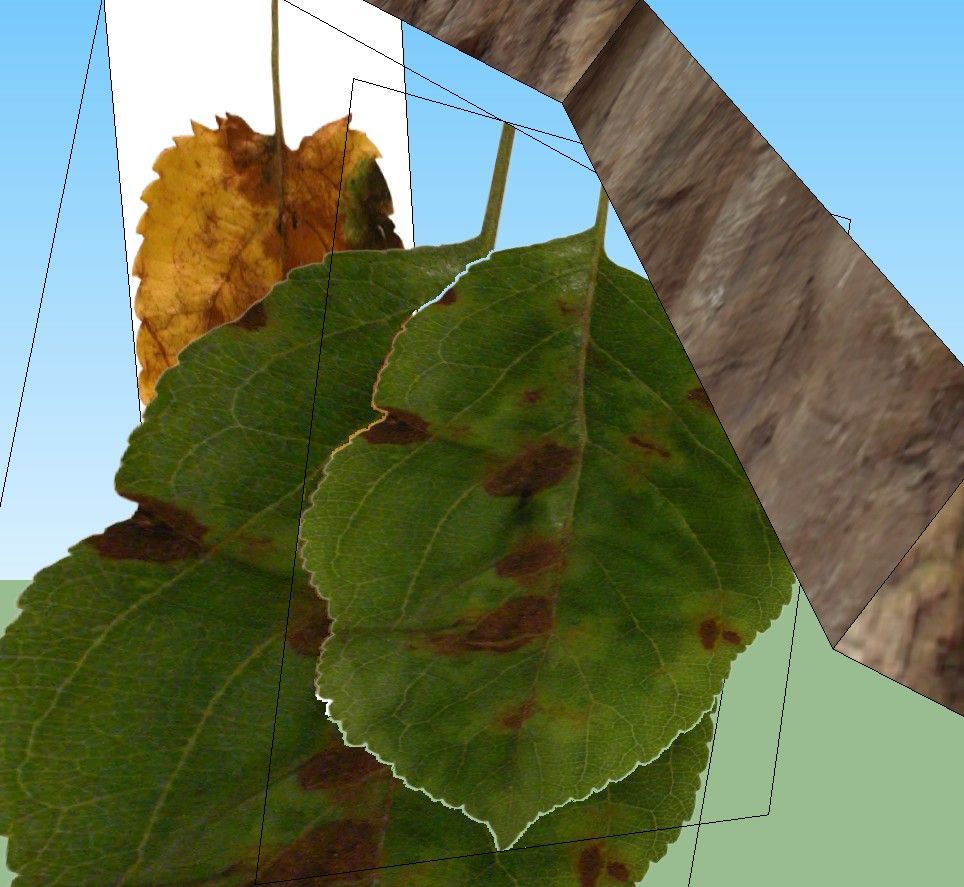
            http://img.photobucket.com/albums/v606/Cyberdactyl/SketchUp/leaves.jpg

            1 條回覆 最後回覆 回覆 引用 0
            • A 離線
              arqmiguelc
              最後由 編輯

              i fkn love you! great work although i had to modify the leaves components in order to have transparency on my leaf backround, but it works really fine!

              One more question, when are you planning to pull up a new version of the plug in? you should spread this worldwide, it is a fantastic idea.

              greetings from mexico.

              1 條回覆 最後回覆 回覆 引用 0
              • KrisidiousK 離線
                Krisidious
                最後由 編輯

                can we see some people's settings for certain types of results and can we see the default settings?

                By: Kristoff Rand
                Home DesignerUnique House Plans

                1 條回覆 最後回覆 回覆 引用 0
                • KrisidiousK 離線
                  Krisidious
                  最後由 編輯

                  I had to resave each of the leaves as a new sketchup file with the original name. I also saved them using png textures that I saved into the same textures folder so I could have transparency.

                  this fixed the issue of the vine not producing leaves or branches.

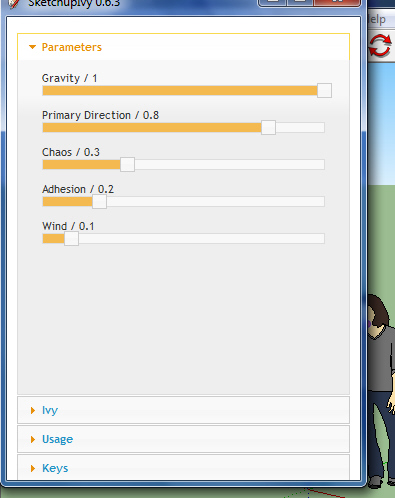
                  here are the default settings if you mess them up and can't find your way back.
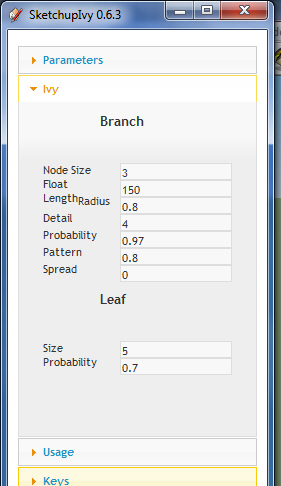
                  suivy default.jpg

                  suivy default1.jpg

                  By: Kristoff Rand
                  Home DesignerUnique House Plans

                  1 條回覆 最後回覆 回覆 引用 0
                  • J 離線
                    jellybean2012
                    最後由 編輯

                    Hi
                    I hope you can help because your render looks awesome - I've installed it and followed your instructions which all seem to work perfectly - however, when I try and render it in vRay it's not visible -- it's like it doesn't exist...

                    am i just being thick?

                    1 條回覆 最後回覆 回覆 引用 0
                    • TIGT 離線
                      TIG Moderator
                      最後由 編輯

                      Can v-ray render 'images' inside a SKP ?
                      Some renderers can't.
                      Perhaps they need exploding ??

                      TIG

                      1 條回覆 最後回覆 回覆 引用 0
                      • KrisidiousK 離線
                        Krisidious
                        最後由 編輯

                        I have no idea about that... sorry.

                        By: Kristoff Rand
                        Home DesignerUnique House Plans

                        1 條回覆 最後回覆 回覆 引用 0
                        • KrisidiousK 離線
                          Krisidious
                          最後由 編輯

                          love this plugin... still trying to get the hang of it. I don't seem to get consistent results. like adhesion doesn't seem to really make the vine adhere as it does make it grow shorter distances with each click.
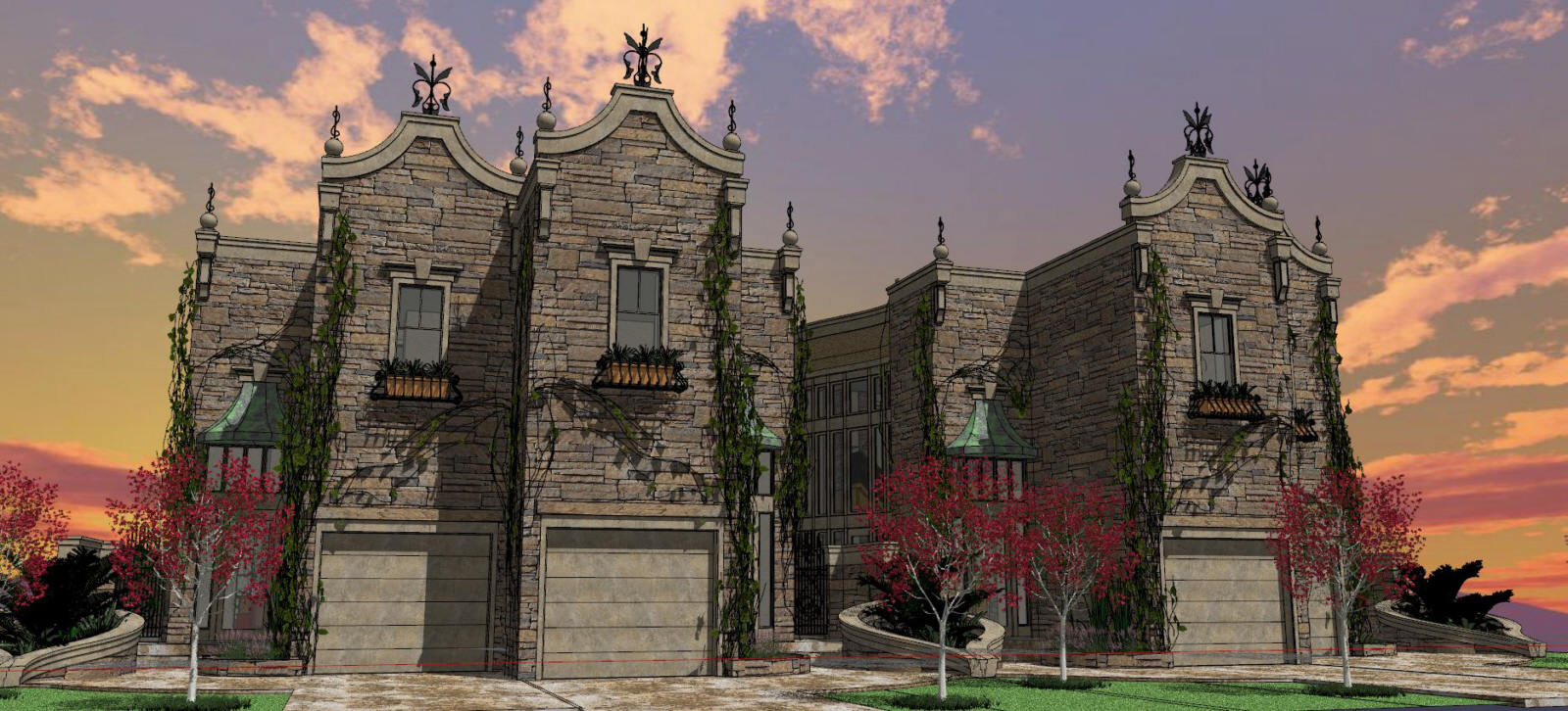
                          Horizon_3D_005.jpg

                          By: Kristoff Rand
                          Home DesignerUnique House Plans

                          1 條回覆 最後回覆 回覆 引用 0
                          • T 離線
                            tomot
                            最後由 編輯

                            @krisidious said:

                            I don't seem to get consistent results. like adhesion doesn't seem to really make the vine adhere as it does make it grow shorter distances with each click.

                            This Ivy generator is a got attempt at copying Thomas Luft's Ivy generator , but still has some minor problems such as collision detection which the SketchUp API may not not contain. 😞

                            my plugins
                            tomot

                            1 條回覆 最後回覆 回覆 引用 0
                            • T 離線
                              the.pjt
                              最後由 編輯

                              is it possible to change the SKP files located in the Plugins\LiveIvy\Textures and replace its JPEG textures with PNGs ?
                              so this plugin could results transparent textured leafs ...
                              because now we should change textures every time

                              can I do it ? ...or ... will the plugin make bad results ?? longer time ??

                              thanks ... 😉

                              1 條回覆 最後回覆 回覆 引用 0
                              • rodrigonotorR 離線
                                rodrigonotor
                                最後由 編輯

                                Hi Pj, is not problem change the files, only make shure you put the same names for components.

                                http://img215.imageshack.us/img215/3357/20052011070953pm.jpg

                                http://img803.imageshack.us/img803/6654/20052011075532pm.jpg

                                You can use the *.png file inside the leaf component.

                                Here are the leaf component I use.

                                ivy_leaf_enavas.rar

                                • Sketchando.net • www.arqcad.net •

                                1 條回覆 最後回覆 回覆 引用 0
                                • KrisidiousK 離線
                                  Krisidious
                                  最後由 編輯

                                  @the.pjt said:

                                  is it possible to change the SKP files located in the Plugins\LiveIvy\Textures and replace its JPEG textures with PNGs ?
                                  so this plugin could results transparent textured leafs ...
                                  because now we should change textures every time

                                  can I do it ? ...or ... will the plugin make bad results ?? longer time ??

                                  thanks ... 😉

                                  yes you can... that's what I did to allow transparency.

                                  By: Kristoff Rand
                                  Home DesignerUnique House Plans

                                  1 條回覆 最後回覆 回覆 引用 0
                                  • T 離線
                                    the.pjt
                                    最後由 編輯

                                    thanks ..

                                    so I have another question .. why Pierreden (author) have used JPG textures in Plugins\LiveIvy\Textures ? he could use PNGs ... couldn't he ? ...

                                    I'm going to change components in the directory (Plugins\LiveIvy\Textures) .. 😄

                                    1 條回覆 最後回覆 回覆 引用 0
                                    • bigstickB 離線
                                      bigstick
                                      最後由 編輯

                                      This still doesn't work on the Mac. In case anyone is tempted to try the updated version in the hope that it will work on the Mac, nope. Not for me, and after all the posts so far, I'm not the only one having trouble with this. This updated version doesn't actually fix anything as far as I can see.

                                      To summarise:-

                                      The dialog works. This latest version has the default values as krisidious shows in his post. I'm grateful for this, it was one of the things I thought that might be the cause of the plugin not working. However, the ivy will still not 'grow'.
                                      Also the problem where this plugin inserts the leaf components into every single model still persists. This is a bug in my opinion.

                                      I'm guessing that it's bad etiquette to modify someone else's plugin, but I really wish someone would fix these issues. It's one I have been itching to use for a long time, and it's still frustrating that it almost works.

                                      I haven't seen anything from Pierreden for some time, but surely he wouldn't mind someone else fixing this...

                                      1 條回覆 最後回覆 回覆 引用 0
                                      • T 離線
                                        the.pjt
                                        最後由 編輯

                                        Hi Dear Sketchucators 😄 ..

                                        I have Updated This Nice plugin

                                        all I have done is Making a Toolbar and an Icon For this little Nice Ivy Plugin ..
                                        And I also made it an Extension .. So You can temporary disable it ...and then enable it
                                        I have NOT changed Its codes so it's still vr 1.6.3

                                        but you will see 1.6.3.1 version in SU's preferences panel because of these little changes ...

                                        Have a nice day 😛 .. and a nice toolbar 😄

                                        👎 DOWNLOAD IT NOW
                                        LiveIvy.zip

                                        important : it's not an a stand alone plugin because it doesn't cautions TEXTURE folder .. you should extract it to your plugins folder and replace its files with existing rubies

                                        1 條回覆 最後回覆 回覆 引用 0
                                        • OxerO 離線
                                          Oxer
                                          最後由 編輯

                                          Thanks for the toolbar!! 👍

                                          "The result is the end what is important is the process" by Oxer
                                          http://www.oxervision.blogspot.com/

                                          1 條回覆 最後回覆 回覆 引用 0
                                          • Gus RG 離線
                                            Gus R
                                            最後由 編輯

                                            Noticed something the other day. When I open a new instance of SU8 it loads all of the "ivyleaf" components into the new model. It also loads these same components if I open a drawing from Windows Explorer or using the File -> Open command. It won't load if I open a drawing from the pull down menu withing SU or if I start a second new drawing.

                                            This is using the latest version of Sketchup Ivy from the first page. Not really a critical issue for me but I thought you might want to be aware of this. Didn't see if this was brought up in the previous discussion.


                                            www.instagram.com/gusrobatto/

                                            www.facebook.com/gusrobatto

                                            www.flickr.com/photos/gusrobatto

                                            1 條回覆 最後回覆 回覆 引用 0
                                            • 1
                                            • 2
                                            • 9
                                            • 10
                                            • 11
                                            • 12
                                            • 13
                                            • 36
                                            • 37
                                            • 11 / 37
                                            • 第一個貼文
                                              最後的貼文
                                            Buy SketchPlus
                                            Buy SUbD
                                            Buy WrapR
                                            Buy eBook
                                            Buy Modelur
                                            Buy Vertex Tools
                                            Buy SketchCuisine
                                            Buy FormFonts

                                            Advertisement