sketchucation logo sketchucation
    • 登入
    Oops, your profile's looking a bit empty! To help us tailor your experience, please fill in key details like your SketchUp version, skill level, operating system, and more. Update and save your info on your profile page today!
    🔌 Smart Spline | Fluid way to handle splines for furniture design and complex structures. Download

    [Plugin] ImageTrimmer

    已排程 已置頂 已鎖定 已移動 Plugins
    364 貼文 58 Posters 256.5k 瀏覽 58 Watching
    正在載入更多貼文
    • 從舊到新
    • 從新到舊
    • 最多點贊
    回覆
    • 在新貼文中回覆
    登入後回覆
    此主題已被刪除。只有擁有主題管理權限的使用者可以查看。
    • Dave RD 離線
      Dave R
      最後由 編輯

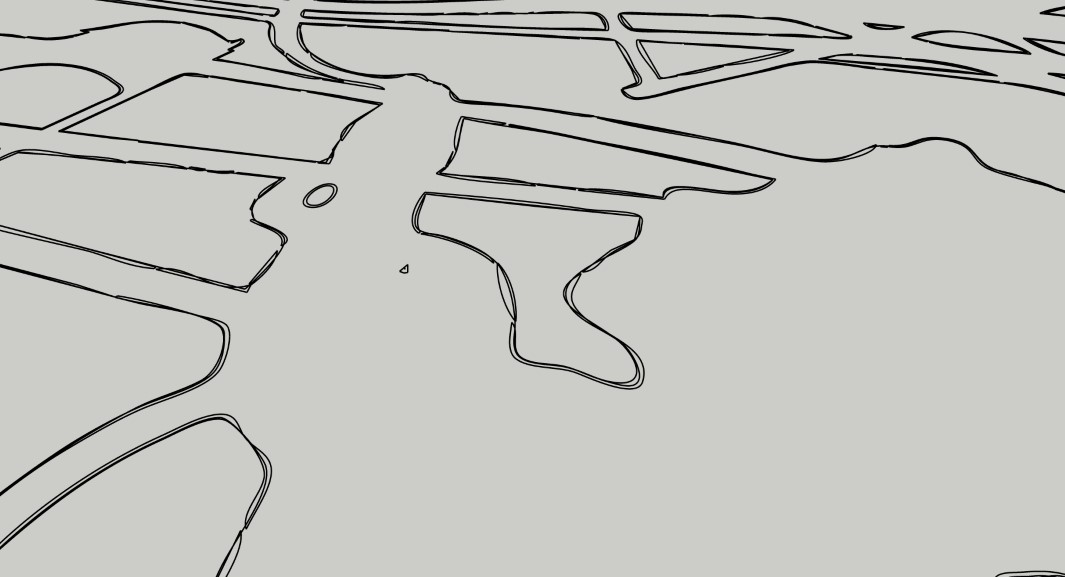
      Image Trimmer worked perfectly on my system. Here's the results from your .skp file. I wonder what is missing on your system. The extension is fine.
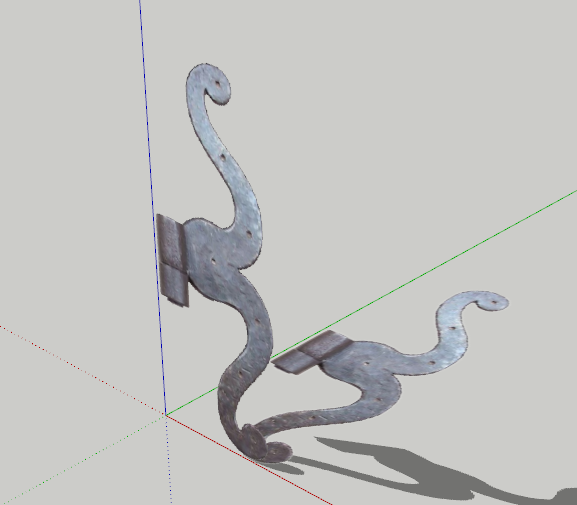
      Screenshot - 7_3_2023 , 8_40_02 AM.png


      Penture_033 SU2019 trimmed.skp

      Etaoin Shrdlu

      %

      (THERE'S NO PLACE LIKE)

      G28 X0.0 Y0.0 Z0.0

      M30

      %

      1 條回覆 最後回覆 回覆 引用 0
      • Didier BurD 離線
        Didier Bur
        最後由 編輯

        Many thanks Dave
        OMG if only I could find the culprit 😮

        DB

        1 條回覆 最後回覆 回覆 引用 0
        • Dave RD 離線
          Dave R
          最後由 編輯

          You're quite welcome.

          @didier bur said:

          OMG if only I could find the culprit 😮

          I wish I knew what it was that is causing the problem. Seems like somewhere there's something missing.

          BTW, how are you using that hinge? Is a flat representation of it enough? I was doodling and just traced the image, mostly with FredoSpline and got this:
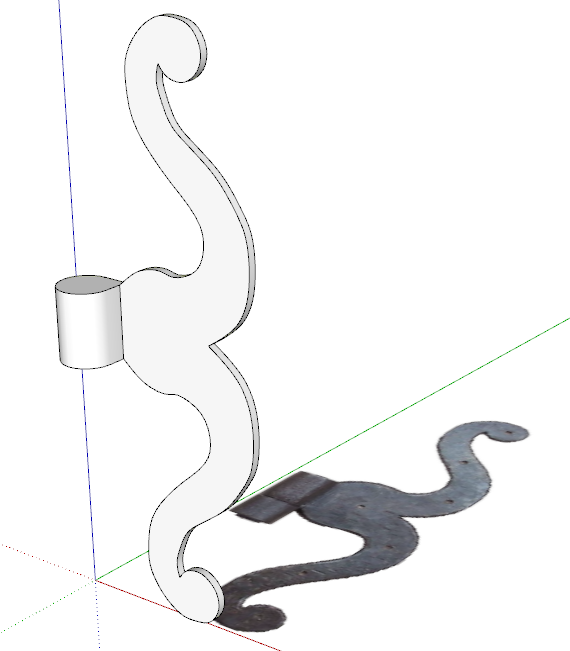
          Screenshot - 7_3_2023 , 9_09_49 AM.png
          Still needs the holes and a texture but I think it would be cleaner than a component made from the trimmed image. The images is such low res that it would create a very rough object with a lot of unneeded geometry.

          Etaoin Shrdlu

          %

          (THERE'S NO PLACE LIKE)

          G28 X0.0 Y0.0 Z0.0

          M30

          %

          1 條回覆 最後回覆 回覆 引用 0
          • Didier BurD 離線
            Didier Bur
            最後由 編輯

            Hi Dave,

            I still wonder what's wrong with Java on my system. Currently the jar file calls the javaw.exe executable. I've tried to associate java.exe as well but no luck. What is yours ?
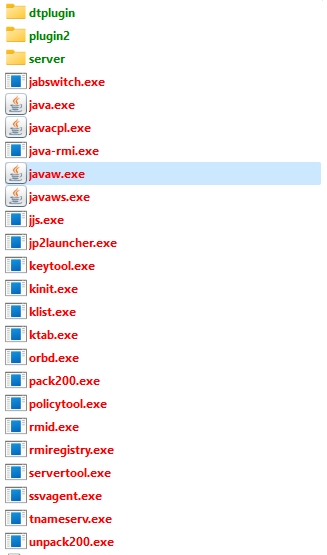
            java_exe.jpg

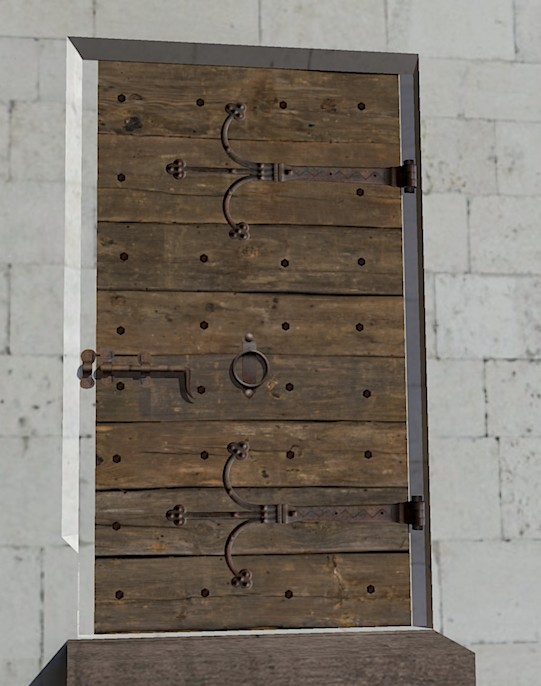
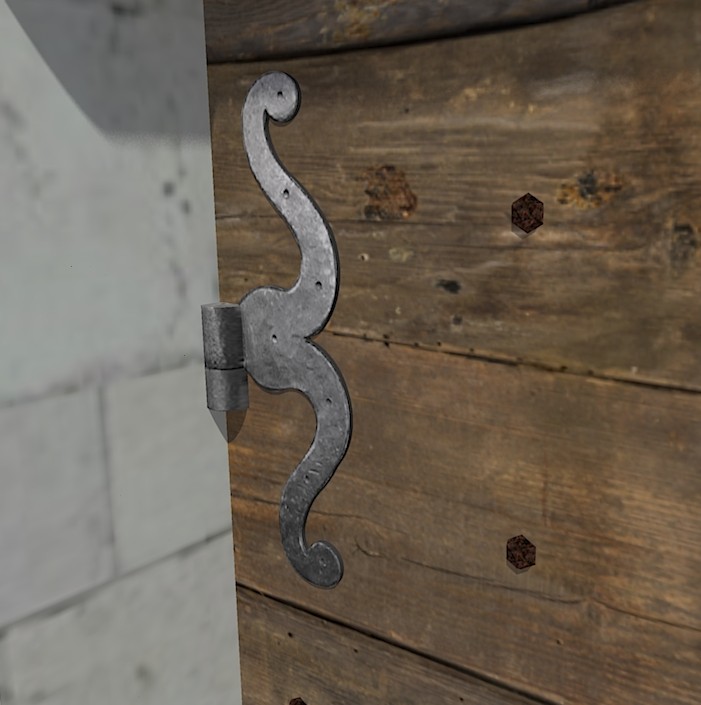
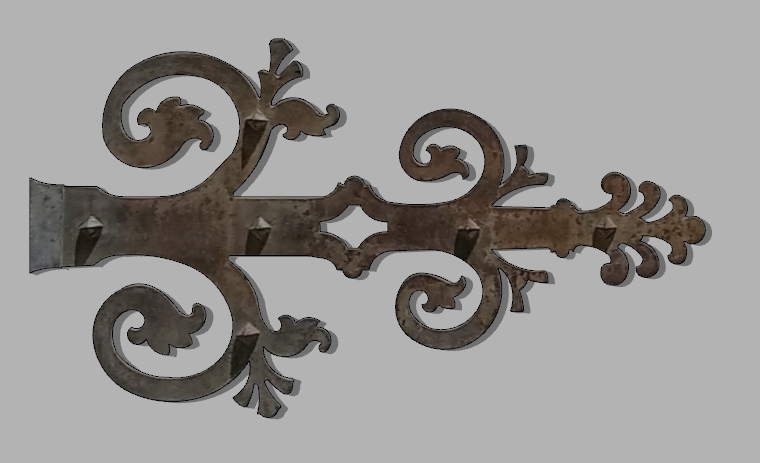
            These hinges are used on doors of a 14th medieval castle reconstitution. A flat hinge isn't accurate enough because the castle will be visitable in a Twinmotion Presenter, so I need quite a lot of details for every element.
            Some hinges are quite simple but others more complex and can need one hour to draw manually.

            Again, thanks for your help 👍


            Porte.jpg


            Gond.jpg


            penture.jpg

            DB

            1 條回覆 最後回覆 回覆 引用 0
            • TIGT 離線
              TIG Moderator
              最後由 編輯

              On my PC JAR files open [run] with Java.exe
              There's no problem... did you try reinstalling Java from Oracle ?

              TIG

              1 條回覆 最後回覆 回覆 引用 0
              • T 離線
                Tallkoala
                最後由 編輯

                PLEASE BEWARE !!!
                I tried installng Java again from the link you sent and it’s totally crashed my laptop (blue sceen bitlocker error); I’ve taken it to a specialist this afternoon and I’m going to have to make a fresh install of the operating system so will lose all my files.
                This is going to cost me significant time and money.
                Please be aware before recommending anyone else to do this.
                I have a Dell XPS 17 2021 model.

                1 條回覆 最後回覆 回覆 引用 0
                • Didier BurD 離線
                  Didier Bur
                  最後由 編輯

                  Hi TIG,

                  Yes I re-installed Java from this page:
                  https://www.java.com/fr/download/manual.jsp
                  I downloaded the 'Windows hors ligne' version:
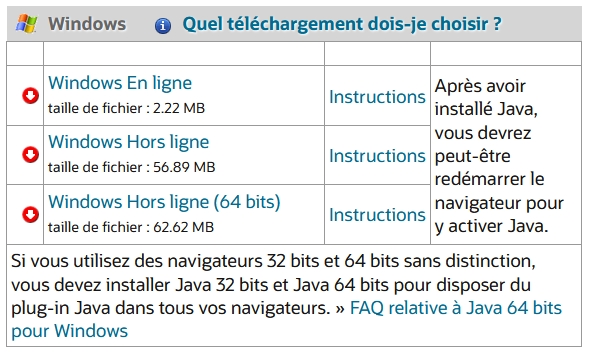
                  java_download.jpg

                  Regards,

                  DB

                  1 條回覆 最後回覆 回覆 引用 0
                  • TIGT 離線
                    TIG Moderator
                    最後由 編輯

                    I have the Java EN version, but otherwise it's the exact same www link...

                    TIG

                    1 條回覆 最後回覆 回覆 引用 0
                    • T 離線
                      Tallkoala
                      最後由 編輯

                      Would anyone be kind enough to help convert this PNG file into a skp model so I can give it some thickness. I have tried several times to install the plugin and download Java but with no success.
                      I just need this one image converting (The white background should be removed).
                      If you anyone can do it for me I would be much appreciate it.
                      Thanks


                      day out graphic_ma4 - Copy.png

                      1 條回覆 最後回覆 回覆 引用 0
                      • Dave RD 離線
                        Dave R
                        最後由 編輯

                        @tallkoala said:

                        Would anyone be kind enough to help convert this PNG file into a skp model so I can give it some thickness.

                        I'll do it but do you have a higher res version?

                        Etaoin Shrdlu

                        %

                        (THERE'S NO PLACE LIKE)

                        G28 X0.0 Y0.0 Z0.0

                        M30

                        %

                        1 條回覆 最後回覆 回覆 引用 0
                        • T 離線
                          Tallkoala
                          最後由 編輯

                          Thats great, thanks.

                          This is a link to where the file is stored, its the highest res I have....

                          Box

                          favicon

                          (app.box.com)

                          1 條回覆 最後回覆 回覆 引用 0
                          • Dave RD 離線
                            Dave R
                            最後由 編輯

                            We'll see what we get. It's still not a very high res image so I expect it'll be pretty rough. Might make more sense to usea raster to vector converter to generate a .dxf file that you can import into SketchUp. There are a number of those converters online.

                            Etaoin Shrdlu

                            %

                            (THERE'S NO PLACE LIKE)

                            G28 X0.0 Y0.0 Z0.0

                            M30

                            %

                            1 條回覆 最後回覆 回覆 引用 0
                            • T 離線
                              Tallkoala
                              最後由 編輯

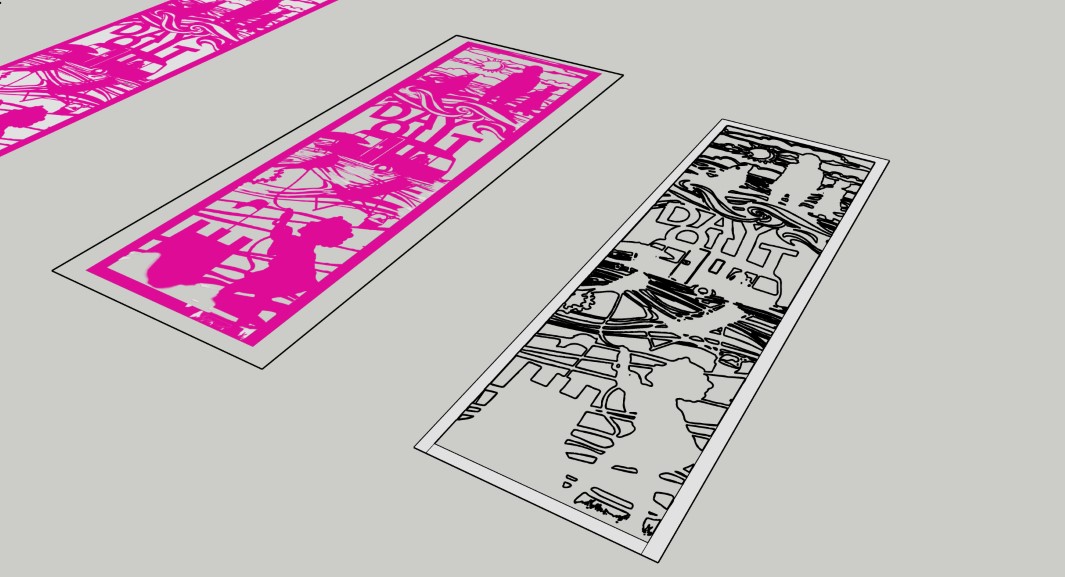
                              I did try that (with a couple of different converters) but the image I got didn't have clean lines. I tried exploding the resulting model and then making joining lines in shapes I wanted to be solid but I couldn't get it to work.

                              See attached screenshots and close up...

                              External Finger Post Shaping1.jpg


                              External Finger Post Shaping2.jpg

                              1 條回覆 最後回覆 回覆 引用 0
                              • Dave RD 離線
                                Dave R
                                最後由 編輯

                                With the images you've supplied, Image Trimmer isn't going to be much better. It's tying up my computer for a long time. I may have to kill it so I can get some other stuff done.

                                Etaoin Shrdlu

                                %

                                (THERE'S NO PLACE LIKE)

                                G28 X0.0 Y0.0 Z0.0

                                M30

                                %

                                1 條回覆 最後回覆 回覆 引用 0
                                • T 離線
                                  Tallkoala
                                  最後由 編輯

                                  ok no problem, thanks for trying anyway...

                                  1 條回覆 最後回覆 回覆 引用 0
                                  • Didier BurD 離線
                                    Didier Bur
                                    最後由 編輯

                                    Hi all,

                                    Again about my problem (Java not working as expected):
                                    Here is the message I get after jar is launched:

                                    Error; #<Errno;;ENOENT; No such file or directory @ rb_sysopen - C;\Users\DBUR\Documents\TrimmedImages\Penture_033[Edges].dat>
                                    C;/Users/DBUR/AppData/Roaming/SketchUp/SketchUp 2023/SketchUp/Plugins/SKMtools/ImageTrimmer.rb;277;in `readlines'
                                    C;/Users/DBUR/AppData/Roaming/SketchUp/SketchUp 2023/SketchUp/Plugins/SKMtools/ImageTrimmer.rb;277;in `make_edges'
                                    C;/Users/DBUR/AppData/Roaming/SketchUp/SketchUp 2023/SketchUp/Plugins/SKMtools/ImageTrimmer.rb;201;in `process_image'
                                    C;/Users/DBUR/AppData/Roaming/SketchUp/SketchUp 2023/SketchUp/Plugins/SKMtools/ImageTrimmer.rb;170;in `initialize'
                                    C;/Users/DBUR/AppData/Roaming/SketchUp/SketchUp 2023/SketchUp/Plugins/SKMtools/ImageTrimmer.rb;834;in `new'
                                    C;/Users/DBUR/AppData/Roaming/SketchUp/SketchUp 2023/SketchUp/Plugins/SKMtools/ImageTrimmer.rb;834;in `block in <top (required)>'
                                    

                                    I have the png image file in the model's folder, but no 'Penture_033[Edges].dat' file 😕
                                    All the rights (read/write etc...) are set for this folder.

                                    As it is said in the comments in ImageTrimmer.rb:

                                    @unknownuser said:

                                    There is a temporary 'data' file 'StandingMan1[Edges].dat' which contains
                                    '01' data used to construct the Sketchup Edges - this should be auto-erased
                                    whatever option you choose.

                                    Is this file a template, sort of ?

                                    Regards,

                                    DB

                                    1 條回覆 最後回覆 回覆 引用 0
                                    • 1
                                    • 2
                                    • 3
                                    • 4
                                    • 5
                                    • 6
                                    • 7
                                    • 8
                                    • 18
                                    • 19
                                    • 6 / 19
                                    • 第一個貼文
                                      最後的貼文
                                    Buy SketchPlus
                                    Buy SUbD
                                    Buy WrapR
                                    Buy eBook
                                    Buy Modelur
                                    Buy Vertex Tools
                                    Buy SketchCuisine
                                    Buy FormFonts

                                    Advertisement