Preview SU files on Mac
-
There's an app called graphic converter that you can see preview thumbs with (even if they weren't saved with su's 'custom icon')
Get the demo version ( which you can use as much as you'd like. There's a ten second startup wait with the trial version)
-
thanks Jeff lifesaver and timesaver!!!!
Is this is http://www.macupdate.com/info.php/id/263/graphicconverter-x -
@liam887 said:
thanks Jeff lifesaver and timesaver!!!!
Is this is http://www.macupdate.com/info.php/id/263/graphicconverter-xoh nice.. they updated it to version 7 which looks much better (as in, the UI looks better)
there's a filter at the bottom of the browser window but i can't figure out how to show only SKP previews .. when you click on a skp preview, it says the file format is 'SKP preview' but i can't single them out..
probably in your case it might be best to have the skps in folders and go through each folder individually?
[edit] oh wait!.. you can make an osx smart folder (opt/cmmd/N in finder.. type skp in the search bar and switch to file name or type) which will show all the skps on your system then browse that folder via graphicconverter.. that way, you'll see previews of every skp on your system.. sort by name, date, etc if you wish.
-
Graphic converter works, but why can we not get a native support under OSX for previews???

-
I think I spoke about this matter with a member of the google sketchup team at basecamp and the OSX architecture just doesn't support this option I think? Could be wrong.
-
@liam887 said:
Could be wrong.
I'm afraid you are. SketchUp has been written in Cocoa. There is absolutely no reason why this shouldn't work (after all, why do we have Coverflow??
 ). All Google need to do is to write a simple script that takes a snapshot of the screen when the last save was pressed, or when the window was closed (upon saving). The resulting image then appears as an icon within the resources part of the app bundle. High resolution as much as possible of course! Simple.
 -
fwiw, there's another app out there called file juicer
it can extract every image associated with a skp..
ie- a monochrome view, a textured one, every scene thumbnail, all texture files, + anything else that's saved in the skp..
[JPEG, JP2, PNG, GIF, PDF, BMP, WMF, EMF, PICT, TIFF, Flash, Zip, HTML, WAV, MP3, AVI, MOV, MPG, WMV, MP4, AU, AIFF or text file ]here's a typical looking html sheet from a skp file..
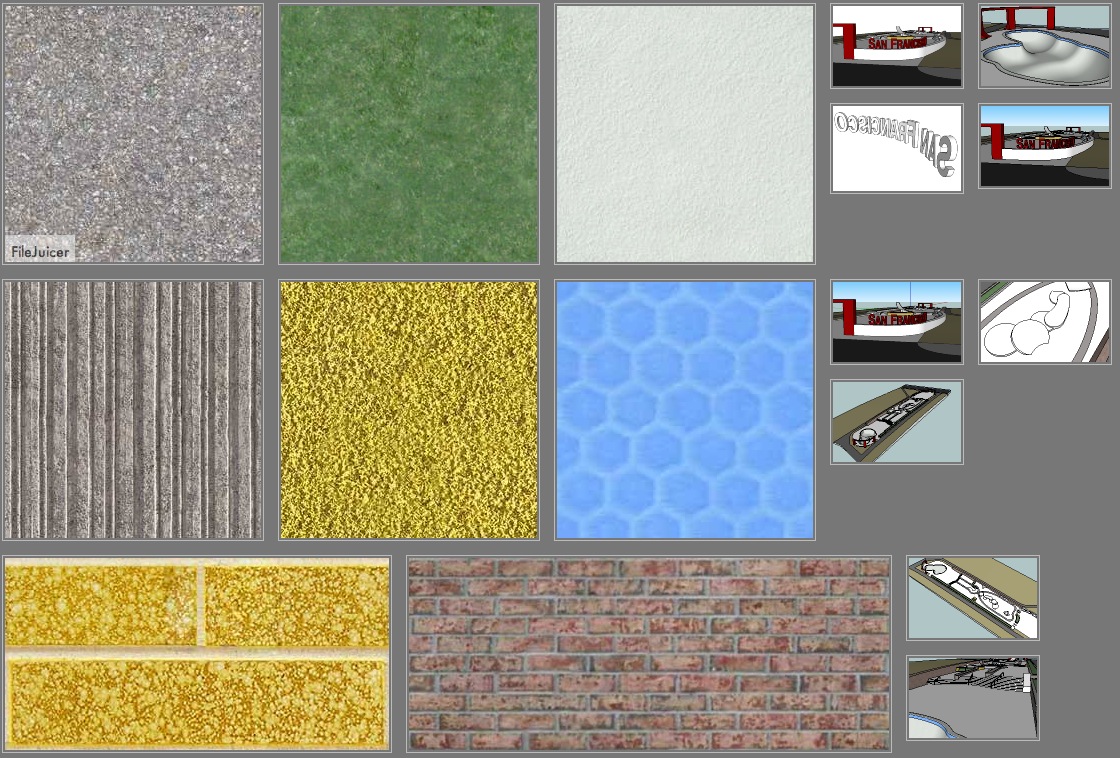
-
@tfdesign said:
@liam887 said:
Could be wrong.
I'm afraid you are. SketchUp has been written in Cocoa. There is absolutely no reason why this shouldn't work (after all, why do we have Coverflow??
). All Google need to do is to write a simple script that takes a snapshot of the screen when the last save was pressed, or when the window was closed (upon saving). The resulting image then appears as an icon within the resources part of the app bundle. High resolution as much as possible of course! Simple.well then hopefully some of the ruby guys could write a little file browser to use within sketchup that would be great!
@unknownuser said:
fwiw, there's another app out there called file juicer
it can extract every image associated with a skp..
ie- a monochrome view, a textured one, every scene thumbnail, all texture files, + anything else that's saved in the skp..
[JPEG, JP2, PNG, GIF, PDF, BMP, WMF, EMF, PICT, TIFF, Flash, Zip, HTML, WAV, MP3, AVI, MOV, MPG, WMV, MP4, AU, AIFF or text file ]here's a typical looking html sheet from a skp file..
nice ill have a little gander at that later Jeff
-
@liam887 said:
well then hopefully some of the ruby guys could write a little file browser to use within sketchup that would be great!
That's a nice idea, but I don't think it would work, because the code has to be written within the app itself. It would probably be best just to badger Google more for an update in SU9.
-
This post is deleted!

Hello! It looks like you're interested in this conversation, but you don't have an account yet.
Getting fed up of having to scroll through the same posts each visit? When you register for an account, you'll always come back to exactly where you were before, and choose to be notified of new replies (either via email, or push notification). You'll also be able to save bookmarks and upvote posts to show your appreciation to other community members.
With your input, this post could be even better 💗
Register Login


Advertisement