sketchucation logo sketchucation
    • Login
    Oops, your profile's looking a bit empty! To help us tailor your experience, please fill in key details like your SketchUp version, skill level, operating system, and more. Update and save your info on your profile page today!
    Mac User? | Join the Rayscaper Beta for Mac Learn More

    [Plugin] Bitmap To Mesh

    Scheduled Pinned Locked Moved Plugins
    264 Posts 75 Posters 517.1k Views 75 Watching
    Loading More Posts
    • Oldest to Newest
    • Newest to Oldest
    • Most Votes
    Reply
    • Reply as topic
    Log in to reply
    This topic has been deleted. Only users with topic management privileges can see it.
    • thomthomT
      thomthom
      last edited by

      @dave r said:

      I was just thinking that setting some limit so that everything is either black or white and not shades of gray would get rid of the spikes.

      The spikes you see if much due to the extreme height of the mesh, and part due to the current triangulation. I'm not sure if making the contrast bigger will reduce then - in either case, Ruby isn't efficient for image manipulation - you'd be just as well off just preparing the image before in an proper image editor.

      @dave r said:

      Would it be possible to work things so that a face is created only if the value is less than some set point (250,250,250?) and the face is always at Z=0? Delete coplanar edges between faces and you'd have a raster to SKP converter.

      It'd be an interesting new tool, but I still think it's best if the image is prepared by the user in an editor and made into complete Black and White (not grey scale).

      Then the tool could read all the white or black and generate a mesh - where it could then afterwards trace the outline and remove the interior lines. After running an curve simplification, like the Douglas-Peucker algorithm, and you could end up with a decent vectorized shape from your raster mask.

      This would have been so much better if I could read the alpha channel of PNG files. I was a looking at this some time ago, but existing too many third party libraries for my comfort which makes redistribution more complex. The alternative, making a pure standalone ruby PNG interpreter wasn't so easy either, the decompression algorithm wasn't the easiest.

      Thomas Thomassen — SketchUp Monkey & Coding addict
      List of my plugins and link to the CookieWare fund

      1 Reply Last reply
      Reply Quote 0
      • Dave RD
        Dave R
        last edited by

        Well, it's all voodoo to me so I am glad we have folks like you.

        Etaoin Shrdlu

        %

        (THERE'S NO PLACE LIKE)

        G28 X0.0 Y0.0 Z0.0

        M30

        %

        1 Reply Last reply
        Reply Quote 0
        • thomthomT
          thomthom
          last edited by

          Version 0.2.0b

          • Made into a tool so the user can easily position the mesh
          • Moved menu to Draw > Mesh From Bitmap
          • Keeps aspect ratio of image or Image element
          • Right click and Image element to generate a mesh. (Does not need to be BMP image - but Draw > Mesh From Bitmap still require BMP imput)
          • Colour BMP images will convert the RGB value to optical greyscale.
          • VCB support

          Thomas Thomassen — SketchUp Monkey & Coding addict
          List of my plugins and link to the CookieWare fund

          1 Reply Last reply
          Reply Quote 0
          • thomthomT
            thomthom
            last edited by

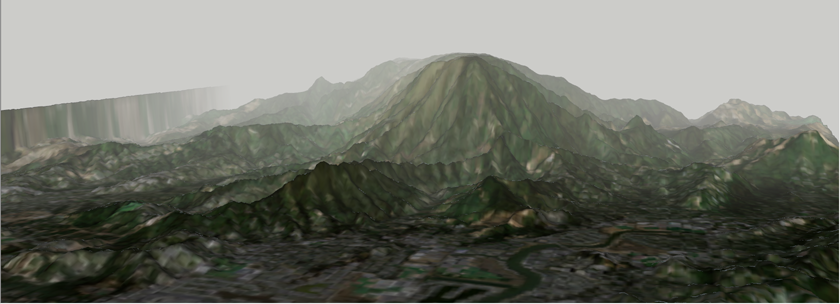
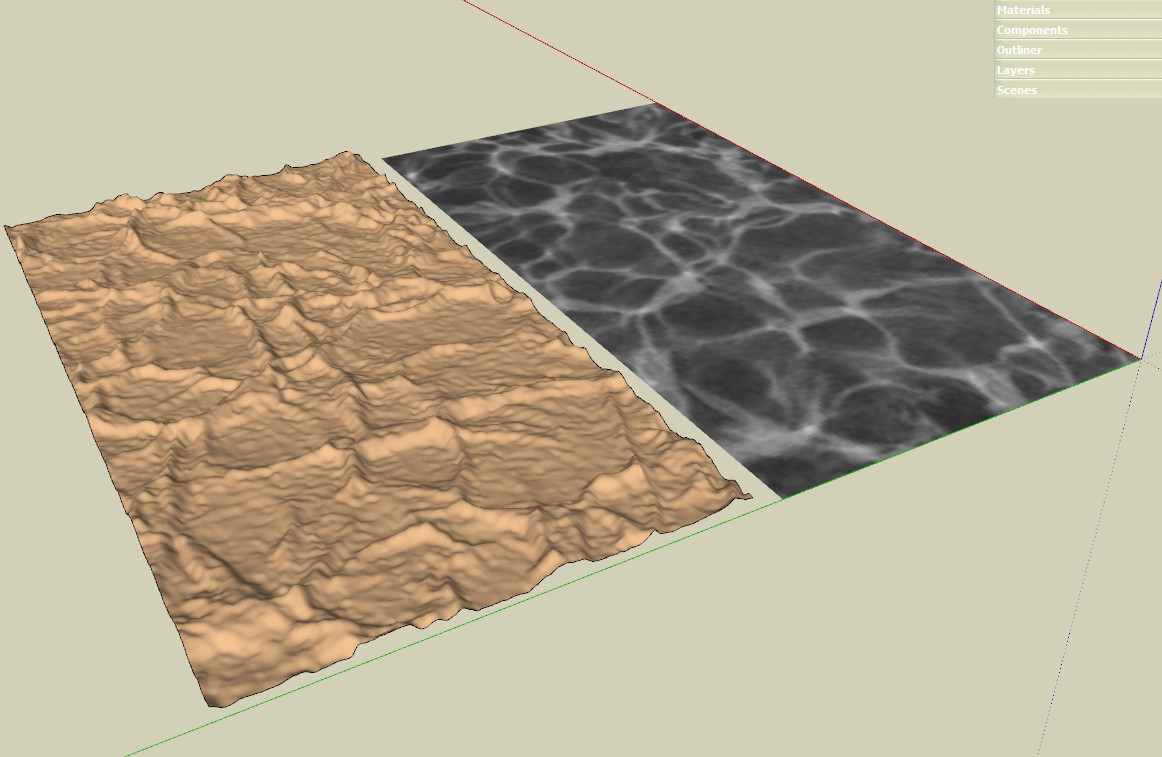
            TerrainTest.png

            Test using sample maps from: http://www.mtgrafix.com/programs/terrain.html

            Also tried this: http://www.twisteddirt.com/TutorialStuff/dem_02.php Nice terrain shape - but the diffuse texture wasn't so good.

            Thomas Thomassen — SketchUp Monkey & Coding addict
            List of my plugins and link to the CookieWare fund

            1 Reply Last reply
            Reply Quote 0
            • D
              dedmin
              last edited by

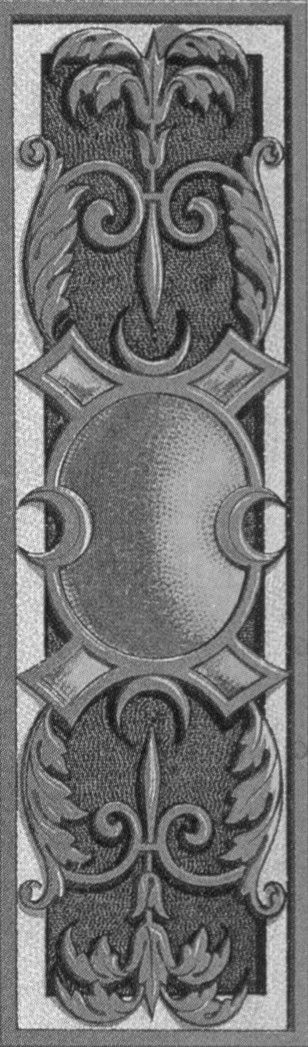
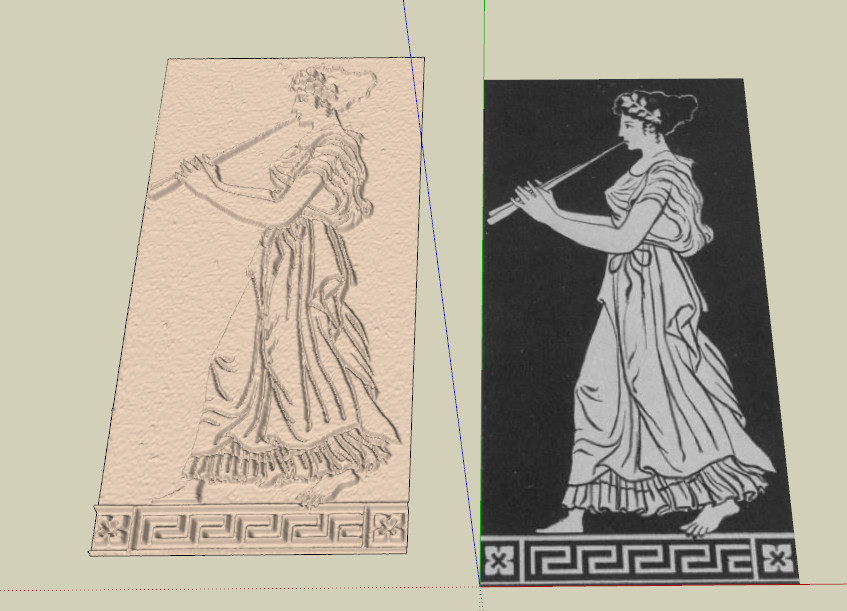
              or-a-24-0039.jpg

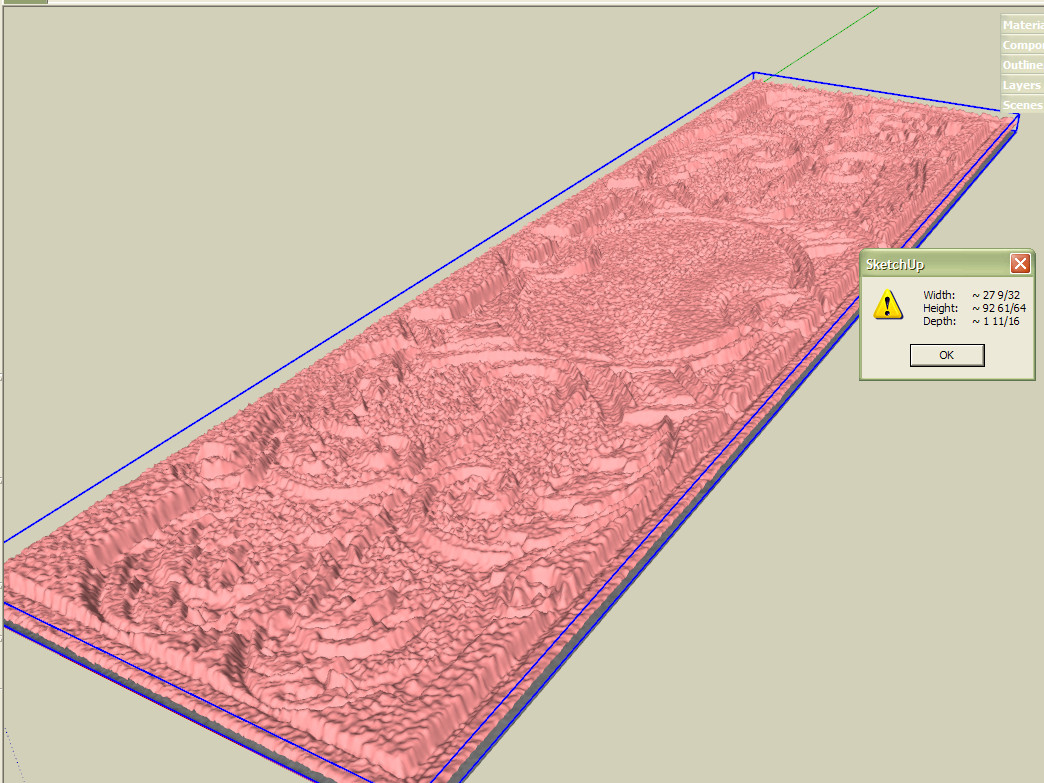
              2010-10-03_185534.jpg
              2010-10-03_185511.jpg

              1 Reply Last reply
              Reply Quote 0
              • thomthomT
                thomthom
                last edited by

                308px × 1 047px - that would make the mesh ~500-600K faces?

                And the issue with that bitmap is that despite it being a greyscale, it's still not a height map - which is why the mesh doesn't come out looking as what the image illustrate.

                Thomas Thomassen — SketchUp Monkey & Coding addict
                List of my plugins and link to the CookieWare fund

                1 Reply Last reply
                Reply Quote 0
                • D
                  dedmin
                  last edited by

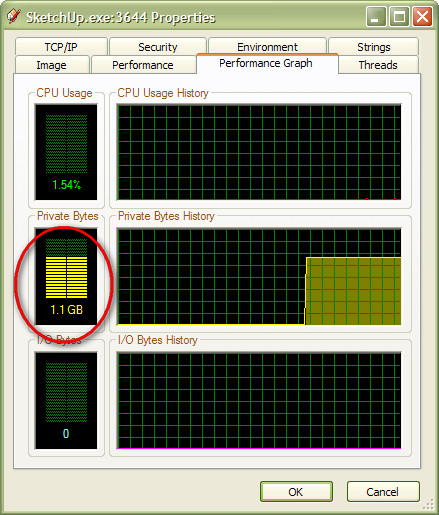
                  Yes, true. I just wanted to test it - the file is 105 MB 🤣

                  1 Reply Last reply
                  Reply Quote 0
                  • thomthomT
                    thomthom
                    last edited by

                    Yea - the last texture I tested was 512x512 - heavy mesh. And I'd forgotten that Autosave was on - every 5 mins. x_X

                    Thomas Thomassen — SketchUp Monkey & Coding addict
                    List of my plugins and link to the CookieWare fund

                    1 Reply Last reply
                    Reply Quote 0
                    • D
                      dedmin
                      last edited by

                      2010-10-03_191933.jpg

                      1 Reply Last reply
                      Reply Quote 0
                      • D
                        dedmin
                        last edited by

                        2010-10-03_192956.jpg

                        1 Reply Last reply
                        Reply Quote 0
                        • shuraS
                          shura
                          last edited by

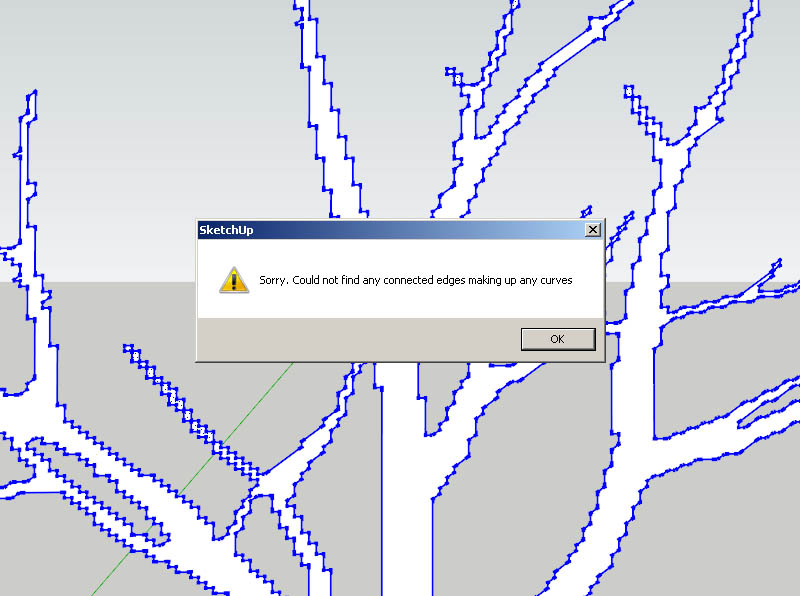
                          Why don't I get the Curve Simplification to work?
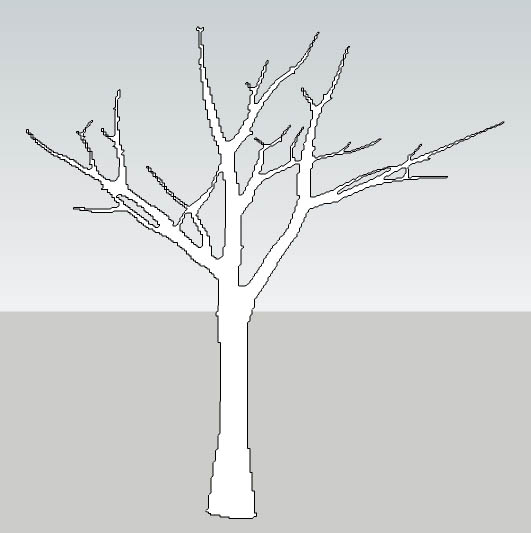
                          Test.jpg

                          TestSorry.jpg

                          1 Reply Last reply
                          Reply Quote 0
                          • thomthomT
                            thomthom
                            last edited by

                            hm... possibly you have a version where it failed on closed loops. I might not have uploaded a corrected version...

                            Thomas Thomassen — SketchUp Monkey & Coding addict
                            List of my plugins and link to the CookieWare fund

                            1 Reply Last reply
                            Reply Quote 0
                            • david_hD
                              david_h
                              last edited by

                              So I notice these wonderful meshes created. How is one controlling the height of the extrusion?

                              If I make it look easy...It is probably easy

                              1 Reply Last reply
                              Reply Quote 0
                              • P
                                pichuneke
                                last edited by

                                The pieces on the roof (above the pediment) are made with your plugin 😄

                                @N00/5053994977/" target="_blank" rel="noopener noreferrer nofollow ugc">
                                http://farm5.static.flickr.com/4103/5053994977_c27d104e30_z.jpg
                                Reconstrucción del Templo de Artemis Agrotera 4 by Egocentrico, on Flickr

                                relieve3.png

                                Click here to see it in bigger size (1024 px):

                                ERROR: The request could not be satisfied

                                favicon

                                (www.flickr.com)

                                Forgive my spanglish...

                                1 Reply Last reply
                                Reply Quote 0
                                • G
                                  Ghalko
                                  last edited by

                                  So I read the posts and then thought nothing of trying a 2048x2048 heightmap produced by L3DT (terrain generating program.) 😲 Maybe I should try a bit smaller at first. Then I won't just freeze sketchup and make my patience run out... 😕

                                  I will try with a smaller (much smaller) one first and post the results.

                                  Bryan

                                  Arrrggghhh! Why won't it make a face!!! Stupid, no good piece of... Oh look! The line went to the wrong point. Whew... moving on. (My fights with sketchup.)

                                  1 Reply Last reply
                                  Reply Quote 0
                                  • soloS
                                    solo
                                    last edited by

                                    @unknownuser said:

                                    So I notice these wonderful meshes created. How is one controlling the height of the extrusion?

                                    Color, the darker the black and brighter the white will produce the greatest crests and troughs.

                                    http://www.solos-art.com

                                    If you see a toilet in your dreams do not use it.

                                    1 Reply Last reply
                                    Reply Quote 0
                                    • G
                                      Ghalko
                                      last edited by

                                      After letting a 384x384 (meters) heightmap simmer:
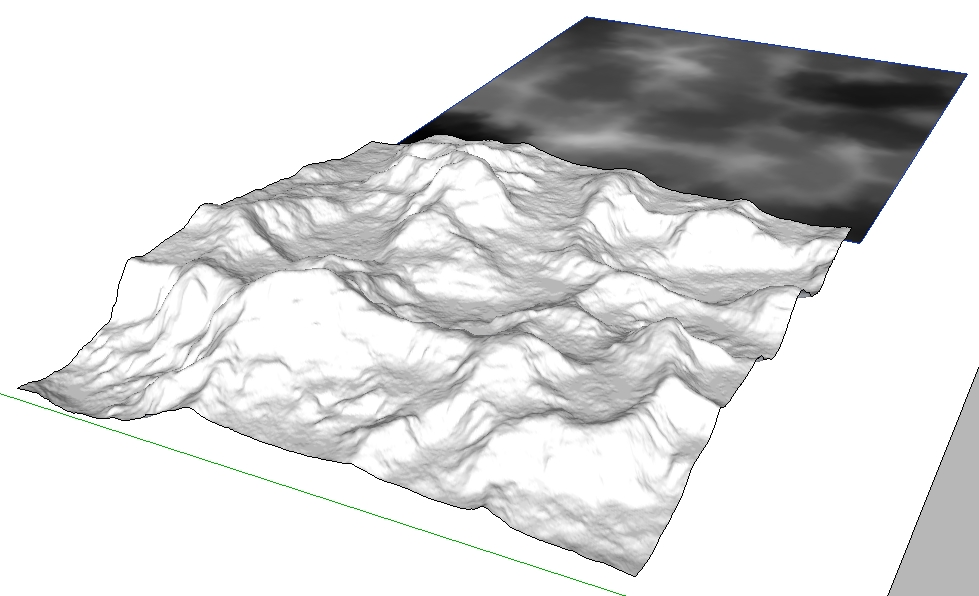
                                      Yey!

                                      Arrrggghhh! Why won't it make a face!!! Stupid, no good piece of... Oh look! The line went to the wrong point. Whew... moving on. (My fights with sketchup.)

                                      1 Reply Last reply
                                      Reply Quote 0
                                      • david_hD
                                        david_h
                                        last edited by

                                        @solo said:

                                        Color, the darker the black and brighter the white will produce the greatest crests and troughs.

                                        I get that easy enough. its all based on contrast. . .so One must go into PhoShop and manipulate and lessen those contrasts before putting it into the plugin? Because when I down loaded the scrolly motif lintel thing, I got all kinds of mess. I just couldn't get my model to look like others were doing. . .

                                        I'll keep playing with it.

                                        If I make it look easy...It is probably easy

                                        1 Reply Last reply
                                        Reply Quote 0
                                        • jeff hammondJ
                                          jeff hammond
                                          last edited by

                                          David,
                                          Use the scale tool to compress it vertically.

                                          dotdotdot

                                          1 Reply Last reply
                                          Reply Quote 0
                                          • david_hD
                                            david_h
                                            last edited by

                                            oh well. . . there's one for the duh thread.

                                            Thx 😳

                                            If I make it look easy...It is probably easy

                                            1 Reply Last reply
                                            Reply Quote 0

                                            Hello! It looks like you're interested in this conversation, but you don't have an account yet.

                                            Getting fed up of having to scroll through the same posts each visit? When you register for an account, you'll always come back to exactly where you were before, and choose to be notified of new replies (either via email, or push notification). You'll also be able to save bookmarks and upvote posts to show your appreciation to other community members.

                                            With your input, this post could be even better 💗

                                            Register Login
                                            • 1
                                            • 2
                                            • 3
                                            • 4
                                            • 5
                                            • 13
                                            • 14
                                            • 1 / 14
                                            • First post
                                              Last post
                                            Buy SketchPlus
                                            Buy SUbD
                                            Buy WrapR
                                            Buy eBook
                                            Buy Modelur
                                            Buy Vertex Tools
                                            Buy SketchCuisine
                                            Buy FormFonts

                                            Advertisement