sketchucation logo sketchucation
    • 登入
    Oops, your profile's looking a bit empty! To help us tailor your experience, please fill in key details like your SketchUp version, skill level, operating system, and more. Update and save your info on your profile page today!
    ⚠️ Important | Libfredo 15.6b introduces important bugfixes for Fredo's Extensions Update

    [Plugin] Export 2d with Alpha

    已排程 已置頂 已鎖定 已移動 Plugins
    148 貼文 42 Posters 121.2k 瀏覽 42 Watching
    正在載入更多貼文
    • 從舊到新
    • 從新到舊
    • 最多點贊
    回覆
    • 在新貼文中回覆
    登入後回覆
    此主題已被刪除。只有擁有主題管理權限的使用者可以查看。
    • HumpmetwiceH 離線
      Humpmetwice
      最後由 編輯

      Have I put something in the wrong spot or something cause when I go to view/export 2D the settings comes up but then it doesn't give me a file type to save it as?

      1 條回覆 最後回覆 回覆 引用 0
      • thomthomT 離線
        thomthom
        最後由 編輯

        @unknownuser said:

        Have I put something in the wrong spot or something cause when I go to view/export 2D the settings comes up but then it doesn't give me a file type to save it as?

        After the Settings window and you click OK you should get a File Dialog asking you what name to give the file. You must specify the file extension yourself.

        Thomas Thomassen — SketchUp Monkey & Coding addict
        List of my plugins and link to the CookieWare fund

        1 條回覆 最後回覆 回覆 引用 0
        • HumpmetwiceH 離線
          Humpmetwice
          最後由 編輯

          @thomthom said:

          After the Settings window and you click OK you should get a File Dialog asking you what name to give the file. You must specify the file extension yourself.

          I know and it doesn't give me any file type to save it as at all.

          1 條回覆 最後回覆 回覆 引用 0
          • thomthomT 離線
            thomthom
            最後由 編輯

            You have to type the file type yourself - there is no list of file types because the SketchUp Ruby API doesn't let me provide one.

            So if you want to save a jpg file just enter "myfile.jpg" in the file dialog.
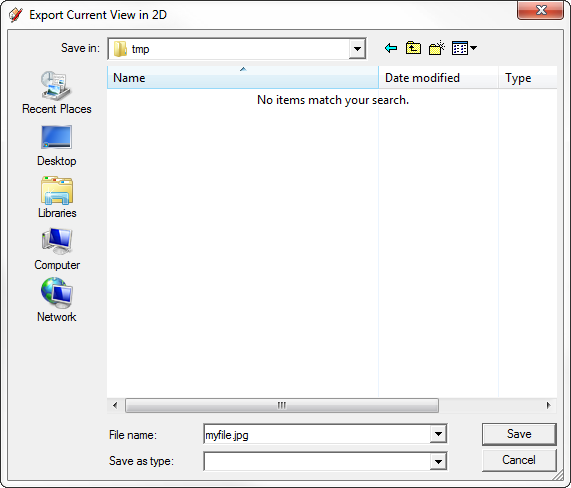
            filedialog.png

            Thomas Thomassen — SketchUp Monkey & Coding addict
            List of my plugins and link to the CookieWare fund

            1 條回覆 最後回覆 回覆 引用 0
            • GaieusG 離線
              Gaieus
              最後由 編輯

              @thomthom said:

              @gaieus said:

              Edit; to me, it does not export with transparent background... Nor does it export only the active context. 😞

              What version of SU did you use?
              Got a screencapture?

              The most recent one; SU 8.

              Here is a screen capture; now with a different codec than the one you could not open the other day if you remember...


              test2.avi

              Gai...

              1 條回覆 最後回覆 回覆 引用 0
              • thomthomT 離線
                thomthom
                最後由 編輯

                That baffles me. I have no idea why this happens. Exactly the same works for me... ❓ 😕 ❓


                test1.zip

                Thomas Thomassen — SketchUp Monkey & Coding addict
                List of my plugins and link to the CookieWare fund

                1 條回覆 最後回覆 回覆 引用 0
                • GaieusG 離線
                  Gaieus
                  最後由 編輯

                  Well, sigh... I can always use LO for exporting png's with transparent background...

                  Maybe it's an XP thing?

                  Gai...

                  1 條回覆 最後回覆 回覆 引用 0
                  • thomthomT 離線
                    thomthom
                    最後由 編輯

                    I don't know. Haven't got an XP machine at hand right now. Could be an SketchUp bug...

                    Thomas Thomassen — SketchUp Monkey & Coding addict
                    List of my plugins and link to the CookieWare fund

                    1 條回覆 最後回覆 回覆 引用 0
                    • GaieusG 離線
                      Gaieus
                      最後由 編輯

                      Well, you know where to report it (and who has all sorts of machines). I have no clue about the ins and outs of ruby. I could never make a proper bug report on plugins!
                      😄

                      Gai...

                      1 條回覆 最後回覆 回覆 引用 0
                      • thomthomT 離線
                        thomthom
                        最後由 編輯

                        Just to narrow it down to a simple test case - can you try this one-liner?

                        <span class="syntaxdefault">Sketchup</span><span class="syntaxkeyword">.</span><span class="syntaxdefault">active_model</span><span class="syntaxkeyword">.</span><span class="syntaxdefault">active_view</span><span class="syntaxkeyword">.</span><span class="syntaxdefault">write_image</span><span class="syntaxkeyword">(</span><span class="syntaxdefault"> </span><span class="syntaxkeyword">{</span><span class="syntaxdefault"> </span><span class="syntaxkeyword">;</span><span class="syntaxdefault">filename</span><span class="syntaxkeyword">=></span><span class="syntaxstring">'C;\test.png'</span><span class="syntaxkeyword">,</span><span class="syntaxdefault"> </span><span class="syntaxkeyword">;</span><span class="syntaxdefault">width</span><span class="syntaxkeyword">=></span><span class="syntaxdefault">640</span><span class="syntaxkeyword">,</span><span class="syntaxdefault"> </span><span class="syntaxkeyword">;</span><span class="syntaxdefault">height</span><span class="syntaxkeyword">=></span><span class="syntaxdefault">480</span><span class="syntaxkeyword">,</span><span class="syntaxdefault"> </span><span class="syntaxkeyword">;</span><span class="syntaxdefault">antialias</span><span class="syntaxkeyword">=></span><span class="syntaxdefault">false</span><span class="syntaxkeyword">,</span><span class="syntaxdefault"> </span><span class="syntaxkeyword">;</span><span class="syntaxdefault">transparent</span><span class="syntaxkeyword">=></span><span class="syntaxdefault">true </span><span class="syntaxkeyword">}</span><span class="syntaxdefault"> </span><span class="syntaxkeyword">)</span><span class="syntaxdefault"> </span>
                        

                        Thomas Thomassen — SketchUp Monkey & Coding addict
                        List of my plugins and link to the CookieWare fund

                        1 條回覆 最後回覆 回覆 引用 0
                        • GaieusG 離線
                          Gaieus
                          最後由 編輯

                          Try what? Enter the ruby console? I get this:
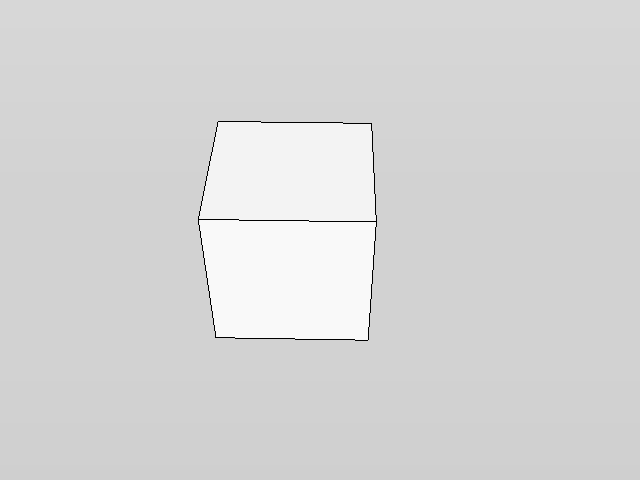

                          test.png

                          Gai...

                          1 條回覆 最後回覆 回覆 引用 0
                          • TIGT 離線
                            TIG Moderator
                            最後由 編輯

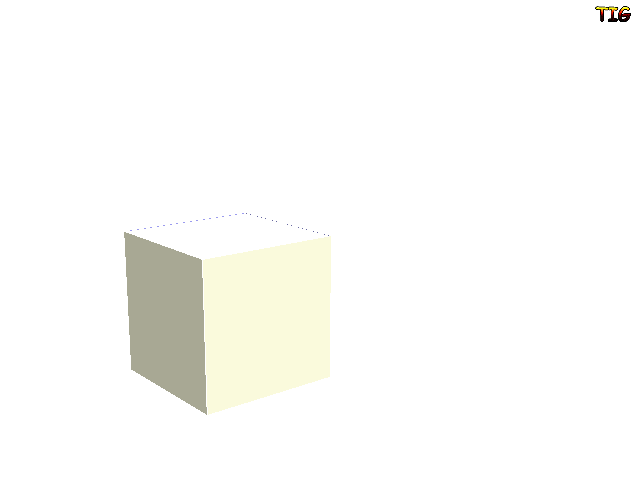
                            If you set the background color to be 0,0,0 [pure-black] then the image will export with a transparent background in place of the 'pure-black', when you open it in Gimp or a web-browser etc you will see there is no background... 🤓test.png

                            TIG

                            1 條回覆 最後回覆 回覆 引用 0
                            • thomthomT 離線
                              thomthom
                              最後由 編輯

                              @tig said:

                              If you set the background color to be 0,0,0 [pure-black]

                              Should not need to do this - I export with the default SketchUp Sky - still I get transparency.

                              Thomas Thomassen — SketchUp Monkey & Coding addict
                              List of my plugins and link to the CookieWare fund

                              1 條回覆 最後回覆 回覆 引用 0
                              • TIGT 離線
                                TIG Moderator
                                最後由 編輯

                                @thomthom said:

                                @tig said:

                                If you set the background color to be 0,0,0 [pure-black]

                                Should not need to do this - I export with the default SketchUp Sky - still I get transparency.

                                That's not entirely correct... iIF you have a Sky and/or Ground ticked in your Style you will not get a transparent background to the png for the areas that these parts 'cover'.
                                BUT if you have the Sky AND Ground un-ticked in your Style then I agree - the color of the Background itself is irrelevant because whatever it is when the have the png export transparency set 'on' that background is made 'transparent' - no matter what color it is - white, black, magenta or anything else!

                                TIG

                                1 條回覆 最後回覆 回覆 引用 0
                                • thomthomT 離線
                                  thomthom
                                  最後由 編輯

                                  I get Transparency with Sky on. But not with Ground.

                                  ...Gaieus... do you have the Ground on?

                                  Thomas Thomassen — SketchUp Monkey & Coding addict
                                  List of my plugins and link to the CookieWare fund

                                  1 條回覆 最後回覆 回覆 引用 0
                                  • thomthomT 離線
                                    thomthom
                                    最後由 編輯

                                    Correction: Sky do appear when exporting. I just always tried with a view looking down so no sky was visible.

                                    Thomas Thomassen — SketchUp Monkey & Coding addict
                                    List of my plugins and link to the CookieWare fund

                                    1 條回覆 最後回覆 回覆 引用 0
                                    • TIGT 離線
                                      TIG Moderator
                                      最後由 編輯

                                      @thomthom said:

                                      I get Transparency with Sky on. But not with Ground.

                                      ...Gaieus... do you have the Ground on?

                                      I find that both sky and ground obscure my png's background transparency ?
                                      I need to have sky and ground both off to have a fully transparent background in the png, BUT even then shadows on the ground-pane will show up floating is space so you need to have that option off too...

                                      TIG

                                      1 條回覆 最後回覆 回覆 引用 0
                                      • FrederikF 離線
                                        Frederik
                                        最後由 編輯

                                        Don't know why I haven't seen this gem before today... 😳

                                        Awesome, Thomas...!
                                        Thank you SO much...!!

                                        Cheers
                                        Kim Frederik

                                        1 條回覆 最後回覆 回覆 引用 0
                                        • GaieusG 離線
                                          Gaieus
                                          最後由 編輯

                                          Hi Thom and TIG; you are right, when I turn ground and sky off, I can export with transparency.

                                          And now I am banging my head to the wall (where is that smiley?
                                          http://twilightrender.com/phpBB3/images/smilies/wall.gif
                                          )

                                          This is exactly the way you need to set your style to be able to export your png with transparency!

                                          Gai...

                                          1 條回覆 最後回覆 回覆 引用 0
                                          • thomthomT 離線
                                            thomthom
                                            最後由 編輯

                                            Yea - we need that smiley.

                                            This has been one for my Duh! list as well.

                                            Thomas Thomassen — SketchUp Monkey & Coding addict
                                            List of my plugins and link to the CookieWare fund

                                            1 條回覆 最後回覆 回覆 引用 0
                                            • 1
                                            • 2
                                            • 3
                                            • 4
                                            • 5
                                            • 6
                                            • 7
                                            • 8
                                            • 2 / 8
                                            • 第一個貼文
                                              最後的貼文
                                            Buy SketchPlus
                                            Buy SUbD
                                            Buy WrapR
                                            Buy eBook
                                            Buy Modelur
                                            Buy Vertex Tools
                                            Buy SketchCuisine
                                            Buy FormFonts

                                            Advertisement