sketchucation logo sketchucation
    • 登入
    Oops, your profile's looking a bit empty! To help us tailor your experience, please fill in key details like your SketchUp version, skill level, operating system, and more. Update and save your info on your profile page today!
    🔌 Easy Offset | Offset selected faces in SketchUp in positive and negative offsets. Download

    [Plugin] TT_Lib²

    已排程 已置頂 已鎖定 已移動 Plugins
    310 貼文 66 Posters 407.9k 瀏覽 66 Watching
    正在載入更多貼文
    • 從舊到新
    • 從新到舊
    • 最多點贊
    回覆
    • 在新貼文中回覆
    登入後回覆
    此主題已被刪除。只有擁有主題管理權限的使用者可以查看。
    • H 離線
      hygicell
      最後由 編輯

      TT_Vertex
      TT_Vertex
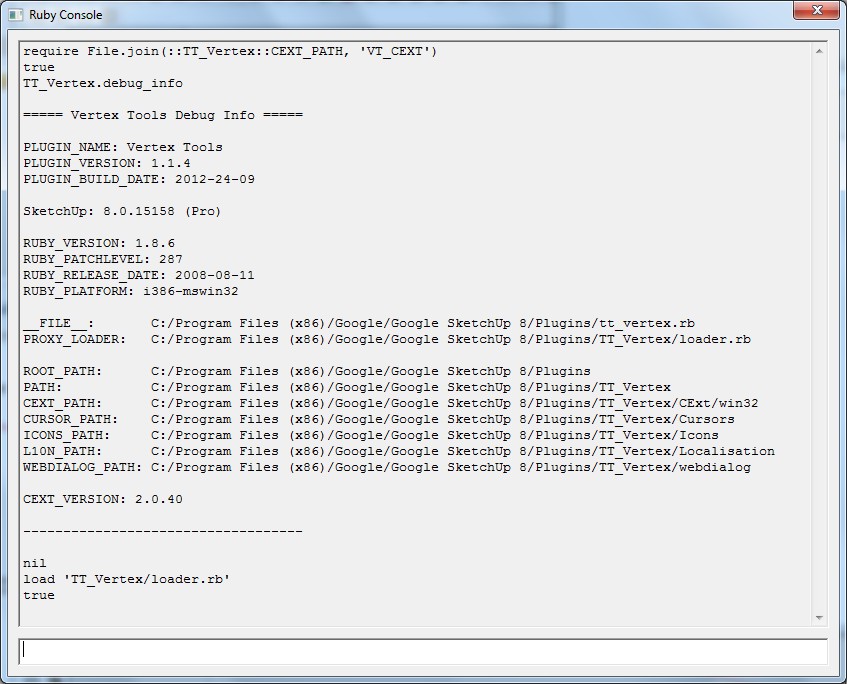
      load 'TT_Vertex/loader.rb'
      true
      TT_Vertex.debug_info

      ===== Vertex Tools Debug Info =====

      PLUGIN_NAME: Vertex Tools
      PLUGIN_VERSION: 1.1.4
      PLUGIN_BUILD_DATE: 2012-24-09

      SketchUp: 8.0.15158 (Pro)

      RUBY_VERSION: 1.8.6
      RUBY_PATCHLEVEL: 287
      RUBY_RELEASE_DATE: 2008-08-11
      RUBY_PLATFORM: i386-mswin32

      FILE: C:/Program Files (x86)/Google/Google SketchUp 8/Plugins/tt_vertex.rb
      PROXY_LOADER: C:/Program Files (x86)/Google/Google SketchUp 8/Plugins/TT_Vertex/loader.rb

      ROOT_PATH: C:/Program Files (x86)/Google/Google SketchUp 8/Plugins
      PATH: C:/Program Files (x86)/Google/Google SketchUp 8/Plugins/TT_Vertex
      CEXT_PATH: C:/Program Files (x86)/Google/Google SketchUp 8/Plugins/TT_Vertex/CExt/win32
      CURSOR_PATH: C:/Program Files (x86)/Google/Google SketchUp 8/Plugins/TT_Vertex/Cursors
      ICONS_PATH: C:/Program Files (x86)/Google/Google SketchUp 8/Plugins/TT_Vertex/Icons
      L10N_PATH: C:/Program Files (x86)/Google/Google SketchUp 8/Plugins/TT_Vertex/Localisation
      WEBDIALOG_PATH: C:/Program Files (x86)/Google/Google SketchUp 8/Plugins/TT_Vertex/webdialog

      CEXT_VERSION: <undefined>


      nil

      1 條回覆 最後回覆 回覆 引用 0
      • thomthomT 離線
        thomthom
        最後由 編輯

        Something is wrong with the C-Extension. (The .so file) It's not being loaded.

        @unknownuser said:

        CEXT_VERSION: <undefined>

        Though why it doesn't load I do not know. 😕
        Maybe there's something else on your machine blocking it... ?

        What happens when you type:

        require File.join(::TT_Vertex::CEXT_PATH, 'VT_CEXT')

        or...

        require File.join(TT_Vertex::CEXT_PATH, 'VT_CEXT')

        ?

        Thomas Thomassen — SketchUp Monkey & Coding addict
        List of my plugins and link to the CookieWare fund

        1 條回覆 最後回覆 回覆 引用 0
        • thomthomT 離線
          thomthom
          最後由 編輯

          Also, what does the File Properties for the VT_CEXT.so file look like?
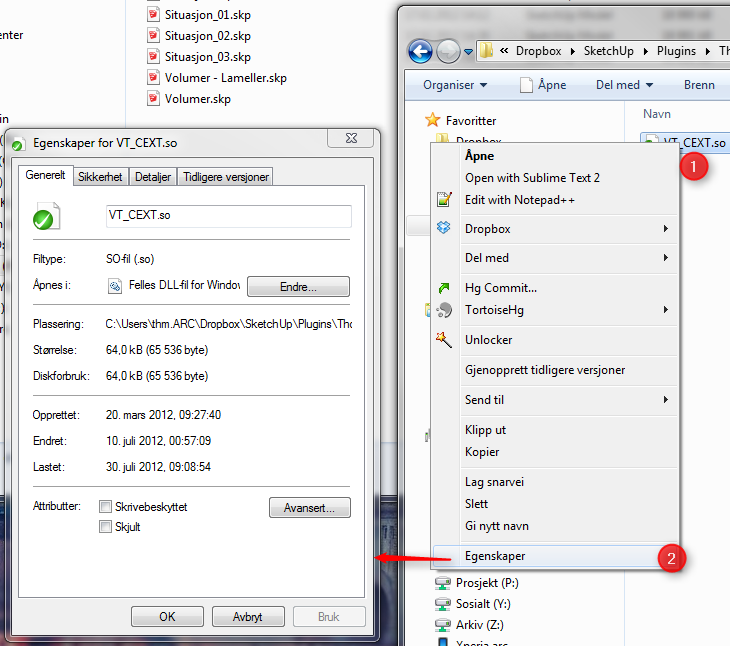

          CEXT.png

          Thomas Thomassen — SketchUp Monkey & Coding addict
          List of my plugins and link to the CookieWare fund

          1 條回覆 最後回覆 回覆 引用 0
          • thomthomT 離線
            thomthom
            最後由 編輯

            Do you have admin rights?

            Do you have UAC enabled?

            Are the permissions of the Plugin folder correct?
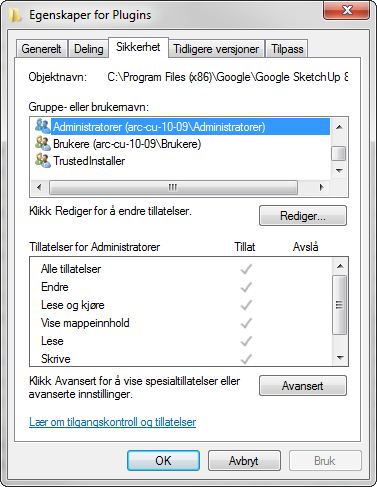

            Permissions.png

            Thomas Thomassen — SketchUp Monkey & Coding addict
            List of my plugins and link to the CookieWare fund

            1 條回覆 最後回覆 回覆 引用 0
            • H 離線
              hygicell
              最後由 編輯

              whow Thomtom, you are really driving me to a much higher level than I possess or ever would imagine to reach 😞
              the learning grade is steep 🤓
              but with a good teacher 😄
              you are an extremely good toourist guide in this wonderful land ☀

              Do you have admin rights? yes

              Do you have UAC enabled? ???

              Are the permissions of the Plugin folder correct? I suppose so
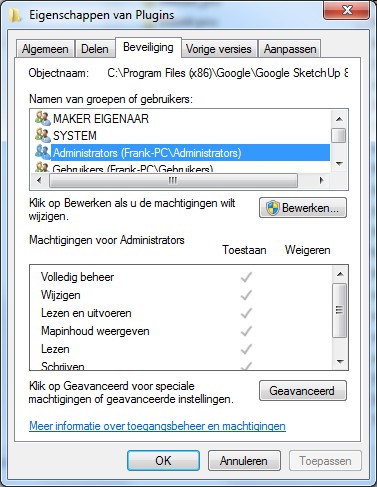
              ScreenHunter_21 Oct. 09 15.39.jpg

              Also, what does the File Properties for the VT_CEXT.so file look like?
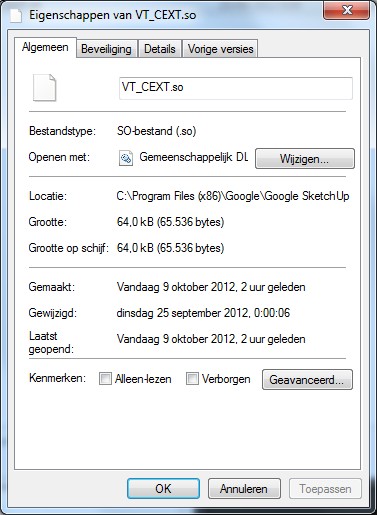
              ScreenHunter_20 Oct. 09 15.34.jpg

              What happens when you type:
              require File.join(::TT_Vertex::CEXT_PATH, 'VT_CEXT')
              or...
              require File.join(TT_Vertex::CEXT_PATH, 'VT_CEXT')
              ?
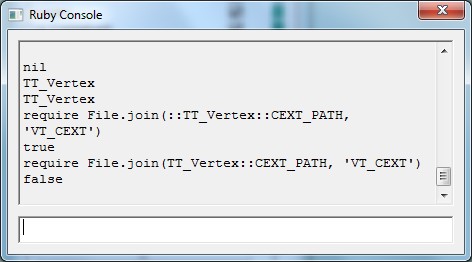
              ScreenHunter_22 Oct. 09 15.47.jpg

              1 條回覆 最後回覆 回覆 引用 0
              • thomthomT 離線
                thomthom
                最後由 編輯

                😲

                I'm utterly stomped.... 😞

                The C Extension loads when you load it manually...

                If you run these after each other:

                require File.join(::TT_Vertex::CEXT_PATH, 'VT_CEXT') TT_Vertex.debug_info

                Then it should report at the end the version number of the C Extension - which does then appear to work.

                The big puzzle is why you are getting that error when you start SketchUp... Nothing is making any sense. It all look to be working ok - and it does when you load things manually. 😕

                Thomas Thomassen — SketchUp Monkey & Coding addict
                List of my plugins and link to the CookieWare fund

                1 條回覆 最後回覆 回覆 引用 0
                • H 離線
                  hygicell
                  最後由 編輯

                  😢 what do you want me to do ? ❓

                  1 條回覆 最後回覆 回覆 引用 0
                  • thomthomT 離線
                    thomthom
                    最後由 編輯

                    Can you type this into the console:

                    require File.join(::TT_Vertex::CEXT_PATH, 'VT_CEXT') TT_Vertex.debug_info

                    ?

                    After you typed load 'TT_Vertex/loader.rb' then the Vertex Tools menus and toolbars should be available, right?

                    Can you try with an empty Plugins folder? Temporarily rename your Plugins folder and create a fresh one. Then install Vertex Tools. (Use the RBZ package and install with SketchUp's native installer utility. http://www.thomthom.net/software/vertex_tools/manual/getting_started#installing_rbz )

                    Sorry that there's nothing much of a result so far - but I've never had this error reported in the 2+ years of Vertex Tools. 😕

                    Thomas Thomassen — SketchUp Monkey & Coding addict
                    List of my plugins and link to the CookieWare fund

                    1 條回覆 最後回覆 回覆 引用 0
                    • H 離線
                      hygicell
                      最後由 編輯

                      thanks for your patience too ❗
                      we are slowly getting somewhere:

                      Can you type this into the console:

                      require File.join(::TT_Vertex::CEXT_PATH, 'VT_CEXT')
                      TT_Vertex.debug_info

                      ?

                      ScreenHunter_23 Oct. 09 21.47.jpg
                      ScreenHunter_25 Oct. 09 21.53.jpg

                      After you typed load 'TT_Vertex/loader.rb' then the Vertex Tools menus and toolbars should be available, right?

                      not anywhere to be found
                      the box is checked in the preferences/extensions window

                      Can you try with an empty Plugins folder? Temporarily rename your Plugins folder and create a fresh one. Then install Vertex Tools. (Use the RBZ package and install with SketchUp's native installer utility.

                      emptied plugins folder as suggested
                      new errors:
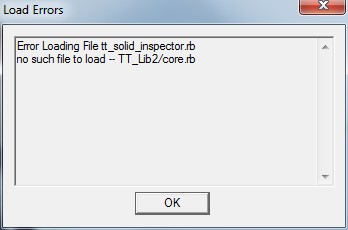
                      ScreenHunter_26 Oct. 09 22.01.jpg

                      but now the menus and toolbars are available
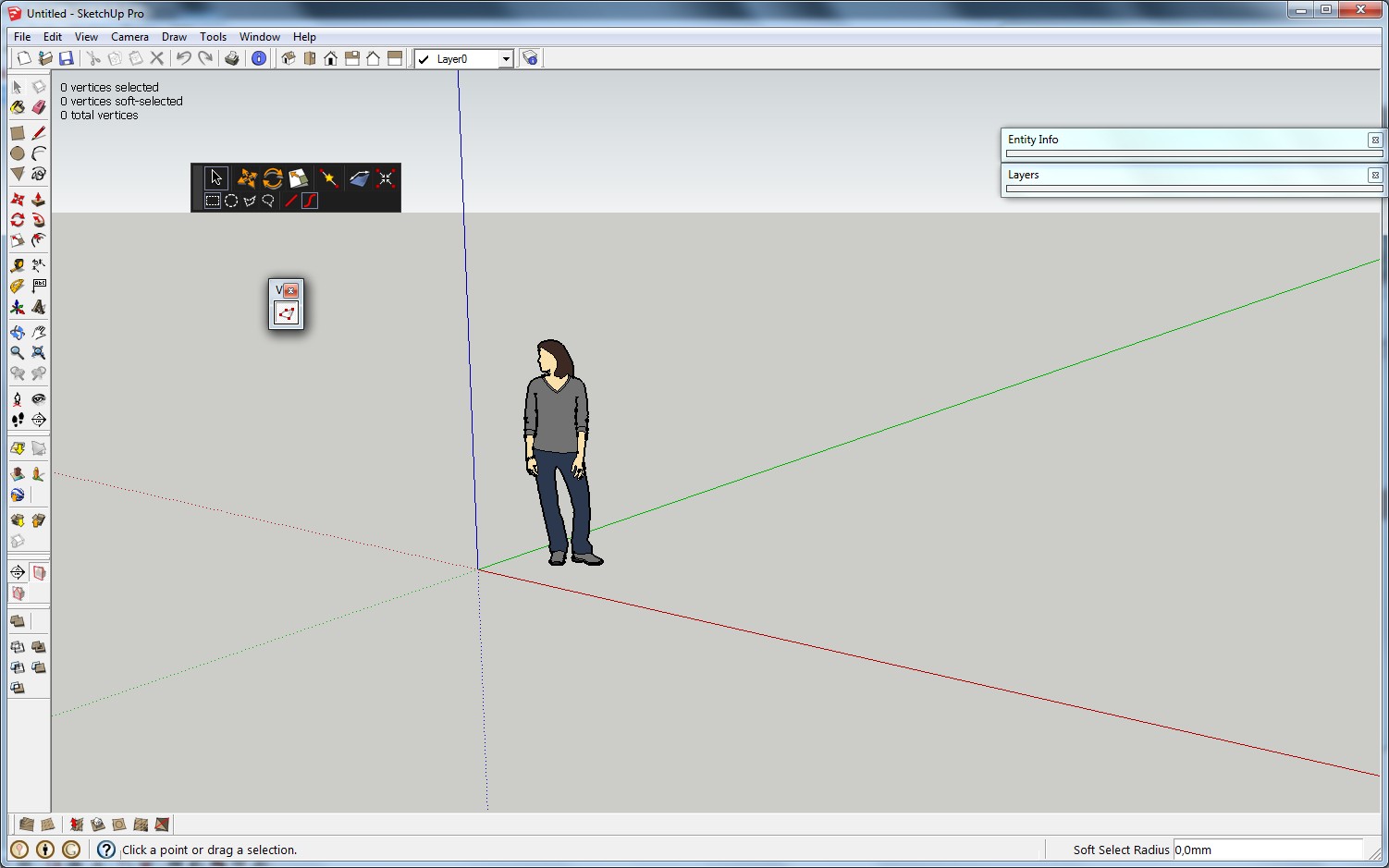
                      ScreenHunter_27 Oct. 09 22.06.jpg

                      1 條回覆 最後回覆 回覆 引用 0
                      • thomthomT 離線
                        thomthom
                        最後由 編輯

                        Say what? With a completely empty Plugins folder you're getting errors??

                        I'm thinking this is a VirtualStore issue. Though I couldn't immediately see a "Compatibility Files" button in your screenshots. But it could be because my German isn't that strong.

                        Can you enter this path into Explorer:
                        C:\Users\%USERNAME%\AppData\Local\VirtualStore\Program Files (x86)\Google\Google SketchUp 8
                        ?

                        If there's anything there, then they should be moved to the real Plugin folder.
                        (But since we're debugging here - move any files out of the way. Just so we can ensure the basic is working.)

                        Thomas Thomassen — SketchUp Monkey & Coding addict
                        List of my plugins and link to the CookieWare fund

                        1 條回覆 最後回覆 回覆 引用 0
                        • H 離線
                          hygicell
                          最後由 編輯

                          closer and closer, I believe:
                          there was a file in there:
                          plugins, with a subfile 1001bitpro
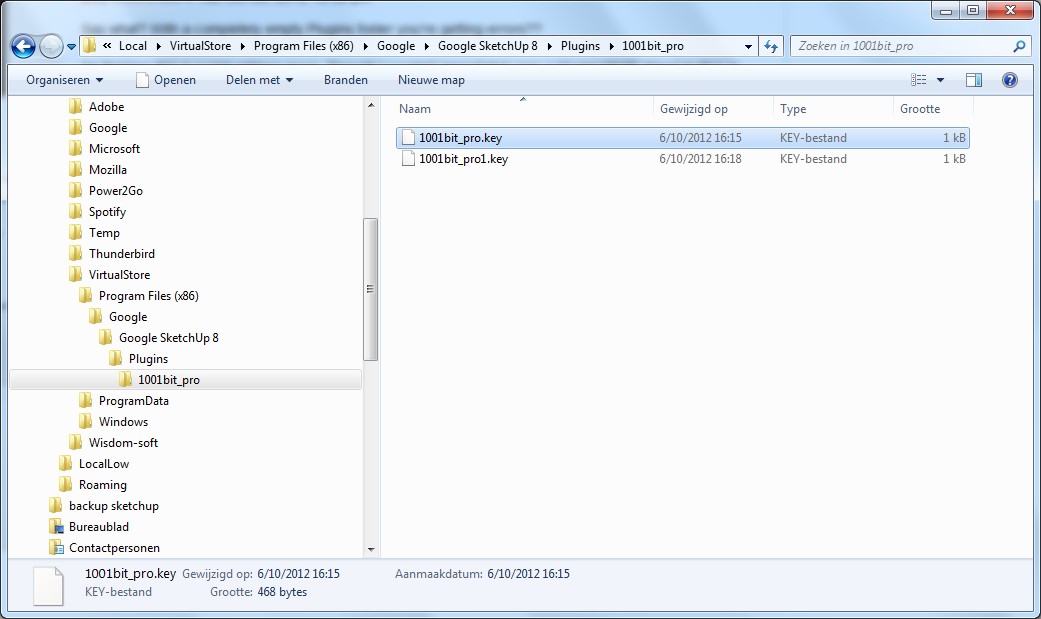
                          ScreenHunter_28 Oct. 09 22.57.jpg
                          deleted those
                          then completely deleted 1001bitpro and reinstalled it
                          tried again, same errors
                          again deleted 1001bitpro completely
                          new situation:
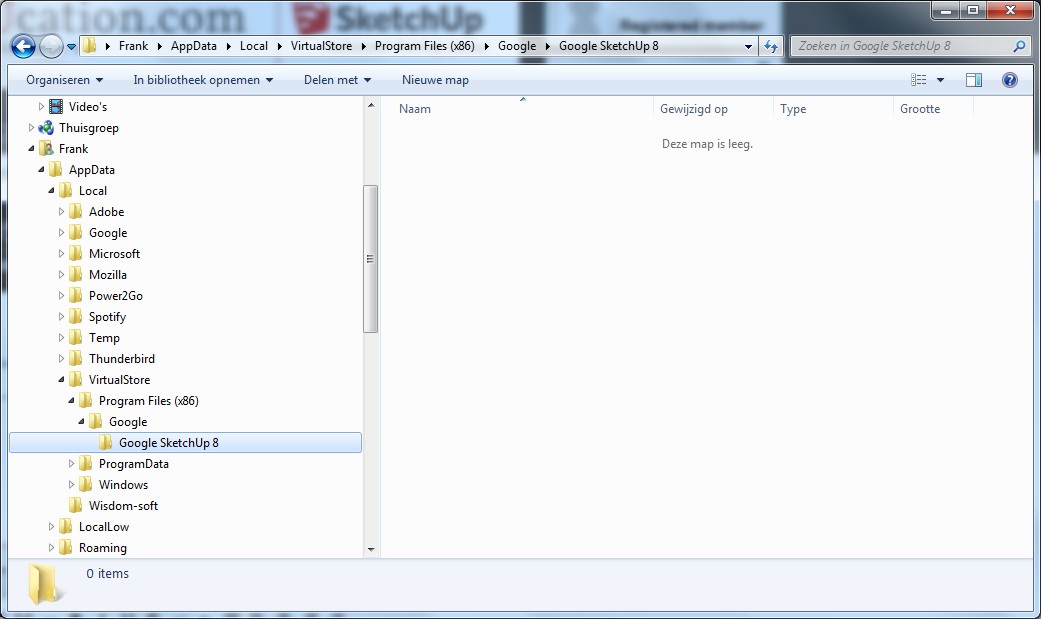
                          ScreenHunter_29 Oct. 09 23.18.jpg

                          alas, still:
                          ScreenHunter_30 Oct. 09 23.20.jpg

                          1 條回覆 最後回覆 回覆 引用 0
                          • Dave RD 離線
                            Dave R
                            最後由 編輯

                            I don't know if this has anything to do with it but what is in the Google folder under Adobe?

                            Etaoin Shrdlu

                            %

                            (THERE'S NO PLACE LIKE)

                            G28 X0.0 Y0.0 Z0.0

                            M30

                            %

                            1 條回覆 最後回覆 回覆 引用 0
                            • H 離線
                              hygicell
                              最後由 編輯

                              @dave r said:

                              I don't know if this has anything to do with it but what is in the Google folder under Adobe?
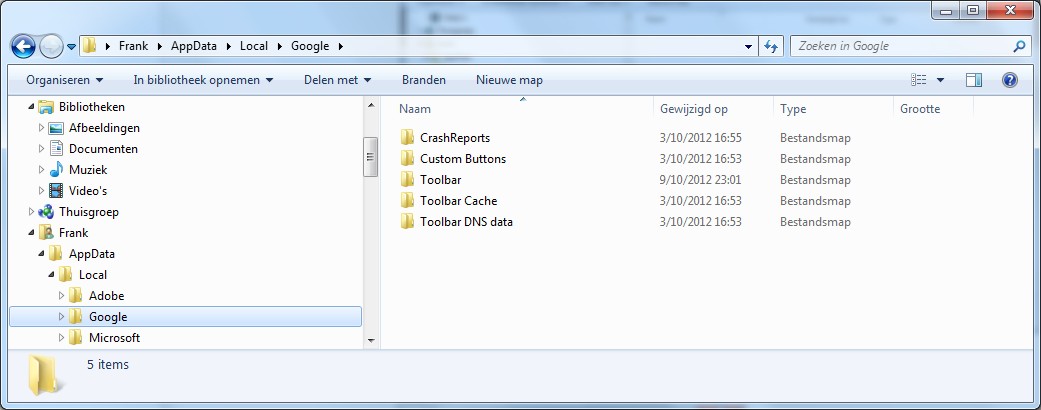
                              ScreenHunter_30 Oct. 10 07.21.jpg

                              1 條回覆 最後回覆 回覆 引用 0
                              • thomthomT 離線
                                thomthom
                                最後由 編輯

                                Hang on - previously you got an error where 'tt_solid_inspector.rb' would not load. Now that error is gone and the 'loader.rb' error is back??

                                And how the VirtualStore Plugins folder is empty?

                                Even when you turn on Hidden Files?

                                Thomas Thomassen — SketchUp Monkey & Coding addict
                                List of my plugins and link to the CookieWare fund

                                1 條回覆 最後回覆 回覆 引用 0
                                • H 離線
                                  hygicell
                                  最後由 編輯

                                  I have tried so many things, and I don't remember the sequence

                                  I am learning to master solids, which is why I installed solid inspector
                                  at a certain moment it did work
                                  later I installed fixSolid, which does a nice job
                                  too bad it doesn't work on components yet

                                  since I am working on an important drawing for which I need my plugins I have reinstated the original plugins folder, but with 1001bit removed
                                  that didn't seem to help

                                  the virtualstore plugins folder is now deleted, but I guess reinstalling 1001bit will recreate it
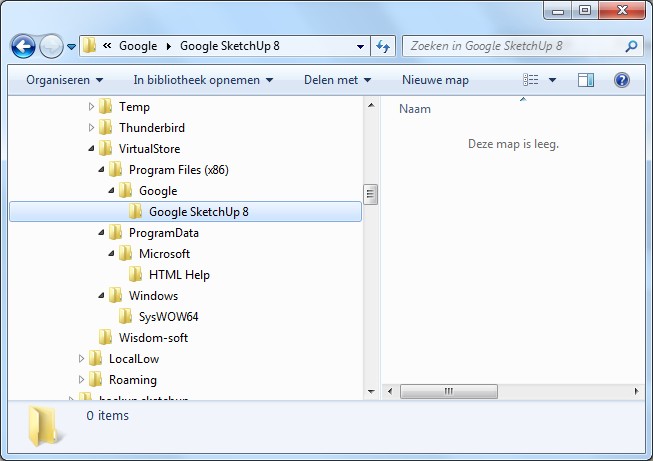
                                  ScreenHunter_32 Oct. 10 10.35.jpg

                                  for the moment I don't need 1001bit
                                  I can easily again rename both plugins folders (mine and the empty one)
                                  just tell me what to do
                                  thanks for your efforts and fast replies
                                  Frank

                                  1 條回覆 最後回覆 回覆 引用 0
                                  • thomthomT 離線
                                    thomthom
                                    最後由 編輯

                                    I'd like to test the following:

                                    1:

                                    • Empty VirtualStore
                                    • Empty Plugins Folder
                                      Does any error appear then?

                                    2: (If #1 doesn't produce any error)

                                    • Empty VirtualStore
                                    • Empty Plugins folder
                                    • Install Vertex Tools - using the Install Extension feature in SketchUp
                                      Any errors then?

                                    Thomas Thomassen — SketchUp Monkey & Coding addict
                                    List of my plugins and link to the CookieWare fund

                                    1 條回覆 最後回覆 回覆 引用 0
                                    • H 離線
                                      hygicell
                                      最後由 編輯

                                      1.a do you mean completely empty visualstore (or rename it and create an empty one)?
                                      1.b I think you mean: rename plugins folders, so that plugins is empty?

                                      2.a do you mean completely empty visualstore (or rename it and create an empty one)?
                                      2.b I think I tried that (without 2.a) with good results (see page 7, 2/3 down) except for the solid inspector error
                                      and, as said, I don't need solid inspector for the moment

                                      1 條回覆 最後回覆 回覆 引用 0
                                      • thomthomT 離線
                                        thomthom
                                        最後由 編輯

                                        I want to see what happens when you have nothing in the VirtualStore folder and the Plugins folder. Because it's was very odd how it previously seemed to indicate something was still loading. (the solid inspector)

                                        Re: 2.b Yes, we tried that, but before checking the VirtualStore.

                                        Thomas Thomassen — SketchUp Monkey & Coding addict
                                        List of my plugins and link to the CookieWare fund

                                        1 條回覆 最後回覆 回覆 引用 0
                                        • H 離線
                                          hygicell
                                          最後由 編輯

                                          ... and it might be that I had installed solid inspector in between tests, as I was in the learning curve for solids
                                          which would probably explain the error

                                          please be more specific for both folders: empty completely or temporarily rename and create an emty one

                                          1 條回覆 最後回覆 回覆 引用 0
                                          • thomthomT 離線
                                            thomthom
                                            最後由 編輯

                                            @hygicell said:

                                            ... and it might be that I had installed solid inspector in between tests, as I was in the learning curve for solids
                                            which would probably explain the error

                                            That would make more sense.

                                            @hygicell said:

                                            please be more specific for both folders: empty completely or temporarily rename and create an emty one

                                            Doesn't matter how you empty them. Rename, move or whatever.

                                            Just try to start SketchUp with empty Plugins folder and empty VirtualStore folder.

                                            If it starts without errors with empty Plugins folder, install Vertex Tools.

                                            If Vertex Tools then works it would indicate some issue with your existing plugins folder and you'd have to incrementally start to reinstall your other plugins and see when any error appearing.

                                            We would then be able to identify when the problem occurs and determine if we're looking at a plugin conflict.


                                            Thomas Thomassen — SketchUp Monkey & Coding addict
                                            List of my plugins and link to the CookieWare fund

                                            1 條回覆 最後回覆 回覆 引用 0
                                            • 1
                                            • 2
                                            • 3
                                            • 4
                                            • 5
                                            • 6
                                            • 7
                                            • 15
                                            • 16
                                            • 5 / 16
                                            • 第一個貼文
                                              最後的貼文
                                            Buy SketchPlus
                                            Buy SUbD
                                            Buy WrapR
                                            Buy eBook
                                            Buy Modelur
                                            Buy Vertex Tools
                                            Buy SketchCuisine
                                            Buy FormFonts

                                            Advertisement