sketchucation logo sketchucation
    • Login
    Oops, your profile's looking a bit empty! To help us tailor your experience, please fill in key details like your SketchUp version, skill level, operating system, and more. Update and save your info on your profile page today!
    Mac User? | Join the Rayscaper Beta for Mac Learn More

    [Plugin] Free Rotate 4.4

    Scheduled Pinned Locked Moved Plugins
    92 Posts 22 Posters 60.9k Views 22 Watching
    Loading More Posts
    • Oldest to Newest
    • Newest to Oldest
    • Most Votes
    Reply
    • Reply as topic
    Log in to reply
    This topic has been deleted. Only users with topic management privileges can see it.
    • jeff hammondJ
      jeff hammond
      last edited by

      @tig said:

      Here's v4.2 http://forums.sketchucation.com/viewtopic.php?p=266561#p266561
      The glitch with 'Tab' [9] on MAC etc trapped by using 'key-up' not 'key-down' check ❓
      Don't know why... but it works... πŸ˜’

      working now on mac..
      i'll check 2d tools in a little bit.
      thanks a ton.

      [ed]- keycode.rb now returns 9 when releasing the tab key.. there's only one other key on my keyboard that exhibits the same behavior (no number on keydown) and that's the delete key 127

      dotdotdot

      1 Reply Last reply
      Reply Quote 0
      • thomthomT
        thomthom
        last edited by

        Tab on OSX doesn't work on keyDown?

        Thomas Thomassen β€” SketchUp Monkey & Coding addict
        List of my plugins and link to the CookieWare fund

        1 Reply Last reply
        Reply Quote 0
        • jeff hammondJ
          jeff hammond
          last edited by

          @thomthom said:

          Tab on OSX doesn't work on keyDown?

          correct.
          it appears to do absolutely nothing (in sketchup)

          depending on my system prefs, keydown will either activate the VCB regardless of what tool i'm using or cycle through all of my toolbar icons. (ie- i can activate a tool via it's icon without mouse clicking it)

          it's as if the system is keeping tab keydown for itself and won't allow it to be re-assigned

          dotdotdot

          1 Reply Last reply
          Reply Quote 0
          • D
            d12dozr
            last edited by

            TIG, thanks for the plugin πŸ‘

            Rich, thanks for the video πŸ˜„

            3D Printing with SketchUp Book
            http://goo.gl/f7ooYh

            1 Reply Last reply
            Reply Quote 0
            • ken28875K
              ken28875
              last edited by

              Wow! Awesome. That's what I needed. πŸ‘ πŸ‘

              Thanks, TIG.

              _KN

              Follow Your Dreams.

              1 Reply Last reply
              Reply Quote 0
              • TIGT
                TIG Moderator
                last edited by

                Here's 4.3 http://forums.sketchucation.com/viewtopic.php?p=266561#p266561
                A typo (= v ==) in code corrected around line#708: was not affecting results.
                The Gizmos' Guides are displayed even when Guides are set to be 'off' in the current Style [the 'off' setting is momentarily suspended and then restored].

                TIG

                1 Reply Last reply
                Reply Quote 0
                • E
                  eddy
                  last edited by

                  Salut Γ  tous, Wow! Awesome, very useful. πŸ‘ πŸ‘ πŸ‘

                  Thanks, TIG.

                  @ ++ Eddy

                  1 Reply Last reply
                  Reply Quote 0
                  • TIGT
                    TIG Moderator
                    last edited by

                    Here's v4.4 http://forums.sketchucation.com/viewtopic.php?p=266561#p266561

                    You might have seen elsewhere on the forums that a fix for the Instructor window has been stumbled upon... which means it can now be used for custom tools [with the right code] as well as the built-in tools...

                    My FreeRotate always had the Instructor window's files etc, but they never displayed... until now. It was believed that the Instructor part of th API was broken, but it turns out that although it is 'sort of', it is fixable after all with some ingenuity in building the file-paths etc...

                    FreeRotate's Instructor window should work cross-platform - feedback please, especially from MAC users...

                    TIG

                    1 Reply Last reply
                    Reply Quote 0
                    • Rich O BrienR
                      Rich O Brien Moderator
                      last edited by

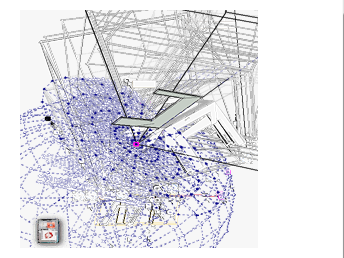
                      I see trails in the Instructor dialog box. I can see it but each transitions is slighty greyed resulting in below...
                      FreeRotate.PNG

                      Download the free D'oh Book for SketchUp πŸ“–

                      1 Reply Last reply
                      Reply Quote 0
                      • TIGT
                        TIG Moderator
                        last edited by

                        i know... I noticed this too... I need to have a look at the gif to see if I can improve it πŸ˜•
                        PS: the gif is fine BUT SUp itself seems to add some ghosting... I'm going to compare it with the built in stuff...
                        The html/gif/css works fine in an ordinary browser - the browser that loads for the Instructor is screwed... πŸ˜• πŸ˜•
                        I just wanted to get the thing out and tested to see what the issues are if any, especially with MACs or users with odd set ups......

                        TIG

                        1 Reply Last reply
                        Reply Quote 0
                        • Rich O BrienR
                          Rich O Brien Moderator
                          last edited by

                          It's perfect in Firefox and IE.

                          Download the free D'oh Book for SketchUp πŸ“–

                          1 Reply Last reply
                          Reply Quote 0
                          • thomthomT
                            thomthom
                            last edited by

                            What versions of IE are you guys dealing with?

                            Thomas Thomassen β€” SketchUp Monkey & Coding addict
                            List of my plugins and link to the CookieWare fund

                            1 Reply Last reply
                            Reply Quote 0
                            • TIGT
                              TIG Moderator
                              last edited by

                              I have IE8...
                              It loads OK directly in that... but when it loads via SUp it's 'ghosting'... πŸ˜’
                              My html's code is just cloned from the built-in Instructor html files...

                              TIG

                              1 Reply Last reply
                              Reply Quote 0
                              • Rich O BrienR
                                Rich O Brien Moderator
                                last edited by

                                ie9

                                Download the free D'oh Book for SketchUp πŸ“–

                                1 Reply Last reply
                                Reply Quote 0
                                • thomthomT
                                  thomthom
                                  last edited by

                                  @tig said:

                                  I have IE8...
                                  It loads OK directly in that... but when it loads via SUp it's 'ghosting'... πŸ˜’
                                  My html's code is just cloned from the built-in Instructor html files...

                                  quirks mode vs standards mode?
                                  Embedded webcontrols falls back to quirks more often than the standalone - so one doesn't always get the same results.

                                  Thomas Thomassen β€” SketchUp Monkey & Coding addict
                                  List of my plugins and link to the CookieWare fund

                                  1 Reply Last reply
                                  Reply Quote 0
                                  • A
                                    AnnetGroneman
                                    last edited by

                                    I am trying to download the Free Rotate 4.4 zip file. Somehow I am not authorized although I think that I registered myself correctly: Usename AnnetGroneman. Please help

                                    1 Reply Last reply
                                    Reply Quote 0
                                    • GaieusG
                                      Gaieus
                                      last edited by

                                      Hi Annet,

                                      If you can post, you are registered correctly and also logged in. There must be something else. What do you actually see? Is it a red/pink bar showing that you are not authorised?

                                      Gai...

                                      1 Reply Last reply
                                      Reply Quote 0
                                      • D
                                        d12dozr
                                        last edited by

                                        I just wanted to say thanks for this little gem, TIG...I just used it for the first time, and it works like a charm β˜€

                                        3D Printing with SketchUp Book
                                        http://goo.gl/f7ooYh

                                        1 Reply Last reply
                                        Reply Quote 0
                                        • halroachH
                                          halroach
                                          last edited by

                                          @unknownuser said:

                                          I think the initial pivot point should be one of two:

                                          1. If the idea is to 'select geometry' => run plugin => pivot point and direction automatically selected - it should use the original component's axis point along with the blue orientation.

                                          Hi Tig,
                                          Is there any chance you could add a toggle, to select the original component's axis point, along with the blue direction, as a point and direction of rotation. ? πŸ˜„

                                          It would be really useful for pointing a bunch of similar components to this or that point, with out the need to select the first two points for each component rotation.

                                          FlexTools - Super Quick Windows, Doors, Slats...

                                          1 Reply Last reply
                                          Reply Quote 0
                                          • TIGT
                                            TIG Moderator
                                            last edited by

                                            Here's an explanatory movie kindly made by Rich O'Brien [rclub24] - one of the first in a series of plugin tutorials that he plans to make. Many thanks πŸ˜„
                                            [flash=640,385:2f3p28cc]http://www.youtube.com/v/nEIDUquYUW0[/flash:2f3p28cc]
                                            This is a quick overview - so please note that as well as snapping to the 'gizmos' you can also snap to 'anything else' in the model to set the rotation/alignment, and in the Axial mode you can also type in a -/+ Angle in degrees too...


                                            TIG

                                            1 Reply Last reply
                                            Reply Quote 0

                                            Hello! It looks like you're interested in this conversation, but you don't have an account yet.

                                            Getting fed up of having to scroll through the same posts each visit? When you register for an account, you'll always come back to exactly where you were before, and choose to be notified of new replies (either via email, or push notification). You'll also be able to save bookmarks and upvote posts to show your appreciation to other community members.

                                            With your input, this post could be even better πŸ’—

                                            Register Login
                                            • 1
                                            • 2
                                            • 3
                                            • 4
                                            • 5
                                            • 2 / 5
                                            • First post
                                              Last post
                                            Buy SketchPlus
                                            Buy SUbD
                                            Buy WrapR
                                            Buy eBook
                                            Buy Modelur
                                            Buy Vertex Tools
                                            Buy SketchCuisine
                                            Buy FormFonts

                                            Advertisement