[Plugin][$] Curviloft 2.0a - 31 Mar 24 (Loft & Skinning)


-
A Circle or Arc has a number of segments.
These defaults can be seen in Entity Info [24 & 12 ?].
If the curve has not already been incorporated into a 3d form then you can adjust the segmentation for it there.
You can also change it as you create the Arc - e.g. type 6s +<enter> when you start the tool and the segment count becomes that.Each segment is used to create an edge in a 3d form, so the more segments you have the more extra geometry is made. This affects performance as there are shadow casting/receiving to be calculated and material/textures to render etc...
This applies to native tools and plugin 'surface makers'.
The Circle default is 24s, so if you extrude that with PushPull you end up with 24+24+24 = 72 edges and
24+2 = 26 faces.
That will look smooth enough for most purposes.
It it were a handrail reducing it to say 12s would still probably look the same with hidden-geom off...
12+12+12 = 36 edges and 12+2 = 14 faces - a significant reduction in unneeded geometry...
If you foolishly increase it to say 360 [1 segment per degree!] it'll look little different from 24s AND you'll have a staggering 360+360+360 = 1080 edges and 360+2 = 362 faces
SO when you draw lines/curves that might become 3d objects think about the edge/face count that might result as they combine...

-
What an amazing plugin this is, Thanks very much Fredo
Anyway I'm drawing a model of part of a river for a planting design - there's no money for a surveyor so I drew cross sections and used Curviloft to loft between them using the streamline as the curve. All worked perfectly, BUT one section is a bit odd (a result of
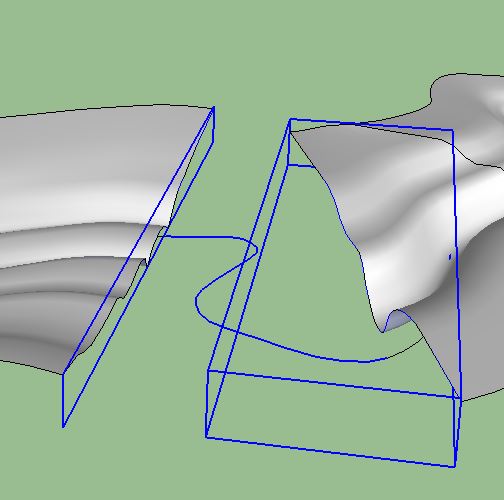
straightening the channel) and I can't find a way of skinning between the profiles - is there a way in Curviloft, or would another tool do the trick? Due to the extrme bend of the stream it's hard to see a way of using new profiles between the existing one as a way to bridge the problem.
-
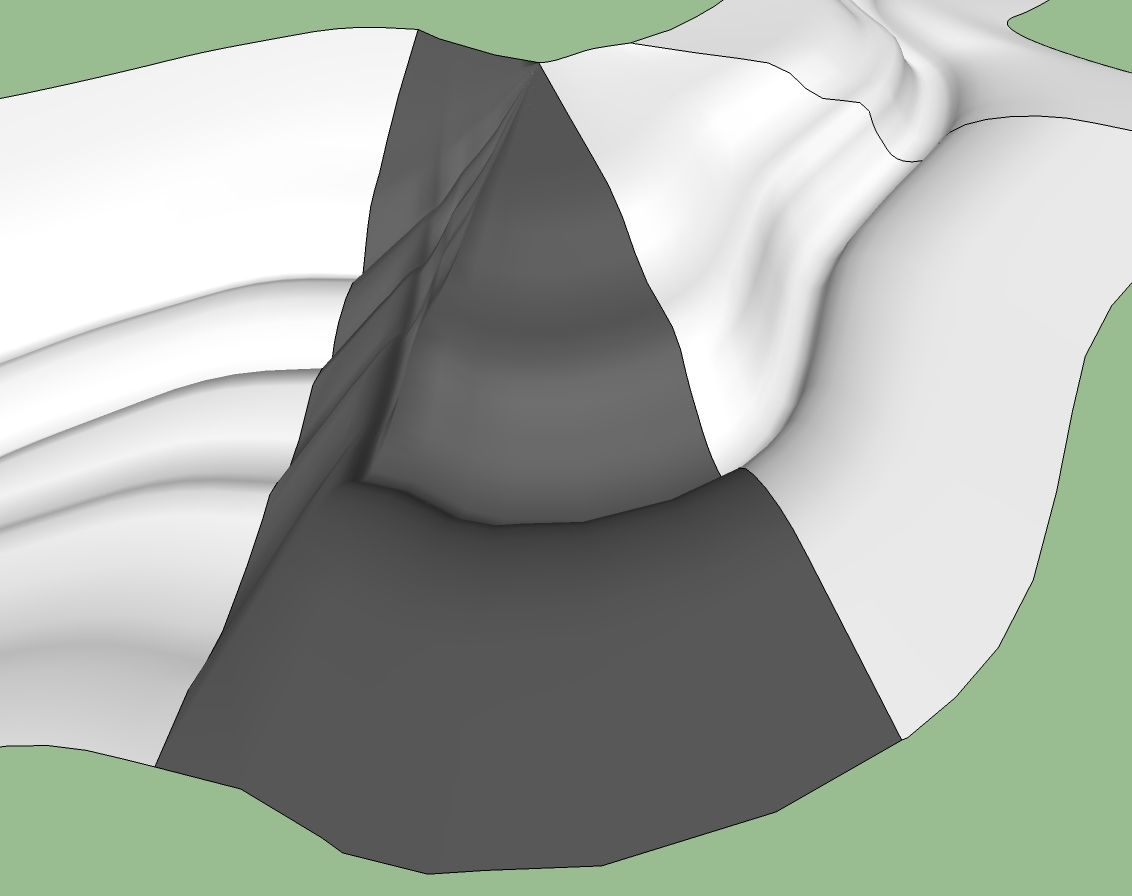
You would probably do better if you connected the edges at the banks with a manually drawn curve. Then use the skinning function. Ignore (for now) the control curve path. I quickly tried this but it resulted in a partially bad curve.
 (See Attachment)
In doing complex skins as this that will not form right when tried as a whole piece, (airplane fairings for example) I found it better and quicker to split the perimeter in several easier sections, skin them, then explode them in place. Unfortunately, I have no time just now to do this for you.

Also, on the right side the edge is made up of a lot of small faces that really do not add any useful detail to the mesh. Simplify them, and it should make a better skin overall.
-
@unearthed said:
- is there a way in Curviloft, or would another tool do the trick? Due to the extrme bend of the stream it's hard to see a way of using new profiles between the existing one as a way to bridge the problem.
ignore the bend line you have drawn in that section.. the way it's setup, it's going to result in bad geometry even if it did work.. if you really need that extreme of a bend then you'll have to figure out the profiles which would really work through there as the ones you have now won't do it.
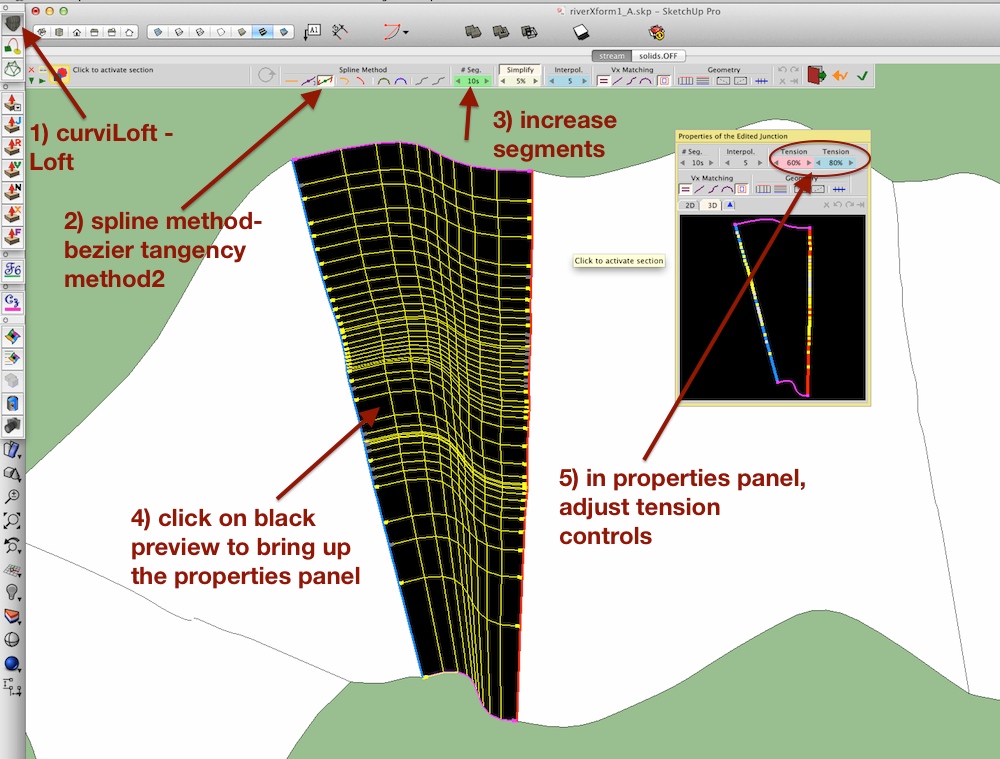
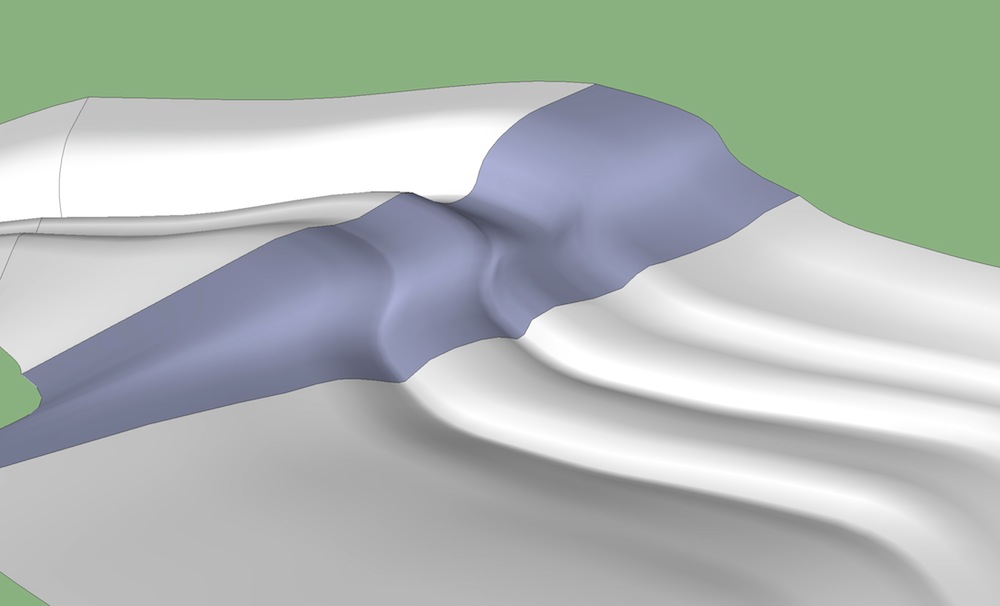
probably just Loft that section instead using the two edges as the input (the edges in the image that are marked with a red & blue line) .. use the tension controls to obtain the bend while preventing overlaps..
-
Thanks Jeff - I may not need the extreme bend (If I do I'll draw contours between the sections and skin them with from contours)
and thanks too for showing a bit more about using Curviloft - I was really amazed when it lofted the individual stretches of stream (and gave the option to tweak the result).
-
@unearthed said:
Thanks Jeff - I may not need the extreme bend (If I do I'll draw contours between the sections and skin them with from contours)
and thanks too for showing a bit more about using Curviloft - I was really amazed when it lofted the individual stretches of stream (and gave the option to tweak the result).
no problem.. and really, you might get better results if you eliminate that path curve all together and just loft the whole thing.. select all the profiles at once, loft, follow the steps i showed.. if you have more than two curves selected, you'll be able to individually click each portion (the black parts) and adjust.. then move to the next.. all in one launch of the curviLoft tool..
but what that would do is make sure you're always tangent through your profiles and will lessen the possibilities of kinks if your path curve isn't exactly tangent to the profiles as it passes under (which is happening in your model)
-
HI fredo i just bought an Imac running Maverick, im using Sketchup pro 2014...how can i install curviloft?? THANKS ALOT
-
@jpaparicio said:
HI fredo i just bought an Imac running Maverick, im using Sketchup pro 2014...how can i install curviloft?? THANKS ALOT
Install Sketchucation plugin store ( instructions on page) then just look it up in there and click "install". And please do read the instructions and recommendations, like required Lib folder.
-
Hello everyone,
I'm sure I've been using curviloft in a previous version whithout any problems, without software problems anyway

On a win7 system I run Sketchup 8 en Make 2014.
On a win xp system I run Sketchup 8.
On a new win 8.1 system I have Make 2014 freshly installed.
All have updated plugins(fredo)installed via plugin store.Now,every time I try to use any tool the progressbar freezes after computing the selected edges.
Same behaviour for all three machines....even with simple shapes with less than 100 edges.After quiting the plugin and reactivating it the frozen progressbar appears without showing the plugin menu.
I've also disabled all plugins except fredos' to exclude possible plugin conflicts.
Anyone any clue?
Thanks
Bekans -
Did you download fresh copies of Curviloft and LibFredo6 or did you just copy them over from another machine? Make sure you are only downloading and installing fresh copies and install them correctly.
-
Yes,that's what I did: all up to date versions auto-installed via the plugin store, no moving or copying. Same procedure for each machine separately. On the new win 8.1 machine everything has been installed for the first time. Besides Total Commander it's only application
-
Do you have any problem like this with my other plugins (if you installed some).
Is it just with Curviloft?Also
- is it will all 3 Tools of Curviloft?
- if you start a Curviloft tool on a pre-selection, do you get the freeze too?
Fredo
-
Hello Fredo,
I'll stick to the win 8.1 machine because less chance I messed something up with whatever....
Yes, all three
I tested that too: with pre-selection, without pre-selection.Maybe it's my model: I tried with very basic shapes, no problems. But I dont think my shape is that compliclated. I recall having skinned more complex models. Anyway, maybe I'm overlooking something. I'll include my model.
Many thanks for having a look.
Bekans
-
I tried with your model on SU14 (but Win7).
No issue with loft
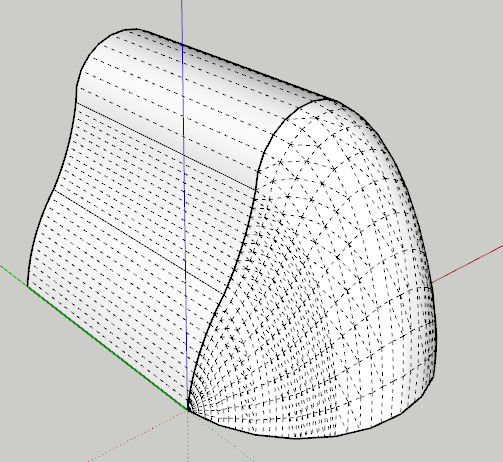
But do you mean it happens with some models only, not all of them
Fred
-
-
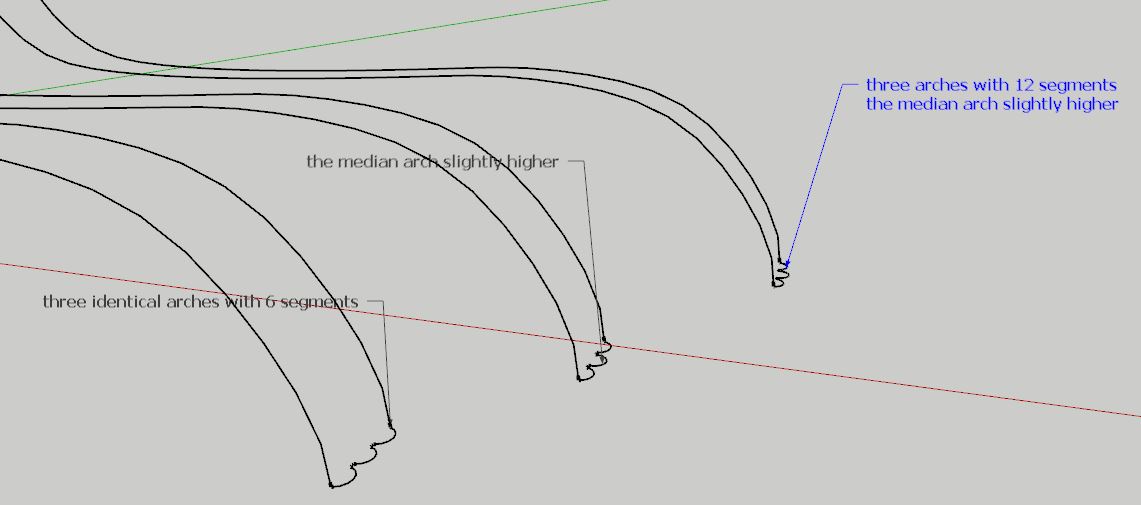
Interesting. I get similar results. How did you draw them? What did you do differently from one to the next?
-
@dave r said:
Interesting. I get similar results. How did you draw them? What did you do differently from one to the next?
I've used all the means and methods. I drew the curves with ARC tool. Then I tried to with BZ plugin. But the result is the same.
-
Hi,
I have the plug in working in Sketchup. Is there anyway to not include certain portions of what the surface will form? For example, I am working on creating a surface for roads. The roads cover a large surface, and the program creates a large surface covering everything. I just want a surface to cover the roads.
Thanks,
David
-
@davidbierman2003 said:
Hi,
I have the plug in working in Sketchup. Is there anyway to not include certain portions of what the surface will form? For example, I am working on creating a surface for roads. The roads cover a large surface, and the program creates a large surface covering everything. I just want a surface to cover the roads.
Thanks,
David
Pre-select only the perimeter lines of what you want surfaced. You can include any lines within the perimeter, if you want. Then click the skinning icon.
-
thx !!!







Hello! It looks like you're interested in this conversation, but you don't have an account yet.
Getting fed up of having to scroll through the same posts each visit? When you register for an account, you'll always come back to exactly where you were before, and choose to be notified of new replies (either via email, or push notification). You'll also be able to save bookmarks and upvote posts to show your appreciation to other community members.
With your input, this post could be even better 💗
Register Login


Advertisement