sketchucation logo sketchucation
    • Login
    Oops, your profile's looking a bit empty! To help us tailor your experience, please fill in key details like your SketchUp version, skill level, operating system, and more. Update and save your info on your profile page today!
    ⚠️ Update | Sketchucation Tools 5.0.8 released with licensing improvements and bugfixes Download

    [Plugin][$] Curviloft 2.0a - 31 Mar 24 (Loft & Skinning)


    Scheduled Pinned Locked Moved Plugins
    1.3k Posts 300 Posters 3.1m Views 298 Watching
    Loading More Posts
    • Oldest to Newest
    • Newest to Oldest
    • Most Votes
    Reply
    • Reply as topic
    Log in to reply
    This topic has been deleted. Only users with topic management privileges can see it.
    • Dave RD
      Dave R
      last edited by

      I don't see any images.

      Etaoin Shrdlu

      %

      (THERE'S NO PLACE LIKE)

      G28 X0.0 Y0.0 Z0.0

      M30

      %

      1 Reply Last reply
      Reply Quote 0
      • xiombargX
        xiombarg
        last edited by

        Hey thanks for this plugin Fredo. It's by far my favorite surface generating plugin. Great work.

        1 Reply Last reply
        Reply Quote 0
        • M
          Mra
          last edited by

          Hi,

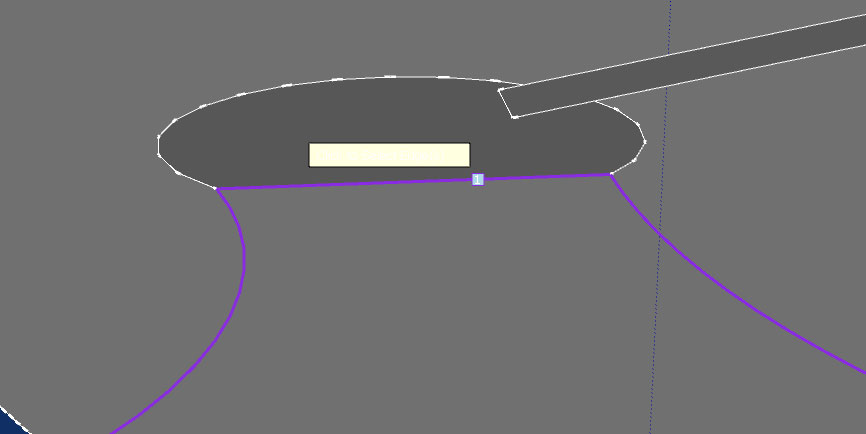
          While using this tool there seems to be white text? I can't read the instrucctions 😞


          Untitled-1.jpg

          1 Reply Last reply
          Reply Quote 0
          • thomthomT
            thomthom
            last edited by

            That's due to a limitation in the SketchUp API. Screen text take on the colour of your edges. You'd have to temporarily use a different style that doesn't have a white edges.

            @Fredo: one workaround for you could be to detect the edge colour setting and swap between light and dark background.

            Thomas Thomassen — SketchUp Monkey & Coding addict
            List of my plugins and link to the CookieWare fund

            1 Reply Last reply
            Reply Quote 0
            • R
              RaySteve
              last edited by

              Thank you my friend! this tool is AMAZING!!!!!!
              I appreciate your hard work very very much. tools like these make sketchup do crazy stuff man!!
              once again thanksssssssssssssssss to the developers and any one else

              👍

              1 Reply Last reply
              Reply Quote 0
              • jgbJ
                jgb
                last edited by

                Fredo

                Any progress on implementing a contour error check and reporting ❓ ❓ ❓

                I just spent an hour redrawing almost the entire contour, endpoint to endpoint to eliminate a single totally invisible .001 inch extra line fragment error. Yet when I first selected the lines using Skinning, I got solid yellow all around. Hitting the Checkmark either gave me a red perimeter, or nothing at all.

                I also noticed that if I am selecting edges using the Skinner, and zoom in past seeing the edges selected, when I pan or zoom out the selection (yellow) sometimes get lost and the next line selected is red or purple. If I reselect the lines they are okay, and the previous selections reappear.


                jgb

                1 Reply Last reply
                Reply Quote 0
                • fredo6F
                  fredo6
                  last edited by

                  @jgb said:

                  Fredo

                  Any progress on implementing a contour error check and reporting ❓ ❓ ❓

                  I provided some elements of cleansing in Curvizard::Clean up. Part of it is integrated into Curviloft as well (you may get a message).

                  Fredo

                  1 Reply Last reply
                  Reply Quote 0
                  • jgbJ
                    jgb
                    last edited by

                    @unknownuser said:

                    I provided some elements of cleansing in Curvizard::Clean up. Part of it is integrated into Curviloft as well (you may get a message).

                    Fredo

                    I really need to spend some time to learn some new tricks. Curvizard is in my update SU list, like a bunch of other stuff. 😒


                    jgb

                    1 Reply Last reply
                    Reply Quote 0
                    • M
                      Mra
                      last edited by

                      @thomthom said:

                      That's due to a limitation in the SketchUp API. Screen text take on the colour of your edges. You'd have to temporarily use a different style that doesn't have a white edges.

                      D'oh! Thank you for the help.

                      1 Reply Last reply
                      Reply Quote 0
                      • A
                        awkonradi
                        last edited by

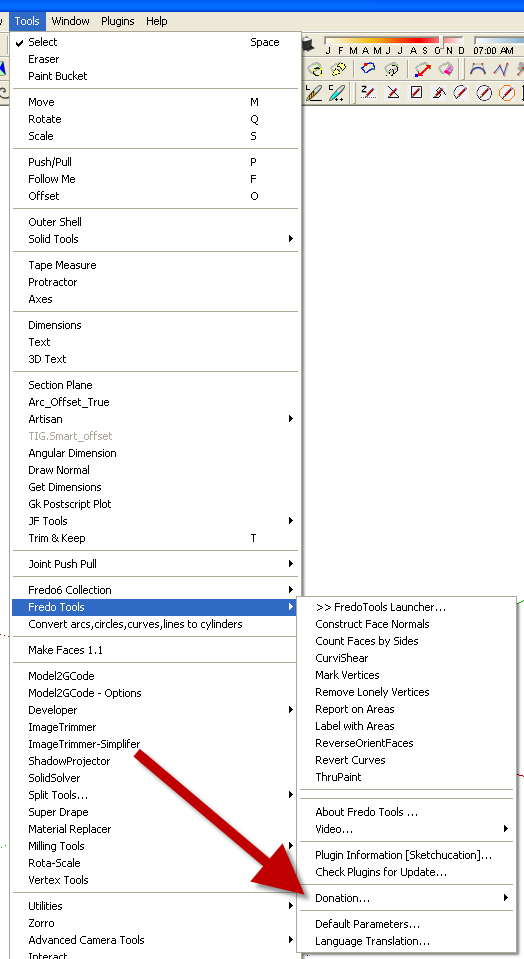
                        Would someone please direct me to a "Donate" button for this plug-in?

                        1 Reply Last reply
                        Reply Quote 0
                        • Dave RD
                          Dave R
                          last edited by

                          donate.png

                          Etaoin Shrdlu

                          %

                          (THERE'S NO PLACE LIKE)

                          G28 X0.0 Y0.0 Z0.0

                          M30

                          %

                          1 Reply Last reply
                          Reply Quote 0
                          • A
                            awkonradi
                            last edited by

                            EDIT: Sorry, I just found the Fredo6 at PayPal menu item in Curviloft. All set here.

                            Thank you Dave R.

                            Do you recommend I install this plug-in, in order to follow your instructions?

                            404 Not Found

                            favicon

                            (sketchucation.com)

                            That would be fine. I just want to do this right.

                            1 Reply Last reply
                            Reply Quote 0
                            • T
                              trion
                              last edited by

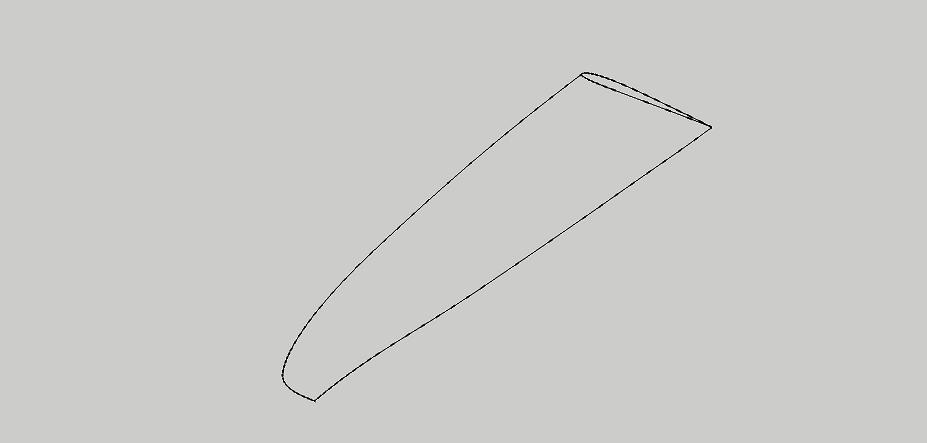
                              Hello, i really like this script, but i have 1 little thing i cant seem to get it right.
                              Its a airfoil of a wing and 2 path, with the sweep function i only can select 1 path.
                              How can i make this work that the airfoil stays between the 2 path??

                              Best ragards,

                              Trion


                              wing.jpg

                              1 Reply Last reply
                              Reply Quote 0
                              • fredo6F
                                fredo6
                                last edited by

                                @trion said:

                                Hello, i really like this script, but i have 1 little thing i cant seem to get it right.
                                Its a airfoil of a wing and 2 path, with the sweep function i only can select 1 path.
                                How can i make this work that the airfoil stays between the 2 path??

                                Best ragards,

                                Trion

                                You cannot do it in one pass, because there are 2 surfaces to generate.

                                So Use Skinning and select the 4 contours on the top side, and again the 4 contours on the bottom side.

                                Fredo

                                1 Reply Last reply
                                Reply Quote 0
                                • T
                                  trion
                                  last edited by

                                  Got it, thank you so much !!

                                  1 Reply Last reply
                                  Reply Quote 0
                                  • T
                                    trion
                                    last edited by

                                    Hello Fredo6

                                    I made a small donation to your account, because of the great scripts and support.

                                    Thank you so much.

                                    Trion

                                    1 Reply Last reply
                                    Reply Quote 0
                                    • AlomphegaA
                                      Alomphega
                                      last edited by

                                      Hello Fredo,

                                      I have almost the same thing to do : a wing - but this time curved like a kitesurf wing.

                                      I have yet done this with a triangular half wing and CurviLoft worked fine for this with 3 edges, but since I have added some right tips to do a trapezoidal half wing, I'm not able to re-do the miracle.

                                      The problem : I would like to make a skin on the upper face following the tailing and the leading edges as rails, with the upper half of a foil as upper skin shape, then end flat to the tip.

                                      In attachment you will find the half of the wing I talk about :
                                      The purple is the upper half foil shape, the dark red is the tailing edge, the dark green is the leading edge and the green is the tip.

                                      This happen after I select Tailing and leading edges as 1 & 2, then clic, then select upper foil shape and tip as 3 & 4, then "skinning" : nothing happens.
                                      The same trying almost all other selecting orders.

                                      Could you take a look and tell me were I'm wrong please ?

                                      Best Regards,
                                      Guy


                                      Test CurviLoft 'skin'

                                      Guy Capra, http://www.nauticaerium.com
                                      Non je ne suis pas un "Géo Trouvetou", juste un "Géo... Zéchercher" ! ;)

                                      1 Reply Last reply
                                      Reply Quote 0
                                      • pbacotP
                                        pbacot
                                        last edited by

                                        I mocked-up something similar to your picture and can't get it to fail. Seeing as I can make a number of things fail, perhaps you should post your SU file, to see what it is exactly. But the way I am doing it is: I just select all of it and pick the skinning tool.

                                        MacOSX MojaveSketchUp Pro v19 Twilight v2 Thea v3 PowerCADD

                                        1 Reply Last reply
                                        Reply Quote 0
                                        • AlomphegaA
                                          Alomphega
                                          last edited by

                                          Thank you very much for your try to help pbacot,
                                          here in attachment you will find a SKP file with the half kite wing a talk about to test it.


                                          HalfKiteWing (SkinningTest).skp

                                          Guy Capra, http://www.nauticaerium.com
                                          Non je ne suis pas un "Géo Trouvetou", juste un "Géo... Zéchercher" ! ;)

                                          1 Reply Last reply
                                          Reply Quote 0
                                          • cottyC
                                            cotty
                                            last edited by

                                            Something like this? I used TIGs Extrude Edges by Rails (EEbyR)...


                                            kitewing_eebyr.jpg


                                            HalfKiteWing (SkinningTest)_2.skp

                                            my SketchUp gallery

                                            1 Reply Last reply
                                            Reply Quote 0

                                            Hello! It looks like you're interested in this conversation, but you don't have an account yet.

                                            Getting fed up of having to scroll through the same posts each visit? When you register for an account, you'll always come back to exactly where you were before, and choose to be notified of new replies (either via email, or push notification). You'll also be able to save bookmarks and upvote posts to show your appreciation to other community members.

                                            With your input, this post could be even better 💗

                                            Register Login
                                            • 1
                                            • 2
                                            • 40
                                            • 41
                                            • 42
                                            • 43
                                            • 44
                                            • 65
                                            • 66
                                            • 42 / 66
                                            • First post
                                              Last post
                                            Buy SketchPlus
                                            Buy SUbD
                                            Buy WrapR
                                            Buy eBook
                                            Buy Modelur
                                            Buy Vertex Tools
                                            Buy SketchCuisine
                                            Buy FormFonts

                                            Advertisement