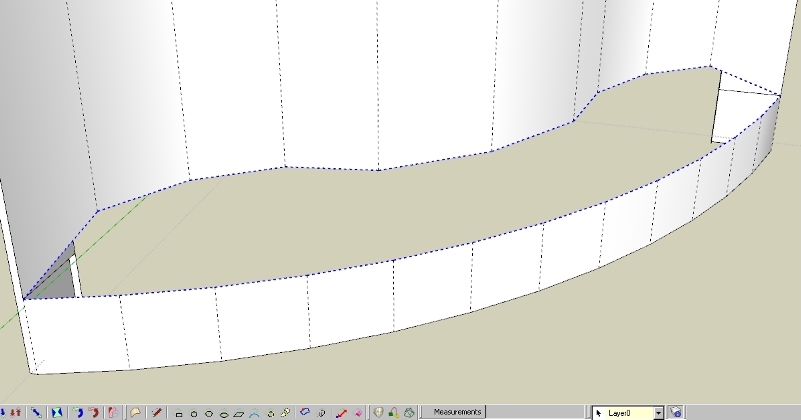
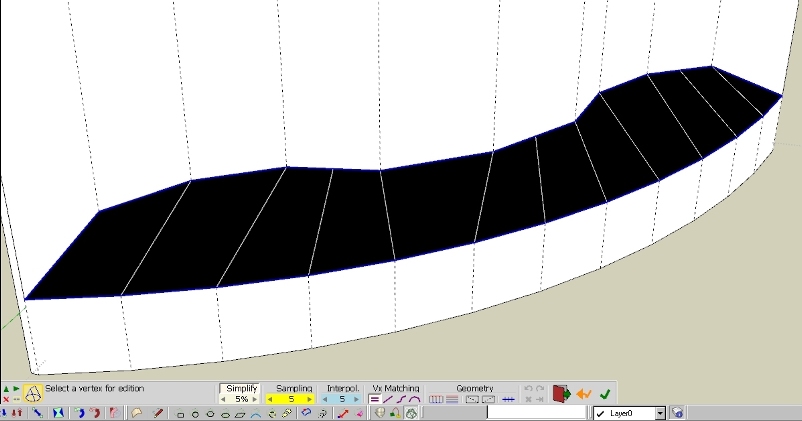
sketchucation logo sketchucation
    • 登入
    Oops, your profile's looking a bit empty! To help us tailor your experience, please fill in key details like your SketchUp version, skill level, operating system, and more. Update and save your info on your profile page today!
    🔌 Smart Spline | Fluid way to handle splines for furniture design and complex structures. Download

    [Plugin][$] Curviloft 2.0a - 31 Mar 24 (Loft & Skinning)


    已排程 已置頂 已鎖定 已移動 Plugins
    1.3k 貼文 299 Posters 2.5m 瀏覽 297 Watching
    正在載入更多貼文
    • 從舊到新
    • 從新到舊
    • 最多點贊
    回覆
    • 在新貼文中回覆
    登入後回覆
    此主題已被刪除。只有擁有主題管理權限的使用者可以查看。
    • jgbJ 離線
      jgb
      最後由 編輯

      @rich o brien said:

      You need to add some 'breakers' to allow Curviloft to read your mind.

      If you mean those 4 lines at the vertexes, I just tried that, and Pilou's segment break, and still, no skinning. Don't understand why they did not work for me.

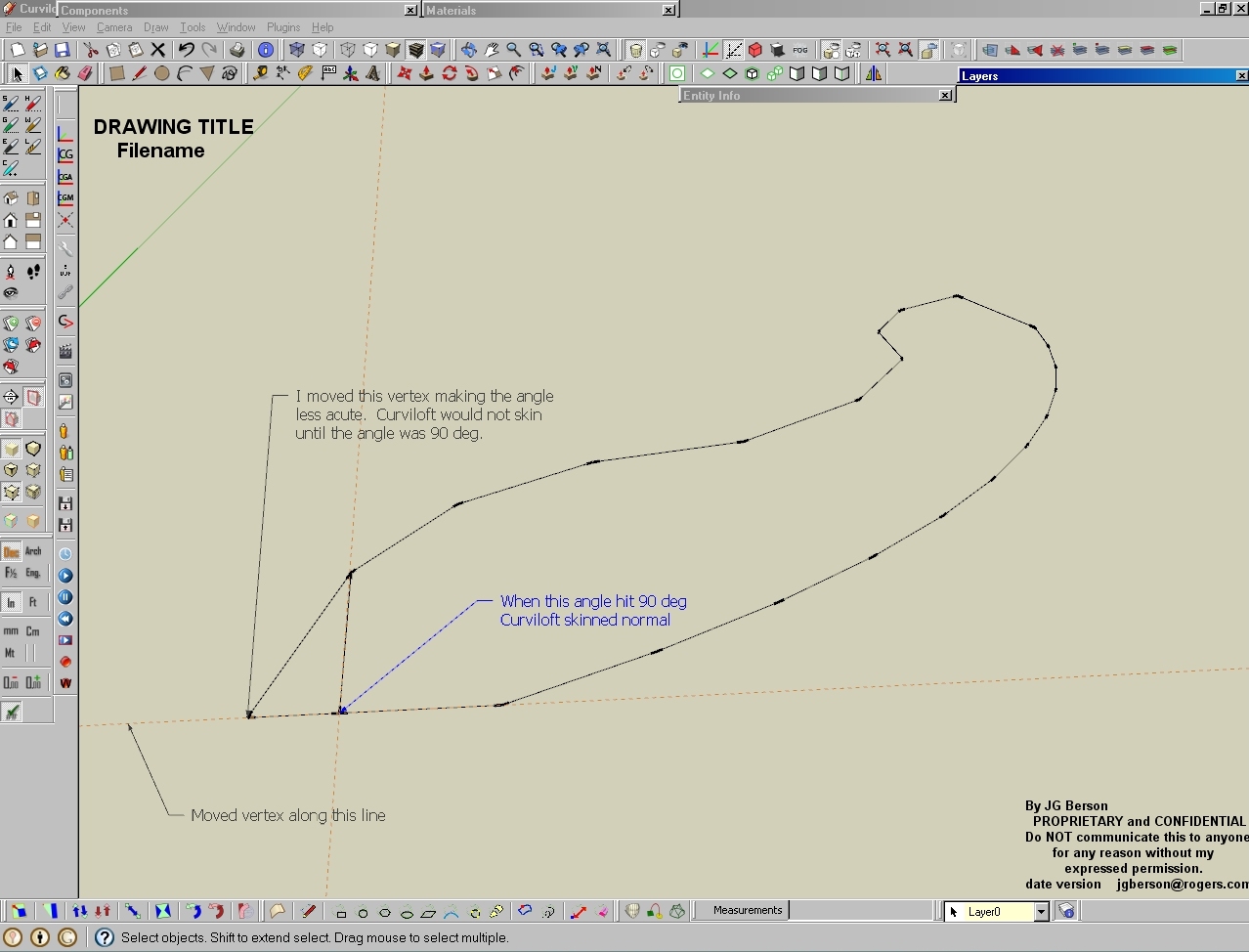
      In that same model, I just did 3 more similar shapes and the same thing happened. But when I joined any 2 vertexes in those constructs, (as well as the original problem), they skinned normally. So I joined 2 vertices at 1 end to form a triangle, and the rest of the construct skinned when selected.

      That made me think Curviloft can't handle 2 or more acute angles. Yep!!!
      I moved 1 end vertex in at varying angles.
      As soon as the angle was 90 deg or more the construct skinned.

      Something for Fredo to look into.

      Making 1 angle non-acute


      jgb

      1 條回覆 最後回覆 回覆 引用 0
      • Rich O BrienR 離線
        Rich O Brien Moderator
        最後由 編輯

        Did you look at how i picked the profiles and rails independently?

        Download the free D'oh Book for SketchUp 📖

        1 條回覆 最後回覆 回覆 引用 0
        • jgbJ 離線
          jgb
          最後由 編輯

          @rich o brien said:

          Did you look at how i picked the profiles and rails independently?

          I noticed, but I never had any real success doing that, so I ignored it.

          There is a whole lot about CL that I do not understand, particularly the toolbar. 😞

          Fredo really needs to define what the colors mean (red, magenta, etc) when the perimeter has a problem.
          I tried playing with "errors" (gaps, fragments and double lines) but could not get consistent, if any idea of the feedback from CL. Same with the toolbar, changing parameters seemed to have no effect.
          So now I just select a perimeter and hit either "skin" or "loft" depending.

          On most of my complex surfaces (wing fairings, etc) I usually end up redrawing most of the skin to simplify (line reduction) the result, as I find CL tends to create far more small triangles than necessary, but at least it does a very good job of making the curves, that I know take would hours to tweak if done manually from scratch, having done many before I discovered CL.

          It is one of the few core plugins that I could not live without now.


          jgb

          1 條回覆 最後回覆 回覆 引用 0
          • pilouP 離線
            pilou
            最後由 編輯

            @unknownuser said:

            I moved 1 end vertex in at varying angles.

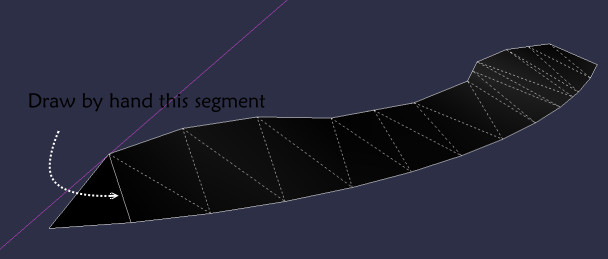
            But like this your surface result is not the same ? 😮
            With my method you keep the same surface!
            Absolutly no idea why this not works for you ?
            I tested on V7, on V6 (all with the divided segment)

            But work also if I draw this triangle 😉
            Very curious 😄
            segment_by_ hand.jpg

            Frenchy Pilou
            Is beautiful that please without concept!
            My Little site :)

            1 條回覆 最後回覆 回覆 引用 0
            • pbacotP 離線
              pbacot
              最後由 編輯

              JG,
              This is a symmetrical shape and it's interesting that it skins quite well if a line is added at the center. I prefer to divide the end and center line for more subdivisions, but I don't really know if that is helpful. I often find that a shape works better (or at all) in Curviloft with a line or curve added across the center area. But I could use a full course on CL. I am usually shooting in the dark and can understand the purpose to few of the features, myself.

              I couldn't get it to skin otherwise, nor follow Rich's procedure. Other curve arrangements would light up and I never got a setup as he shows. [edit: now I see what he did, but I don't know how he knew to do it--and the shape just skinned without me designating any edges--after adding edges at the ends of the shape]

              Regards, Peter
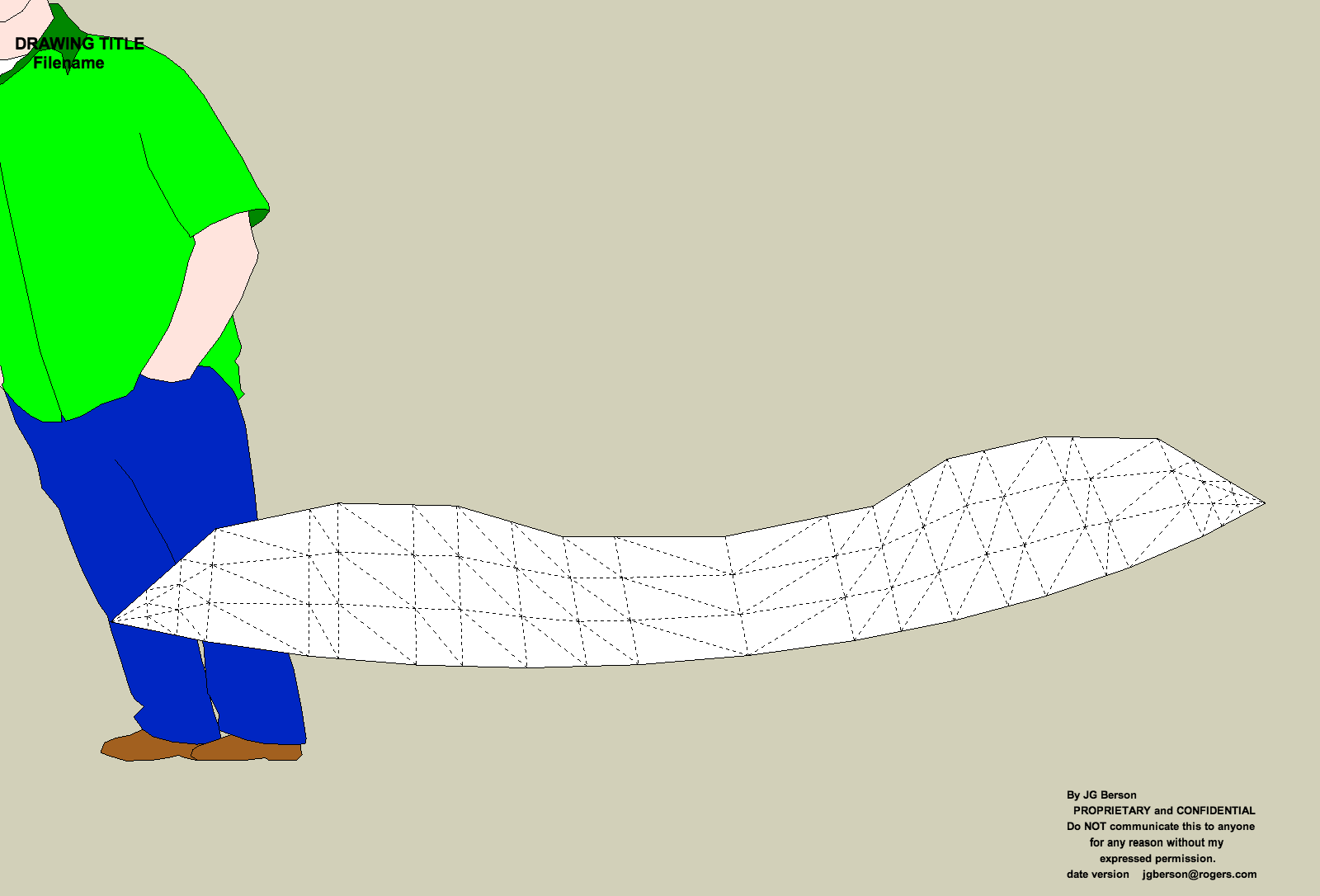

              Curviloft Problem.png

              MacOSX MojaveSketchUp Pro v19 Twilight v2 Thea v3 PowerCADD

              1 條回覆 最後回覆 回覆 引用 0
              • jgbJ 離線
                jgb
                最後由 編輯

                Pbacot; I did not try segmenting a line because CL does too much segmentation at best, most of which I end up tweaking out (as I mentioned above) to reduce the line count and surface complexity. Here I just needed a "flat" surface quickly, as a temporary separate group while I did some work behind it.

                When it refused to surface I did it manually (triangulating the vertices) as I had no time then to play. Later I extracted the perimeter to see what was wrong, which led to my post.

                My supposition about 2 or more acute angles may be wrong after thinking about it and later I will try a few edits to prove me right or wrong.


                jgb

                1 條回覆 最後回覆 回覆 引用 0
                • Rich O BrienR 離線
                  Rich O Brien Moderator
                  最後由 編輯

                  @Joel

                  Try watching this...

                  302 Found

                  favicon

                  (www.screenr.com)

                  Download the free D'oh Book for SketchUp 📖

                  1 條回覆 最後回覆 回覆 引用 0
                  • Dave RD 離線
                    Dave R
                    最後由 編輯

                    Rich, that explains it very well. Thanks from me even though I wasn't having any problem with it.

                    Etaoin Shrdlu

                    %

                    (THERE'S NO PLACE LIKE)

                    G28 X0.0 Y0.0 Z0.0

                    M30

                    %

                    1 條回覆 最後回覆 回覆 引用 0
                    • fredo6F 離線
                      fredo6
                      最後由 編輯

                      @jgb

                      Curviloft works with 4 contours (what is called a coon).
                      When you have a single continuous contour, you need to define these 4 contours. As highlighted by Rich, one simple way to tell Curviloft is to put Break points, with small open segments. Then, you can Select All and proceed with Skinning.
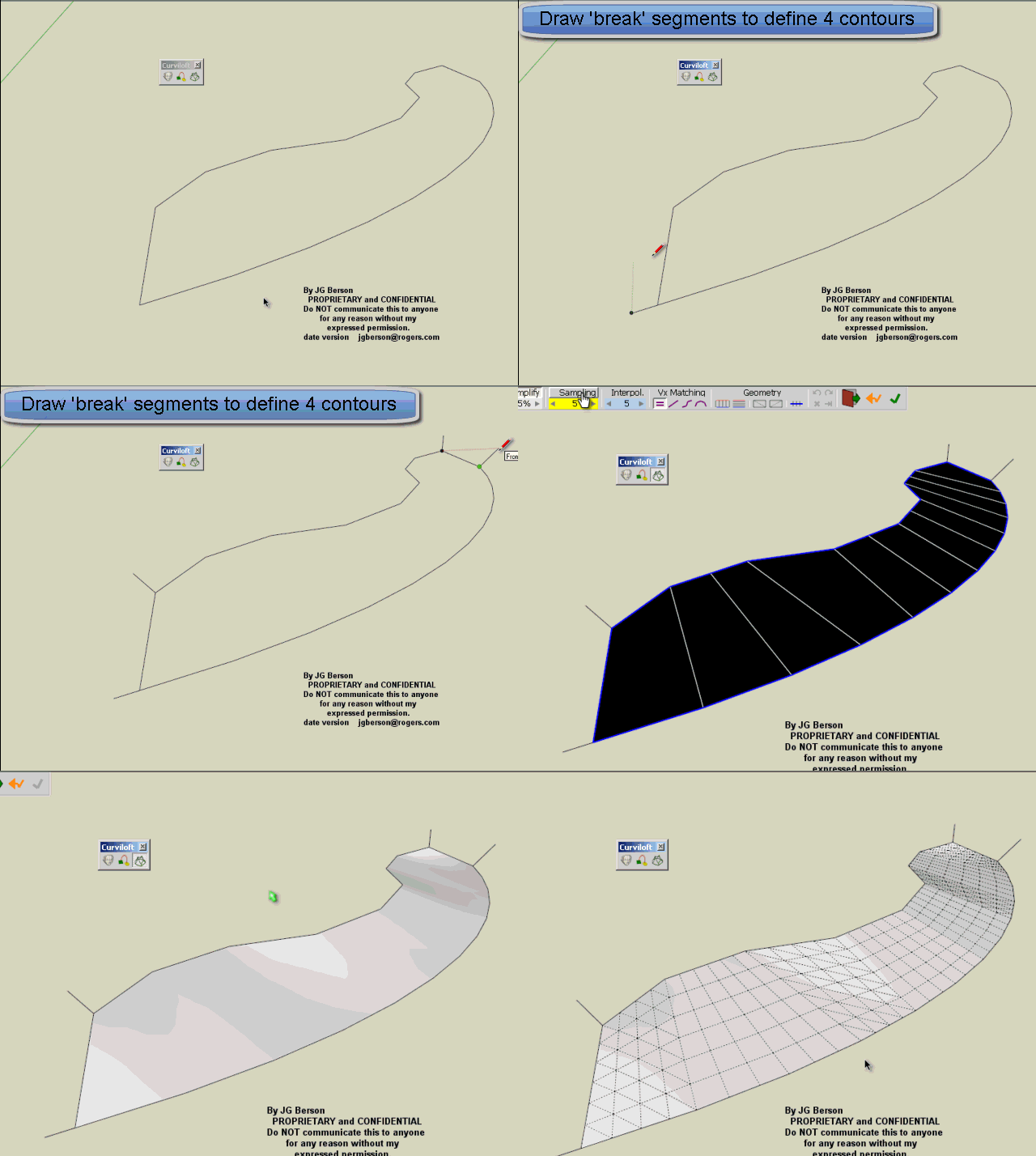
                      Jgb Curviloft Problem.gif

                      Fredo

                      PS1: another way is to use the Edge by Edge selection, and press Return between each of the 4 contours.

                      PS2: colors have no special meaning except to differentiate the selected contours

                      PS3: error handling is not complete yet. This is why the plugin is still in Beta

                      1 條回覆 最後回覆 回覆 引用 0
                      • pilouP 離線
                        pilou
                        最後由 編輯

                        Aaah OK ! 😉
                        All is clear now! 💚 👍

                        Frenchy Pilou
                        Is beautiful that please without concept!
                        My Little site :)

                        1 條回覆 最後回覆 回覆 引用 0
                        • I 離線
                          ivreich
                          最後由 編輯

                          How to soft/hide diagonals only??

                          How does one generate a lofted surface with only the diagonals soft/hidden? This is useful if you want to use the loop/ring selection tools that come natively with thomthom's Quadfacetools...

                          Currently you have to do it manually, generating two sets of intermediate profiles (in both U and V directions) and merging it with the quadface surface.

                          joel
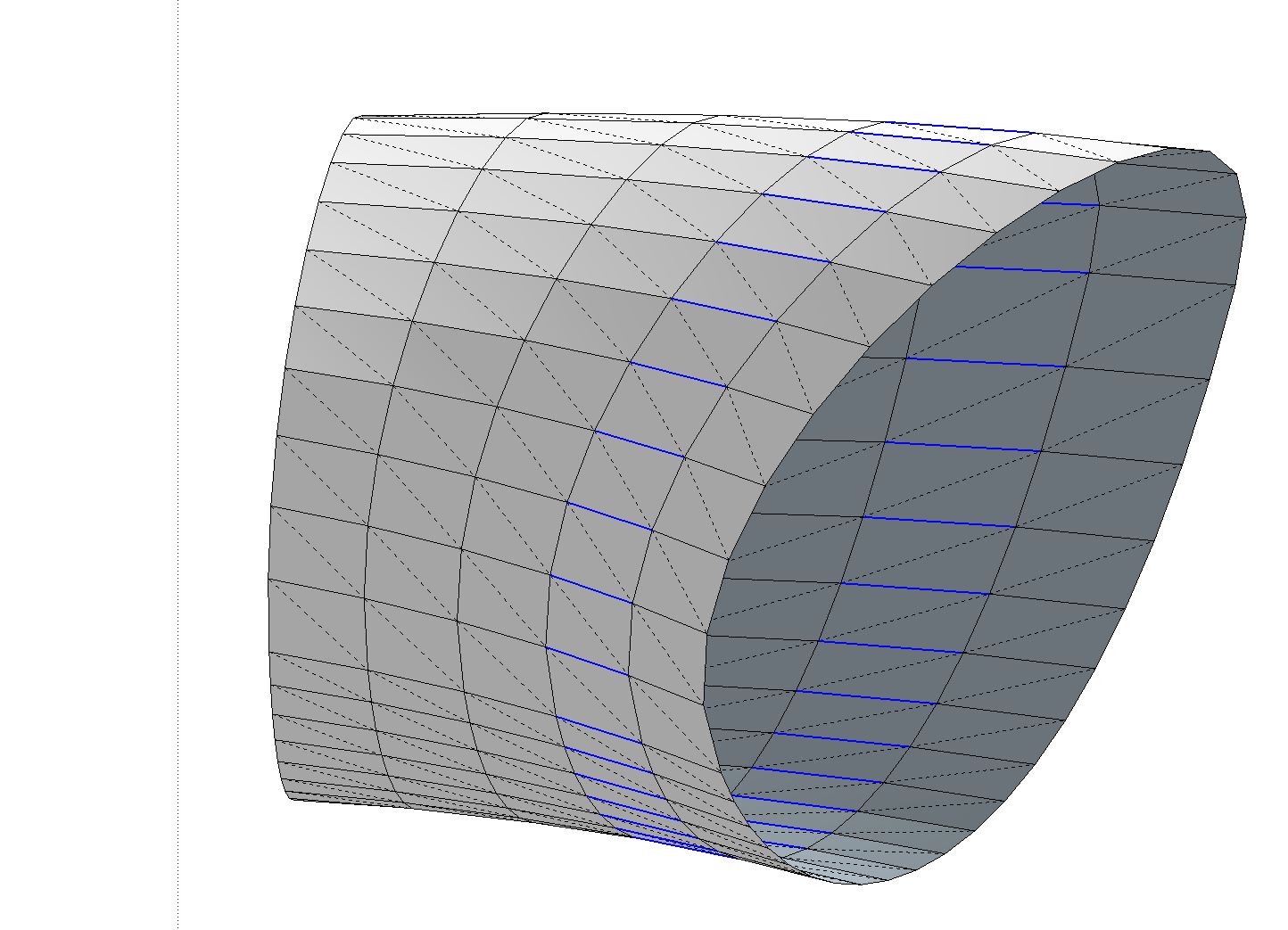

                          Soft/Hidden diagonals only. Useful when selecting loops+rings using QuadFaceTools.

                          1 條回覆 最後回覆 回覆 引用 0
                          • pilouP 離線
                            pilou
                            最後由 編輯

                            Have you the Skp (V6) ?

                            Frenchy Pilou
                            Is beautiful that please without concept!
                            My Little site :)

                            1 條回覆 最後回覆 回覆 引用 0
                            • thomthomT 離線
                              thomthom
                              最後由 編輯

                              @ivreich said:

                              How does one generate a lofted surface with only the diagonals soft/hidden? This is useful if you want to use the loop/ring selection tools that come natively with thomthom's Quadfacetools...

                              CurviLoft can generate Quad meshes for you if you just enable the option:
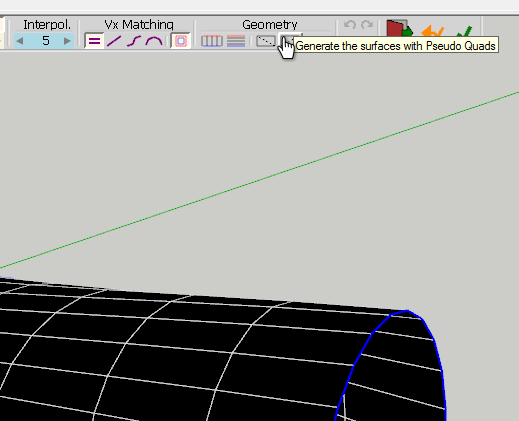
                              GenerateQuads.png

                              It generates smooth meshes though, so if you want the grid type you have in your screenshot you need to use QuadFace Tools to unsmooth the CurviLoft surface.

                              Thomas Thomassen — SketchUp Monkey & Coding addict
                              List of my plugins and link to the CookieWare fund

                              1 條回覆 最後回覆 回覆 引用 0
                              • jgbJ 離線
                                jgb
                                最後由 編輯

                                @rich o brien said:

                                @Joel

                                Try watching this...

                                302 Found

                                favicon

                                (www.screenr.com)

                                Ah IZ simply blown away by this..

                                I tried segmenting at the same corners, but it didn't work for me, and now I know why. But this and TT's explanation to Ivreich and Fredos "How-to" reply opened my eyes to why I found CL a bit unresponsive to many of my skinning attempts.

                                Simply a lack of a basic tutorial for Curviloft left me without the tools needed to use CL effectively.

                                Fredo, that really needs to be addressed. ❗ CL is NOT a simple intuitive tool to use.


                                jgb

                                1 條回覆 最後回覆 回覆 引用 0
                                • jgbJ 離線
                                  jgb
                                  最後由 編輯

                                  Fredo; That explanation really opened my eyes. I NEVER knew the toolbar functions were only active in "blackface". I thought they were presets, and that is why it never worked for me.

                                  One question though, when you added the 4 breakpoints (as also shown by Rich) it skinned when you selected all. This object is an extract from a drawing that had lines emanating straight up/down from each point, effectively each being a breakpoint. Many times in the past, if I had an extraneous line or fragmet in the perimeter selection, CL would go RED and not skin till the line was removed. Yet here you show they are included. When I tried this with the original model (a sink base) selecting 4 lines as breakpoints, again nothing happened.

                                  Here is a series of screenshots of what happened.

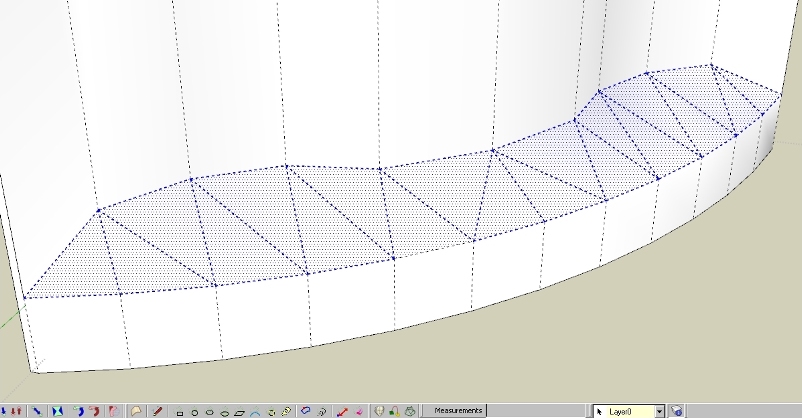
                                  Overall view of the sink, with the problem area in the base highlighted.
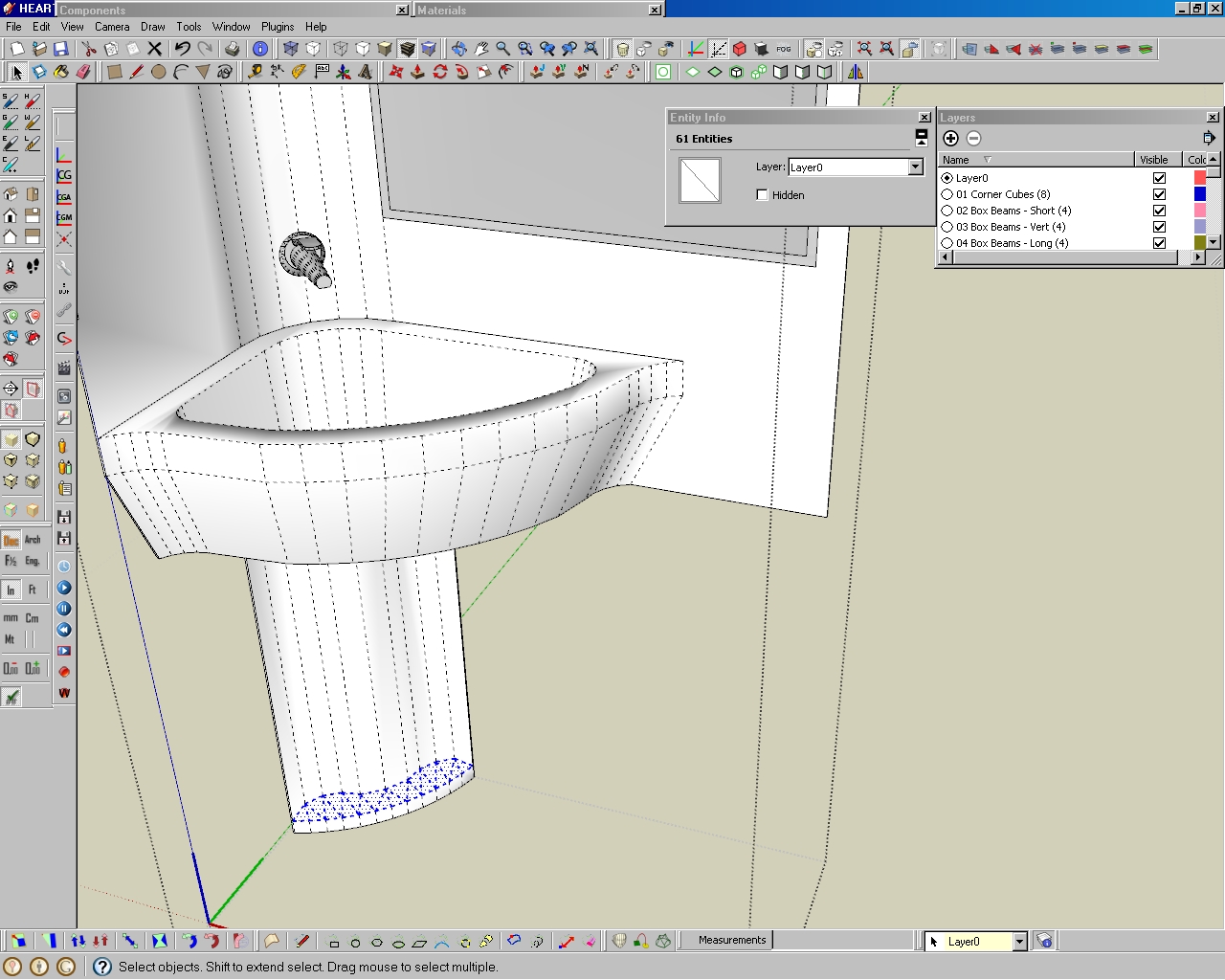
                                  Overall view of model.

                                  And a closeup....
                                  Closeup (cropped) of the problem area.  The skin was manually created.

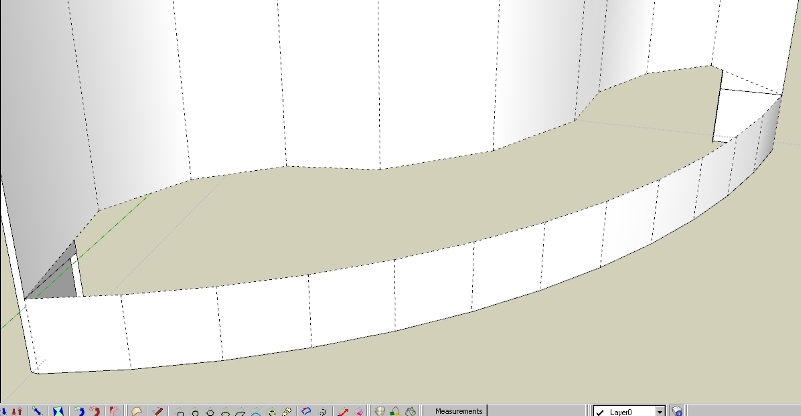
                                  Skin area removed to redo solution.
                                  Skin removed.

                                  Perimeter only selected. No skinning. 👎
                                  Perimeter only selected.  CL would not skin.

                                  Added 4 breakpoint lines to perimeter selection. Again, no skinning. 👎
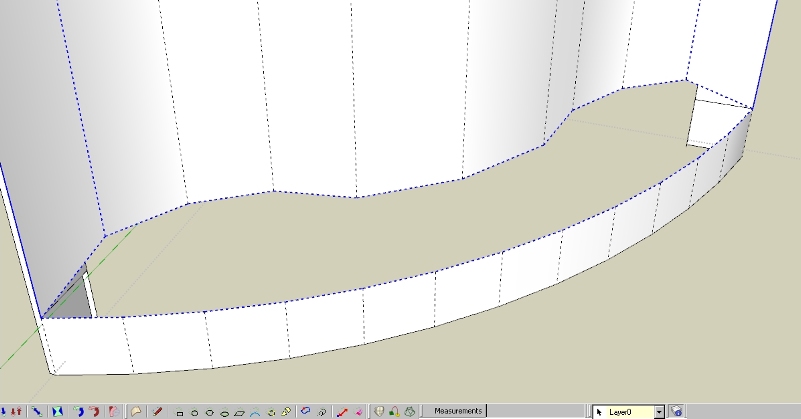
                                  Added 4 breakpoint line to perimeter selection.  CL would not skin.

                                  Selected 3 lines using CL Select, and
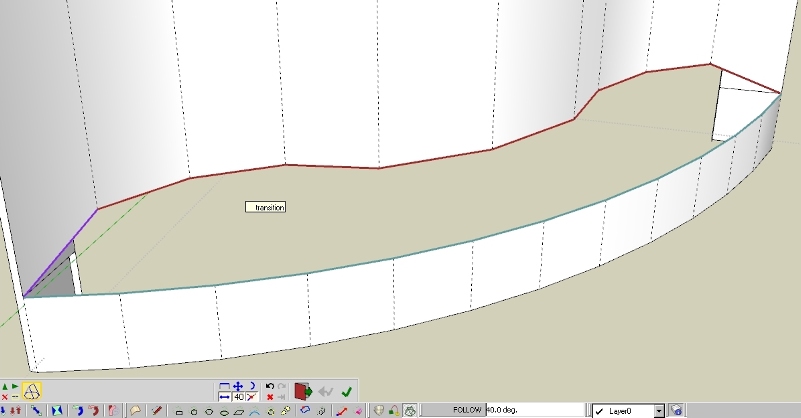
                                  Curviloft selection of 3 line sets.

                                  VOILA, a skin. 👍 👍 👍
                                  THAT worked!!!

                                  So now I know a whole lot more about Curviloft, but my question now is why did my selection of breakpoint lines NOT work, but worked for you, and not cause an error with CL ❓ ❓


                                  jgb

                                  1 條回覆 最後回覆 回覆 引用 0
                                  • fredo6F 離線
                                    fredo6
                                    最後由 編輯

                                    @jgb
                                    It depends on your settings in the button palette

                                    • the mode of selection (Follow <-->)
                                    • the Break at Crossing button must be ON
                                      The small segments must also be 'plain' edges.

                                    Anyway, selecting each of the 3 or 4 contours is a good method too.

                                    Fredo

                                    1 條回覆 最後回覆 回覆 引用 0
                                    • Rich O BrienR 離線
                                      Rich O Brien Moderator
                                      最後由 編輯

                                      @unknownuser said:

                                      I have always thhought that this piece was a part of a secret space rocket due the warning text inserted 😄

                                      😆

                                      Download the free D'oh Book for SketchUp 📖

                                      1 條回覆 最後回覆 回覆 引用 0
                                      • pilouP 離線
                                        pilou
                                        最後由 編輯

                                        I have always thought that this piece was a part of a secret space rocket due the warning text inserted 😄

                                        Frenchy Pilou
                                        Is beautiful that please without concept!
                                        My Little site :)

                                        1 條回覆 最後回覆 回覆 引用 0
                                        • jgbJ 離線
                                          jgb
                                          最後由 編輯

                                          @unknownuser said:

                                          I have always thought that this piece was a part of a secret space rocket due the warning text inserted 😄

                                          The sink goes in the rocket cabin. 🤣

                                          And I thought I was being clever at hiding its purpose by just extracting the problem part. ☀


                                          jgb

                                          1 條回覆 最後回覆 回覆 引用 0
                                          • R 離線
                                            redmaya
                                            最後由 編輯

                                            i cant install... i followed the instruction.. i opened then extracted to plugin...

                                            1 條回覆 最後回覆 回覆 引用 0
                                            • 1
                                            • 2
                                            • 52
                                            • 53
                                            • 54
                                            • 55
                                            • 56
                                            • 65
                                            • 66
                                            • 54 / 66
                                            • 第一個貼文
                                              最後的貼文
                                            Buy SketchPlus
                                            Buy SUbD
                                            Buy WrapR
                                            Buy eBook
                                            Buy Modelur
                                            Buy Vertex Tools
                                            Buy SketchCuisine
                                            Buy FormFonts

                                            Advertisement