sketchucation logo sketchucation
    • 登入
    Oops, your profile's looking a bit empty! To help us tailor your experience, please fill in key details like your SketchUp version, skill level, operating system, and more. Update and save your info on your profile page today!
    🔌 Smart Spline | Fluid way to handle splines for furniture design and complex structures. Download

    [Plugin][$] Curviloft 2.0a - 31 Mar 24 (Loft & Skinning)


    已排程 已置頂 已鎖定 已移動 Plugins
    1.3k 貼文 299 Posters 2.5m 瀏覽 297 Watching
    正在載入更多貼文
    • 從舊到新
    • 從新到舊
    • 最多點贊
    回覆
    • 在新貼文中回覆
    登入後回覆
    此主題已被刪除。只有擁有主題管理權限的使用者可以查看。
    • charly2008C 離線
      charly2008
      最後由 編輯

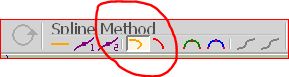
      Robert, i think you used a different Spline Method. See images below. The second image shows Junction by Orthogonal Bezier curves.

      Charly
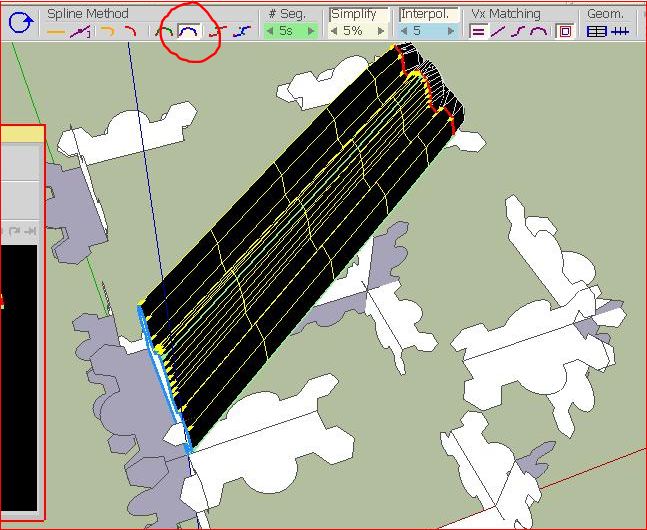

      Unbenannt.JPG


      Junction by Orthogonal Bezier curves

      He who makes no mistakes, makes nothing

      1 條回覆 最後回覆 回覆 引用 0
      • charly2008C 離線
        charly2008
        最後由 編輯

        Probably there are many like me. Some features I can not understand completely.
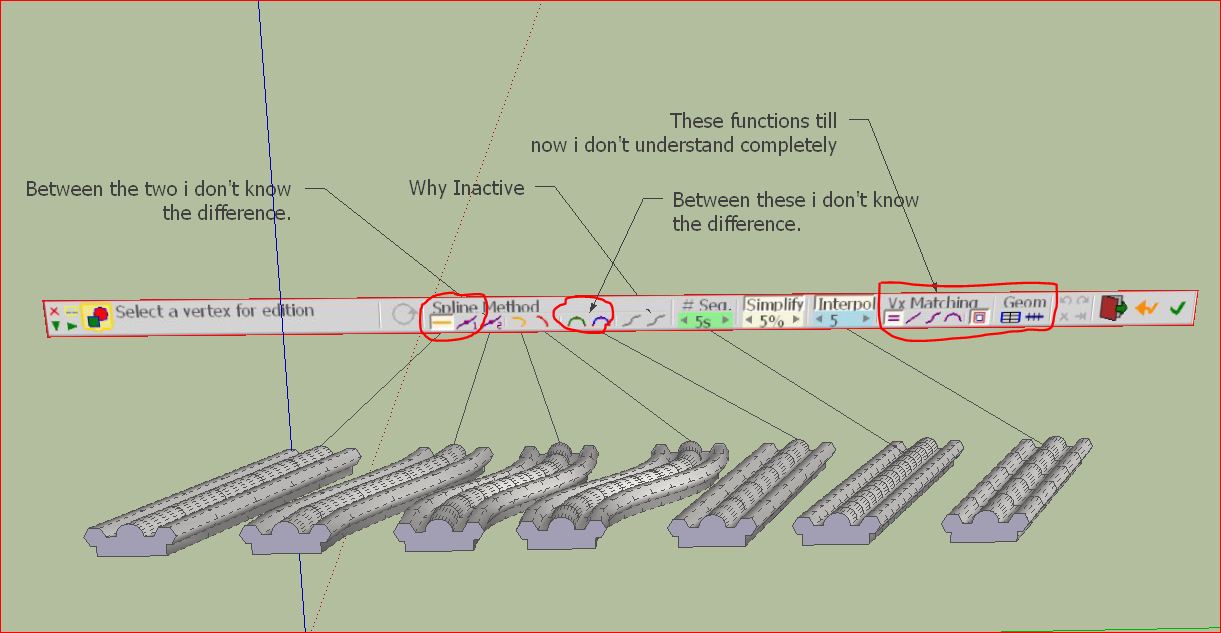

        Unbenannt.JPG

        He who makes no mistakes, makes nothing

        1 條回覆 最後回覆 回覆 引用 0
        • fredo6F 離線
          fredo6
          最後由 編輯

          @charly2008 said:

          Probably there are many like me. Some features I can not understand completely.

          Charly,

          There are many ways to do Loft, and this is why there are many options (and there should probably be more).

          1. The Spline methods on the left side:
          • one if simply to link contours by straight lines
          • the second is a junction by Bezier curves with mean slope. In many cases where contours are aligned this is almost a straight line too. But in other situations, it gives a curved shape.
          1. The two icons in the middle are for Cubic Bezier and Catmull Splines. In most cases they give a very similar shape, though Cubic Bezier is usually nicer in the rounding. Catmull, in contrast, is more similar to what you get in Subdivide & Smooth methods.

          2. The two icons on the right side of the Spline method palette: These 2 methods only apply when you have more than 2 contours. The principle is that they link the two extreme contours by B-Spline or F-Spline, using the intermediate ones as a guide for shaping. The generated surface passes through the extreme contours but not thorugh the intermediate ones

          3. The vertex matching palette is about how to match vertices from one contour to the next one. I am still experimenting and will try to improve in this area. The matching can be based on:

          • match vertex to vertex when there are the same numbers (first default)
          • match along the curvilinear distance (second default)
          • match along Cubic or Bezier profiles. The principle is that the spacing between matching vertices is function of the curvature of the contour. I found theoritical cases where this is the correct solution, but in the real world, this may be another story.
          1. The geometry palette is used for 2 purposes currently:
          • generate only the junctions as lines (i.e. no surface)
          • make the junction as SU curves. This allows deforming the shape in a continuous way by moving the contours.
            I plan to add the possibility to construct any part of the mesh (i.e. triangles, quads, junctions only, etc....)

          The best is to play with the options on a given model and see what it gives.

          I agree that this is not straightforward, but keep in mind that there is unfortunately not a single solution to all lofting situations.

          Fredo

          PS: by the way, extremely nice models you designed!! 😒

          1 條回覆 最後回覆 回覆 引用 0
          • charly2008C 離線
            charly2008
            最後由 編輯

            Hi Fredo,

            thank you for your detailed explanation. I'll continue to experiment with getting to know all the options. Your explanation is certainly helpful to all.

            Charly

            He who makes no mistakes, makes nothing

            1 條回覆 最後回覆 回覆 引用 0
            • thomthomT 離線
              thomthom
              最後由 編輯

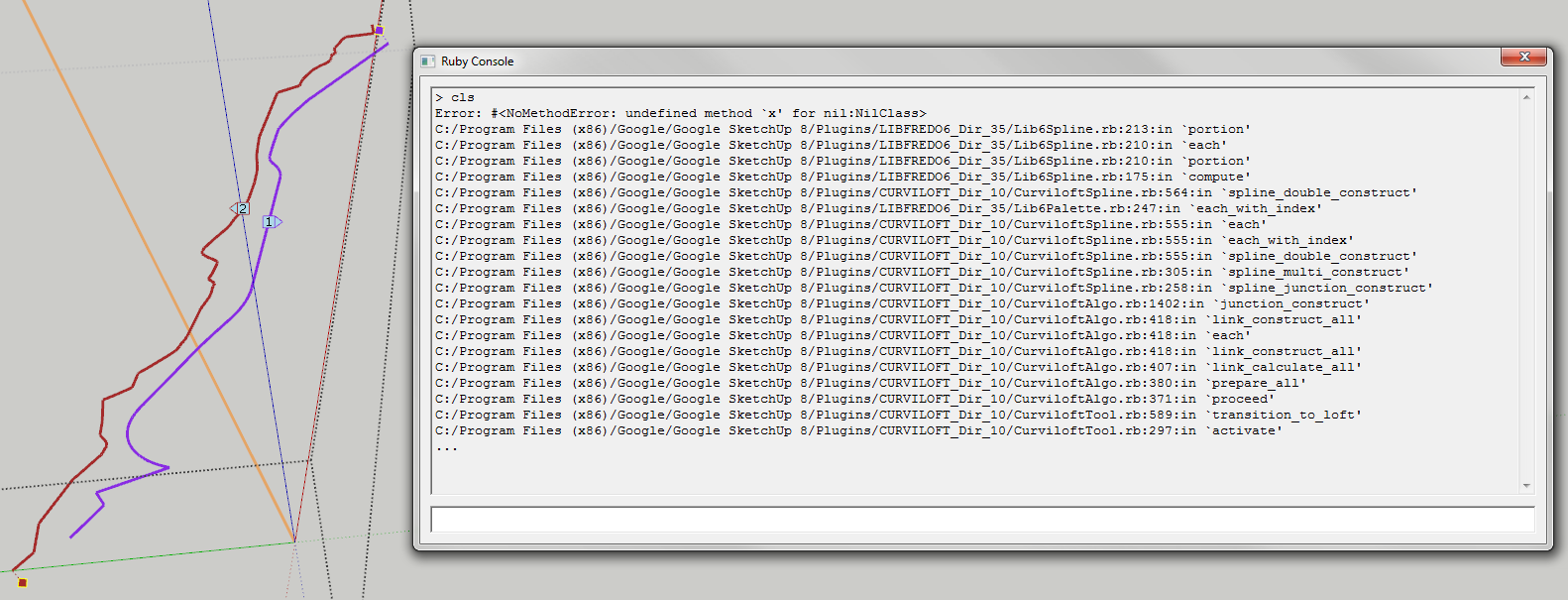
              I'm getting some errors:

              CurviError.png

              Thomas Thomassen — SketchUp Monkey & Coding addict
              List of my plugins and link to the CookieWare fund

              1 條回覆 最後回覆 回覆 引用 0
              • fredo6F 離線
                fredo6
                最後由 編輯

                @thomthom said:

                I'm getting some errors:

                [attachment=0:21a7yfyo]<!-- ia0 -->CurviError.png<!-- ia0 -->[/attachment:21a7yfyo]

                Tom,

                Thanks for signaling this problem.
                Would you mind to post the model.

                Fredo

                1 條回覆 最後回覆 回覆 引用 0
                • thomthomT 離線
                  thomthom
                  最後由 編輯

                  @unknownuser said:

                  @thomthom said:

                  I'm getting some errors:

                  [attachment=0:1k817cpu]<!-- ia0 -->CurviError.png<!-- ia0 -->[/attachment:1k817cpu]

                  Tom,

                  Thanks for signaling this problem.
                  Would you mind to post the model.

                  Fredo

                  It's a wee heavy - but I can post the extracted polylines.

                  Thomas Thomassen — SketchUp Monkey & Coding addict
                  List of my plugins and link to the CookieWare fund

                  1 條回覆 最後回覆 回覆 引用 0
                  • thomthomT 離線
                    thomthom
                    最後由 編輯

                    Here it is:


                    CurviError.skp

                    Thomas Thomassen — SketchUp Monkey & Coding addict
                    List of my plugins and link to the CookieWare fund

                    1 條回覆 最後回覆 回覆 引用 0
                    • charly2008C 離線
                      charly2008
                      最後由 編輯

                      Hi Thomas,

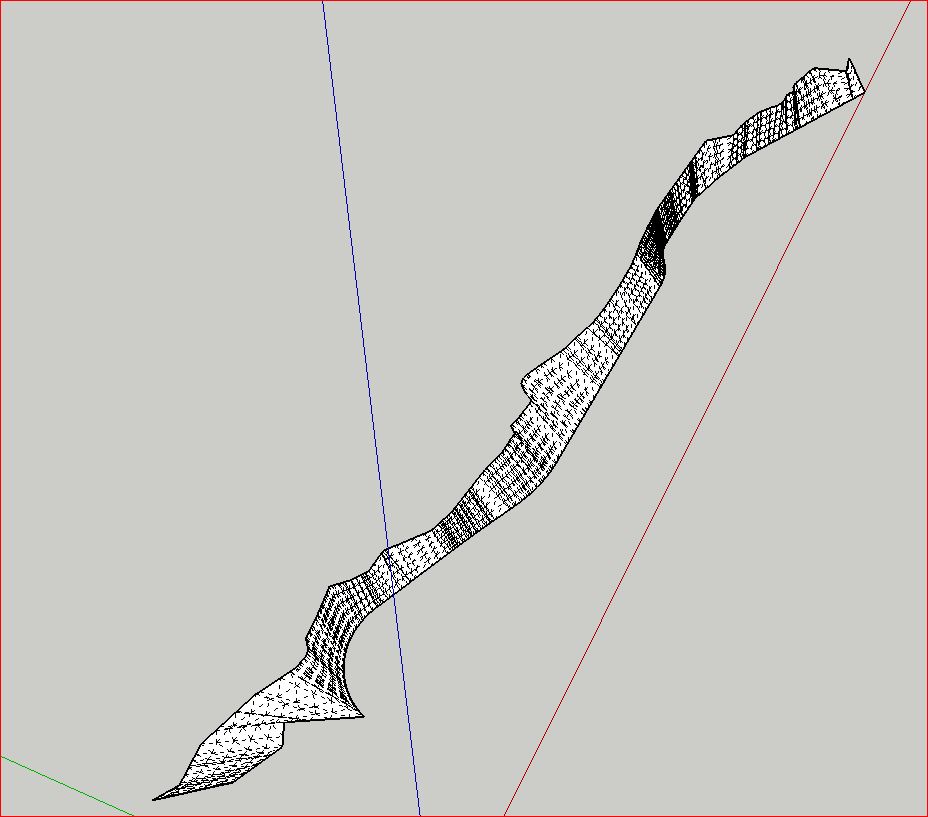
                      i welded each line and below the result in Sketchup 8.

                      Charly

                      Unbenannt.JPG

                      He who makes no mistakes, makes nothing

                      1 條回覆 最後回覆 回覆 引用 0
                      • thomthomT 離線
                        thomthom
                        最後由 編輯

                        ?

                        You have to weld the curves for loft to work?

                        Thomas Thomassen — SketchUp Monkey & Coding addict
                        List of my plugins and link to the CookieWare fund

                        1 條回覆 最後回覆 回覆 引用 0
                        • charly2008C 離線
                          charly2008
                          最後由 編輯

                          Yes this is my experience, otherwise you will have multiple lines.

                          He who makes no mistakes, makes nothing

                          1 條回覆 最後回覆 回覆 引用 0
                          • thomthomT 離線
                            thomthom
                            最後由 編輯

                            Even more odd - that unwelded needs more distance...?

                            Thomas Thomassen — SketchUp Monkey & Coding addict
                            List of my plugins and link to the CookieWare fund

                            1 條回覆 最後回覆 回覆 引用 0
                            • charly2008C 離線
                              charly2008
                              最後由 編輯

                              I must correct myself. In your example it works without welding but only if the two lines have a little more distance. Otherwise I get the same error messages. I previously thought the lines would have to be welded. now I've found that it is not so. Sorry, I am ashamed. I was back to cheeky.

                              Charly

                              He who makes no mistakes, makes nothing

                              1 條回覆 最後回覆 回覆 引用 0
                              • R 離線
                                robert111
                                最後由 編輯

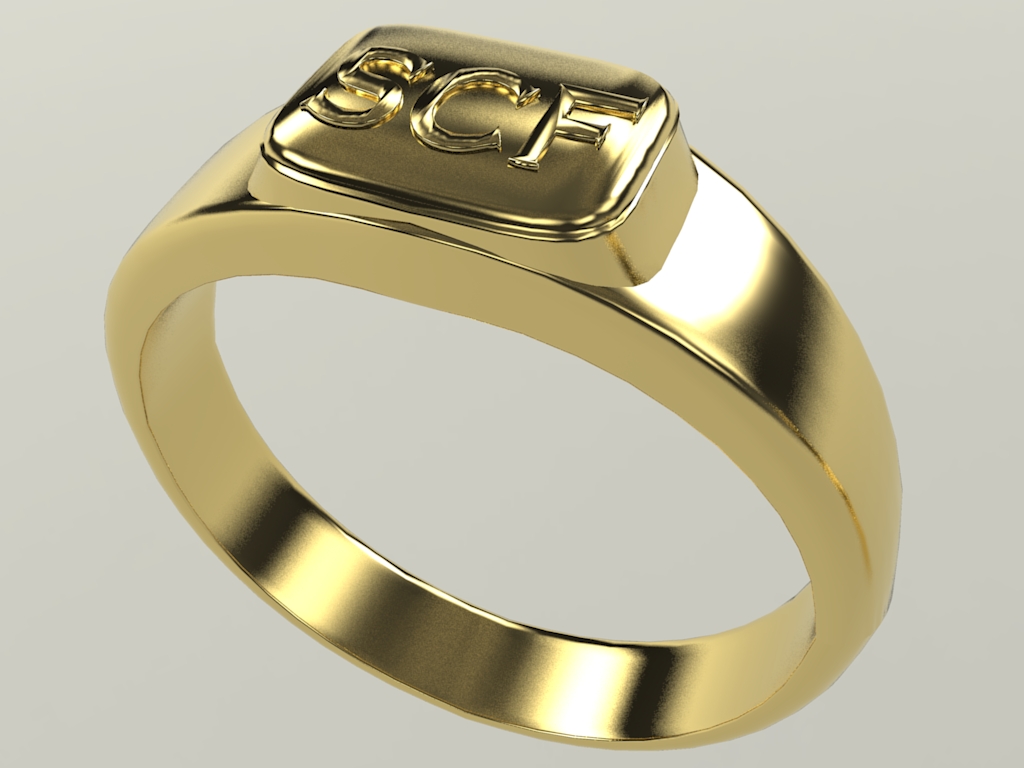
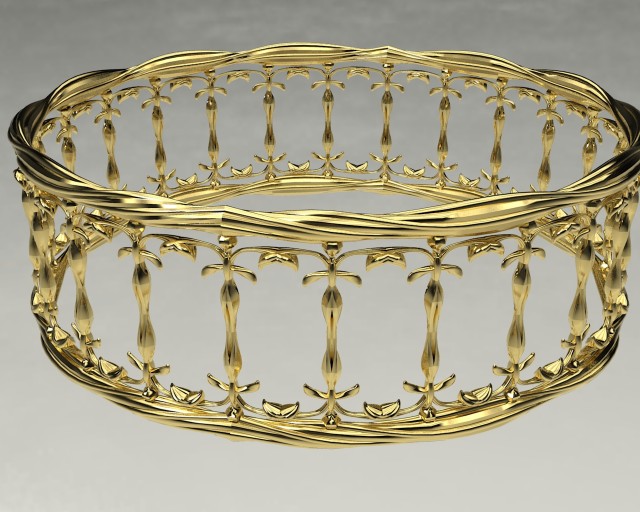
                                charly how to modeling this exemple plz can you make tuto plz, il love yours objet with this plugin

                                SCF%20Crown3.jpg

                                1 條回覆 最後回覆 回覆 引用 0
                                • R 離線
                                  robert111
                                  最後由 編輯

                                  and for this exemple too


                                  Ring1.jpg

                                  1 條回覆 最後回覆 回覆 引用 0
                                  • charly2008C 離線
                                    charly2008
                                    最後由 編輯

                                    To all who are interested,

                                    My mistake is based on the plugin Extrude Edges by Loft. Here welded edges or corners are required. I realized only now with Curviloft only just a double-click on the edges is necessary to complete the selection. Without the post from Thomas, I would have thought about it.

                                    I could have saved myself a lot of time. You get used sometimes to a particular workflow or action and thought no more about it.

                                    Charly

                                    He who makes no mistakes, makes nothing

                                    1 條回覆 最後回覆 回覆 引用 0
                                    • jeff hammondJ 離線
                                      jeff hammond
                                      最後由 編輯

                                      @charly2008 said:

                                      I realized only now with Curviloft only just a double-click on the edges is necessary to complete the selection.

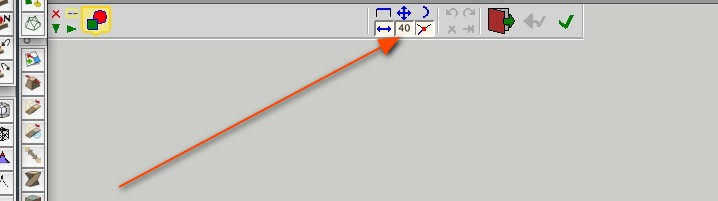
                                      or, adjust the max edge angle then single click (though in thom's example, the filter needs to be around 130 deg.)
                                      screen 4.jpg

                                      [this feature comes in very handy in certain instances]
                                      [use the tab key for even more filter options]

                                      dotdotdot

                                      1 條回覆 最後回覆 回覆 引用 0
                                      • charly2008C 離線
                                        charly2008
                                        最後由 編輯

                                        Thanks Jeff for your tip.

                                        He who makes no mistakes, makes nothing

                                        1 條回覆 最後回覆 回覆 引用 0
                                        • charly2008C 離線
                                          charly2008
                                          最後由 編輯

                                          Hi Robert111,

                                          i will place the tutorial here:

                                          http://forums.sketchucation.com/viewtopic.php?f=18&t=29374

                                          Charly

                                          He who makes no mistakes, makes nothing

                                          1 條回覆 最後回覆 回覆 引用 0
                                          • S 離線
                                            SpookyChick1013
                                            最後由 編輯

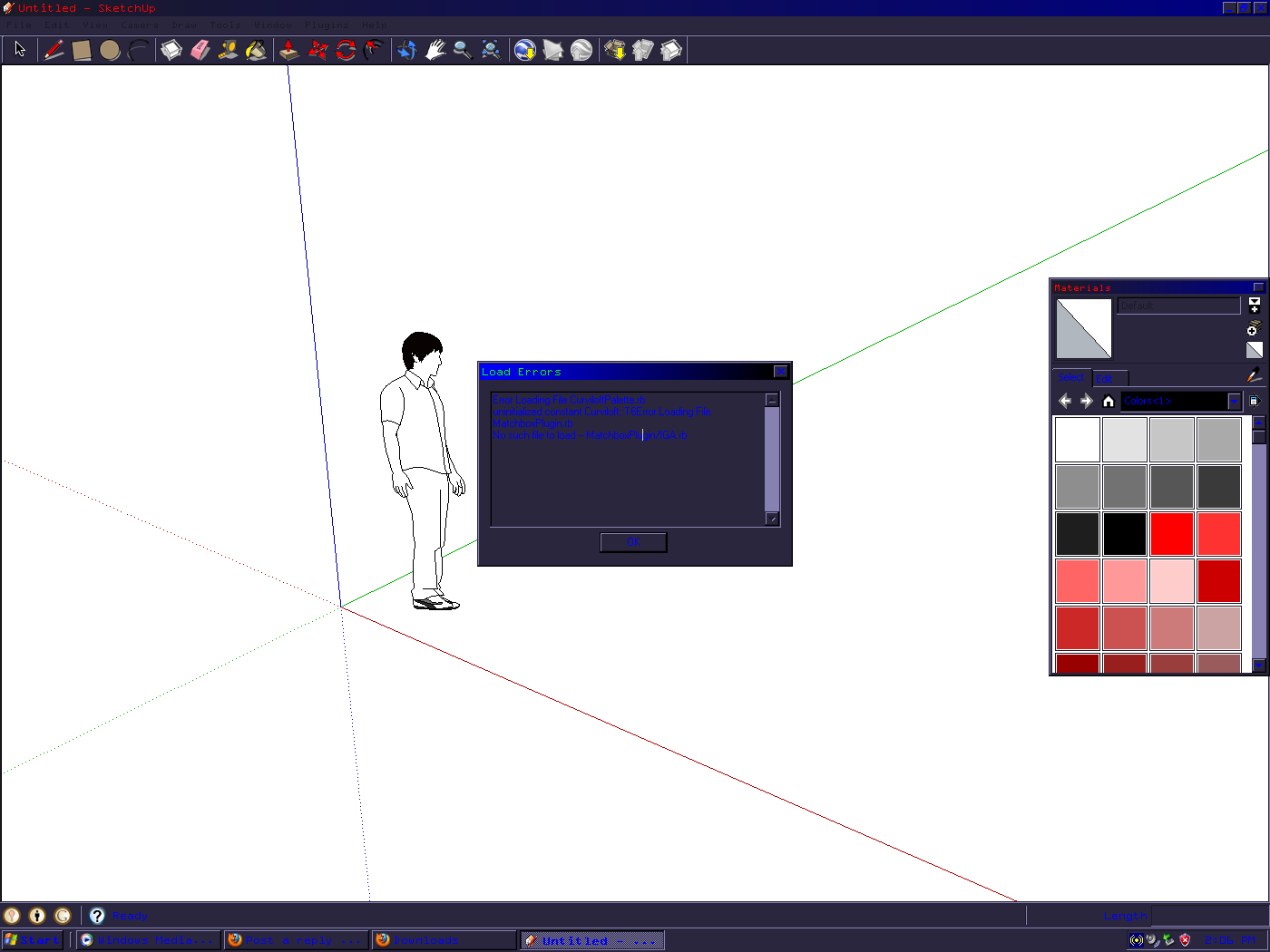
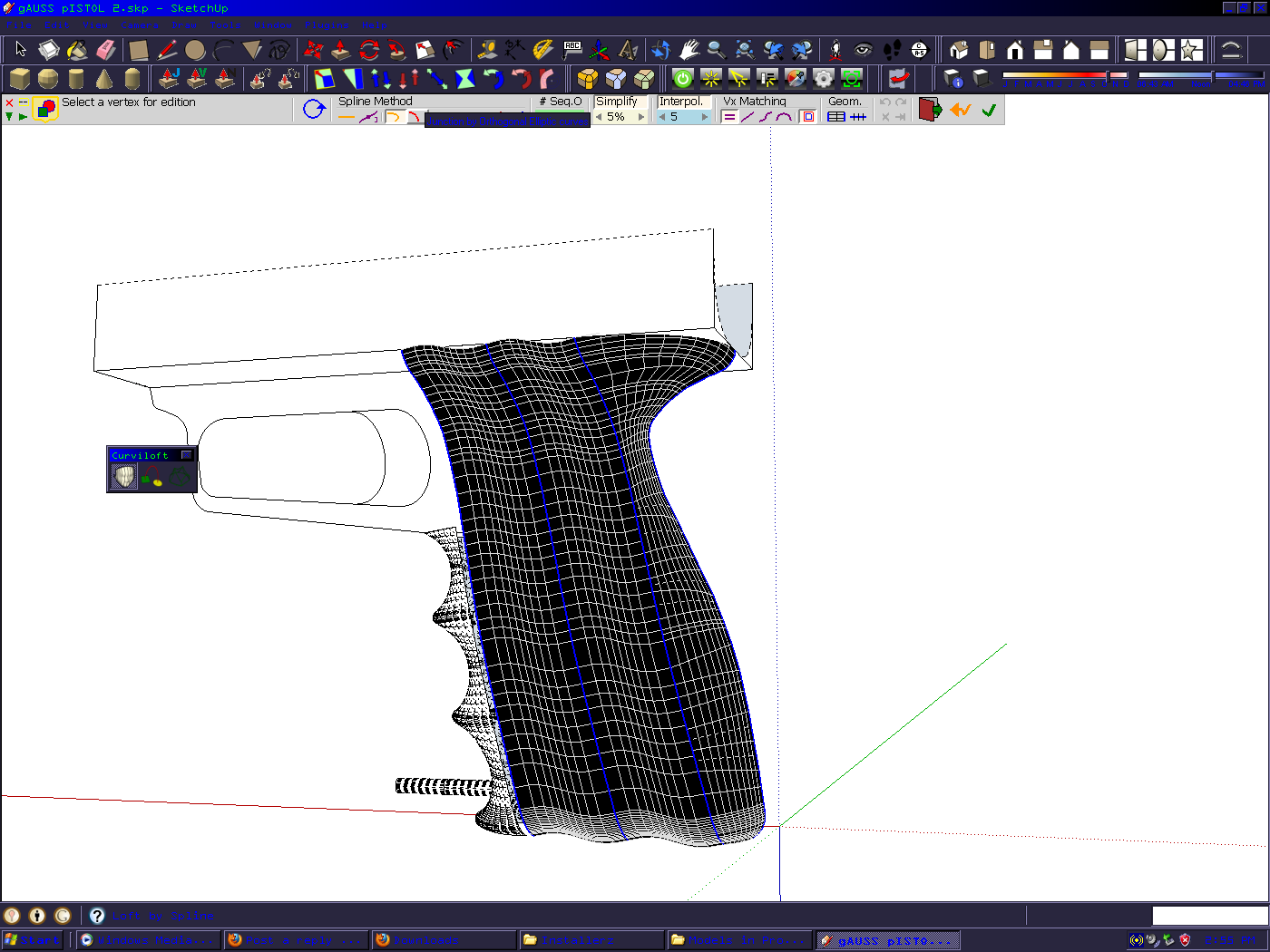
                                            Hi there Fredo! I've had Curviloft in my plugin folder for quite a while, and only recently figured out how to make it work. (To Whom It May Concern; Thank you all for your tutorials!) Curviloft is an awesome plugin and extremely useful. Once I figured out how to use it, I have had no problems until just recently, (say, a week ago?) when I started getting the following error message:Curvi Load Error.PNG

                                            I think we can safely ignore the matchbox plugin error, as MatchBox is not even installed and has not been for over 18 months (it would not play nice with other plugins so I vaped it...)and Curvi worked fine until after i downloaded and installed the latest version( Curviloft 1.0c, and LibFredo6 35c.) Curvi still works ok for the most part but I have started to get strange behavior from the orthogonal curves setting. As you can see this happened with both of the Orthogonal settingsInterestingly, this did not start until last night. I figured a work-around,What I wanted and got after a work around but I was curious if the reported errors had something to do with it.
                                            Once again, thank you so much for all of your hard work and genius! >hugz'n'cookiez, because I don't have any beer today<


                                            https://kuromatsudriveyards.com

                                            Fo-su to tomo ni aran koto o...

                                            1 條回覆 最後回覆 回覆 引用 0
                                            • 1
                                            • 2
                                            • 3
                                            • 4
                                            • 5
                                            • 6
                                            • 65
                                            • 66
                                            • 4 / 66
                                            • 第一個貼文
                                              最後的貼文
                                            Buy SketchPlus
                                            Buy SUbD
                                            Buy WrapR
                                            Buy eBook
                                            Buy Modelur
                                            Buy Vertex Tools
                                            Buy SketchCuisine
                                            Buy FormFonts

                                            Advertisement