[Plugin][$] Curviloft 2.0a - 31 Mar 24 (Loft & Skinning)


-
@Fredo6: at any time, either in a blank new model, or in a model with geometry in it.
The bugsplat occurs as soon as I click on the icon, once I have selected contours or faces and the path (no problem with selection.
I'm considering to start with an empty Plugins folder (except curviloft of course
 ) to see what happens.
 -
...Oh, Fredo,thank you very much!

-
Very good and promising plugin. Thank you for your effort and generosity!
-
Hi Fredo:
Is there anyway, once the surface group is created, that it could store the Curviloft parameters used? That way the user, if they had not completed all the surfacing, could verify and reuse those settings at a later time.
Perhaps there could be an eyedropper that could "suck up" the values of an existing surface-group and paste them into the Curviloft dialog?
=========
I have been doing a bit of testing using contours from CAD and comparing the results with the Sandbox tool. I was not able to reduce the total curviloft surfaces (triangles and quadrangles) between contour elevations compared to the triangulated surfaces sandbox creates BUT Curviloft places its surfaces where they SHOULD BE unlike Sandbox which places surfaces that "bridge" across vertices of the same elevation ...that is a big time saver.
-
This is a brilliant Plug-In...Super. Fredo fantastic!!! This is just what SU needed, just that little extra spline modelling tool. And for free! Better then the Booltools where you'll have to pay for and works 25% of the time...
Fredo you're my hero!
-
@pep75 said:
This is a brilliant Plug-In... And for free! ...
Please remember that although many of the scripters, like Fredo, do publish their tools freely, there is often a PayPal 'Donation' available - so you can give Fredo a little something, if you think he's worth it [which he is!] - I'm sure he won't object...

-
Hi Fredo -
I am having the same problem as Didier with bugsplats. I am able to make geometry selections, but the moment I attempt a loft by spline, SU crashes.
This occurs only on PC for me - the plugin works fine on Mac (both platforms have the latest version of SU)
-
had a good play with loft by spline today...
...no probs.
its looking abfab. thanks fredo.ba
win7, (for my sins ). pent4. 3ghz. 3gb ram. nvidea 6600
 -
Hi Fredo6,
I finally got it to start without a bugsplat. Select edges, spline, and here is the error message:
@unknownuser said:
Error: #<NoMethodError: undefined method
-' for nil:NilClass> C:/Program Files/Google/Google SketchUp 7/Plugins/CURVILOFT_Dir_10/CurviloftSpline.rb:953:inspline_matrix_match_point'
C:/Program Files/Google/Google SketchUp 7/Plugins/CURVILOFT_Dir_10/CurviloftSpline.rb:930:inspline_matrix_column' C:/Program Files/Google/Google SketchUp 7/Plugins/CURVILOFT_Dir_10/CurviloftSpline.rb:927:ineach'
C:/Program Files/Google/Google SketchUp 7/Plugins/CURVILOFT_Dir_10/CurviloftSpline.rb:927:inspline_matrix_column' C:/Program Files/Google/Google SketchUp 7/Plugins/CURVILOFT_Dir_10/CurviloftSpline.rb:646:inspline_matrix_analyze'
C:/Program Files/Google/Google SketchUp 7/Plugins/CURVILOFT_Dir_10/CurviloftSpline.rb:645:ineach' C:/Program Files/Google/Google SketchUp 7/Plugins/CURVILOFT_Dir_10/CurviloftSpline.rb:645:inspline_matrix_analyze'
C:/Program Files/Google/Google SketchUp 7/Plugins/CURVILOFT_Dir_10/CurviloftSpline.rb:234:inspline_junction_construct' C:/Program Files/Google/Google SketchUp 7/Plugins/CURVILOFT_Dir_10/CurviloftAlgo.rb:1371:injunction_construct'
C:/Program Files/Google/Google SketchUp 7/Plugins/CURVILOFT_Dir_10/CurviloftAlgo.rb:415:inlink_construct_all' C:/Program Files/Google/Google SketchUp 7/Plugins/CURVILOFT_Dir_10/CurviloftAlgo.rb:415:ineach'
C:/Program Files/Google/Google SketchUp 7/Plugins/CURVILOFT_Dir_10/CurviloftAlgo.rb:415:inlink_construct_all' C:/Program Files/Google/Google SketchUp 7/Plugins/CURVILOFT_Dir_10/CurviloftAlgo.rb:404:inlink_calculate_all'
C:/Program Files/Google/Google SketchUp 7/Plugins/CURVILOFT_Dir_10/CurviloftAlgo.rb:377:inprepare_all' C:/Program Files/Google/Google SketchUp 7/Plugins/CURVILOFT_Dir_10/CurviloftAlgo.rb:368:inproceed'
C:/Program Files/Google/Google SketchUp 7/Plugins/CURVILOFT_Dir_10/CurviloftTool.rb:590:intransition_to_loft' C:/Program Files/Google/Google SketchUp 7/Plugins/CURVILOFT_Dir_10/CurviloftTool.rb:575:innotify_edge_picked'
C:/Program Files/Google/Google SketchUp 7/Plugins/LIBFREDO6_Dir_35/Lib6EdgePicker.rb:356:incall' C:/Program Files/Google/Google SketchUp 7/Plugins/LIBFREDO6_Dir_35/Lib6EdgePicker.rb:356:innotify_action'
C:/Program Files/Google/Google SketchUp 7/Plugins/LIBFREDO6_Dir_35/Lib6EdgePicker.rb:1214:in `click_outside'Hope this helps you to debug somewhat
-
@didier bur said:
Hi Fredo6,
I finally got it to start without a bugsplat. Select edges, spline, and here is the error message:
I located the problem, but it must depend on the model somehow (most likely the orientation of curves).
I'll put a protection (or an error message) to avoid the bugsplat anyway and will republish.Fredo
-
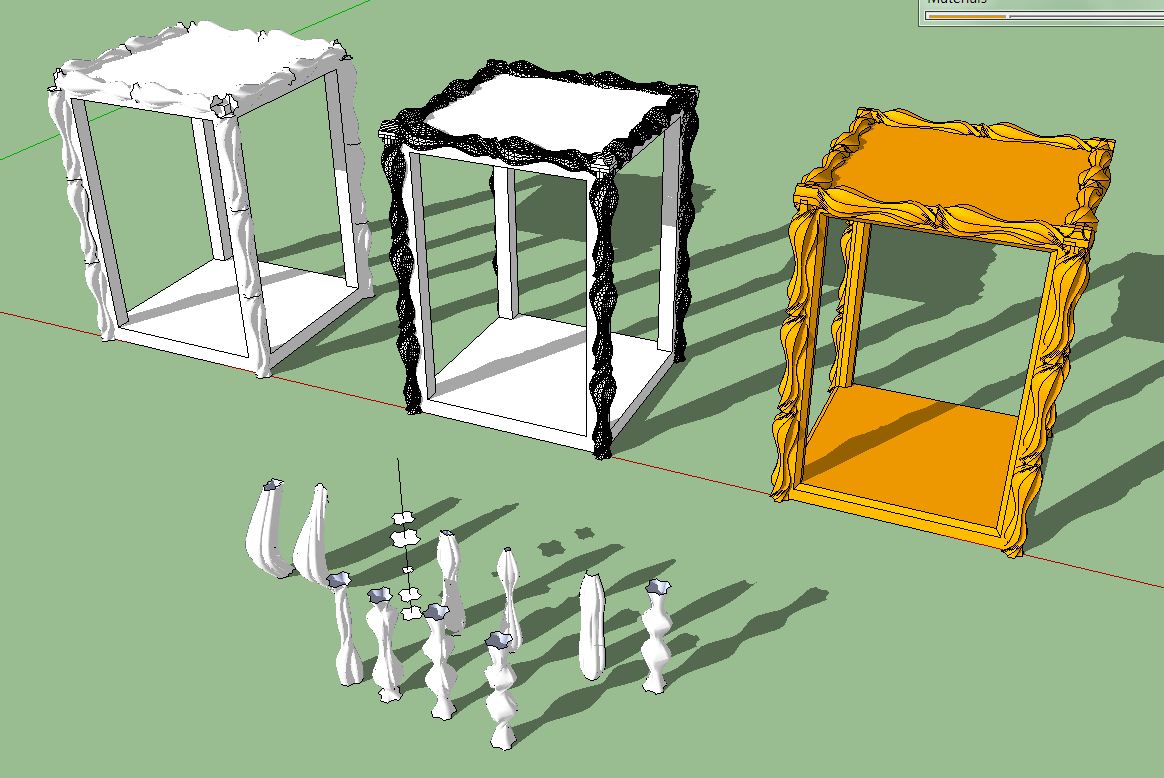
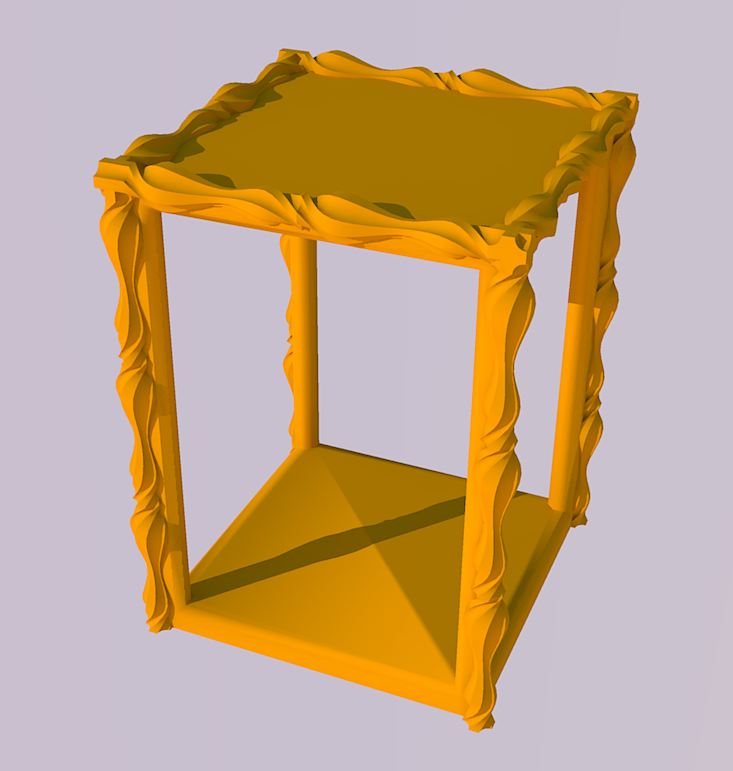
Hi Fredo,
your plugin is a miracle. Could be a must for historical models.
Karl
-
Hi Fredo6,
The plugin is fantastic, i'm modeling a XIV Century Church and it has a lot of organic details, your plugin will help me to finish it.
I know that the plugin is a beta phase but i find a conflict with other plugin 'set.rb' requested for svg.rb (to import svg files to sketchup), it's a minor problem for me but i say it for inform to other users if they find that the plugin does not work and they have installed this plugin. (I work on Mac)Thanks for all your plugins!!
Bye!
-
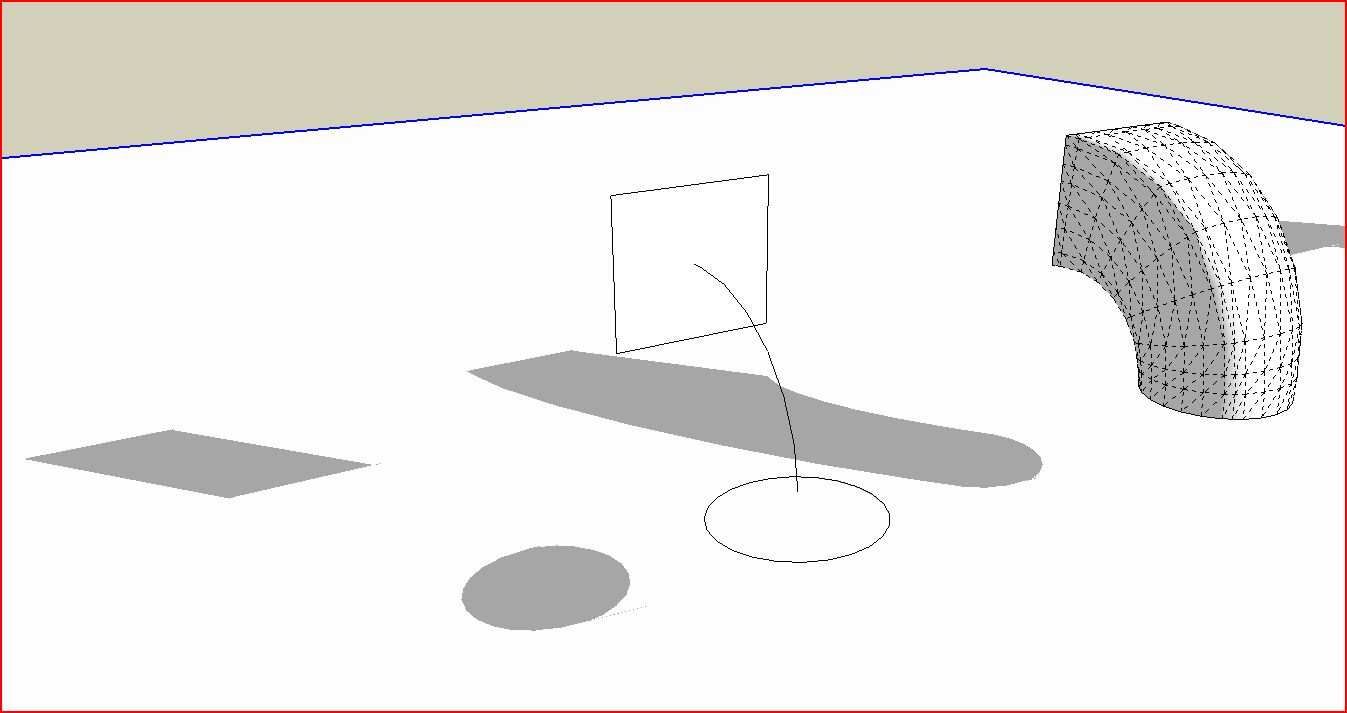
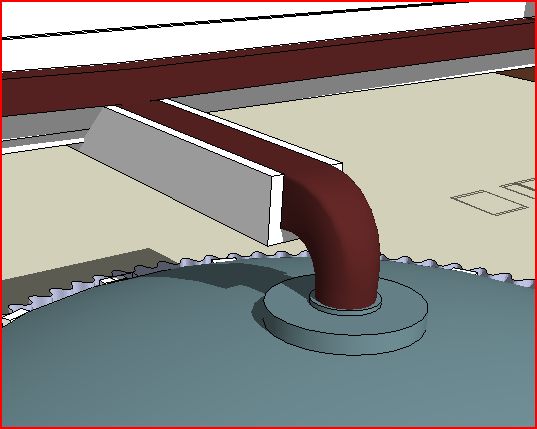
Here's a modest working use of the tool, much as exampled: to create a square to round transition, in this case for building gutter work.
I hope folks will post more.
-
@oxer said:
Hi Fredo6,
The plugin is fantastic, i'm modeling a XIV Century Church and it has a lot of organic details, your plugin will help me to finish it.
I know that the plugin is a beta phase but i find a conflict with other plugin 'set.rb' requested for svg.rb (to import svg files to sketchup), it's a minor problem for me but i say it for inform to other users if they find that the plugin does not work and they have installed this plugin. (I work on Mac)Thanks for all your plugins!!
Bye!
Where can I find this plugin svg and set.rb? I'd like to see where the conflict comes from.
Fredo
-
Fredo:
Is there a possibility that coplanar surfaces would be created with Curviloft?
-
@jclements said:
Fredo:
Is there a possibility that coplanar surfaces would be created with Curviloft?
Do you have an example?
Fredo
-
Simply amazing. Great work Fredo!
-
WHOA........▐▀ ▄ █ ▌ ▐ ▀ ▄ █▌ ▐░ ▒ ▀ ▄ █▌ ▐░ ▒ ▀ ▄ █▌ ▐░ ▒ ..WHOAAAAAAAAAA!!!!▂▃▅▆▂▃▅▆▂▃▅▆▂▃▅▆▂▃▅▆▂▃▅▆ FREDO.........YOU ARE ******* ٌ۩ﺴ ﺴ۩ٌ ٌ۩ﺴ ﺴ۩ٌ AMAZING..ٌ۩ﺴ ﺴ۩ٌ ٌ۩ﺴ ﺴ۩ٌ .PARDON MY LANGUAGE..BUT THIS PLUGIN IS REALLY OUT OF THE WORLD....HOLY______!!!!!!! MAN !!...You're not an ordinary human fredo....you have some calculators or electronic chips planted in your body...looking at your plugins ..it seems as if you're some cyborg or ....i don't know ..I don't have words to describe your talent...you rock▀ ▄ █ ▌ ▐▀ ▄ █ ▌ ▐ ▀ ▄ █▌ ▐░ ▒ ▀ ▄ █▌ ▐░ ▒ ▀ ▄ █▌ ▐░ ▒
-
@unknownuser said:
@oxer said:
Hi Fredo6,
The plugin is fantastic, i'm modeling a XIV Century Church and it has a lot of organic details, your plugin will help me to finish it.
I know that the plugin is a beta phase but i find a conflict with other plugin 'set.rb' requested for svg.rb (to import svg files to sketchup), it's a minor problem for me but i say it for inform to other users if they find that the plugin does not work and they have installed this plugin. (I work on Mac)Thanks for all your plugins!!
Bye!
Where can I find this plugin svg and set.rb? I'd like to see where the conflict comes from.
Fredo
Fredo, it probably came from this thread:
http://forums.sketchucation.com/viewtopic.php?f=180&t=13475&p=99818#p99542
That was an old attempt at include rexml in the plugins folder, but rexml required a set.rb from the ruby language installation which is in direct conflict with the built-in Set class.
-
Yea, the Set class is one that does differ in SU from the native. Not exactly sure what the differences are - wish it was documented.













Advertisement