sketchucation logo sketchucation
    • Login
    Oops, your profile's looking a bit empty! To help us tailor your experience, please fill in key details like your SketchUp version, skill level, operating system, and more. Update and save your info on your profile page today!
    Mac User? | Join the Rayscaper Beta for Mac Learn More

    [Plugin][$] Curviloft 2.0a - 31 Mar 24 (Loft & Skinning)


    Scheduled Pinned Locked Moved Plugins
    1.3k Posts 300 Posters 3.2m Views 298 Watching
    Loading More Posts
    • Oldest to Newest
    • Newest to Oldest
    • Most Votes
    Reply
    • Reply as topic
    Log in to reply
    This topic has been deleted. Only users with topic management privileges can see it.
    • bazB
      baz
      last edited by

      had a good play with loft by spline today...
      ...no probs.
      its looking abfab. thanks fredo.

      ba
      win7, (for my sins 😞 ). pent4. 3ghz. 3gb ram. nvidea 6600

      1 Reply Last reply
      Reply Quote 0
      • Didier BurD
        Didier Bur
        last edited by

        Hi Fredo6,

        I finally got it to start without a bugsplat. Select edges, spline, and here is the error message:

        @unknownuser said:

        Error: #<NoMethodError: undefined method -' for nil:NilClass> C:/Program Files/Google/Google SketchUp 7/Plugins/CURVILOFT_Dir_10/CurviloftSpline.rb:953:in spline_matrix_match_point'
        C:/Program Files/Google/Google SketchUp 7/Plugins/CURVILOFT_Dir_10/CurviloftSpline.rb:930:in spline_matrix_column' C:/Program Files/Google/Google SketchUp 7/Plugins/CURVILOFT_Dir_10/CurviloftSpline.rb:927:in each'
        C:/Program Files/Google/Google SketchUp 7/Plugins/CURVILOFT_Dir_10/CurviloftSpline.rb:927:in spline_matrix_column' C:/Program Files/Google/Google SketchUp 7/Plugins/CURVILOFT_Dir_10/CurviloftSpline.rb:646:in spline_matrix_analyze'
        C:/Program Files/Google/Google SketchUp 7/Plugins/CURVILOFT_Dir_10/CurviloftSpline.rb:645:in each' C:/Program Files/Google/Google SketchUp 7/Plugins/CURVILOFT_Dir_10/CurviloftSpline.rb:645:in spline_matrix_analyze'
        C:/Program Files/Google/Google SketchUp 7/Plugins/CURVILOFT_Dir_10/CurviloftSpline.rb:234:in spline_junction_construct' C:/Program Files/Google/Google SketchUp 7/Plugins/CURVILOFT_Dir_10/CurviloftAlgo.rb:1371:in junction_construct'
        C:/Program Files/Google/Google SketchUp 7/Plugins/CURVILOFT_Dir_10/CurviloftAlgo.rb:415:in link_construct_all' C:/Program Files/Google/Google SketchUp 7/Plugins/CURVILOFT_Dir_10/CurviloftAlgo.rb:415:in each'
        C:/Program Files/Google/Google SketchUp 7/Plugins/CURVILOFT_Dir_10/CurviloftAlgo.rb:415:in link_construct_all' C:/Program Files/Google/Google SketchUp 7/Plugins/CURVILOFT_Dir_10/CurviloftAlgo.rb:404:in link_calculate_all'
        C:/Program Files/Google/Google SketchUp 7/Plugins/CURVILOFT_Dir_10/CurviloftAlgo.rb:377:in prepare_all' C:/Program Files/Google/Google SketchUp 7/Plugins/CURVILOFT_Dir_10/CurviloftAlgo.rb:368:in proceed'
        C:/Program Files/Google/Google SketchUp 7/Plugins/CURVILOFT_Dir_10/CurviloftTool.rb:590:in transition_to_loft' C:/Program Files/Google/Google SketchUp 7/Plugins/CURVILOFT_Dir_10/CurviloftTool.rb:575:in notify_edge_picked'
        C:/Program Files/Google/Google SketchUp 7/Plugins/LIBFREDO6_Dir_35/Lib6EdgePicker.rb:356:in call' C:/Program Files/Google/Google SketchUp 7/Plugins/LIBFREDO6_Dir_35/Lib6EdgePicker.rb:356:in notify_action'
        C:/Program Files/Google/Google SketchUp 7/Plugins/LIBFREDO6_Dir_35/Lib6EdgePicker.rb:1214:in `click_outside'

        Hope this helps you to debug somewhat

        DB

        1 Reply Last reply
        Reply Quote 0
        • fredo6F
          fredo6
          last edited by

          @didier bur said:

          Hi Fredo6,

          I finally got it to start without a bugsplat. Select edges, spline, and here is the error message:

          I located the problem, but it must depend on the model somehow (most likely the orientation of curves).
          I'll put a protection (or an error message) to avoid the bugsplat anyway and will republish.

          Fredo

          1 Reply Last reply
          Reply Quote 0
          • charly2008C
            charly2008
            last edited by

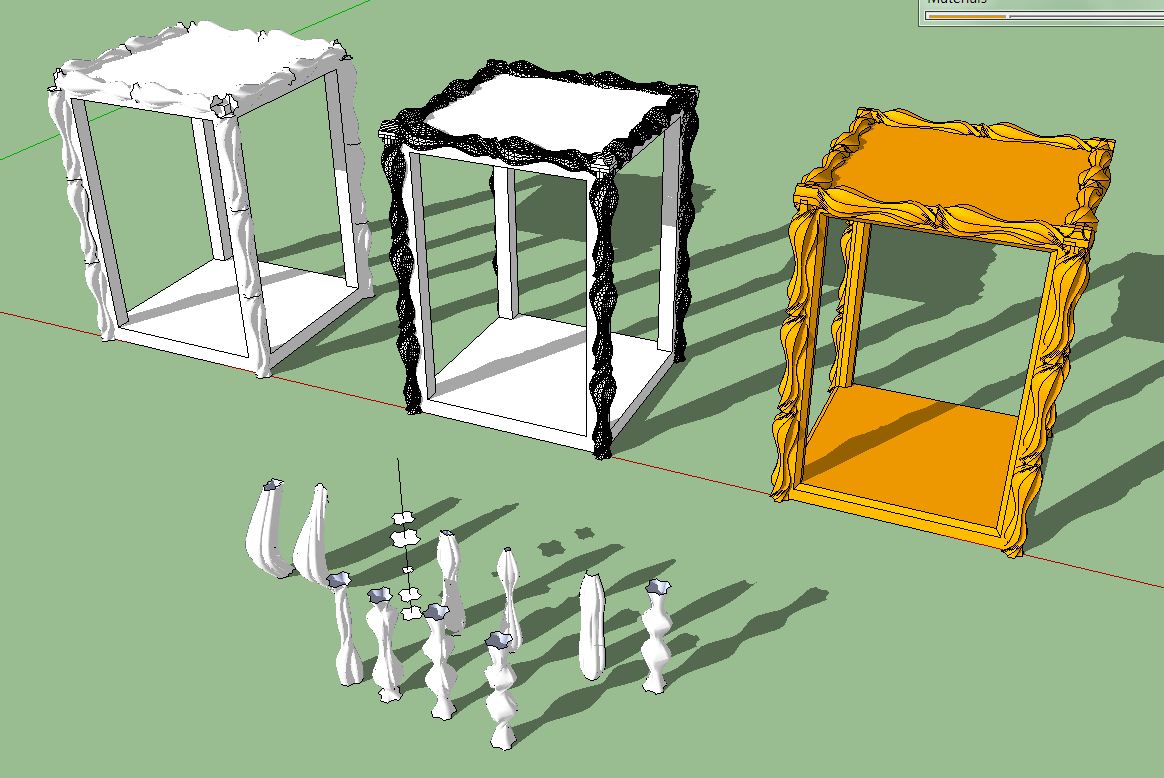
            Hi Fredo,

            your plugin is a miracle. Could be a must for historical models.

            Karl

            Unbenannt.JPG


            Unbenannt1.JPG

            He who makes no mistakes, makes nothing

            1 Reply Last reply
            Reply Quote 0
            • OxerO
              Oxer
              last edited by

              Hi Fredo6,

              The plugin is fantastic, i'm modeling a XIV Century Church and it has a lot of organic details, your plugin will help me to finish it.
              I know that the plugin is a beta phase but i find a conflict with other plugin 'set.rb' requested for svg.rb (to import svg files to sketchup), it's a minor problem for me but i say it for inform to other users if they find that the plugin does not work and they have installed this plugin. (I work on Mac)

              Thanks for all your plugins!! πŸ‘

              Bye!

              "The result is the end what is important is the process" by Oxer
              http://www.oxervision.blogspot.com/

              1 Reply Last reply
              Reply Quote 0
              • brookefoxB
                brookefox
                last edited by

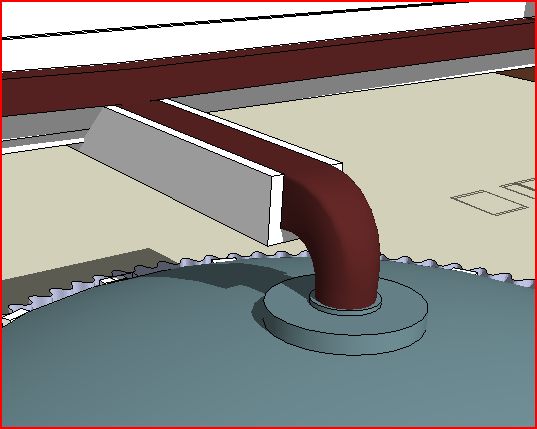
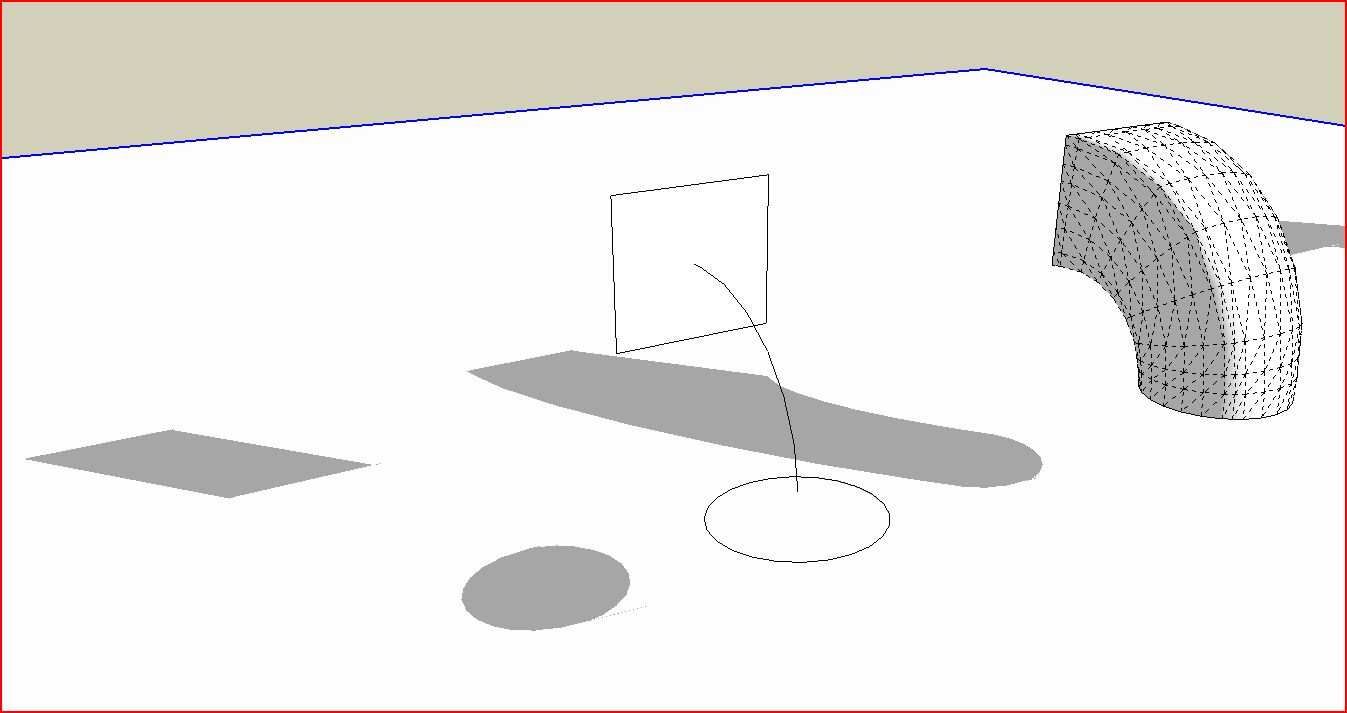
                Here's a modest working use of the tool, much as exampled: to create a square to round transition, in this case for building gutter work.

                I hope folks will post more.

                scupper transition via CurviLoft-1.JPG


                scupper transition via CurviLoft-in place.JPG

                ~ Brooke

                1 Reply Last reply
                Reply Quote 0
                • fredo6F
                  fredo6
                  last edited by

                  @oxer said:

                  Hi Fredo6,

                  The plugin is fantastic, i'm modeling a XIV Century Church and it has a lot of organic details, your plugin will help me to finish it.
                  I know that the plugin is a beta phase but i find a conflict with other plugin 'set.rb' requested for svg.rb (to import svg files to sketchup), it's a minor problem for me but i say it for inform to other users if they find that the plugin does not work and they have installed this plugin. (I work on Mac)

                  Thanks for all your plugins!! πŸ‘

                  Bye!

                  Where can I find this plugin svg and set.rb? I'd like to see where the conflict comes from.

                  Fredo

                  1 Reply Last reply
                  Reply Quote 0
                  • JClementsJ
                    JClements
                    last edited by

                    Fredo:

                    Is there a possibility that coplanar surfaces would be created with Curviloft?

                    John | Illustrator | Beaverton, Oregon

                    1 Reply Last reply
                    Reply Quote 0
                    • fredo6F
                      fredo6
                      last edited by

                      @jclements said:

                      Fredo:

                      Is there a possibility that coplanar surfaces would be created with Curviloft?

                      Do you have an example?

                      Fredo

                      1 Reply Last reply
                      Reply Quote 0
                      • J
                        Joarek
                        last edited by

                        Simply amazing. Great work Fredo!

                        1 Reply Last reply
                        Reply Quote 0
                        • A
                          arjunmax09
                          last edited by

                          WHOA........▐▀ β–„ β–ˆ β–Œ ▐ β–€ β–„ β–ˆβ–Œ ▐░ β–’ β–€ β–„ β–ˆβ–Œ ▐░ β–’ β–€ β–„ β–ˆβ–Œ ▐░ β–’ ..WHOAAAAAAAAAA!!!!β–‚β–ƒβ–…β–†β–‚β–ƒβ–…β–†β–‚β–ƒβ–…β–†β–‚β–ƒβ–…β–†β–‚β–ƒβ–…β–†β–‚β–ƒβ–…β–† FREDO.........YOU ARE ******* ٌ۩ﺴ ﺴ۩ٌ ٌ۩ﺴ ﺴ۩ٌ AMAZING..ٌ۩ﺴ ﺴ۩ٌ ٌ۩ﺴ ﺴ۩ٌ .PARDON MY LANGUAGE..BUT THIS PLUGIN IS REALLY OUT OF THE WORLD....HOLY______!!!!!!! MAN !!...You're not an ordinary human fredo....you have some calculators or electronic chips planted in your body...looking at your plugins ..it seems as if you're some cyborg or ....i don't know ..I don't have words to describe your talent...you rockβ–€ β–„ β–ˆ β–Œ ▐▀ β–„ β–ˆ β–Œ ▐ β–€ β–„ β–ˆβ–Œ ▐░ β–’ β–€ β–„ β–ˆβ–Œ ▐░ β–’ β–€ β–„ β–ˆβ–Œ ▐░ β–’ πŸ˜„

                          when you fail at something....you haven't really failed...you've found one way the thing will not work out

                          1 Reply Last reply
                          Reply Quote 0
                          • J
                            Jim
                            last edited by

                            @unknownuser said:

                            @oxer said:

                            Hi Fredo6,

                            The plugin is fantastic, i'm modeling a XIV Century Church and it has a lot of organic details, your plugin will help me to finish it.
                            I know that the plugin is a beta phase but i find a conflict with other plugin 'set.rb' requested for svg.rb (to import svg files to sketchup), it's a minor problem for me but i say it for inform to other users if they find that the plugin does not work and they have installed this plugin. (I work on Mac)

                            Thanks for all your plugins!! πŸ‘

                            Bye!

                            Where can I find this plugin svg and set.rb? I'd like to see where the conflict comes from.

                            Fredo

                            Fredo, it probably came from this thread:

                            404 Not Found

                            favicon

                            (forums.sketchucation.com)

                            That was an old attempt at include rexml in the plugins folder, but rexml required a set.rb from the ruby language installation which is in direct conflict with the built-in Set class.

                            Hi

                            1 Reply Last reply
                            Reply Quote 0
                            • thomthomT
                              thomthom
                              last edited by

                              Yea, the Set class is one that does differ in SU from the native. Not exactly sure what the differences are - wish it was documented.

                              Thomas Thomassen β€” SketchUp Monkey & Coding addict
                              List of my plugins and link to the CookieWare fund

                              1 Reply Last reply
                              Reply Quote 0
                              • fredo6F
                                fredo6
                                last edited by

                                @thomthom said:

                                Yea, the Set class is one that does differ in SU from the native. Not exactly sure what the differences are - wish it was documented.

                                And using Sketchup::Set instead generates a lot of warning messages.

                                Anyway, I found a way to do without the Set class.

                                Fredo

                                1 Reply Last reply
                                Reply Quote 0
                                • D
                                  d12dozr
                                  last edited by

                                  Karl, that's very neat, thanks for sharing πŸŽ‰

                                  3D Printing with SketchUp Book
                                  http://goo.gl/f7ooYh

                                  1 Reply Last reply
                                  Reply Quote 0
                                  • charly2008C
                                    charly2008
                                    last edited by

                                    Hi to All,

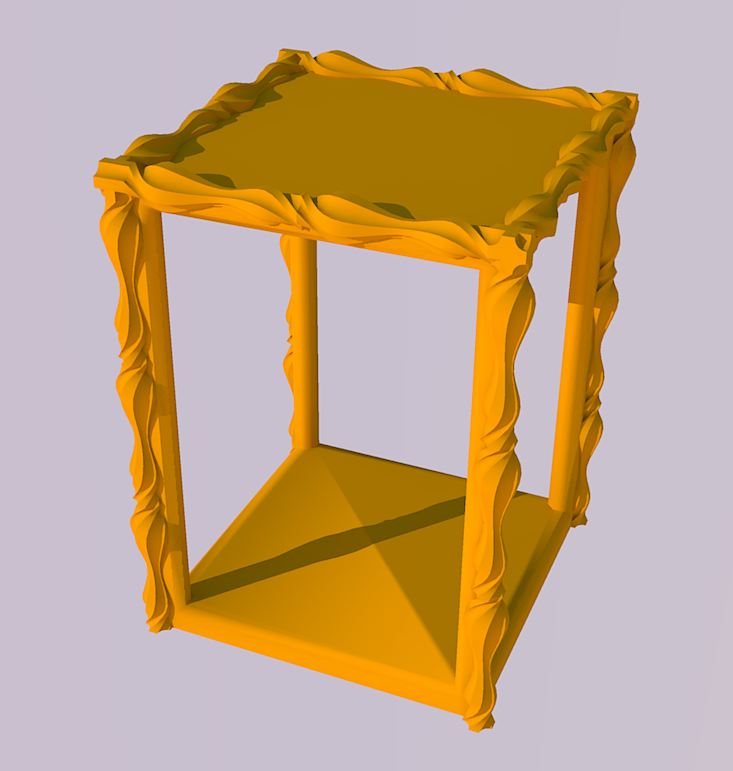
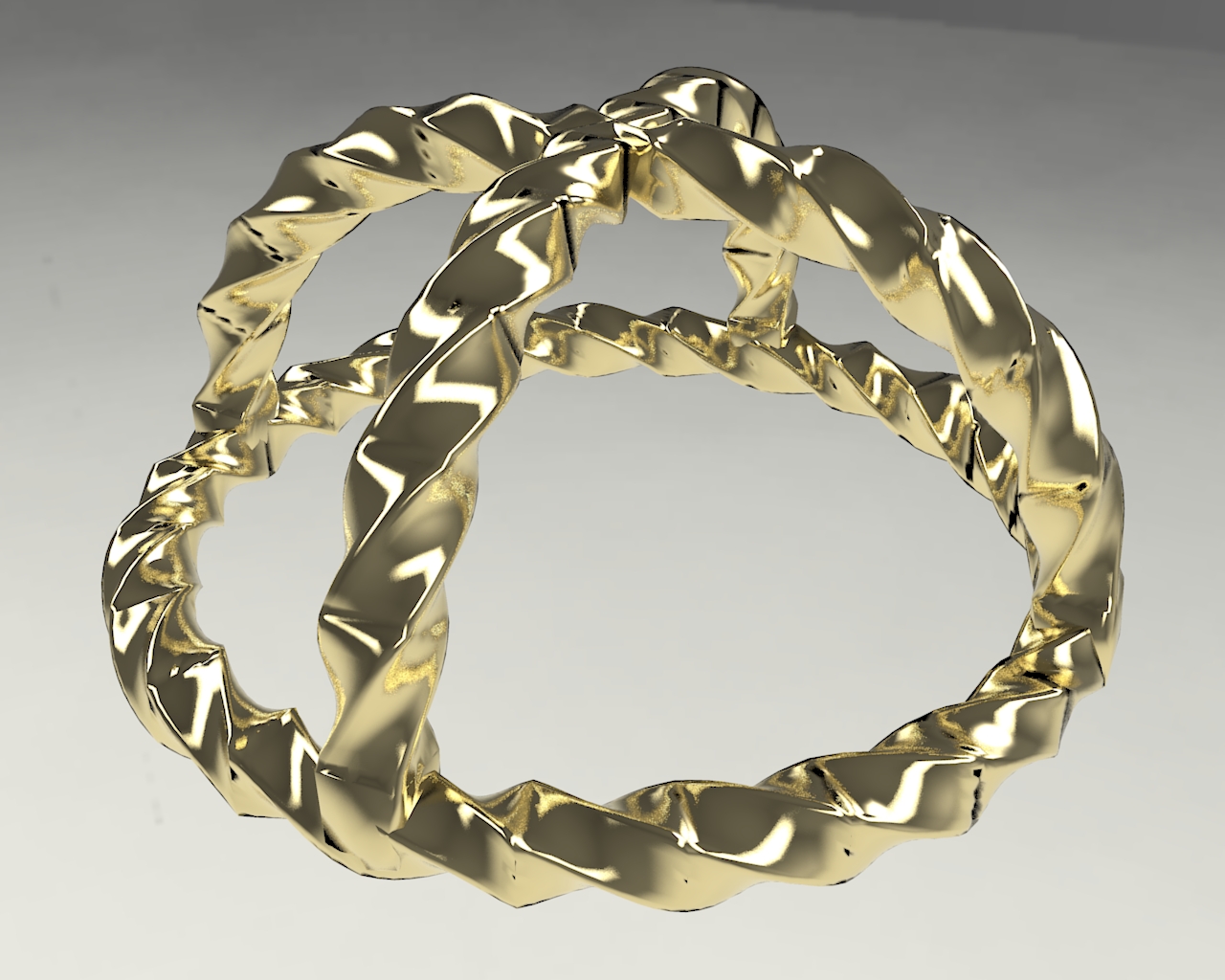
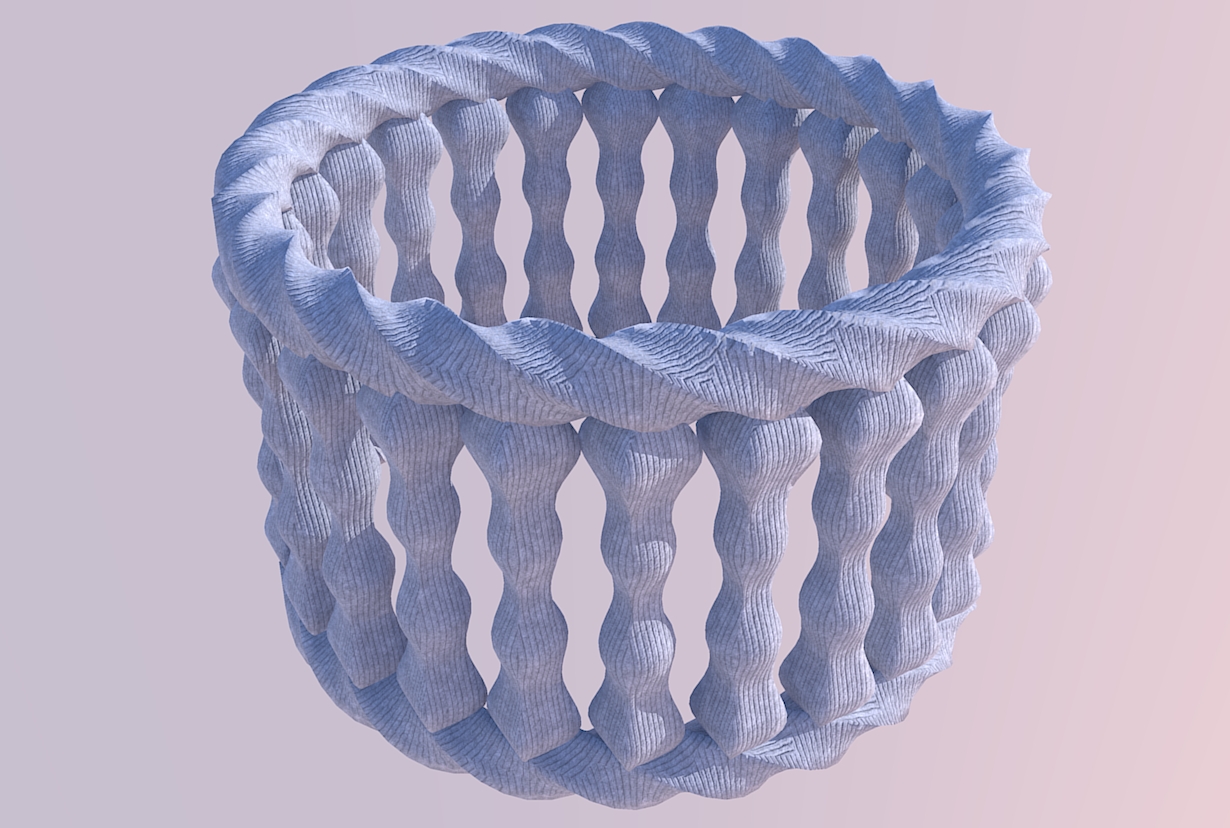
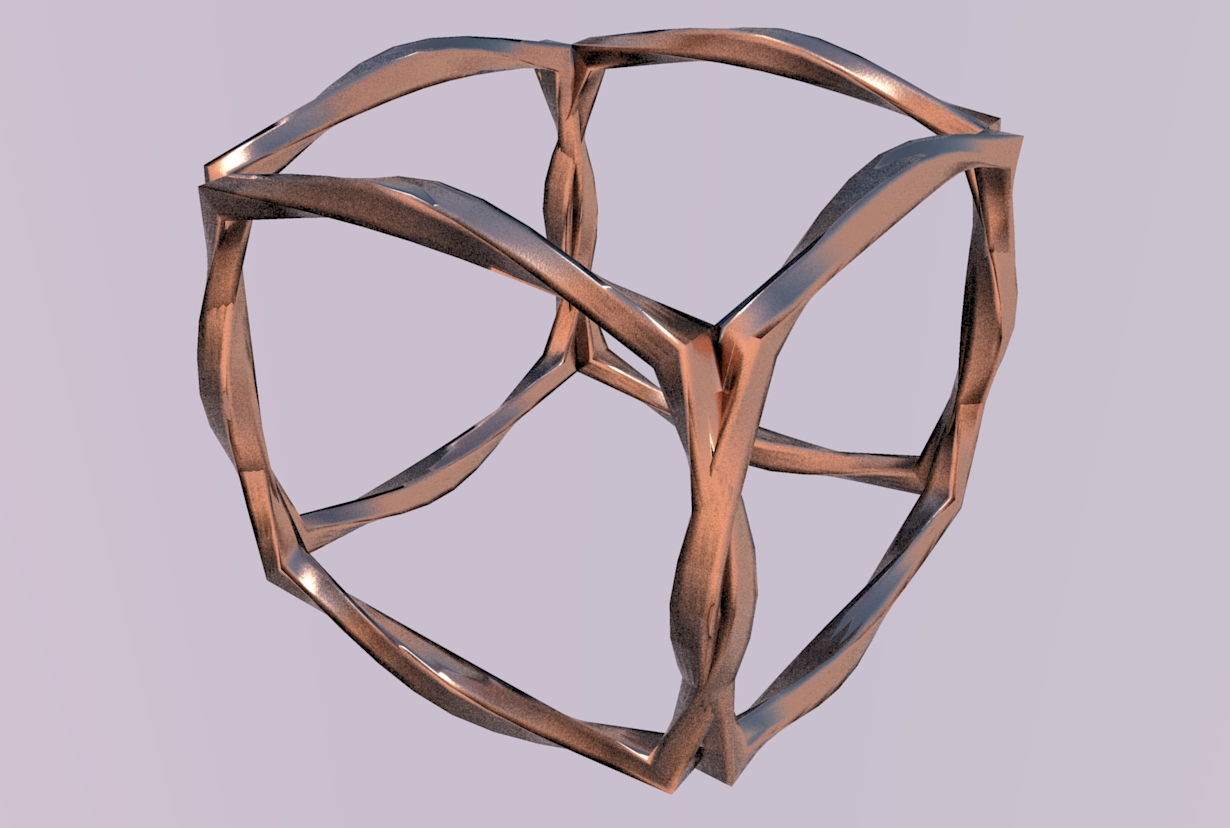
                                    three experiments with Curviloft and Perpendicular Square. Please show your ideas for what is possible with Curviloft. It's just fun to try out new ideas.

                                    Karl

                                    Unbenannt.JPG


                                    Unbenannt2.JPG


                                    Unbenannt3.JPG


                                    Unbenannt7.JPG


                                    Unbenannt8.JPG

                                    He who makes no mistakes, makes nothing

                                    1 Reply Last reply
                                    Reply Quote 0
                                    • A
                                      alangood
                                      last edited by

                                      Hi Fredo,

                                      Please excuse me with my newbie question.

                                      I am trying to get your Curviloft plugin to work on my mac (OS X 10.6.3) in SU7. (Maybe it's working already, but I don't know how to access its functions.) I've only used SU about 100 hours over two years. But as I'm starting to design, manufacture and install concrete ping pong tables, SU is proving more and more useful!

                                      I'm dying to create curved surfaces, so am grateful for what appears to be an ideal plugin.

                                      I downloaded these plug ins: Driving Directions, Ruby Console, Curviloft, and others. I installed the .rb files on min Library/App Support/SU7. I restarted SU.

                                      I saw that DD and RC added themselves to the top pull down menus. DD created a floating tool bar. But I couldn't find CL. I deleted all the plug ins from Library/App Support/SU7, and from Library/Internet PlugIns. I still see RC and DD in the pull down menus. I don't mind them there, but my goal is to start to use CL.

                                      Do you have any suggestions? Next I'll try trashing SU and reinstalling it.

                                      thanks,

                                      Alan

                                      Alan Good
                                      President
                                      hengetables.com

                                      1 Reply Last reply
                                      Reply Quote 0
                                      • fredo6F
                                        fredo6
                                        last edited by

                                        @alangood said:

                                        Do you have any suggestions? Next I'll try trashing SU and reinstalling it.

                                        I don't think you need to reinstall SU.
                                        Rather, check the footprint (2 files, 2 subfolders) which is indicated in the main post where you downloaded from (http://forums.sketchucation.com/viewtopic.php?f=323&t=28586#p248195).

                                        If needed, unzip in a neutral directory and then move the two files and folders to the SU Plugins folder, which on Mac should normally be:
                                        Macintosh HD/Library/Application Support/Google SketchUp 7/SketchUp/plugins

                                        Fredo

                                        1 Reply Last reply
                                        Reply Quote 0
                                        • fredo6F
                                          fredo6
                                          last edited by

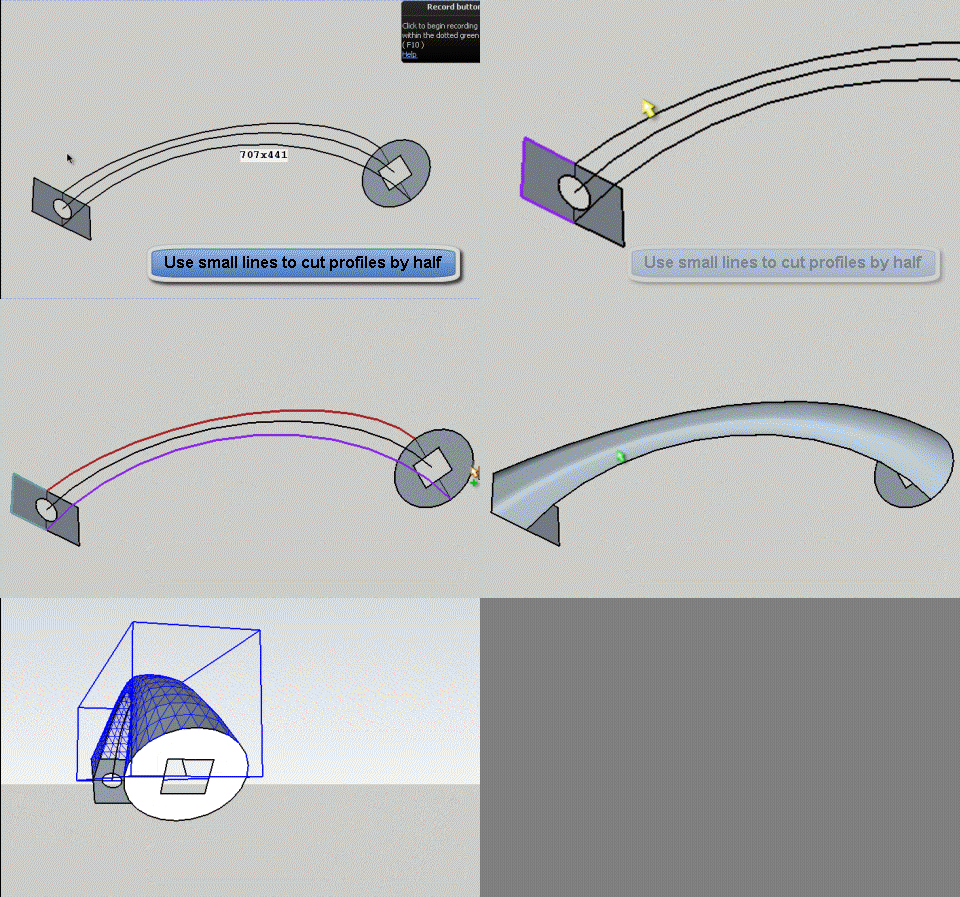
                                          Although Sweep is not supported (i.e. loft along two rails), you can in some situations simulate it via the Skinning function.
                                          Here the model posted previously by Diego, where you can generate the sweep shape by half.
                                          Sweep by Half skinning.gif

                                          Fredo

                                          1 Reply Last reply
                                          Reply Quote 0
                                          • X
                                            xrok1
                                            last edited by

                                            AWSOME! 😲

                                            β€œThere are three classes of people: those who see. Those who see when they are shown. Those who do not see.”

                                            http://www.Twilightrender.com try it!

                                            1 Reply Last reply
                                            Reply Quote 0

                                            Hello! It looks like you're interested in this conversation, but you don't have an account yet.

                                            Getting fed up of having to scroll through the same posts each visit? When you register for an account, you'll always come back to exactly where you were before, and choose to be notified of new replies (either via email, or push notification). You'll also be able to save bookmarks and upvote posts to show your appreciation to other community members.

                                            With your input, this post could be even better πŸ’—

                                            Register Login
                                            • 1
                                            • 2
                                            • 6
                                            • 7
                                            • 8
                                            • 9
                                            • 10
                                            • 65
                                            • 66
                                            • 8 / 66
                                            • First post
                                              Last post
                                            Buy SketchPlus
                                            Buy SUbD
                                            Buy WrapR
                                            Buy eBook
                                            Buy Modelur
                                            Buy Vertex Tools
                                            Buy SketchCuisine
                                            Buy FormFonts

                                            Advertisement